fDeck: flight instruments

fDeck: flight instruments

Download on App Store
Spark by MWM logo
Logo of fDeck: flight instruments

fDeck: Professional Flight Instruments in Your Pocket

Master radio navigation, monitor live ADS-B traffic, and sync with X-Plane. The ultimate cockpit companion designed for student pilots and flight simulation enthusiasts.

Publisher

Darren Yeates

Category

Navigation

Downloads

28K+

User Rating

4.8/5

Total Ratings

800

Locales

1

A View From the Cockpit

Discover the interface used by 28K+ users.
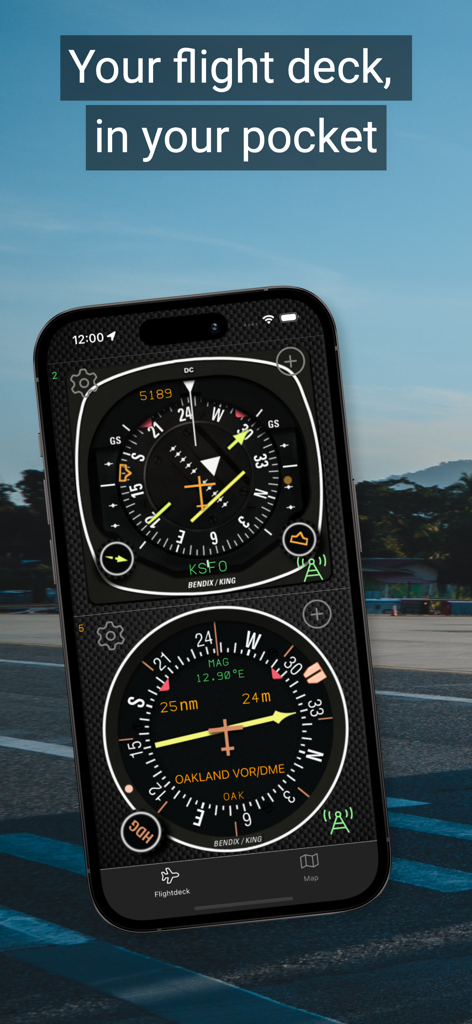
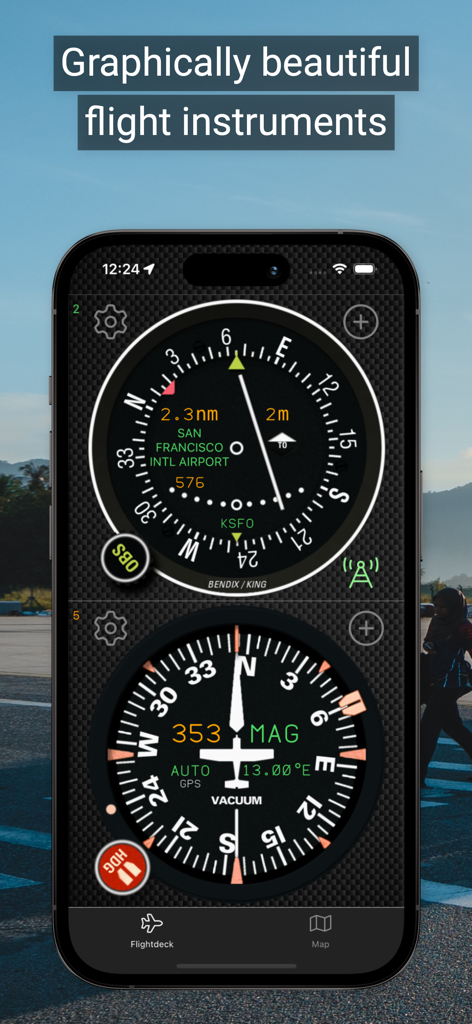
A smartphone showing flight navigation instruments HSI and VOR from the fDeck app.

A smartphone showing flight navigation instruments HSI and VOR from the fDeck app.

A smartphone displaying high-fidelity flight instruments including a Horizontal Situation Indicator and a heading indicator from the fDeck app.

A smartphone displaying high-fidelity flight instruments including a Horizontal Situation Indicator and a heading indicator from the fDeck app.

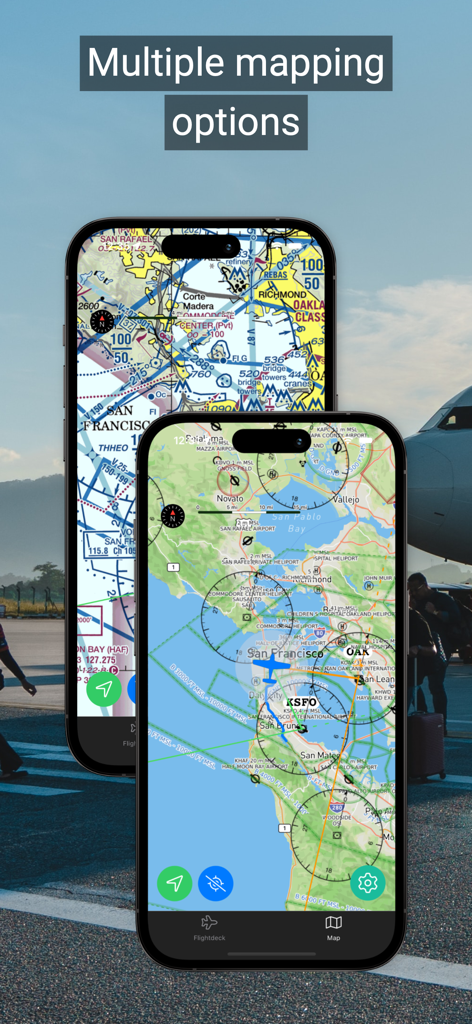
Two smartphones displaying the fDeck app with multiple mapping options including aviation sectional charts and navigation overlays

Two smartphones displaying the fDeck app with multiple mapping options including aviation sectional charts and navigation overlays

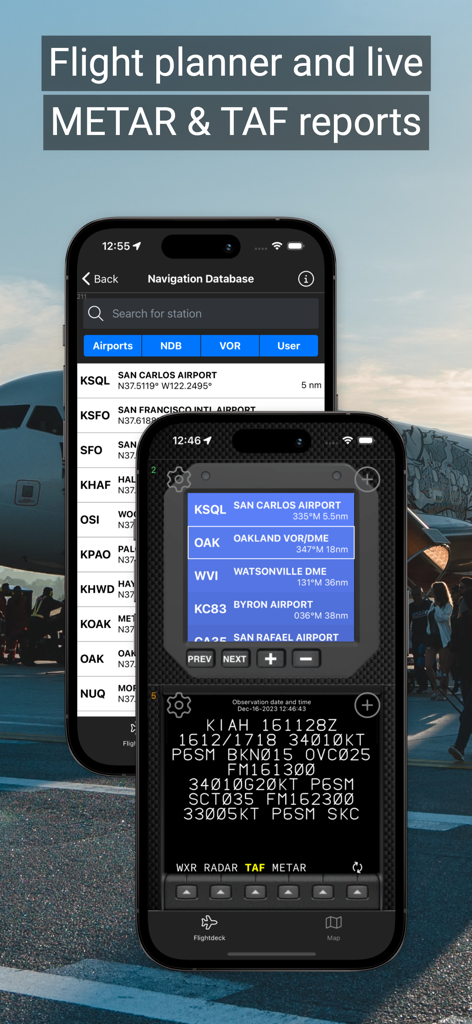
A mobile app interface showing a flight planner, navigation database, and live METAR and TAF aviation weather reports.

A mobile app interface showing a flight planner, navigation database, and live METAR and TAF aviation weather reports.

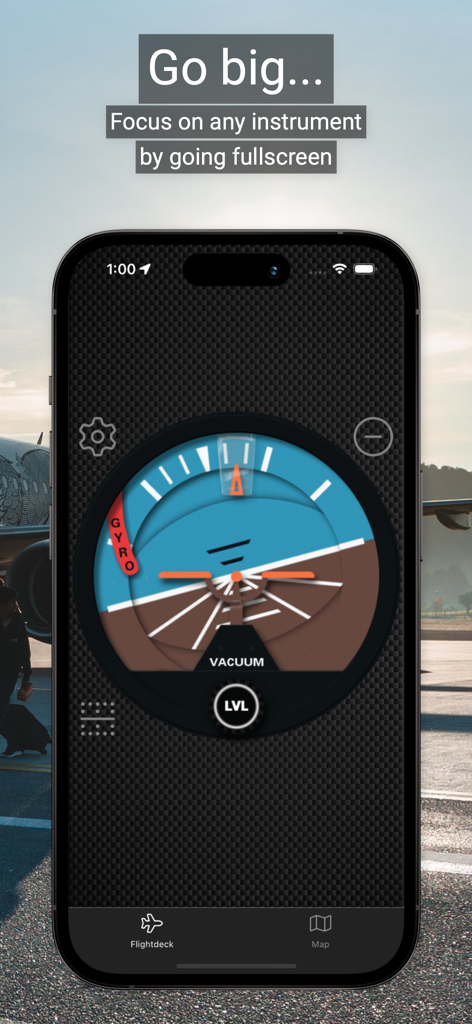
A mobile phone displaying a detailed artificial horizon flight instrument in fullscreen mode from the fDeck app

A mobile phone displaying a detailed artificial horizon flight instrument in fullscreen mode from the fDeck app

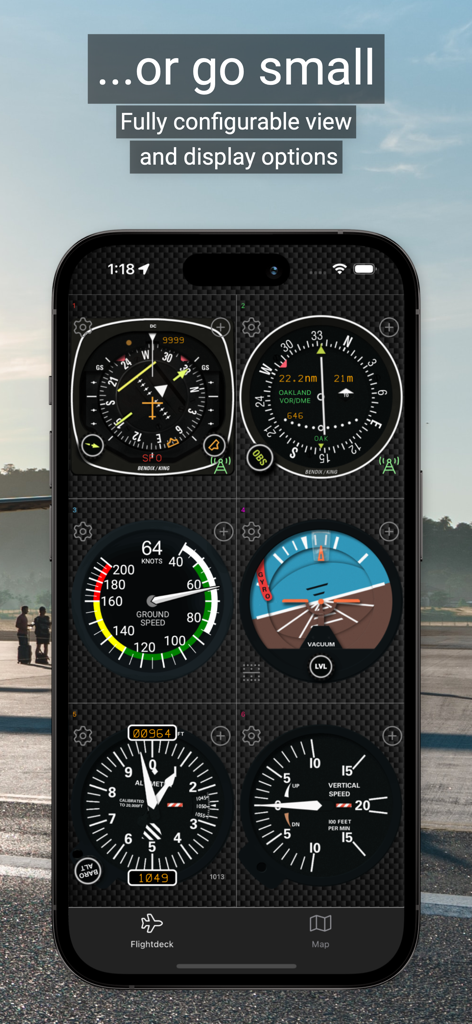
fDeck app displaying a grid of six different flight instruments on an iPhone screen

fDeck app displaying a grid of six different flight instruments on an iPhone screen

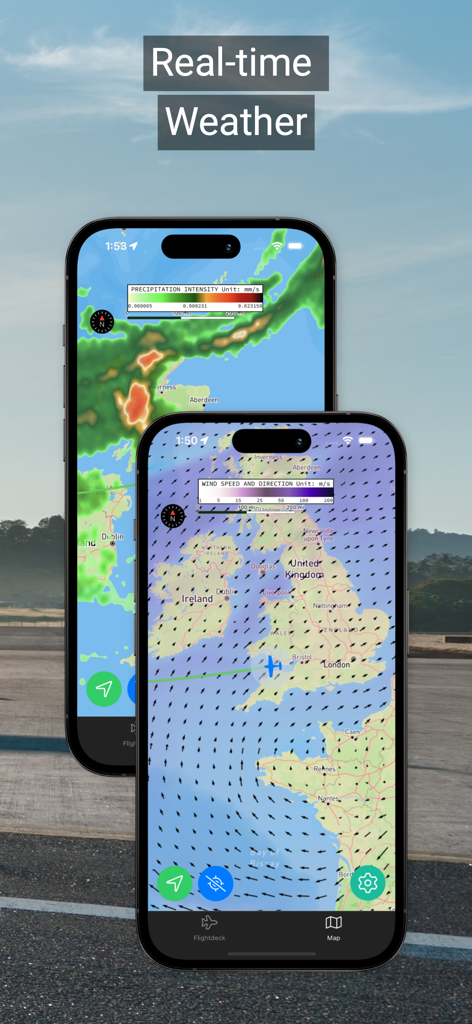
fDeck app showing real-time aviation weather overlays including precipitation intensity and wind speed on a navigation map

fDeck app showing real-time aviation weather overlays including precipitation intensity and wind speed on a navigation map

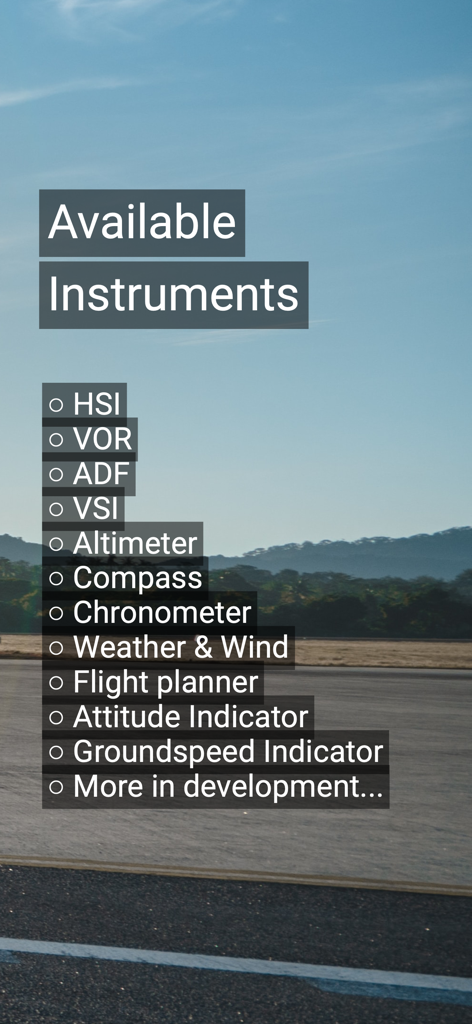
A list of available aviation instruments in the fDeck app including HSI VOR and Altimeter over an airfield background

A list of available aviation instruments in the fDeck app including HSI VOR and Altimeter over an airfield background

Precision Instruments for Professional Training

The tools that make this app stand out, trusted by 28K+ users.

🧭

Master Radio Navigation

Practice VOR, HSI, and ADF tracking without the hourly fuel cost. Use the virtual map to reposition your aircraft and see instruments react in real-time.

🖥️

Seamless X-Plane Integration

Turn your iPad into a dedicated glass cockpit. Drive your instruments directly from X-Plane for a more immersive and realistic home simulation setup.

🌩️

Live Aviation Intelligence

Boost situational awareness with real-time METAR/TAF weather reports and ADS-B based traffic data with an integrated TCAS avoidance system.

Loved by users worldwide

Trusted by 28K+ people who love this app.

"

"fDeck is an incredible training tool. I use it to practice radio navigation and intercepting VOR radials before my real flight lessons. It has saved me a fortune in instruction time, and the graphical quality is absolutely top-notch."

Tyler S., Student Pilot
"

"The X-Plane connector is flawless. I love having my flight instruments on a separate screen right next to my controls. It’s the most realistic flight deck app I've used, and the live METAR reports are perfect for pre-flight planning."

David M., Flight Sim Enthusiast

About the app

Everything you need to know about fDeck: flight instruments.

Description

fDeck is an aircraft flight deck in your pocket that provides real-world functionality to a suite of full-featured, graphically beautiful flight instruments for your mobile device. It allows you to virtually tune any radio aid from a worldwide aviation database, or create your own 'virtual' radio aids whever you want to practice radio navigation. Use the app as a training aid, or use it as a set of complimentary flight instruments when flying. In addition to the beautiful flight deck instruments, fDeck also has a built-in aviation moving map that shows your location as well as relevant airspace, airports, navigation data and real-time weather and ADS-B based traffic information.. You can move your location on the map to reposition your virtual aircraft and the flight instruments will reflect this new location. This allows you to use fDeck as a radio navigation trainer - you can see in real-time what the VOR, HSI or NDB will look like at your new location! The following instruments are currently available in the app: • Horizontal Situation Indicator (HSI) • VHF Omnidirectional Range Receiver (VOR) • Automatic Direction Finder (ADF) • Artificial Horizon • Groundspeed Indicator • Vertical Speed Indicator (VSI) • Aircraft Compass, with functioning heading bug • Altimeter - with functioning barometric pressure adjustments • Chronometer with fuel totaliser • Flight Planner • Weather and Wind - display live weather and wind information including live TAF & METAR reports If you use the X-Plane flight simulator you can even drive the flight instruments straight from X-Plane! Key features: • Instruments are proudly graphically accurate with ultra smooth animations • Live weather and ADS-B based traffic data with a built-in Traffic Avoidance (TCAS) system • Go full-screen to focus on a single instrument, or use multiple of the same type • Tune each instrument slot to a different radio station • Simulate flight by panning your location on the map - use the app as a radio aids trainer! • Worldwide aviation database containing over 20k airports and radio navigation aids, updated monthly • Fully searchable navigation database, filterable by type • Map view with aviation overlays showing location and tuned radio stations • Each instrument has an associated video tutorial • Add your own navaids - want to practice VOR radial tracking on your house - now you can! • Supports tablets and phones and both portrait and landscape orientations This app has taken years of work by the developer, who provides it free for your use. The app does have in-app ads.  By becoming an fDeck Premium member via an in-app subscription or one-time purchase you can remove all in-app ads, remove the 5 user station limitation, access monthly navigation database updates, display map weather overlays, live virtual weather radar, live TAF & METAR reports, live ADS-B Traffic and TCAS system and finally - obtain unlimited access to the X-Plane connector. If you have any issues, please consider contacting me directly instead of giving a negative rating - most times your issues can be solved or answered. A rating will not get your app to work or a new feature added, but an email might - simply use the integrated "Contact the developer" function on the app settings page. Any payments or subscriptions will be charged to your account at confirmation of purchase. Subscriptions will automatically renew unless cancelled within 24-hours before the end of the current period. You can cancel anytime through your account settings. Full details of our Terms of Service can be found at the following URL https://www.sensorworks.co.uk/terms/

Latest Version

2.14.23

Size

91.0 MB

First Released

Apr 10, 2020

Ready for Departure? Upgrade Your Flight Deck Today

Join 28,000+ pilots and flight sim enthusiasts. Master radio navigation, track live ADS-B traffic, and perfect your skills with the most graphically accurate instruments on iOS.

Download on App Store