Manga Library, The FREE Manga and Comics Reader: Import your CBZ, ZIP, PDF, RAR, CBR files.

Manga Library, The FREE Manga and Comics Reader: Import your CBZ, ZIP, PDF, RAR, CBR files.

Download on App Store
Spark by MWM logo
Logo of Manga Library, The FREE Manga and Comics Reader: Import your CBZ, ZIP, PDF, RAR, CBR files.

Manga Library: The Professional-Grade Reader for Serious Collectors

Take total control of your digital archive. From seamless WiFi transfers to zero-lag reading of massive collections, Manga Library is built for the ultimate manga experience on your iPhone and iPad.

Publisher

Hakim Kaoues

Category

Books

Downloads

317K+

User Rating

3.1/5

Total Ratings

200

Locales

2

Your Collection, Visualized

Discover the interface used by 317K+ users.
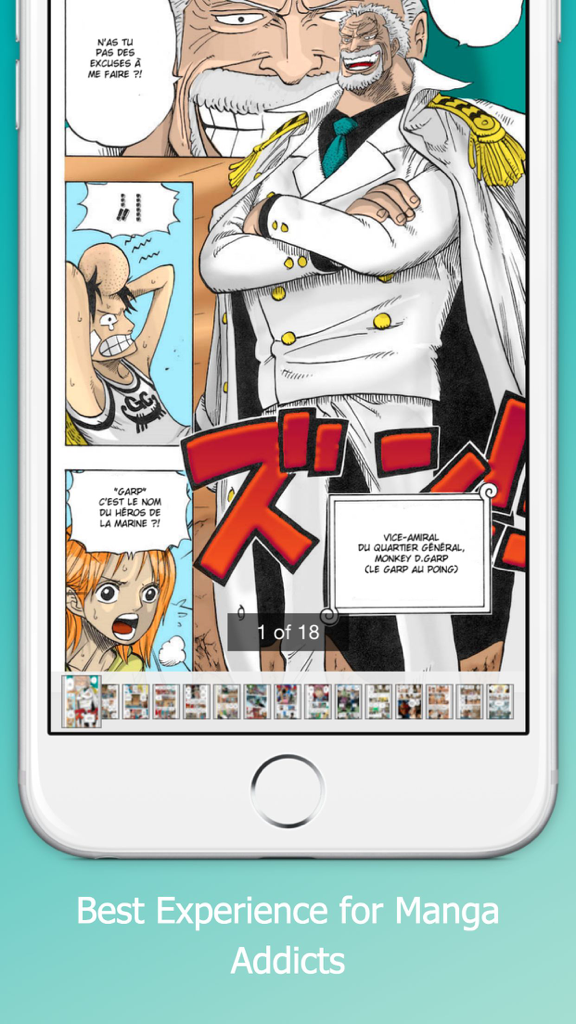
Manga reader app interface showing a colorful manga page and navigation thumbnails

Manga reader app interface showing a colorful manga page and navigation thumbnails

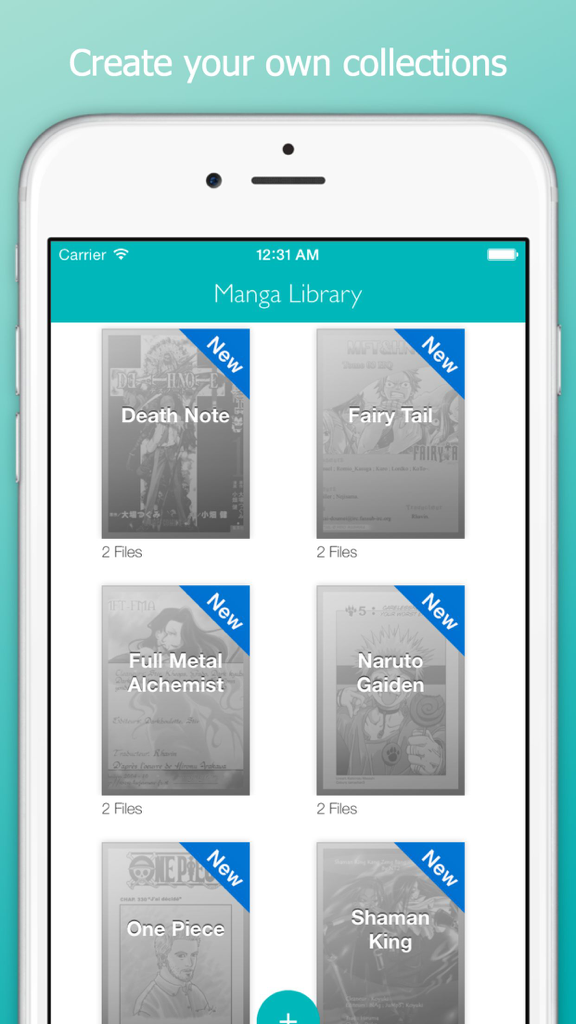
Manga Library app showing a grid view of organized manga collections like Death Note and One Piece on an iPhone.

Manga Library app showing a grid view of organized manga collections like Death Note and One Piece on an iPhone.

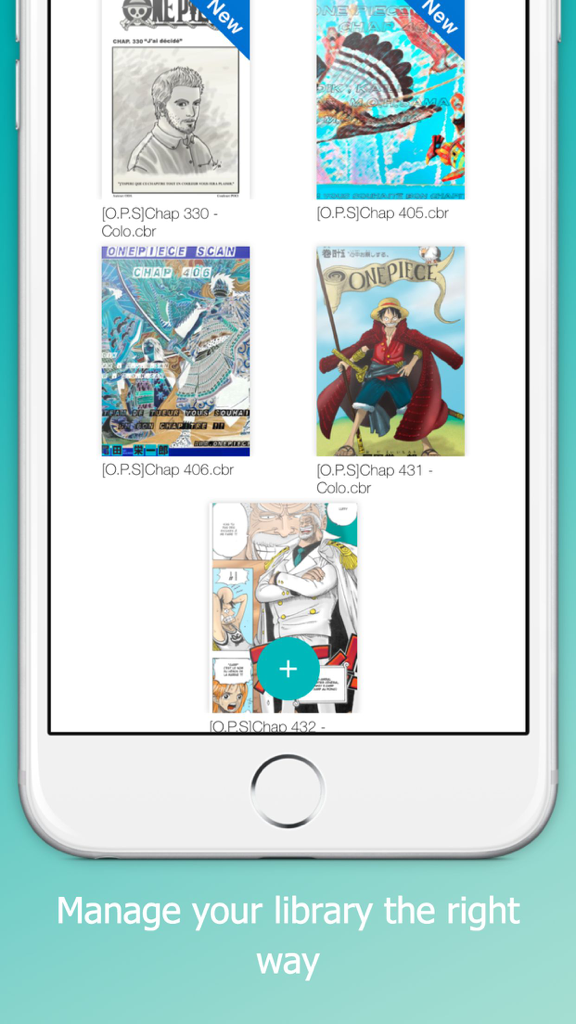
A mobile app screen displaying a library of manga covers like One Piece with file names and new badges

A mobile app screen displaying a library of manga covers like One Piece with file names and new badges

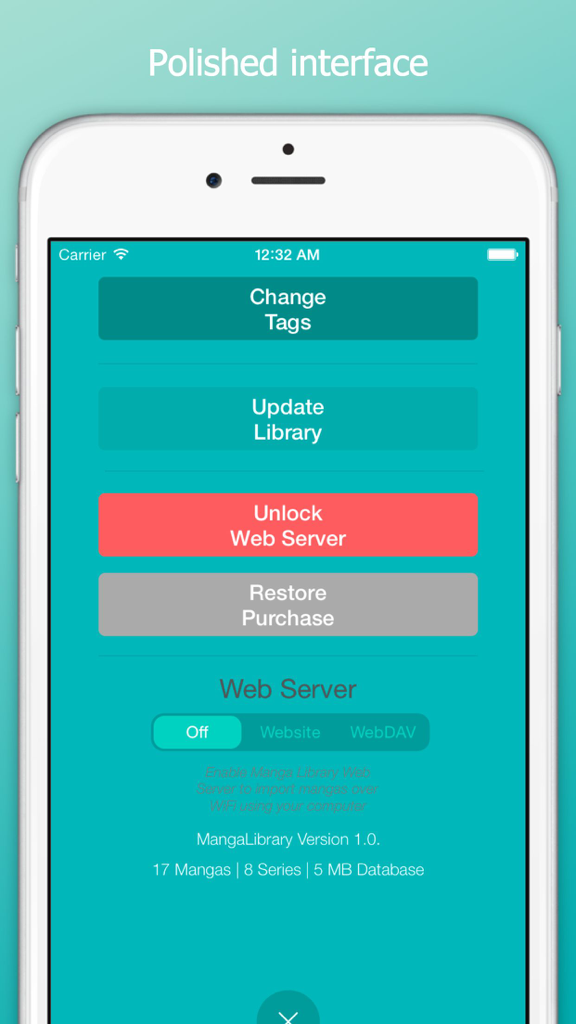
Settings screen of Manga Library app with web server and import options

Settings screen of Manga Library app with web server and import options

Built for the Ultimate Collector

The tools that make this app stand out, trusted by 317K+ users.

🚀

Heavy-Duty Performance

Navigate thousands of volumes effortlessly. Our engine handles massive collections without crashing or slowing down.

📖

Universal Format Support

Read your files your way. Full native support for .cbr, .cbz, .pdf, and .rar files with no pre-processing required.

📶

Pro-Grade Wireless Sync

Skip the cables. Use WebDAV or a local WiFi server to transfer your library directly from your PC or NAS.

Loved by users worldwide

Trusted by 317K+ people who love this app.

"

"Finally, a reader that actually handles my massive 200GB collection without breaking a sweat. The WebDAV transfer feature makes syncing my library from my NAS to my iPad incredibly smooth. It is the cleanest, fastest interface I have found for CBR files."

Alex Rivera
"

"I am tired of monthly subscriptions just to read manga I already own. This app is perfect—it supports every format from ZIP to PDF and does not require any pre-processing. The background import is a lifesaver when I am prepping for a long flight."

Jordan Chen

About the app

Everything you need to know about Manga Library, The FREE Manga and Comics Reader: Import your CBZ, ZIP, PDF, RAR, CBR files..

Description

Manage your manga library the right way with Manga Library on your iPhone / iPad. Manga Library was designed with one goal in mind: providing the best experience for manga addicts with large collections. Features: - Polished interface - Can handle very large comic collections without crashing or becoming unusable - Imports new mangas in the background - Doesn't need to pre-process manga files before you can read them - Supports .cbr, .cbz and pdf files Importing Manga - iTunes with USB cable: - Connect your iPhone/iPad to your computer and launch iTunes - In the Applications section, select Manga Library in the list at the bottom - Drag and drop manga files into the Documents area - If Manga Library is already running, display the settings window ("Plus" Button) and tap on "Update" Importing Comics - Web Server over WiFi (In-App purchase required for unlimited use): - Make sure your iPhone/iPad and computer are on the same WiFi network - Launch Manga Library - Display the settings window ("Plus" Button) and set the Web Server setting to "Website" mode - Open the provided URL in a web browser on your computer - To upload mangas as part of collections, first create a folder then upload the manga files into it Instead of a web browser, if you prefer to use a WebDAV client (e.g. Transmit or ForkLift for Mac or CyberDuck for Mac / Windows), set the Web Server setting to "WebDAV" mode and connect the client to the provided URL. Deleting or changing a manga or series status: - Tap and hold on a manga thumbnail or a series thumbnail - Choose the appropriate option in the pop-up menu that appears

Latest Version

1.0.1

Size

6.6 MB

First Released

Aug 12, 2015

Build Your Ultimate Digital Manga Library Today

Join over 317,000 power users who demand total control over their collections. Import your CBZ, CBR, and PDF files via WiFi or USB and enjoy a crash-free, premium reading experience on your iPhone and iPad.

Download on App Store