MyScript Notes: AI Handwriting

MyScript Notes: AI Handwriting

Download on App StoreDownload on Google Play
Spark by MWM logo
Logo of MyScript Notes: AI Handwriting

MyScript Notes: AI Handwriting — The World's Most Powerful Digital Notebook
Harness industry-leading AI to turn your handwriting into professional, searchable documents. From infinite brainstorming to complex math solving, experience the ultimate productivity workspace for iPad and beyond.

Publisher

MyScript

Category

Productivity

Downloads

6M+

User Rating

4.6/5

Total Ratings

112K+

Locales

11

A Glimpse Inside

Discover the interface used by 6M+ users.
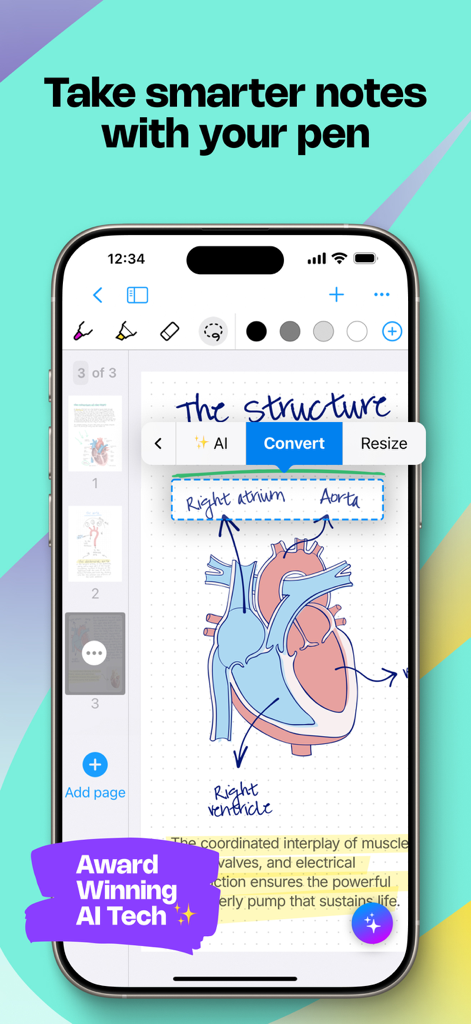
A smartphone screen displaying the MyScript Notes app with an anatomical heart diagram and an AI menu converting handwritten labels into typed text.

A smartphone screen displaying the MyScript Notes app with an anatomical heart diagram and an AI menu converting handwritten labels into typed text.

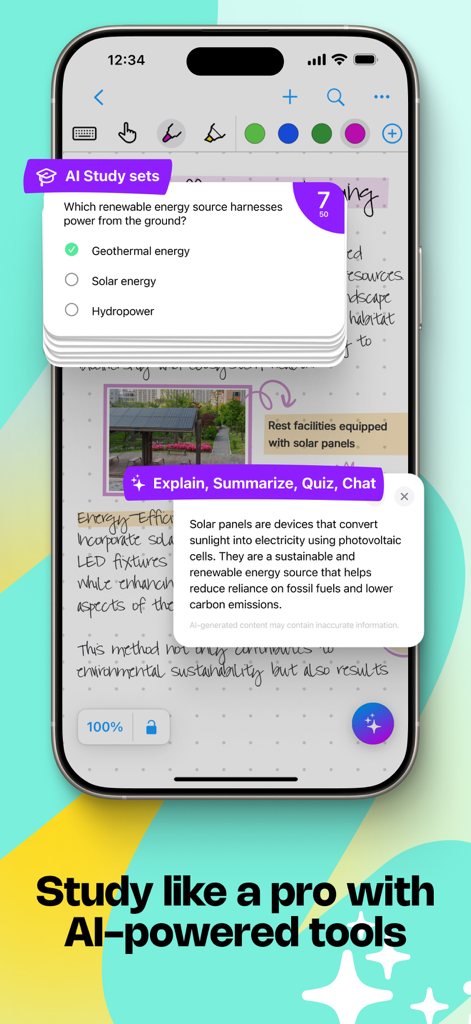
iPhone screen showing handwritten notes with AI powered study sets and content explanation tools

iPhone screen showing handwritten notes with AI powered study sets and content explanation tools

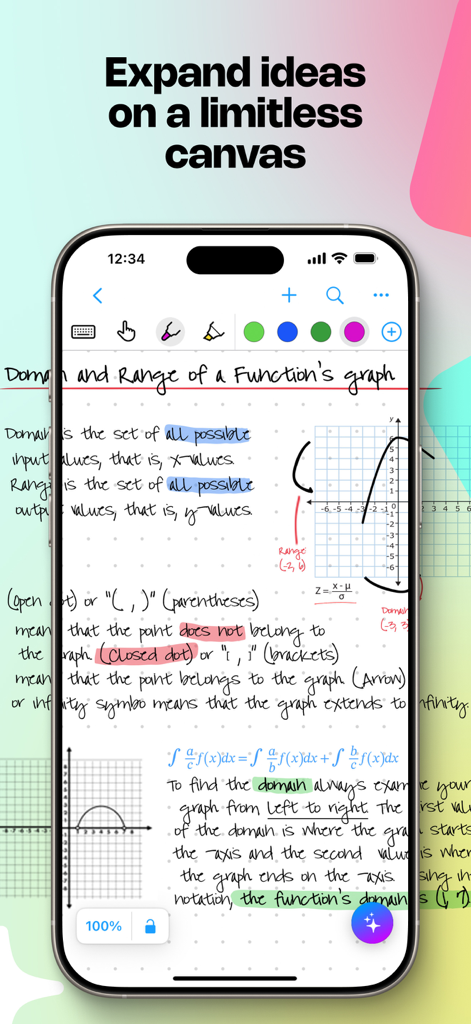
Mobile app screen showing handwritten math notes and diagrams on a limitless digital canvas

Mobile app screen showing handwritten math notes and diagrams on a limitless digital canvas

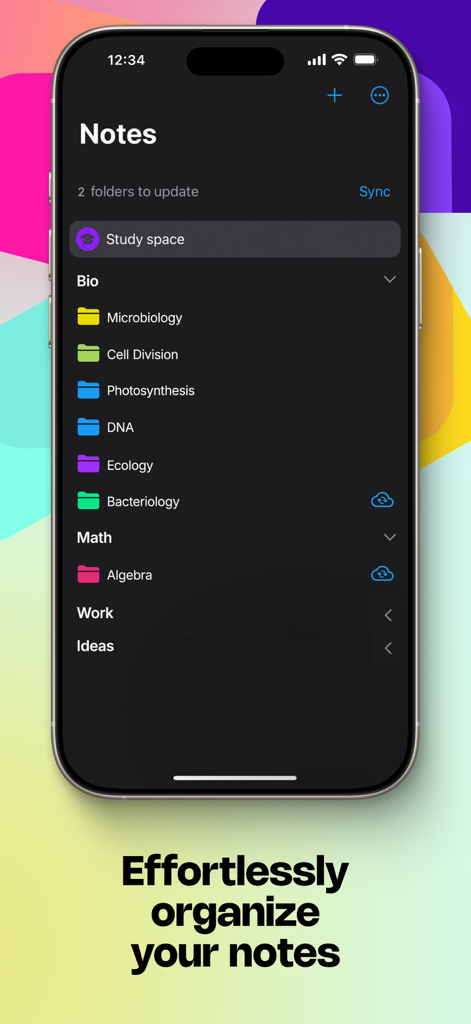
iPhone screen showing organized note folders in MyScript Notes categorized by subjects like Bio and Math

iPhone screen showing organized note folders in MyScript Notes categorized by subjects like Bio and Math

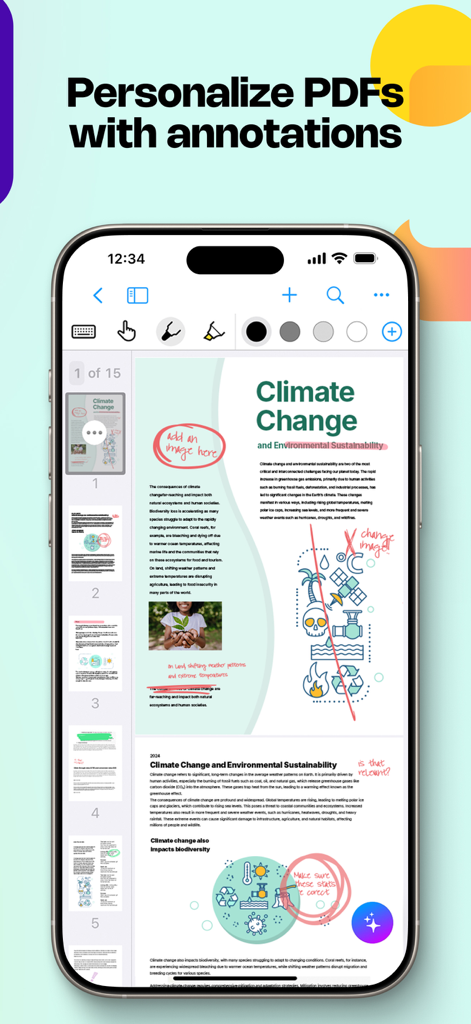
MyScript Notes interface on an iPhone displaying handwritten highlights and notes on a PDF document

MyScript Notes interface on an iPhone displaying handwritten highlights and notes on a PDF document

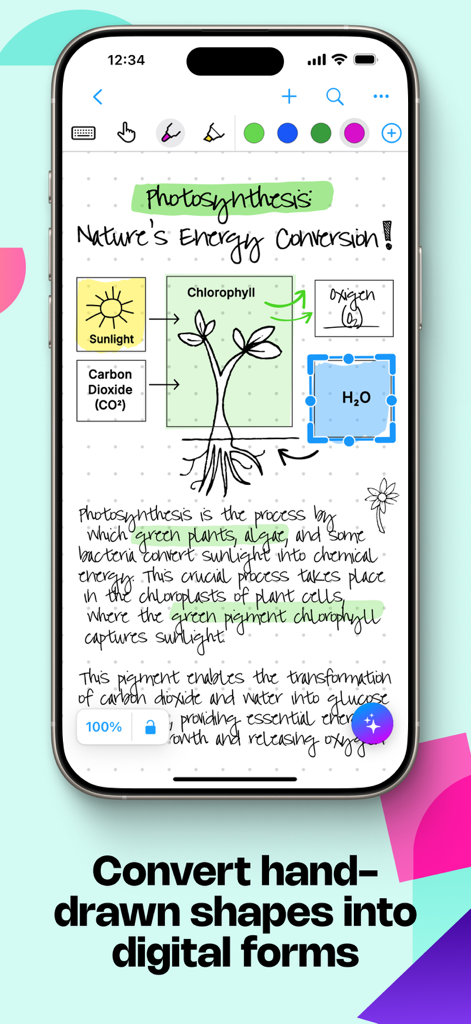
MyScript Notes app interface showing handwritten biology notes and a photosynthesis diagram being converted into clean digital shapes

MyScript Notes app interface showing handwritten biology notes and a photosynthesis diagram being converted into clean digital shapes

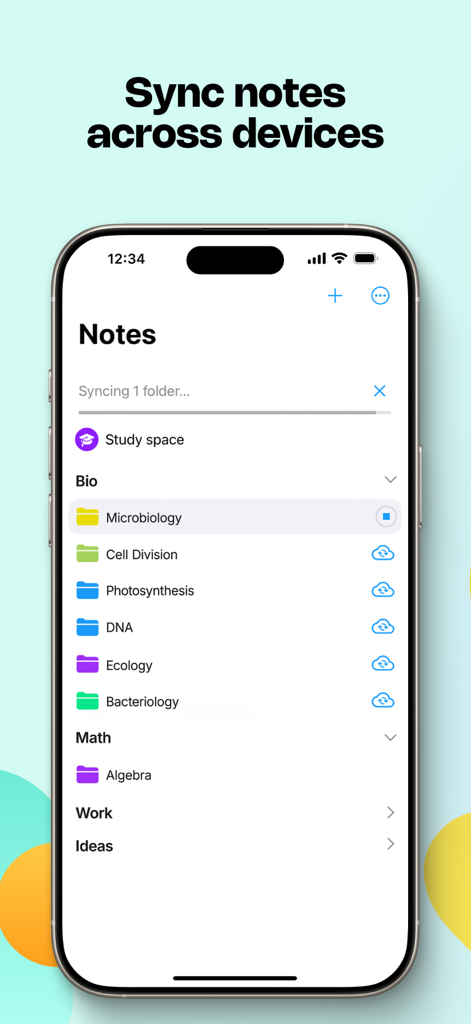
The MyScript Notes app interface on an iPhone showing organized study folders and cross-device syncing functionality

The MyScript Notes app interface on an iPhone showing organized study folders and cross-device syncing functionality

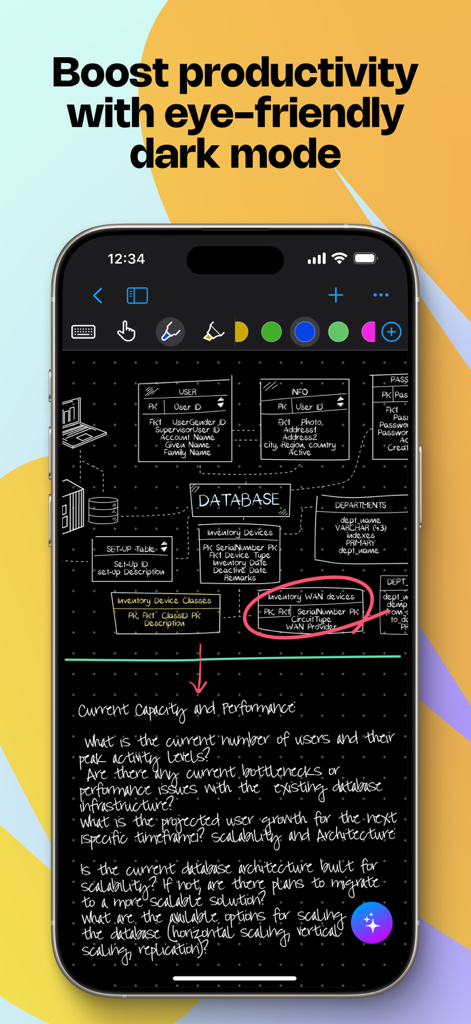
A smartphone displaying the MyScript Notes app in dark mode with a handwritten database diagram and notes

A smartphone displaying the MyScript Notes app in dark mode with a handwritten database diagram and notes

Master Your Workflow with AI-Powered Intelligence

The tools that make this app stand out, trusted by 6M+ users.

🪄

Magic Handwriting Conversion

Write naturally with your Apple Pencil and watch as world-class AI converts your notes into clean, typed text in real-time across 66 languages.

📐

STEM and Professional Precision

Instantaneously solve complex math equations and snap hand-drawn diagrams into perfect, editable shapes for PowerPoint and LaTeX exports.

♾️

Infinite Creative Canvas

Brainstorm without boundaries on an endless board. Freely move, resize, and reflow your handwritten content to adapt to any device or document layout.

Loved by users worldwide

Trusted by 6M+ people who love this app.

"

"As a structural engineer, I used to struggle with digitizing my site sketches and manual calculations. MyScript Notes is a total game-changer; the way it instantly converts my hand-drawn diagrams into professional shapes and solves complex equations on the fly has saved me hours of re-typing. It is the only app that truly bridges the gap between my technical handwriting and the digital reports I need to share with my team."

Dr. Elena Rossi
"

"I have gone completely paperless for my MBA thanks to this app. The search function is incredible—I can find a specific keyword hidden in hundreds of pages of my own handwriting in seconds. I love how I can brainstorm freely on the infinite board and then switch to a responsive document to refine my notes into a clean, typed format. It is the most powerful productivity tool on my iPad by far."

Jameson K.

About the app

Everything you need to know about MyScript Notes: AI Handwriting.

Description

Create stunning notes and professional documents effortlessly by hand, brainstorm ideas on an infinite canvas, and annotate PDFs seamlessly. Powered by the world's leading AI handwriting recognition technology, MyScript Notes offers a dynamic platform where handwriting, text, drawings, diagrams, and images seamlessly coexist on an expandable canvas. Enhance your note-taking experience with intuitive pen gestures, effortlessly converting handwriting and shapes into typed text and precise forms. MyScript Notes understands every word you write in your choice of 66 languages, and works on all platforms - so you can access and search your notes from any device. Enjoy 4 powerful experiences in one app: • Create unlimited notebooks and fixed-size pages for your daily notes. • Take freeform notes on boards – the world's most advanced endless canvas. • Handwrite responsive documents, adding math calculations and diagrams. • Import existing files as PDFs, ready to annotate. ———————— DIGITAL HANDWRITING • Write¹, type or dictate in the same page, sentence or even word. • Accurately convert handwriting and math to typed text, and drawn diagrams to perfect shapes. Diagrams stay editable when pasted into PowerPoint! • Write emoji and symbols with your pen. EDIT WITH YOUR PEN • Use intuitive gestures to edit and format content without breaking your flow. • Use the marker to highlight or color, the lasso to select, and the eraser to delete entire strokes or precisely defined content. WRITE, TYPE AND DRAW FREELY ON A BOARD • Enjoy an infinite canvas, ideal for brainstorming, mind mapping and freeform note-taking. • Pan around and zoom in or out for a fresh perspective. • Use the lasso to select, move, copy, delete or resize content - and to convert handwriting to typed text. SWITCH TO A DOCUMENT FOR A RESPONSIVE EXPERIENCE • Create and edit structured notes – your handwriting will automatically reflow as needed. • Make edits, adjust layout, rotate your device or split your screen without worrying about readability. ENRICH YOUR NOTES • Personalize content using a range of pen types and page backgrounds. • Add photos, sketches and smart objects like math and diagrams. • Handwrite math equations and matrices across several lines, solve simple calculations and copy math as LaTeX or image. ———————— MyScript Notes respects your privacy and never stores content on our servers without your explicit consent. For help or feature requests, create a ticket at https://myscri.pt/support Check out MyScript Notes' webpage for more information about cross-platform: https://www.myscript.com/notes ———————— ¹You can use any compatible active or passive pen, including Apple Pencil, to write in MyScript Notes. Check minimum and recommended requirements for MyScript Notes: https://myscri.pt/notes-devices

Latest Version

7.0.12

Size

204.9 MB

First Released

Aug 10, 2016

Ready to Turn Your Handwriting into Powerful Digital Assets?

Join 6 million+ professionals and students who bridge the gap between pen and digital workflow. Download MyScript Notes now and start creating searchable, professional notes on all your devices.

Download on App StoreDownload on Google Play
FAQ

Frequently Asked Questions

Everything you need to know about MyScript Notes: AI Handwriting

What is MyScript Notes: AI Handwriting?

MyScript Notes is an app that allows users to create notes and documents by hand, brainstorm on an infinite canvas, and annotate PDFs. It uses AI handwriting recognition for conversion.

Does MyScript Notes convert handwriting to typed text?

Yes, MyScript Notes accurately converts handwriting and mathematical expressions into typed text. It also converts drawn diagrams into perfect shapes for digital use.

Can I annotate PDFs in MyScript Notes?

Yes, MyScript Notes allows users to import existing files as PDFs and annotate them directly within the application with pen gestures.

What languages does MyScript Notes support for handwriting recognition?

MyScript Notes understands and processes handwriting in 66 different languages, offering broad linguistic compatibility for note-taking.

Does MyScript Notes offer an infinite canvas for note-taking?

Yes, MyScript Notes provides an endless canvas for freeform note-taking, brainstorming, and mind mapping, offering unlimited space for organizing ideas.

Can I sync my notes across multiple devices with MyScript Notes?

Yes, MyScript Notes works on mobile platforms, enabling users to access and search their notes from any compatible device for cross-platform access.

Does MyScript Notes store my data on its servers?

MyScript Notes respects user privacy and does not store content on its servers without explicit user consent, ensuring data security.

What editing tools are available in MyScript Notes?

MyScript Notes offers intuitive pen gestures for editing, a marker for highlighting, a lasso for selecting content, and an eraser for precise deletion.

Can MyScript Notes help with math equations?

Yes, MyScript Notes allows users to handwrite math equations and matrices. It can solve simple calculations and copy math as LaTeX or an image.

Does MyScript Notes support a dark mode?

Yes, MyScript Notes includes an eye-friendly dark mode designed to boost productivity and provide a comfortable viewing experience in various lighting conditions.

What AI-powered features are available in MyScript Notes?

MyScript Notes includes AI study sets, along with options to explain, summarize, quiz, and chat, enhancing learning and note organization.