
myWGU Mobile



Built for the busy working adult, myWGU Mobile turns your spare moments into academic progress. Manage your courses, receive real-time assessment updates, and stay connected with your mentors from the palm of your hand.
Publisher
Category
EducationDownloads
447K+User Rating
Total Ratings
2K+Locales
1Discover the interface used by 447K+ users.
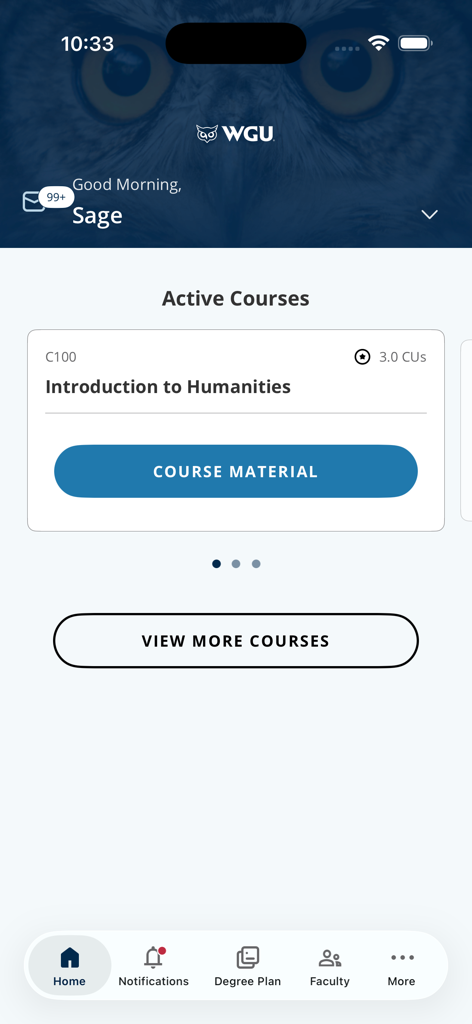
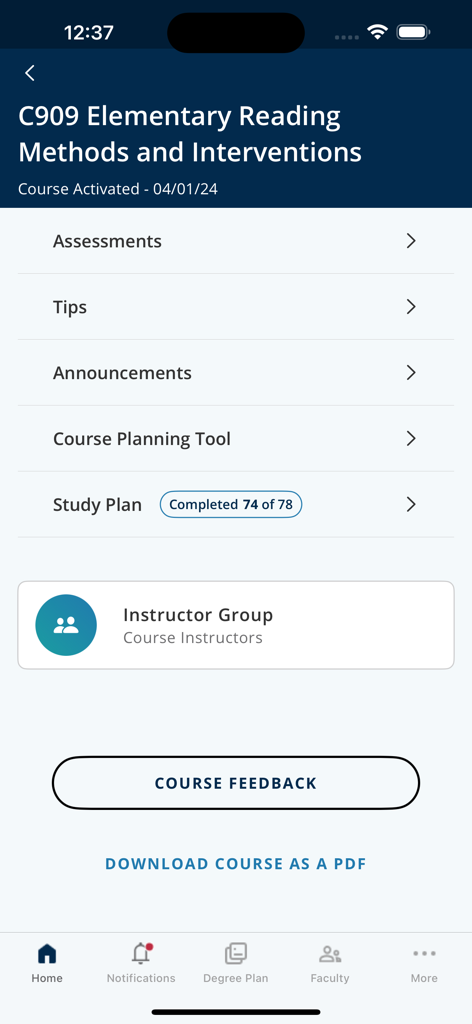
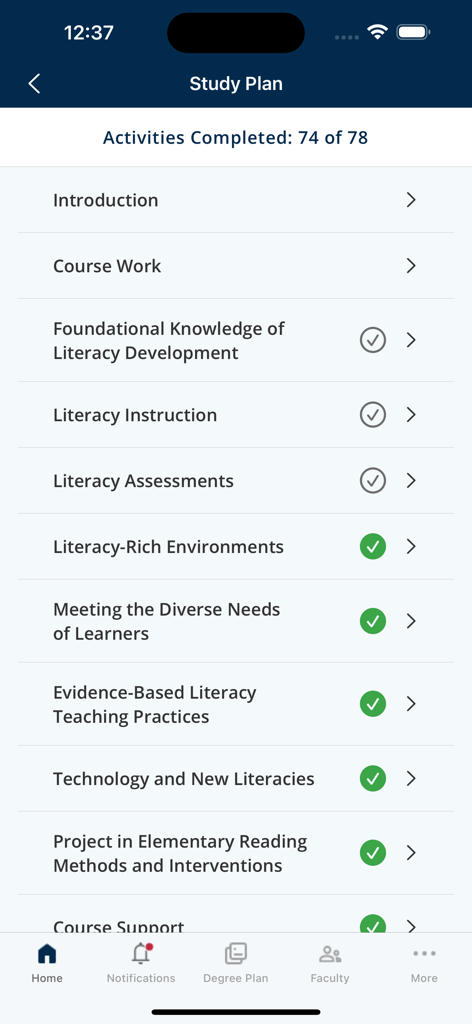
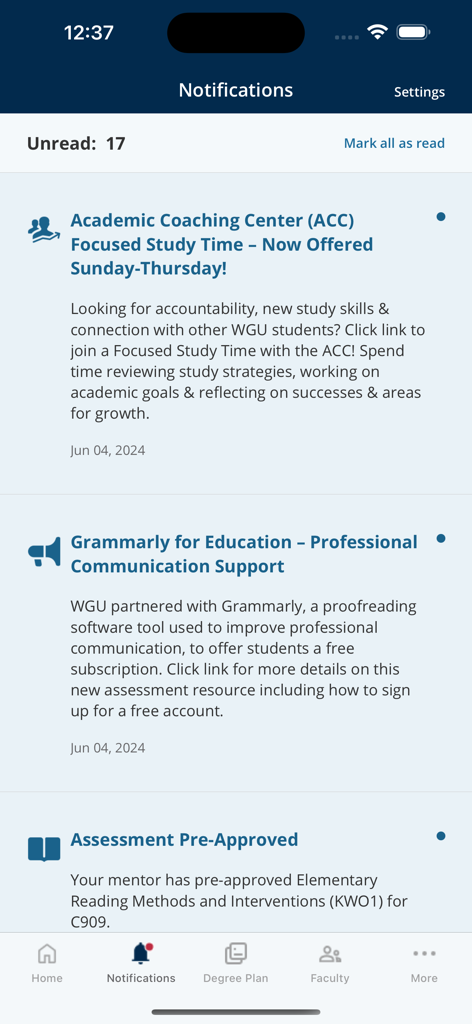
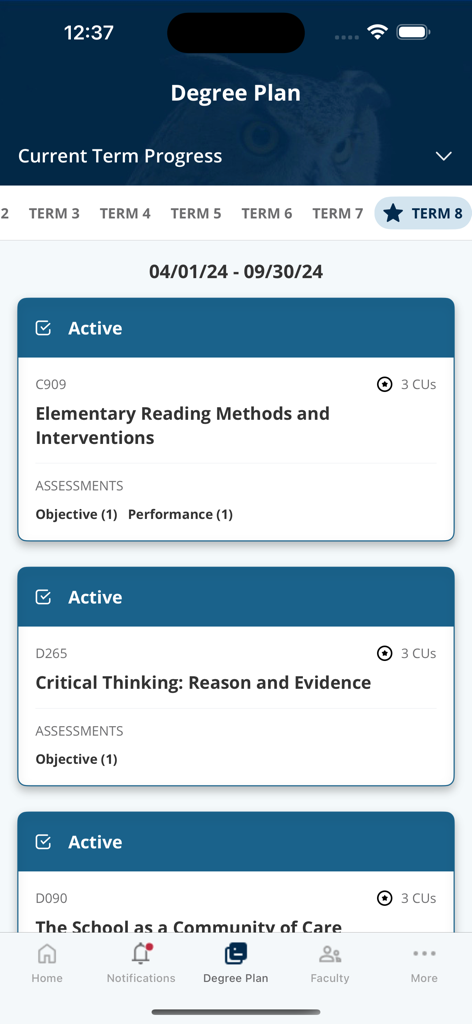
The tools that make this app stand out, trusted by 447K+ users.
Access your degree plan and course materials instantly, allowing you to move through subjects at your own pace wherever you are.
Connect with your Program Mentor or Course Instructors with one tap to get the guidance you need to succeed without the desktop friction.
Stay informed with instant push notifications for assessment results and keep your graduation goals in sight with an optimized mobile interface.
Trusted by 447K+ people who love this app.
"As a working mother balancing a full-time job and my nursing degree, the myWGU app is a total game-changer. I can read course materials during my lunch break and get instant push notifications the second my assessments are graded. It makes fitting education into my hectic life so much easier."
"The new degree plan interface is incredibly smooth on my phone. I love being able to sync my progress seamlessly between my laptop and mobile. Having my mentor’s contact info right at my fingertips has helped me stay on track and knock out my IT certifications faster than I ever thought possible."
Everything you need to know about myWGU Mobile.
Description
Latest Version
6.0.8
Size
56.5 MB
First Released
Nov 16, 2015
Join 447,000+ Night Owls who are turning their spare moments into career milestones. Download the myWGU app and keep your progress moving, wherever life takes you.
Everything you need to know about myWGU Mobile
The WGU Mobile app is the official application for enrolled Western Governors University students. It provides access to courses, degree plans, learning resources, and timely push notifications for updates and assessment statuses.
Students access courses through the WGU Mobile app by selecting "Active Courses" from the home screen. A "COURSE MATERIAL" button is available to navigate directly into course content.
Yes, myWGU Mobile sends timely push notifications for important updates and assessment statuses. The app displays unread notifications, such as academic coaching center announcements and assessment pre-approvals.
Yes, the WGU Mobile app allows students to view their degree plan, including current term progress. The degree plan is optimized for both phones and tablets for consistent access.
WGU Mobile provides quick access to contact information for program mentors, course instructors, and WGU support departments. The app includes a dedicated "Faculty" section in the navigation menu.
Yes, students track their study plan progress in WGU Mobile. The app displays "Activities Completed" within a course's study plan, indicating progress like "74 of 78" activities completed.
Yes, the WGU Mobile app is available and features a newly designed degree plan optimized for tablets. This ensures full functionality and proper display on larger devices.
Apps with similar features and user experience
Timur Karimbaev

COURSE KEY

Kude youth (tianjin) culture communication co. LTD

GAEC Educacao S/A

Hangzhou Kuozhi Network Technology Co., Ltd.

QUANTIC TECH SOLUTIONS FZC

Classera Inc.

Igor Furmanenko

Ctre national d'enseignement a distance
