Planimeter 55. Measure on map.

Planimeter 55. Measure on map.

Download on App Store
Spark by MWM logo
Logo of Planimeter 55. Measure on map.
Planimeter 55: Precision Map Measurement for Professionals

The ultimate tool to calculate area, perimeter, and distance with pinpoint accuracy. Streamline your site estimates, document locations with geo-tagged photos, and manage projects with professional-grade mapping tools.

Publisher

Kalimex-Consulting s.r.o.

Category

Navigation

Downloads

175K+

User Rating

4.4/5

Total Ratings

400

Locales

11

Precision at a Glance

Discover the interface used by 175K+ users.
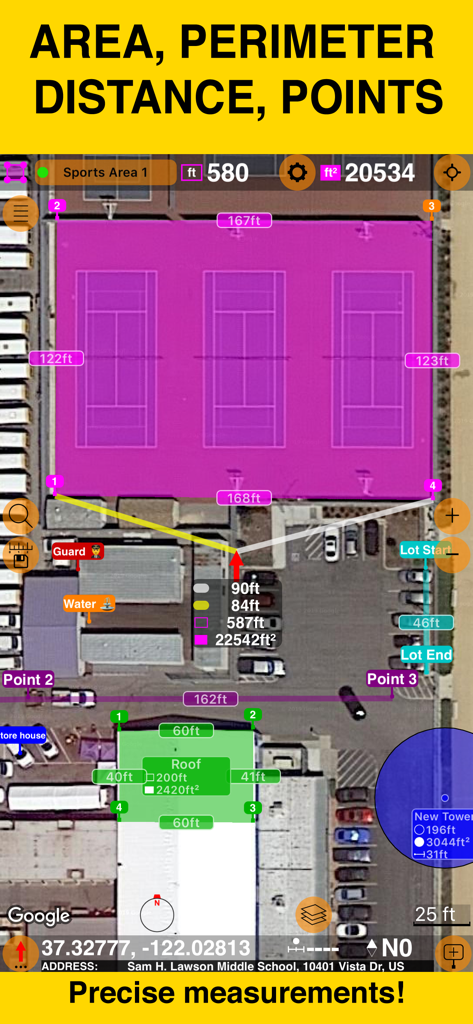
Planimeter 55 app screenshot showing precise area and perimeter measurements on a satellite map

Planimeter 55 app screenshot showing precise area and perimeter measurements on a satellite map

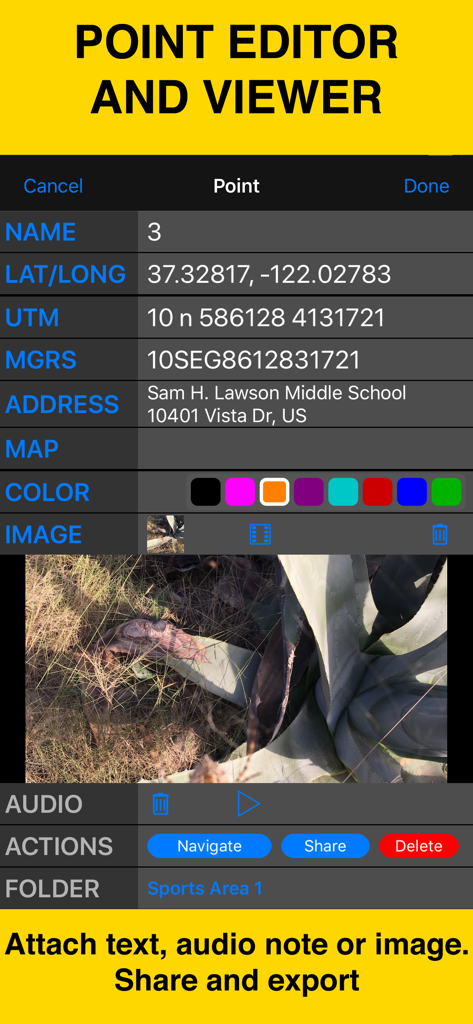
Interface of Planimeter 55 showing point coordinates, address, and attached field photo

Interface of Planimeter 55 showing point coordinates, address, and attached field photo

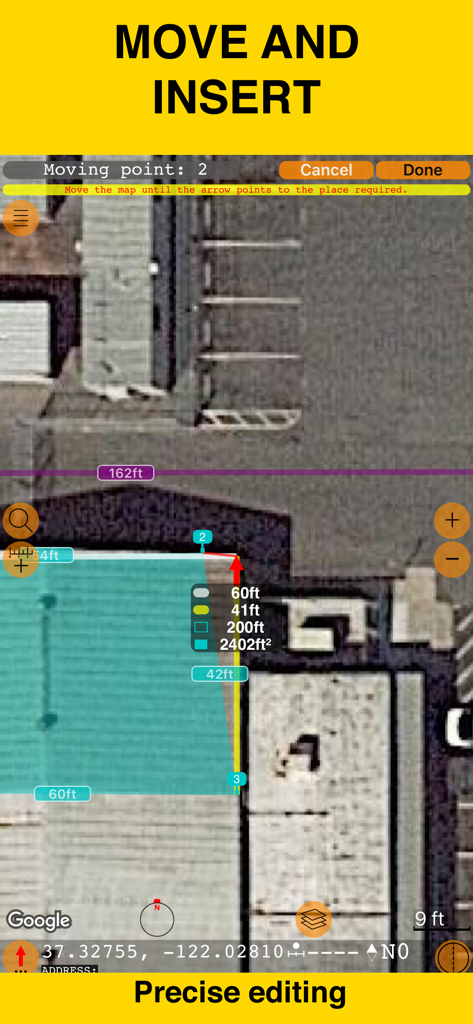
Planimeter 55 app interface for precise editing and area measurement on a satellite map

Planimeter 55 app interface for precise editing and area measurement on a satellite map

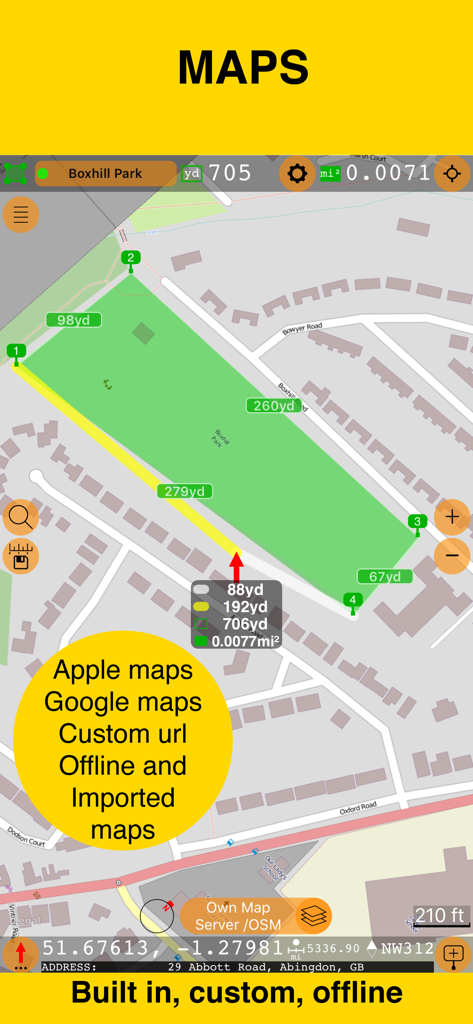
Interface of Planimeter 55 showing area measurement on a map with text highlighting Apple, Google, and offline map support.

Interface of Planimeter 55 showing area measurement on a map with text highlighting Apple, Google, and offline map support.

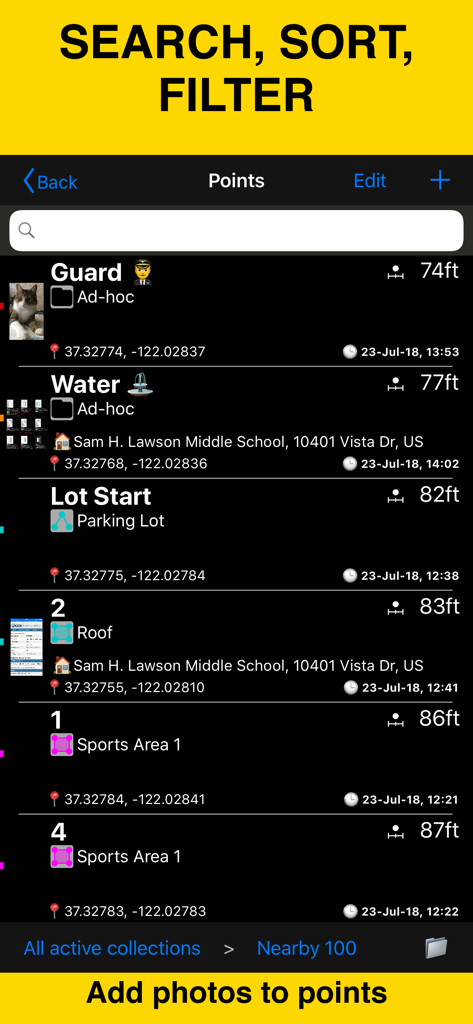
Planimeter 55 app screen showing a list of mapped points with coordinates, distances, and attached photos for field data management.

Planimeter 55 app screen showing a list of mapped points with coordinates, distances, and attached photos for field data management.

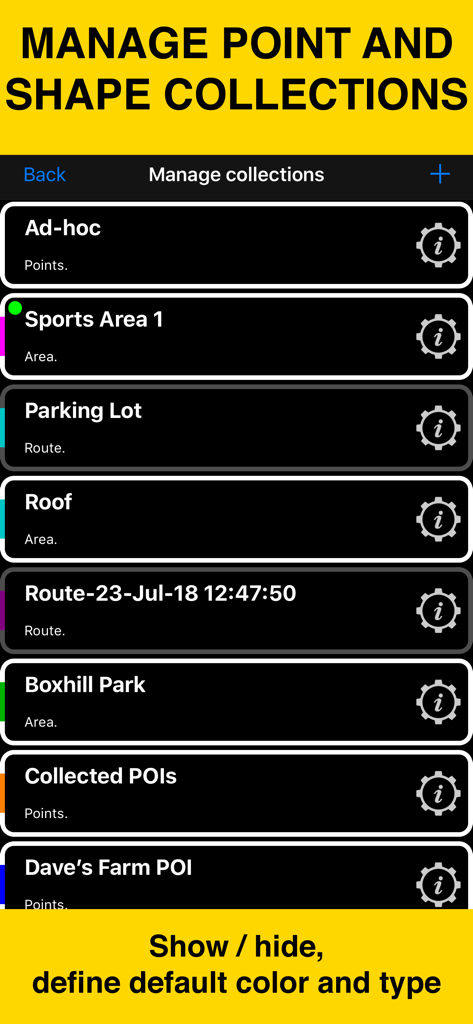
Planimeter 55 mobile app screen showing the management of point and shape collections for mapping projects

Planimeter 55 mobile app screen showing the management of point and shape collections for mapping projects

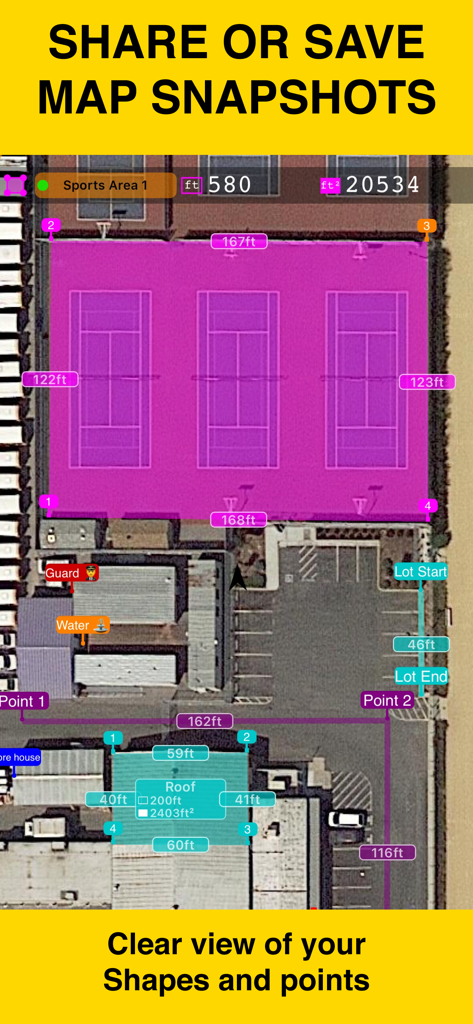
Satellite map view showing area and distance measurements of a sports court and building roof using Planimeter 55.

Satellite map view showing area and distance measurements of a sports court and building roof using Planimeter 55.

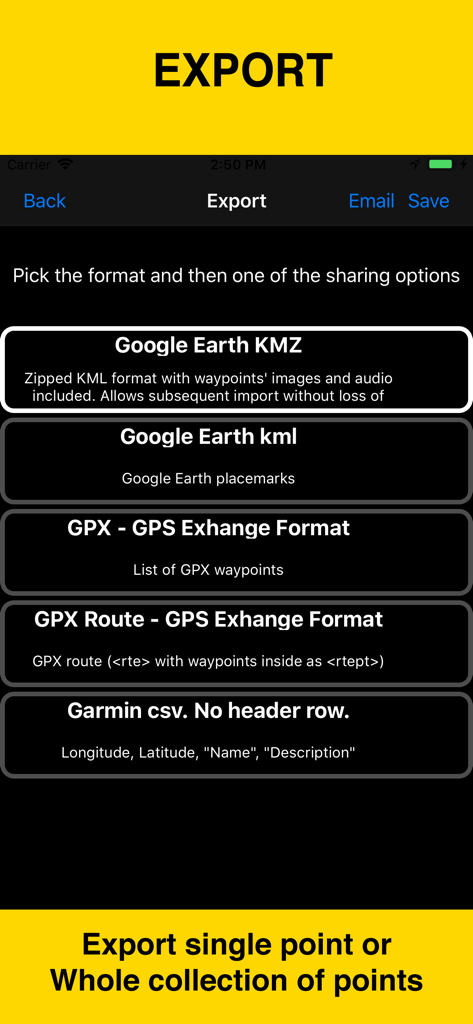
Planimeter 55 app export screen showing data format options including Google Earth KMZ KML GPX and Garmin CSV

Planimeter 55 app export screen showing data format options including Google Earth KMZ KML GPX and Garmin CSV

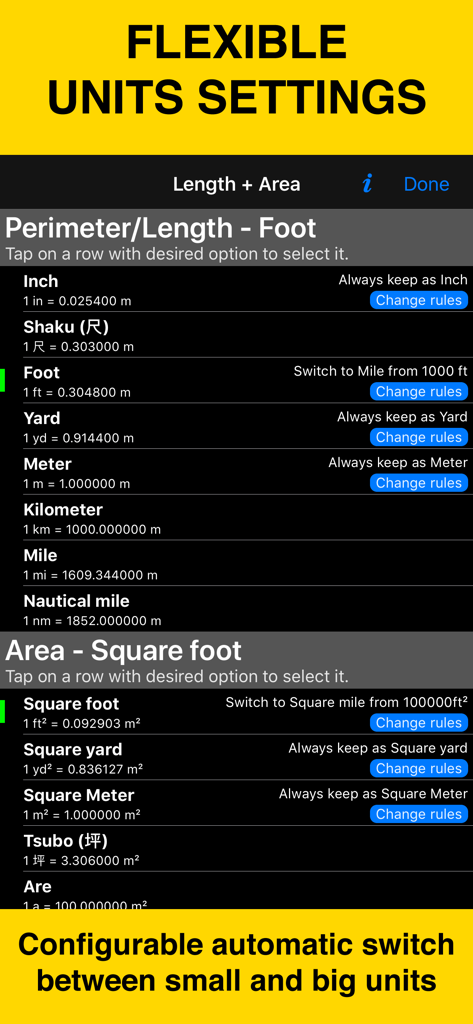
Planimeter 55 settings screen showing flexible unit options for length and area measurements

Planimeter 55 settings screen showing flexible unit options for length and area measurements

Professional Precision for Every Project

The tools that make this app stand out, trusted by 175K+ users.

📐

Calculate Area & Distance Instantly

Get real-time measurements of roofs, fields, or parking lots by simply moving the map. Perfect for generating accurate estimates in seconds without the need for a measuring wheel.

📸

Geotagged Site Documentation

Attach photos, audio notes, and text to specific GPS points. Keep a complete digital record of site conditions to streamline project management and provide proof of work to clients.

🗺️

Pro-Grade Mapping & Sharing

Access high-detail Google Maps satellite zoom and offline maps for rural jobs. Export measurements as KMZ files or professional screenshots to include in your bids and project folders.

Loved by users worldwide

Trusted by 175K+ people who love this app.

"

"Planimeter 55 has completely changed how I bid on jobs. Instead of driving hours to sites just to get a measurement, I can now provide accurate remote quotes using the high-detail satellite zoom. Attaching geo-referenced photos to my points keeps my crew organized and my clients impressed. It is an essential tool for my landscaping business."

Chris M., Landscaping Contractor
"

"Managing large rural properties used to be a headache, but this app makes it seamless. The offline map support is a lifesaver when I am out in the field without cell service. I can precisely calculate acreage and mark boundaries with notes and audio, then export everything to KMZ for my records. It is the most reliable tool in my kit."

Sarah J., Land Management Specialist

About the app

Everything you need to know about Planimeter 55. Measure on map..

Description

Measure distance, perimeter, and area on a map with ease. Add stand-alone points to mark locations and understand exactly what’s where. Capture photos with location, direction, altitude, and timestamp data. Share and export your projects seamlessly. Planimeter 55 is the ideal tool for measuring construction sites, roofs, lawns, fences, paving, pools, parking lots, fields, and paths. Or simply for placing stand-alone points on a map for better spatial understanding. Why choose Planimeter 55? • Precise control of your planned or measured areas. As you move the map, the app instantly displays the calculated area or distance, including the lengths of adjacent lines—even before you add a new point. • Native Google Maps support for enhanced zoom. Zoom in closer on satellite and hybrid maps for high-detail measurements. • Detailed point management. Assign individual colors to points and attach text notes, audio recordings, or images for comprehensive data collection. • Easy point editing. Move points directly on the main map screen (tap a point and select Move) or in the dedicated point editor. Before confirming, you’ll see the updated area, perimeter, and distance calculations in real time. • Organize your data. Show or hide shapes and point collections to focus on what’s important for your current project. • Flexible measurement units. Customize when distances display in feet or meters versus miles or kilometers. The same flexibility applies to area units. • Custom URL maps, offline maps, and map imports. Planimeter 55 includes Apple Maps and Google Maps by default. You can also add custom URL maps, download offline maps, or import your own maps (mbtiles, sqlitedb) created on your PC or Mac. • KMZ export and import. Transfer shapes and point collections, including images and audio notes, to continue your work across multiple devices. • Built-in camera tool. Attach geo-referenced photos to your points for a complete survey experience. What’s included in the Basic Version: • Create an unlimited number of points and temporary measurement shapes (areas or routes). • To measure a new shape, simply discard the previous one and start again. Unlock the Pro Pack Upgrade for even more: • Full support for Google Maps, custom URL maps, offline maps, and imported maps (with enhanced zoom for satellite and hybrid maps). • Save and manage multiple point collections and shapes. • Import and export individual points or entire shapes and collections. • Save and share map snapshots showing only the objects you’ve created—without UI buttons or tools. Support and Help Access Documentation or Support and Feedback via the MENU (hamburger icon) within the app. For direct support, email stan@blocoware.com. We respond to all emails within a few hours, or up to 9 hours if they arrive during CET/EU night hours. Wishing you happy measuring! The Planimeter 55 Team Terms of Use: https://www.apple.com/legal/internet-services/itunes/dev/stdeula/

Latest Version

4.3

Size

70.9 MB

First Released

Aug 4, 2018

Ready to Measure with Professional Precision?

Join over 175,000 contractors and land managers who save time and cut costs with the industry's most reliable mapping tool. Download Planimeter 55 today.

Download on App Store