ShadowDraw: Learn How to Draw

ShadowDraw: Learn How to Draw

Download on App Store
Spark by MWM logo
Logo of ShadowDraw: Learn How to Draw
ShadowDraw: Master the Art of Drawing with Your Apple Pencil

Overcome the fear of the blank page with 2,000+ step-by-step lessons. Follow the exact strokes of professional artists to build confidence, skill, and a daily habit you will love.

Download on App Store

Publisher

Shadow Draw

Category

Graphics & Design

Downloads

2M+

User Rating

4.1/5

Total Ratings

2K+

Locales

3

Mastery in Every Stroke

Discover the interface used by 2M+ users.
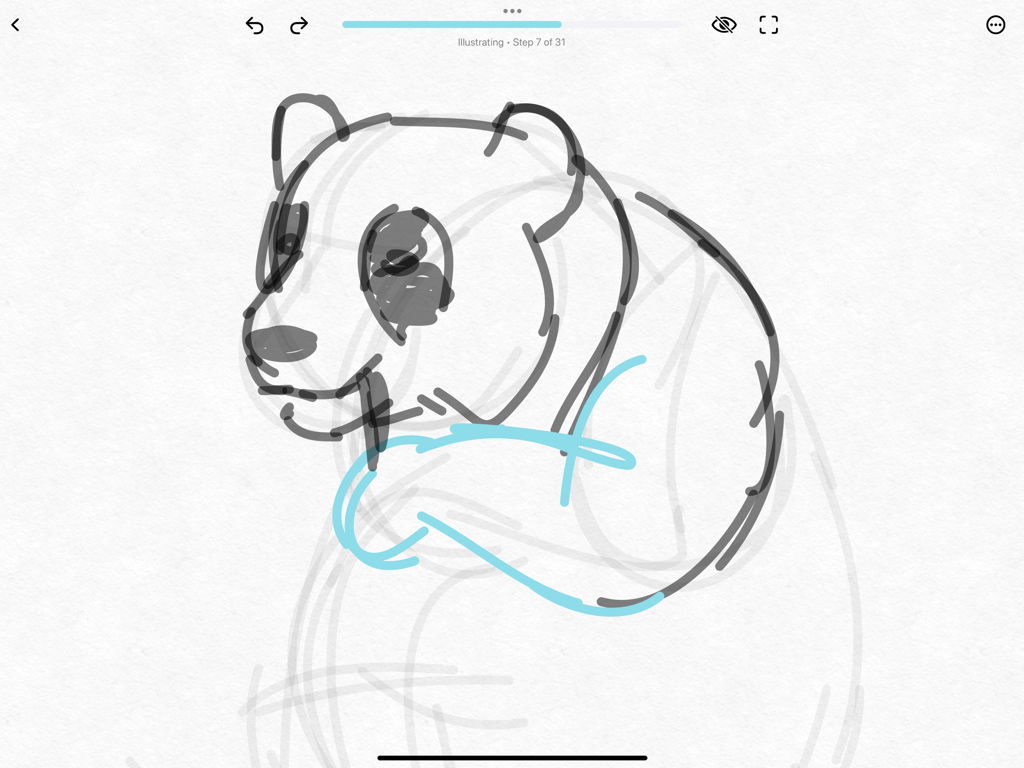
Step by step panda drawing tutorial in ShadowDraw on iPad

Step by step panda drawing tutorial in ShadowDraw on iPad

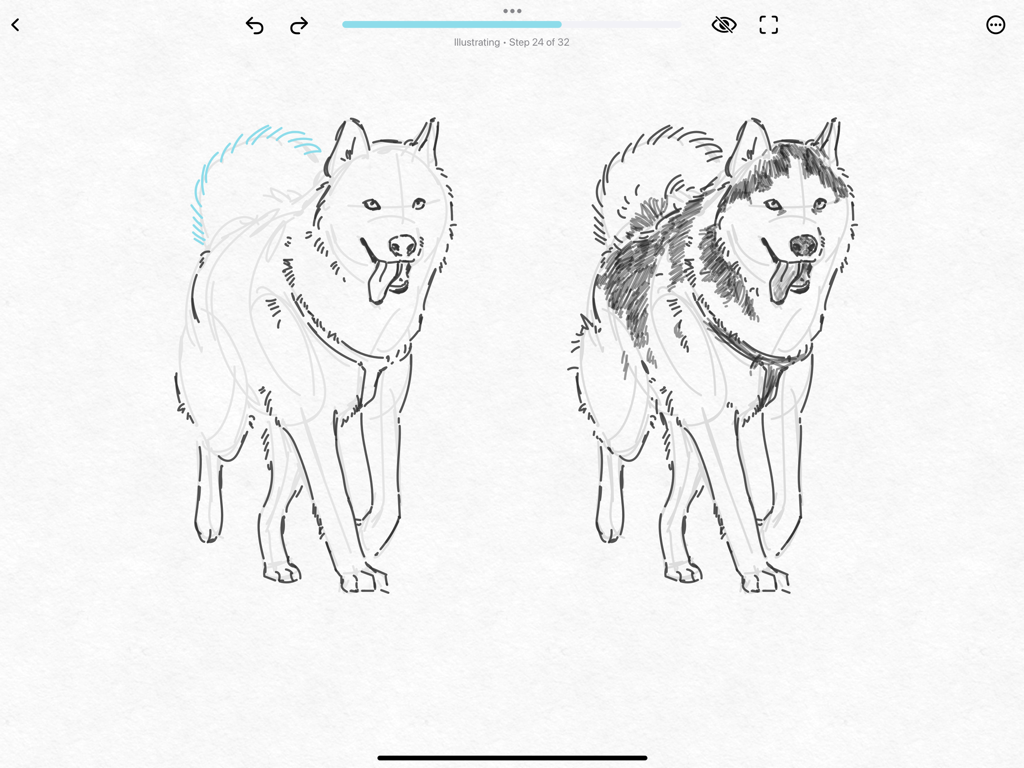
Step by step drawing of a husky on the ShadowDraw iPad app

Step by step drawing of a husky on the ShadowDraw iPad app

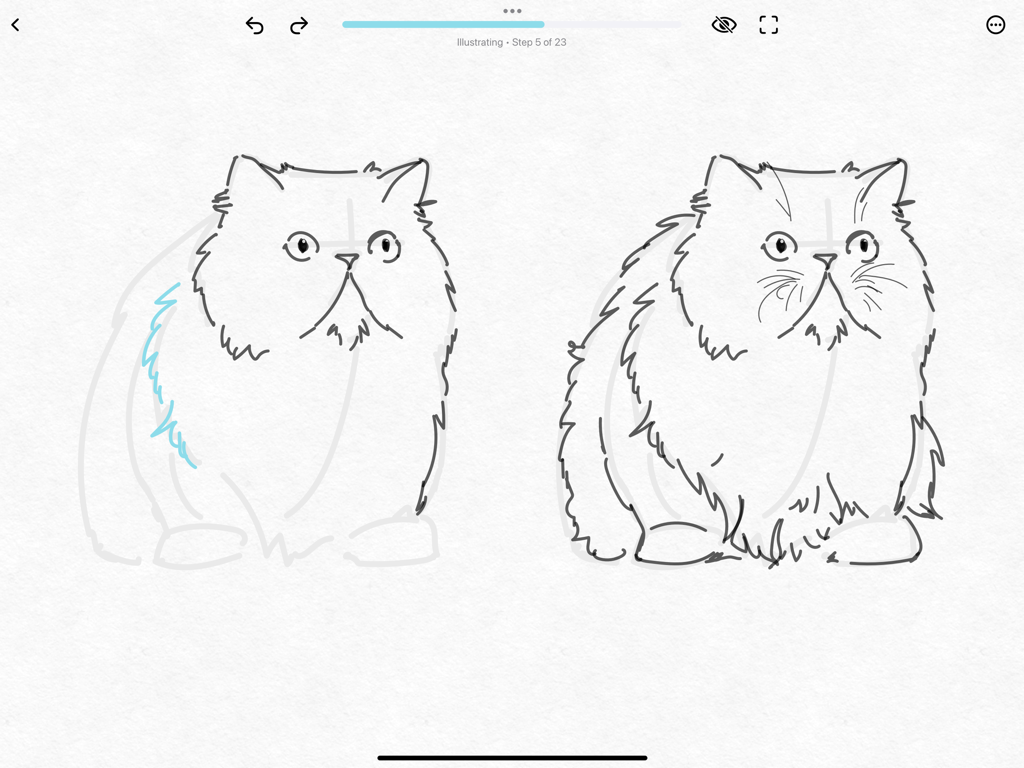
Guided drawing tutorial of a cat on iPad using ShadowDraw

Guided drawing tutorial of a cat on iPad using ShadowDraw

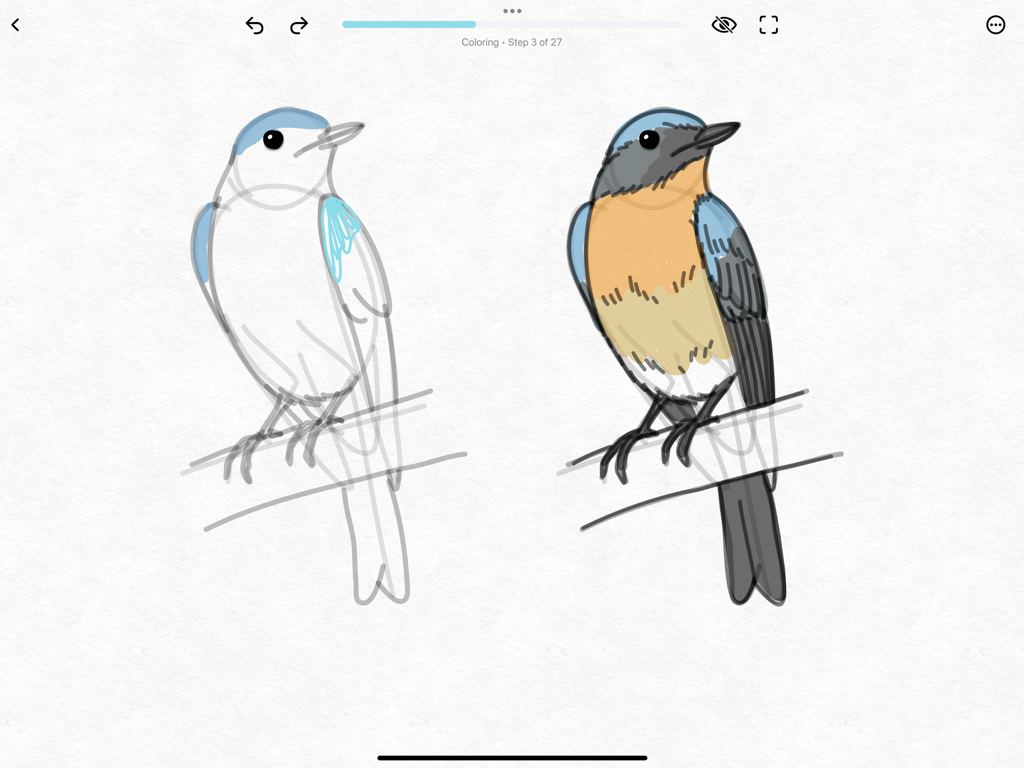
A step-by-step bird coloring tutorial inside the ShadowDraw iPad app.

A step-by-step bird coloring tutorial inside the ShadowDraw iPad app.

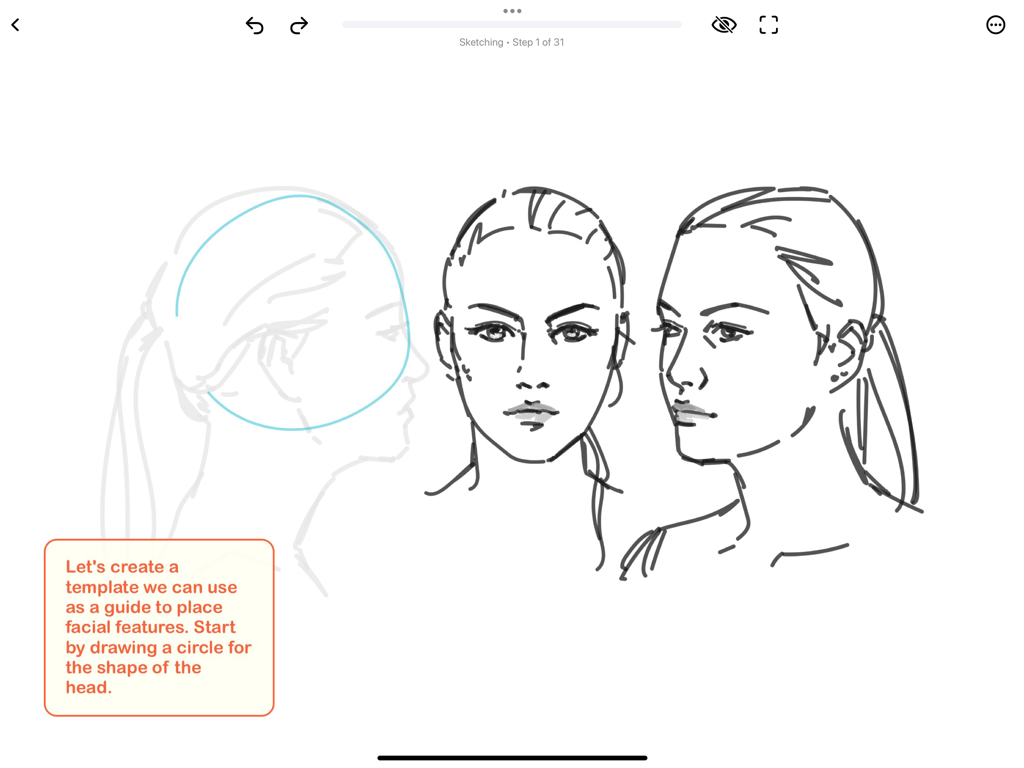
Portrait sketching tutorial in ShadowDraw app showing head proportion guides and female face drawings

Portrait sketching tutorial in ShadowDraw app showing head proportion guides and female face drawings

Unlock Your Inner Artist, One Stroke at a Time

The tools that make this app stand out, trusted by 2M+ users.

✍️

Guided Stroke Technology

Follow the exact paths of master illustrators in real-time. Build muscle memory and confidence as you learn the logic behind every line, shape, and shade.

🎨

2,000+ Step-by-Step Lessons

From trendy Manga and Anime to elegant botanicals and portraits, explore a massive library of tutorials tailored to your specific creative interests.

⏱️

Built for Your Busy Life

Master a new skill in just 15 minutes a day. Our bite-sized lessons make it easy to build a consistent drawing habit that fits perfectly into your daily routine.

Loved by users worldwide

Trusted by 2M+ people who love this app.

"

"I bought an iPad and Apple Pencil for work but always felt guilty that I wasn't using them for anything creative. ShadowDraw changed that. The guided strokes make me feel like I actually have talent, and it is the most relaxing part of my day."

Sarah Miller
"

"I have always wanted to draw my own Manga characters but never knew where to start. This app breaks everything down so simply. In just a week, my line control and proportions have improved more than they did with months of watching YouTube tutorials."

Jordan Chen

About the app

Everything you need to know about ShadowDraw: Learn How to Draw.

Description

Learn to draw with confidence using your Apple Pencil. Featured by Apple as App of the Day in 2023 and 2025. ShadowDraw® is the easiest way for beginners to learn how to draw on iPad using their Apple Pencil. Our guided lessons teach you step-by-step by showing the real strokes of professional artists, helping you build confidence, accuracy, and real drawing fundamentals from your very first session. LEARN TO DRAW THE SMART, BEGINNER-FRIENDLY WAY
 ShadowDraw breaks every drawing into simple, guided steps. You follow the same strokes as a professional artist, learning: * Line control * Shapes & construction * Proportions * Shading * Final detailing
 Each step unlocks only after you complete the previous one, giving you a structured, supportive learning path—like having a private art teacher with you on your iPad. THOUSANDS OF STEP-BY-STEP LESSONS
 Explore beginner-friendly drawing lessons across the most popular art subjects: * Manga & Anime Characters * People & Portraits * Animals (cats, dogs, horses, birds, dragons, and more) * Architecture & Buildings * Botanical & Nature Drawing * Birds & Butterflies * Coloring & Simple Shading * Holiday & Seasonal Art * Warm-Ups & Foundations * Sketching Basics
 With over 2,000 guided tutorials, there’s always something inspiring to draw. PRACTICE YOUR WAY
 ShadowDraw offers two flexible learning modes: Art Teacher Mode
 We pick brushes and colors so beginners can focus on fundamentals. Sketch My Way
 Choose your own tools and colors for creative freedom. BUILD A DAILY DRAWING HABIT 
Short, approachable lessons help you build confidence and stay consistent. ShadowDraw makes daily practice easy, fun, and motivating—even for busy beginners. RECOGNIZED BY APPLE & TRUSTED WORLDWIDE 
ShadowDraw has been featured in the App Store collections, including: * Incredible iPad Apps * Great with Apple Pencil * Apple Pencil Starter Kit * Better with Apple Pencil * The Best Drawing Apps * The Best Apps for Creatives ShadowDraw has also ranked as the #1 Drawing App in its category. Apple writes: 
“With over 1,500 hand-drawn lessons developed by real artists, ShadowDraw is a drawing app for beginners who want to improve their skills through daily step-by-step exercises.” PRAISED BY THE PRESS
 The New York Times
“ShadowDraw… teaches drawing forms by having you follow along the animated pen strokes of another artist in an updated take on the ‘copying the masters’ approach.” MacBreak Weekly — Pick of the Week
“…the next generation of step-by-step.” Also featured by CNET and Creative Bloq. LEARN TOGETHER WITH SHADOWDRAW+
 A ShadowDraw+ membership unlocks the full library and supports Family Sharing, so everyone in your household can learn to draw at their own pace. WE’RE HERE TO HELP 
Need support or have feedback? Contact us anytime through in-app Chat Support. Email: support@shadowdrawapp.com
 Website: shadowdrawapp.com 
Instagram: @shadowdraw For our EULA agreement, please visit: 
https://www.apple.com/legal/internet-services/itunes/dev/stdeula/ ShadowDraw® and Shadow Draw™ are trademarks of Shadow Draw Inc.

Latest Version

2025.6

Size

818.0 MB

First Released

Dec 14, 2017

Ready to Finally Master Your Apple Pencil?

Join over 2 million beginners and turn your iPad into a private art studio. Download ShadowDraw today and go from a blank page to your first masterpiece in minutes.

Download on App Store
FAQ

Frequently Asked Questions

Everything you need to know about ShadowDraw: Learn How to Draw

What is ShadowDraw: Learn How to Draw?

ShadowDraw is an iPad app designed for beginners to learn drawing using their Apple Pencil. It offers guided, step-by-step lessons from professional artists to build confidence and fundamental drawing skills.

How does ShadowDraw teach drawing fundamentals?

ShadowDraw teaches drawing by guiding users through the real strokes of professional artists, breaking down each drawing into simple, structured steps. It focuses on line control, shapes, proportions, shading, and detailing.

Is ShadowDraw: Learn How to Draw suitable for beginner artists?

Yes, ShadowDraw is specifically designed for beginners learning to draw on iPad with an Apple Pencil. Its guided lessons and structured path help users build confidence and skills from their first session.

What drawing subjects are available in ShadowDraw: Learn How to Draw?

ShadowDraw offers lessons across popular subjects including Manga & Anime, People & Portraits, Animals (e.g., cats, dogs, birds, dragons), Architecture, Botanical, Coloring, Holiday Art, and Sketching Basics.

How many guided tutorials does ShadowDraw: Learn How to Draw provide?

ShadowDraw provides over 2,000 guided tutorials. These step-by-step lessons help users explore a wide range of art subjects and inspire daily practice.

Does ShadowDraw: Learn How to Draw require an Apple Pencil to function?

Yes, ShadowDraw is designed for learning to draw on iPad using an Apple Pencil. Its core functionality is optimized for the precision and features of the Apple Pencil.

What are the learning modes offered by ShadowDraw: Learn How to Draw?

ShadowDraw offers two flexible learning modes: 'Art Teacher Mode' which pre-selects brushes and colors, and 'Sketch My Way' which allows users to choose their own tools and colors for creative freedom.

What is a ShadowDraw+ membership?

A ShadowDraw+ membership unlocks the app's full lesson library. It also supports Apple's Family Sharing feature, allowing multiple household members to access the content.

Can I use ShadowDraw+ with Apple's Family Sharing feature?

Yes, a ShadowDraw+ membership supports Apple's Family Sharing. This allows all members of your household to access the full library and learn to draw at their own pace.

Where can users find support for ShadowDraw: Learn How to Draw?

Users can contact support through in-app Chat Support. Additionally, they can email support@shadowdrawapp.com or visit the website shadowdrawapp.com for assistance.

Has ShadowDraw: Learn How to Draw been featured by Apple?

Yes, ShadowDraw has been featured by Apple as 'App of the Day' in 2023 and 2025. It has also appeared in various App Store collections including 'Great with Apple Pencil' and 'The Best Drawing Apps.'