Sports Audio DJ

Sports Audio DJ

Download on App Store
Spark by MWM logo
Logo of Sports Audio DJ

Sports Audio DJ: Bring Pro-Level Stadium Sound to Every Game

Elevate your team’s energy with seamless walk-up songs, custom soundboards, and professional-grade audio transitions using your favorite Spotify or Apple Music playlists.

Publisher

Hammer of the Gods Software

Category

Music

Downloads

30K+

User Rating

3.1/5

Total Ratings

300

Locales

2

The Sideline Command Center

Discover the interface used by 30K+ users.
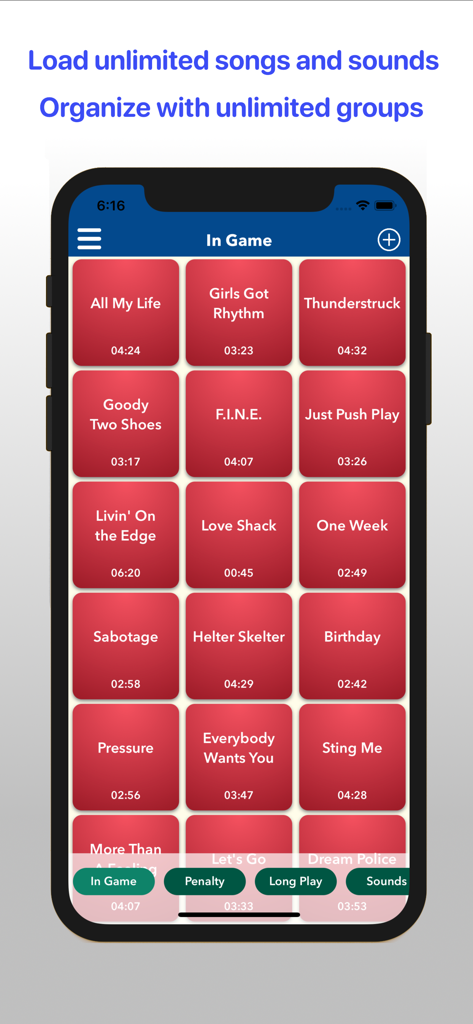
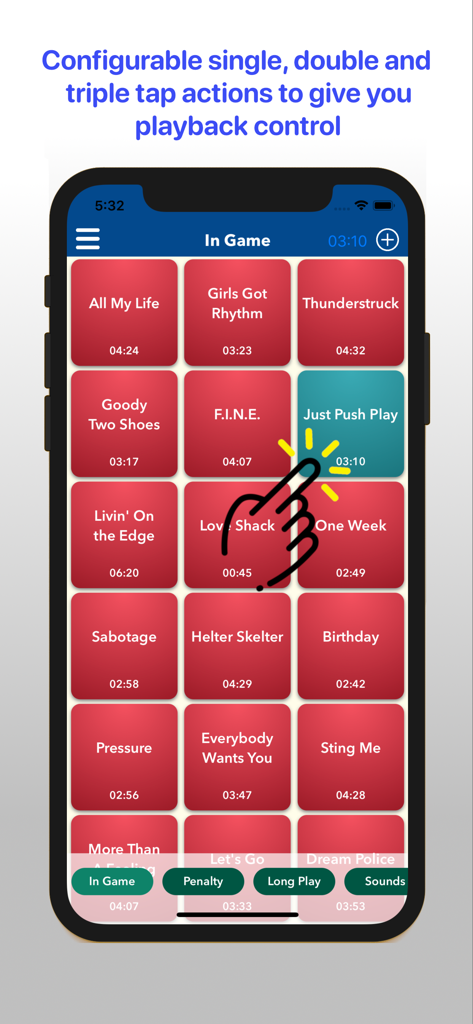
Sports Audio DJ app interface showing a grid of song tiles for live game production

Sports Audio DJ app interface showing a grid of song tiles for live game production

Mobile interface of Sports Audio DJ app showing a grid of song titles with a hand icon demonstrating tap actions for music playback

Mobile interface of Sports Audio DJ app showing a grid of song titles with a hand icon demonstrating tap actions for music playback

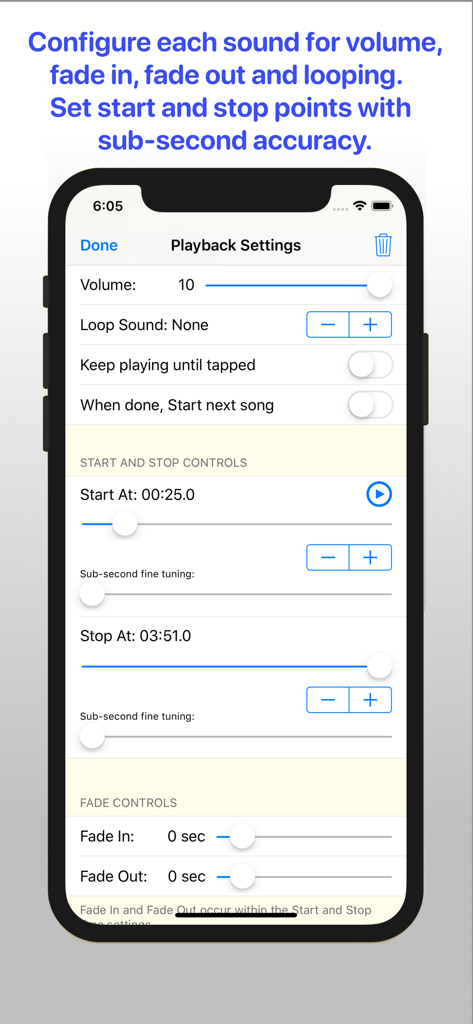
Interface of the Sports Audio DJ app showing detailed playback settings for volume fade and sub-second timing

Interface of the Sports Audio DJ app showing detailed playback settings for volume fade and sub-second timing

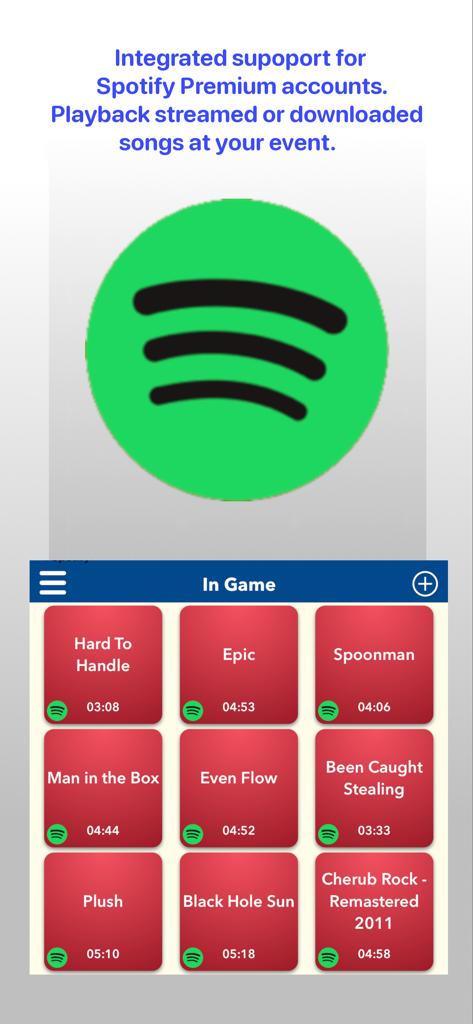
Sports Audio DJ app interface showing Spotify Premium integration and a grid of song selection buttons

Sports Audio DJ app interface showing Spotify Premium integration and a grid of song selection buttons

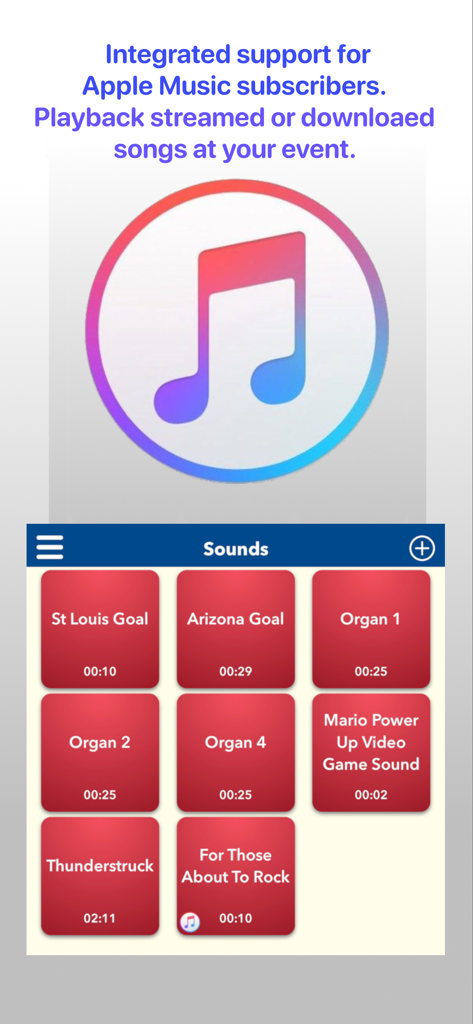
Sports Audio DJ app interface showing Apple Music support and a grid of stadium sound tiles

Sports Audio DJ app interface showing Apple Music support and a grid of stadium sound tiles

Turn Every Game Into a Major League Event

The tools that make this app stand out, trusted by 30K+ users.

⏱️

Perfect Timing, Every Play

Skip slow intros with sub-second start points. Launch into the high-energy chorus the moment your player steps up to the plate or hits the field.

🎵

Your Playlists, Fully Integrated

Connect directly with Spotify Premium and Apple Music. Access millions of tracks and your custom team playlists without the hassle of managing individual audio files.

🎚️

Eliminate Awkward Silence

Use pro-grade Fade-ins, Fade-outs, and Crossfades to ensure smooth transitions between innings, timeouts, and celebrations.

Loved by users worldwide

Trusted by 30K+ people who love this app.

"

"This app is a game-changer for our travel ball tournaments. Being able to set sub-second start points means I hit the chorus of 'Enter Sandman' exactly when our closer walks out. It makes the kids feel like they're in the pros, and the fade-out feature ensures I never have those awkward silence gaps between plays. Worth every penny for the Pro upgrade!"

Coach Mike
"

"I used to struggle with managing music and announcements on the sidelines, but Sports Audio DJ simplified everything. The Spotify integration is seamless—I don't have to download files anymore. I've color-coded all our hype songs and goal celebrations, so I can find them instantly even when I'm busy coordinating the team. It’s the ultimate sideline tool for any team parent."

Sarah R., Team Manager

About the app

Everything you need to know about Sports Audio DJ.

Description

Sports Audio DJ gives you the simple and intuitive tools you need to strike right mood for the game in the moment with music and sounds. Want to rock the house, celebrate a goal, pump up the team warm up or underscore a key moment - you're the DJ. Bring a professional level of sound production to the game with Fade In and Fade Out controls to end hard stops and starts. Set specific Start and Stop times in a song to skip a slow intro or launch right into the moment a song kicks into gear. You can now access any song you can think of with support for Apple Music subscriptions and Spotify Premium accounts. You can either stream their songs or download them to your device for better performance. In the Pro Version (via In-App purchase): With the ability to load an unlimited number of songs and sounds you can choose the right sounds for any moment in the game. Additionally, you can group your sounds any way you like with support for an unlimited number of groups to make the sounds easy to find. You can easily achieve the right emotion for the moment using these music playback customization features: - Fade In and Fade Out - Sub-Second Start and Stop points (Pro Version only)* - Sound Looping - Sound Overlay and Crossfade - Audio Dropout - Individual song sound volume levels - In-App Volume Control to set the right level while playing music. (Pro Version Only)* - Support for AirPlay output (Pro Version Only)* - Color categorize your songs with 11 different colors to choose from (Pro Version Only)* - Three customizable tap actions to Start and Stop a song - Three customizable tap actions for Song Groups (Pro Version Only)* - Pause & Resume the last Song played (Pro Version Only)* - Import songs and sounds from iTunes, Files and the iOS Share button - Supports Apple Music subscriptions - streaming or downloaded music** - Supports Spotify Premium - streaming or downloaded music** - Unlimited number of songs and sounds to take to the game (Pro Version Only)* - Unlimited Sound Groups for organizing your songs and sounds (Pro Version Only)* - Copy and Move sounds between Groups - Create an automated a playlist with Play Next Sound or Group Tap Actions (Pro Version Only)* - Supports playback of M4A (Apple), M4R (Ringtone), MP3 and WAV audio file formats - Fully supports iPhone X Series and 3rd Gen iPad Pros - Supports iOS 13 and Dark Mode - Supports French (Canada) and French (France) languages * Free vs Pro Version Functionality: Free: Limited to having only 1 Song Groups Pro: Use an Unlimited amount of Song Groups --- Free: Limited to loading only 10 songs per Song Group Pro: Load an Unlimited number of songs --- Free: Limited to Start/Stop timing accuracy at the second Pro: Supports sub-second song Start/Stop timing accuracy to hit that moment in the song perfectly --- Free: Does not allow for Group Tap Actions Pro: Supports the Group Tap Action features including Group Action Menus --- Free: Can only Start and Stop Songs Pro: Supports Pausing and Resuming the last Song played --- Free: Song Cells are all a nice Red color Pro: Song Cells can be configured with 11 different colors to choose from --- Free: No In-App Volume control, must use device Vol Up/Down buttons Pro: Can control the music volume with a precise Volume slider to get the right volume level. Plus use the Route button to output your music to AirPlay devices (iTunes and Apple Music only, Spotify not yet working with AirPlay). --- Free: Will not receive forth coming new features Pro: Will get all the new cool stuff ** Apple Music and Spotify Premium Subscription important notes: For details on the limitations of using streaming music services, see our FAQ web page: http://hotgsoftware.com/faq/

Latest Version

6.08

Size

22.9 MB

First Released

Feb 13, 2019

Bring the Stadium Atmosphere to Your Sidelines

Join the thousands of coaches and team parents delivering a pro-level experience for their players. Download Sports Audio DJ and start your stadium-quality sound production today.

Download on App Store
Recommendations

More Like This

Apps with similar features and user experience