Astropad Studio Drawing Tablet

Astropad Studio Drawing Tablet

Herunterladen auf App Store
Spark by MWM logo
Logo von Astropad Studio Drawing Tablet
Astropad Studio: Das ultimative professionelle Grafiktablett

Verwandeln Sie Ihr iPad in einen High-End-Kreativarbeitsplatz für Mac und PC. Entwickelt für Profis, die verzögerungsfreie Leistung, vollständige Gestenanpassung und die Freiheit verlangen, überall zu arbeiten.

Herausgeber

Astro HQ LLC

Kategorie

Productivity

Downloads

883K+

Bewertung

4.6/5

Bewertungen gesamt

4K+

Sprachen

4

Ihr Studio visualisiert

Entdecken Sie die Oberfläche, die von 883K+ Nutzern verwendet wird.
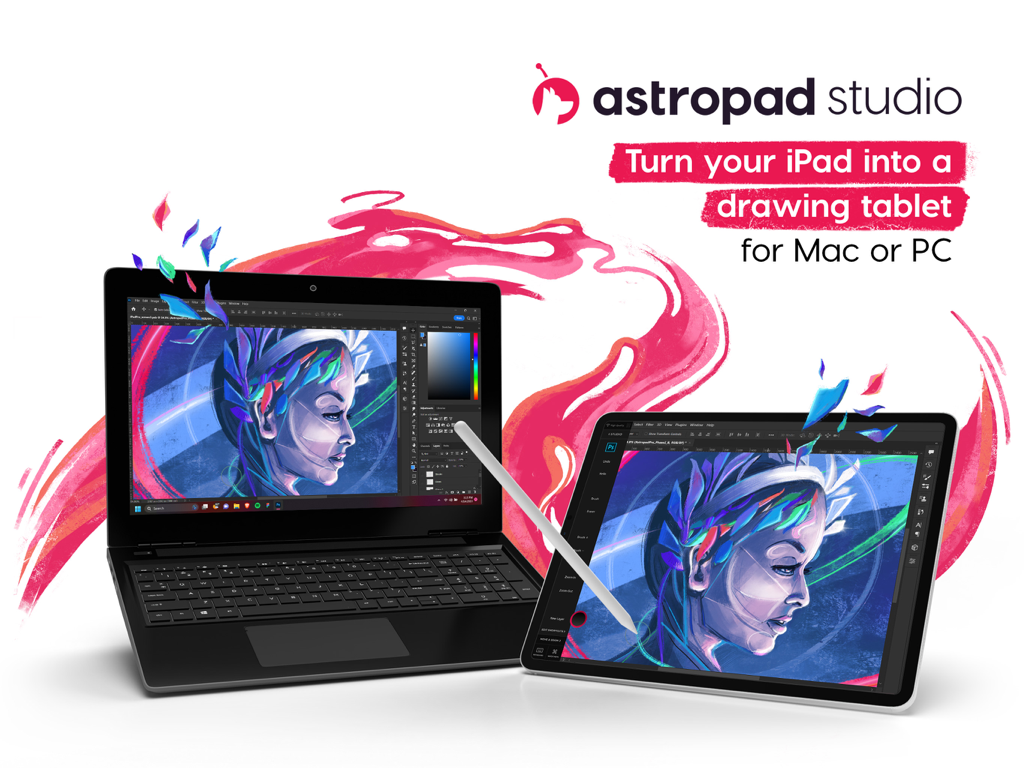
Ein iPad, das als professionelles Grafiktablett verwendet wird, verbunden mit einem Laptop, auf dem Kreativsoftware läuft

Ein iPad, das als professionelles Grafiktablett verwendet wird, verbunden mit einem Laptop, auf dem Kreativsoftware läuft

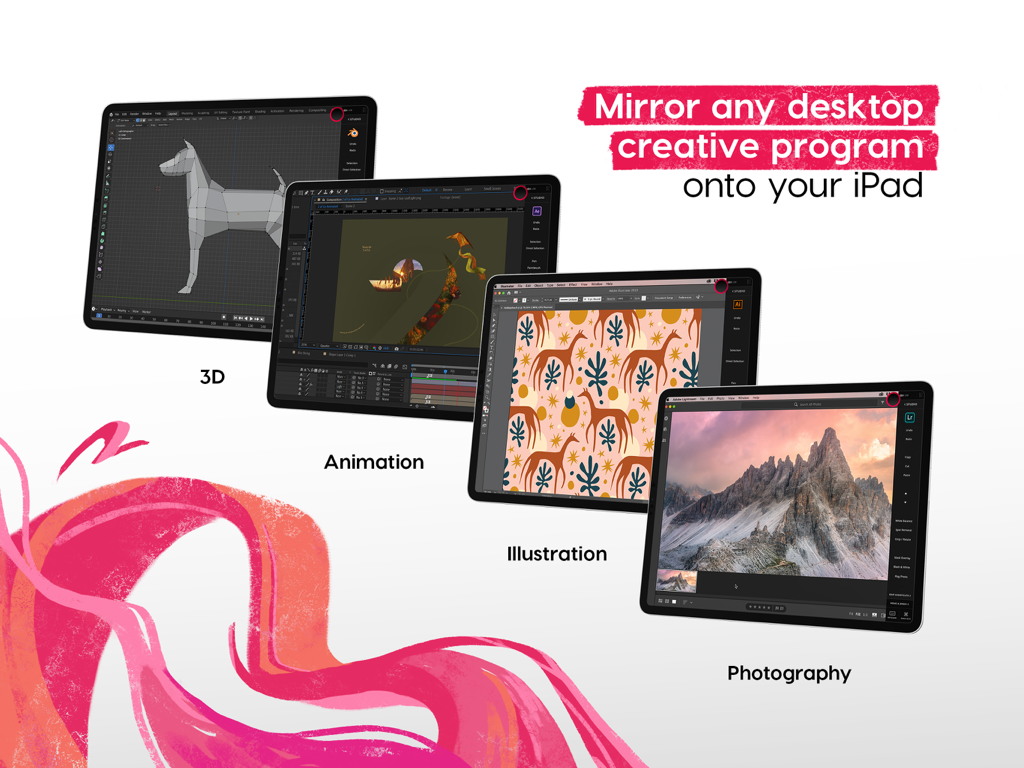
Astropad Studio spiegelt Desktop-Kreativsoftware wie 3D-Animation und Illustration auf ein iPad

Astropad Studio spiegelt Desktop-Kreativsoftware wie 3D-Animation und Illustration auf ein iPad

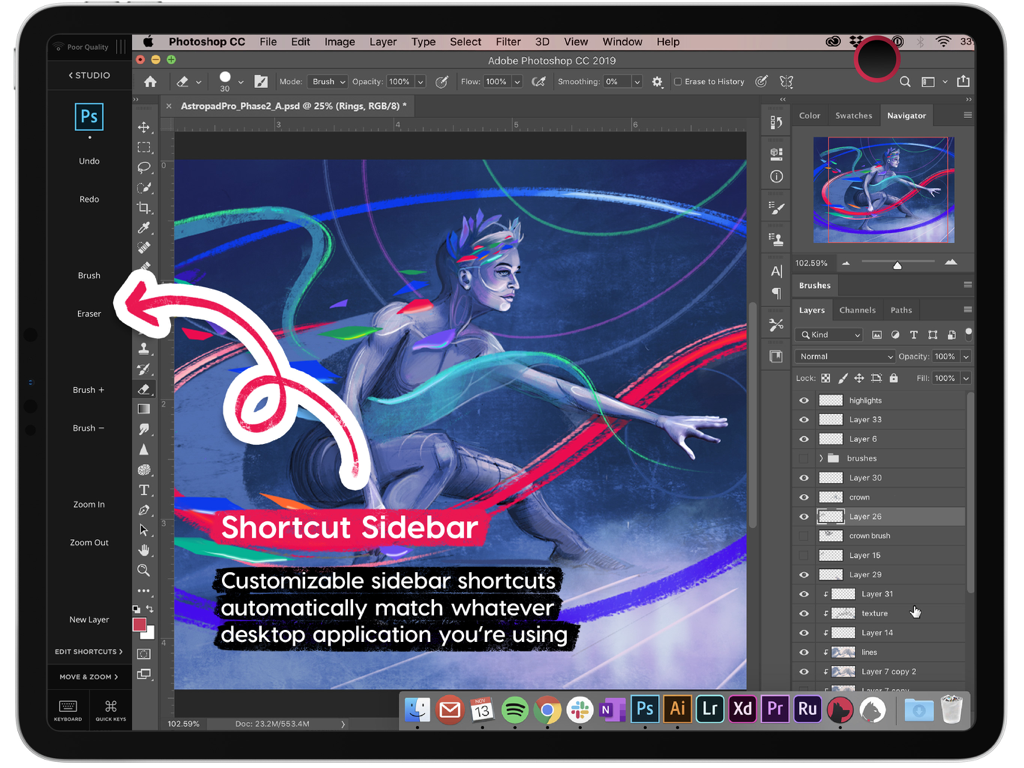
Seitenleiste für Astropad Studio-Kurzbefehle mit anpassbaren Werkzeugen für Photoshop auf dem iPad

Seitenleiste für Astropad Studio-Kurzbefehle mit anpassbaren Werkzeugen für Photoshop auf dem iPad

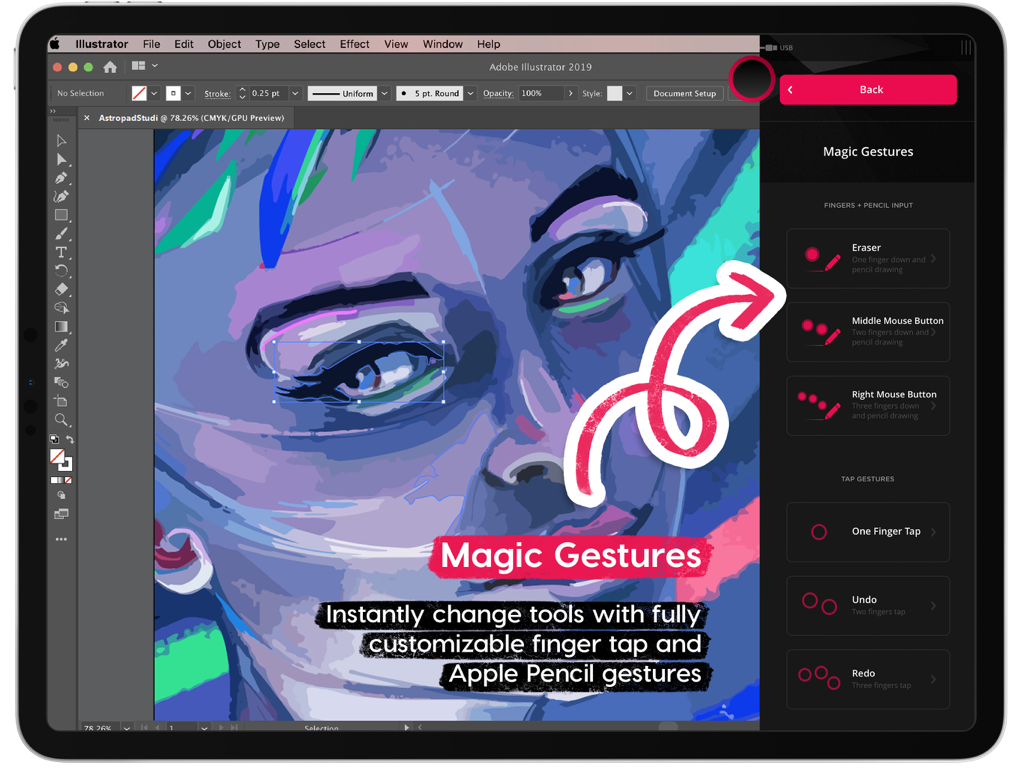
Astropad Studio Magic Gestures-Benutzeroberfläche für anpassbare Tastenkombinationen beim Zeichnen auf dem iPad

Astropad Studio Magic Gestures-Benutzeroberfläche für anpassbare Tastenkombinationen beim Zeichnen auf dem iPad

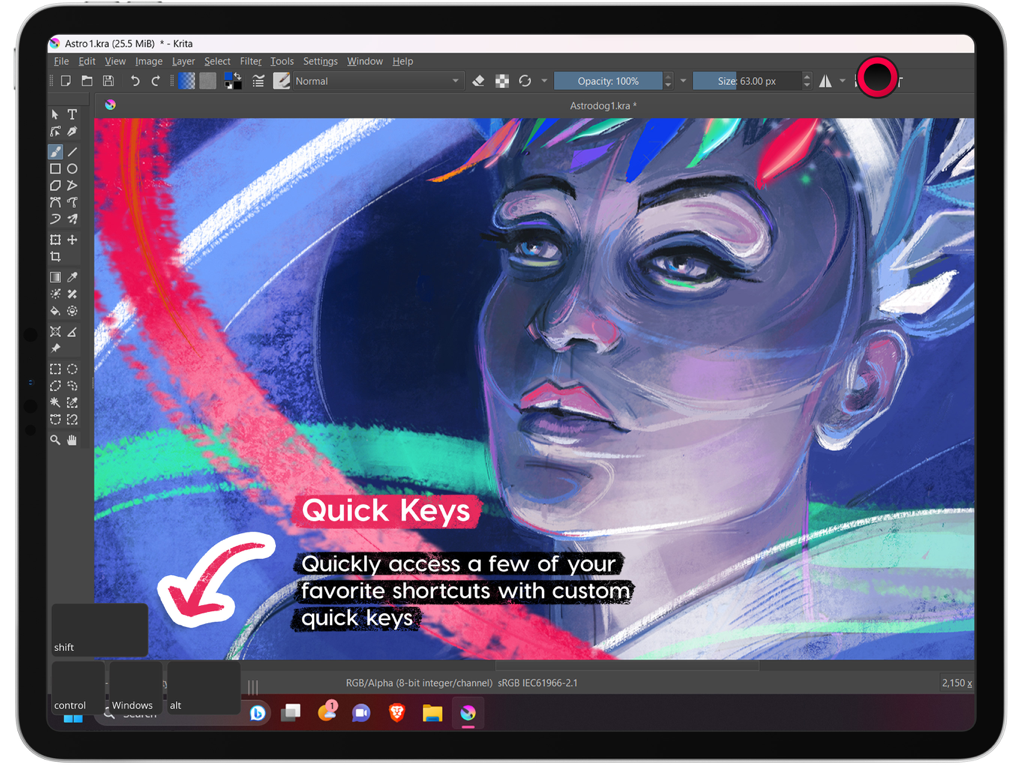
Astropad Studio-Benutzeroberfläche auf dem iPad, die die Quick-Keys-Funktion hervorhebt, während die Krita-Software läuft

Astropad Studio-Benutzeroberfläche auf dem iPad, die die Quick-Keys-Funktion hervorhebt, während die Krita-Software läuft

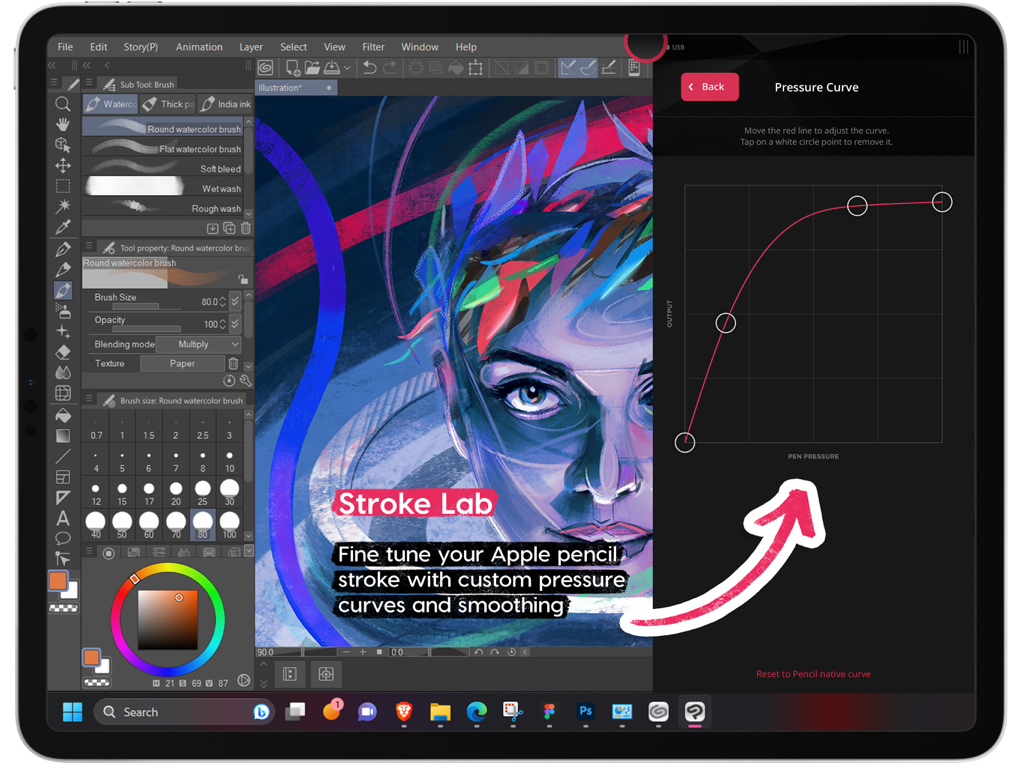
Benutzerdefinierte Druckkurveneinstellungen in Astropad Studio für den Apple Pencil auf dem iPad

Benutzerdefinierte Druckkurveneinstellungen in Astropad Studio für den Apple Pencil auf dem iPad

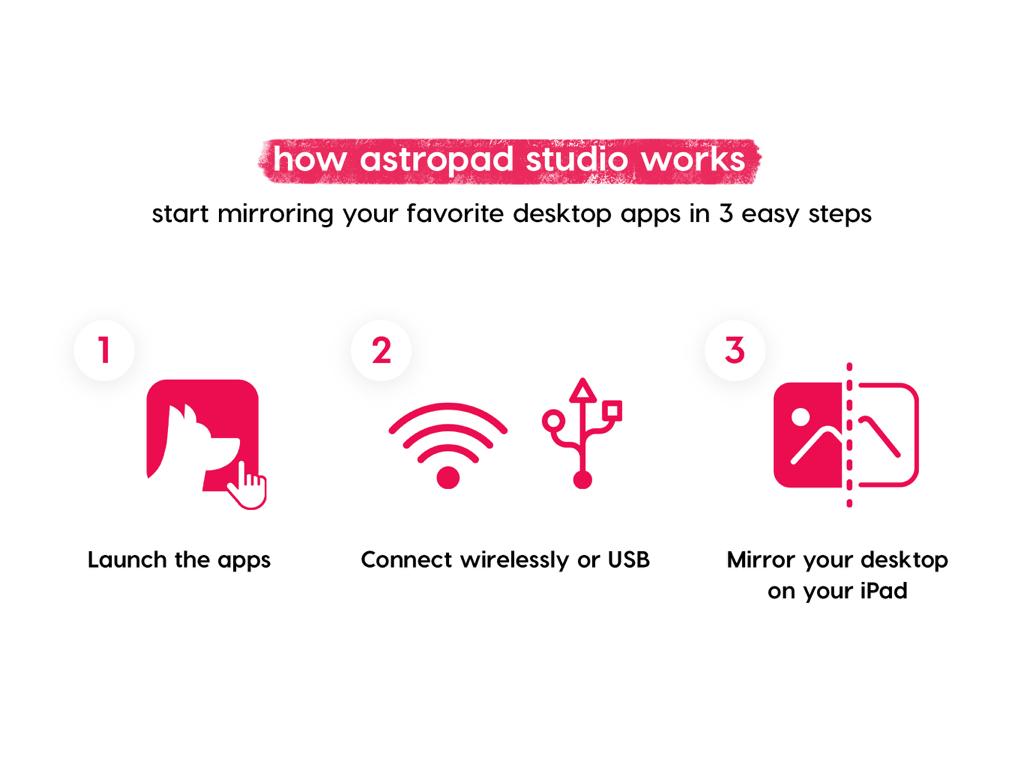
Infografik, die erklärt, wie man Desktop-Apps in drei Schritten mit Astropad Studio auf das iPad spiegelt

Infografik, die erklärt, wie man Desktop-Apps in drei Schritten mit Astropad Studio auf das iPad spiegelt

Angebotsbildschirm für die kostenlose 14-tägige Testversion von Astropad Studio

Angebotsbildschirm für die kostenlose 14-tägige Testversion von Astropad Studio

Entwickelt für den professionellen Workflow

Die Tools, die diese App auszeichnen, gewählt von 883K+ Nutzern.

Geschwindigkeit und Präzision auf Profi-Niveau

Erleben Sie verzögerungsfreies Zeichnen mit der Liquid Extreme-Technologie und farbkorrigierter Retina-Auflösung, die Ihren Desktop perfekt spiegelt.

🪄

Benutzerdefinierte Magic Gestures

Erstellen Sie Ihre eigenen Touch- und Stiftkombinationen, um Kurzbefehle auszulösen, damit Sie sich auf die Leinwand konzentrieren können und die Hand nicht mehr auf die Tastatur legen müssen.

💻

Desktop-Leistung, überall

Verbinden Sie sich über WLAN oder USB, um Vollversionen von Photoshop, ZBrush oder Blender auf Ihrem iPad mit kompletter kabelloser Freiheit zu nutzen.

Weltweit von Nutzern geliebt

Vertraut von 883K+ Menschen, die diese App lieben.

"

"Als Concept Artist fühlte ich mich früher durch sperrige Hardware an meinen Schreibtisch gefesselt. Astropad Studio hat alles verändert. Ich kann jetzt die Vollversionen von ZBrush und Blender auf meinem iPad Pro mit praktisch null Verzögerung nutzen. Die Liquid Extreme-Technologie hält, was sie verspricht – es ist das erste Mal, dass sich kabelloses Zeichnen professionell genug für einen anspruchsvollen Produktions-Workflow anfühlt."

Marcus Chen, Concept Artist
"

"Ich hatte die abgespeckten mobilen Versionen von Design-Apps satt. Mit Astropad Studio kann ich die volle Leistung von Desktop-Photoshop mit der Präzision des Apple Pencil nutzen. Die anpassbaren Magic Gestures und die Shortcuts in der Seitenleiste haben meinen Workflow komplett optimiert, sodass ich produktiv bleibe, egal ob ich im Studio oder im Café bin."

Sarah Jenkins, Freiberufliche Illustratorin

Bewertungsanalyse

Erkenntnisse aus Nutzerbewertungen.

Stimmungswert

33%
Negativ

Zusammenfassung

General feedback indicates a strong division among users. Many praise Astropad for its excellent performance, low latency, and accurate pressure sensitivity, effectively transforming their iPad into a professional drawing tablet with features like cursor hovering. However, a significant number of users express strong dissatisfaction with the subscription-based pricing model, finding it excessively expensive compared to competitors or previous one-time purchase options. Recurring technical issues include app crashing, lagging, connection failures, and specific problems like a black screen after a recent 'screen extend' update. Users also report frustrations with trial charges, account requirements, and unresponsive customer support.

Häufige Themen

Pricing/Subscription Model(21)
Performance & Latency(12)
Technical Issues(9)
Trial & Onboarding Experience(7)
Customization & Features(4)
Customer Support(2)

Über die App

Alles, was Sie über wissen müssen Astropad Studio Drawing Tablet.

Beschreibung

Go beyond a drawing tablet with Astropad Studio. Start a free 14-day trial today! Astropad Studio is the ultimate wireless drawing tablet, designed for the most demanding creative work. With complete workspace customization, Studio allows artists to work faster and more efficiently, with the freedom to work in the studio, at home, or on-the-go. Built for creative professionals with features like: · Wifi or USB connectivity · Built in 2nd display · Crystal clear & ultra-fast · Gesture shortcut customization · Keyboard support · Customizable pressure curves · Magic Gestures: Create your own gesture shortcuts with touch-Pencil combinations · Shortcut Sets: Sidebar shortcuts automatically adapt to match whatever Mac app you’re working in · Unlimited upgrades · Works on Mac and PC $14.99 monthly or $79.99 annually ___ STREAMLINED PRODUCTIVITY · Pinch to Zoom: Pinch to zoom and pan in Mac or PC Apps · Liquid Extreme: Up to 5x faster than baseline Liquid · Wifi & USB: Use your iPad as a drawing tablet plugged in or wirelessly · Keyboard Support: Access our built-in keyboard or use your own Bluetooth keyboard · Velocity Control: Analyzes network conditions dozens of times per second to balance image quality and latency COMPLETE CUSTOMIZATION · Magic Gestures: Create your own gesture shortcuts with touch-Pencil combinations · Shortcut Sets: Sidebar shortcuts automatically adapt to match whatever Mac app you’re working in BUILT FOR CREATIVES · Apple Pencil Optimized: Designed exclusively for the precision of Apple Pencil · Color Corrected: True to your source material with color corrected output and retina resolution ___ SYSTEM REQUIREMENTS · Mac: OS X 10.14 or later · PC: Windows 10 64-bit, build 1809 or later · iPad iOS 13.1 or later: iPad Mini 4 (2015+), iPad Air (2014+), iPad Pro (2016+), iPad 5th generation (2017+) · Optimized for iPad Pro and Apple Pencil SUBSCRIPTION TERMS · $14.99 monthly or $79.99 annually · Price may vary by location. ___ Subscriptions will be charged to your credit card using your iTunes account. Your subscription will automatically renew unless canceled at least 24 hours before the end of the current period. Subscriptions may be managed by the user and auto-renewal may be turned off by going to the user's Account Settings after purchase. No cancellation of the current subscription is allowed during active subscription period. Any unused portion of a free trial period will be forfeited when the user purchases a subscription. Your account will be charged for renewal within 24-hours prior to the end of the current period. ___ MORE RESOURCES Download the free desktop companion app: astropad.com/downloads FAQ: astropad.com/faq Support: support@astropad.com Twitter: @astropad Instagram: @astropadco Facebook: facebook.com/astropadco ___ Privacy Policy: http://astropad.com/studio/privacy.html Terms of Use: http://astropad.com/studio/terms.html

Neueste Version

5.5.2

Größe

109.8 MB

Erstveröffentlichung

11. Jan. 2017

Verwandeln Sie Ihr iPad in das ultimative Profi-Studio.

Nutzen Sie die volle Desktop-Leistung von unterwegs – ohne Verzögerungen und mit vollständiger Anpassung. Schließen Sie sich über 800.000 Kreativprofis an und starten Sie noch heute Ihre kostenlose 14-tägige Testphase.

Herunterladen auf App Store