Dorico for Education

Dorico for Education

Herunterladen auf App Store
Spark by MWM logo
Logo von Dorico for Education

Dorico for Education: Professionelle Notationssoftware für die nächste Generation von Komponisten

Erlwecken Sie Ihre Kompositionen mit der intelligentesten Notationssoftware der Welt zum Leben. Dorico for Education wurde für Schüler und Lehrer entwickelt und ermöglicht es Ihnen, beeindruckende Partituren direkt auf Ihrem iPad zu erstellen, zu gravieren und abzuspielen.

Herunterladen auf App Store

Herausgeber

Steinberg Media Technologies GmbH

Kategorie

Music

Downloads

100

Bewertung

1.0/5

Bewertungen gesamt

0

Sprachen

1

Präzision in jeder Note

Entdecken Sie die Oberfläche, die von 100 Nutzern verwendet wird.
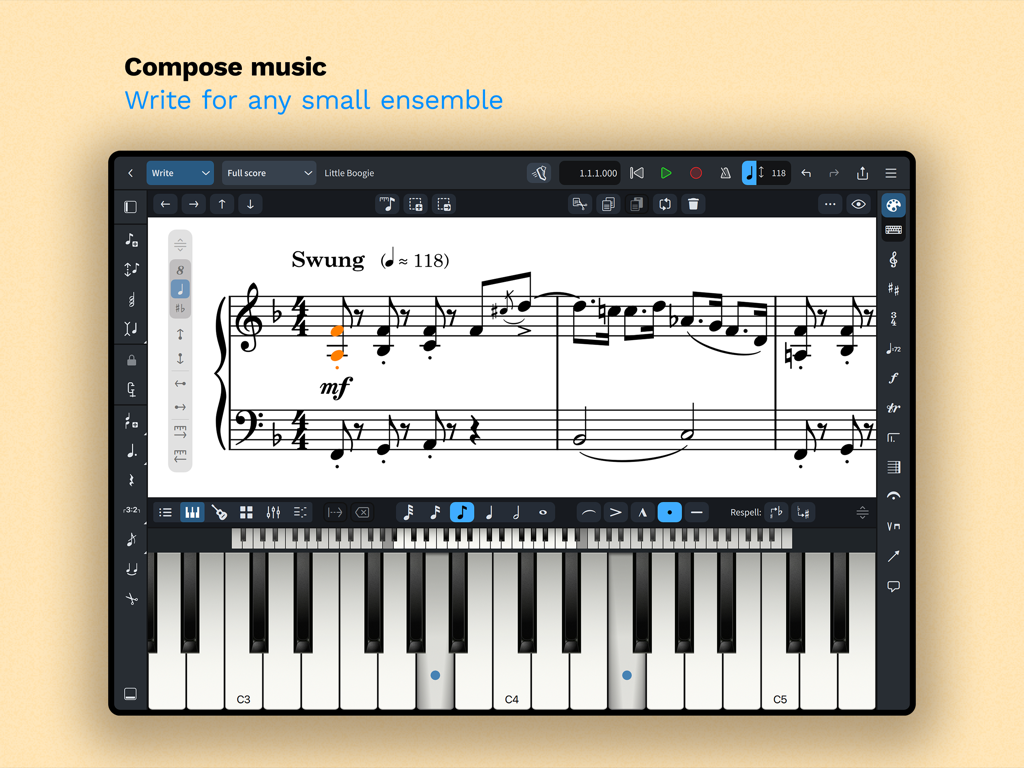
Dorico for Education iPad App-Oberfläche für die Komposition von Musik mit einer Klaviatur und virtuellem Keyboard.

Dorico for Education iPad App-Oberfläche für die Komposition von Musik mit einer Klaviatur und virtuellem Keyboard.

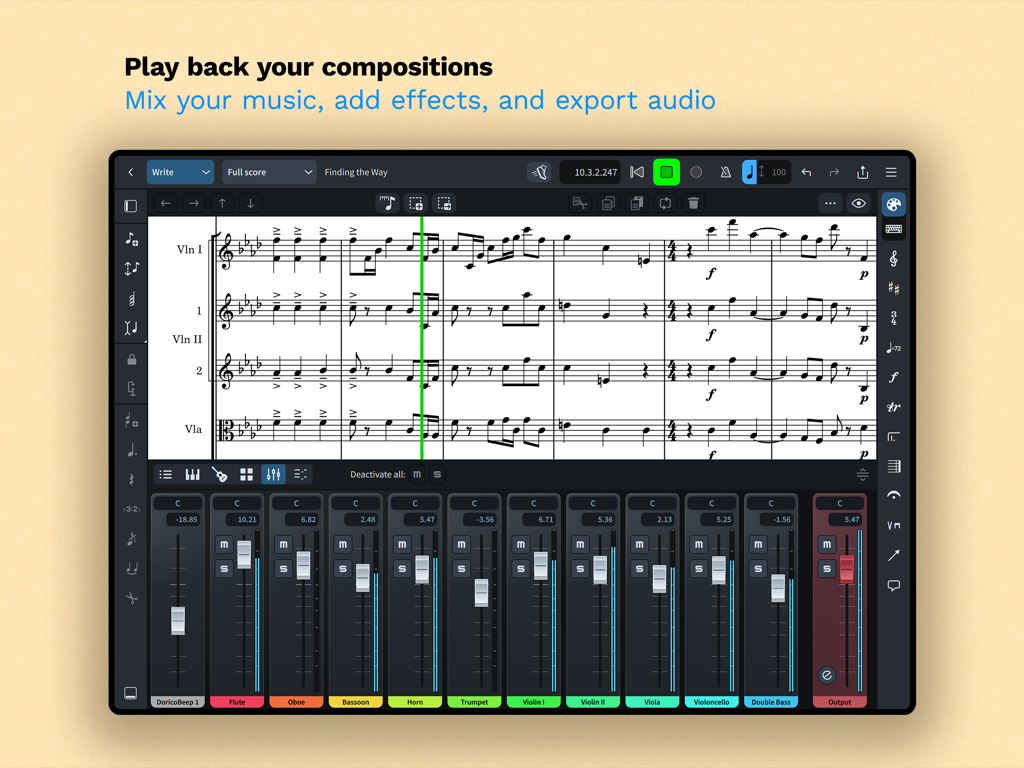
Musiknotationsschnittstelle in Dorico for Education, die eine Partitur und ein Instrumentenmixer-Panel zeigt

Musiknotationsschnittstelle in Dorico for Education, die eine Partitur und ein Instrumentenmixer-Panel zeigt

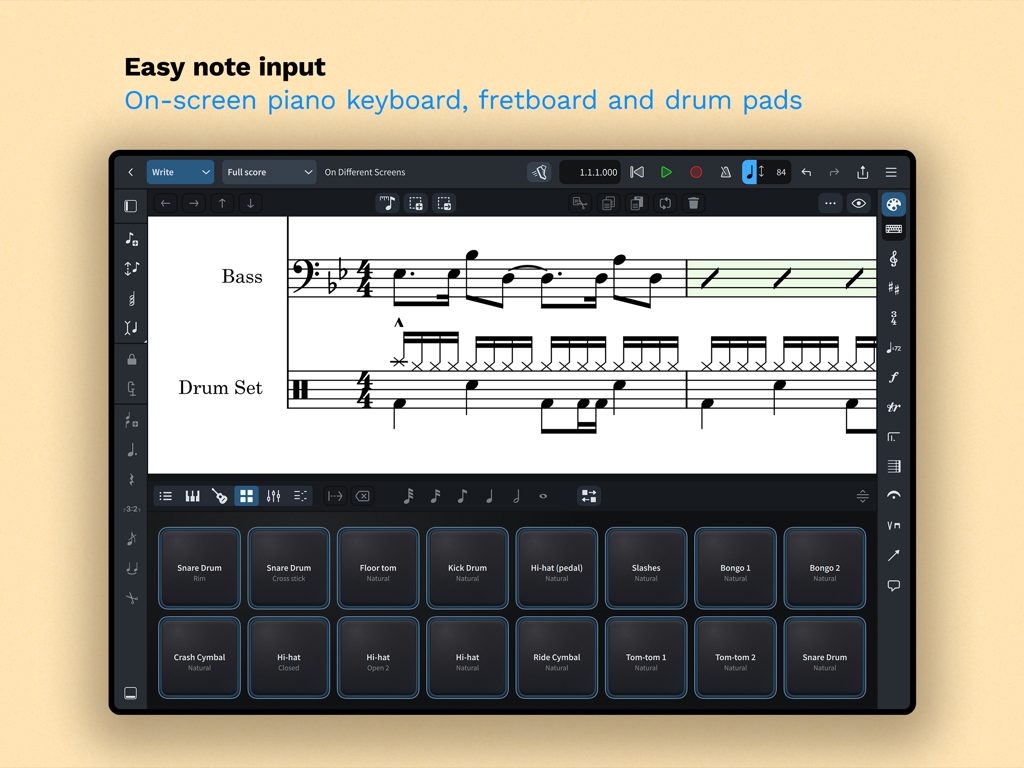
Dorico for Education App auf dem iPad mit virtuellen Drum-Pads für Musiknotation und Noteneingabe

Dorico for Education App auf dem iPad mit virtuellen Drum-Pads für Musiknotation und Noteneingabe

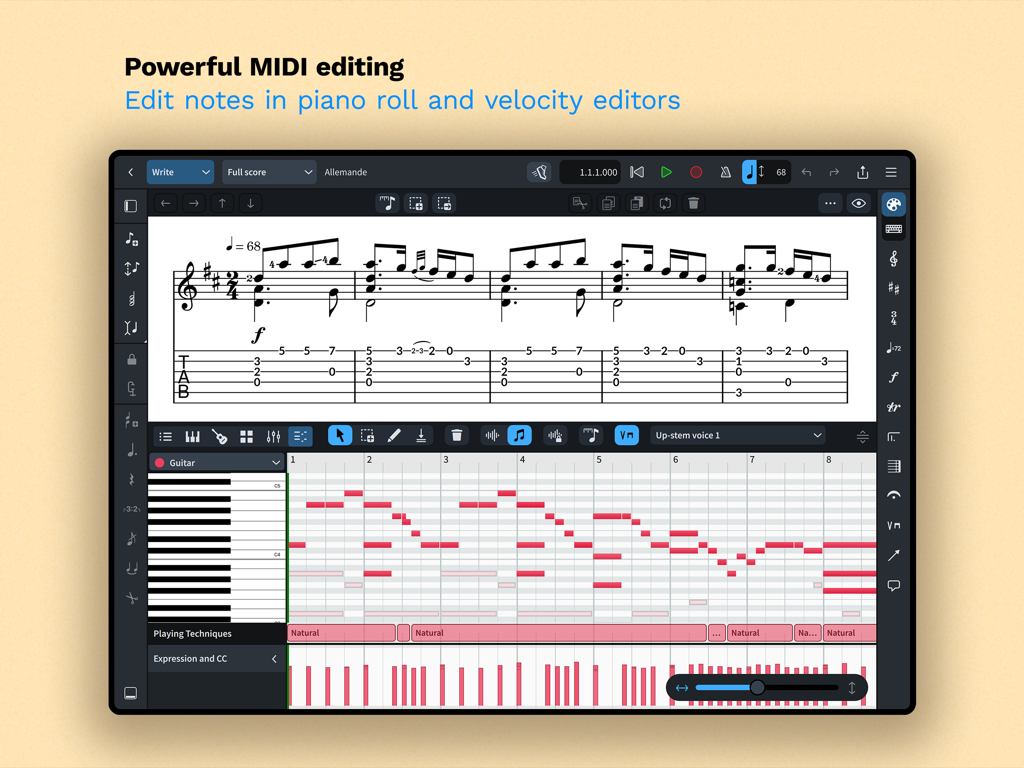
Dorico for Education MIDI-Bearbeitung mit Piano Roll und Velocity-Editoren

Dorico for Education MIDI-Bearbeitung mit Piano Roll und Velocity-Editoren

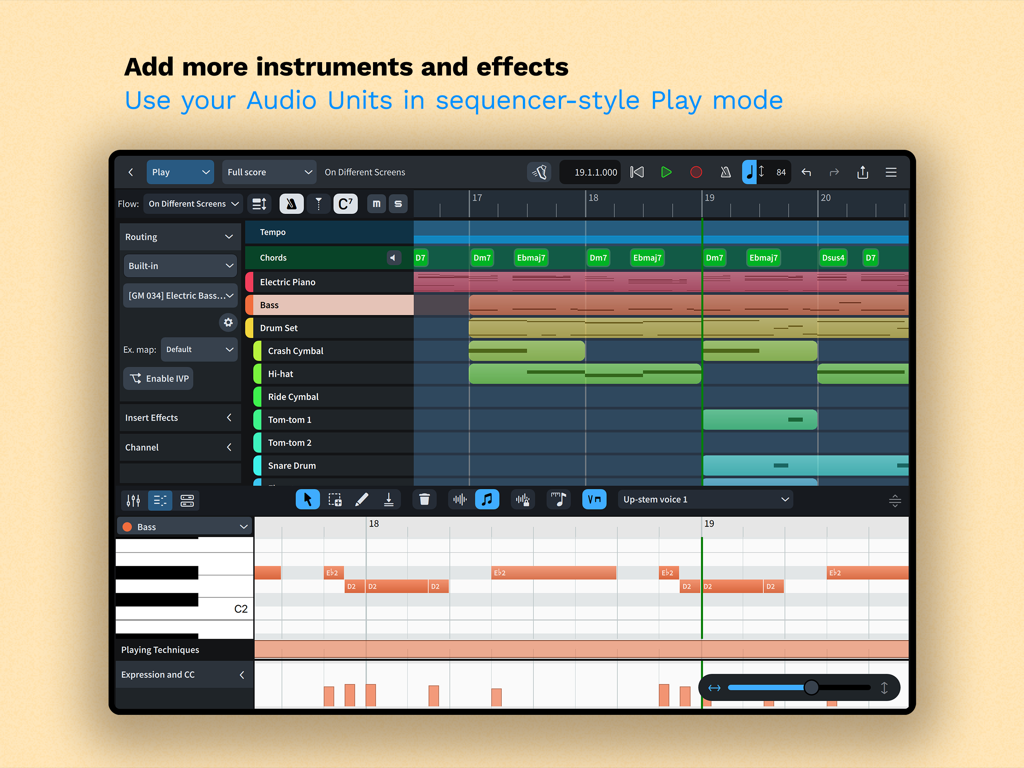
Dorico for Education App mit Sequenzer-Modus und Instrumenten-Tracks sowie Piano-Roll-Editor auf dem iPad

Dorico for Education App mit Sequenzer-Modus und Instrumenten-Tracks sowie Piano-Roll-Editor auf dem iPad

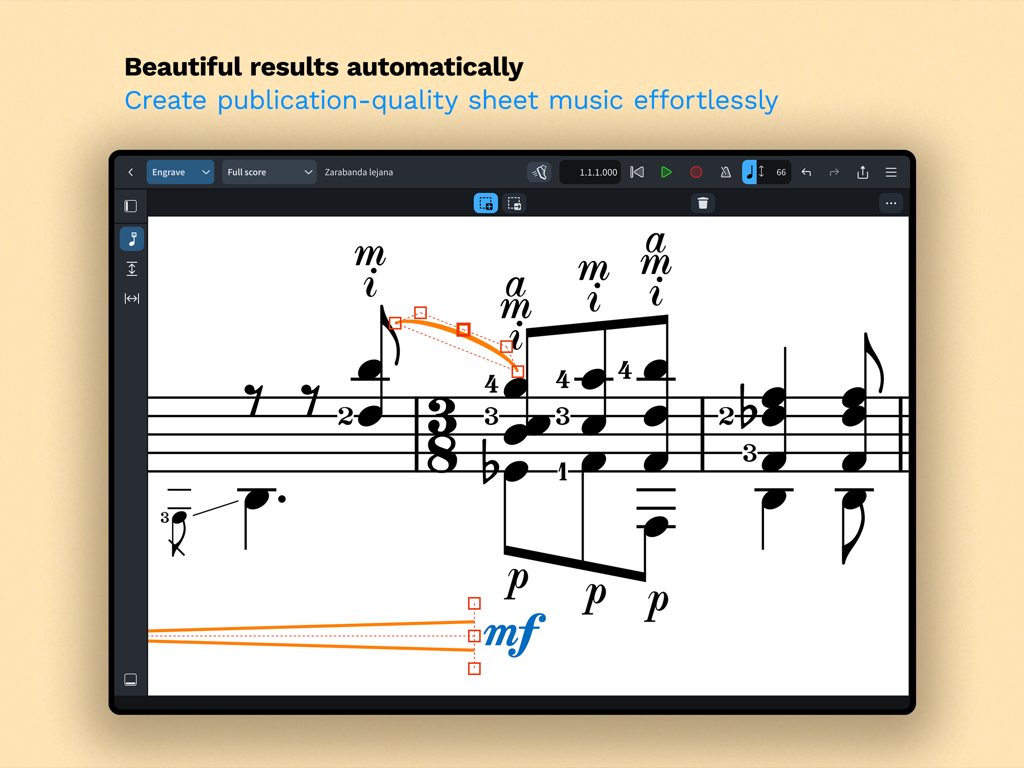
Dorico for Education App mit professioneller Musiknotation und Gravurwerkzeugen auf dem iPad

Dorico for Education App mit professioneller Musiknotation und Gravurwerkzeugen auf dem iPad

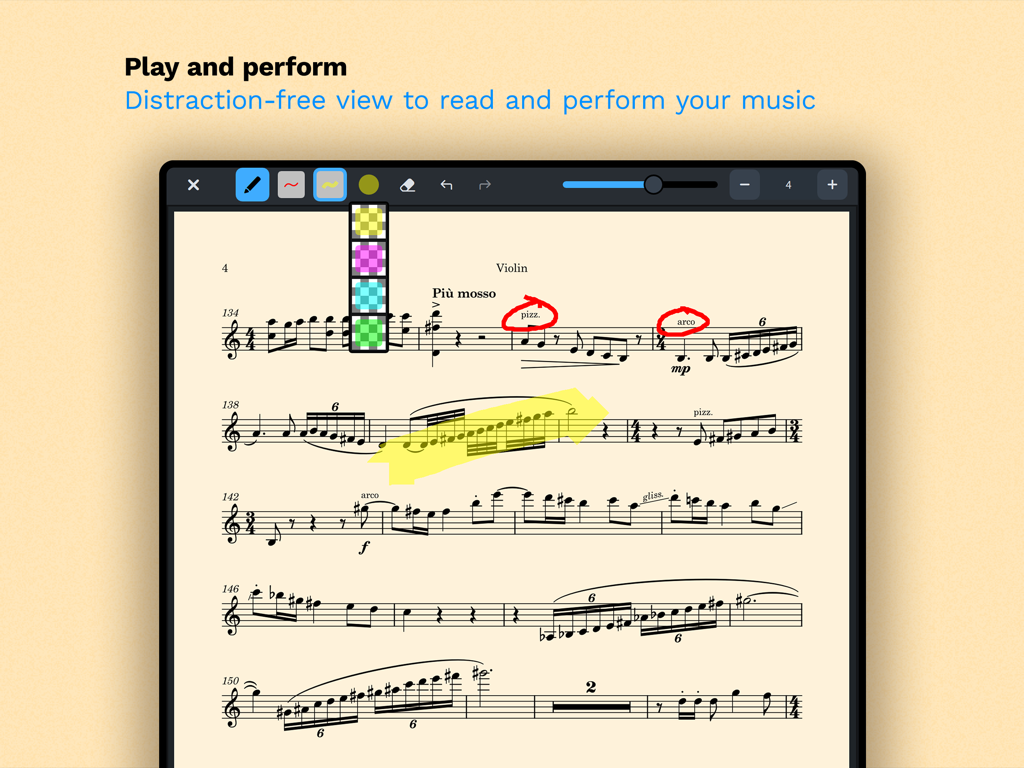
iPad-Screenshot von Dorico for Education, der eine Violinenpartitur mit Anmerkungen und Hervorhebungswerkzeugen im Performance-Modus zeigt

iPad-Screenshot von Dorico for Education, der eine Violinenpartitur mit Anmerkungen und Hervorhebungswerkzeugen im Performance-Modus zeigt

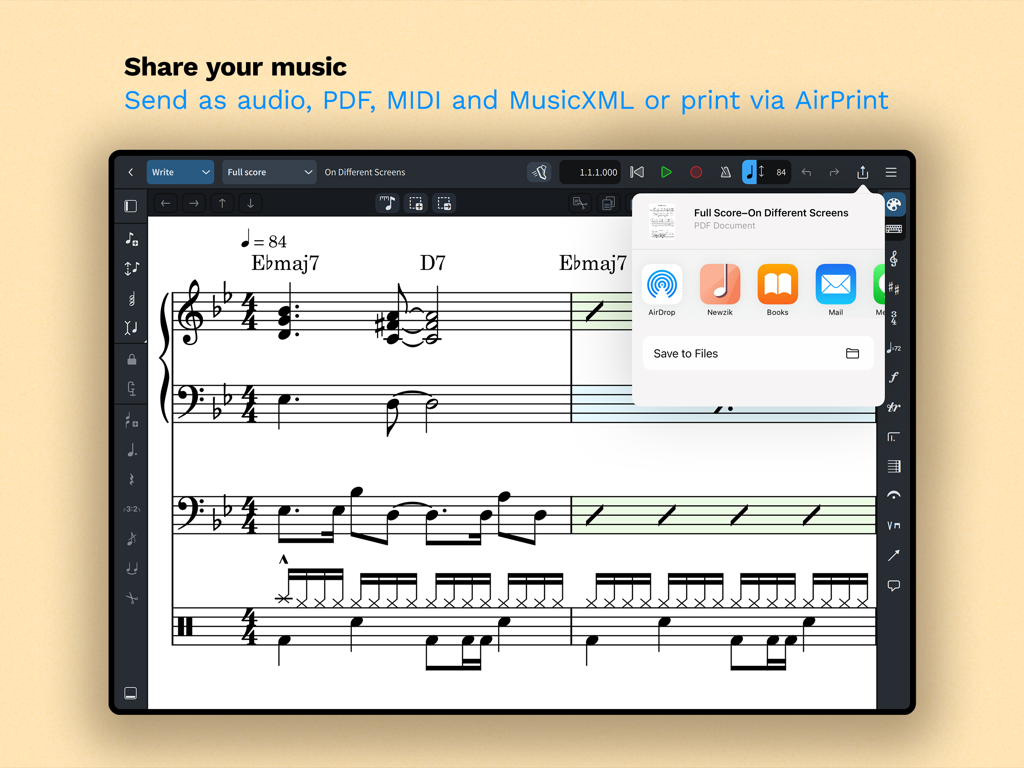
iPad-Oberfläche mit Optionen zum Teilen von Musikpartituren für PDF, MIDI und MusicXML in Dorico for Education.

iPad-Oberfläche mit Optionen zum Teilen von Musikpartituren für PDF, MIDI und MusicXML in Dorico for Education.

Professionelles Komponieren, überall

Die Tools, die diese App auszeichnen, gewählt von 100 Nutzern.

🎼

Gravur in Publikationsqualität

Verbringen Sie mehr Zeit mit Komponieren und weniger Zeit mit Formatieren dank des branchenweit besten automatischen Layouts für professionelle Partituren.

✍️

Intuitive Stift- und Touch-Eingabe

Schreiben Sie natürlich mit Ihrem Apple Pencil oder der Bildschirmtastatur mit intelligenter Notation, die sich während der Erstellung anpasst.

🚀

Desktop-Leistung auf dem iPad

Erleben Sie volle plattformübergreifende Kompatibilität und professionelle MIDI-Tools, die einen nahtlosen Übergang vom Übungsraum zum Studio ermöglichen.

Weltweit von Nutzern geliebt

Vertraut von 100 Menschen, die diese App lieben.

"

"Dorico for iPad hat meinen Workflow komplett verändert. Die Möglichkeit, Orchesterpartituren im Übungsraum mit meinem Apple Pencil zu skizzieren und dann die Gravur auf meinem Laptop abzuschließen, ist ein absoluter Game-Changer. Meine Aufgaben sehen ohne Aufwand professionell genug für die Veröffentlichung aus."

Julian R., Kompositionsstudent
"

"Die automatischen Layout-Funktionen sind ein Lebensretter für vielbeschäftigte Lehrer. Ich kann schnell ein Stück für meine Schüler unterwegs arrangieren und schöne, lesbare Stimmen per AirPrint ausdrucken, bevor die Probe überhaupt beginnt. Es ist die intuitivste Notationssoftware, die ich seit 15 Jahren verwendet habe."

Sarah M., High School Band Director

Über die App

Alles, was Sie über wissen müssen Dorico for Education.

Beschreibung

Compose your own music with Dorico. Create beautiful music notation for any number of instruments quickly and easily with the on-screen keyboard, drum pads and fretboard. Play back instantly with the included sounds, including the high-quality Iconica Sketch sound library, and shape the performance with powerful MIDI editing tools. When your piece is finished, share it as PDF, audio or MusicXML, or print directly to your AirPrint-enabled printer. Perform using the built-in read mode, and annotate with your Apple Pencil. Dorico is the award-winning music notation and composition software from Steinberg for macOS, Windows, and iPadOS. It’s easy enough to learn and use that it is used by students in schools, and deep enough that it satisfies the needs of the most demanding professionals in the worlds of concert music, music for film and TV, and music publishing. Dorico for iPad is fully compatible with Dorico for macOS and Windows, so you can work on your projects on the move on your iPad and in your studio on your desktop or laptop computer, or share projects with musicians using Dorico on any platform. Dorico’s interface is split into four modes. In Setup mode, you can add and change instruments, create and reorder sections of music (called “flows”), and choose how your music will be formatted for your musicians into layouts. In Write mode, you can input and edit music and other notations using simple, well-organized toolboxes and panels. In Engrave mode (included if you buy a paid subscription to Dorico’s advanced features), you can make graphical tweaks to every item in your project. Finally, in Play mode, you have access to powerful sequencer-style MIDI editing tools, including piano roll and velocity editors. Dorico includes built-in virtual instruments and effects to allow you to play back your compositions, and you can also easily use any compatible Audio Unit plug-in or external MIDI device, and tweak playback using the on-screen Mixer. Input music using an on-screen piano keyboard, or by connecting a MIDI keyboard to your iPad directly via USB or using a compatible USB-to-Lightning adaptor. If you have a Magic Keyboard or other external keyboard, you can make use of extensive keyboard shortcuts to work quickly and efficiently. HIGHLIGHTS • Best automatic engraving of any software • Easy note input using on-screen keyboard, MIDI keyboard, or external keyboard • Intelligently adjusts notation as you write • Any number of movements or pieces in a single project • Automatic layout of instrumental parts • Expressive playback using included sounds and effects • Supports Audio Unit virtual instruments and effects processors • Sequencer-style piano roll MIDI editor • Sophisticated chord symbols, unpitched percussion and drum set notation • Unbarred music, tuplets across barlines, etc. all handled correctly — no workarounds • Transfer to and from other apps via MusicXML, MIDI, PDF, etc. For support, please visit www.dorico.com/forum If you like Dorico, please support us by rating this app in the App Store. Thank you!

Neueste Version

6.1.10

Größe

968.3 MB

Erstveröffentlichung

9. Juli 2024

Verfeinern Sie Ihre Kompositionen noch heute

Schließen Sie sich der nächsten Generation von Komponisten und Pädagogen an. Laden Sie Dorico for Education herunter und verwandeln Sie Ihr iPad in eine professionelle Musik-Workstation.

Herunterladen auf App Store