Dorico - Compose Music

Dorico - Compose Music

Herunterladen auf App Store
Spark by MWM logo
Logo von Dorico - Compose Music

Dorico: Der Goldstandard für professionellen Notensatz auf dem iPad

Erwecken Sie Ihre Kompositionen zum Leben mit der intelligentesten Notationssoftware, die je entwickelt wurde. Von preisgekrönter Notengestaltung bis zu leistungsstarker MIDI-Bearbeitung – erleben Sie einen Desktop-Workflow, der Sie vom Studio bis zur Bühne begleitet.

Herausgeber

Steinberg Media Technologies GmbH

Kategorie

Music

Downloads

252K+

Bewertung

4.6/5

Bewertungen gesamt

2K+

Sprachen

1

Perfekte Partituren

Entdecken Sie die Oberfläche, die von 252K+ Nutzern verwendet wird.
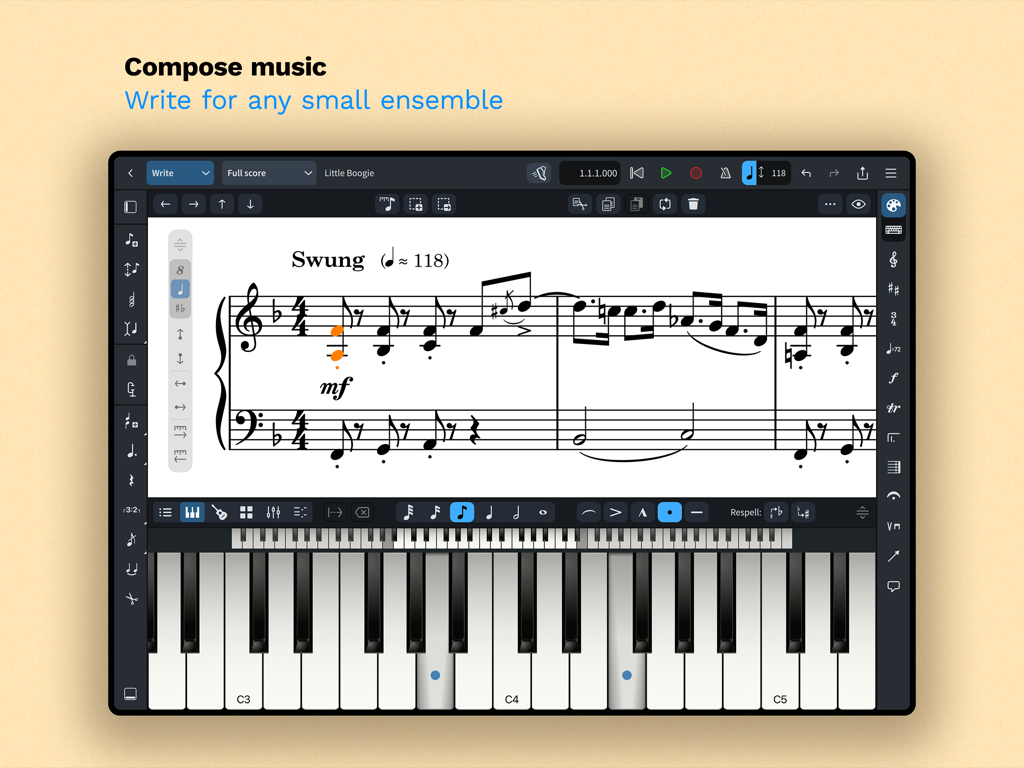
Dorico Notationsschnittstelle auf dem iPad, die eine Partitur und eine virtuelle Klaviertastatur anzeigt

Dorico Notationsschnittstelle auf dem iPad, die eine Partitur und eine virtuelle Klaviertastatur anzeigt

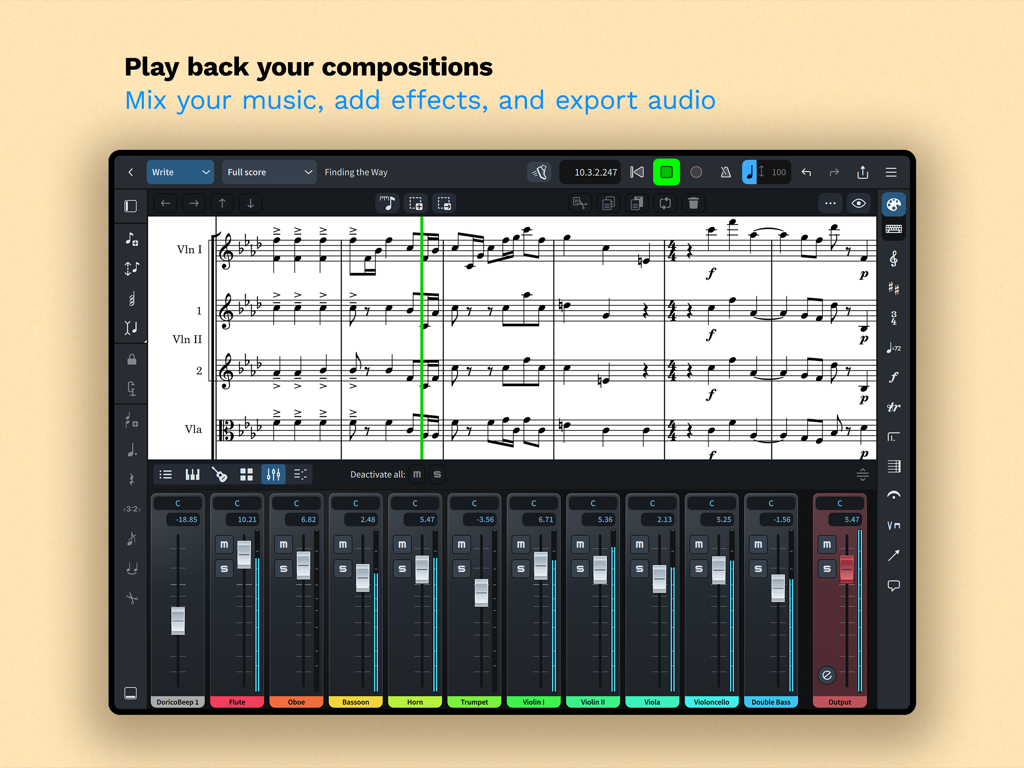
Dorico App-Oberfläche, die eine Partitur mit einem integrierten Mehrspur-Audio-Mixer auf einem iPad anzeigt

Dorico App-Oberfläche, die eine Partitur mit einem integrierten Mehrspur-Audio-Mixer auf einem iPad anzeigt

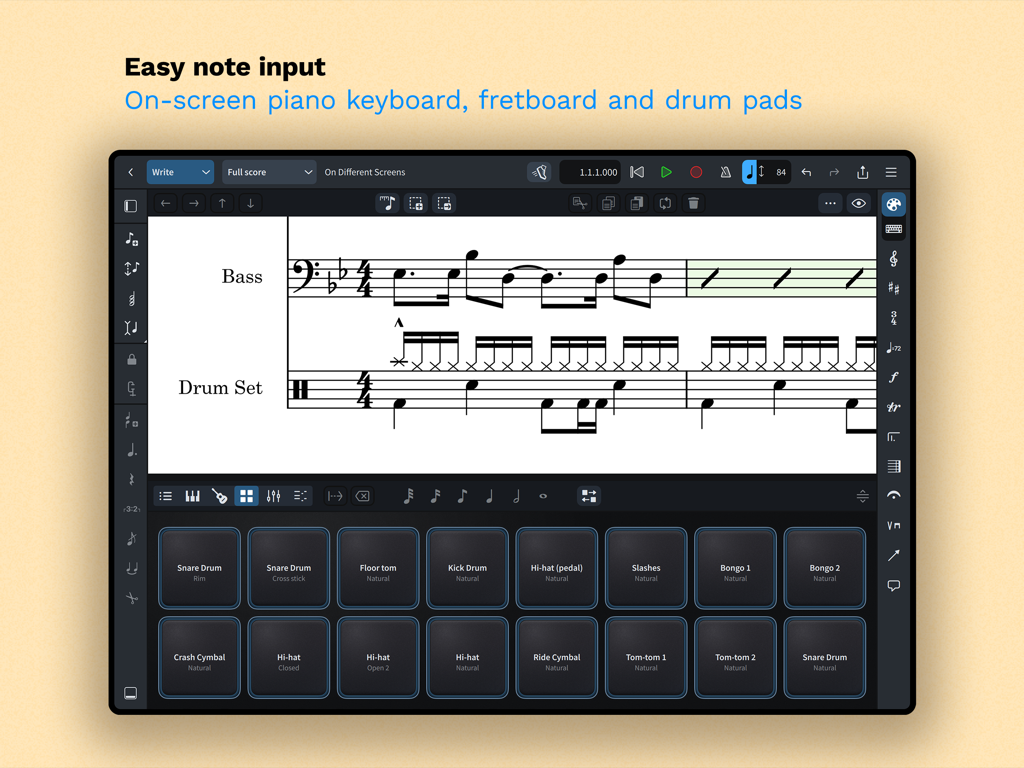
Dorico App-Oberfläche auf dem iPad, die Drum-Pads für die einfache Eingabe von Musiknotationen zeigt

Dorico App-Oberfläche auf dem iPad, die Drum-Pads für die einfache Eingabe von Musiknotationen zeigt

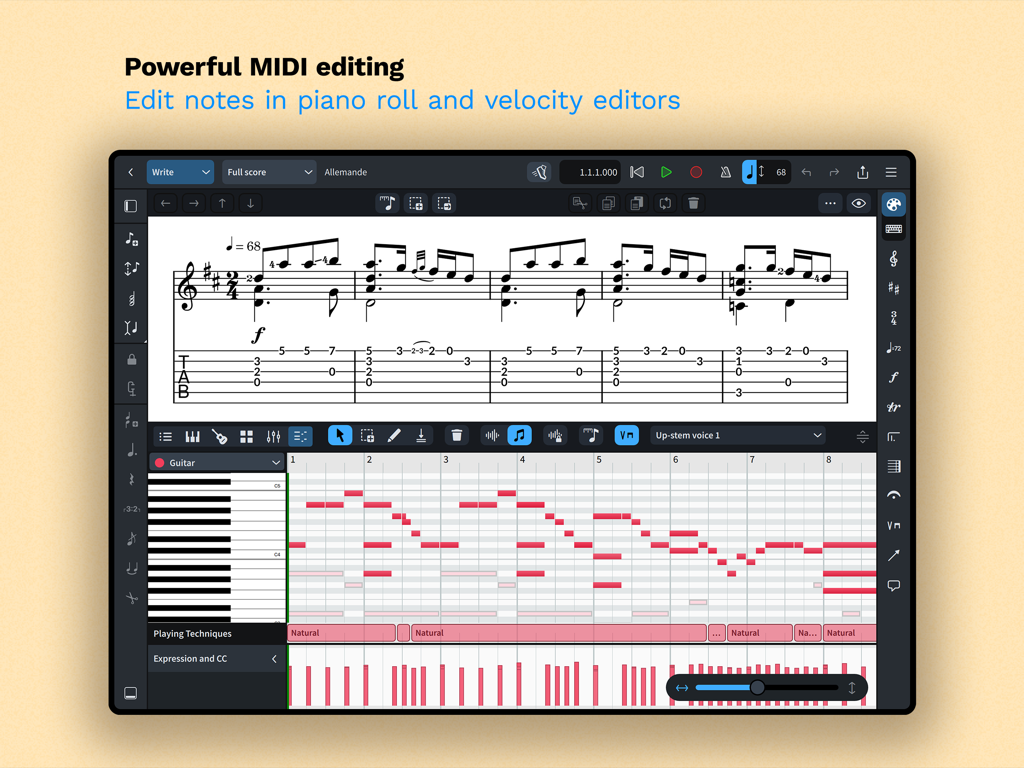
Dorico App-Oberfläche, die leistungsstarke MIDI-Bearbeitung mit Piano-Roll- und Velocity-Editoren für die Musikkomposition zeigt.

Dorico App-Oberfläche, die leistungsstarke MIDI-Bearbeitung mit Piano-Roll- und Velocity-Editoren für die Musikkomposition zeigt.

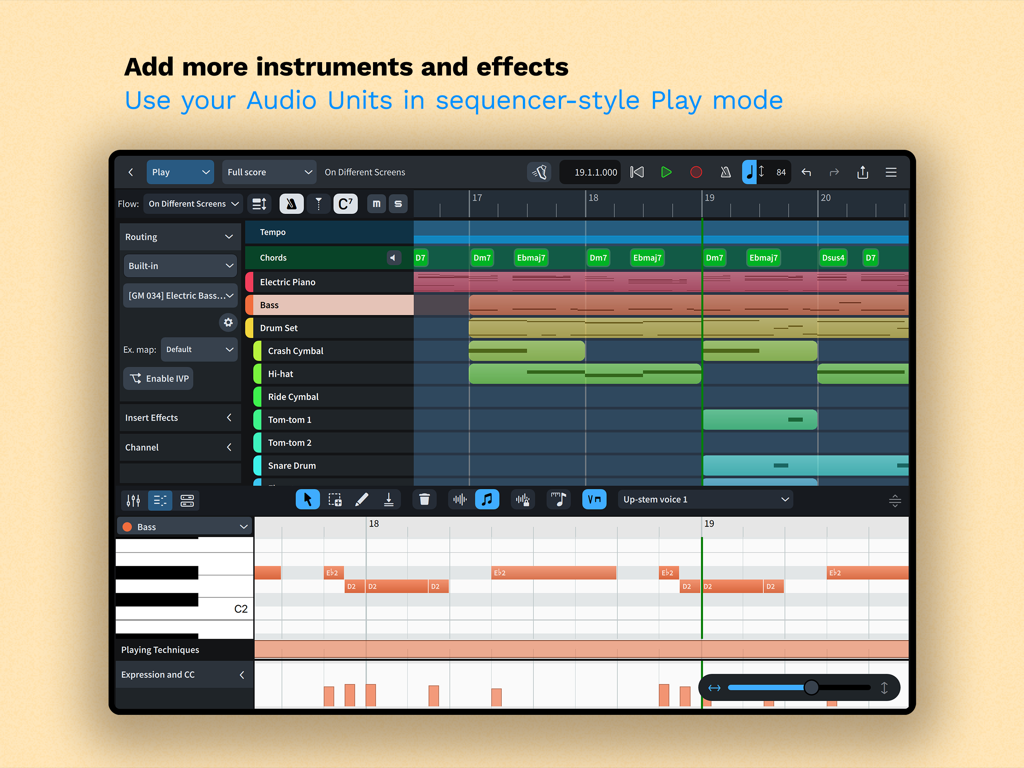
Dorico iPad App Play-Modus-Oberfläche mit einem Mehrspur-Sequenzer und einem Piano-Roll-MIDI-Editor

Dorico iPad App Play-Modus-Oberfläche mit einem Mehrspur-Sequenzer und einem Piano-Roll-MIDI-Editor

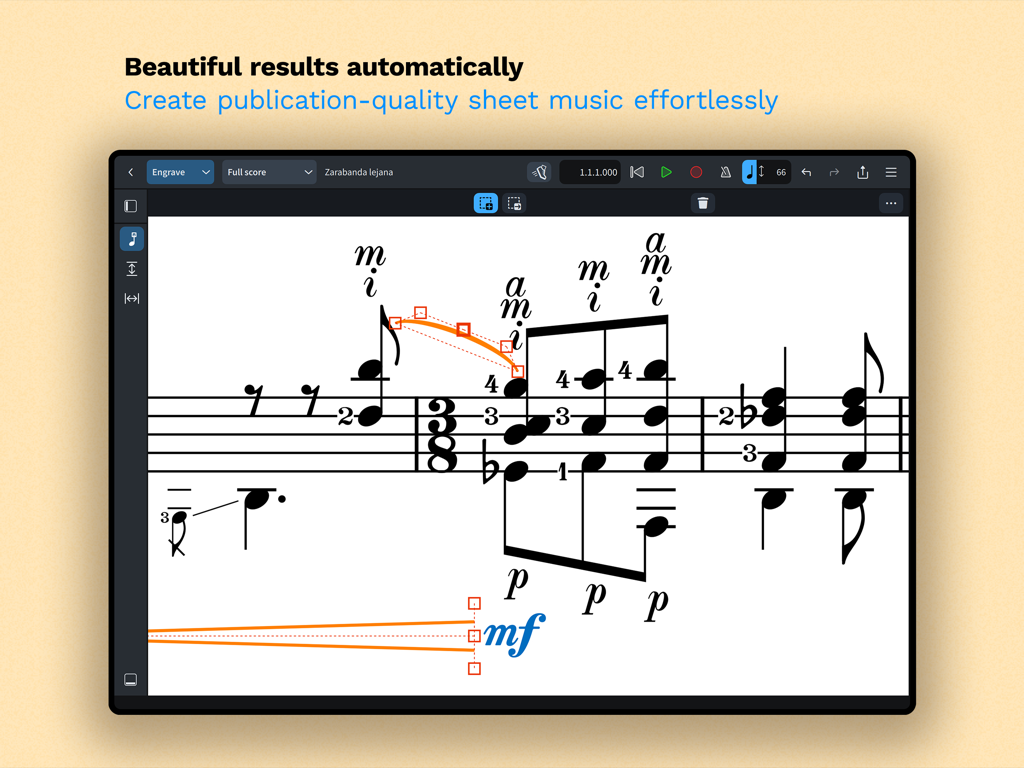
Ein Screenshot der Dorico App-Oberfläche, der professionelle Musiknotation im Engrave-Modus mit automatischer Formatierung zeigt.

Ein Screenshot der Dorico App-Oberfläche, der professionelle Musiknotation im Engrave-Modus mit automatischer Formatierung zeigt.

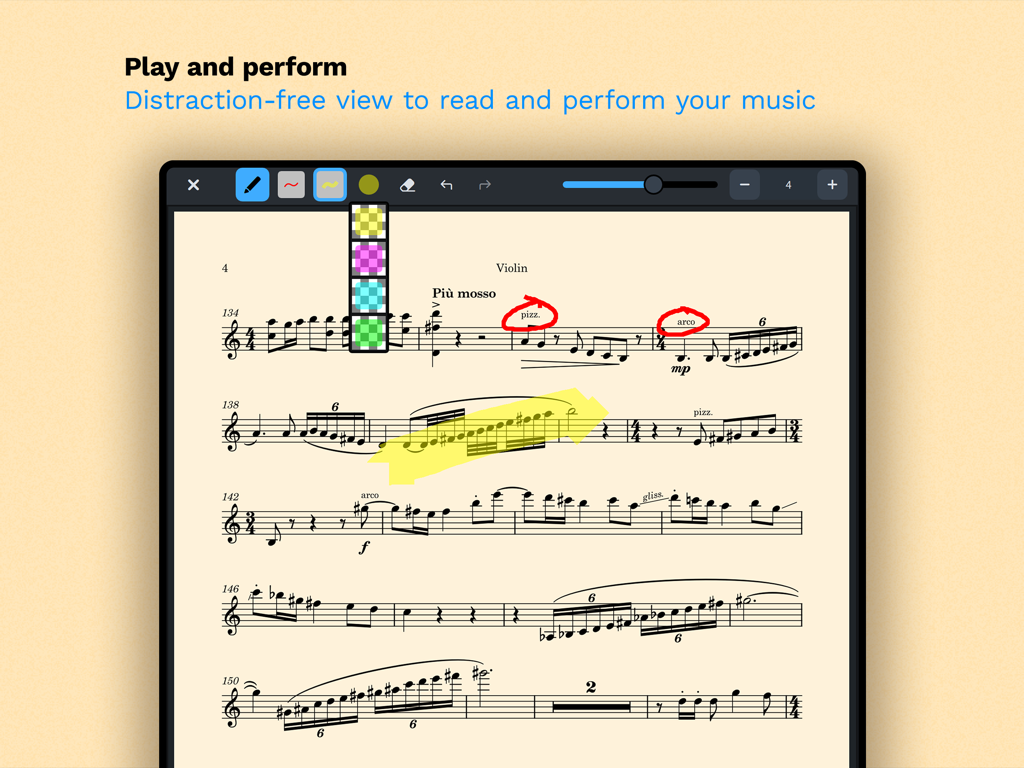
Eine Violinenpartitur im ablenkungsfreien Read-Modus von Dorico mit digitalen Annotationen und Hervorhebungen

Eine Violinenpartitur im ablenkungsfreien Read-Modus von Dorico mit digitalen Annotationen und Hervorhebungen

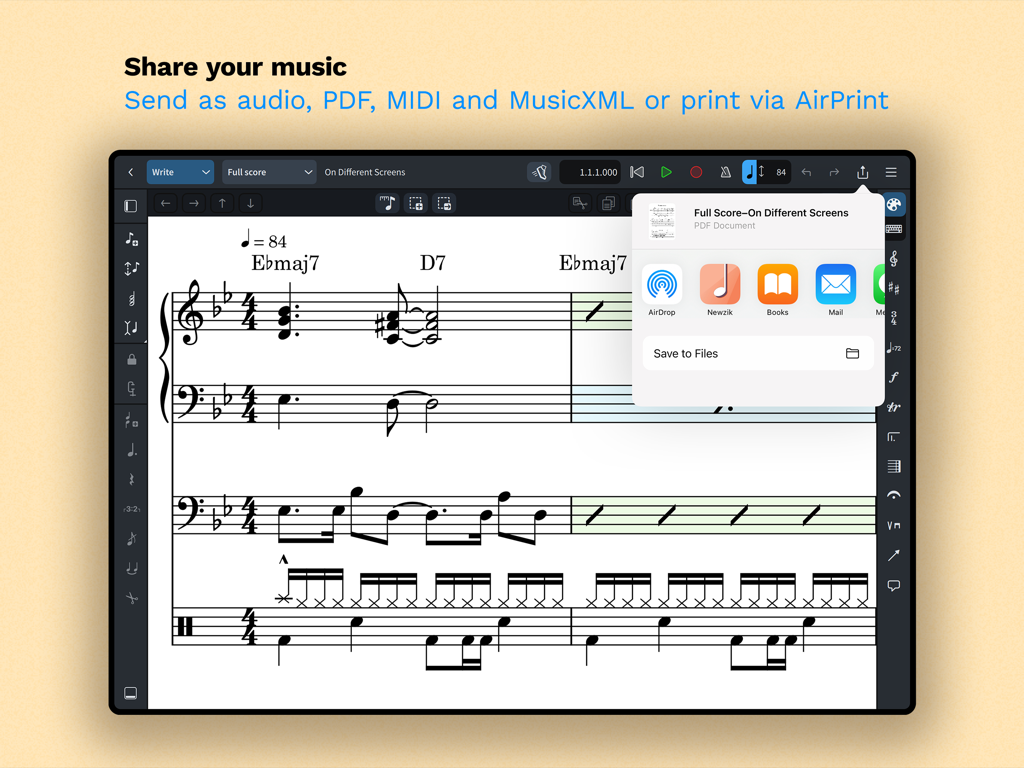
iPad-Bildschirm, der Freigabe- und Exportoptionen für Musiknotation in Dorico anzeigt

iPad-Bildschirm, der Freigabe- und Exportoptionen für Musiknotation in Dorico anzeigt

Desktop-Komposition auf Ihrem iPad

Die Tools, die diese App auszeichnen, gewählt von 252K+ Nutzern.

🎼

Intelligente automatische Notengestaltung

Sparen Sie Stunden manueller Formatierung. Unsere erstklassige Engine passt die Notation automatisch an, während Sie schreiben, und stellt sicher, dass Ihre Partituren stets den höchsten professionellen Standards entsprechen.

📲

Nahtloser Pro-Workflow

Nehmen Sie Ihr Studio mit auf Reisen. Genießen Sie volle Kompatibilität mit Dorico für Desktop und eine für Touch, Magic Keyboard und Apple Pencil-Annotationen optimierte Benutzeroberfläche.

🎹

Sequenzer-ähnliche MIDI-Bearbeitung

Schließen Sie die Lücke zwischen Notation und Produktion. Nutzen Sie die Piano-Roll- und Velocity-Editoren, um ausdrucksstarke Darbietungen mit integrierten Sounds oder Audio Unit-Plugins zu gestalten.

Weltweit von Nutzern geliebt

Vertraut von 252K+ Menschen, die diese App lieben.

"

"Als Filmkomponist benötige ich ein Werkzeug, das mich vom Studio bis zur Bühne begleitet. Dorico für das iPad ist die erste mobile App, die sich nicht wie ein Kompromiss anfühlt. Die nahtlose Synchronisation mit meinen Desktop-Projekten und die Präzision der Apple Pencil-Unterstützung haben meinen Workflow während der Aufnahmesessions komplett verändert."

Julian Vance
"

"Ich habe jede Notationssoftware ausprobiert, aber Doricos intelligenter Layout-Engine ist ein echter Game-Changer für meine Schulband-Arrangements. Sie bewältigt komplexe Triolen und Schlagzeugnotationen mühelos. Die Möglichkeit, während der Probe schnell eine Partitur auf meinem iPad zu bearbeiten und sofort über AirPrint ein sauberes PDF zu drucken, hat mir unzählige Stunden erspart."

Sarah Jenkins

Über die App

Alles, was Sie über wissen müssen Dorico - Compose Music.

Beschreibung

Compose your own music for free with Dorico. Create beautiful music notation for up to eight instruments quickly and easily with the on-screen keyboard, drum pads and fretboard. Play back instantly with the included sounds and shape the performance with powerful MIDI editing tools. When your piece is finished, share it as PDF, audio or MusicXML, or print directly to your AirPrint-enabled printer. Perform using the built-in read mode, and annotate with your Apple Pencil. Dorico is the award-winning music notation and composition software from Steinberg for macOS, Windows, and iPadOS. It’s easy enough to learn and use that it is used by students in schools, and deep enough that it satisfies the needs of the most demanding professionals in the worlds of concert music, music for film and TV, and music publishing. Dorico for iPad is fully compatible with Dorico for macOS and Windows, so you can work on your projects on the move on your iPad and in your studio on your desktop or laptop computer, or share projects with musicians using Dorico on any platform. Dorico’s interface is split into four modes. In Setup mode, you can add and change instruments, create and reorder sections of music (called “flows”), and choose how your music will be formatted for your musicians into layouts. In Write mode, you can input and edit music and other notations using simple, well-organized toolboxes and panels. In Engrave mode (included if you buy a paid subscription to Dorico’s advanced features), you can make graphical tweaks to every item in your project. Finally, in Play mode, you have access to powerful sequencer-style MIDI editing tools, including piano roll and velocity editors. Dorico includes built-in virtual instruments and effects to allow you to play back your compositions, and you can also easily use any compatible Audio Unit plug-in or external MIDI device (with optional subscription or Lifetime Unlock in-app purchase), and tweak playback using the on-screen Mixer. Input music using an on-screen piano keyboard, or by connecting a MIDI keyboard to your iPad directly via USB or using a compatible USB-to-Lightning adaptor. If you have a Magic Keyboard or other external keyboard, you can make use of extensive keyboard shortcuts to work quickly and efficiently. Dorico is free to use, allowing you to write for ensembles of up to four players. Register with your free Steinberg ID to increase the player limit to eight, allowing you to write for ensembles like string or wind quartet, or SATB choir. If you want to take your composition and arranging to the next level, you can buy an optional subscription or Lifetime Unlock in-app purchase to access more features and power: write for ensembles of any number of players, and gain access to Engrave mode, allowing you to make graphical tweaks to individual items anywhere in your project. HIGHLIGHTS • Best automatic engraving of any software • Easy note input using on-screen keyboard, MIDI keyboard, or external keyboard • Intelligently adjusts notation as you write • Any number of movements or pieces in a single project • Automatic layout of instrumental parts • Expressive playback using included sounds and effects • Supports Audio Unit virtual instruments and effects processors • Sequencer-style piano roll MIDI editor • Sophisticated chord symbols, unpitched percussion and drum set notation • Unbarred music, tuplets across barlines, etc. all handled correctly — no workarounds • Transfer to and from other apps via MusicXML, MIDI, PDF, etc. For support, please visit www.dorico.com/forum If you like Dorico, please support us by rating this app in the App Store. Thank you!

Neueste Version

6.1.10

Größe

968.9 MB

Erstveröffentlichung

27. Juli 2021

Komponieren ohne Kompromisse

Schließen Sie sich den weltweit führenden Komponisten und Pädagogen an. Erleben Sie professionellen Notensatz auf Ihrem iPad und beginnen Sie noch heute kostenlos, für bis zu acht Instrumente zu schreiben.

Herunterladen auf App Store
FAQ

Häufig gestellte Fragen

Alles, was Sie über wissen müssen Dorico - Compose Music

Was ist Dorico - Compose Music?

Dorico ist eine preisgekrönte Notations- und Kompositionssoftware von Steinberg für macOS, Windows und iPadOS. Sie ermöglicht Benutzern, Partituren zu komponieren, zu bearbeiten, abzuspielen und zu teilen.

Ist Dorico - Compose Music kostenlos nutzbar?

Ja, Dorico ist für Kompositionen mit bis zu vier Stimmen kostenlos nutzbar. Durch die Registrierung einer kostenlosen Steinberg ID erhöht sich dieses Limit auf acht Stimmen.

Wie geben Benutzer Musik in Dorico ein?

Dorico ermöglicht die Musikeingabe über eine Bildschirm-Klaviertastatur, Drum-Pads oder ein Griffbrett. Benutzer können auch ein MIDI-Keyboard anschließen oder externe Tastenkombinationen für eine effiziente Eingabe nutzen.

Enthält Dorico - Compose Music Sounds für die Wiedergabe?

Ja, Dorico enthält integrierte virtuelle Instrumente und Effekte für die Wiedergabe. Es unterstützt auch kompatible Audio Unit Plug-ins und externe MIDI-Geräte, was oft ein optionales Abonnement erfordert.

Wie können Benutzer mit Dorico - Compose Music erstellte Musik teilen?

Benutzer können fertige Dorico-Kompositionen als PDF-, Audio- oder MusicXML-Dateien teilen. Die App unterstützt auch den direkten Druck auf einen AirPrint-fähigen Drucker.

Ist Dorico für iPad mit anderen Dorico-Versionen kompatibel?

Dorico für iPad ist vollständig kompatibel mit Dorico für macOS und Windows. Dies ermöglicht es Benutzern, nahtlos an Projekten auf verschiedenen Geräten zu arbeiten und diese mit anderen Musikern zu teilen.

Was sind die Hauptoberflächenmodi in Dorico - Compose Music?

Dorico enthält vier Modi: Setup für Instrumente und Layouts, Write für Eingabe und Bearbeitung, Engrave für grafische Anpassungen (kostenpflichtiges Feature) und Play für MIDI-Bearbeitung und Wiedergabe.

Welche erweiterten Funktionen schaltet ein Dorico-Abonnement frei?

Ein kostenpflichtiges Abonnement oder ein einmaliger Kauf der Lifetime Unlock In-App-Berechtigung für Dorico bietet Zugriff auf den Engrave-Modus und ermöglicht das Schreiben für Ensembles mit einer unbegrenzten Anzahl von Stimmen.

Bietet Dorico - Compose Music MIDI-Bearbeitungsfunktionen?

Ja, Dorico bietet leistungsstarke MIDI-Bearbeitungswerkzeuge, einschließlich Piano-Roll- und Velocity-Editoren, die im Play-Modus verfügbar sind, um musikalische Darbietungen zu gestalten.