Sibelius

Sibelius

Herunterladen auf App StoreHerunterladen auf Google Play
Spark by MWM logo
Logo von Sibelius

Sibelius: Professionelle Notenschrift, wo immer die Inspiration zuschlägt

Bringen Sie die branchenführenden Notationswerkzeuge auf Ihr iPad und iPhone. Komponieren, bearbeiten und überprüfen Sie Ihre Partituren nahtlos mit der Präzision des Apple Pencil und der mühelosen Cloud-Synchronisierung vom Studio bis zur Bühne.

Herunterladen auf App Store

Herausgeber

Avid Technology Inc

Kategorie

Music

Downloads

631K+

Bewertung

4.3/5

Bewertungen gesamt

9K+

Sprachen

9

Die Ansicht des Maestros

Entdecken Sie die Oberfläche, die von 631K+ Nutzern verwendet wird.
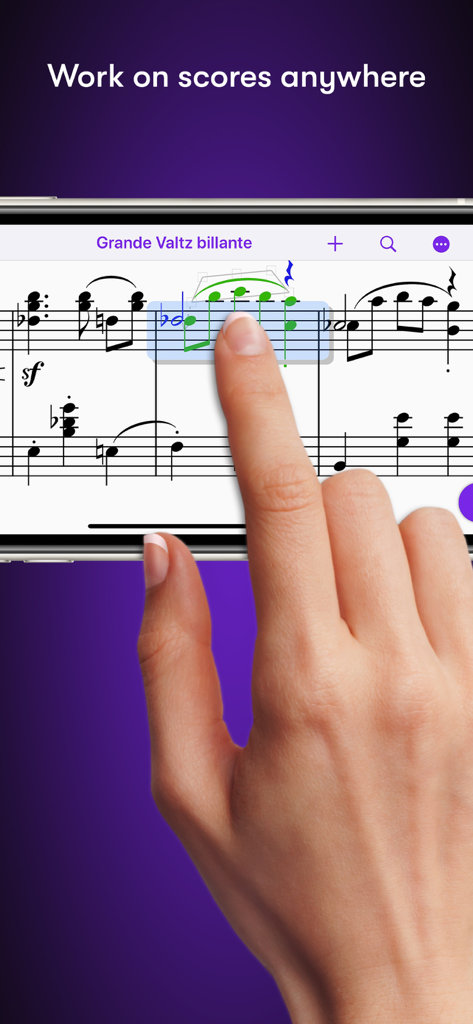
Bearbeiten von Musiknoten in der Sibelius-App mit einem Smartphone von Hand

Bearbeiten von Musiknoten in der Sibelius-App mit einem Smartphone von Hand

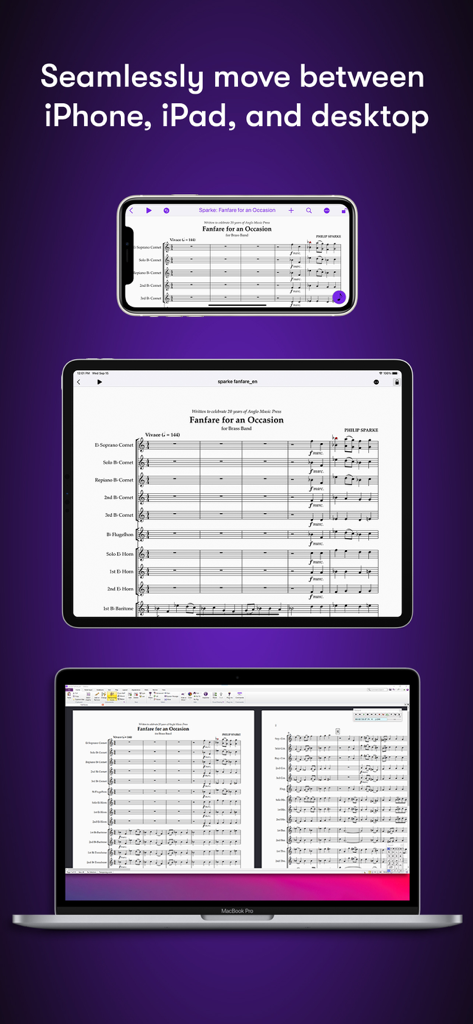
Sibelius-Partitur angezeigt auf iPhone, iPad und MacBook Desktop

Sibelius-Partitur angezeigt auf iPhone, iPad und MacBook Desktop

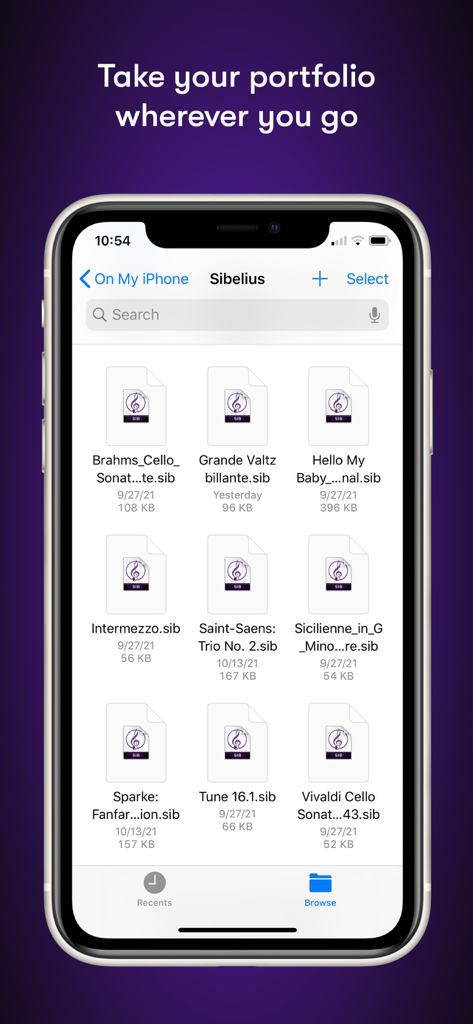
Dateimanager der Sibelius-Mobil-App mit einer Liste von Notationsprojekten auf einem iPhone

Dateimanager der Sibelius-Mobil-App mit einer Liste von Notationsprojekten auf einem iPhone

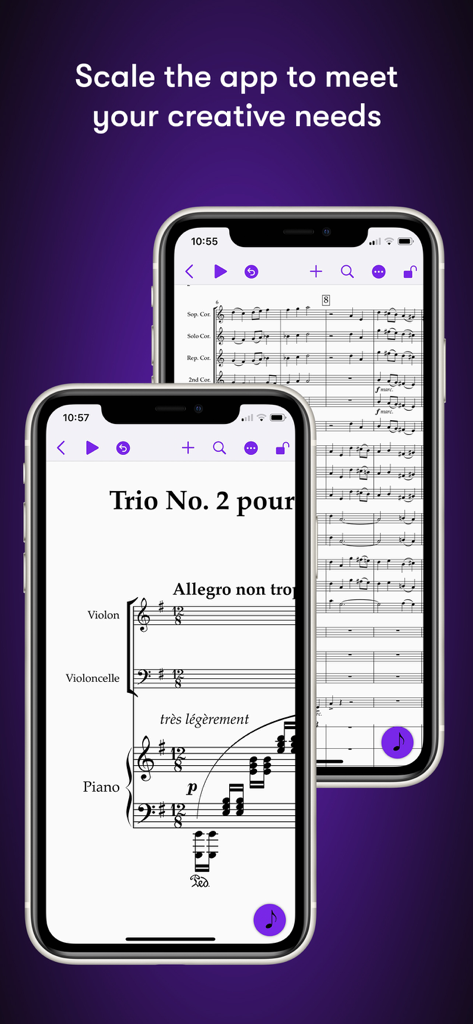
Sibelius-Mobil-App, die Musiknotation auf iPhone-Bildschirmen anzeigt

Sibelius-Mobil-App, die Musiknotation auf iPhone-Bildschirmen anzeigt

Pro-Notenschrift ohne Grenzen

Die Tools, die diese App auszeichnen, gewählt von 631K+ Nutzern.

🌍

Komponieren Sie jederzeit und überall

Bringen Sie die weltweit führende Notationssoftware vom Studio ins Café mit einem nahtlosen Workflow von mobil zu Desktop.

✏️

Intuitive Touch- und Pencil-Eingabe

Erleben Sie das Stift-und-Papier-Erlebnis neu. Verwenden Sie Gesten des Apple Pencil, um Noten mit unübertroffener Präzision zu kippen, zu tippen und zu verschieben.

🎧

Hören Sie Ihre Vision im Detail

Überprüfen und verfeinern Sie Ihre Partituren mit einer hochwertigen Sample-Bibliothek und einer menschenähnlichen Wiedergabe, die jede Nuance Ihres Arrangements erfasst.

Weltweit von Nutzern geliebt

Vertraut von 631K+ Menschen, die diese App lieben.

"

"Als Filmorchester war ich bei jeder noch so kleinen Überarbeitung an meinen Studiotisch gefesselt. Jetzt kann ich kurzfristige Änderungen direkt im Aufnahmeraum mit meinem iPad und Apple Pencil vornehmen. Der Workflow ist nahtlos – die Übertragung eines Projekts von meinem Mac auf mein Tablet fühlt sich magisch an, und die Präzision der Noteneingabe ist genau das, was ich für professionelle Partituren brauche."

Marcus Thorne
"

"Sibelius für Mobilgeräte hat meine Studienweise komplett verändert. Ich kann Melodien während des Pendelns zum Konservatorium einfangen und dann das vollständige Arrangement in der Bibliothek ausfeilen. Es ist das erste Mal, dass sich Notenschrift auf einem Tablet nicht wie ein Kompromiss anfühlt. Die Apple Pencil-Integration macht das Schreiben natürlich, fast wie mit Stift und Papier, aber mit der gesamten Leistung der besten Software der Branche."

Elena Rodriguez

Über die App

Alles, was Sie über wissen müssen Sibelius.

Beschreibung

Sibelius brings professional music notation to iPad and iPhone, putting the workflows used by countless composers, orchestrators, and arrangers at your fingertips. Seamlessly move between iPad, iPhone and desktop, and from studio to coffeeshop to scoring stage, and write anywhere inspiration strikes. # Work on scores anywhere Sibelius for mobile puts the #1 selling music notation program at your fingertips—literally. Work with the same tools and features used by countless composers and production houses every day on your iPad and iPhone. Whether writing down ideas, creating full-blown compositions, or reviewing scores, you have the freedom to create wherever you’re comfortable. #Take your portfolio to go Forget having to bring and break out your laptop when meeting with clients and collaborators. Instead, you can conveniently take the world’s most powerful notation toolset and your entire music portfolio with you wherever you go—ideal for those unexpected opportunities. And for tandemly working through last-minute revisions. # Hear your music in stunning detail Sibelius includes a high-quality sample library filled with a variety of musical instrumentation, so you can hear what your music will sound like when performed by real musicians. The Espressivo advanced notation interpretation even lets you adjust rhythm and swing to create a more humanistic feel. # Speed your workflow Sibelius for mobile is designed to take full advantage of Apple Pencil and iPad touch capabilities. Its elegant, streamlined interface provides the most intuitive and efficient workflows possible while supporting the same keyboard shortcuts you know and love from working on the desktop version, so you’ll feel right at home. # Get innovative note entry Experience the pen and paper workflow reimagined. Enter notes with the onscreen Keypad or a keyboard, and Sibelius takes care of all note layout. Touch a note and drag up or down to change its value, or drag left or right to add a flat or sharp. With an Apple Pencil, tap a note and tilt up or down to add a flat or sharp, or tilt left or right to choose the note value. # Have everything you need In addition to the Keypad, Sibelius for mobile features a Create menu that’s optimized for iOS, making it easy to add clefs, key signatures, time signatures, barlines, symbols, text styles, and more to your score from searchable galleries. You can also quickly search through all Sibelius commands using the Command Search, putting the entire app at your fingertips. # Move tiers to meet needs Sibelius is designed to grow with you to support your creative aspirations and project needs. From the introductory (and free) Sibelius First to the industry-standard Sibelius Ultimate, you can add more notation capabilities and instrument parts to take on more creative opportunities by simply upgrading your subscription tier. # Have everything on one creative platform Seamlessly move from desktop to tablet and back without ever having to import or export files. That’s because whether on mobile or desktop, you’re always in Sibelius. With files saved to iCloud, Dropbox, Google Drive, or other iOS-supported cloud service, you have easy anywhere access to all your ideas and scores. # Enable a hybrid workflow While Sibelius for mobile is fully featured, providing many of the same tools as its desktop counterpart, there are some notation and layout features only available in the desktop version, making it an integral part of a complete workflow (compare versions). Plus, the mobile version comes free with the desktop version, enabling you to work where and how you want.

Neueste Version

2025.12.1

Größe

1.4 GB

Erstveröffentlichung

29. Juli 2021

Schreiben Sie Ihr nächstes Meisterwerk überall

Schließen Sie sich den weltweit führenden Komponisten und Orchestratoren an. Laden Sie Sibelius auf Ihr iPad oder iPhone herunter und nehmen Sie die branchenführenden Notationswerkzeuge überallhin mit, wo Sie Inspiration finden.

Herunterladen auf App StoreHerunterladen auf Google Play
FAQ

Häufig gestellte Fragen

Alles, was Sie über wissen müssen Sibelius

Was ist Sibelius?

Sibelius ist eine professionelle Notationsanwendung für iPad, iPhone und Desktop. Sie bietet Workflows für Komponisten, Orchestratoren und Arrangeure und ermöglicht die Erstellung und Überprüfung von Partituren unterwegs.

Kann ich Sibelius auf meinem iPad und iPhone verwenden?

Ja, Sibelius ist für iPad und iPhone erhältlich und ermöglicht einen nahtlosen Wechsel zwischen mobilen und Desktop-Geräten. So können Benutzer überall an Partituren und Kompositionen arbeiten.

Bietet Sibelius für Mobilgeräte die gleichen Funktionen wie die Desktop-Version?

Sibelius für Mobilgeräte bietet viele der gleichen Werkzeuge wie sein Desktop-Pendant und bietet ein voll ausgestattetes Erlebnis. Einige erweiterte Notations- und Layoutfunktionen bleiben der Desktop-Version für einen vollständigen Workflow vorbehalten.

Wie unterstützt Sibelius innovative Noteneingabe auf Mobilgeräten?

Sibelius bietet eine innovative Noteneingabe über die Bildschirmtastatur oder eine Tastatur. Benutzer können Notenwerte durch Ziehen ändern oder Vorzeichen durch Kippen eines Apple Pencil hinzufügen und so den Workflow mit Stift und Papier neu gestalten.

Welche Abonnementoptionen gibt es für Sibelius?

Sibelius bietet verschiedene Abonnementstufen, darunter das kostenlose Sibelius First und das branchenübliche Sibelius Ultimate. Benutzer können ihr Abonnement erweitern, um je nach Bedarf weitere Notationsfähigkeiten und Instrumentenstimmen zu erhalten.

Kann ich auf meine Sibelius-Partituren auf verschiedenen Geräten zugreifen?

Ja, Sibelius ermöglicht den nahtlosen Wechsel von Partituren zwischen Desktop, iPad und iPhone. Dateien, die in iCloud, Dropbox, Google Drive oder anderen von iOS unterstützten Cloud-Diensten gespeichert sind, bieten von überall aus einen einfachen Zugriff.

Enthält Sibelius eine Beispielbibliothek für die Musikwiedergabe?

Ja, Sibelius enthält eine hochwertige Beispielbibliothek mit verschiedenen Musikinstrumenten. So können Benutzer hören, wie ihre Musik von echten Musikern klingen wird, was den kreativen Prozess verbessert.