AI Blur Video - Mosaic Editor

AI Blur Video - Mosaic Editor

Download on App Store
Spark by MWM logo
Logo of AI Blur Video - Mosaic Editor
AI Blur Video - Mosaic Editor: Pro-Level Privacy in a Single Tap

Protect identities and sensitive data with powerful on-device AI. The fastest, most secure way to censor faces and objects without ever uploading your media to the cloud.

Download on App Store

Publisher

Natallia Minvaleyeva

Category

Photo & Video

Downloads

22K+

User Rating

4.7/5

Total Ratings

500

Locales

11

Privacy in Action

Discover the interface used by 22K+ users.
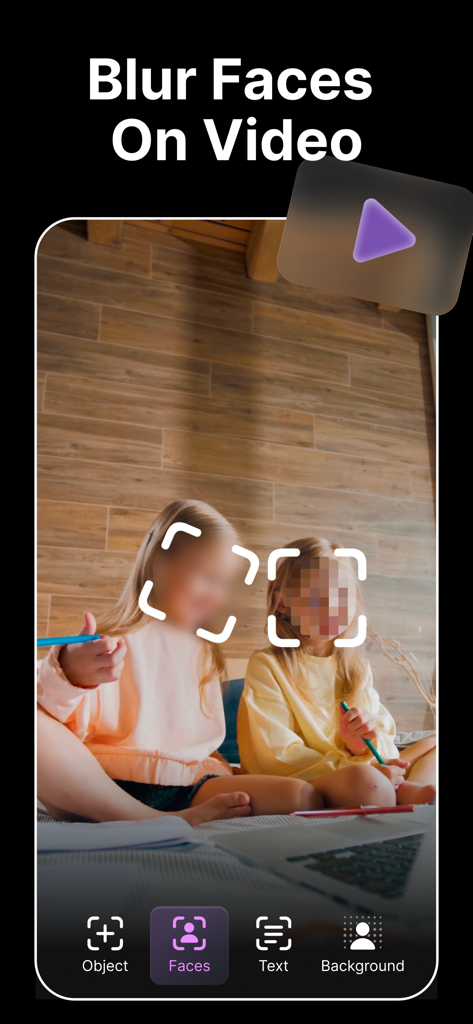
Smartphone screen showing AI face blurring and pixelation on a video of two kids

Smartphone screen showing AI face blurring and pixelation on a video of two kids

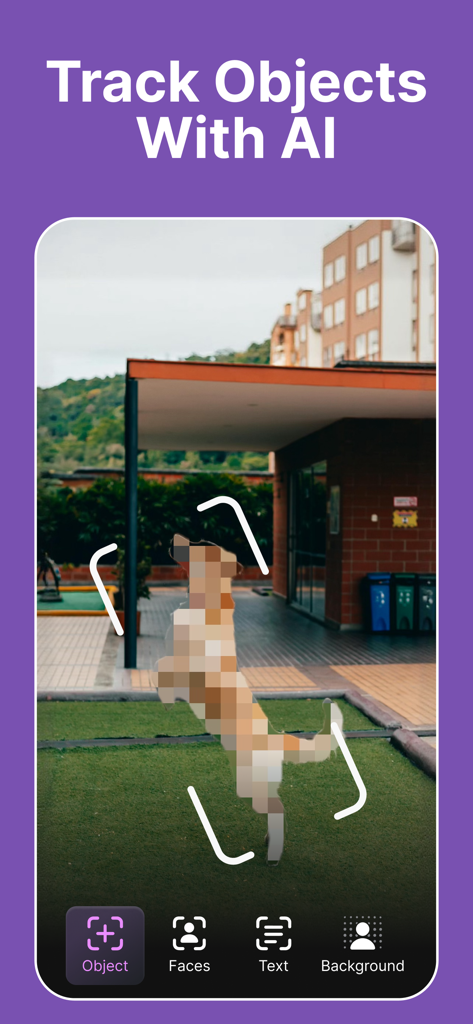
Mobile app interface demonstrating AI object tracking to blur a jumping dog in a video

Mobile app interface demonstrating AI object tracking to blur a jumping dog in a video

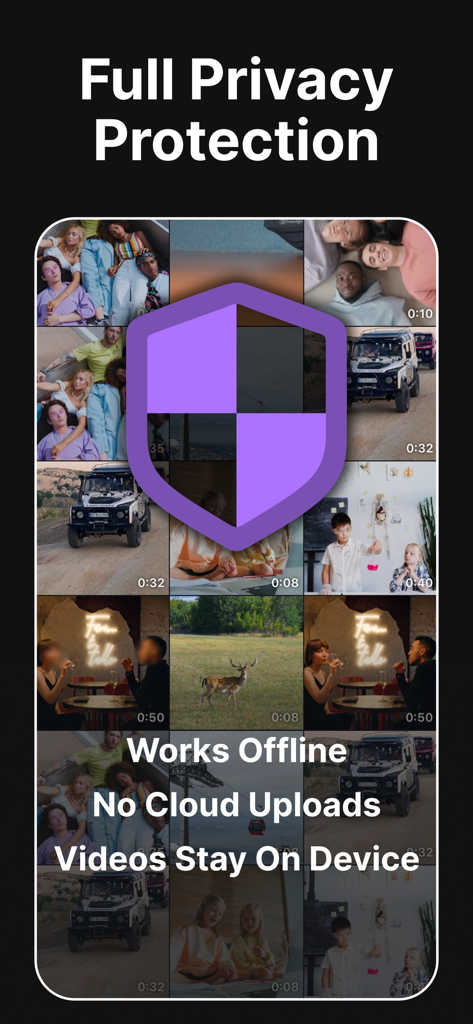
Screenshot of the AI Blur Video app highlighting full privacy protection with offline on-device video processing and no cloud uploads

Screenshot of the AI Blur Video app highlighting full privacy protection with offline on-device video processing and no cloud uploads

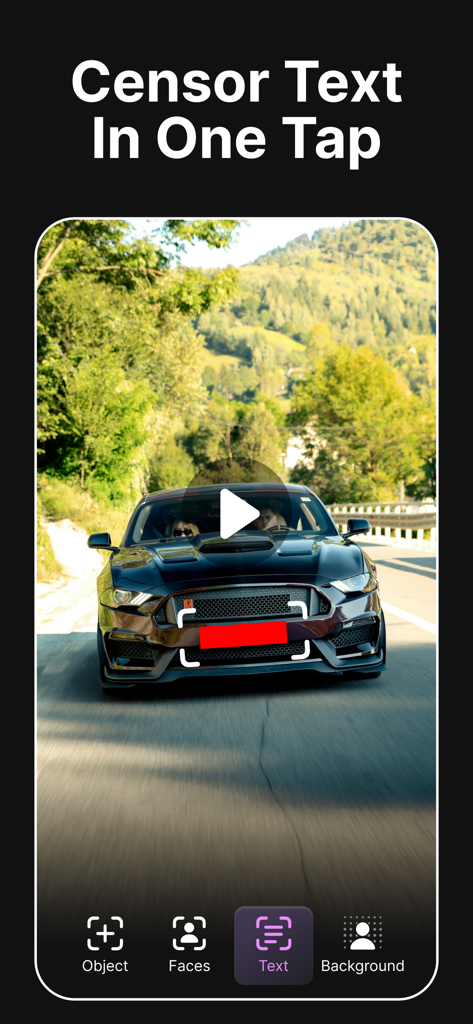
AI Blur Video app interface showing a license plate being censored with a red bar in one tap

AI Blur Video app interface showing a license plate being censored with a red bar in one tap

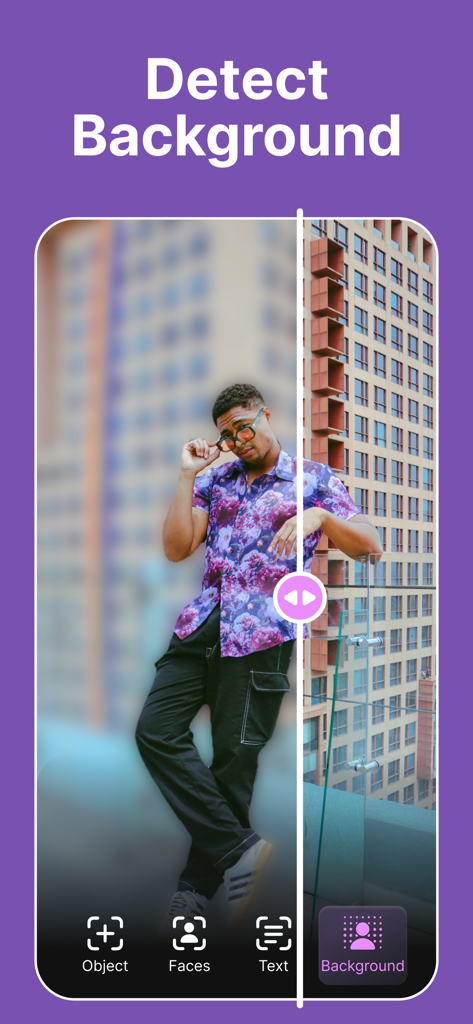
A split screen showing a man with a blurred background versus a clear background to demonstrate the detect background feature

A split screen showing a man with a blurred background versus a clear background to demonstrate the detect background feature

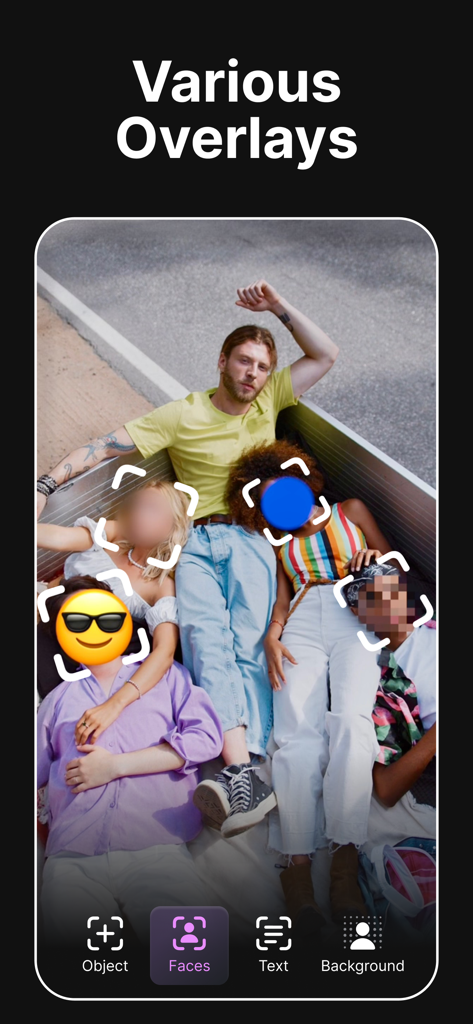
A group photo showing different face censorship overlays like blur, pixelation, and emojis.

A group photo showing different face censorship overlays like blur, pixelation, and emojis.

Complete Privacy in Every Frame

The tools that make this app stand out, trusted by 22K+ users.

👤

Smart Identity Protection

Instantly detect and blur faces or use 'Eye Censorship' to hide identities while keeping the emotion of your story alive.

🎯

Precision Object Tracking

No more manual editing. Tap to lock onto moving license plates or logos and let our AI handle the tracking automatically.

🔒

100% Local Processing

Your media never leaves your iPhone. All AI processing happens offline, ensuring your sensitive content is never uploaded to a cloud.

Loved by users worldwide

Trusted by 22K+ people who love this app.

"

"As a documentary filmmaker, protecting my sources is non-negotiable. This app handles face tracking perfectly, and the fact that everything is processed locally on my iPhone gives me total peace of mind. The eye censorship feature is a game-changer for maintaining the emotion of an interview while keeping the subject anonymous."

Marcus T., Investigative Journalist
"

"I love sharing our family adventures on TikTok, but I'm very strict about my kids' privacy. This app makes it so easy to blur their faces in seconds with just a tap. It looks professional and doesn't ruin the video's aesthetic like other clunky editors. Best privacy tool I've found!"

Sarah Jenkins, Lifestyle Creator

About the app

Everything you need to know about AI Blur Video - Mosaic Editor.

Description

Protect your identity and privacy in videos with a single tap. Designed specifically for iPhone and iPad, this app uses advanced AI to automatically detect and hide sensitive information in seconds. Whether you need to pixelate a face for anonymity, censor just the eyes to keep expressions visible, or hide a license plate, the app handles it instantly. It is the comprehensive video privacy app for creators, journalists, and privacy-conscious users. Why choose this app? Everything works locally on your device. unlike other editors, your media is never uploaded to the cloud, never stored on external servers, and remains 100% under your control. Key Features: • Smart Face Blur: Automatically detect faces and apply blur or mosaic/pixelate effects. • Eye Censorship: Option to hide only eyes (black bar or blur) to maintain facial expressions while protecting identity. • Object Tracking: Tap to track and censor moving objects or logos. • Hide Text & Numbers: Instantly cover sensitive details like emails, addresses, or license plates. • Background Privacy: Blur surroundings to hide your location. • Offline Processing: No internet required. Secure and fast. Download now and start protecting your privacy with the best tool for the job. EULA: https://www.apple.com/legal/internet-services/itunes/dev/stdeula/

Latest Version

1.7

Size

88.4 MB

First Released

Sep 7, 2025

Secure Your Story in a Single Tap

Join 22K+ creators using the most trusted on-device AI blur tool. Protect your privacy instantly—no cloud, no data sharing, just total control.

Download on App Store