AI-Camera

AI-Camera

Download on App Store
Logo
Logo of AI-Camera

AI-Camera: Real-Time Object Recognition with Voice Feedback

Empowering independence and discovery with fast, offline AI. Instantly identify thousands of objects anywhere with 100% on-device privacy.

Download on App Store

Publisher

Markus Malik

Category

Photo & Video

Downloads

1K+

User Rating

4.4/5

Total Ratings

300

Locales

1

Experience the Vision

Join over 1K+ musicians using our pro interface.

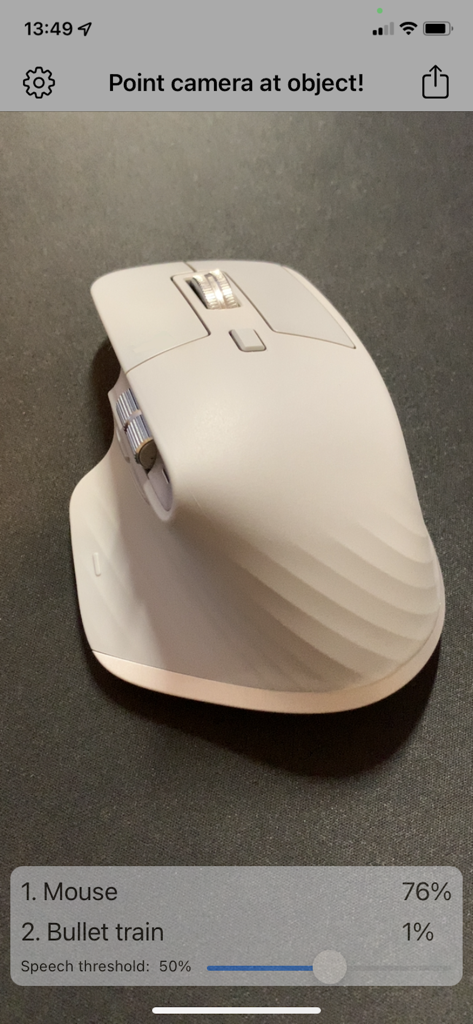
AI-Camera app interface detecting a white computer mouse with 76 percent confidence

AI-Camera app interface detecting a white computer mouse with 76 percent confidence

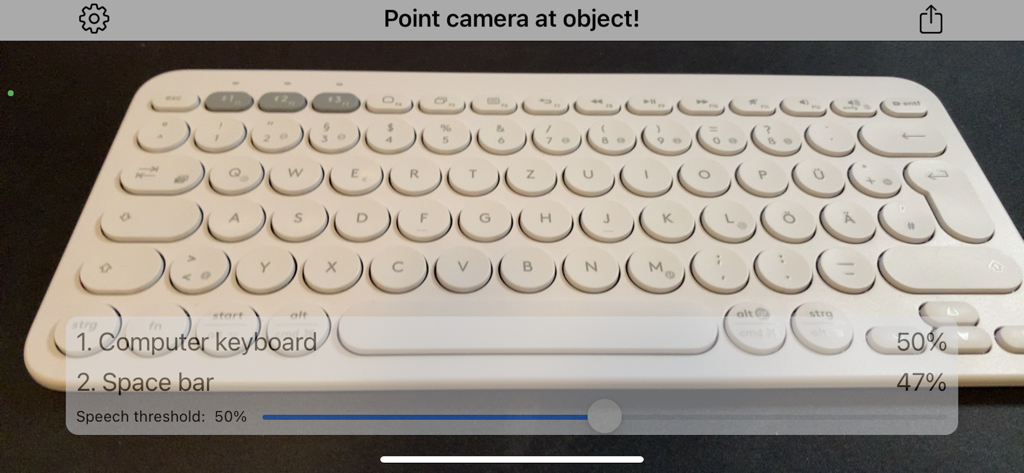
AI-Camera app interface identifying a computer keyboard with 50 percent confidence

AI-Camera app interface identifying a computer keyboard with 50 percent confidence

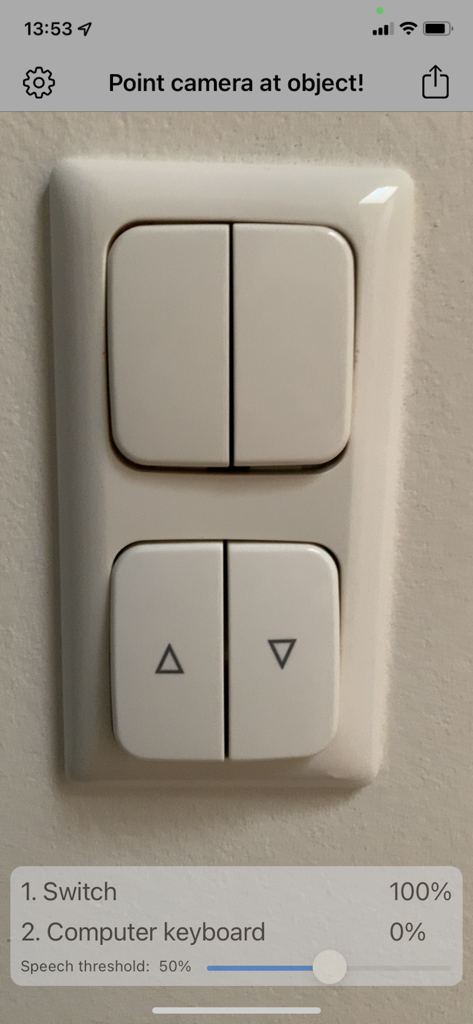
The AI-Camera app interface showing a 100 percent confidence detection of a light switch on a wall.

The AI-Camera app interface showing a 100 percent confidence detection of a light switch on a wall.

Understand Your World Instantly

Join 1K+ users who mastered their instrument with these tools.

🔒

Purely On-Device AI

Your photos never leave your iPhone. Enjoy lightning-fast identification that works deep in the woods or inside your home without needing an internet connection.

🗣️

Voice-Guided Recognition

Enable voice output to have objects spoken aloud instantly. It is a powerful tool for accessibility and a fun, interactive way for children to explore and learn.

🎯

High-Precision Detection

Identify over 1,000 different categories with professional-grade accuracy. View real-time confidence scores and secondary guesses for the most reliable information.

Loved by users worldwide

Trusted by 1K+ people who have transformed their experience with this app.

"

"As someone with low vision, AI-Camera has become an essential tool for my daily independence. It identifies household items and groceries instantly, and the voice output is incredibly reliable. I especially appreciate that it works offline, so I can use it in any part of my home without worrying about a Wi-Fi signal."

Sarah Jenkins
"

"My toddler and I use this app as a discovery tool during our park visits. It is a fantastic educational resource that helps him learn the names of animals and plants in real-time. As a parent, the fact that all processing happens locally on my device provides a level of privacy that is hard to find in apps today."

David Miller

About the app

Everything you need to know about AI-Camera.

Description

Point camera at objects and let iPhone detect and speak it out with Artificial Intelligence! - Detect objects and scenes - Voice output - Online connection not needed - everything runs locally - Share function General: After the first start you are in object detection mode. Point your camera to objects and the detection starts automatically. In the top left you can tap on the settings icon. The Share Button in the top right allows you to share the photos and informations you detected. When you press the Share Button the capturing is halted. After sharing and returning to the Main Screen simply press the ‘Continue’-Button in the center. Settings: Speech can be turned off completely. Tip: The detection works bests in lighted environments. You can also search photos of things or face in the internet and just point your iOS camera to the photos. Object detection: Point your camera to objects. The app will try to detect the object from more than 1000 categories. Try animals, furnishing, household objects, cars, fruits and vegetables. The 1st guess is the most likely object description with the highest confidence. The percentage value of confidence is stated right to the object description. The 2nd most likely guess is also stated. With the slider "Speech threshold" you can set an percentage value. When the confidence percentage is greater or equal as that value the object will be spoken. When you set the slider all way to the left speech is disabled. In the top banner in the camera feed the current machine learning model is on the left. The frames per second of detection on the right of the banner. Have fun with AI-Camera!

Latest Version

3

Size

93.1 MB

First Released

Mar 6, 2018

Identify Your World with Instant Offline AI

Join thousands using AI-Camera for private, voice-guided object recognition. Download now to start exploring your surroundings with confidence and total privacy.

Download on App Store