Edits: Video Editor

Edits: Video Editor

Download on App Store
Spark by MWM logo
Logo of Edits: Video Editor

Edits: Video Editor: Create Professional, High-Impact Content Without the Watermark

Turn your creative ideas into viral 4K videos with AI-powered tools, trending audio integration, and real-time performance insights. Designed by Instagram for the next generation of creators.

Download on App Store

Publisher

Instagram, Inc.

Category

Photo & Video

Downloads

31M+

User Rating

4.8/5

Total Ratings

179K+

Locales

31

The Creator’s Workspace

Discover the interface used by 31M+ users.
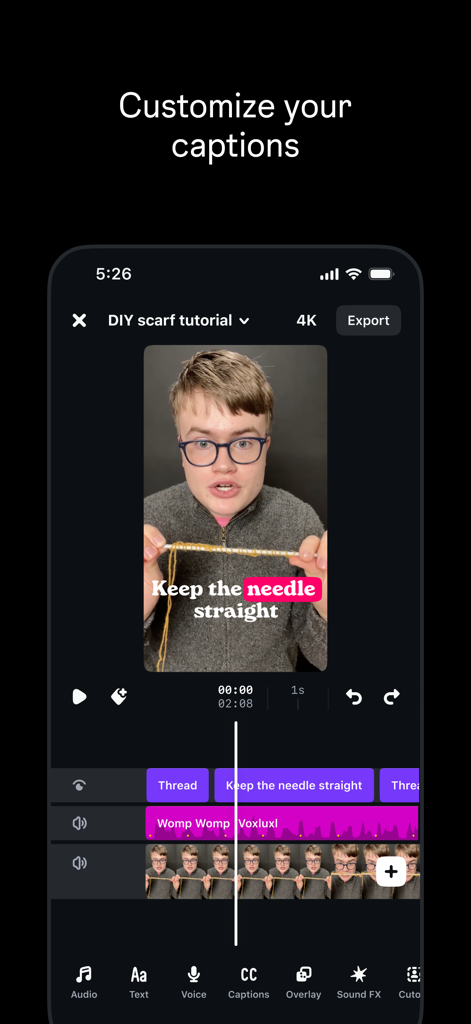
Mobile interface of Edits video editor showcasing custom captions on a video tutorial

Mobile interface of Edits video editor showcasing custom captions on a video tutorial

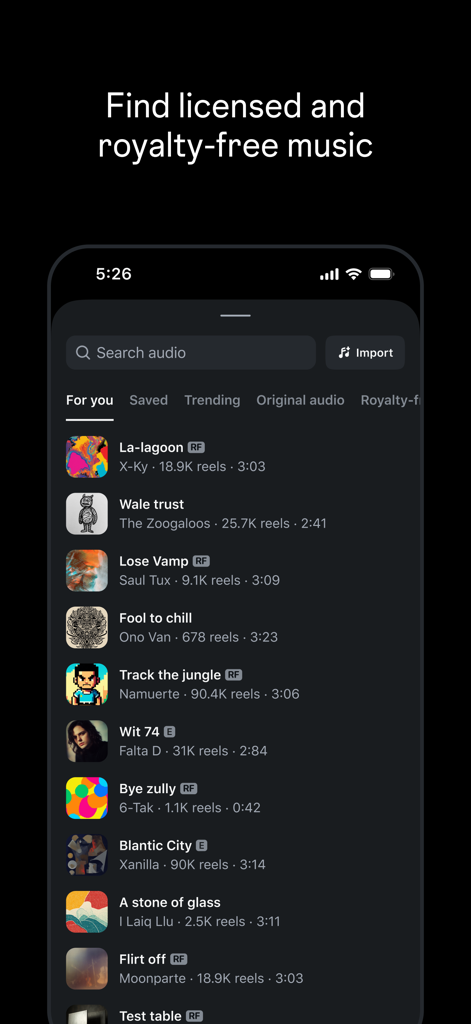
Interface of the Edits video editor app showing a searchable list of royalty free and licensed music tracks

Interface of the Edits video editor app showing a searchable list of royalty free and licensed music tracks

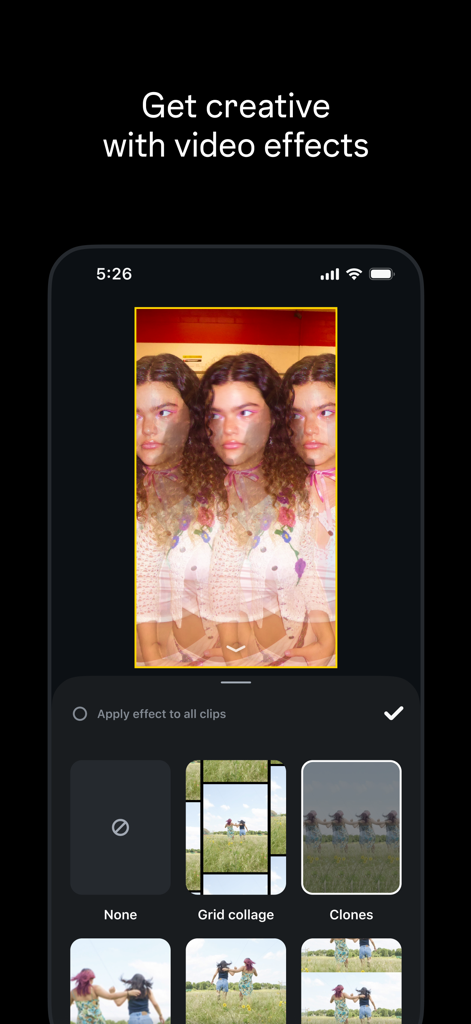
Interface of the Edits app showing creative video effects like grid collage and clones on a smartphone

Interface of the Edits app showing creative video effects like grid collage and clones on a smartphone

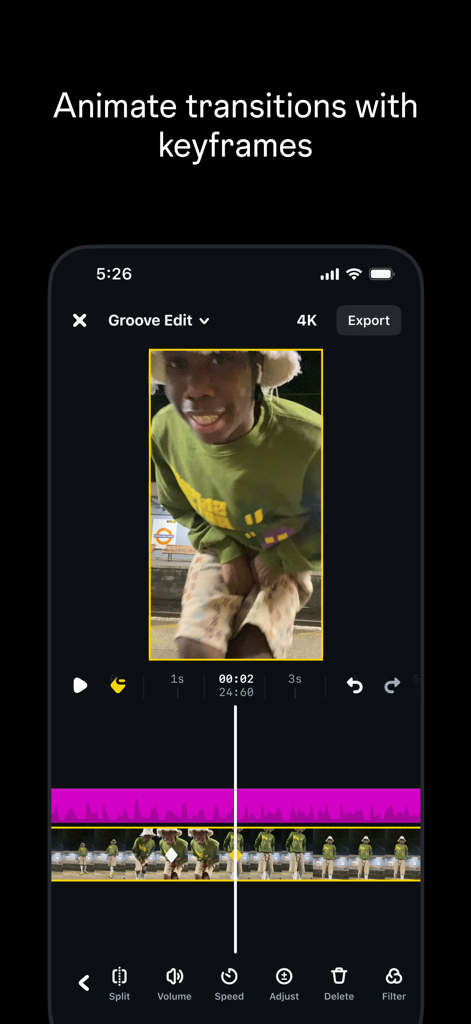
Mobile interface of Edits Video Editor showing keyframe animation for video transitions

Mobile interface of Edits Video Editor showing keyframe animation for video transitions

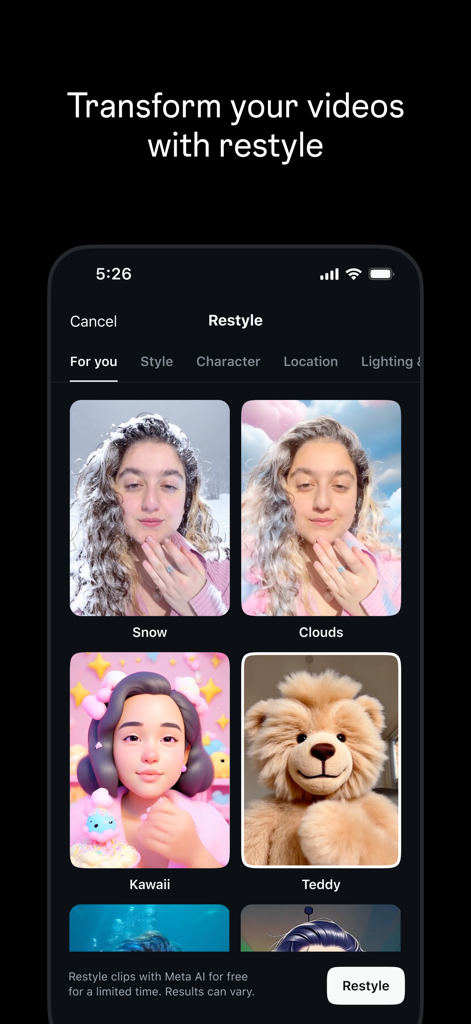
Interface of the Edits video editor app showing Meta AI restyle filters for video clips including snow and kawaii styles

Interface of the Edits video editor app showing Meta AI restyle filters for video clips including snow and kawaii styles

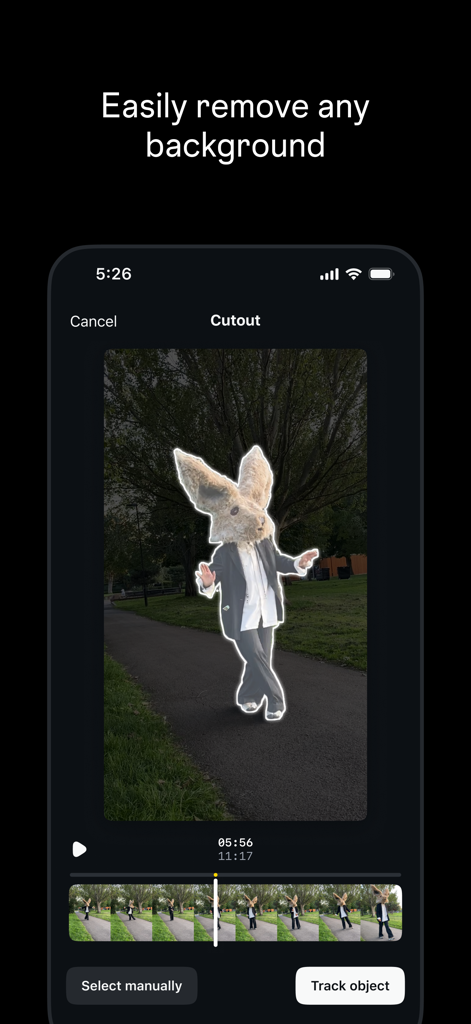
Smartphone screen showing the background remover tool in the Edits video editing app.

Smartphone screen showing the background remover tool in the Edits video editing app.

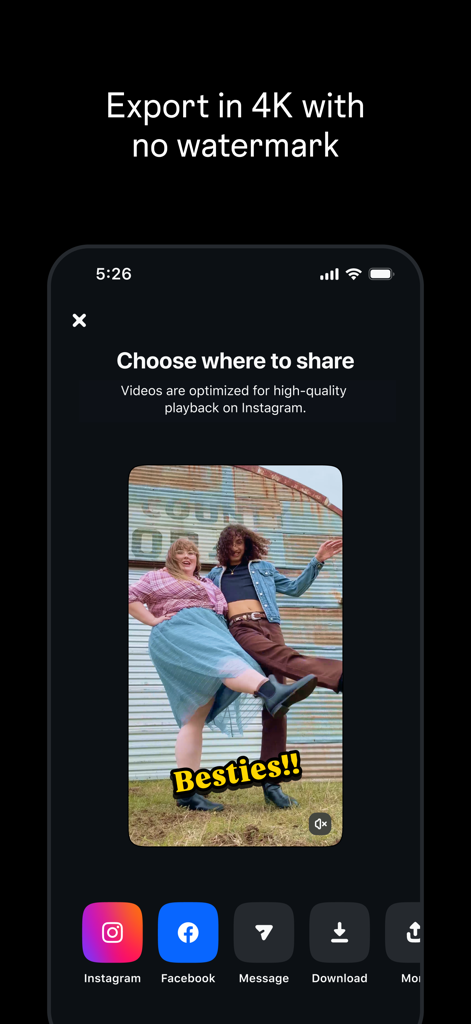
Interface of Edits video editor app showing sharing options and 4K export feature without watermark.

Interface of Edits video editor app showing sharing options and 4K export feature without watermark.

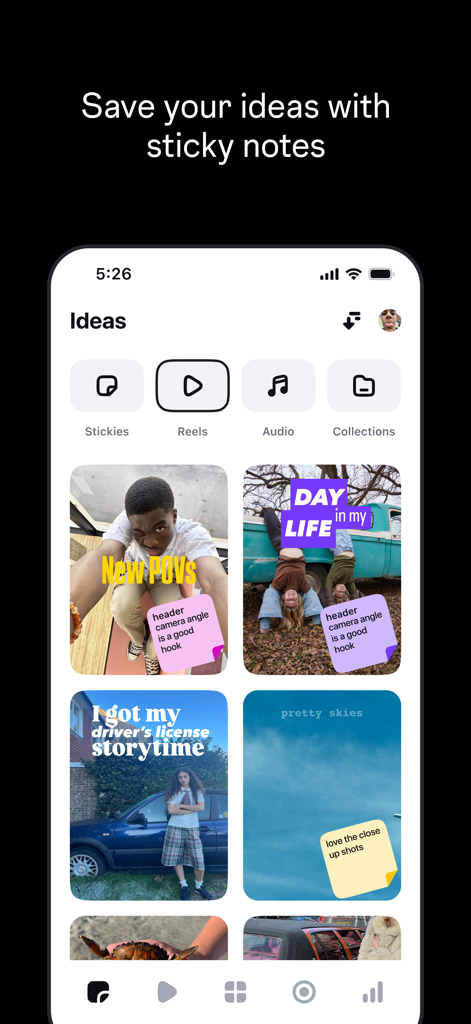
A mobile app screen showing video ideas with digital sticky notes for content creators

A mobile app screen showing video ideas with digital sticky notes for content creators

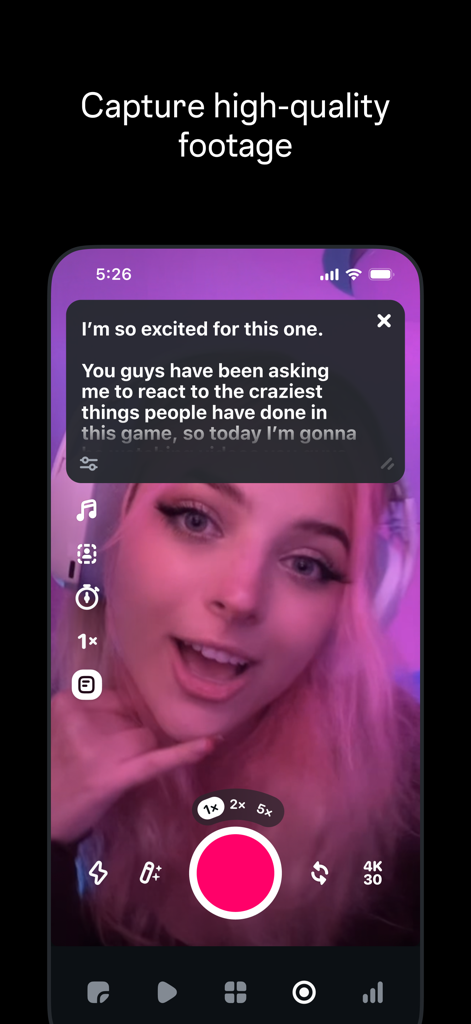
Mobile interface of Edits app capturing high quality video with a teleprompter

Mobile interface of Edits app capturing high quality video with a teleprompter

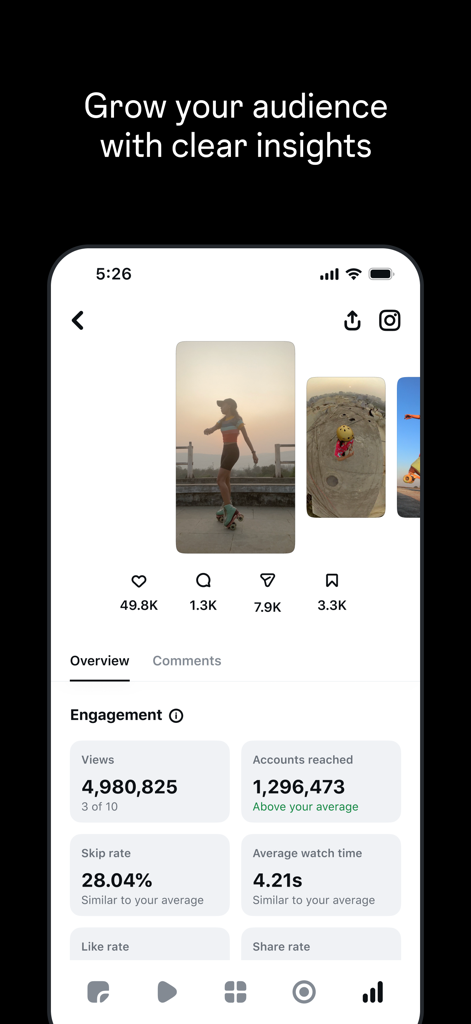
Performance insights dashboard showing video views and engagement metrics

Performance insights dashboard showing video views and engagement metrics

Create Content That Stands Out

The tools that make this app stand out, trusted by 31M+ users.

Studio-Quality 4K Exports

Export your videos in crystal-clear 4K with no watermarks, ensuring your brand looks professional across every social platform.

🪄

Smart AI Creative Suite

Transform images with AI animation, generate auto-captions, and use studio-grade audio enhancement to make your voice heard.

📈

Real-Time Performance Insights

Stop guessing what works. Access live engagement data and trending audio directly in your editor to fuel your next viral hit.

Loved by users worldwide

Trusted by 31M+ people who love this app.

"

"Finally, a mobile editor that doesn't sacrifice quality! Being able to export in 4K without a watermark is a massive win for my brand. The AI animation tools and trending audio integration make my workflow ten times faster."

Sarah Jenkins, Lifestyle Influencer
"

"The automatic captions and audio enhancement features are lifesavers for my client projects. Having a live insights dashboard directly in the editor helps me understand exactly what's driving engagement on our reels in real-time."

David Chen, Digital Marketing Lead

About the app

Everything you need to know about Edits: Video Editor.

Description

Make videos you’re proud to share with Edits, the new video creation app from Instagram. Edits is a free video editor that makes it easy for creators to turn their ideas into videos, right on their phone. It has all the tools you need to support your creation process, all in one place. Simplify your creative process • Export your videos in 4K with no watermark and share to any platform. • Keep track of all your drafts and videos in one place. • Capture high-quality clips up to 10 minutes long and start editing right away. • Easily share to Instagram with high-quality playback. Create and edit with powerful tools • Edit videos with single-frame precision. • Get the look you want with camera settings for resolution, frame rate and dynamic range, plus upgraded flash and zoom controls. • Bring images to life with AI animation. • Change up your background with green screen, cutout or add a video overlay. • Choose from a variety of fonts, sound and voice effects, video filters and effects, stickers and more. • Enhance audio to make voices clearer and remove background noise. • Generate captions automatically and customize how they appear in your video. Inform your next creative decisions • Get inspired by browsing reels with trending audio. • Keep track of ideas and content you're excited by until you're ready to create. • Track how your reels are performing with a live insights dashboard. • Understand what affects your reels engagement. Meta Terms: https://www.facebook.com/terms.php Meta Privacy Policy: https://privacycenter.instagram.com/policy

Latest Version

411.3

Size

190.5 MB

First Released

Apr 22, 2025

Ready to create videos that actually get noticed?

Join millions of creators using Edits to craft watermark-free, 4K content. Access powerful AI tools and real-time insights to take your Reels to the next level.

Download on App Store
FAQ

Frequently Asked Questions

Everything you need to know about Edits: Video Editor

What is Edits: Video Editor app?

Edits: Video Editor is a free video creation and editing application from Instagram designed to help creators produce high-quality videos directly on their phones. It offers tools for capturing, editing, and sharing content.

Is Edits: Video Editor a free app?

Yes, Edits: Video Editor is a free video editor. The app description explicitly states that it is a 'free video editor' available for creators.

Can I export 4K videos with Edits: Video Editor?

Yes, Edits allows users to export their videos in 4K resolution. This feature is highlighted as a capability of the app to produce high-quality output.

Does Edits: Video Editor add watermarks to exported videos?

No, Edits does not add watermarks to videos. The app description clearly states that users can 'Export your videos in 4K with no watermark'.

Can I generate captions automatically in Edits: Video Editor?

Yes, Edits offers automatic caption generation. Users can also customize how these generated captions appear within their video projects.

Does Edits: Video Editor include royalty-free music?

Yes, Edits allows users to find licensed and royalty-free music for their video projects. The app provides a dedicated interface for browsing and selecting audio.

Can Edits: Video Editor remove video backgrounds?

Yes, Edits has a feature to easily remove backgrounds from videos. This functionality is part of its powerful editing tools, alongside green screen and video overlay options.

Does Edits: Video Editor offer AI video features?

Yes, Edits incorporates AI features for video creation. It includes AI animation for images and a 'Restyle' option that transforms videos using Meta AI for various effects.

Can I track video performance and engagement in Edits: Video Editor?

Yes, Edits provides a live insights dashboard to track the performance of reels. Users can monitor metrics such as views, engagement, and skip rate to understand content impact.