Airtable

Airtable

Download on App Store
Spark by MWM logo
Logo of Airtable

Airtable: Build the custom apps that power your unique workflow

Combine the flexibility of a spreadsheet with the power of a database to organize anything you can imagine. From project management to personal collections, create your single source of truth with the world's most intuitive no-code platform.

Publisher

Formagrid Inc.

Category

Productivity

Downloads

2M+

User Rating

4.8/5

Total Ratings

34K+

Locales

4

Your Workflow, Visualized

Discover the interface used by 2M+ users.
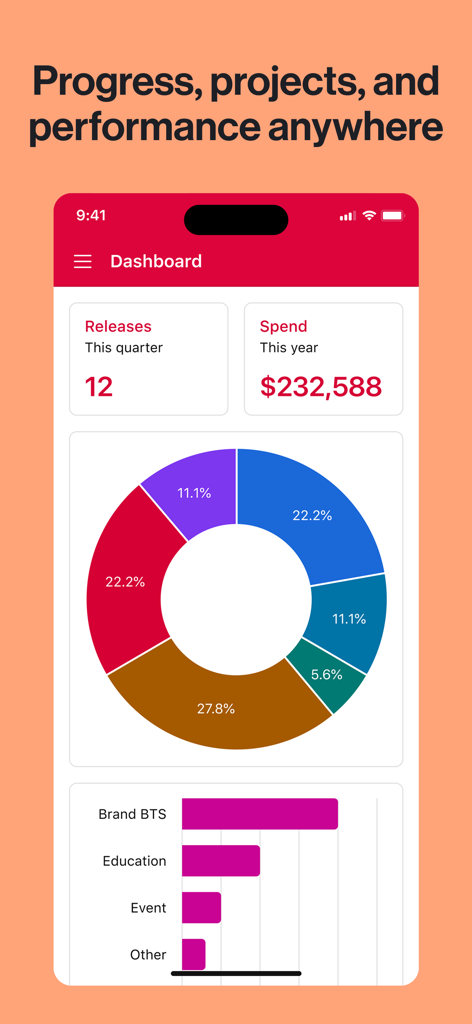
A mobile dashboard interface in Airtable featuring project performance metrics with a colorful donut chart and bar graphs.

A mobile dashboard interface in Airtable featuring project performance metrics with a colorful donut chart and bar graphs.

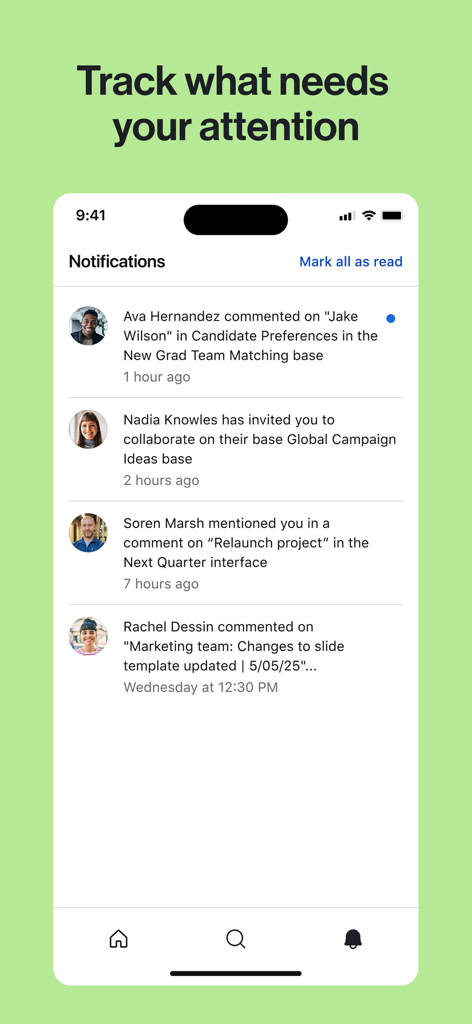
Airtable mobile app notifications feed showing recent comments and team collaboration updates

Airtable mobile app notifications feed showing recent comments and team collaboration updates

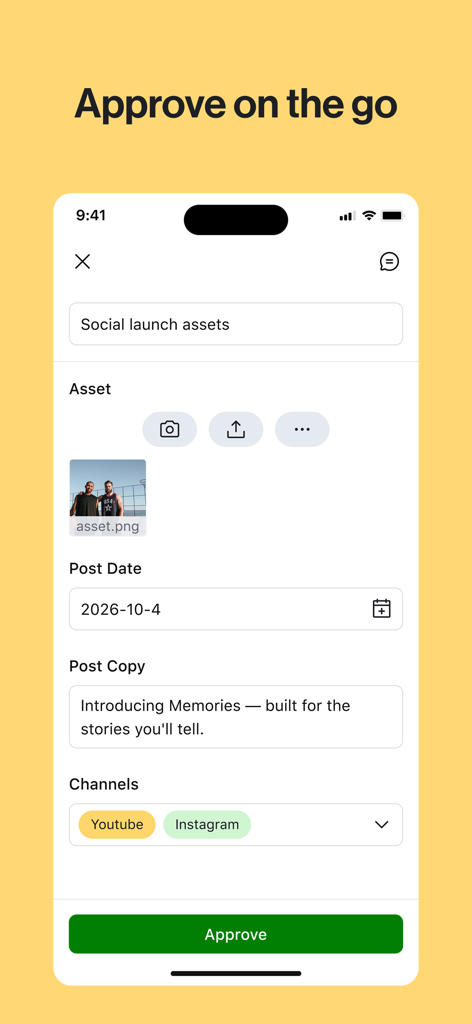
Airtable mobile app interface showing a social media asset approval screen with an approve button

Airtable mobile app interface showing a social media asset approval screen with an approve button

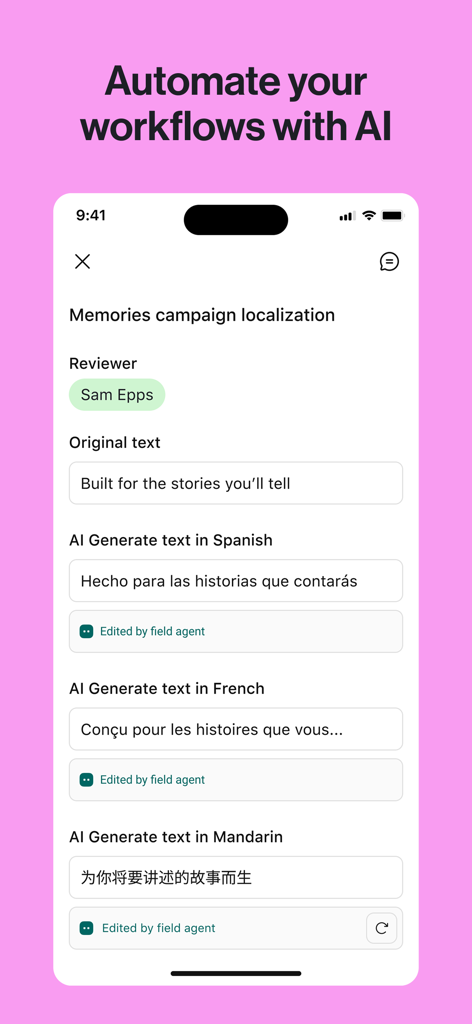
Airtable mobile app interface showing AI-powered automation for marketing campaign localization.

Airtable mobile app interface showing AI-powered automation for marketing campaign localization.

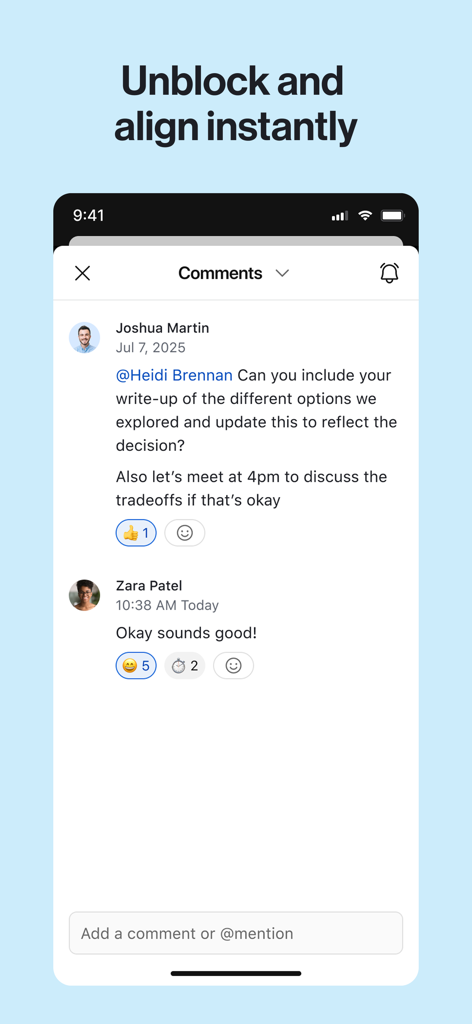
Airtable mobile app interface showing a real-time comment thread between team members.

Airtable mobile app interface showing a real-time comment thread between team members.

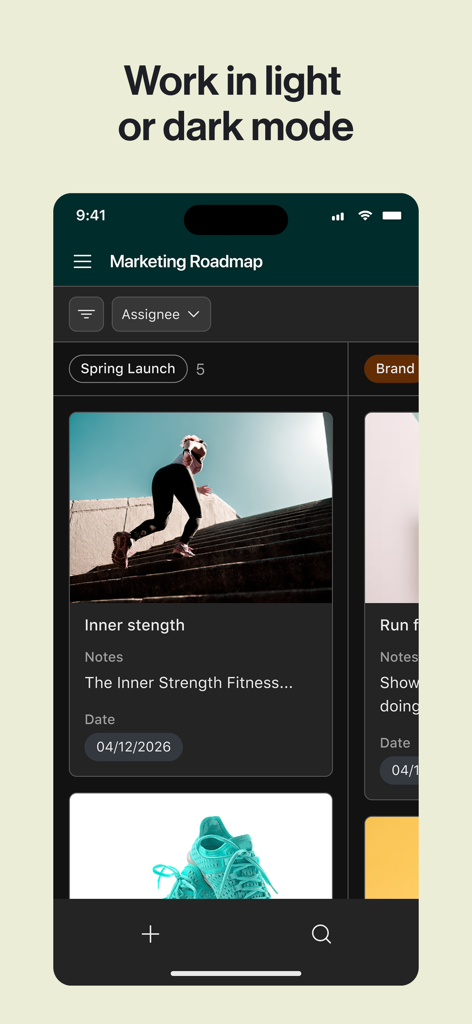
Airtable mobile app interface showing a marketing roadmap in dark mode

Airtable mobile app interface showing a marketing roadmap in dark mode

Organize Anything, Your Way

The tools that make this app stand out, trusted by 2M+ users.

🧩

Build Without Code

Create custom workflows and databases tailored specifically to your unique business needs without writing a single line of code.

🔄

Flexible Visual Views

Instantly toggle between Kanban boards, calendars, and galleries to see your projects and data from every angle.

Real-Time Collaboration

Sync changes instantly across iPhone, iPad, and desktop, keeping your team aligned whether you are on a film set or in the office.

Loved by users worldwide

Trusted by 2M+ people who love this app.

"

"Airtable completely transformed how we manage our content calendar. Moving from clunky spreadsheets to visual Kanban boards made my team's workflow seamless. It's the perfect bridge between complex data and creative execution."

Sarah Jenkins
"

"I use Airtable to track our entire inventory across three locations. The ability to update records on my iPad while in the warehouse and have it sync instantly to the office is a game changer. It feels like having a custom-built app tailored specifically for my business."

Marcus Thorne

About the app

Everything you need to know about Airtable.

Description

Airtable is the easy way to create your own connected apps. From indie filmmakers to cattle farmers, creators and creatives around the world are using Airtable to organize their lives, their way. Use Airtable to create flexible checklists, organize collections or ideas, and manage customers or contacts — all in one place. Get started instantly with a variety of templates ranging from home improvement to store inventory, or easily piece together your own layout from scratch. With Airtable, your iOS device suddenly becomes a database creation powerhouse — designed to let you easily swipe and tap your way to fully custom databases. It’s collaborative in real-time, so you can share with friends and teammates and always see their latest changes. Here are some ways that Airtable is being used today: ▸ Organizing People and Customers * Sales and customers * Recruiting * Public relations and media lists * Business development * Personal CRM * Volunteer management * Sports clubs * Boy or Girl Scouts ▸ Cataloging Collections, Ideas, and Inventory * Store or restaurant inventory * Product catalogs * Personal clothing collections * Pet medical history * Cattle and farm inventory * Frequent flyer accounts * Camping supplies ▸ Managing Projects and Tasks * Team project management * Events and conferences * Blog editorial calendars * Wedding planning * Building inspection checklists * Planning out novels * Study guides * Film production Organize anything you can imagine with Airtable!

Latest Version

10.49

Size

84.8 MB

First Released

Sep 16, 2014

Build the perfect workflow for your world

Join over 2 million creators and professionals. Download Airtable now to transform your iPhone or iPad into a database creation powerhouse.

Download on App Store
FAQ

Frequently Asked Questions

Everything you need to know about Airtable

What is Airtable?

Airtable is a platform that allows users to create their own connected apps, manage contacts, organize collections, and build flexible checklists. It turns an iOS device into a database creation powerhouse.

Does Airtable support real-time collaboration?

Yes, Airtable supports real-time collaboration. Users can share with friends and teammates and view their latest changes, as indicated by notifications for comments and invitations.

Can I create custom databases with Airtable?

Yes, Airtable enables users to create fully custom databases by swiping and tapping on their iOS device. It offers flexibility to piece together layouts from scratch.

Does Airtable track project progress and performance?

Yes, Airtable tracks project progress and performance through dashboards. These display metrics like 'Releases' and 'Spend', visualized with charts, providing an overview of activities.

Does Airtable offer AI-powered workflow automation?

Yes, Airtable can automate workflows using AI. It offers features like AI-generated text for localization in various languages, such as Spanish, French, and Mandarin.

Can Airtable be used for content approval workflows?

Yes, Airtable facilitates content approval processes. Users can review and approve assets, such as social launch assets, including images and post copy, directly within the application.

Does Airtable support a dark mode interface?

Yes, Airtable supports both light and dark modes. Users can switch between these interface themes to suit their preferences or environmental conditions while working on projects.

How does Airtable notify users about relevant activities?

Airtable notifies users of activities such as comments on projects, invitations to collaborate on bases, and mentions in discussions, ensuring users track what needs their attention.

What types of templates does Airtable provide?

Airtable provides various templates for quick setup, including options for home improvement and store inventory. Users can also easily build their own layouts from scratch.

What types of information can Airtable help me organize?

Airtable helps organize people and customers, catalog collections and ideas, and manage projects and tasks. This includes sales, inventory, team project management, and event planning.