AnyList: Grocery Shopping List

AnyList: Grocery Shopping List

Download on App StoreDownload on Google Play
Spark by MWM logo
Logo of AnyList: Grocery Shopping List

AnyList: The Ultimate Grocery List and Meal Planner for Modern Households

Eliminate the mental load with real-time list sharing, one-tap recipe imports, and smart organization that keeps your family in sync and your shopping trips stress-free.

Publisher

Purple Cover, Inc.

Category

Productivity

Downloads

3M+

User Rating

4.9/5

Total Ratings

91K+

Locales

2

Simplicity in Every Swipe

Discover the interface used by 3M+ users.

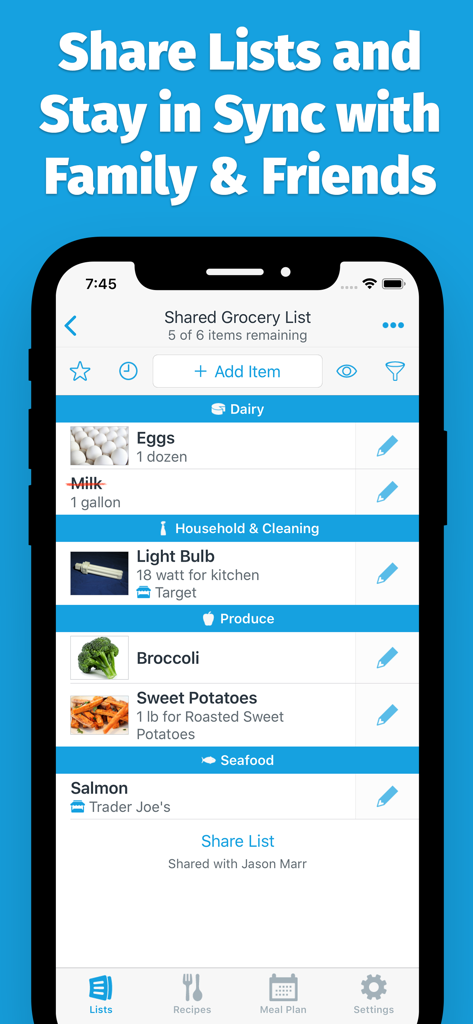
A shared grocery shopping list in the AnyList app showing items organized by store categories with real-time syncing features.

A shared grocery shopping list in the AnyList app showing items organized by store categories with real-time syncing features.

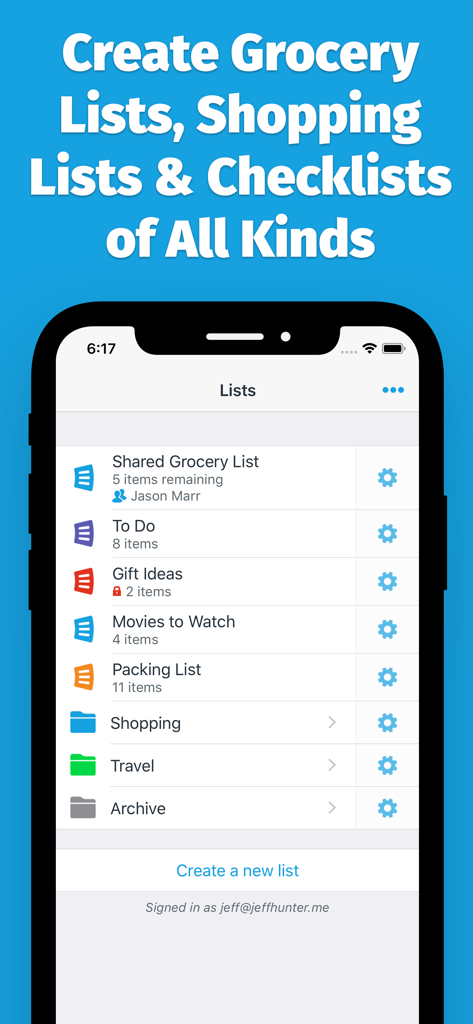
AnyList app interface showing categories for shared grocery lists, to do lists, and shopping checklists.

AnyList app interface showing categories for shared grocery lists, to do lists, and shopping checklists.

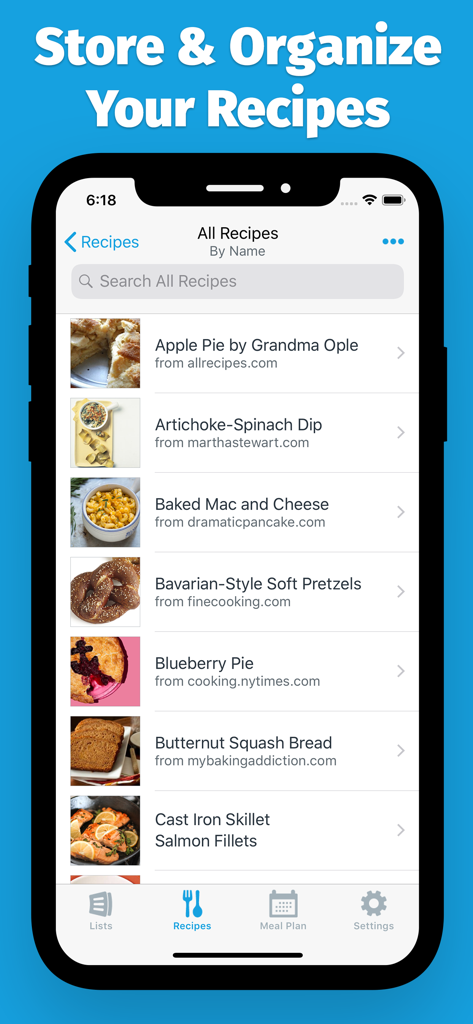
AnyList mobile app showing a list of organized recipes imported from various websites.

AnyList mobile app showing a list of organized recipes imported from various websites.

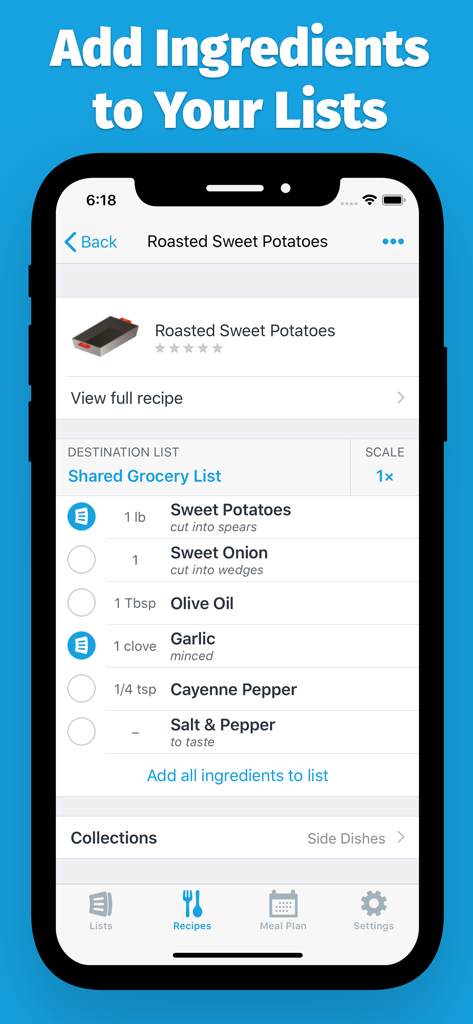
AnyList app interface showing ingredients for a recipe being added to a shared grocery list

AnyList app interface showing ingredients for a recipe being added to a shared grocery list

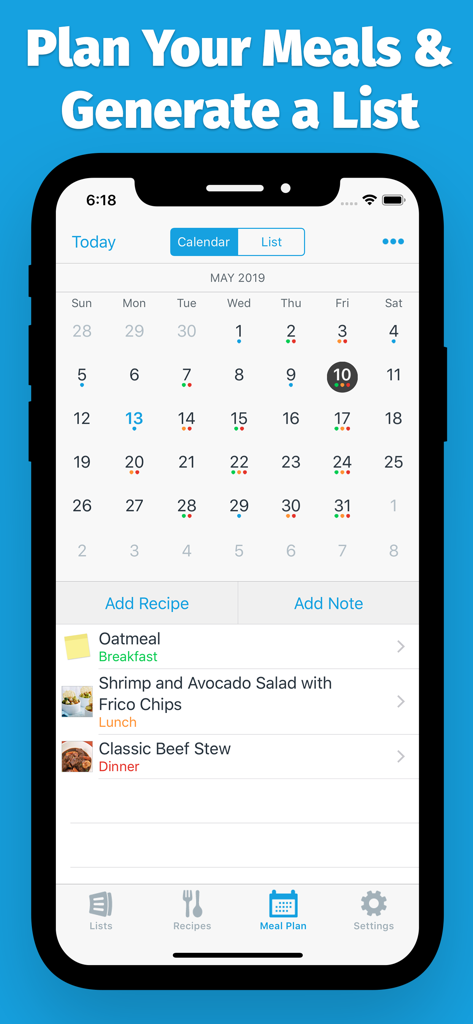
AnyList app meal planning screen featuring a monthly calendar and daily meal schedule with recipes

AnyList app meal planning screen featuring a monthly calendar and daily meal schedule with recipes

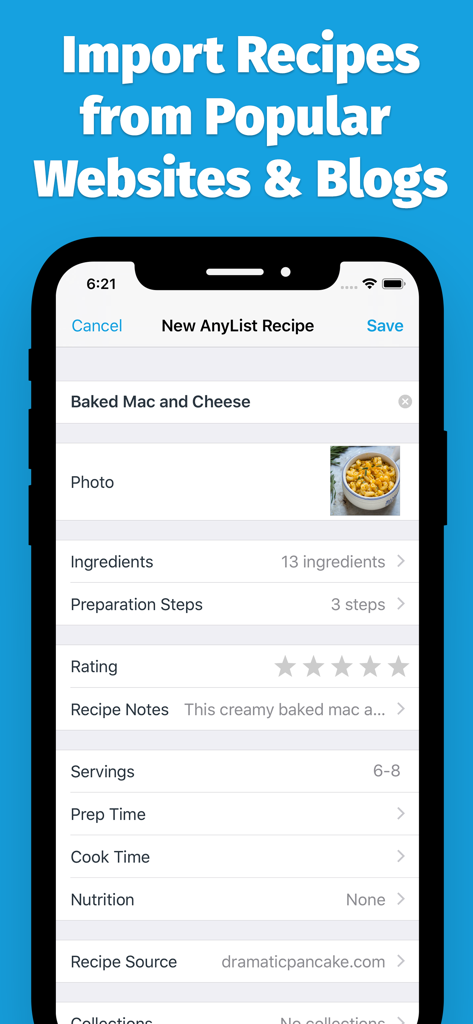
AnyList app screen showing a recipe for Baked Mac and Cheese imported from a website including ingredients and preparation steps

AnyList app screen showing a recipe for Baked Mac and Cheese imported from a website including ingredients and preparation steps

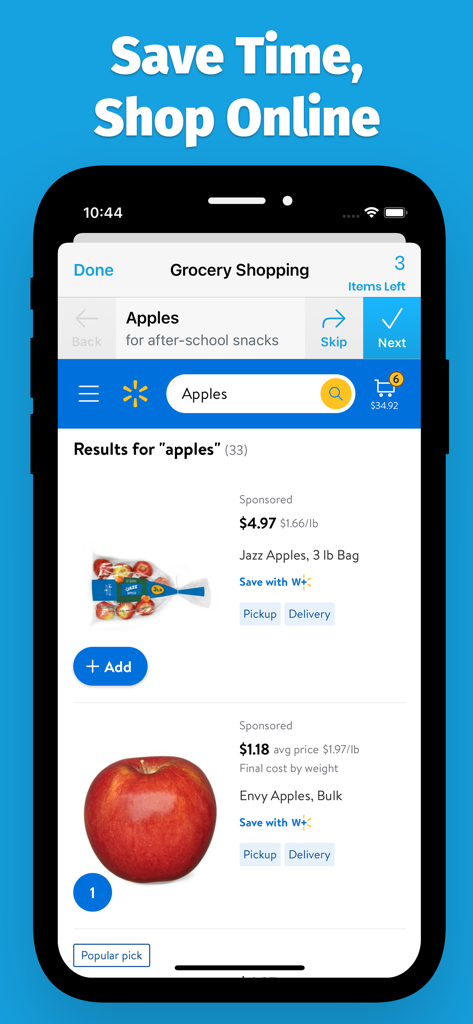
AnyList app interface showing online grocery shopping search results for apples with pickup and delivery options.

AnyList app interface showing online grocery shopping search results for apples with pickup and delivery options.

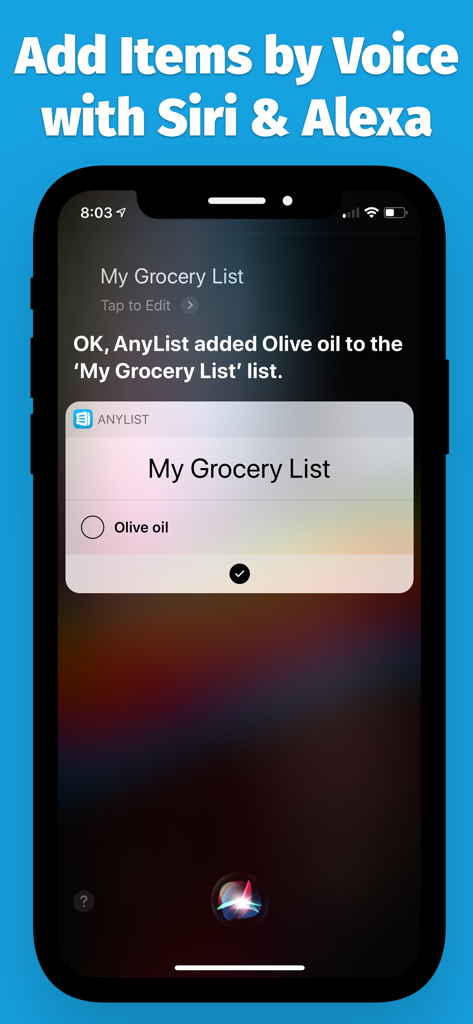
A smartphone screen demonstrating how to add olive oil to an AnyList grocery list using Siri voice command.

A smartphone screen demonstrating how to add olive oil to an AnyList grocery list using Siri voice command.

Master Your Household Management

The tools that make this app stand out, trusted by 3M+ users.

🤝

Shop Together, Sync Instantly

Share lists with your partner and watch items get checked off in real-time. End the 'mental load' and stop buying the same thing twice.

📝

Recipe-to-List in One Tap

Import recipes from your favorite blogs and instantly turn them into shopping lists. No more manual copying or forgotten ingredients for dinner.

🛒

Smart Aisle-by-Aisle Sorting

Get in and out of the store faster. Items are automatically grouped by category, matching the layout of your local grocery store for maximum efficiency.

Loved by users worldwide

Trusted by 3M+ people who love this app.

"

"AnyList has completely changed how my husband and I manage our home. No more 'did you get milk?' texts while he's at the store because everything syncs instantly. The recipe import feature is a total game-changer; I can plan a whole week of dinners in minutes and have my shopping list ready with one tap. It has significantly reduced my daily mental load."

Sarah Jenkins
"

"As someone who loves to cook but hates the chaos of massive grocery stores, this app is a lifesaver. I love adding items via Siri while my hands are messy in the kitchen, and seeing them automatically sorted by aisle when I arrive at the store. The Apple Watch integration makes shopping so much faster. It is the best productivity tool I own."

David Miller

About the app

Everything you need to know about AnyList: Grocery Shopping List.

Description

Tired of chaotic grocery trips and always asking, "What's for dinner?" Stop juggling messy paper lists and endless texts. AnyList is the #1 app for busy families, couples, and anyone who wants to shop smarter and simplify weekly meal planning. Finally, a shopping list that’s always in sync, a recipe box that’s always in your pocket, and a meal plan that everyone can see. It's the organization you've been craving. Trusted by millions. As seen in The New York Times, Good Housekeeping, The Kitchn, and featured by Apple as one of "10 Essential Apps". “Helped me save so much time, money, and mental energy” —Patty Catalano, The Kitchn “Sets the standard for grocery list apps” —AppStorm “Simple and intuitive” —Lifehacker ---- SHOP TOGETHER, EFFORTLESSLY Instantly share your grocery list with your partner or roommates. Watch items get checked off in real-time as they shop — no more buying the same thing twice! • BUILD LISTS IN SECONDS: Our smart autocomplete suggests items as you type. • NEVER MISS A THING: Add a list to your home screen with our widgets, or add items with your voice using Siri and Alexa. • SHOP YOUR WAY: Lists automatically sort into categories (Produce, Dairy, Deli, etc.) that can be re-arranged to match your store's layout, saving you time and steps. • THE PERFECT ITEM, EVERY TIME: Add notes for brand, quantity, or even a photo to make sure you get exactly what you want. YOUR COMPLETE RECIPE & MEAL PLANNING HUB Stop searching through cookbooks and browser tabs. Organize all your favorite recipes in one place and turn them into shopping lists with a single tap. • IMPORT IN A SNAP: Save recipes directly from your favorite blogs and websites. • PLAN YOUR WEEK: Assign recipes to days on the meal planning calendar. Know what you're making and when. • INSTANT SHOPPING LISTS: Add all ingredients from a recipe to your grocery list in one go. Download for FREE and transform your grocery shopping and meal planning today! UNLOCK THE FULL POWER OF ANYLIST COMPLETE Ready to take your organization to the next level? Upgrade to AnyList Complete for the ultimate home management experience: • AnyList on Your Desktop & Watch: Access your lists and recipes on your Mac, PC, and Apple Watch. • Meal Planning Calendar: The easiest way to plan your family's meals for the week and create a perfectly coordinated shopping list. • Import Recipes from the Web: Save recipes directly from thousands of recipe blogs and websites. • Add Photos to Items & Recipes: End confusion at the store by adding a photo of the exact item you need. • Stick to Your Budget: Add item prices as you shop to see your running total. • Advanced Store Features: Assign items to specific stores, create location-based reminders, and filter your list on the fly. • And so much more: Recipe scaling, list themes, passcode lock, and folders. Join millions who have made shopping and meal planning stress-free. Get AnyList now! For a full list of available features, check out our website: anylist.com/features Got questions? We'd love to hear from you: team@anylist.com AnyList includes icons from icons8.com.

Latest Version

6.0.2

Size

106.4 MB

First Released

May 11, 2012

Master Your Grocery List and Meal Plan Today

Join over 3 million busy families and couples who have reclaimed their time and mental energy. Download AnyList for free and start shopping in sync.

Download on App StoreDownload on Google Play
FAQ

Frequently Asked Questions

Everything you need to know about AnyList: Grocery Shopping List

Can I share grocery lists with family members using AnyList?

Yes, AnyList allows users to instantly share grocery lists with partners or roommates. Items get checked off in real-time as others shop, preventing duplicate purchases.

How can I add items to my shopping list in AnyList?

AnyList offers several ways to add items. Users can build lists in seconds with smart autocomplete, add items with their voice using Siri or Alexa, or import ingredients directly from recipes.

Does AnyList allow importing recipes from websites?

Yes, AnyList allows users to save recipes directly from favorite blogs and websites. This feature is available with the AnyList Complete upgrade for full access.

Can I plan meals using the AnyList app?

Yes, AnyList includes a meal planning calendar. Users can assign recipes to specific days to plan their week and then instantly add all ingredients from a recipe to their grocery list.

What features are included with AnyList Complete?

AnyList Complete unlocks access on Mac, PC, and Apple Watch. It includes the meal planning calendar, web recipe import, adding photos to items, budget tracking with prices, and advanced store features like location-based reminders.

Does AnyList automatically categorize grocery items?

Yes, AnyList automatically sorts list items into categories such as Produce, Dairy, and Deli. Users can re-arrange these categories to match their store's layout for efficient shopping.

Can I add photos to items in my AnyList shopping list?

Yes, users can add photos to items and recipes within AnyList. This feature helps prevent confusion at the store by showing the exact item needed and is part of AnyList Complete.

Does AnyList help with budgeting while grocery shopping?

Yes, AnyList Complete allows users to add item prices as they shop. This feature helps track a running total and stick to a budget.

Is AnyList available on multiple devices like desktop or Apple Watch?

Yes, AnyList Complete provides access to lists and recipes on Mac, PC, and Apple Watch. The base app is available for download on mobile devices.