
履歴書作成


The ultimate tool for JET applicants, expats, and professionals. Generate JIS-compliant Rirekisho and Job History documents for free, perfectly formatted and ready to print or email.
Publisher
Category
ProductivityDownloads
517K+User Rating
Total Ratings
8K+Locales
2Discover the interface used by 517K+ users.
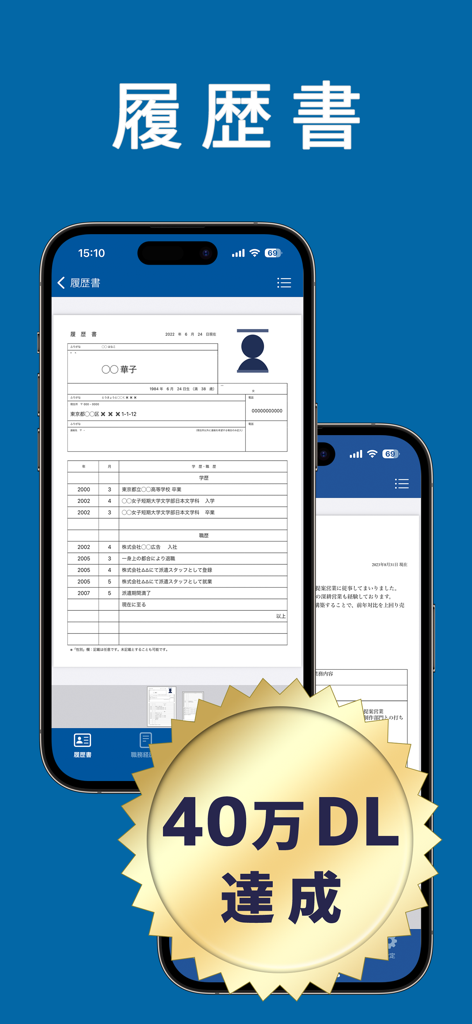
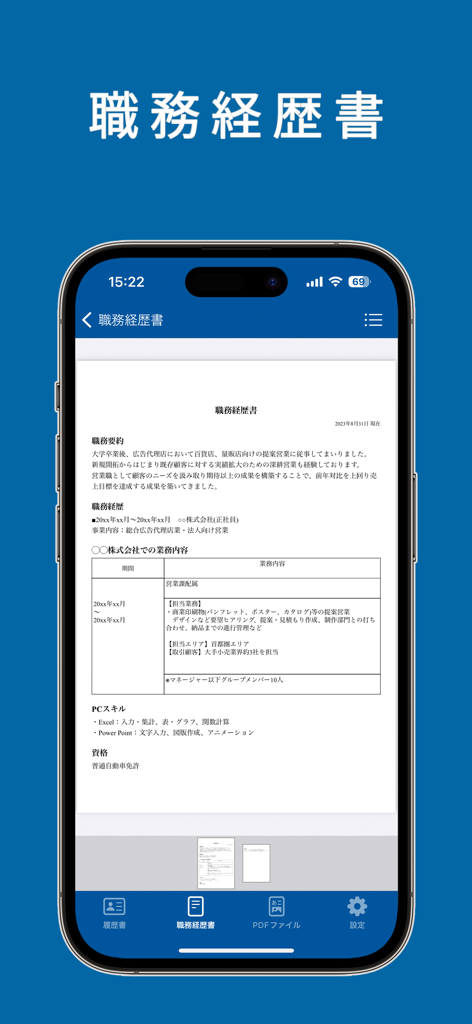
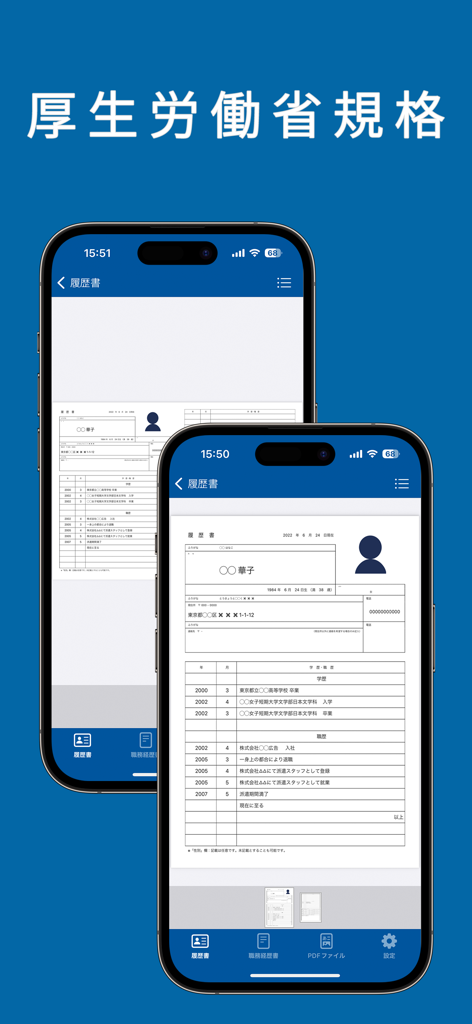
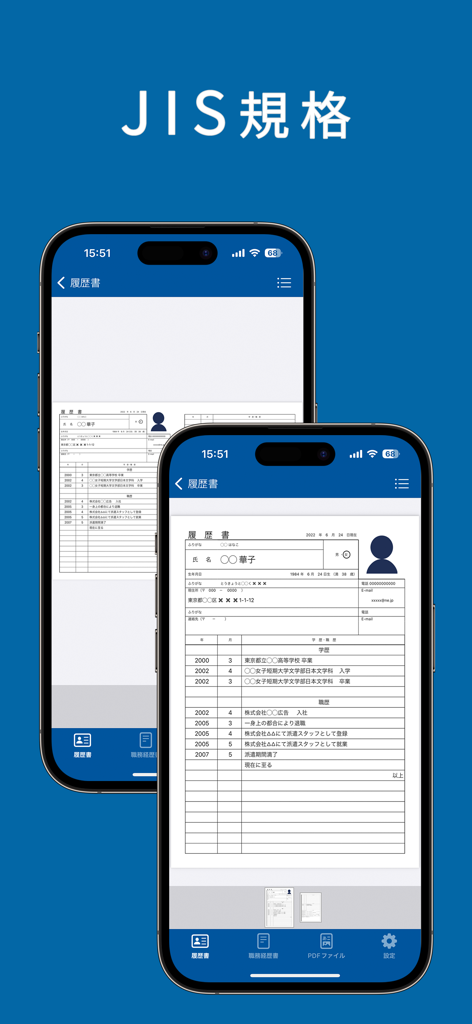
The tools that make this app stand out, trusted by 517K+ users.
Generate resumes that automatically follow Ministry of Health and JIS standards, ensuring you always look professional to Japanese recruiters.
Beyond just a resume, create your Job History (Shokumu Keirekisho) and Cover Letter (Okurijo) in minutes from your iPhone or iPad.
Easily upload and crop photos to meet the specific dimensions and conservative proportions required for traditional Japanese applications.
Trusted by 517K+ people who love this app.
"Applying for the JET Program was daunting until I found this app. It makes creating a perfectly formatted JIS-standard resume so simple. The photo cropping tool is a lifesaver for getting that professional look required in Japan, and I could easily save everything as a PDF for my application."
"I needed to prepare my documents for a Japanese firm while living in the US, and this app was exactly what I needed. It handles the Rirekisho and Shokumu Keirekisho formats flawlessly. The interface is clean, and the fact that all features are free is amazing. Highly recommended for anyone job hunting in the Japanese market."
Everything you need to know about 履歴書作成.
Description
Latest Version
8.23.0
Size
28.6 MB
First Released
Jul 3, 2022
Join over 500,000 professionals creating JIS-compliant resumes and job histories for free. Download now to generate your application-ready PDF in minutes.
Everything you need to know about 履歴書作成
Yes, the 履歴書作成 app is completely free to use, offering all its features without any cost. There are no hidden fees or in-app purchases.
The 履歴書作成 app allows users to create resumes (履歴書), curriculum vitae (職務経歴書), and cover letters (送り状) for various job applications.
Yes, the 履歴書作成 app supports both the Ministry of Health, Labour and Welfare (MHLW) and JIS (Japanese Industrial Standards) resume formats to ensure compliance.
Yes, the 履歴書作成 app enables users to output created resumes as PDF files, print them directly, or save them within the application for future access.
Users can select existing photos, crop them to the desired size, and utilize photos taken with other camera applications to include in their resumes.
The 履歴書作成 app offers printing options for A3 (one page) or A4 (two pages). It provides specific guidance for both home printers and convenience store printing services.
Yes, the 履歴書作成 app allows users to fully customize their curriculum vitae by freely adding and modifying text, lines, tables, and blank sections.
Yes, after generating a curriculum vitae as a PDF, users can print it or conveniently send it via email directly from the 履歴書作成 app.
Apps with similar features and user experience
Intelligent CV

Clebson Pereira

First Pick Ltd
Uncaught Exception Inc.
Wiliam Goncalves Pinto

Oleg Yuriev

Rounding Squares BV

Indeed Inc.

Giovanna Clemente