Asana: Work Management

Asana: Work Management

Download on App StoreDownload on Google Play
Spark by MWM logo
Logo of Asana: Work Management

Asana: Simplify your workflow and hit every deadline.

Eliminate the 'work about work.' Join millions of professionals using Asana to organize team projects, track daily tasks, and achieve more together—wherever you are.

Publisher

Asana, Inc.

Category

Business

Downloads

9M+

User Rating

4.6/5

Total Ratings

33K+

Locales

14

Your Workflow, Visualized

Discover the interface used by 9M+ users.

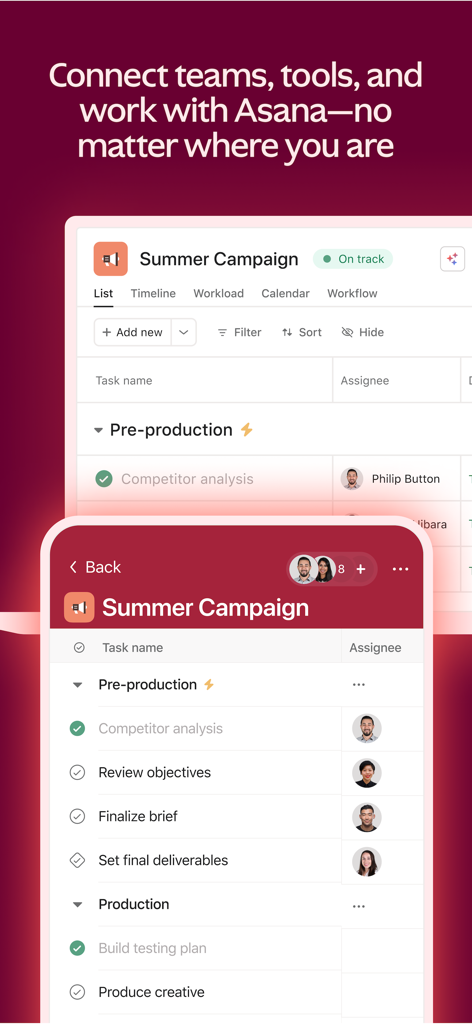
Asana app interface showing project task lists on both mobile and desktop screens

Asana app interface showing project task lists on both mobile and desktop screens

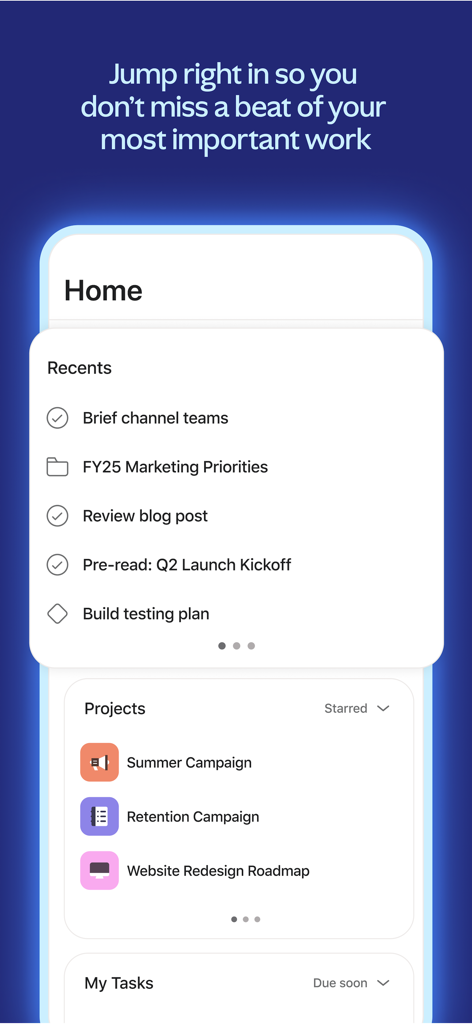
Asana mobile app home screen showing recent tasks and project list

Asana mobile app home screen showing recent tasks and project list

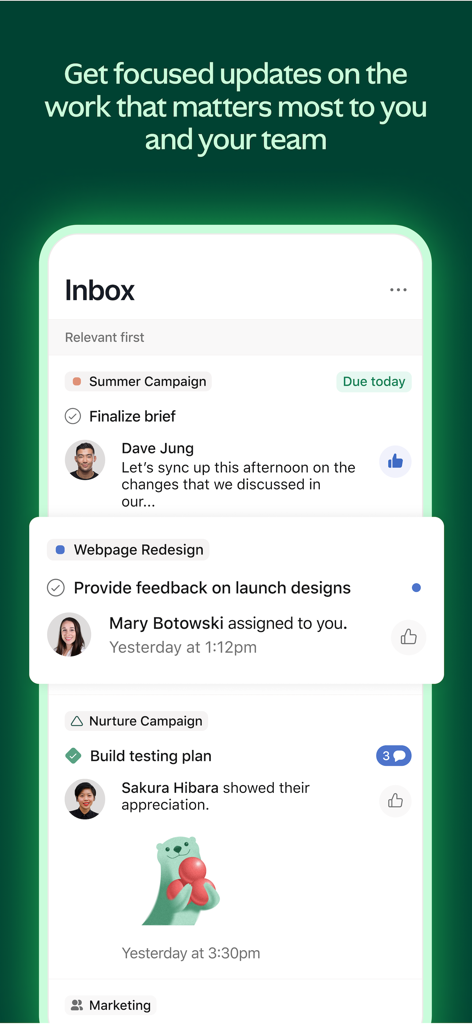
Asana mobile app inbox showing project updates and task notifications from team members.

Asana mobile app inbox showing project updates and task notifications from team members.

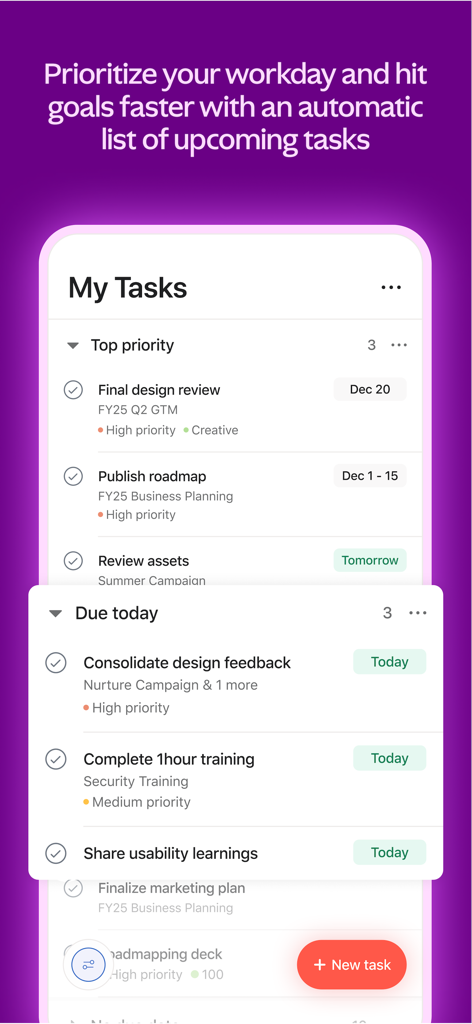
A smartphone screen showing the Asana My Tasks view with prioritized project tasks and daily deadlines.

A smartphone screen showing the Asana My Tasks view with prioritized project tasks and daily deadlines.

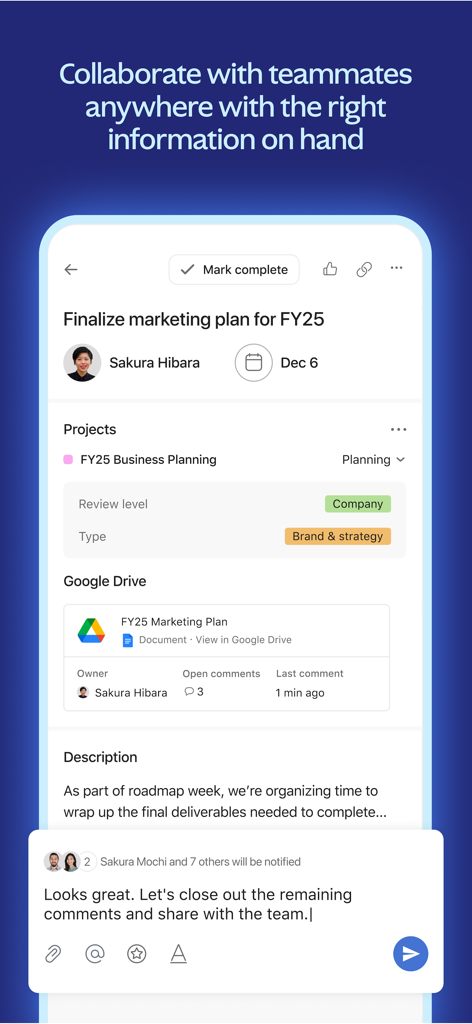
Asana app interface displaying a project task with teammate collaboration and file integration

Asana app interface displaying a project task with teammate collaboration and file integration

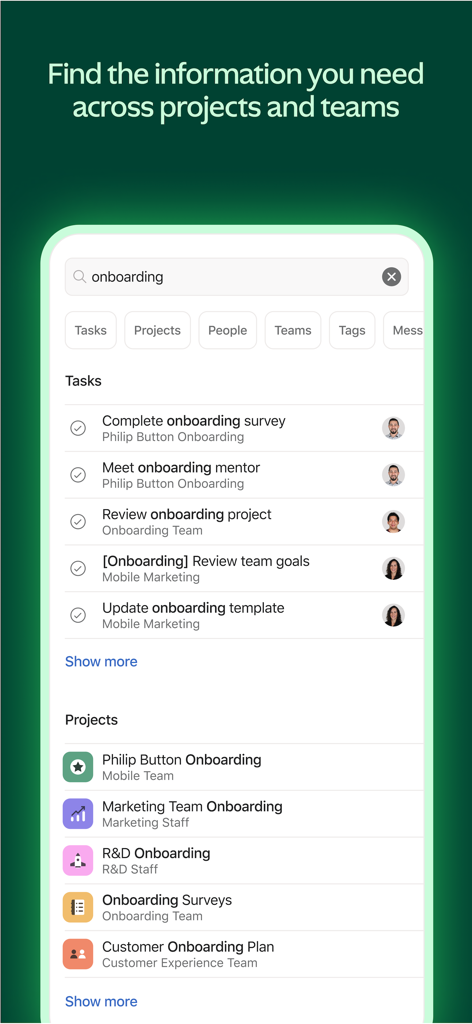
Asana app interface showing search results for onboarding tasks and projects

Asana app interface showing search results for onboarding tasks and projects

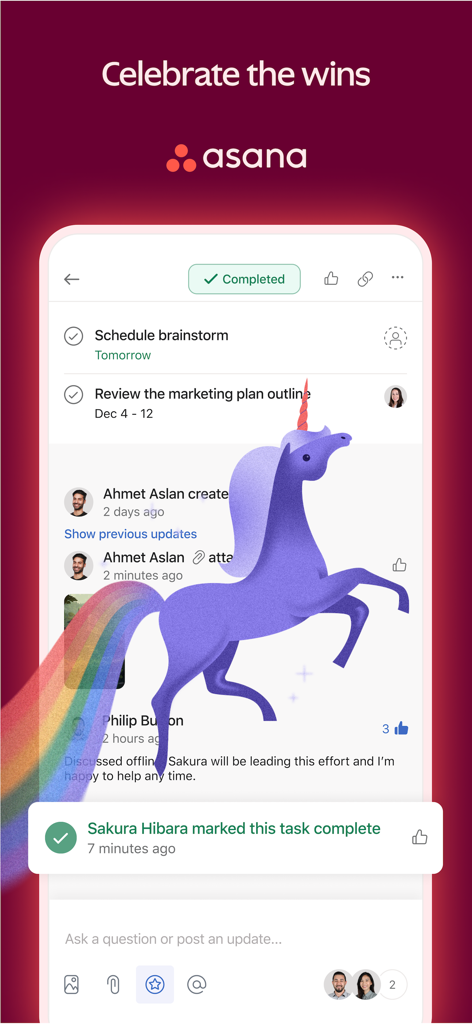
A screenshot of the Asana app showing a purple unicorn celebration animation for a completed task.

A screenshot of the Asana app showing a purple unicorn celebration animation for a completed task.

Master Your Workflow, Anywhere

The tools that make this app stand out, trusted by 9M+ users.

📱

Productivity on the Go

Seamlessly sync your tasks between your iPhone and desktop. Update progress or capture ideas during your commute or between meetings.

Focus on What Matters

See all your assigned work in one personalized 'My Tasks' list. Prioritize with ease and enjoy the satisfaction of checking off your goals.

🤝

Real-Time Team Clarity

Eliminate silos with centralized communication. Comment, attach files, and track milestones to keep everyone aligned without the endless email threads.

Loved by users worldwide

Trusted by 9M+ people who love this app.

"

"Asana has completely transformed how our hybrid team collaborates. The 'My Tasks' view keeps me focused on my priorities without feeling overwhelmed by the big picture. It’s the perfect bridge between my mobile and desktop workflows."

Alex Rivera, Senior Marketing Manager
"

"I’ve tried every project management tool out there, but Asana is the only one that actually feels intuitive. The kanban boards make tracking our creative sprints so easy, and the mobile app is incredibly snappy for updates on the go."

Jordan Miller, Creative Director

About the app

Everything you need to know about Asana: Work Management.

Description

Asana is the easiest way to manage team projects and your individual tasks. From the small stuff to the big picture, Asana organizes work so you and your teams are clear on what to do, when to do it, and how to get it done. USE ASANA WHEREVER YOU ARE Access Asana on mobile or on the web. Project management doesn’t stop at your desk—no matter where you are, stay focused and keep your team’s work on track. GET ORGANIZED Set up different projects to bring your team’s work together in one shared space. Break the workload down into manageable tasks and give them a clear owner and due date. Choose a project view that suits your style—lists, kanban boards, or calendar. IMPROVE FOCUS Boost your productivity with My Tasks, where you can see all the work that’s been assigned to you in one to-do list. Prioritize your work easily—drag & drop tasks into Asana’s built-in sections, create your own custom checklist sections, or sort by different dimensions. STAY CONNECTED Keep collaboration going, wherever you are. Communicate with your teammates by liking, commenting, or attaching files directly to tasks. And get automatic updates about the projects and tasks that matter to you delivered directly to your Inbox. AND DO EVEN MORE— ALL WITH ONE TOOL Visit the web app to see how all of your projects are progressing with Portfolios. Personalize task management with Custom Fields to capture important information about your tasks. Choose timeline view for projects to see a Gantt chart with task dependencies. And unlock the ability to track company goals and milestones with Goals. Join more than 100,000 organizations and millions of users worldwide who trust Asana to stay organized and in control of their work. Asana’s WORK GRAPH represents every task, project, and goal in your organization. Which means the Work Graph creates integrity, visibility, and coordination between every team and every department. All in one place. Download the Asana work management app now. By downloading Asana, you agree to our Terms of Service, which you can find at https://asana.com/terms.

Latest Version

10.71.0

Size

299.8 MB

First Released

Dec 21, 2011

Ready to work smarter, not harder?

Join over 100,000 organizations that trust Asana to turn chaos into clarity. Download the app today and stay in control of every project, from anywhere.

Download on App StoreDownload on Google Play
FAQ

Frequently Asked Questions

Everything you need to know about Asana: Work Management

What is Asana for?

Asana is a work management app designed to help teams and individuals organize projects, manage tasks, and streamline collaboration from initial ideas to completion.

Can I access Asana on mobile devices?

Yes, Asana is accessible on mobile devices and the web, ensuring users can manage their projects and tasks regardless of their location.

What project views does Asana offer?

Asana offers multiple project views including lists, kanban boards, calendar, timeline, workload, and workflow, allowing users to choose the display that best suits their style.

How can I prioritize tasks in Asana?

Users can prioritize tasks in Asana by dragging and dropping them into built-in sections, creating custom checklist sections, or sorting them by different dimensions.

Does Asana support team collaboration?

Yes, Asana supports team collaboration through features like liking, commenting, and attaching files directly to tasks, along with automatic project and task updates.

What is Asana's WORK GRAPH?

Asana’s WORK GRAPH represents every task, project, and goal within an organization. It creates integrity, visibility, and coordination among all teams and departments in one centralized place.

How do I get updates on my projects in Asana?

Asana provides automatic updates about the projects and tasks that matter to you, delivering them directly to your Inbox to keep you informed.

Can Asana track company goals and milestones?

Yes, Asana allows users to track company goals and milestones with its dedicated Goals feature, available within the web application.

Where can I find Asana's Terms of Service?

Asana's Terms of Service are available at https://asana.com/terms. Users agree to these terms by downloading the Asana work management app.

Can I search for specific information within Asana?

Yes, Asana includes a search functionality that allows users to find information across tasks, projects, people, teams, tags, and messages.