
Microsoft Loop




The fluid, co-creation space designed for the modern hybrid team. Bring your ideas, tasks, and content into focus with live components that stay in sync across all your Microsoft 365 apps.
Publisher
Category
ProductivityDownloads
966K+User Rating
Total Ratings
7K+Locales
33Discover the interface used by 966K+ users.
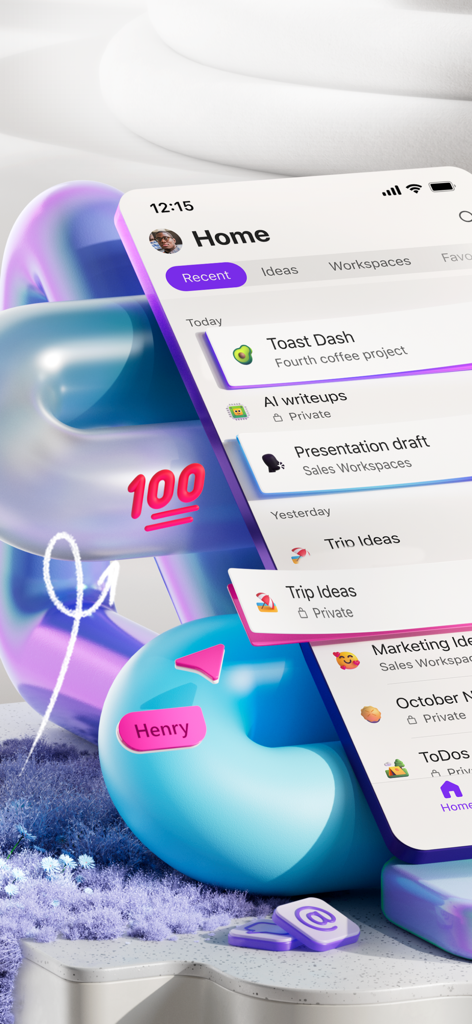
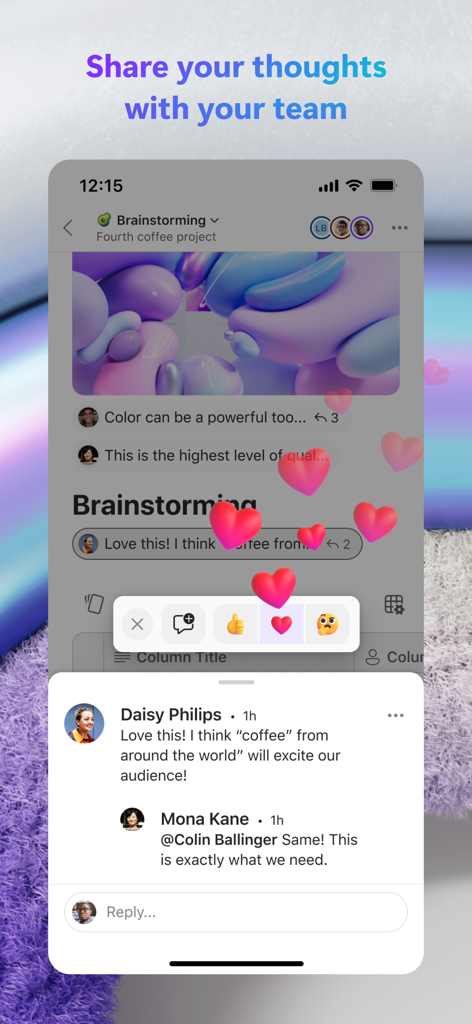
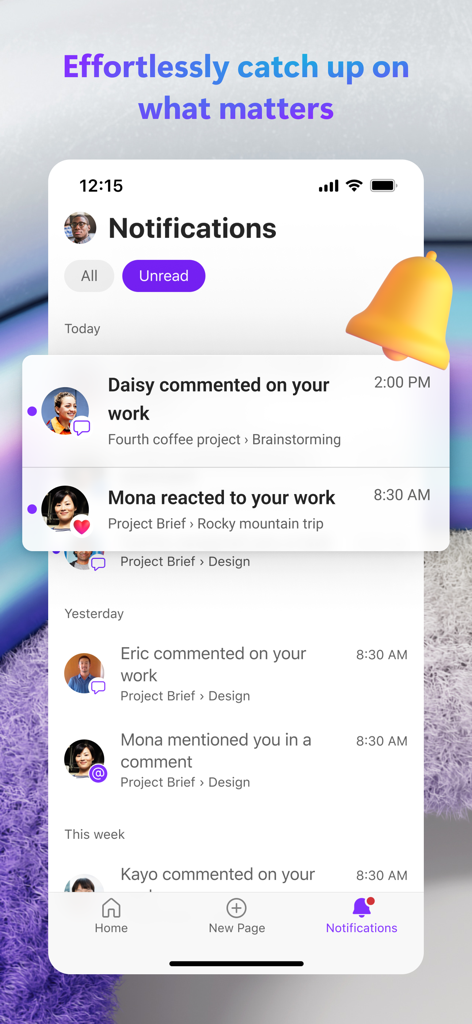
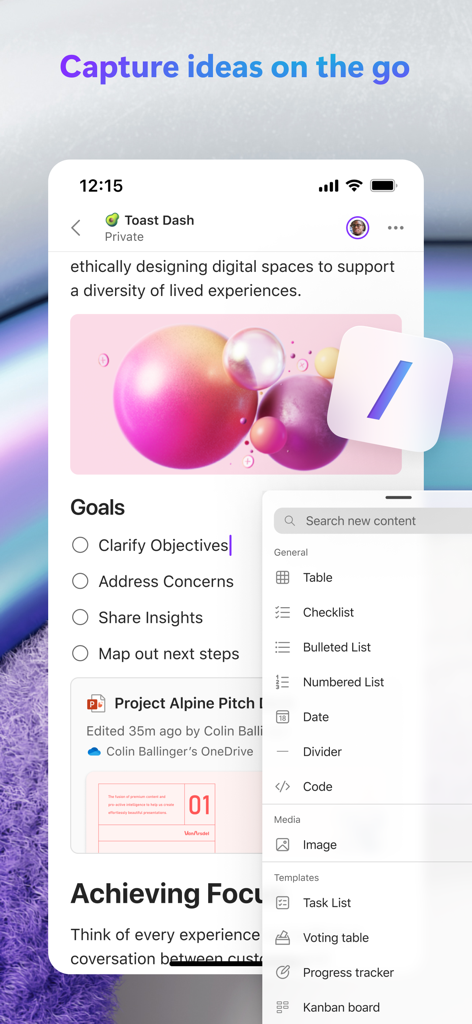
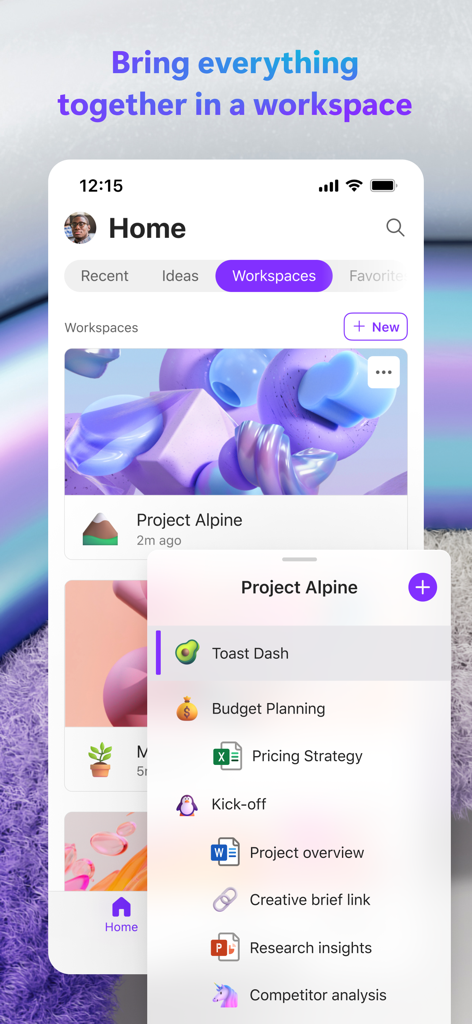
The tools that make this app stand out, trusted by 966K+ users.
Share live lists or tables across Teams and Outlook. Update data in one place and watch it reflect everywhere instantly.
Brainstorm and iterate with your team on the fly. Add photos, comments, and reactions to keep the momentum going from any device.
Organize your team's thoughts and tasks in one flexible canvas. Stay focused and stop switching between different apps.
Trusted by 966K+ people who love this app.
"Microsoft Loop has completely transformed how my team syncs. No more digging through endless email chains—being able to drop a live component into Teams and watch it update across the board is a total game changer for our productivity."
"The flexibility of the mobile app is incredible. I can capture a quick brainstorm on my commute, add photos, and have it ready on my desktop by the time I start work. It’s the perfect blend of structure and creative freedom."
Insights from user reviews.
Sentiment Score
Summary
This mobile app is recognized for its strong underlying concept and significant future potential, especially concerning collaboration and efficient organization of notes and tasks. Users frequently laud its performance and feature set on desktop and web platforms, as well as its ability to facilitate cross-device data transfer and integrate within the broader Microsoft ecosystem. However, the iOS and iPadOS versions are consistently criticized for severe instability, including frequent crashes, persistent sign-in loops, and pervasive lag with typing and cursor control. A major point of dissatisfaction is also the mobile app's limited functionality compared to its web counterpart and competitors like Notion, lacking essential features such as advanced task management, subpage creation, and adequate support for PDFs and various languages.
Common Themes
Everything you need to know about Microsoft Loop.
Description
Latest Version
2.105
Size
180.7 MB
First Released
Oct 24, 2023
Join nearly 1 million professionals who capture ideas and co-create on the go. Download Microsoft Loop today and keep your team in sync across every tool and device.
Everything you need to know about Microsoft Loop
Microsoft Loop is a transformative co-creation experience connecting teams, content, and tasks across tools and devices. It enables users to think, plan, and create collaboratively.
To begin, download the Microsoft Loop app and sign in. You use either your Microsoft Account or an account provided by your work or school.
Microsoft Loop facilitates collaboration through in-app comments and reactions. It also allows editing and sharing of Loop components across Microsoft 365, keeping teams synchronized.
Yes, Microsoft Loop helps organize project content. Users can bring all their project materials into a dedicated Loop workspace to focus on important tasks and information.
Yes, Microsoft Loop integrates with Microsoft 365. Users can edit and share Loop components across Microsoft 365 applications, ensuring team members stay on the same page.
Users can add various content to Microsoft Loop pages, including ideas, task lists, and photos. This functionality helps express thoughts and organize information visually.
Yes, Microsoft Loop provides notifications. It delivers only relevant alerts, enabling users to quickly re-engage with tasks needing attention, as shown in the Notifications screen.
Yes, Microsoft Loop is available for mobile users. The app is designed for co-creation on the go, allowing users to think, plan, and create collaboratively from their mobile devices.
The privacy terms for Microsoft Loop are available at https://aka.ms/privacy. The app is subject to a separate privacy statement and terms and conditions.
Apps with similar features and user experience

Xmind Ltd.

Smartsheet Inc.

Realtimeboard Inc.

Wallwisher, Inc.

Asana, Inc.

Microsoft Corporation

Microsoft Corporation

indent Inc.

MeisterLabs
