Audio Converter & Video to MP3

Audio Converter & Video to MP3

Download on App Store
Spark by MWM logo
Logo of Audio Converter & Video to MP3
Audio Converter & Video to MP3: Studio-Quality Audio in Seconds

The ultimate mobile toolkit for creators and pros to extract audio from video and convert any format with ease—no sign-up required.

Download on App Store

Publisher

昱江 郭

Category

Utilities

Downloads

123K+

User Rating

4.8/5

Total Ratings

1K+

Locales

9

Sleek and Simple

Discover the interface used by 123K+ users.
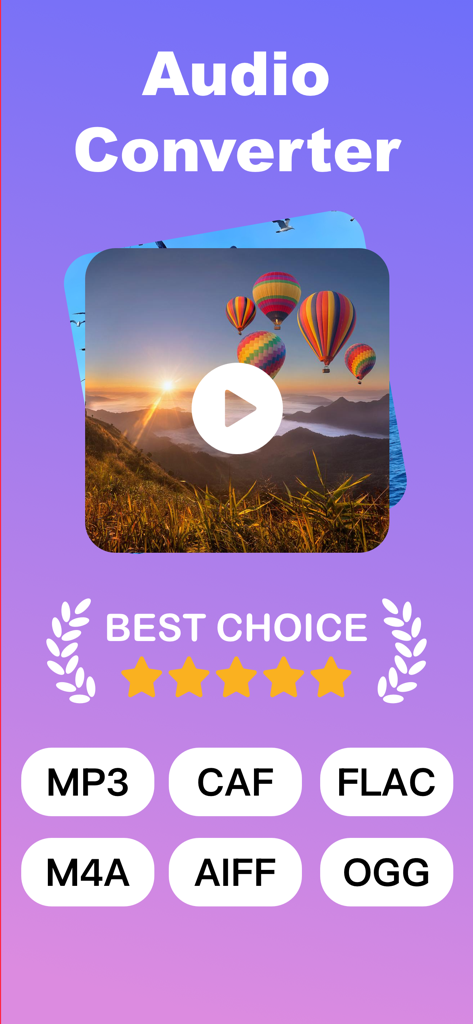
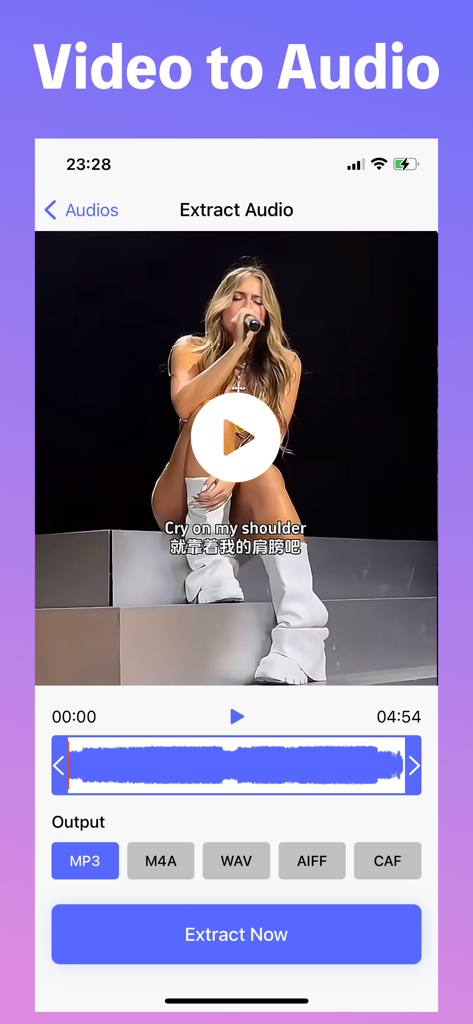
Audio Converter app screen showing video to MP3 conversion and supported formats including MP3 FLAC and M4A

Audio Converter app screen showing video to MP3 conversion and supported formats including MP3 FLAC and M4A

An iPhone app interface showing the process of extracting audio from a video with options for MP3, M4A, WAV, AIFF, and CAF formats.

An iPhone app interface showing the process of extracting audio from a video with options for MP3, M4A, WAV, AIFF, and CAF formats.

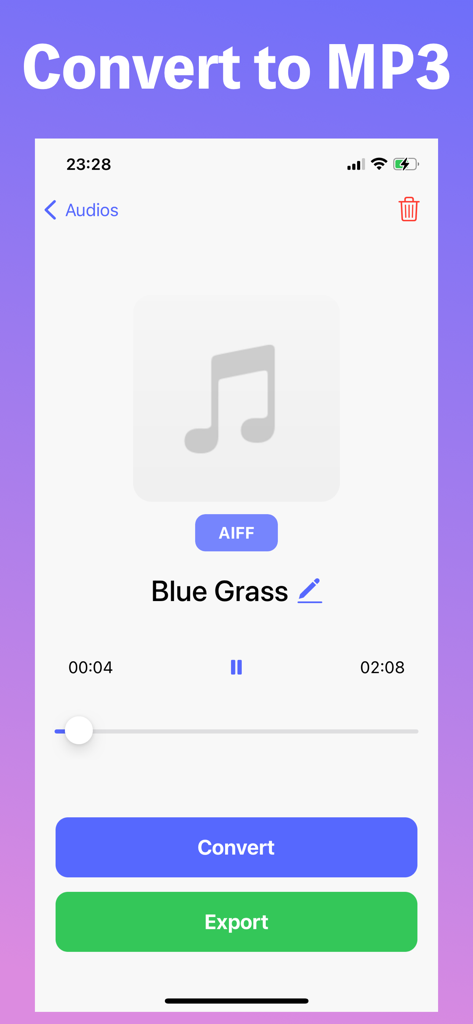
Mobile app interface for converting audio files to MP3 format featuring convert and export buttons

Mobile app interface for converting audio files to MP3 format featuring convert and export buttons

The Ultimate Audio Toolkit for Creators

The tools that make this app stand out, trusted by 123K+ users.

🎬

Instant Video Extraction

Turn screen recordings or social media clips into high-quality MP3s for your next creative project.

🔄

Universal Format Support

Effortlessly convert between MP3, WAV, AAC, and FLAC to bridge the gap between all your devices.

💎

Lossless Sound Quality

Maintain professional-grade audio with smart compression that keeps your sound crisp, clear, and ready to share.

Loved by users worldwide

Trusted by 123K+ people who love this app.

"

"This app is a game-changer for my social media workflow. I can extract audio from video clips in seconds and jump straight into editing. The high-quality output is exactly what I need for my reels, and the interface is incredibly intuitive."

Sarah Miller
"

"Perfect for turning my recorded lectures into podcasts. I love that I can import files directly from my library and convert them to high-quality MP3s for my commute. It is fast, reliable, and has completely streamlined my productivity routine."

David Chen

About the app

Everything you need to know about Audio Converter & Video to MP3.

Description

All-in-One Audio Converter – Fast, Powerful, Easy! Convert any audio format in seconds. Extract audio from videos. All in one sleek, user-friendly app. Main Features: • Universal Format Support – Convert almost any audio format with ease (MP3, WAV, AAC, FLAC, M4A, and more) • Audio from Video – Instantly extract audio tracks from video files • Multiple Import Options – Add files from Files app, Photo Library, or your Music collection • High-Quality Conversion – Keep original sound quality with smart compression • Clean & Intuitive UI – Fast, simple, and ready to use – no sign-up needed Whether you’re editing podcasts, making ringtones, or saving just the music from your favorite videos, Audio Converter makes it quick and effortless. Download now and take control of your audio files! Regarding in-app purchases: Some features are available through auto-renewable subscriptions, with a monthly subscription price of $4.99/month. Payment will be charged to your iTunes account. Subscriptions will automatically renew unless canceled at least 24 hours before the end of the current period. Manage your subscriptions in your account settings after purchase. Subscriptions cannot be canceled during the active subscription period. Privacy Policy: https://docs.qq.com/doc/DRWpjUHlzQ0pxekJT Terms of Use: https://docs.qq.com/doc/DRWxqclBOUEFoY0Nz Contact Us: audio_conv_help@gmail.com If files extracted from the Files app disappear, restarting the device may fix the issue. Additionally, restarting the device may resolve extraction errors. If the issue persists after a restart, try moving the video from the Photos app to the Files app and attempt extraction from there. If the problem persists, sending the problematic video via contact email would be helpful. Downloadable links are also accepted. Feature additions and improvement suggestions are welcome in the comments! We will strive to respond promptly. Your feedback is appreciated!

Latest Version

4.0

Size

29.0 MB

First Released

May 1, 2024

Start Converting Like a Pro Today

Join over 120,000 creators and professionals who save time with fast, high-quality audio extraction. No sign-up, no friction—just results.

Download on App Store