Bitwarden Password Manager

Bitwarden Password Manager

Download on App Store
Spark by MWM logo
Logo of Bitwarden Password Manager
Bitwarden Password Manager: Secure Your Digital World with Open-Source Trust

Join millions of privacy-conscious professionals who protect their passwords with the world’s most transparent, audited, and cross-platform vault—totally free and without ads.

Publisher

Bitwarden Inc

Category

Productivity

Downloads

4M+

User Rating

4.7/5

Total Ratings

58K+

Locales

59

A Glimpse Into Your Vault

Discover the interface used by 4M+ users.
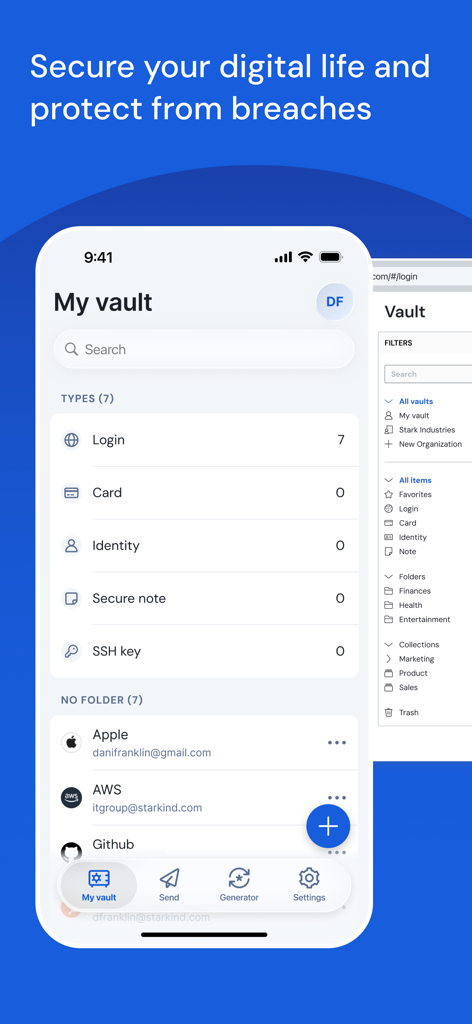
Bitwarden mobile app interface showing the password vault with categories for logins cards and secure notes

Bitwarden mobile app interface showing the password vault with categories for logins cards and secure notes

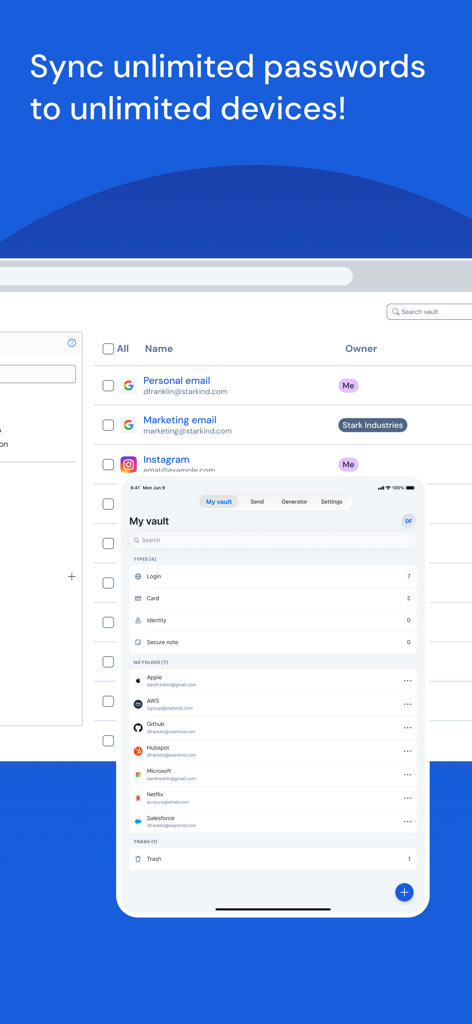
Bitwarden interface demonstrating password synchronization between desktop and mobile devices

Bitwarden interface demonstrating password synchronization between desktop and mobile devices

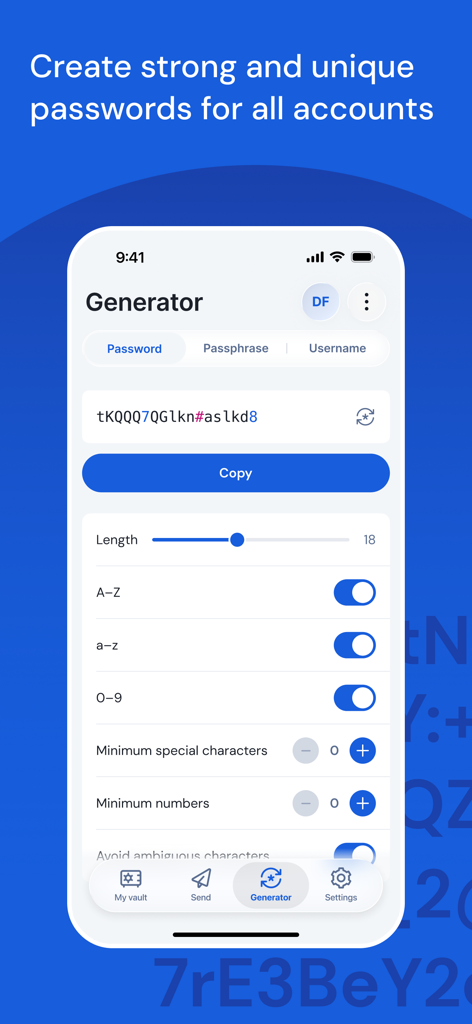
Bitwarden mobile app interface showing the secure password generator and customization settings

Bitwarden mobile app interface showing the secure password generator and customization settings

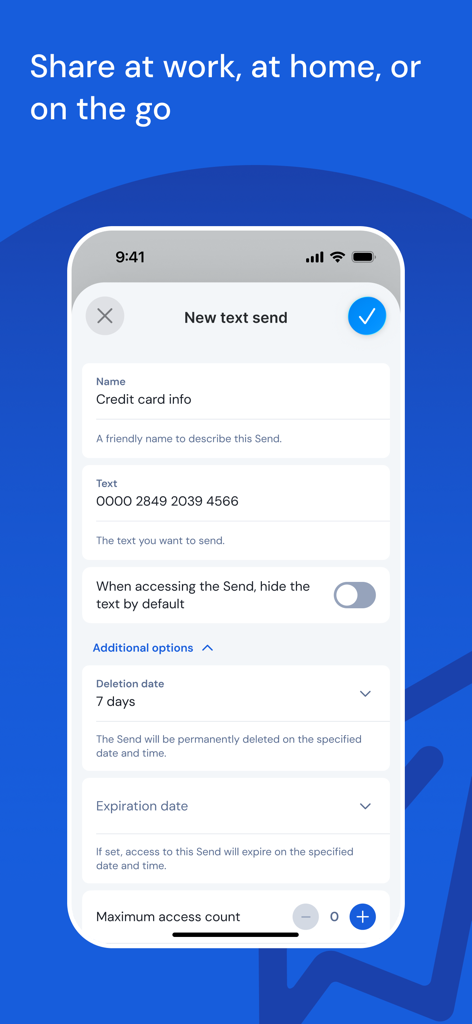
Bitwarden Send mobile interface for sharing secure text and sensitive information

Bitwarden Send mobile interface for sharing secure text and sensitive information

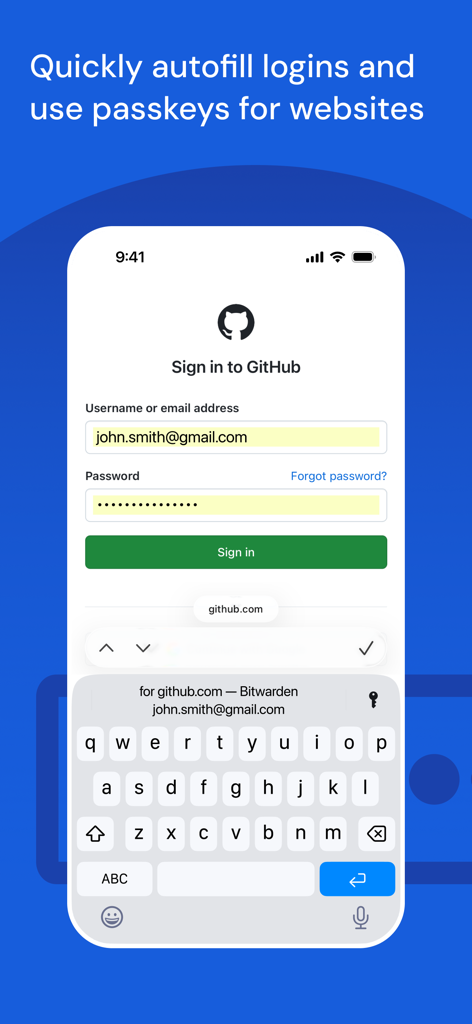
Bitwarden mobile app demonstrating automatic login autofill and passkey usage on a GitHub sign in page.

Bitwarden mobile app demonstrating automatic login autofill and passkey usage on a GitHub sign in page.

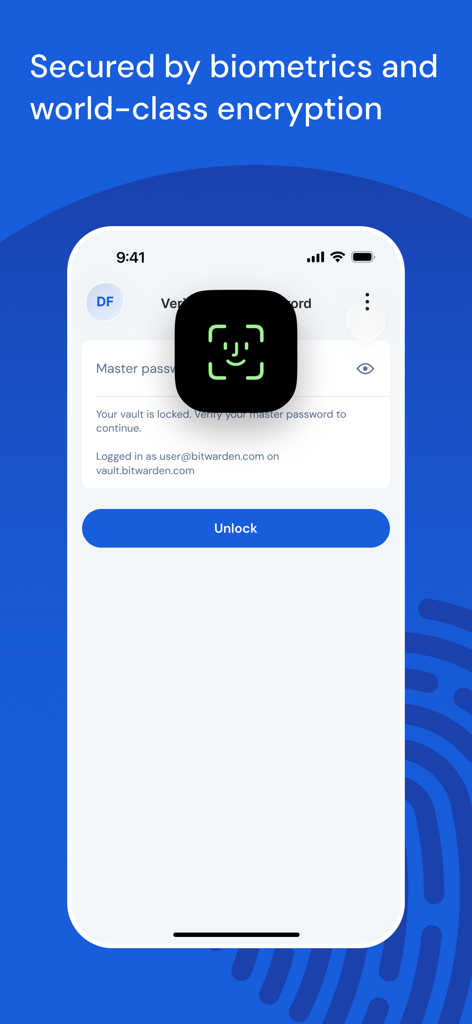
Bitwarden app screen showing biometric Face ID authentication to unlock a secure vault

Bitwarden app screen showing biometric Face ID authentication to unlock a secure vault

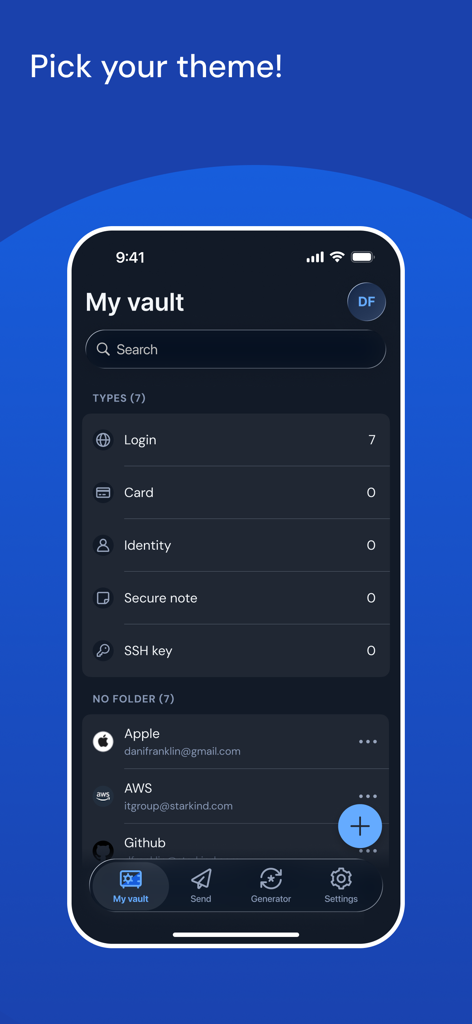
Bitwarden mobile app interface in dark mode showing the user vault with login and security categories

Bitwarden mobile app interface in dark mode showing the user vault with login and security categories

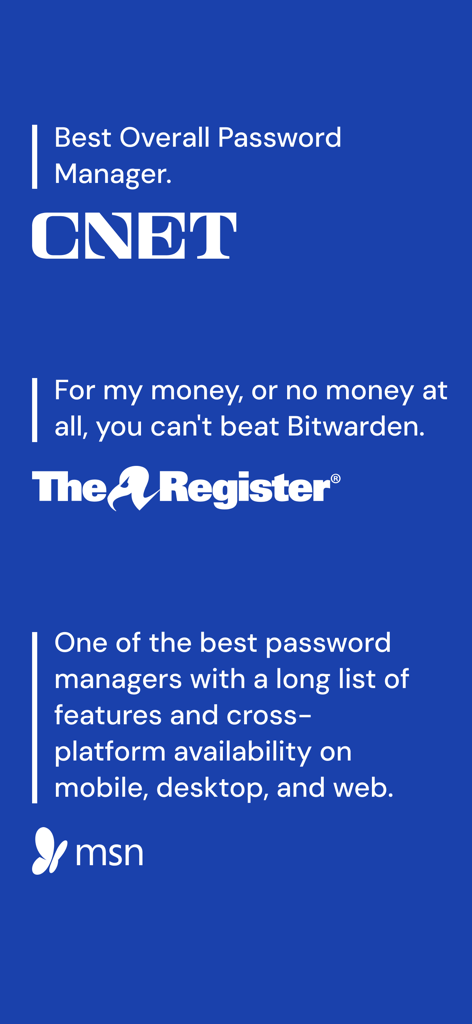
Bitwarden app reviews from CNET, The Register, and MSN on a blue background.

Bitwarden app reviews from CNET, The Register, and MSN on a blue background.

Security Built on Trust and Transparency

The tools that make this app stand out, trusted by 4M+ users.

🛡️

Audited Open-Source Security

Unlike 'black-box' competitors, our code is open to everyone and regularly audited by world-class security firms to ensure your data stays private.

💻

Seamless Cross-Platform Sync

Access your passwords and passkeys on unlimited devices—whether you are on your iPhone, a Windows PC at work, or a Linux workstation at home.

📤

Encrypted Sharing with Send

Securely transmit sensitive documents and login credentials to colleagues or family members using end-to-end encrypted 'Bitwarden Send' links.

Loved by users worldwide

Trusted by 4M+ people who love this app.

"

"As a software engineer, I need a tool that is both transparent and highly secure. Bitwarden being open-source and regularly audited gives me total peace of mind. Plus, the seamless sync between my iPhone and my Linux workstation is a game changer for my daily workflow."

James T., Senior Developer
"

"I was tired of expensive subscriptions and big tech companies selling my data. Bitwarden is a breath of fresh air. It is simple to use, completely free for all my devices, and allows me to share secure notes with my family effortlessly. It is truly the best productivity tool on my phone."

Elena R., Privacy Advocate

About the app

Everything you need to know about Bitwarden Password Manager.

Description

Recognized as best password manager by PCMag, The Verge, CNET, G2, and more! SECURE YOUR DIGITAL LIFE Secure your digital life and protect against data breaches by generating and saving unique, strong passwords for every account. Maintain everything in an end-to-end encrypted password vault that only you can access. ACCESS YOUR DATA, ANYWHERE, ANYTIME, ON ANY DEVICE Easily manage, store, secure, and share unlimited passwords and passkeys across unlimited devices without restrictions. EVERYONE SHOULD HAVE THE TOOLS TO STAY SAFE ONLINE Utilize Bitwarden for free with no ads and or selling data. Bitwarden believes everyone should have the ability to stay safe online. Premium plans offer access to advanced features. EMPOWER YOUR TEAMS WITH BITWARDEN Plans for Teams and Enterprise come with professional business features. Some examples include SSO integration, self-hosting, directory integration and SCIM provisioning, global policies, API access, event logs, and more. Use Bitwarden to secure your workforce and share sensitive information with colleagues. More reasons to choose Bitwarden: World-Class Encryption Passwords are protected with advanced end-to-end encryption (AES-256 bit, salted hashing, and PBKDF2 SHA-256) so your data stays secure and private. 3rd-party Audits Bitwarden regularly conducts comprehensive third-party security audits with notable security firms. These annual audits include source code assessments and penetration testing across Bitwarden IPs, servers, and web applications. Advanced 2FA Secure your login with a third-party authenticator, emailed codes, or FIDO2 WebAuthn credentials such as a hardware security key or passkey. Bitwarden Send Transmit data directly to others while maintaining end-to-end encrypted security and limiting exposure. Built-in Generator Create long, complex, and distinct passwords and unique usernames for every site you visit. Integrate with email alias providers for additional privacy. Global Translations Bitwarden translations exist for more than 60 languages, translated by the global community though Crowdin. Cross-Platform Applications Secure and share sensitive data within your Bitwarden Vault from any browser, mobile device, or desktop OS, and more.

Latest Version

2025.12.1

Size

80.6 MB

First Released

Sep 2, 2016

Secure Your Digital Life on Every Device

Join over 4 million users who trust Bitwarden’s open-source, audited security. Get unlimited passwords and cross-platform syncing for free.

Download on App Store
FAQ

Frequently Asked Questions

Everything you need to know about Bitwarden Password Manager

What is Bitwarden Password Manager?

Bitwarden is a highly-rated, end-to-end encrypted password manager. It secures and manages unique, strong passwords and passkeys across unlimited devices, protecting users from data breaches. It is recognized by PCMag, The Verge, CNET, and G2.

Is Bitwarden Password Manager free to use?

Yes, Bitwarden is available for free with no ads or data selling. Premium plans offer access to advanced features, and business plans are also available for teams and enterprises.

How does Bitwarden Password Manager secure my passwords?

Bitwarden protects passwords with world-class end-to-end encryption, utilizing AES-256 bit, salted hashing, and PBKDF2 SHA-256. It also undergoes regular comprehensive third-party security audits.

Can I use Bitwarden Password Manager on multiple devices?

Yes, Bitwarden allows users to manage, store, secure, and share unlimited passwords and passkeys across unlimited devices without restrictions. It supports cross-platform applications.

Does Bitwarden Password Manager have a password generator?

Yes, Bitwarden includes a built-in generator. It creates long, complex, and distinct passwords and unique usernames for various sites, enhancing online privacy.

What types of items can I store in Bitwarden's vault?

Bitwarden's vault allows storing various item types. These include Logins, Cards, Identities, Secure Notes, and SSH keys, as displayed in the application's vault interface.

Does Bitwarden Password Manager offer two-factor authentication (2FA)?

Yes, Bitwarden provides advanced 2FA options. Users can secure logins with third-party authenticators, emailed codes, or FIDO2 WebAuthn credentials such as hardware security keys or passkeys.

How can Bitwarden Password Manager help businesses?

Bitwarden offers plans for Teams and Enterprise with professional business features. These include SSO integration, self-hosting, directory integration, SCIM provisioning, global policies, API access, and event logs.

Can Bitwarden Password Manager autofill login credentials?

Yes, Bitwarden quickly autofills login credentials and passkeys for websites. This feature streamlines the login process and enhances user convenience across platforms.

What is Bitwarden Send?

Bitwarden Send allows users to transmit data directly to others. It maintains end-to-end encrypted security and limits exposure of sensitive information, offering options for deletion and expiration.