Boger

Boger

Download on App Store
Spark by MWM logo
Logo of Boger

Boger: Advanced Repertorization for Professional Homeopaths

Unify CM Boger's three core repertories into one powerful clinical tool. Master the Boenninghausen method with precision evaluation grids, polar rubrics, and seamless iCloud synchronization across your iPhone, iPad, and Mac.

Download on App Store

Publisher

Michel Ramillon

Category

Medical

Downloads

1K+

User Rating

1.0/5

Total Ratings

0

Locales

3

Precision in Practice

Discover the interface used by 1K+ users.
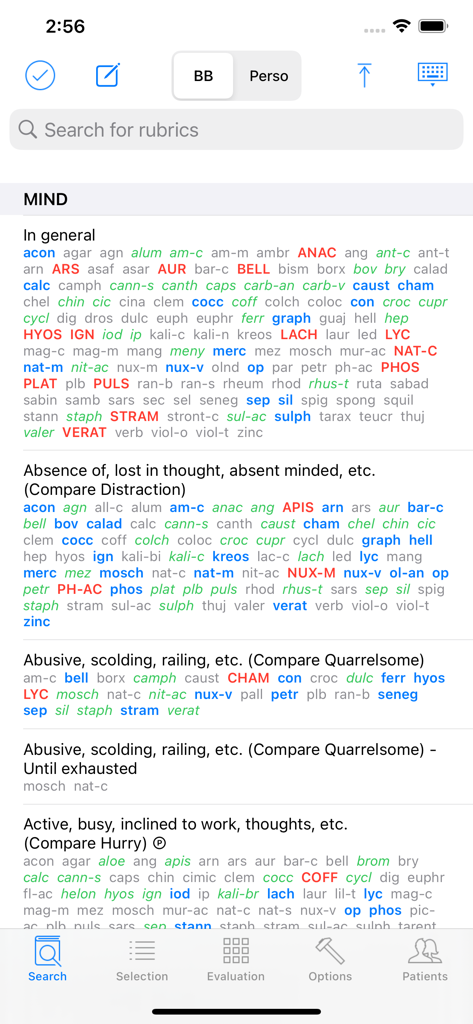
Screenshot of the Boger app search page displaying homeopathic rubrics and remedies

Screenshot of the Boger app search page displaying homeopathic rubrics and remedies

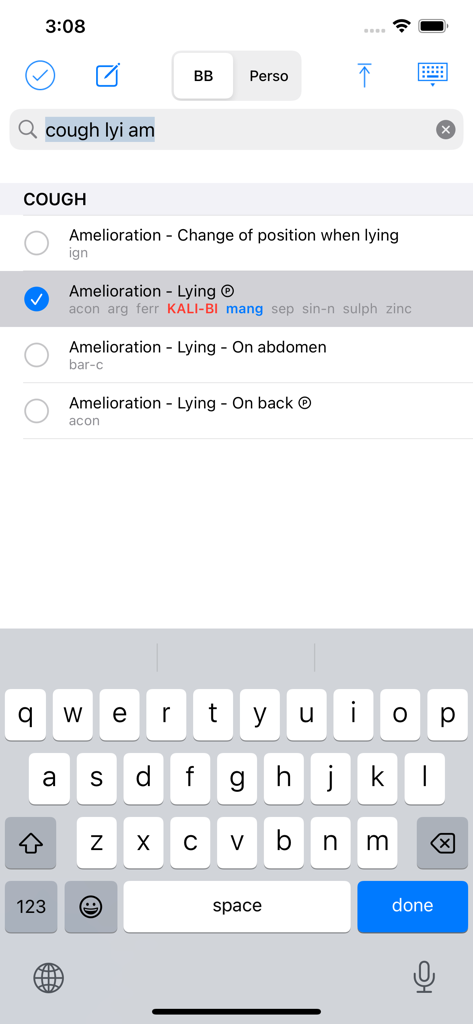
Search interface of the Boger app showing homeopathic rubrics for cough symptoms with a selected amelioration option.

Search interface of the Boger app showing homeopathic rubrics for cough symptoms with a selected amelioration option.

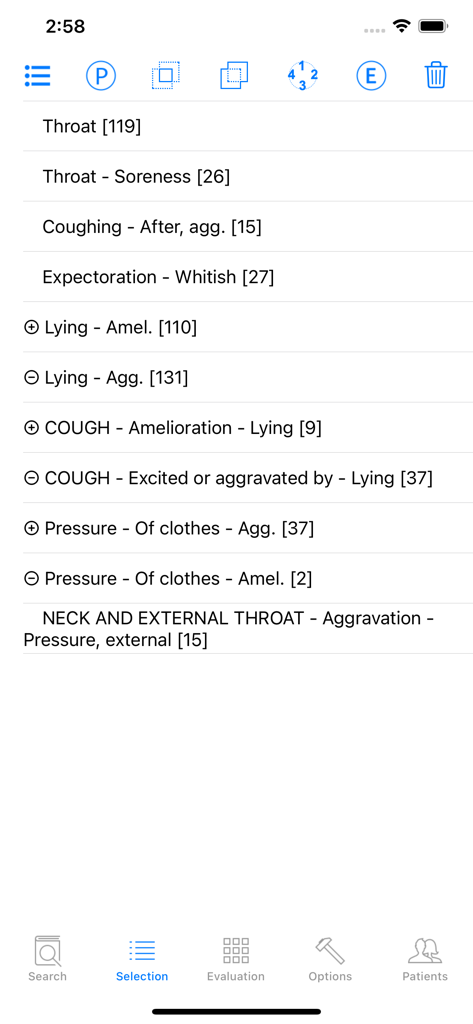
Interface of the Boger app showing the selection page with a list of homeopathic rubrics

Interface of the Boger app showing the selection page with a list of homeopathic rubrics

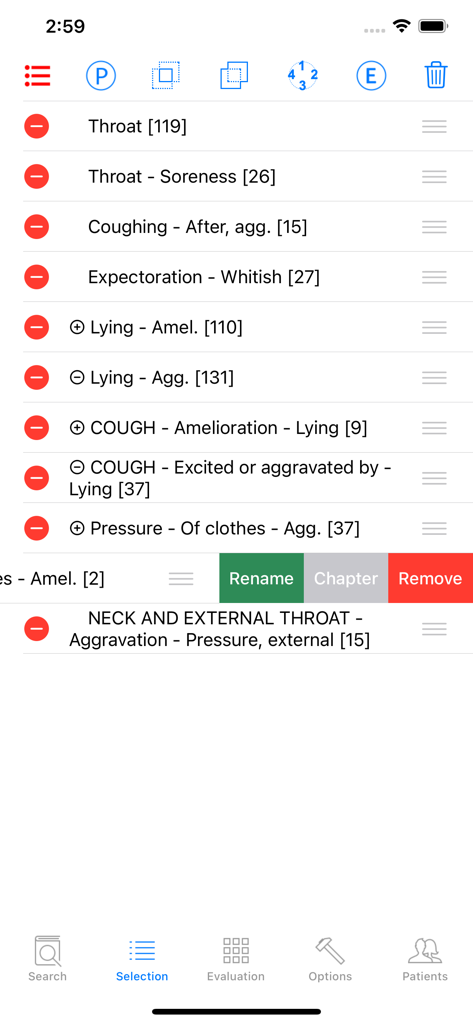
Selection page of the Boger app showing a list of homeopathic rubrics and symptom management tools

Selection page of the Boger app showing a list of homeopathic rubrics and symptom management tools

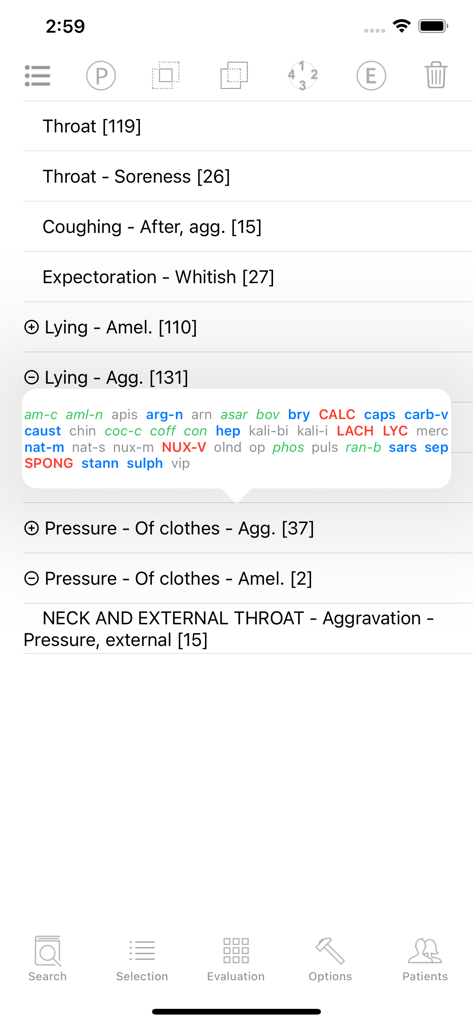
The selection screen of the Boger app displaying symptom rubrics and a detailed remedy list popup.

The selection screen of the Boger app displaying symptom rubrics and a detailed remedy list popup.

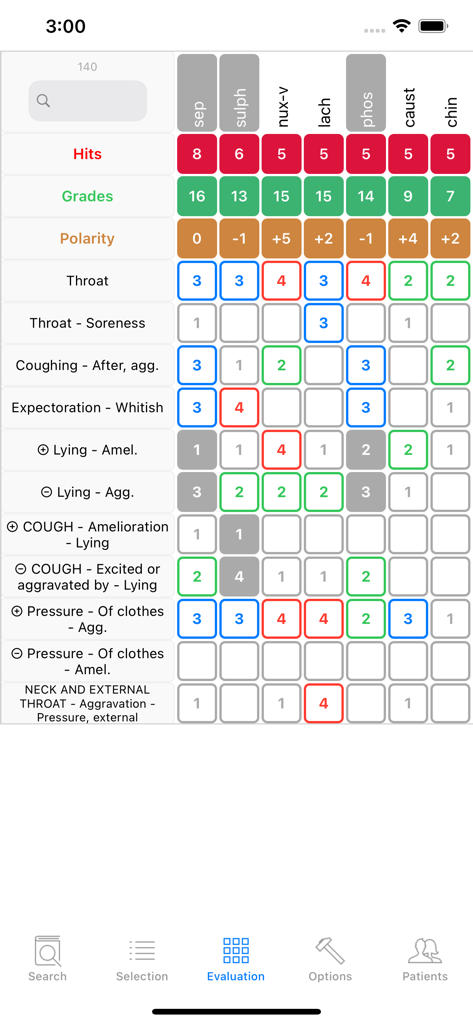
An evaluation grid in the Boger app comparing homeopathic remedies based on clinical symptoms and rubrics

An evaluation grid in the Boger app comparing homeopathic remedies based on clinical symptoms and rubrics

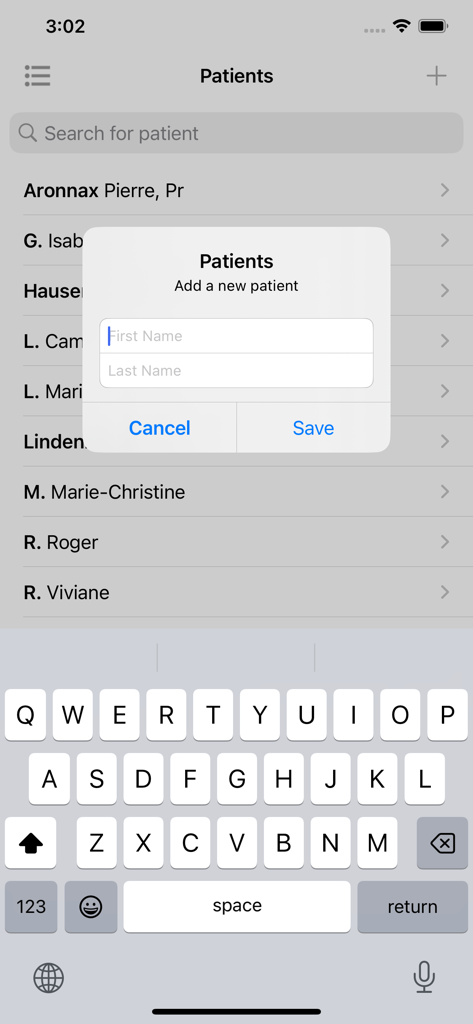
The Boger app patient management screen featuring a pop-up form to add a new patient's first and last name.

The Boger app patient management screen featuring a pop-up form to add a new patient's first and last name.

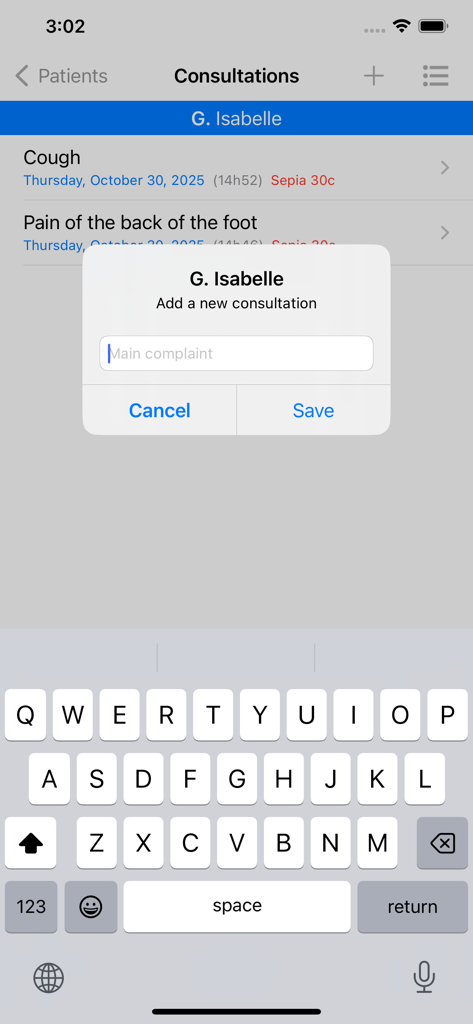
A screenshot of the Boger homeopathy app showing the interface to add a new patient consultation.

A screenshot of the Boger homeopathy app showing the interface to add a new patient consultation.

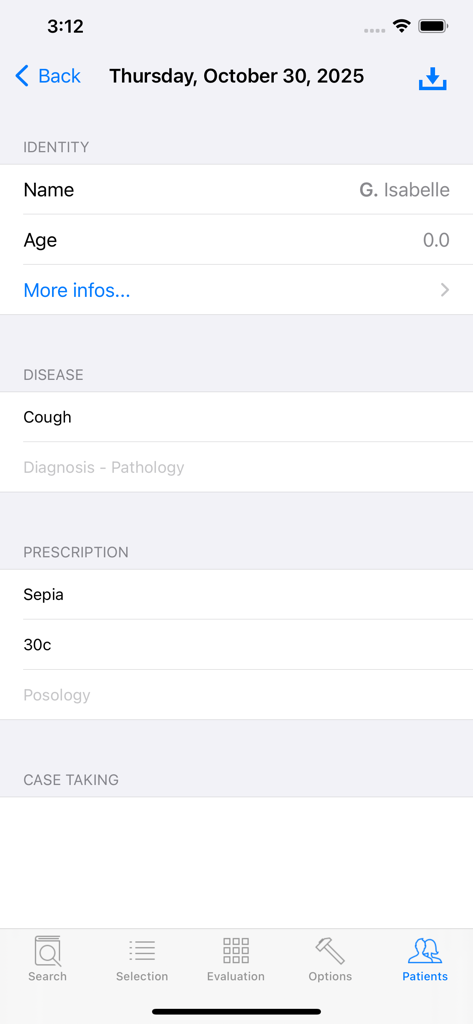
A patient record screen in the Boger homeopathic app showing clinical data and prescriptions

A patient record screen in the Boger homeopathic app showing clinical data and prescriptions

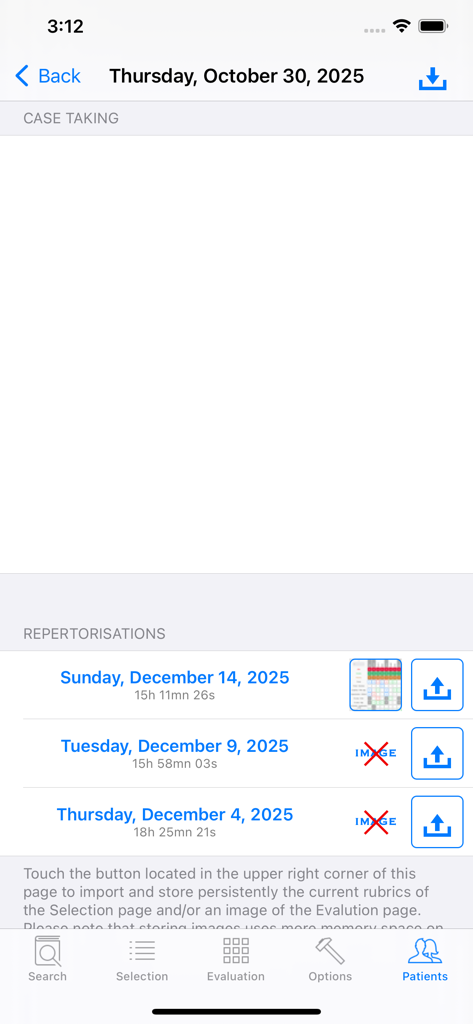
Patient case taking and repertorization history records in the Boger homeopathy app

Patient case taking and repertorization history records in the Boger homeopathy app

Precision Repertorization for the Modern Practitioner

The tools that make this app stand out, trusted by 1K+ users.

🔍

Unified Boger Methodology

Access the General Analysis, Synoptic Key, and Boger-Boenninghausen repertories in one interface, featuring a standardized 4-level grading system for precise remedy selection.

📊

Advanced Evaluation Grid

Visualize remedy rankings instantly and leverage polar rubrics to navigate complex cases with automated clinical logic and contraindication management.

📁

Secure Practice Management

Maintain comprehensive patient databases and consultation histories with seamless iCloud synchronization across your iPhone, iPad, and Mac for a mobile clinic workflow.

Loved by users worldwide

Trusted by 1K+ people who love this app.

"

"The Boger app has become an indispensable tool in my clinic. Having the General Analysis and Synoptic Key fully integrated with a 4-level grading system saves me hours of manual cross-referencing. The ability to visualize polar rubrics in the evaluation grid provides the clinical precision I need for complex cases. It is professional-grade software that fits right on my iPad."

Dr. Elena Vance, ND
"

"What sets this app apart is the flexibility of the 'Perso' mode and the powerful search logic. I can combine rubrics with 'AND/OR' operators just as I would in high-end desktop suites. The iCloud synchronization across my iPhone and Mac Silicon is seamless, allowing me to manage my patient database and consultation records anywhere. It is a must-have for any serious classical homeopath."

Sarah Miller, CCH

About the app

Everything you need to know about Boger.

Description

The App offers users the capacity to repertorise symptoms using jointly CM Boger's 3 repertories: General Analysis (GA), Synoptic Key (SK) and Boger-Boenninghausen (BB). The general part of Times of remedies was appended to Boger-Boenninghausen. These repertories are in English only. Polar rubrics are available to help search for the best indicated remedy. The grades of the remedies are standardised throughout GA, SK and BB so that users can select rubrics from any of these repertories for repertorisation. The Boenninghausen's grading system with 4 levels is used. The Kent-type 3 levels grading system originally found in GA and SK has been converted to this 4 levels system. There are 5 main pages: 1) Search page: • Enter a combination of (bits of) words to reach the searched rubrics. Select them with a Touch. A minimum of 2 successive characters is required to give a correct search. The space character stands for the logical AND operator whereas the coma stands for the OR operator. OR takes priority over AND. Here is a complex example of search: foreh,occip heav,load,weight. • Enter Edit mode to modify a rubric's name and its remedies list in the currently selected repertory. This repertory is indicated with the abbreviation GA, SK or BB in the upper title bar. • Enter Perso where you can create your own repertories, add your own chapters and rubrics with their remedies lists. In Perso you have the possibility of setting your own polar rubrics. You can also easily copy a rubric with all its remedies from any repertory and paste it in Perso. The Perso data are saved in iCloud and are so available on your iPhone, iPad and Mac silicon. 2) Selection page • Manage the rubrics previously selected in the Search page: eliminating rubric, combination of rubrics (union or intersection of remedies sets), modify polar status, show chapter (in case the rubric name alone is not explicit), rename rubric, reorder the list of rubrics, delete rubric. 3) Evaluation page • Display the Evaluation grid with contraindications. Touching the Polarity header shows its maximal value in the grid. Touching a remedy header shows the complete name of the remedies and its place in the grid. 4) Options page: • Lists of remedies: you can append or withdraw remedies. There are 4 built-in lists of remedies corresponding to the remedies found in the 3 Boger's repertories plus an extended list which contains the remedies found in all these repertories. It is possible to restore a list of remedies to its original state. • Browse the currently selected repertory. • Restore a repertory to its original state. • Modify the font sizes and other parameters of the Search, Selection and Evaluation pages. • Manage the Contraindications facility • Manage the priorities sequence used in the Evaluation page. • Hide the cross-references to see clearer the rubrics names. It is especially important in the Evaluation grid where the room of the first column containing the rubric's name is limited. • Activate Visible Touch. This feature is useful when showing the use of the App to others. • Contact us and rate the App. 5) Patients database. • It is possible to register the patient's personnel and clinical data, to create consultations and record the list of rubrics of the current Selection page. A recorded list of rubrics can later be sent back to the Selection page for possible further modifications before being displayed in the Evaluation grid. These data are synchronised via iCloud so that you can find them on your iPhone, iPad and Mac silicon. Using the Boger App for self-medication cannot be an alternative to the diagnosis and treatment provided by a registered Heath Care Professional. The developer of Boger disclaims all responsibility for all consequences of any person using Boger as a medical tool.

Latest Version

1.1

Size

12.4 MB

First Released

Nov 5, 2023

Bring Precision to Every Prescription

Join elite practitioners who have modernized their workflow. Download Boger today to access the definitive repertorization tool and patient database on your iPhone, iPad, and Mac.

Download on App Store