Bravia Controller - Sony TV

Bravia Controller - Sony TV

Download on App Store
Spark by MWM logo
Logo of Bravia Controller - Sony TV
Bravia Controller - Sony TV: The Smartest Remote for Your iPhone and Watch

Say goodbye to lost remotes and dead batteries. Experience seamless control, effortless typing, and instant app launching for your Sony BRAVIA—all from the device already in your hand.

Publisher

YONGXING JIN

Category

Utilities

Downloads

306K+

User Rating

4.6/5

Total Ratings

13K+

Locales

9

Control at Your Fingertips

Discover the interface used by 306K+ users.
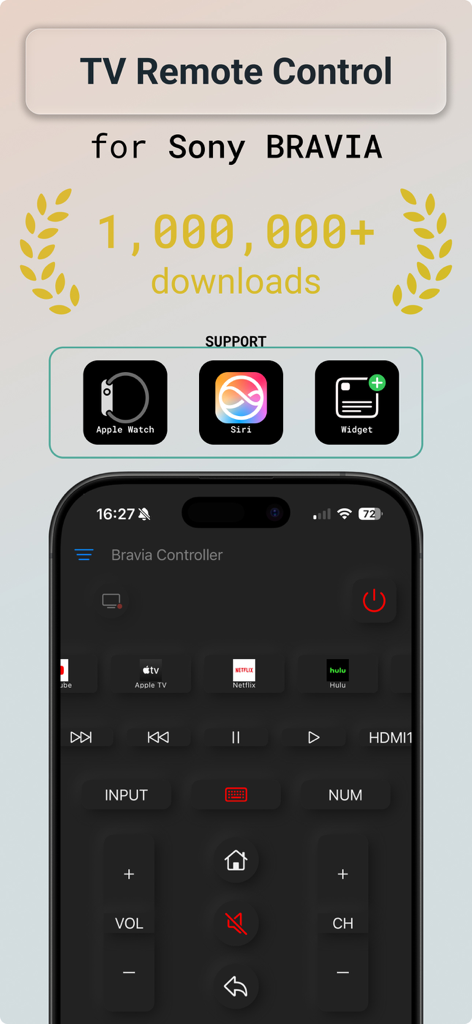
Sony Bravia TV remote control app with Apple Watch and Siri support

Sony Bravia TV remote control app with Apple Watch and Siri support

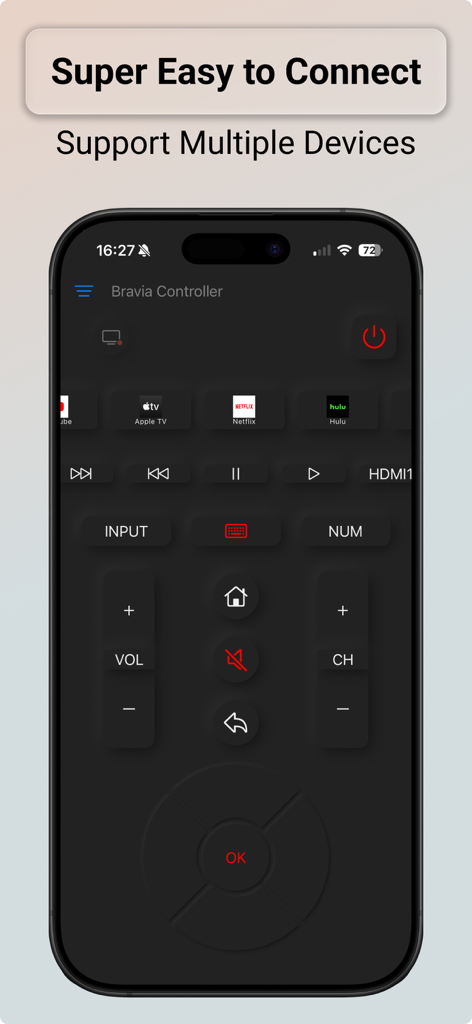
Bravia Controller app interface on iPhone showing remote control layout and easy connection features

Bravia Controller app interface on iPhone showing remote control layout and easy connection features

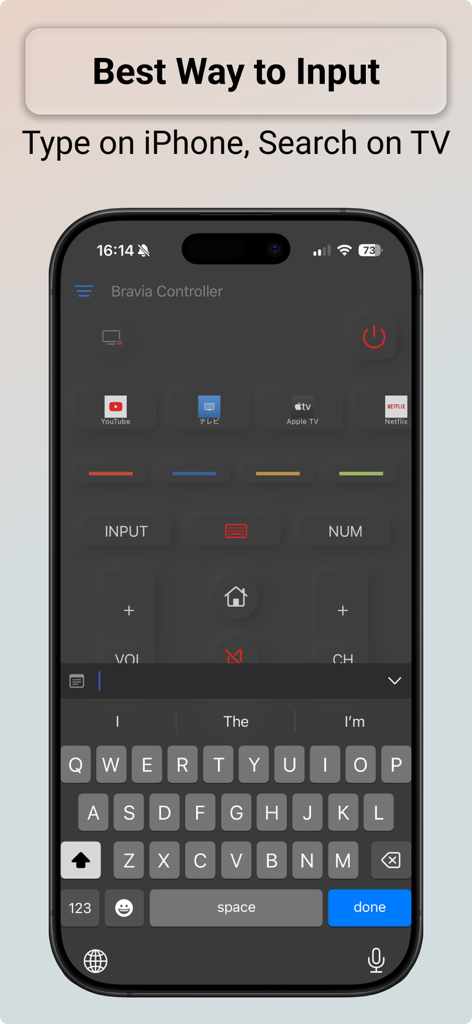
Bravia Controller app showing the iPhone keyboard interface for typing and searching on a Sony TV

Bravia Controller app showing the iPhone keyboard interface for typing and searching on a Sony TV

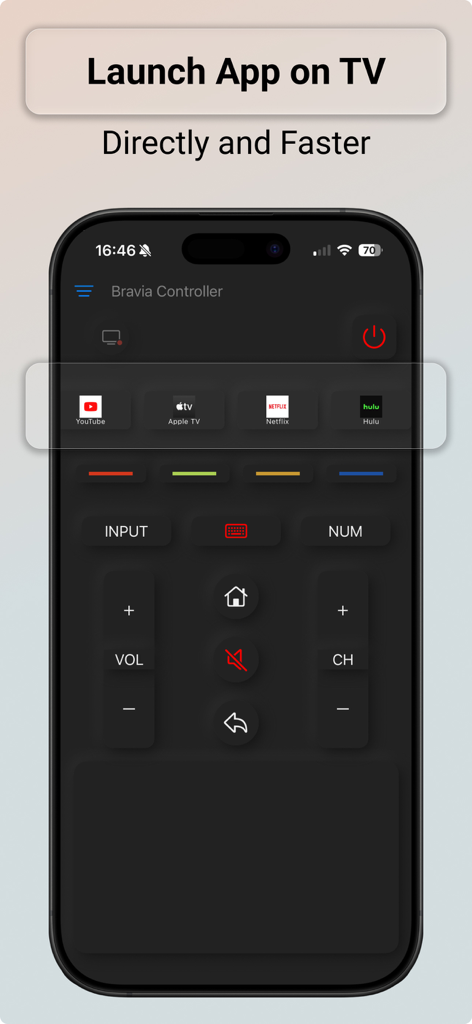
Smartphone remote app interface showing shortcut buttons to quickly launch YouTube Netflix and Hulu on a Sony TV

Smartphone remote app interface showing shortcut buttons to quickly launch YouTube Netflix and Hulu on a Sony TV

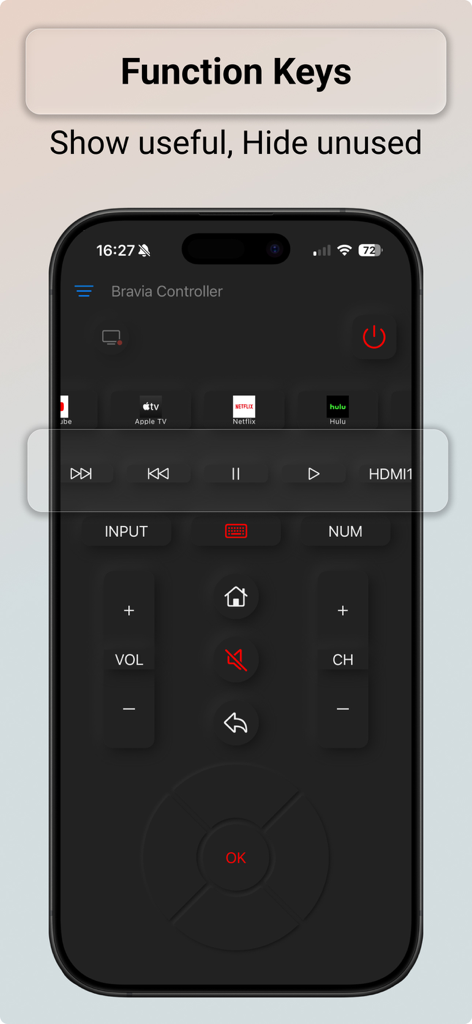
Screenshot of the Bravia Controller app showing various TV remote function keys on an iPhone

Screenshot of the Bravia Controller app showing various TV remote function keys on an iPhone

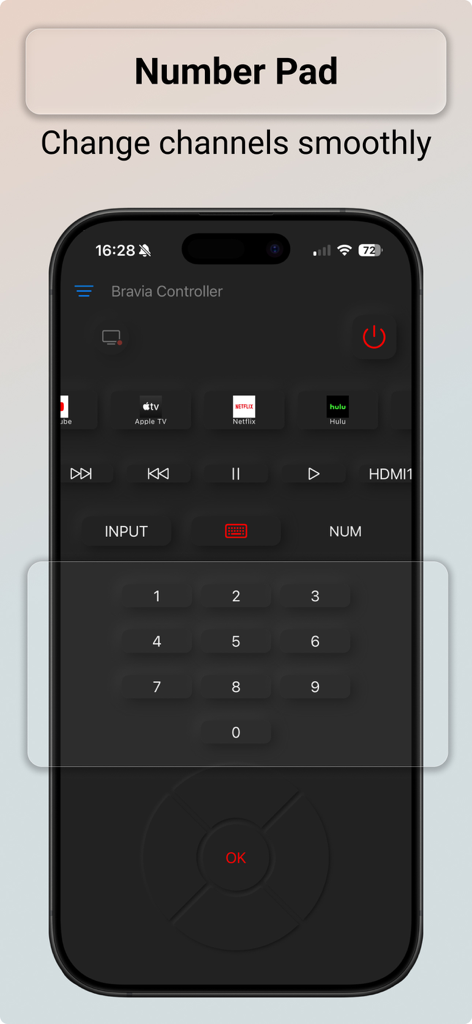
Digital number pad on the Bravia Controller app for changing TV channels

Digital number pad on the Bravia Controller app for changing TV channels

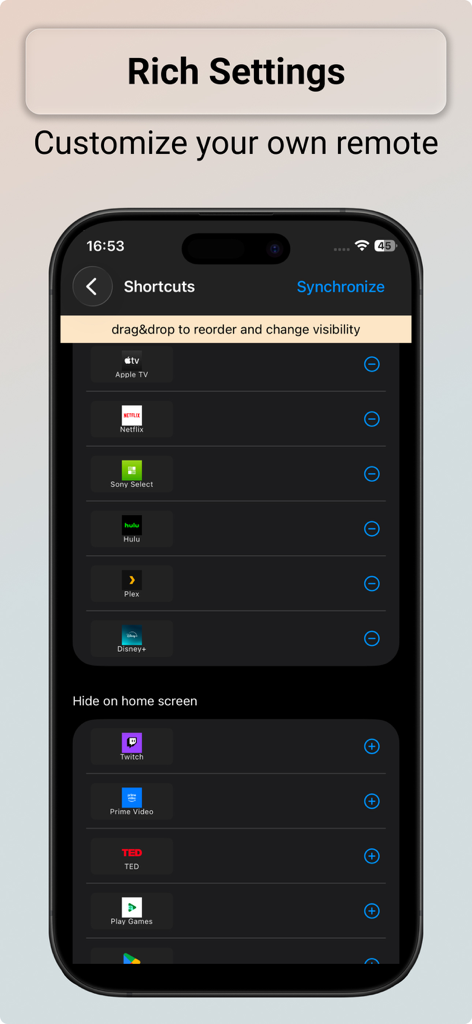
Interface showing how to customize and reorder app shortcuts in the Bravia Controller app

Interface showing how to customize and reorder app shortcuts in the Bravia Controller app

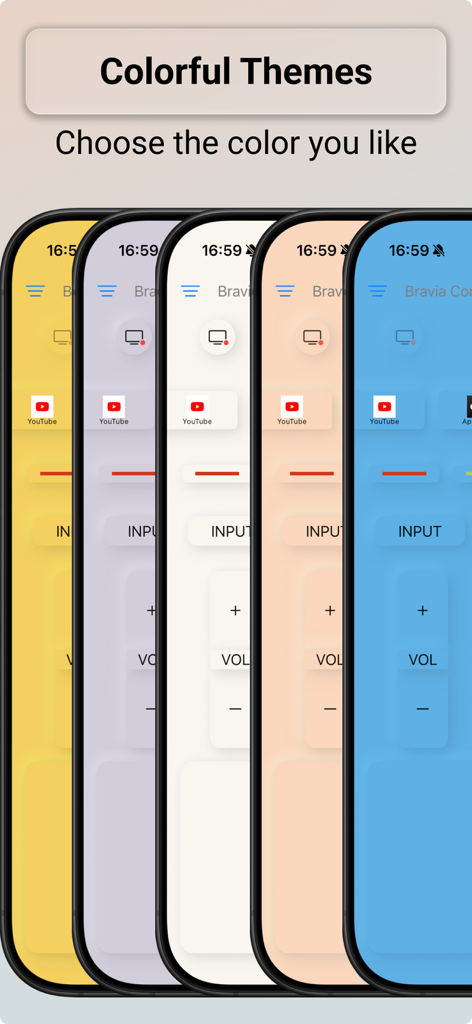
Bravia Controller app displaying multiple colorful interface themes for Sony TV remote control

Bravia Controller app displaying multiple colorful interface themes for Sony TV remote control

Smart Control for Your Sony TV

The tools that make this app stand out, trusted by 306K+ users.

⌨️

Effortless Keyboard Input

Stop struggling with slow on-screen typing. Use your iPhone keyboard to instantly search for movies, enter passwords, and browse the web on your TV.

🚀

Instant App Shortcuts

Launch Netflix, YouTube, or Hulu in a single tap. Our dedicated shortcut buttons let you jump straight into your favorite streaming content without scrolling through menus.

Wrist-Based Control

Never reach for a remote again. Control volume, change channels, or mute your TV directly from your Apple Watch, even if your phone is in another room.

Loved by users worldwide

Trusted by 306K+ people who love this app.

"

"Typing on the standard TV remote was my biggest frustration when searching for movies. The keyboard feature on this app is a total game-changer! Now I can just type titles on my iPhone and it syncs instantly. It has made my weekend streaming so much smoother."

Sarah M.
"

"With a busy household, our physical remote is always missing or dead. This app was a lifesaver. It detected my Sony TV automatically on the Wi-Fi, and the Apple Watch support is incredible for quick volume adjustments. It is reliable, fast, and exactly what I needed."

David L.

About the app

Everything you need to know about Bravia Controller - Sony TV.

Description

Tired of searching everywhere for your TV remote? Now, your iPhone is the only remote you need. Bravia Controller is an app that allows you to control your Sony BRAVIA TV via a local Wi-Fi network. Its main features include: 1. Normal function keys The app provides various controls for your BRAVIA TV, just like a remote control. Including: - Power ON/OFF - Volume Change - Channel Turn - Arrow Key Pannel - Home Key - Return Key - Mute Key - Option Key and more. 2. Keyboard Bravia Controller makes typing on your TV easier with a built-in keyboard that lets you easily sync your words to the TV It also includes a 10-key numeric keyboard for convenient channel switching. - Keyboard - 10 Keys Numberic Keyboard 3. Launch TV apps The app provides shortcut buttons to quickly launch TV apps. - Shortcut Keys 4. Auto scan local network Bravia Controller can automatically scan your local network to detect your BRAVIA TV and provide a simple way to connect. You can also manually input your BRAVIA TV's IP address. - Automatically Scan - Quickly Connect 5. Why Choose BRAVIA Controller? 1. Simple & Convenient: No more lost or dead-battery remotes. 2. 100% Wireless: Control from anywhere in your WiFi range—no IR blaster needed. 3. Intuitive Design: Clean, easy-to-use interface for all ages. 6. Notice Bravia Controller is not made or supported by SONY. If you have any questions or concerns, you can contact us via email at dev.nwr.studio@gmail.com. For more information about pricing and keys, please visit https://nwr-studio.com/bravia-controller/price.html.

Latest Version

4.5.1

Size

29.3 MB

First Released

Mar 10, 2021

Stop Searching for Your Remote, Start Watching

Join 300,000+ Sony BRAVIA owners who have upgraded to the ultimate wireless control experience. Download now to enjoy effortless typing, instant app launching, and seamless control from your iPhone or Apple Watch.

Download on App Store
FAQ

Frequently Asked Questions

Everything you need to know about Bravia Controller - Sony TV

What is Bravia Controller - Sony TV?

Bravia Controller - Sony TV is an iPhone app that transforms your device into a remote control for your Sony BRAVIA TV. It connects via your local Wi-Fi network.

How does Bravia Controller connect to my Sony BRAVIA TV?

The Bravia Controller app connects to your Sony BRAVIA TV via a local Wi-Fi network. It automatically scans your network or accepts manual IP address input for connection.

Can I type on my TV using the Bravia Controller app?

Yes, Bravia Controller includes a built-in keyboard for typing on your TV. It also features a 10-key numeric keyboard for convenient channel switching.

Does Bravia Controller launch TV apps directly?

Yes, Bravia Controller provides shortcut buttons to quickly launch TV apps. Users can customize and reorder these app shortcuts within the application's settings.

Is Bravia Controller an official Sony product?

No, Bravia Controller is not made or officially supported by SONY. It is an independently developed application.

What remote control functions does Bravia Controller offer?

Bravia Controller offers standard remote functions: Power ON/OFF, Volume, Channel, Arrow Key Panel, Home, Return, Mute, and Option keys. It functions just like a traditional remote control.

Is Bravia Controller compatible with Apple Watch or Siri?

Yes, Bravia Controller - Sony TV supports integration with Apple Watch, Siri, and home screen widgets for enhanced usability.

Where can I find pricing details for Bravia Controller?

Pricing and key information for Bravia Controller is available on the official website: https://nwr-studio.com/bravia-controller/price.html.

Can I change the theme or appearance of the Bravia Controller app?

Yes, the Bravia Controller app allows users to select from various colorful themes to personalize the interface.

Does Bravia Controller support controlling multiple Sony BRAVIA TVs?

Yes, the Bravia Controller app supports connecting to and controlling multiple Sony BRAVIA televisions.