CPU-x Dasher z Battery life

CPU-x Dasher z Battery life

Download on App Store
Spark by MWM logo
Logo of CPU-x Dasher z Battery life

CPU-x Dasher z Battery life: The Ultimate Hardware & Performance Command Center

Unlock deep system insights with real-time CPU tracking, network monitoring, and battery health analytics. The essential dashboard for power users who demand total transparency under the hood of their iPhone.

Download on App Store

Publisher

永刚 陈

Category

Productivity

Downloads

7M+

User Rating

4.7/5

Total Ratings

205K+

Locales

20

Under the Hood

Discover the interface used by 7M+ users.
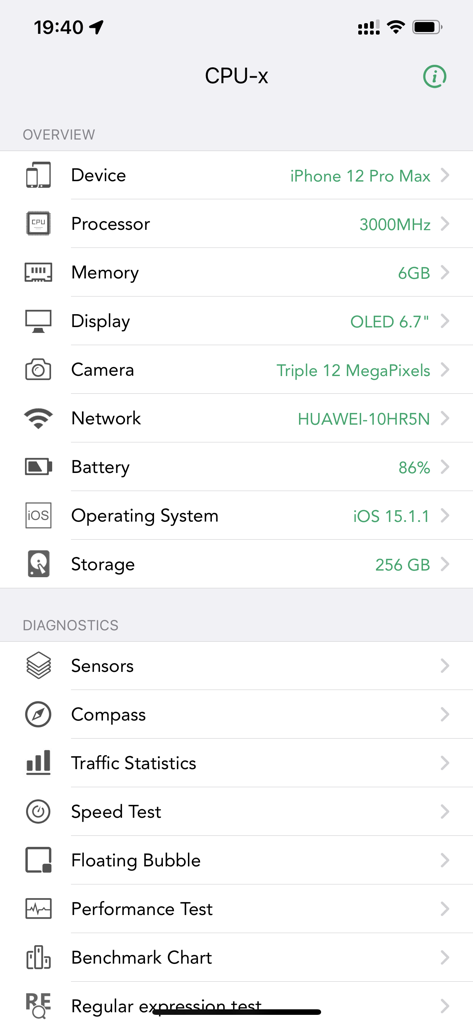
CPU-x app dashboard displaying iPhone 12 Pro Max hardware specifications and diagnostic tools

CPU-x app dashboard displaying iPhone 12 Pro Max hardware specifications and diagnostic tools

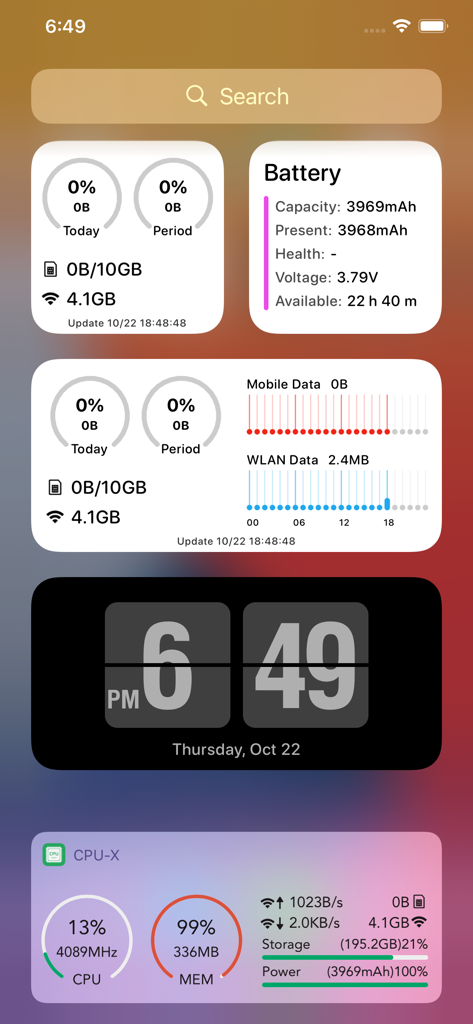
Iphone home screen featuring CPU-x widgets for battery network and hardware monitoring

Iphone home screen featuring CPU-x widgets for battery network and hardware monitoring

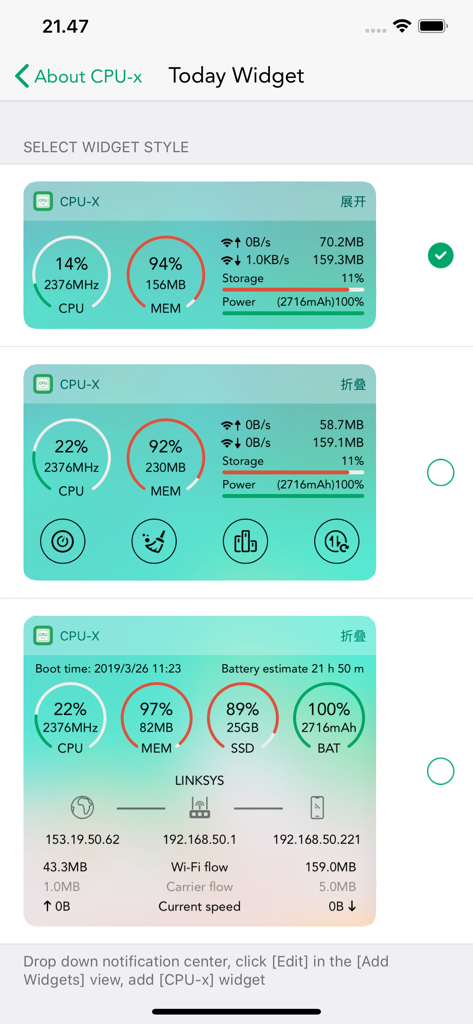
CPU-x app selection screen for iOS Today Widgets displaying real-time system and hardware performance data

CPU-x app selection screen for iOS Today Widgets displaying real-time system and hardware performance data

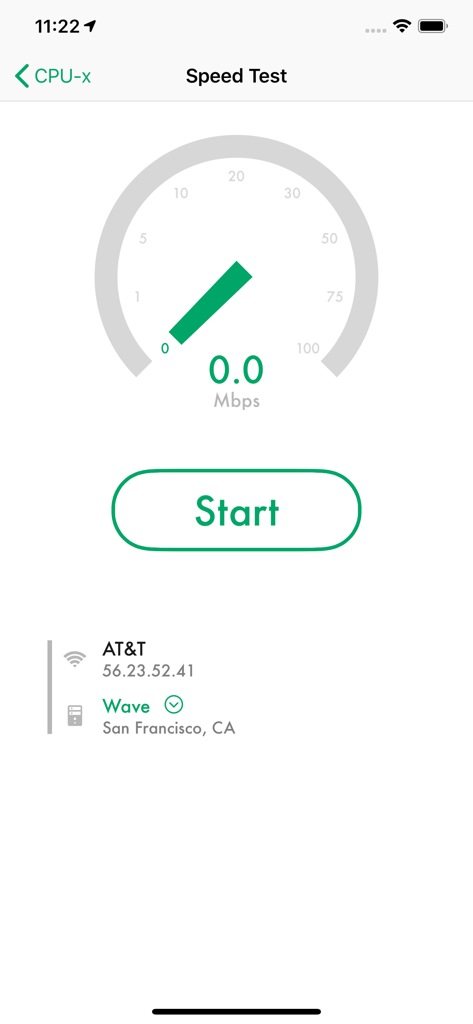
Network speed test interface in CPU-x showing a speedometer gauge and AT&T carrier information

Network speed test interface in CPU-x showing a speedometer gauge and AT&T carrier information

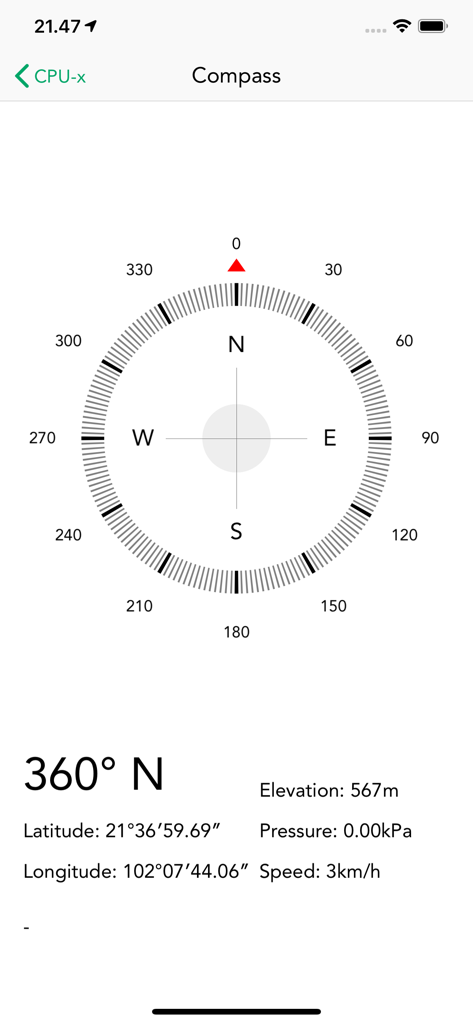
CPU-x app compass showing latitude longitude and elevation details

CPU-x app compass showing latitude longitude and elevation details

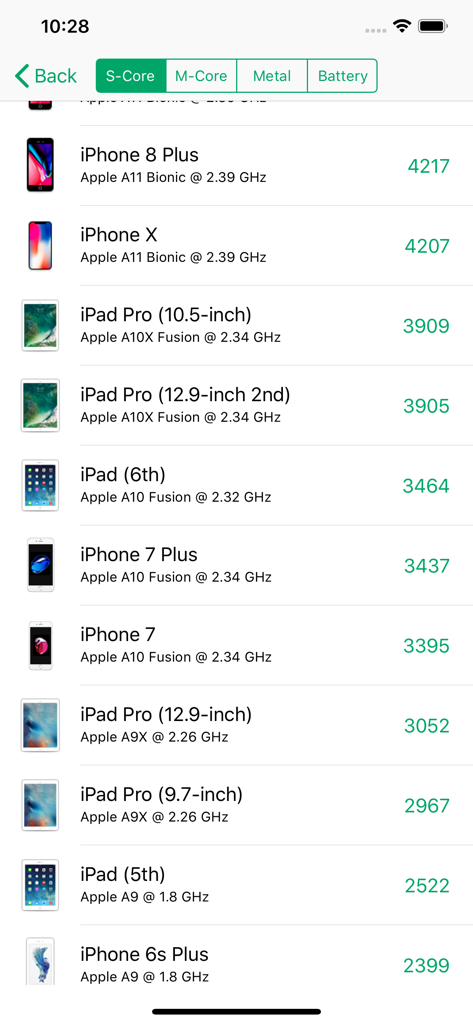
A comparison list of CPU benchmark scores for various iPhone and iPad models in the CPU-x app

A comparison list of CPU benchmark scores for various iPhone and iPad models in the CPU-x app

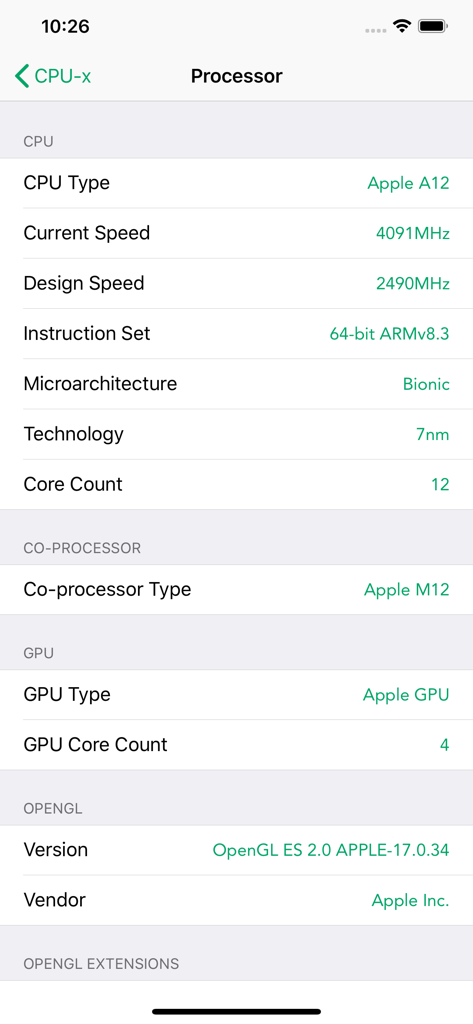
Technical processor details shown in CPU-x app including CPU speed and core count

Technical processor details shown in CPU-x app including CPU speed and core count

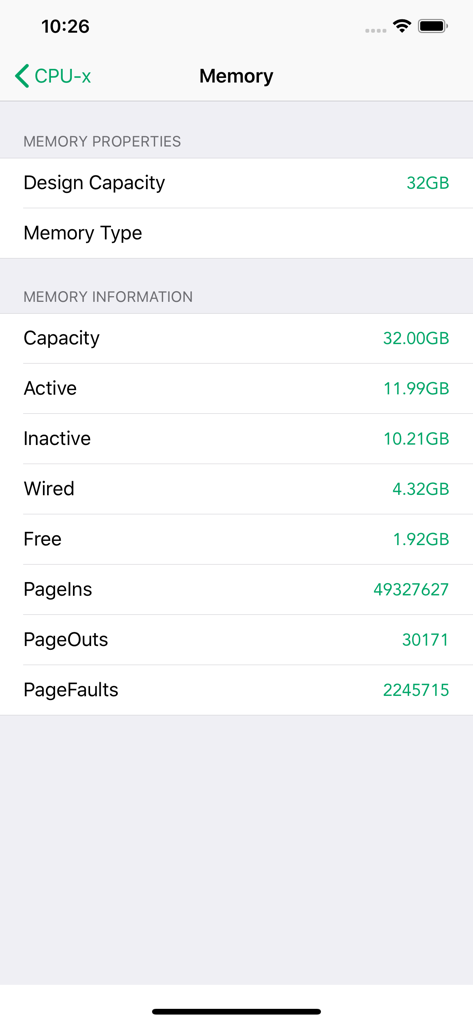
Detailed view of memory properties and information within the CPU-x app

Detailed view of memory properties and information within the CPU-x app

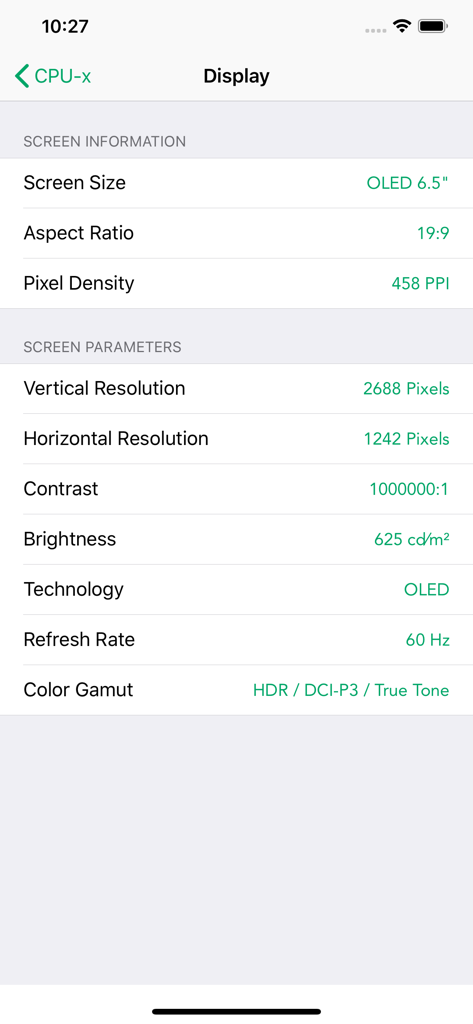
Technical specifications of a mobile phone screen including resolution and pixel density displayed in the CPU-x app.

Technical specifications of a mobile phone screen including resolution and pixel density displayed in the CPU-x app.

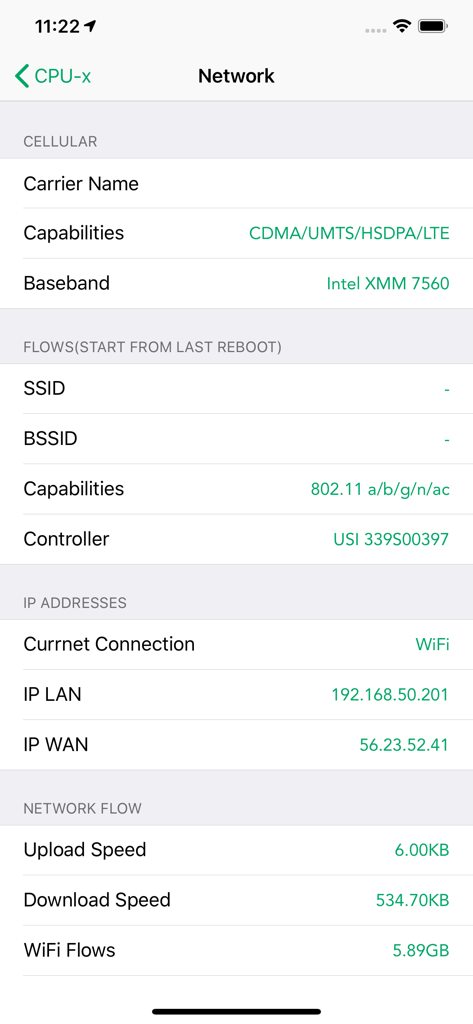
Network information dashboard in CPU-x showing cellular capabilities, IP addresses, and real-time data flow.

Network information dashboard in CPU-x showing cellular capabilities, IP addresses, and real-time data flow.

Total Control Over Your Hardware

The tools that make this app stand out, trusted by 7M+ users.

🚀

Real-Time CPU Tracking

Monitor live CPU frequency and system load with a high-precision algorithm designed to minimize resource drain.

🛠️

Comprehensive System Specs

Access detailed reports on RAM, camera hardware, and screen tech that Apple usually keeps under the hood.

📉

Network & Traffic Insights

Track data usage and carrier speeds in real-time to optimize your connectivity and manage your data plan effectively.

Loved by users worldwide

Trusted by 7M+ people who love this app.

"

"As someone who just upgraded to the iPhone 16 Pro, I needed a way to actually see what's happening under the hood. This app is the perfect dashboard; the real-time CPU frequency and network speed monitoring are incredibly accurate. It's the first thing I install on every new device to ensure everything is running at peak performance."

Alex Rivera
"

"I buy and sell a lot of used tech, and CPU-x is my go-to diagnostic tool. It gives me all the hidden specs Apple usually hides, like exact RAM and battery health data, which is essential for verifying a device's value. The widgets are also a great touch for keeping an eye on storage usage throughout the day."

Jordan Chen

About the app

Everything you need to know about CPU-x Dasher z Battery life.

Description

CPU-x is a tool that can query phone hardware and system information Not the best, only better, not the most convenient, only more convenient Special feature: - Accurate CPU real-time frequency calculation, the algorithm occupies few system resources - View system hardware information, operating system information - View network and carrier support - Real-time network speed and traffic, WiFi hotspot information - See phone screen details - View camera details - Check memory and storage usage information - More features to be discovered by you The user experience is good, the interaction is simple and the functions are rich. If you want to know more about your phone, download me! If you want to know more about the details of various mobile phones, download me now! It should be noted that if you select the health widget, they will need to read the steps, distance and calories data from your "health" APP in order to display the data of the day and the current month on the widget. Finally, support iPhone16 series and iPad Air 5 model

Latest Version

1.8.2

Size

19.1 MB

First Released

Mar 18, 2018

Unlock Your iPhone's Full Technical Profile

Join over 7 million power users monitoring real-time CPU performance, battery health, and hardware specs. Download the ultimate command center for your device today.

Download on App Store
FAQ

Frequently Asked Questions

Everything you need to know about CPU-x Dasher z Battery life

What information does the CPU-x Dasher z Battery life app provide about my device?

CPU-x provides detailed information on device hardware, operating system, network, battery, display, camera, memory, and storage usage. It also features real-time CPU frequency calculation.

Does CPU-x Dasher z Battery life offer real-time CPU frequency monitoring?

Yes, CPU-x Dasher z Battery life includes accurate real-time CPU frequency calculation. This feature uses an algorithm that occupies few system resources, ensuring efficient operation.

Can CPU-x Dasher z Battery life measure network speed?

Yes, CPU-x Dasher z Battery life includes a speed test feature to measure network performance. It also displays real-time network speed and traffic, along with WiFi hotspot information.

Does CPU-x Dasher z Battery life provide home screen widgets?

Yes, CPU-x Dasher z Battery life supports multiple widget styles. These widgets display real-time data like CPU, memory, storage, power, and network flow directly on your home screen.

Does CPU-x Dasher z Battery life require access to the Health app?

Yes, if you enable the health widget, CPU-x needs to read steps, distance, and calories data from your "health" APP. This is required to display daily and monthly data.

What specific devices does CPU-x Dasher z Battery life support?

CPU-x Dasher z Battery life supports the iPhone16 series and the iPad Air 5 model. It provides detailed device information and diagnostics for these specific models.

Can CPU-x Dasher z Battery life display battery health information?

Yes, CPU-x displays comprehensive battery information. This includes capacity, present charge, health status, voltage, and estimated available time, accessible via the app and widgets.

Does CPU-x Dasher z Battery life include a compass feature?

Yes, CPU-x Dasher z Battery life integrates a compass feature. It displays real-time directional readings, along with latitude, longitude, elevation, pressure, and current speed.

Can users compare device performance using CPU-x Dasher z Battery life?

Yes, CPU-x includes a Benchmark Chart feature. This allows users to view and compare performance scores of various iPhone and iPad models directly within the application.

What display details does CPU-x Dasher z Battery life show?

CPU-x shows detailed display information. This includes screen size, aspect ratio, pixel density, vertical and horizontal resolution, contrast, brightness, technology, refresh rate, and color gamut.