
Easy Video Speed Editor



The fastest way to create cinematic slow-mo or high-speed time-lapses for TikTok and Reels. Adjust speed with professional pitch control and export as MP4, GIF, or Live Photo in seconds.
Publisher
Category
Photo & VideoDownloads
813K+User Rating
Total Ratings
4K+Locales
17Discover the interface used by 813K+ users.
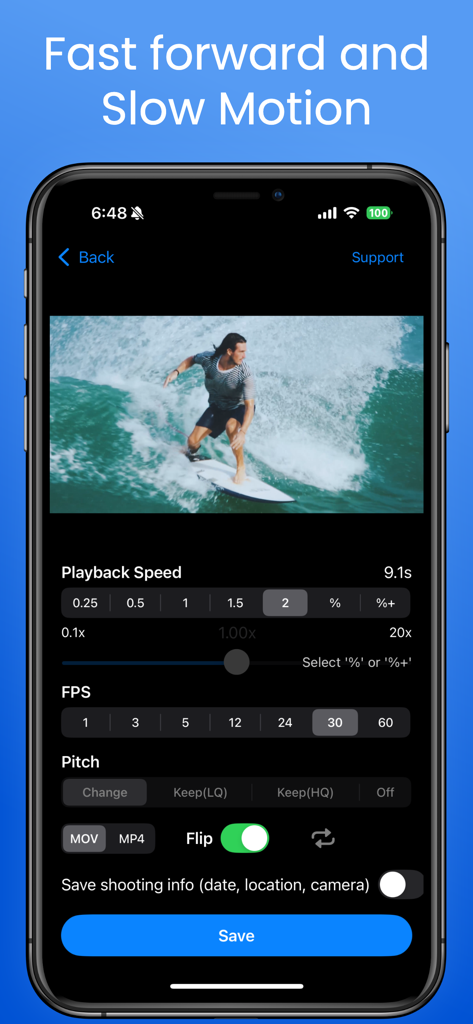
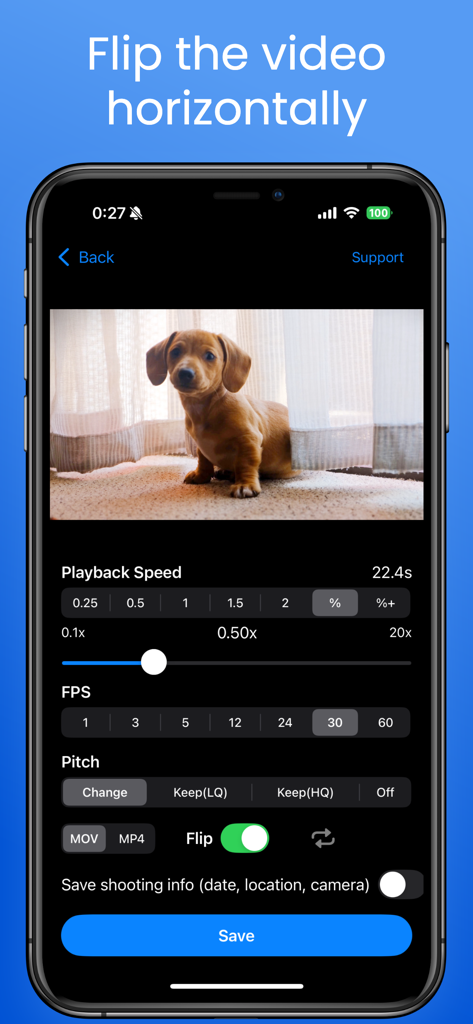
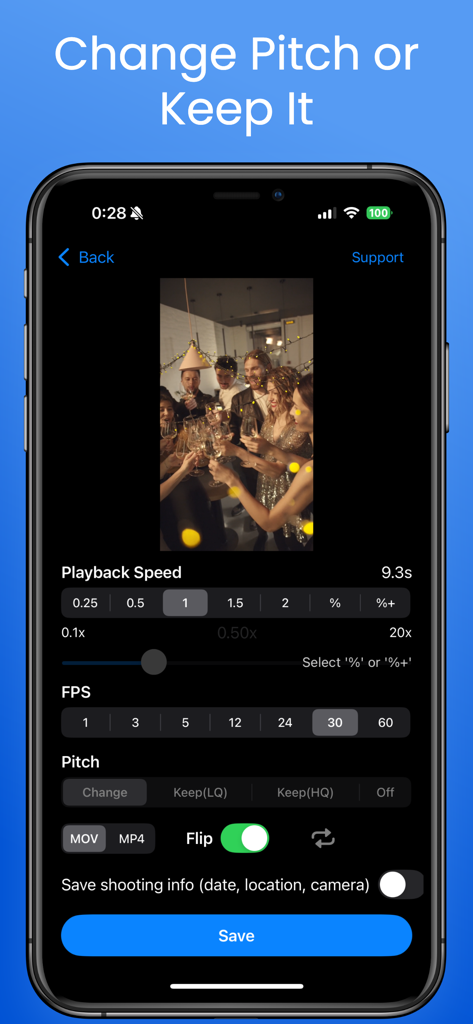
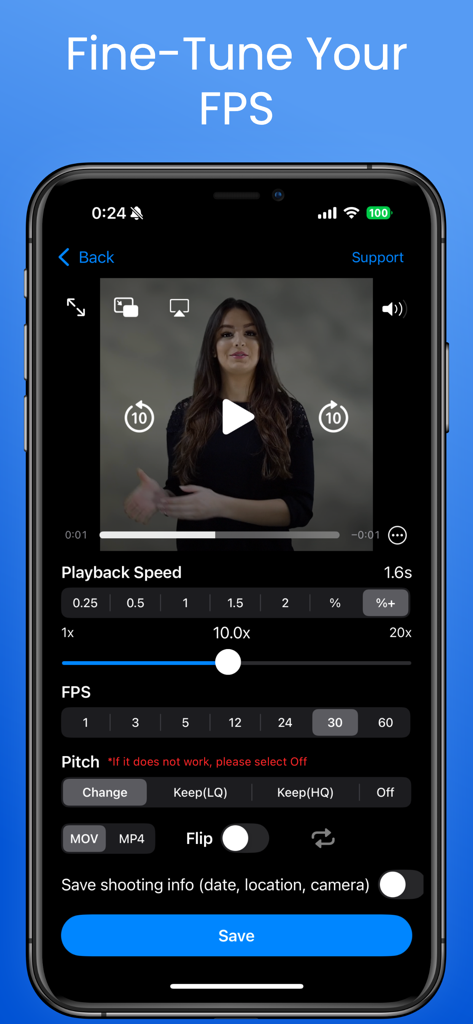
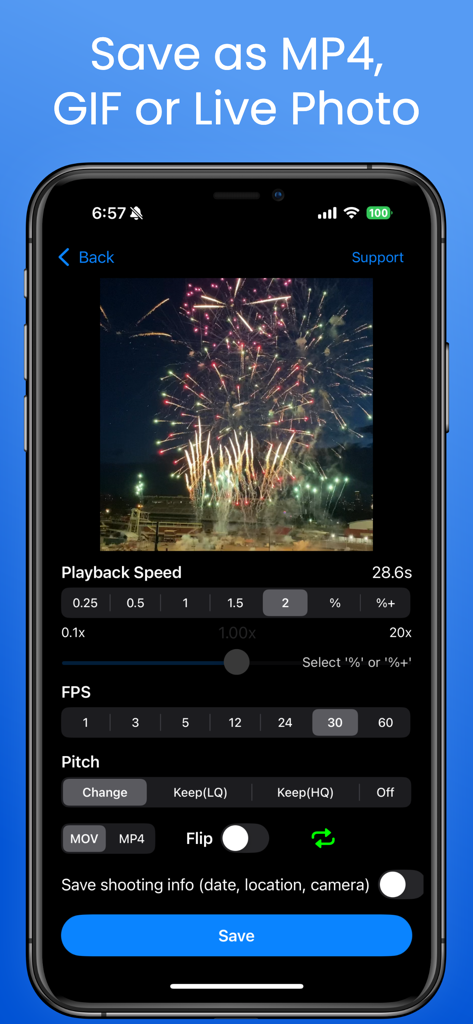
The tools that make this app stand out, trusted by 813K+ users.
Unlock creative freedom with precise speeds from 0.1x to 20x. Perfect for cinematic slow-motion golf swings or hyper-lapse DIY tutorials.
Keep your voice natural even when speeding up. Our advanced audio engine prevents the "chipmunk effect" so your vlogs always sound professional.
Export your creations as high-quality MP4s, GIFs, or Live Photos. Instantly share thumb-stopping content to TikTok, Instagram Reels, and Discord.
Trusted by 813K+ people who love this app.
"I use this every single day to analyze my golf swing and lifting form. The 0.1x slow motion is incredibly smooth and helps me spot tiny technical errors I would never see at full speed. It is the simplest and most effective tool in my training kit."
"Finally, an app that lets me speed up my DIY tutorials without the 'chipmunk' voice! The pitch preservation feature is a total game-changer for my Reels. Plus, being able to export high-quality GIFs makes my content so much more engaging for my followers."
Everything you need to know about Easy Video Speed Editor.
Description
Latest Version
7.0.7
Size
26.8 MB
First Released
Dec 22, 2020
Join 800,000+ creators who trust us for perfect slow-mo, high-speed hyper-lapses, and crystal-clear audio. Download now and start creating for TikTok, Reels, and beyond.
Everything you need to know about Easy Video Speed Editor
Easy Video Speed Editor creates slow-motion and high-speed videos. Users can select playback speed, flip videos horizontally, and adjust or maintain audio pitch.
Yes, Easy Video Speed Editor allows users to select playback speed. The Pro version offers free adjustment from 0.1x to 20x, as seen in the app's interface.
Yes, Easy Video Speed Editor allows users to flip videos horizontally. This feature is directly available in the app's editing interface.
Easy Video Speed Editor can change the audio pitch to match the video speed or maintain the original pitch. The Pro version offers high-quality pitch preservation.
The Pro version of Easy Video Speed Editor unlocks free playback speed setting from 0.1x to 20x, high-quality pitch preservation, and saving options like MP4, GIF, or Live Photo.
Yes, the Easy Video Speed Editor Pro version supports saving videos as MP4, GIF, or Live Photo. The app's interface also shows MOV and MP4 as available output formats.
Easy Video Speed Editor allows selecting various playback speeds. The Pro version specifically enables free setting of speeds from 0.1x to 20x.
Yes, saving may fail if the playback time is shortened to less than 1 second. Also, videos not taken with an iPhone may not convert properly.
Yes, Easy Video Speed Editor allows users to fine-tune the Frames Per Second (FPS). Options visible include 1, 3, 5, 12, 24, 30, and 60 FPS.
Apps with similar features and user experience

ImgBase, Inc.

Changshu Chuang Shi Media Technology Co., Ltd.

Beyond Trading

Bazaart Ltd.

Chengdu Siwen Culture Media Co., Ltd.

姿凤 陈

Trilliarden Entertainment GmbH

Anish Modan

Video Bakery Ltd.