ImgPlay: GIF Maker & Meme

ImgPlay: GIF Maker & Meme

Download on App StoreDownload on Google Play
Spark by MWM logo
Logo of ImgPlay: GIF Maker & Meme

ImgPlay: GIF Maker & Meme — Turn Your Live Photos into Viral Loops

The ultimate AI-powered GIF creator for social storytellers. Transform videos, bursts, and Live Photos into pro-quality GIFs and memes for TikTok, Instagram, and iMessage in seconds.

Publisher

ImgBase, Inc.

Category

Photo & Video

Downloads

9M+

User Rating

4.8/5

Total Ratings

205K+

Locales

15

Creativity in Motion

Discover the interface used by 9M+ users.
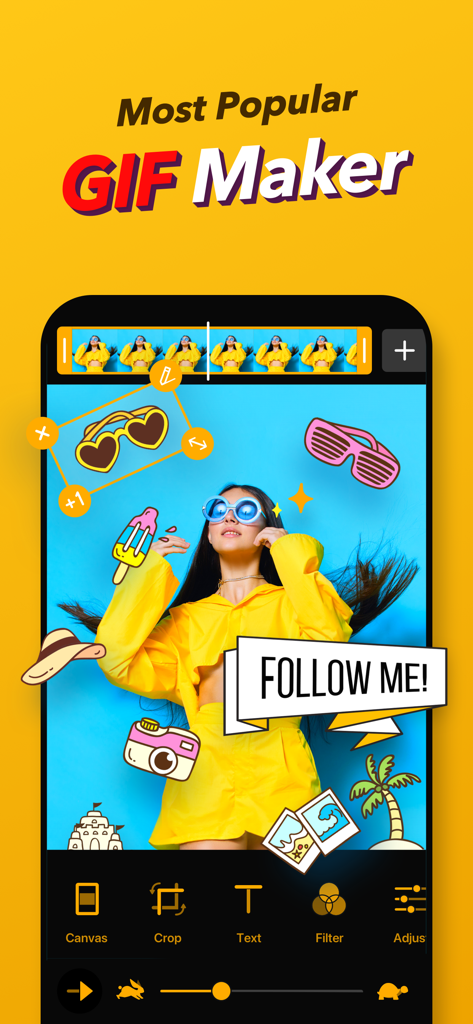
Interface of ImgPlay app showing GIF editing tools with stickers and a Follow Me banner on a yellow background

Interface of ImgPlay app showing GIF editing tools with stickers and a Follow Me banner on a yellow background

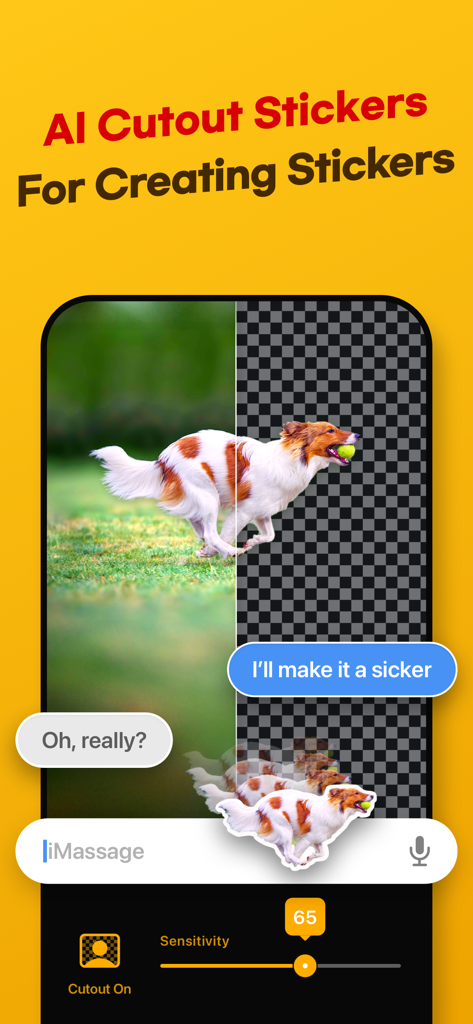
AI background removal feature for creating custom stickers from photos

AI background removal feature for creating custom stickers from photos

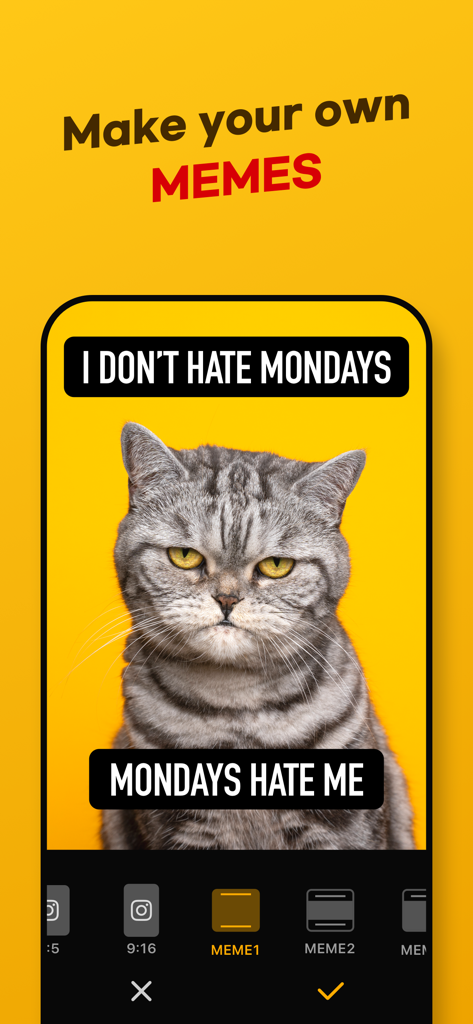
ImgPlay app interface showing a grumpy cat meme being edited with custom text captions and layout options.

ImgPlay app interface showing a grumpy cat meme being edited with custom text captions and layout options.

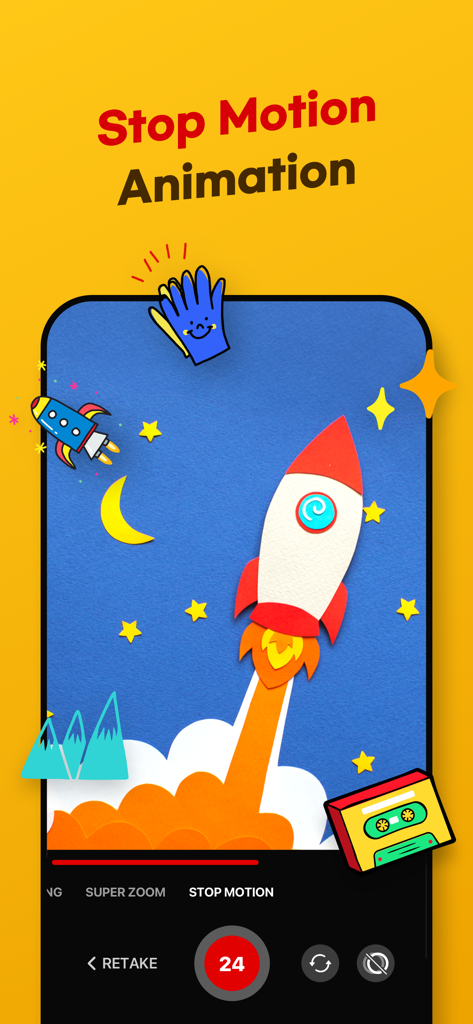
ImgPlay app interface for creating stop motion animations featuring a rocket and star graphics

ImgPlay app interface for creating stop motion animations featuring a rocket and star graphics

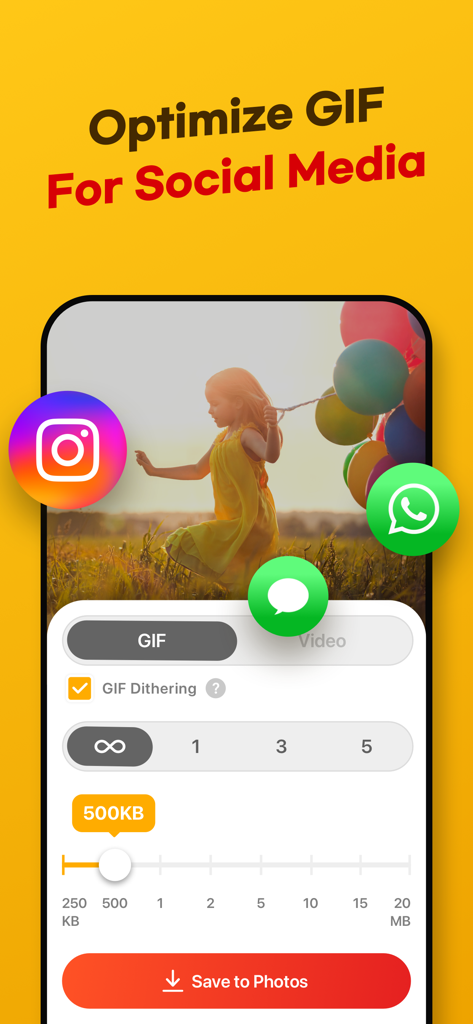
ImgPlay app interface showing settings to optimize GIF quality and file size for social media sharing

ImgPlay app interface showing settings to optimize GIF quality and file size for social media sharing

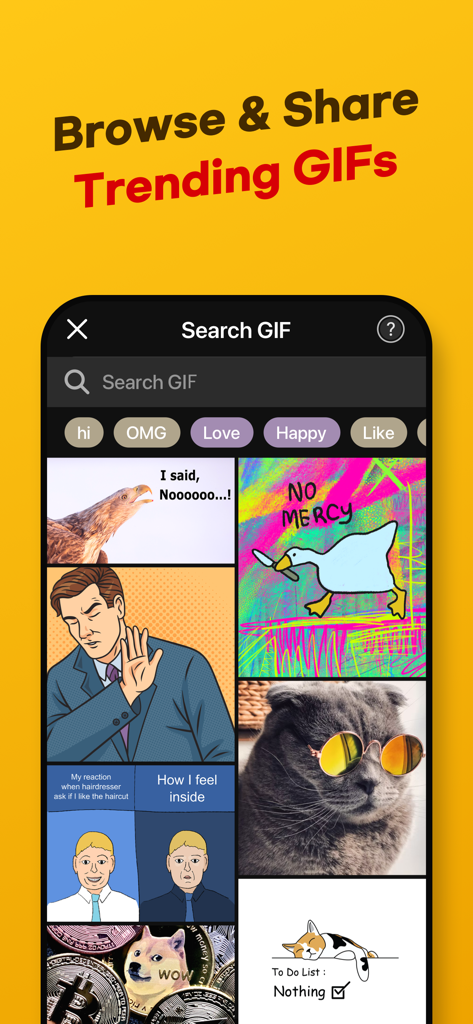
Interface of ImgPlay app displaying a library of trending GIFs and a search bar for memes

Interface of ImgPlay app displaying a library of trending GIFs and a search bar for memes

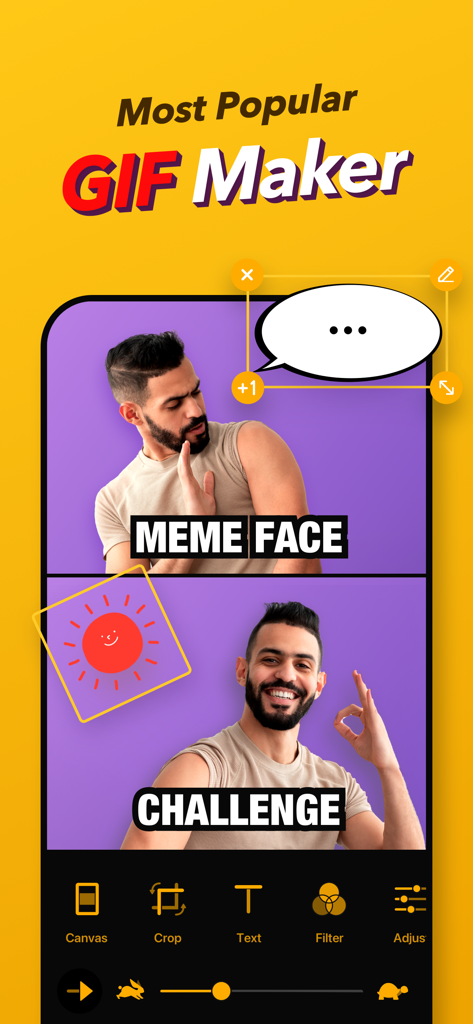
Screenshot of ImgPlay app interface showing a two frame meme creation with a man making different expressions and a speech bubble

Screenshot of ImgPlay app interface showing a two frame meme creation with a man making different expressions and a speech bubble

Everything You Need to Rule the Feed

The tools that make this app stand out, trusted by 9M+ users.

📸

Transform Your Live Photos

Don't let your best moments sit idle. Turn Live Photos and videos into smooth, looping GIFs ready for the group chat or your stories.

AI-Powered Magic

Create custom stickers instantly. Remove backgrounds with one tap to make your memes look professional and polished without the desktop software.

🚀

Built for Every Platform

Crop for TikTok, Reels, or X instantly. Add trending text and export at up to 60 FPS for the crispest loops and viral reactions on the internet.

Loved by users worldwide

Trusted by 9M+ people who love this app.

"

"ImgPlay is my go-to for Instagram Stories. Transforming my Live Photos into high-quality, seamless loops takes seconds, and the AI background removal tool makes my content look so professional. It is perfect for staying on top of trends without needing a desktop editor."

Chloe R., Content Creator
"

"Finally, an app that makes meme-making effortless! I use it daily to turn inside jokes from our group videos into GIFs for the chat. The frame-level editing gives me total control, and the export quality is way better than any other GIF maker I have tried."

Jordan M., Social Media Enthusiast

About the app

Everything you need to know about ImgPlay: GIF Maker & Meme.

Description

ImgPlay makes creating high-quality GIFs on iPhone incredibly simple. Turn videos, Live Photos, burst shots, still images, and even screen recordings into clean, smooth animations in just seconds. Whether you're making memes or polished short loops, ImgPlay offers the tools you need with no learning curve. Create your perfect animation now with ImgPlay! Convert Any Media into Professional GIFs - Video to GIF Conversion: Use precise trimming to transform any video into a perfect looping GIF - Convert Live Photos and burst shots into seamless animations - Combine multiple images to create stop-motion, slideshows, animated collages, or loops - Easily import files from iCloud, Dropbox, Wi-Fi, or iTunes - Turn screen recordings into editable GIFs instantly - 4 Camera Modes: Capture new content with hands-free, normal, stop-motion, and boomerang modes Smart Editing & AI Power: Next-Level GIF Quality Elevate your GIF creations using our cutting-edge AI technology and professional editing tools. - Remove backgrounds instantly with AI background removal - Use canvas ratios tailored for Instagram, TikTok, Stories, Reels, X, and more (1:1, 4:5, 9:16, 16:9) - Adjust playback speed from 0.02 to 1 second per frame - Choose loop settings: infinite, 1, 3, or 5 loops - Switch playback direction: forward, reverse, or back-and-forth - Set video FPS to 5, 10, 15, 20, 24, 30 or 60 for the motion style you want - Crop, rotate, flip, zoom, and refine any part of your animation Frame-Level Editing for Total Control - View and edit every frame at once - Reorder frames with simple drag-and-drop - Remove unwanted frames instantly - Combine GIFs, photos, videos, and Live Photos within a single project - Save any frame as a standalone image Text, Stickers, & Meme Creator: Personalize Your Content - Import your own fonts or use over 20 built-in animated text effects - Advanced Meme Maker: Features a meme canvas with multiple text areas and an auto-text canvas that adapts to your caption - Custom Stickers: Use your own images, PNGs, GIFs, and clipboard items as stickers, applying 23 unique motion effects - Visual Enhancements: Access 45 filters and full visual adjustments, including Brightness, Exposure, Contrast, Saturation, Temperature, Sharpness and Clarity, Hue, Shadows, and Midtones - Privacy Tools: Apply Mosaic and Blur functions to conceal sensitive or unwanted areas Creative Overlays & Styling Tools - Add your own Logo for personalized branding - Colored or Patterned Backgrounds - Various Borders to frame your GIF perfectly - Sketch with Pen Drawing High-Quality Export & Social Optimization Share your creations instantly with optimized file sizes and the highest possible quality. - Clean and sharp high-quality GIF output using dithering technology - File Size Optimization: Reduce file size with built-in tools for faster loading and sharing - Multiple Export Formats: Export as GIF, MP4, APNG, or WebP - Customized resolutions or pixel sizes available - One-Tap Sharing: Instantly share to Instagram, TikTok, Reels, X, Facebook, WhatsApp and more major platforms - Quickly share GIFs via iMessage Unlock All GIF Editing Features with ImgPlay Premium - Watermark Removal and Advanced Saving Options - Weekly, monthly, or yearly subscription options are available - Charged to your iTunes account upon purchase - Auto-renews unless turned off 24 hours before renewal - Manage or cancel anytime in Account Settings - No partial refunds; access continues until the billing period ends Your feedback helps us keep improving ImgPlay. Share your thoughts anytime. Email: imgplay.ios@imgbase.me Terms of Use: https://www.imgbase.me/imgplay/terms/termsofuse.html

Latest Version

6.5.3

Size

244.6 MB

First Released

Jun 23, 2015

Ready to Own the Group Chat?

Turn your Live Photos and videos into high-quality GIFs or viral memes in seconds. Join over 9 million creators and start sharing your vibe today.

Download on App StoreDownload on Google Play
FAQ

Frequently Asked Questions

Everything you need to know about ImgPlay: GIF Maker & Meme

What is ImgPlay?

ImgPlay is a GIF Maker app that converts videos, Live Photos, burst shots, still images, and screen recordings into high-quality GIFs. It provides tools for creating animations and memes.

Can ImgPlay convert videos to GIFs?

Yes, ImgPlay can convert videos to GIFs with precise trimming. It also transforms Live Photos, burst shots, and screen recordings into seamless animations.

Does ImgPlay offer AI features for editing GIFs?

Yes, ImgPlay includes cutting-edge AI technology for GIF editing. It features AI background removal to instantly remove backgrounds from your creations.

Can I create memes using the ImgPlay app?

Yes, ImgPlay includes an Advanced Meme Maker with multiple text areas and an auto-text canvas. You can also use custom stickers and import fonts.

What export formats does ImgPlay support for GIFs?

ImgPlay supports exporting creations as GIF, MP4, APNG, or WebP formats. It also offers customized resolutions and file size optimization.

Is ImgPlay free to use or does it have a subscription?

ImgPlay offers ImgPlay Premium to unlock all GIF editing features and remove watermarks. Subscription options include weekly, monthly, or yearly plans.

Can I share my GIFs directly to social media from ImgPlay?

Yes, ImgPlay provides one-tap sharing to major platforms like Instagram, TikTok, Reels, X, and Facebook. It also allows quick sharing via iMessage.

Does ImgPlay allow frame-level editing for animations?

Yes, ImgPlay provides frame-level editing. Users can view, edit, reorder, and remove individual frames, or combine different media types within a single project.

What camera modes does ImgPlay offer for content creation?

ImgPlay offers four camera modes for capturing new content. These modes are hands-free, normal, stop-motion, and boomerang, providing versatile creation options.

Can I customize backgrounds in ImgPlay?

Yes, ImgPlay provides tools for background customization. You can add colored or patterned backgrounds and apply various borders to frame your GIF perfectly.