EPIK - AI Photo & Video Editor

EPIK - AI Photo & Video Editor

Download on App StoreDownload on Google Play
Spark by MWM logo
Logo of EPIK - AI Photo & Video Editor

EPIK: Elevate Your Aesthetic with All-in-One AI Editing

Transform your feed with professional-grade retouching, viral AI filters, and effortless video editing tools designed for the next generation of creators.

Publisher

SNOW Corporation

Category

Photo & Video

Downloads

39M+

User Rating

4.8/5

Total Ratings

551K+

Locales

12

Visual Perfection

Discover the interface used by 39M+ users.

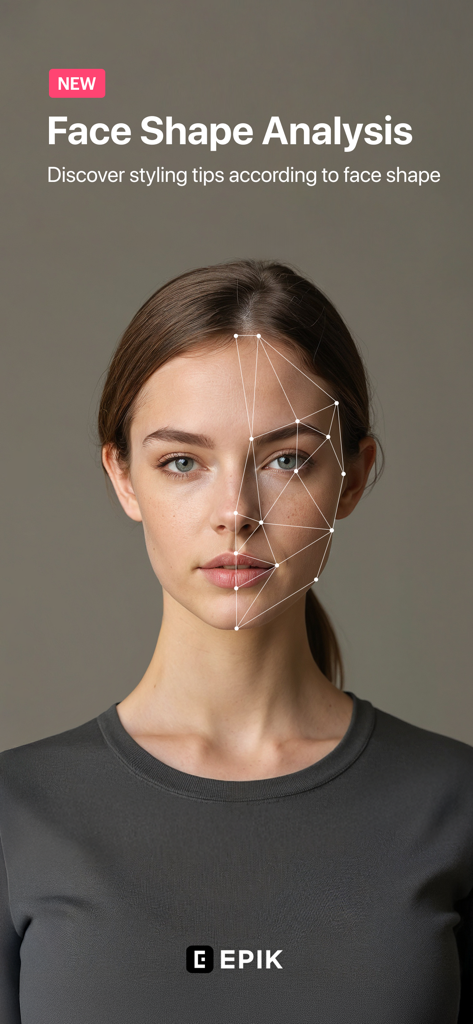
EPIK AI photo editor face shape analysis feature for personalized beauty and styling tips

EPIK AI photo editor face shape analysis feature for personalized beauty and styling tips

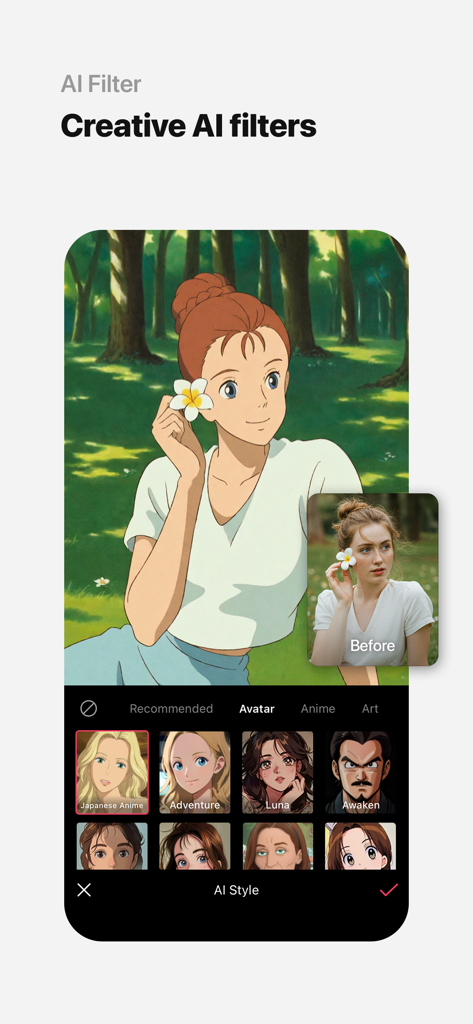
EPIK app interface showing a real photo transformed into a Japanese anime style character using AI filters.

EPIK app interface showing a real photo transformed into a Japanese anime style character using AI filters.

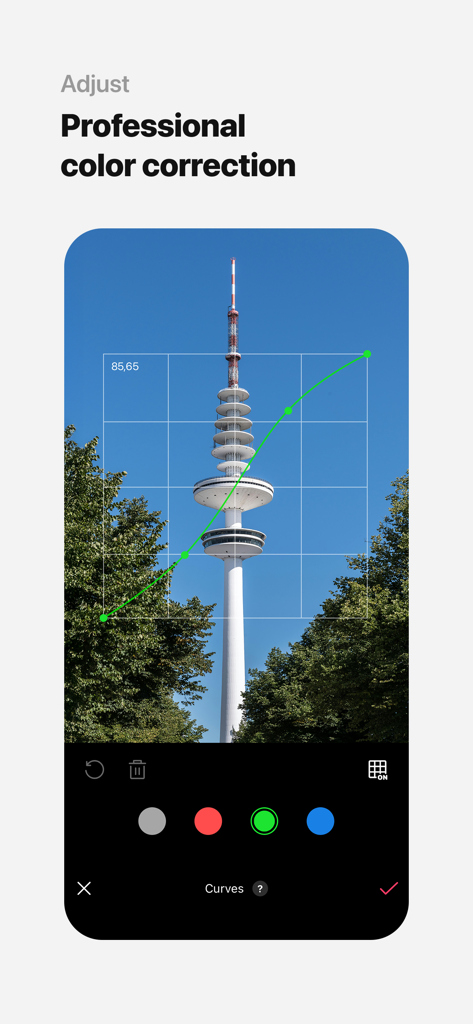
Professional color correction using the curves tool in the EPIK photo editor app.

Professional color correction using the curves tool in the EPIK photo editor app.

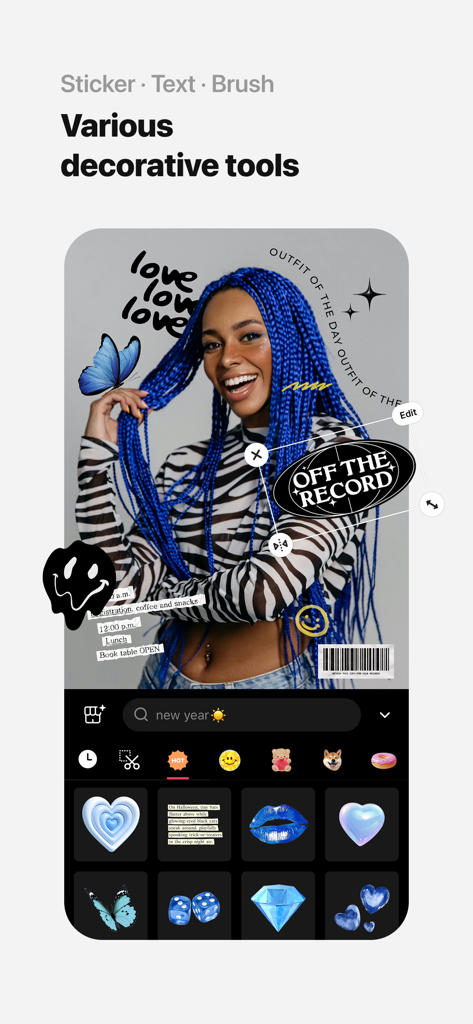
User interface of EPIK app showing various decorative stickers and text added to a portrait of a woman.

User interface of EPIK app showing various decorative stickers and text added to a portrait of a woman.

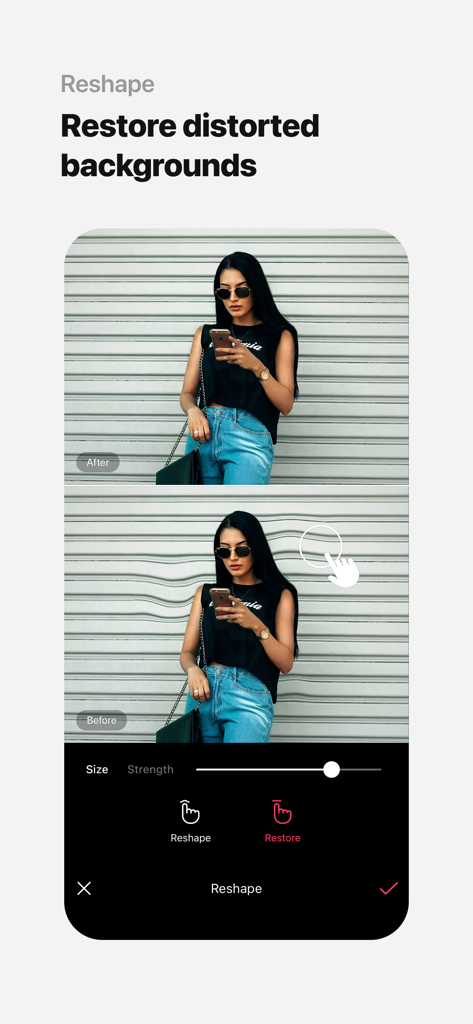
Comparison of before and after using the EPIK app Reshape tool to fix a distorted background in a photo

Comparison of before and after using the EPIK app Reshape tool to fix a distorted background in a photo

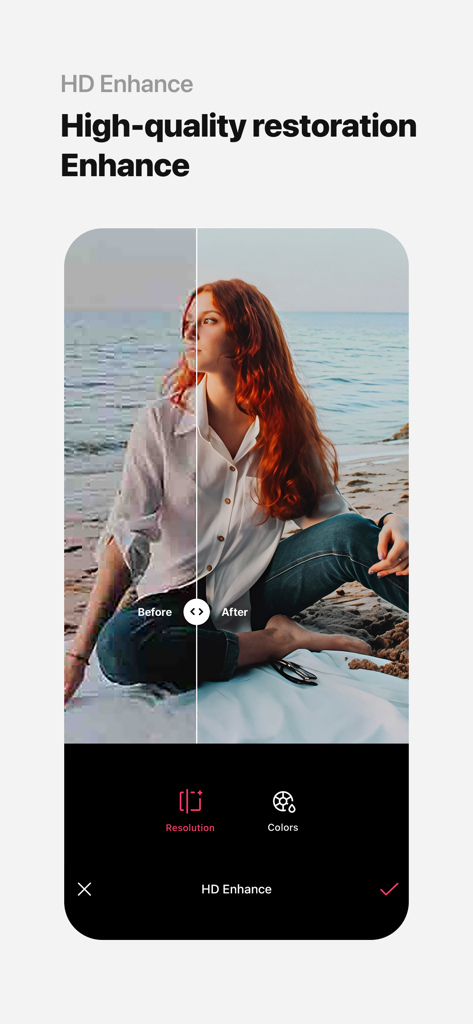
EPIK AI Photo Editor HD Enhance feature showing photo resolution restoration before and after

EPIK AI Photo Editor HD Enhance feature showing photo resolution restoration before and after

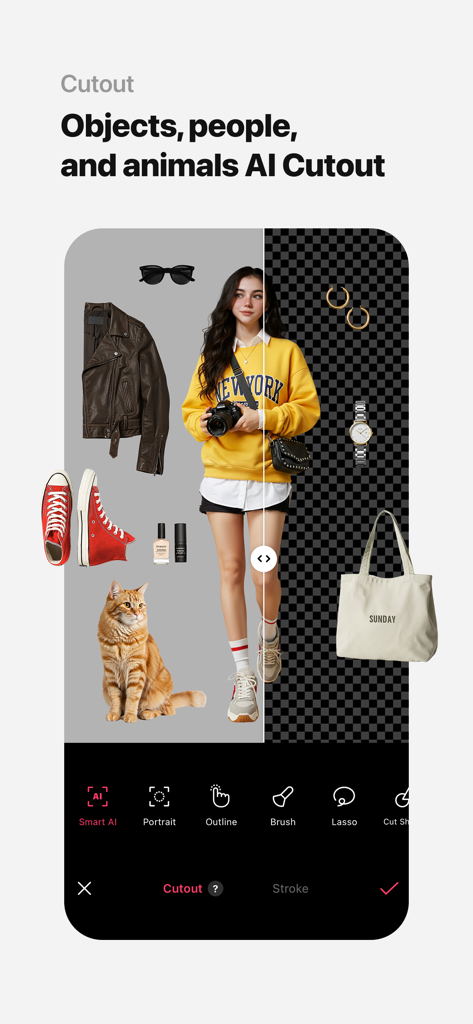
EPIK app showing AI Cutout feature for objects and people with a transparent background

EPIK app showing AI Cutout feature for objects and people with a transparent background

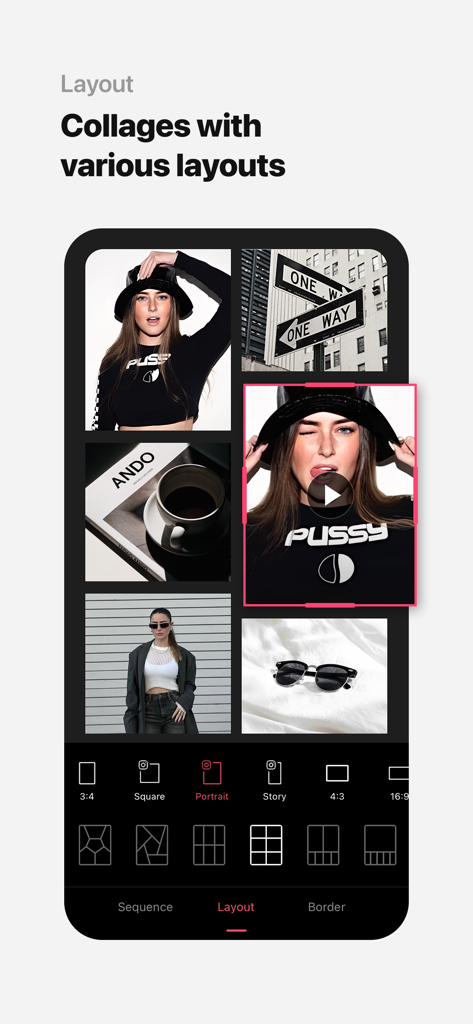
EPIK app interface showing various photo collage layout options and social media aspect ratios like Story and Portrait.

EPIK app interface showing various photo collage layout options and social media aspect ratios like Story and Portrait.

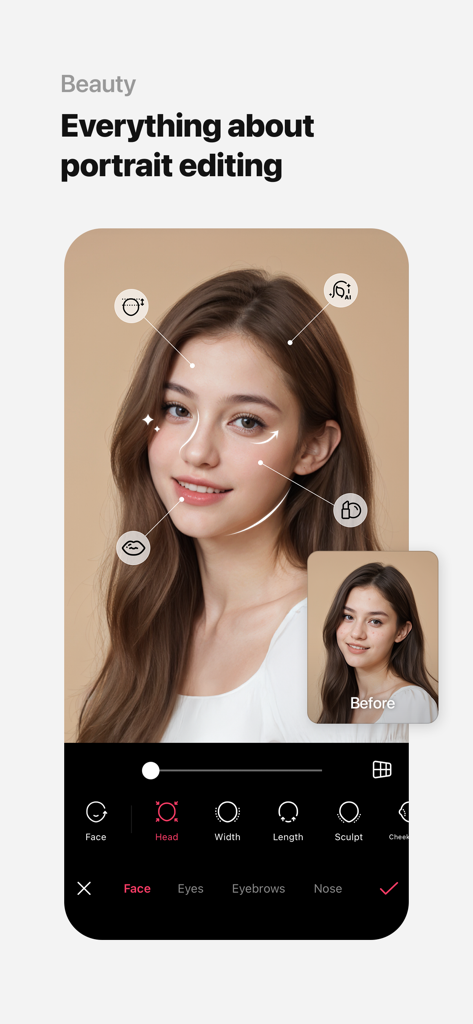
EPIK app beauty interface for AI portrait editing and face retouching

EPIK app beauty interface for AI portrait editing and face retouching

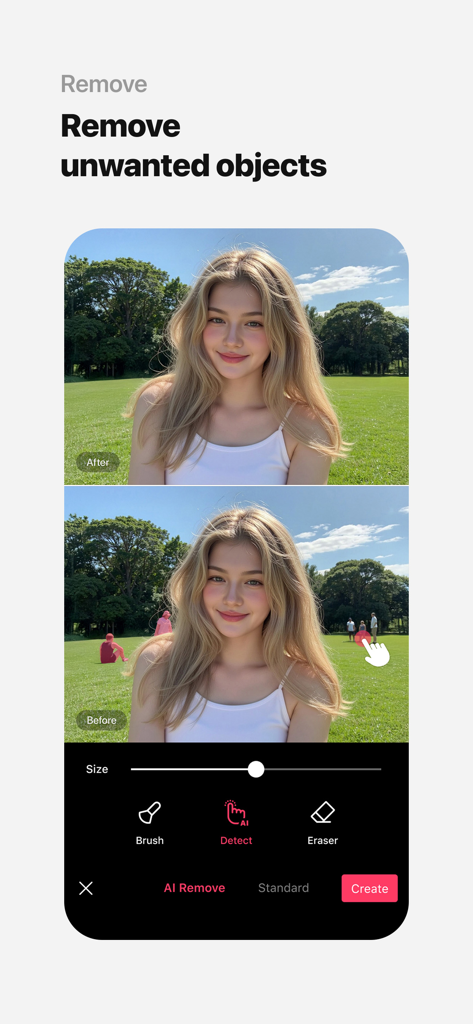
EPIK app feature showing how to remove unwanted people from a photo background using AI

EPIK app feature showing how to remove unwanted people from a photo background using AI

Elevate Your Aesthetic with AI Magic

The tools that make this app stand out, trusted by 39M+ users.

Instant AI Glow-Ups

Achieve the perfect portrait with one-tap AI skin correction, 3D face reshaping, and virtual makeup designed for a flawless yet natural look.

🤳

Viral AI & Trendy Filters

Stay ahead of TikTok trends with exclusive AI filters, retro film aesthetics, and the viral 'Yearbook' style that gives your feed social currency.

🎬

Pro Tools for Photo & Video

Master your content with HSL adjustments and batch editing. Use automatic figure tracking to retouch faces in video as easily as in photos.

Loved by users worldwide

Trusted by 39M+ people who love this app.

"

"The AI features are actually insane. I used the AI Yearbook filter and it went viral on my TikTok instantly! Plus, the smart cutout tool is a lifesaver for making my Instagram stories look aesthetic without spending hours on Photoshop."

Chloe V., Digital Creator
"

"Finally, an app that gives me professional-grade control like Curves and HSL right on my phone. The AI Skin tool is so natural—it doesn't make me look like a plastic doll, just a more polished version of myself. It's my go-to for all my feed content."

Sarah M., Lifestyle Blogger

Review Analysis

Insights from user reviews.

Sentiment Score

22%
Negative

Summary

Recent user reviews for this mobile app are predominantly negative, primarily stemming from a controversial shift towards a subscription-based model where many previously free features, including HD enhancement and facial editing, now require payment. Users report a significant increase in intrusive ads in the free version, making the app nearly unusable, and frustration over the quality degradation of certain tools after recent updates. While a few users still praise its comprehensive editing and AI capabilities, the general sentiment reflects disappointment and a feeling of being exploited, leading many to seek alternative applications.

Common Themes

Subscription Model(28)
App Updates(12)
Usability/Performance(10)
HD Enhancement(6)
Editing Capabilities(6)
AI Functionality(5)
Advertisements(3)

About the app

Everything you need to know about EPIK - AI Photo & Video Editor.

Description

Use professional editing tools and powerful AI technology to easily and conveniently edit photos. [AI tool] ・ Enhance: Improve clarity and resolution! Create high-quality photos ・ AI skin: Perfect your skin by AI correcting blemishes ・ Smart AI cutout: Carefully separate figures, objects, and even animals ・ Remove: Easily remove unwanted parts ・ AI filter: Create your own characters in different styles ・ Hairstyle and Expression: Create a new look [Professional photo editing tools] ・ HSL, Curves, Split Tone, Selective: Precise color adjustments ・ Lux, Texture, Grain, Brilliance, Vignette: Create different moods ・ Crop, Rotate, Mirror, Flip, Perspective, Adjust resolution: Set the composition you want ・ Batch: Edit multiple photos at once ・ Patch, Clone: Naturally edit or copy a specific part [Perfect portraits] ・ Looks: Experience the magic of one-tap beauty with skin retouch, makeup, face tuner, and filters all at once ・ Erase wrinkles, AI Skin, Blemishes : Smooth skin without blemishes ・ Reshape, 3D Face, Mirror correction Individual Left-Right Adjustment, Preset, Perspective: Natural and detailed face correction ・ Style, Paint, Fine tune: Stylish makeup perfect for your face ・ Body,Length: Take perfect full-body photos! Create the body you want ・ Hair Color, Hairstyle: Transform with different hairstyles [Trendy content] ・ Filters, Effects, Relight: Create a trendy feel ・ Stickers, Text, Paint, Draw shapes: Make your photos more unique ・ Time stamp: Record your special moments ・ Template: Thousands of customizable templates [Creative Tools] ・ AI Collage: Create unique collages with different photos ・ Spot color: Highlight the color you want ・ Mosaic: Try various mosaic and blur effects ・ Cutout, Separate: Smart cropping ・ Layout: Combine photos in cool arrangements ・ Background, Pattern: Create your own unique backgrounds ・ Custom stickers, create one-of-a-kind filters [Movie feature] ・ Video mosaic: Easy mosaics with automatic figure tracking ・ Retro Clip: Create vintage videos easily ・ Video Face Edit: Retouch faces naturally in videos For inquiries about subscriptions, contact [EPIK > Profile > Settings > Contact]. - Terms of use: https://terms.snow.me/EPIK/terms - Terms of Use for Paid Products and Services: https://terms.snow.me/EPIK/paid - Privacy policy: https://terms.snow.me/EPIK/privacy

Latest Version

6.5.40

Size

282.0 MB

First Released

Aug 14, 2021

Elevate Your Aesthetic with AI

Join 39M+ creators and transform your photos and videos into viral masterpieces. Professional tools, one-tap magic—download EPIK today.

Download on App StoreDownload on Google Play
FAQ

Frequently Asked Questions

Everything you need to know about EPIK - AI Photo & Video Editor

What is EPIK - AI Photo & Video Editor?

EPIK - AI Photo & Video Editor is an application offering professional editing tools and powerful AI technology to edit photos and videos easily and conveniently.

Can EPIK enhance photo clarity and resolution?

Yes, EPIK includes an AI tool called 'Enhance' which improves clarity and resolution, creating high-quality photos. The 'HD Enhance' feature also offers high-quality restoration.

Does EPIK use AI for skin retouching?

Yes, EPIK utilizes AI Skin technology to perfect skin by correcting blemishes. It also features 'Erase wrinkles' and 'Blemishes' for smooth skin in portraits.

How does EPIK remove unwanted objects from photos?

EPIK provides a 'Remove' AI tool to easily remove unwanted parts from photos. The feature includes an 'AI Remove' option for efficient object removal, as shown in Screenshot #10.

Does EPIK offer AI filters for photo editing?

Yes, EPIK provides an 'AI filter' feature. Users can create characters in different styles, with options like Avatar, Anime, and Japanese Anime, as depicted in Screenshot #2.

Does EPIK include professional color adjustment tools?

Yes, EPIK features professional photo editing tools such as HSL, Curves, Split Tone, and Selective for precise color adjustments. Screenshot #3 demonstrates the 'Curves' tool.

Can EPIK edit multiple photos simultaneously?

Yes, EPIK includes a 'Batch' feature under its professional photo editing tools. This allows users to edit multiple photos at once, streamlining the editing workflow.

What portrait editing features are available in EPIK?

EPIK offers extensive portrait editing, including 'Looks' for one-tap beauty, 'Erase wrinkles', 'AI Skin', 'Reshape', '3D Face', 'Hair Color', and 'Hairstyle' to perfect portraits.

Does EPIK - AI Photo & Video Editor support video editing?

Yes, EPIK includes a 'Movie feature'. It offers video mosaic with automatic figure tracking, Retro Clip creation, and Video Face Edit for natural retouching in videos.

How can I create collages in EPIK?

EPIK provides an 'AI Collage' tool for unique collages. It also offers 'Layout' to combine photos in various cool arrangements, as shown in Screenshot #8.

How can I contact support for EPIK - AI Photo & Video Editor regarding subscriptions?

You can contact support for EPIK regarding subscriptions by navigating to 'EPIK > Profile > Settings > Contact' within the application for assistance.

Where can I find the privacy policy for EPIK - AI Photo & Video Editor?

The privacy policy for EPIK is available online at 'https://terms.snow.me/EPIK/privacy'. This document details how user data is handled and protected.