FNB Banking App

FNB Banking App

Download on App Store
Spark by MWM logo
Logo of FNB Banking App

FNB Banking App: Your Secure Command Center for Modern Banking

Experience the future of finance with effortless profile switching, conversational Chat Pay, and an Action Panel designed for your fast-paced digital lifestyle.

Publisher

FirstRand Bank Limited

Category

Finance

Downloads

2M+

User Rating

4.8/5

Total Ratings

328K+

Locales

1

Banking in Action

Discover the interface used by 2M+ users.
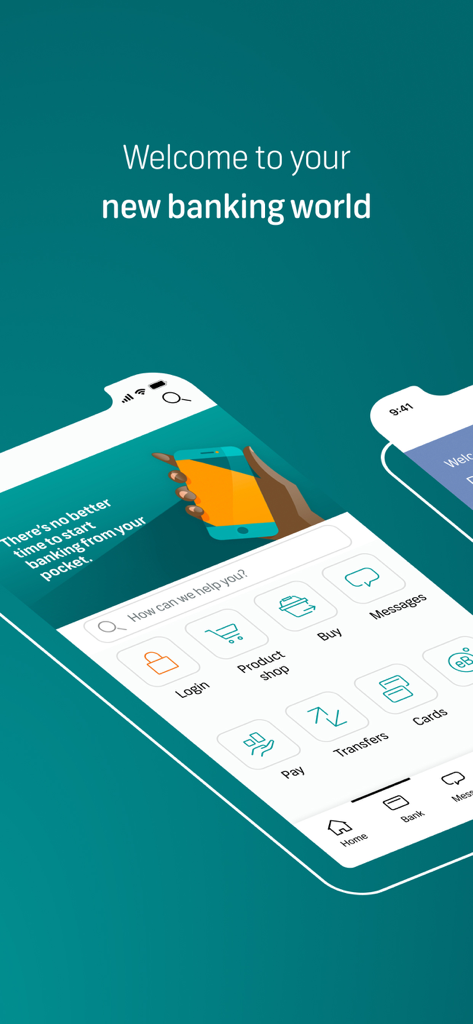
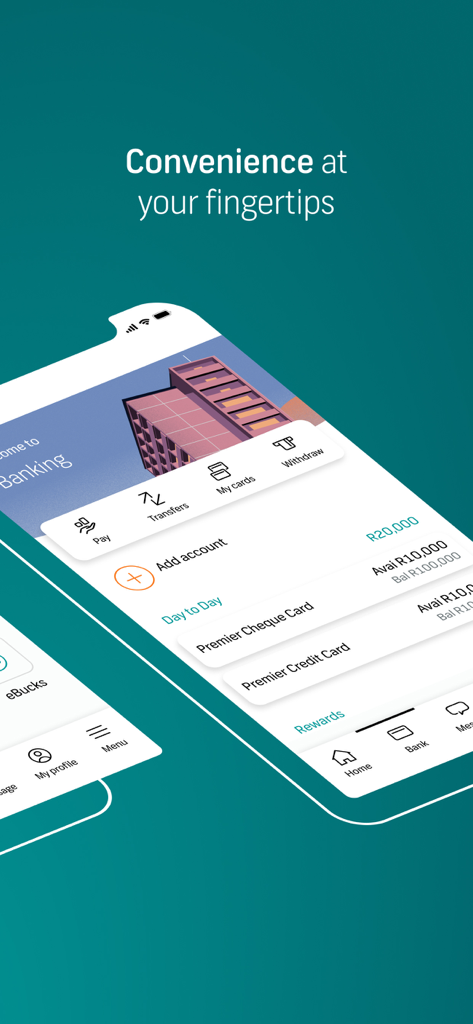
The FNB Banking App welcome screen displaying the main dashboard with icons for payments, transfers, and card management.

The FNB Banking App welcome screen displaying the main dashboard with icons for payments, transfers, and card management.

FNB Banking App dashboard showing account balances and quick action shortcuts for payments and transfers

FNB Banking App dashboard showing account balances and quick action shortcuts for payments and transfers

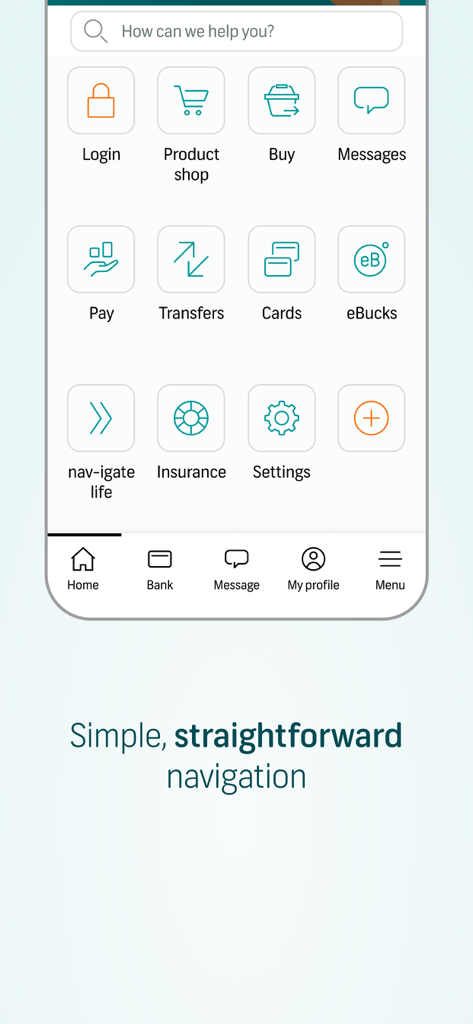
FNB Banking App home screen showing simple navigation with icons for pay, transfers, and cards

FNB Banking App home screen showing simple navigation with icons for pay, transfers, and cards

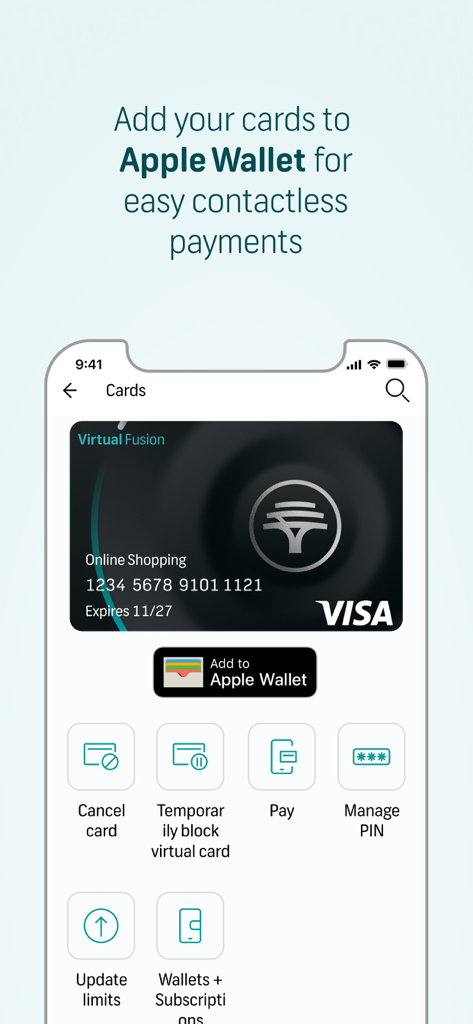
FNB Banking App interface for managing virtual cards and adding them to Apple Wallet for contactless payments.

FNB Banking App interface for managing virtual cards and adding them to Apple Wallet for contactless payments.

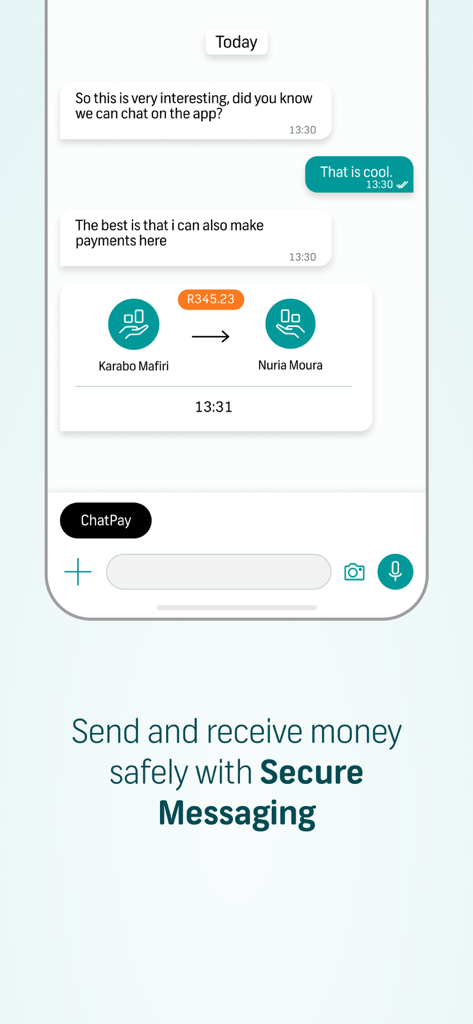
FNB Banking App interface displaying the Chat Pay feature within a secure messaging window for peer to peer money transfers

FNB Banking App interface displaying the Chat Pay feature within a secure messaging window for peer to peer money transfers

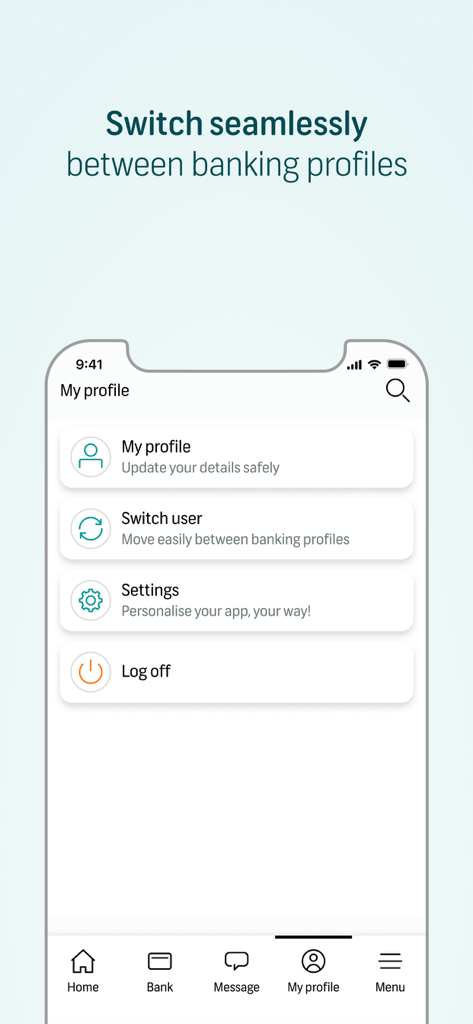
FNB Banking App profile screen displaying the switch user feature for managing multiple banking profiles

FNB Banking App profile screen displaying the switch user feature for managing multiple banking profiles

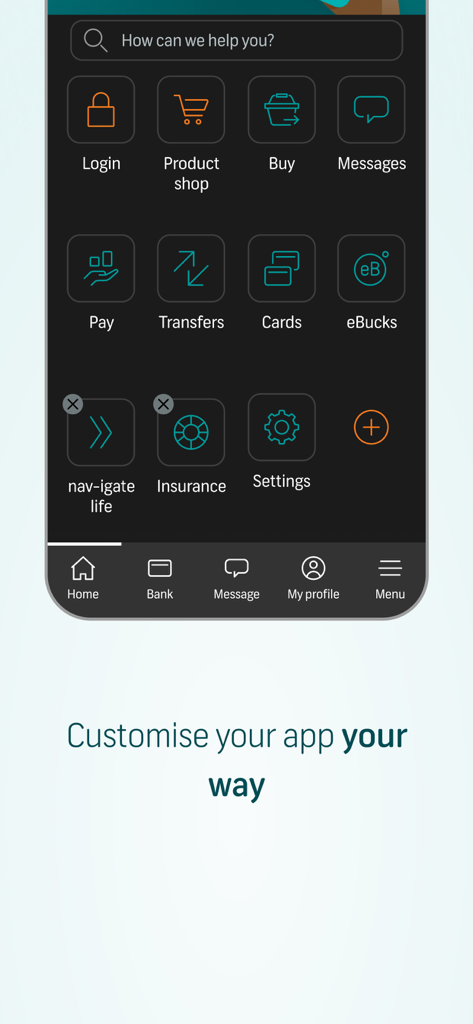
FNB Banking App interface showing a customizable menu of financial services icons including payments transfers and insurance

FNB Banking App interface showing a customizable menu of financial services icons including payments transfers and insurance

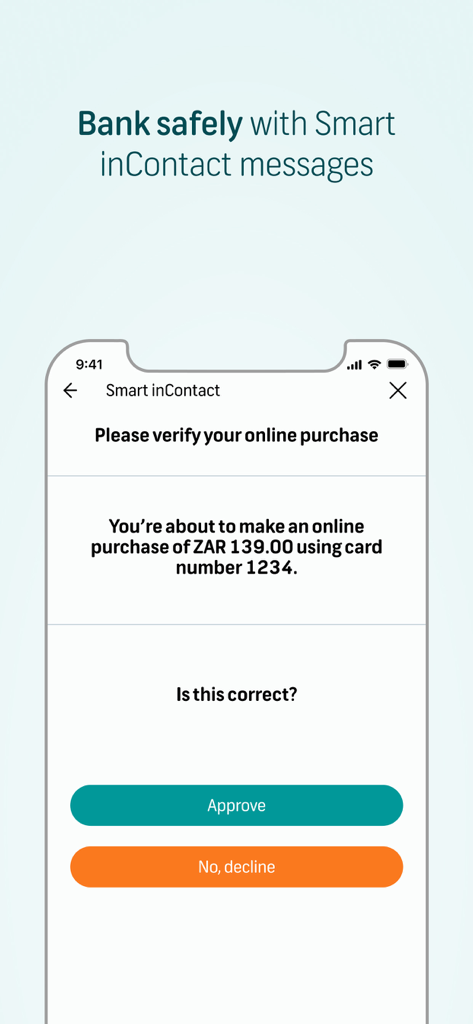
A mobile screen showing the FNB Banking App Smart inContact feature for verifying an online purchase with approve and decline buttons.

A mobile screen showing the FNB Banking App Smart inContact feature for verifying an online purchase with approve and decline buttons.

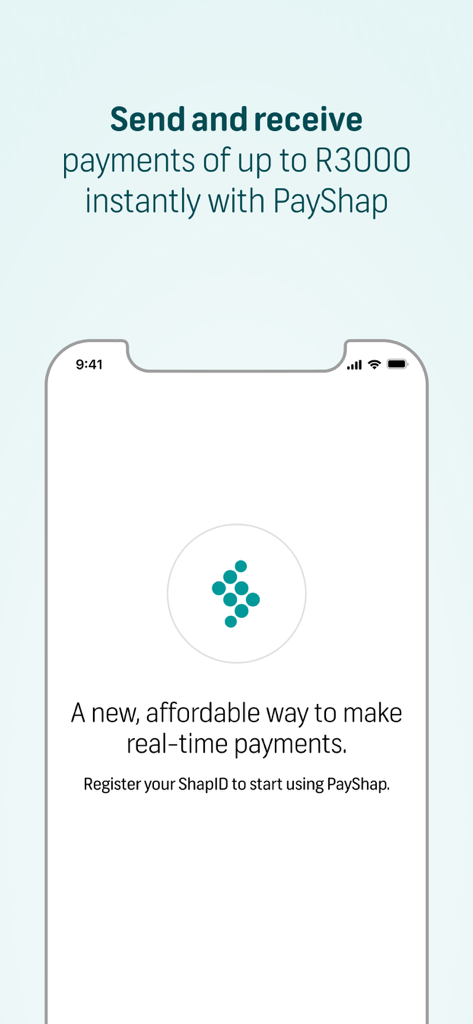
Interface of FNB Banking App showing PayShap for instant real-time payments up to R3000.

Interface of FNB Banking App showing PayShap for instant real-time payments up to R3000.

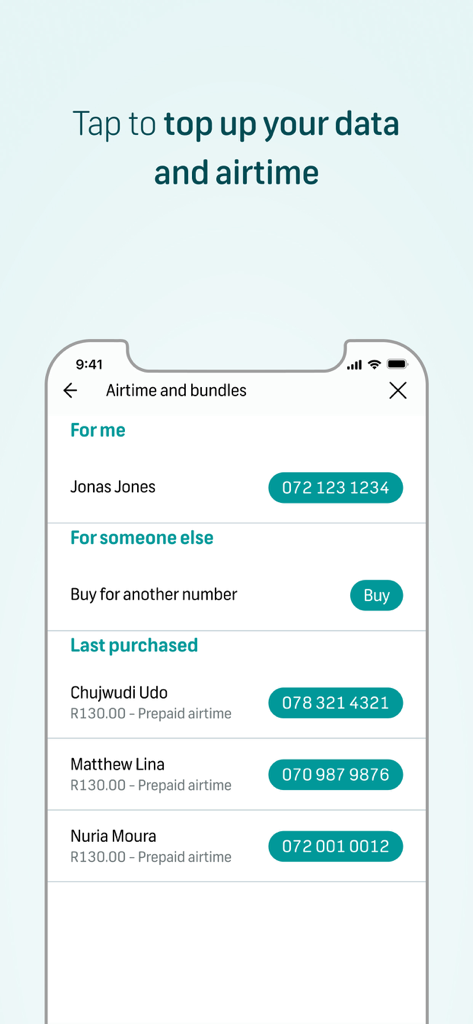
A mobile interface for topping up data and airtime for yourself or others within the FNB Banking App.

A mobile interface for topping up data and airtime for yourself or others within the FNB Banking App.

Smart Banking for Your Modern Lifestyle

The tools that make this app stand out, trusted by 2M+ users.

💬

Revolutionary Chat Pay

Pay anyone in your contact list through a simple, secure chat. Experience the convenience of social payments within a verified banking environment.

👥

Seamless Profile Switching

Designed for the modern entrepreneur. Effortlessly toggle between your personal and business accounts without the friction of logging out.

Instant Action Panel

Your financial command center. Access transfers, payments, and card management front and center for a zero-latency banking experience.

Loved by users worldwide

Trusted by 2M+ people who love this app.

"

"As someone managing both a small business and personal finances, the ability to switch profiles seamlessly in the bottom navigation is a game-changer. The Action Panel puts everything I need exactly where I expect it to be. It is easily the most intuitive banking app I have ever used."

Sarah Jenkins
"

"Chat Pay has completely changed how I split bills with friends. It is as simple as sending a text message but with the security of a major bank. I love that I can handle all my messaging and payments in one secure place without jumping between different apps."

Marcus Thorne

About the app

Everything you need to know about FNB Banking App.

Description

The FNB Banking App embraces the future of help and our new look and feel will do just that Some features to look out for: Simple straight-forward navigation – We’ve added bottom navigation to make it easier to find what you need, when you need it. Switch users easily – Multiple profiles? No problem! Switch seamlessly between different user profiles by selecting profiles located on the bottom navigation and then select “switch user”. Introducing the Action Panel – Bringing your banking features front and center, like payments, transfers, my cards, and cash withdrawals. Chat Pay – A revolutionary new feature called Chat Pay that allows you to pay any FNB customer via a simple chat, all within FNB’s secure ecosystem giving you peace of mind that the person you are paying has been verified and approved. It’s that simple. What is Pay? We have renamed Payments to Pay. This feature will provide you with access to categories within payments such as pay, receive, pay bills, payment settings, and payment history. What is Secure Messaging? Chat to other FNB/RMB customers securely on the App by granting access to your contact list. Features within Secure Messaging include Chat Pay, voice notes, attachments, share location, etc.

Latest Version

7.17.0-59

Size

67.4 MB

First Released

Jul 19, 2011

Ready to Experience the Future of Help?

Join over 2 million users and simplify your financial life with Chat Pay and effortless profile switching. Download the 4.8-star rated FNB Banking App today.

Download on App Store
FAQ

Frequently Asked Questions

Everything you need to know about FNB Banking App

How do I switch users on the FNB Banking App?

The FNB Banking App allows easy user switching. Select "My profile" on the bottom navigation, then choose "Switch user" to move seamlessly between different profiles.

What is Chat Pay in the FNB Banking App?

Chat Pay is a feature in the FNB Banking App that allows users to pay any FNB customer via a simple chat. It operates within FNB’s secure ecosystem, ensuring recipient verification.

How does the FNB Banking App ensure secure transactions?

The FNB Banking App ensures security through features like Chat Pay's verified recipients and Smart inContact messages for online purchase verification. It operates within a secure ecosystem.

Can I add my FNB cards to Apple Wallet using the FNB Banking App?

Yes, the FNB Banking App allows you to add your FNB cards to Apple Wallet directly for easy contactless payments. This feature is available within the Cards section.

What features are available in the Action Panel of the FNB Banking App?

The FNB Banking App's Action Panel brings core banking features front and center. These include payments, transfers, managing your cards, and cash withdrawals for quick access.

What is Secure Messaging in the FNB Banking App?

Secure Messaging in the FNB Banking App allows FNB/RMB customers to chat securely. Features include Chat Pay, voice notes, attachments, and location sharing after granting contact list access.

Does the FNB Banking App support airtime and data top-ups?

Yes, the FNB Banking App supports topping up data and airtime. Users can top up for themselves or for others directly within the application.

Can I customize the FNB Banking App interface?

Yes, the FNB Banking App allows users to customize the app interface. This enables users to personalize their app experience to suit their preferences.

What is PayShap in the FNB Banking App?

PayShap is a feature in the FNB Banking App that enables users to send and receive payments of up to R3000 instantly. It provides an affordable way for real-time payments.