i-NTER SHOT2 for microscope

i-NTER SHOT2 for microscope

Download on App Store
Spark by MWM logo
Logo of i-NTER SHOT2 for microscope

i-NTER SHOT2: Professional-Grade Microscope Imaging for Precision Research

Transform your iPhone into a high-resolution scientific camera. Capture vibration-free photos with gesture-controlled shutters, add integrated scale bars, and manage clinical documentation with manual controls built for pathologists, researchers, and engineers.

Publisher

Microscope Network Co., Ltd.

Category

Medical

Downloads

140K+

User Rating

4.1/5

Total Ratings

0

Locales

2

Precision in Every Pixel

Discover the interface used by 140K+ users.
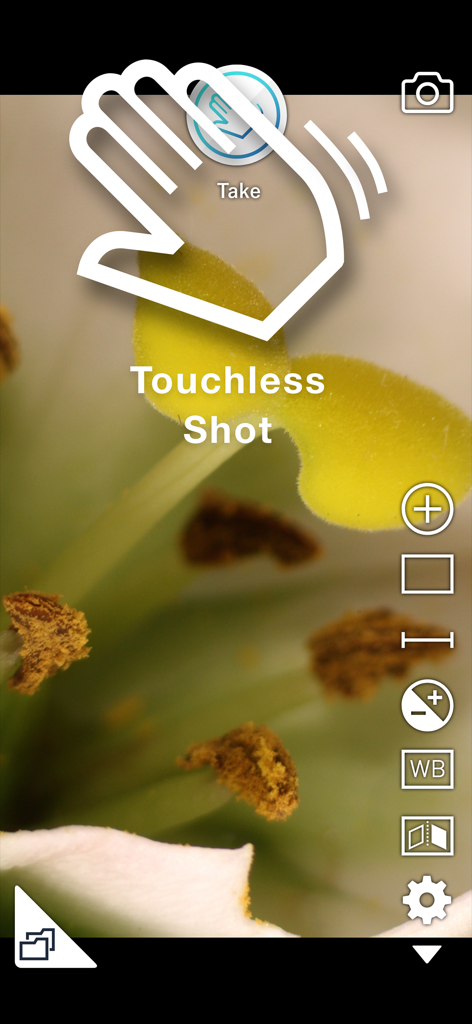
i-NTER SHOT2 app interface showing the touchless shot gesture feature for vibration-free microscopy photography

i-NTER SHOT2 app interface showing the touchless shot gesture feature for vibration-free microscopy photography

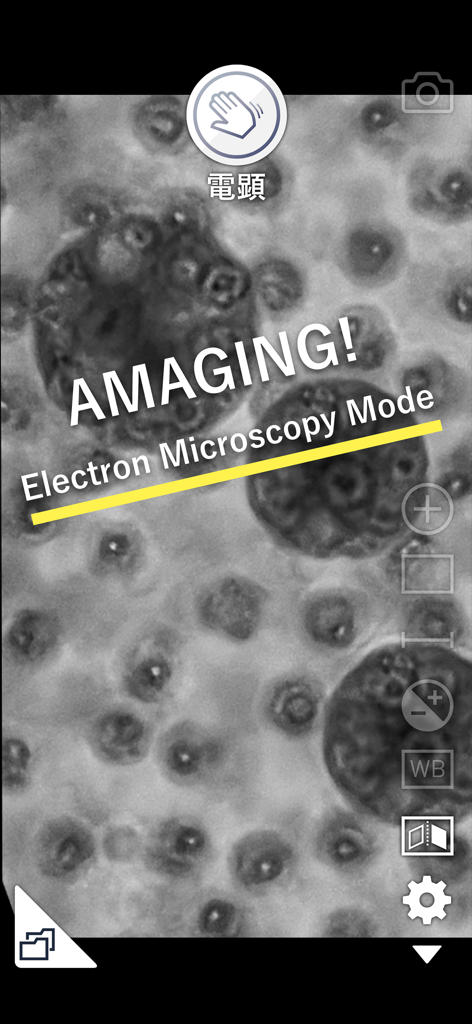
Smartphone app interface showing a monochrome specimen in Electron Microscopy Mode with a hand wave shutter icon

Smartphone app interface showing a monochrome specimen in Electron Microscopy Mode with a hand wave shutter icon

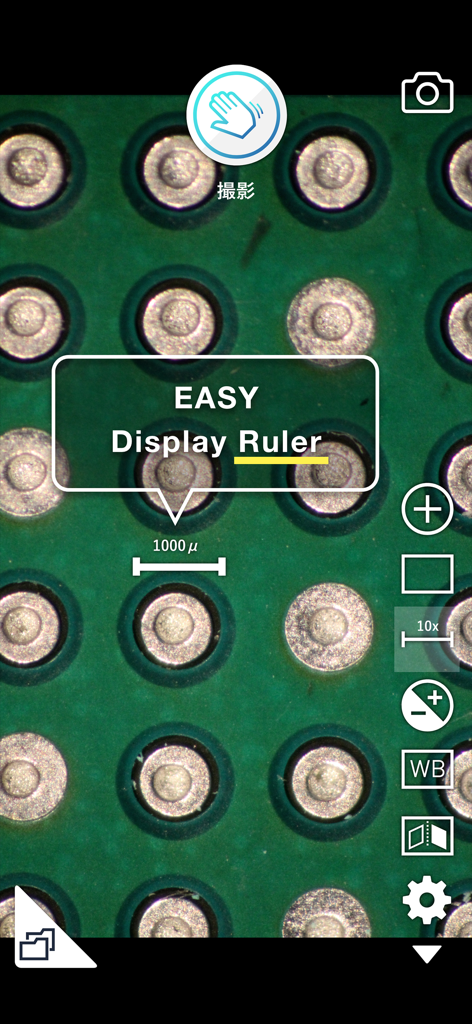
Microscopic view of a circuit board with a 1000 micrometer digital scale ruler overlay in the i-NTER SHOT2 app

Microscopic view of a circuit board with a 1000 micrometer digital scale ruler overlay in the i-NTER SHOT2 app

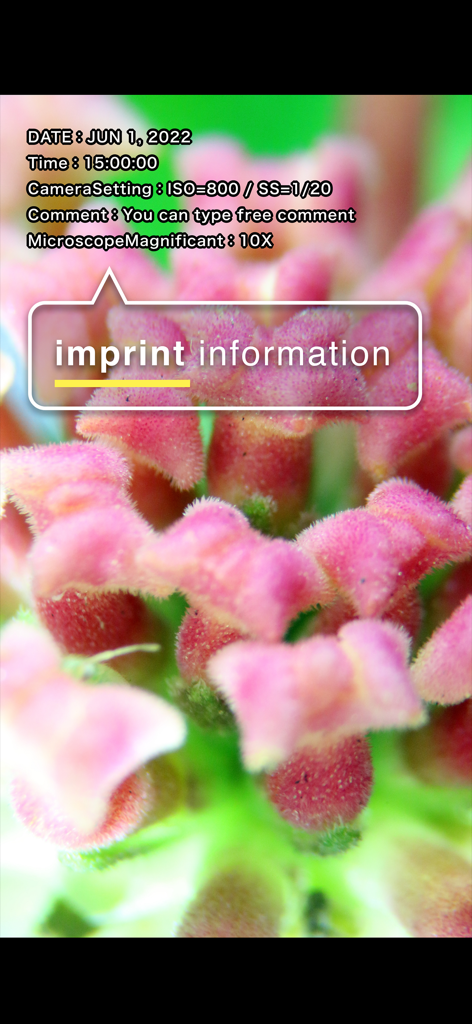
Microscope photograph showing the imprint information feature with technical camera settings and custom comments

Microscope photograph showing the imprint information feature with technical camera settings and custom comments

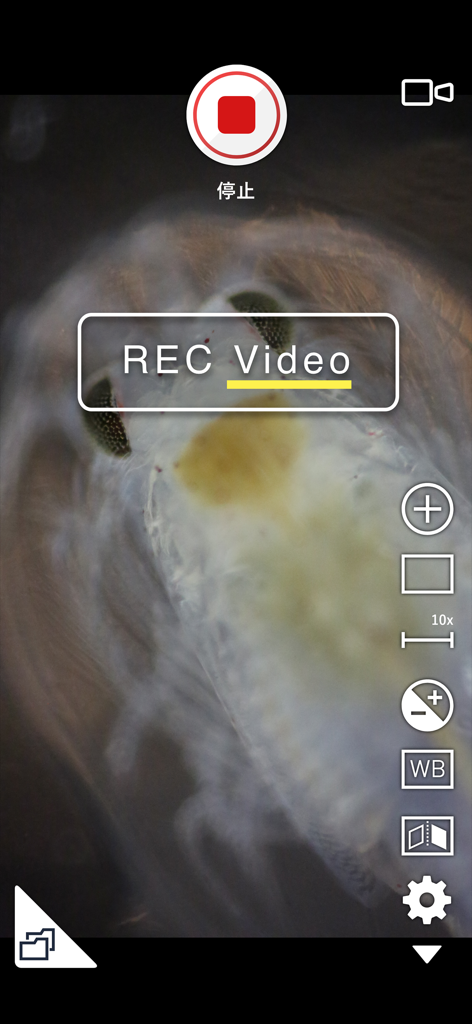
A microscope video recording of a biological specimen in i-NTER SHOT2.

A microscope video recording of a biological specimen in i-NTER SHOT2.

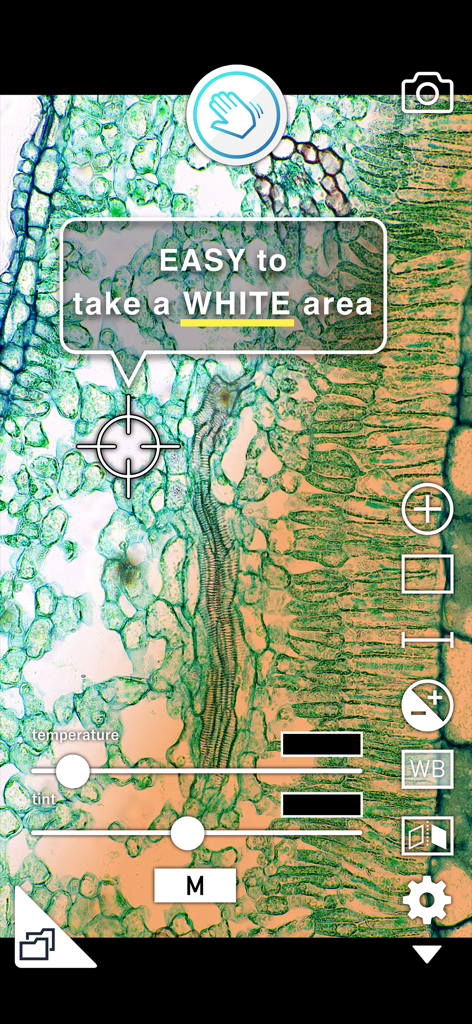
Microscope app interface showing manual white balance temperature and tint sliders over a plant specimen

Microscope app interface showing manual white balance temperature and tint sliders over a plant specimen

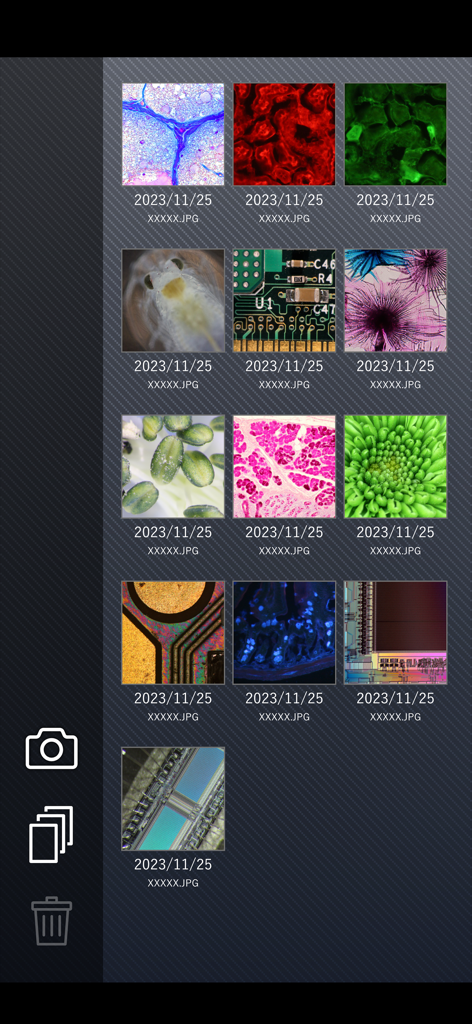
Gallery view within the i-NTER SHOT2 app showing a grid of captured microscopic images including biological samples and electronic circuits.

Gallery view within the i-NTER SHOT2 app showing a grid of captured microscopic images including biological samples and electronic circuits.

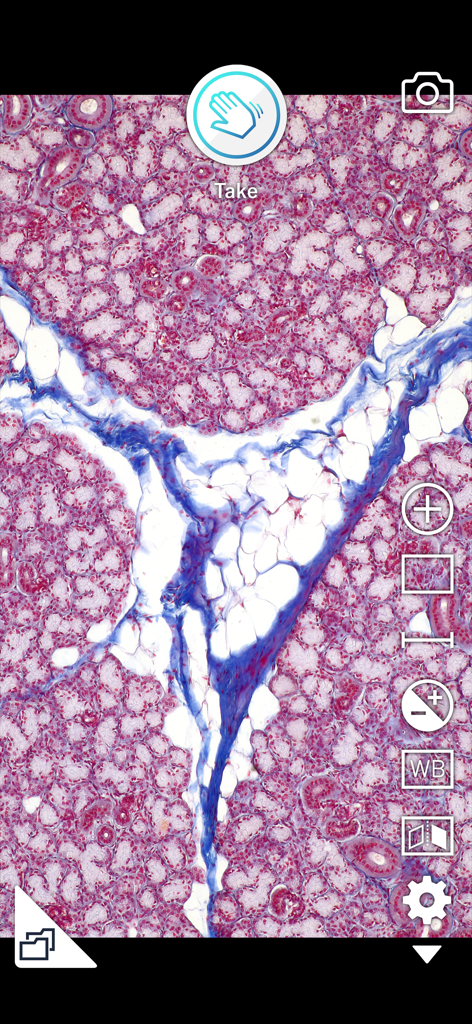
Microscopic tissue view in the i-NTER SHOT2 app interface with imaging controls

Microscopic tissue view in the i-NTER SHOT2 app interface with imaging controls

Professional Microscopy, Redefined

The tools that make this app stand out, trusted by 140K+ users.

👋

Vibration-Free Pass Shutter

Capture crystal-clear images by simply waving your hand over the sensor. Eliminate touch-induced blur and ensure flawless high-magnification shots every time.

📏

Integrated Scale & Metadata

Maintain scientific accuracy by embedding precise scale bars, grids, and professional comments directly into your photos for easy analysis and documentation.

🎛️

Advanced Optical Controls

Master your specimen imaging with manual exposure for fluorescent samples, custom white balance, and real-time image inversion for inverted microscopes.

Loved by users worldwide

Trusted by 140K+ people who love this app.

"

"The Pass Shutter is a game-changer for my daily pathology rounds. I can capture crystal-clear images of specimens without any vibration blur, and the privacy mode ensures my clinical photos stay separate from my personal library."

Dr. Sarah Jenkins, Clinical Pathologist
"

"I use i-NTER SHOT2 for all my lab lectures. The ability to display a live, high-resolution feed via AppleTV while maintaining the correct scale on every image has made my demonstrations much more impactful for my students."

Mark Thorne, PhD, Biology Professor

About the app

Everything you need to know about i-NTER SHOT2 for microscope.

Description

"i-NTER SHOT" is an innovative application which supports high quality microscope photographing. In order to attach an iPhone to a microscope, please use the dedicated adaptor “i-NTER LENS”. Here is the information site of “i-NTER LENS” https://www.microscope-net.com/products/smartphone/inter-lens-eng/ [ NEW functions in i-NTER SHOT2 ] - Display Scale and put into a picture - Electron Microscope mode - Monochrome mode - Capture information and comment record / put into a picture - Video mode [ Valuable functions for the microscope imaging ] - Pass Shutter Passing your hand over the front speaker becomes a shutter of a camera without touching the screen. You can take pictures without vibrations. - Magnification - Grid display Three grids are available for an accurate alignment. - Erect and Invert In order to adapt the display and photo to the inverted microscope, elect and invert function is available. - White Balance In addition to Auto White Balance Correction, manual adjustment is available. Two metrics (Color Temperature and Tint) adjustments enable the ideal color representation. - Exposure Correction In addition to Auto Compensation of the brightness, you can modify the brightness manually. This enables you to take a suitable picture of even the dark fluorescent specimen. - Full screen display In order to check the details of the displaying image, you can temporarily disappear whole items on the screen and display the image with full screen. - Dedicated photo list In order to manage the photos taken by this application, a dedicated photo list is available. - Disclosure/Non-Disclosure mode of photos In order not to mix private photos and photos taken by this app, you can hide photos taken by this app on Moment. - External Display Camera preview on an external display by way of AppleTV and HDMI is available. Remarkable full screen display of the camera preview is available with the rotation of the preview on the display in steps of 90 degrees. In order to utilize this application, i-NTER LENS that is a attachment lens between iPhone and Microscope is necessary. https://www.microscope-net.com/products/smartphone/inter-lens-eng/

Latest Version

2.3.2

Size

146.0 MB

First Released

Oct 30, 2015

Ready to Capture with Professional Precision?

Join thousands of researchers and clinicians. Download i-NTER SHOT2 today to transform your iPhone into a high-performance scientific imaging station.

Download on App Store
FAQ

Frequently Asked Questions

Everything you need to know about i-NTER SHOT2 for microscope

What is i-NTER SHOT2 for microscope?

i-NTER SHOT2 for microscope is an innovative application that supports high-quality microscope photographing using an iPhone. It requires the dedicated i-NTER LENS adaptor.

How does the Pass Shutter feature work in i-NTER SHOT2 for microscope?

The Pass Shutter feature, or Touchless Shot, allows users to take pictures without touching the screen. Passing a hand over the iPhone's front speaker activates the camera shutter, preventing vibrations.

Does i-NTER SHOT2 for microscope include an Electron Microscope mode?

Yes, i-NTER SHOT2 for microscope features an Electron Microscope mode. This new function enhances the application's imaging capabilities for specific microscopic observations.

Can i-NTER SHOT2 for microscope display a measurement scale on images?

Yes, i-NTER SHOT2 for microscope can display a measurement scale and embed it into pictures. This 'Display Ruler' feature helps users accurately record object sizes.

What information can i-NTER SHOT2 for microscope capture and embed with photos?

i-NTER SHOT2 for microscope can capture and embed information such as date, time, camera settings, user comments, and microscope magnification directly into the picture.

Does i-NTER SHOT2 for microscope support video recording?

Yes, i-NTER SHOT2 for microscope supports video recording with its dedicated Video mode. Users can capture dynamic microscopic observations.

How can users adjust white balance in i-NTER SHOT2 for microscope?

i-NTER SHOT2 for microscope offers both automatic and manual white balance adjustments. Users can manually adjust Color Temperature and Tint for ideal color representation.

Can i-NTER SHOT2 for microscope correct exposure for dark microscope specimens?

Yes, i-NTER SHOT2 for microscope provides Exposure Correction. It offers auto compensation and manual brightness modification, allowing users to photograph dark fluorescent specimens effectively.

How does i-NTER SHOT2 for microscope manage captured photos?

i-NTER SHOT2 for microscope includes a dedicated photo list to manage pictures taken with the app. It also offers a Disclosure/Non-Disclosure mode to hide app photos from general albums.

Do I need additional hardware to use i-NTER SHOT2 for microscope?

Yes, i-NTER SHOT2 for microscope requires the dedicated adaptor 'i-NTER LENS' to attach an iPhone to a microscope. The app is designed to function with this specific attachment.