iCareFone:Phone Transfer&Clean

iCareFone:Phone Transfer&Clean

Download on App StoreDownload on Google Play
Spark by MWM logo
Logo of iCareFone:Phone Transfer&Clean

iCareFone: Phone Transfer & Clean — Take Total Control of Your iPhone Storage

Break free from iCloud fees and iTunes complexity. Effortlessly transfer media to your PC, clean up digital clutter, and reclaim gigabytes of space in just a few clicks.

Download on App StoreDownload on Google Play

Publisher

Tenorshare(Hongkong)Limited

Category

Utilities

Downloads

1M+

User Rating

3.0/5

Total Ratings

2K+

Locales

9

Control at a Glance

Discover the interface used by 1M+ users.
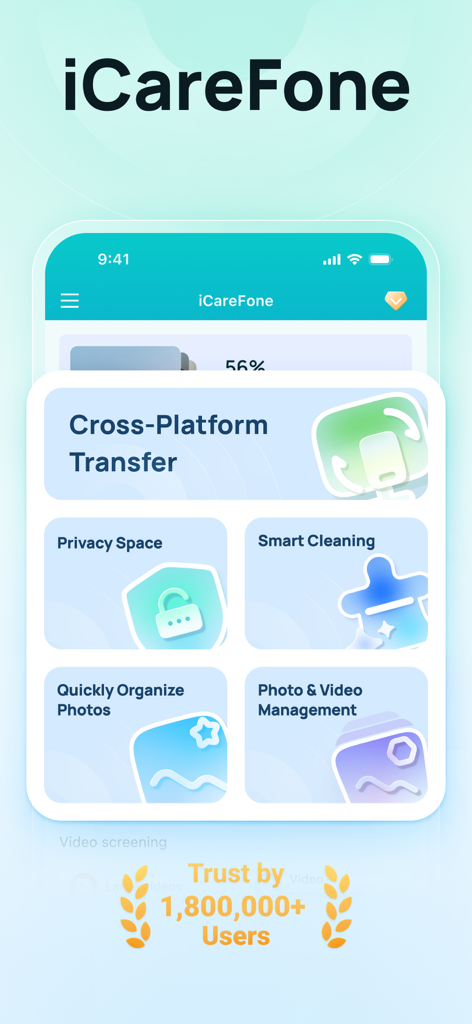
iCareFone app dashboard showing phone transfer and storage cleanup options

iCareFone app dashboard showing phone transfer and storage cleanup options

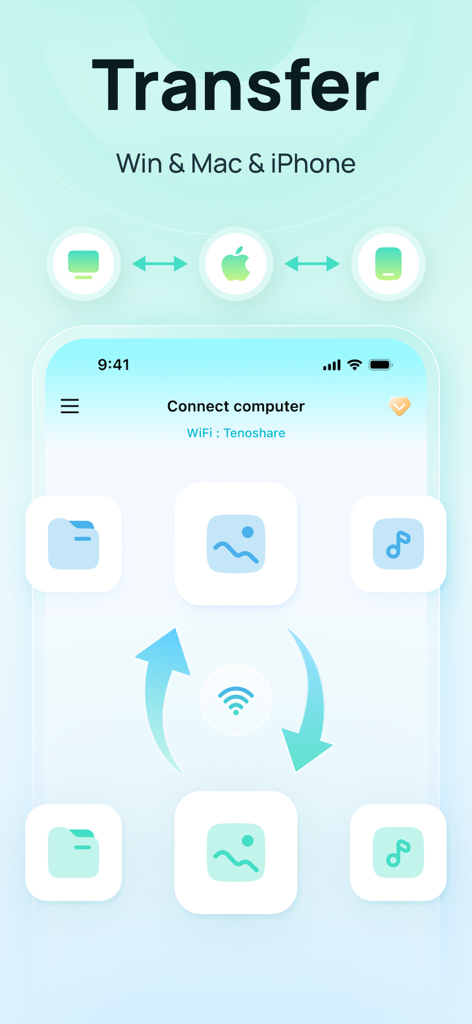
Wireless file transfer between iPhone and computer via iCareFone

Wireless file transfer between iPhone and computer via iCareFone

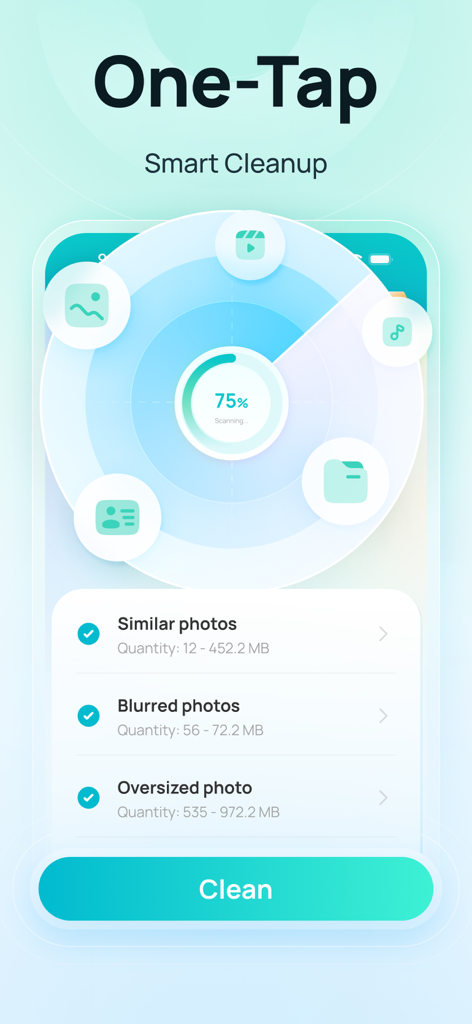
iCareFone app interface showing one-tap smart cleanup for similar and blurred photos

iCareFone app interface showing one-tap smart cleanup for similar and blurred photos

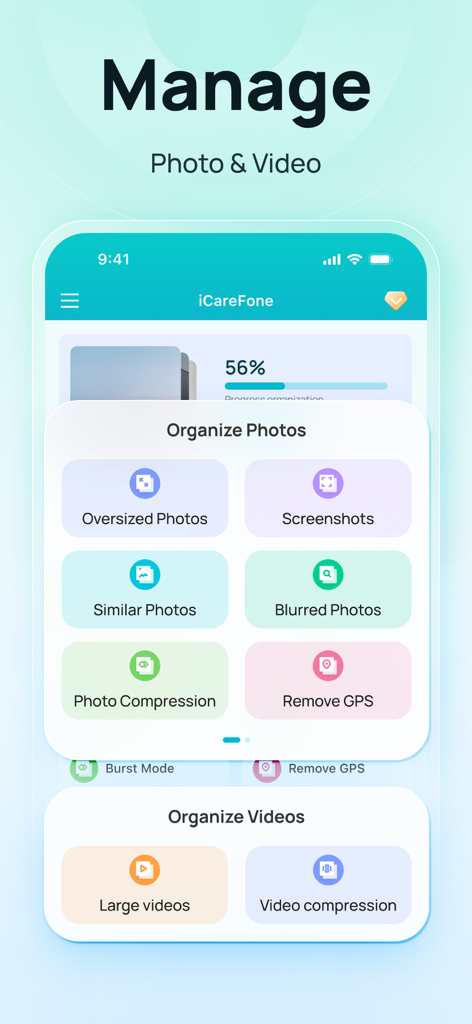
iCareFone app interface for managing and organizing photos and videos on iPhone

iCareFone app interface for managing and organizing photos and videos on iPhone

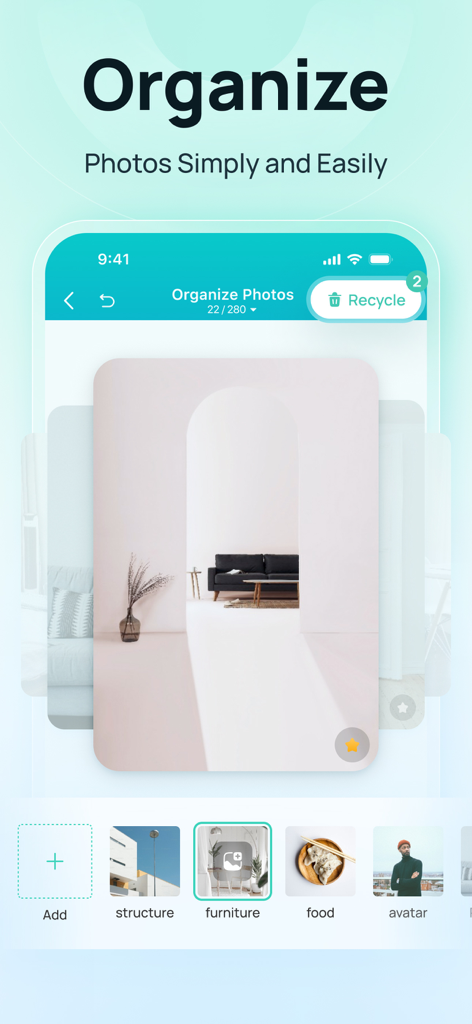
iCareFone app screenshot showing photo organization by categories like furniture and food

iCareFone app screenshot showing photo organization by categories like furniture and food

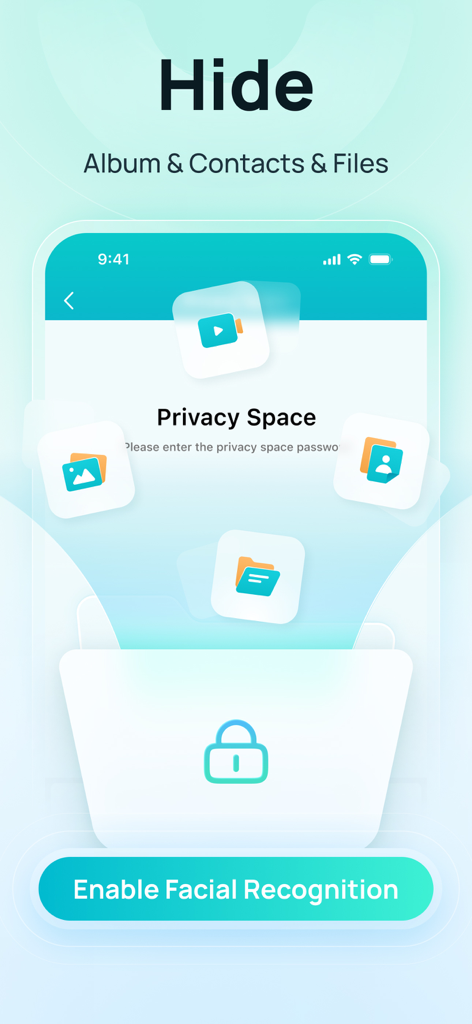
iCareFone app interface showing privacy space feature to hide albums contacts and files using facial recognition

iCareFone app interface showing privacy space feature to hide albums contacts and files using facial recognition

Take Back Control of Your iPhone

The tools that make this app stand out, trusted by 1M+ users.

📲

Lightning-Fast File Transfer

Move photos and videos directly to your PC or Mac over Wi-Fi. No cables, no syncing errors, and zero iCloud storage fees.

📸

Smart Storage Cleanup

Instantly clear gigabytes of space by removing blurry shots and duplicates. Compress large videos to make room for new memories.

🔒

Secure Privacy Vault

Hide sensitive photos and private documents in a protected folder. Keep your personal data off the cloud and under your total control.

Loved by users worldwide

Trusted by 1M+ people who love this app.

"

"As a mom constantly filming my kids, I was always getting that 'Storage Full' alert. iCareFone saved me! I can easily move all my videos to my PC without paying for extra iCloud storage, and the smart cleanup cleared out thousands of blurry photos in seconds. It is a total lifesaver for my phone's memory!"

Sarah Jenkins
"

"I use an iPhone for work but a Windows PC for everything else, and syncing used to be a nightmare. This app makes transferring files and managing my data seamless without the headaches of iTunes. Plus, the Privacy Space gives me peace of mind for my sensitive documents. It is the ultimate toolkit for anyone who wants real control over their device."

David Miller

About the app

Everything you need to know about iCareFone:Phone Transfer&Clean.

Description

iCareFone is an incredibly practical data transfer and backup tool that simplifies how you manage your Apple devices. With just a few clicks, you can transfer, organize, and clean up your iPhone, like photos, videos & more effortlessly and fast without iCloud and iTunes. 【Main Functions】 1. File Transfer - Support batch transfer of photos, videos, files, and 10+ other types between iOS, Pad, and computers—fully cross-platform over LAN. 2. Photo Management - Quickly categorize and organize photos in your device; -Compress oversized photos/videos in your device to free up space on your device; 3. Smart Cleanup - Quickly clean up the space of your device and slim down your device; 4. Photo Screening - Quickly screen out similar, blurred, oversized, screenshot, etc. photos or videos in your device; 5. Privacy - Privacy space can provide privacy protection for private photos and files in your device; 6. Other Functions - New folder, rename, move and delete files/folders; - Support multiple files for preview; - Detect the performance of the device, one key to improve the speed of the device; iCareFone iOS APP member automatic subscription instructions 1. Service name: iCareFone iOS App members automatically subscribe. 2. Subscription period: 1 week, 1 year,And both include an extra 3 days free trial. 3. For accounts with continuous membership, the fee will be automatically deducted from your iTunes account 24 hours before the end of each week/year, and the membership validity period will be extended by 1 week/year. 4. To cancel your subscription, go to iOS "Settings" --> "iTunes and App Store" --> click "Apple ID" --> select "View Apple ID" --> go to the "Account Settings" page --> Click "Subscribe" and choose to cancel iCareFone iOS APP membership. If the subscription is not canceled at least 24 hours before the end of the subscription period, it will be automatically renewed. 5. Terms and Conditions: www.tenorshare.com/tenorshare-app-end-user-license-agreement.html 6. Privacy Policy: www.tenorshare.com/tenorshare-app-privacy-policy.html - iCareFone iOS APP members can purchase directly through iTunes account. - Once a subscription is activated, it is non-refundable.

Latest Version

4.11.15

Size

103.9 MB

First Released

Oct 3, 2016

Ready to End "Storage Full" Alerts for Good?

Ditch the monthly iCloud fees and reclaim your space. Download iCareFone now to manage your memories, secure your privacy, and transfer files with total freedom.

Download on App StoreDownload on Google Play