InFrame - Photo editor collage

InFrame - Photo editor collage

Download on App Store
Spark by MWM logo
Logo of InFrame - Photo editor collage

InFrame - Level Up Your Instagram Game with Professional Photo Frames

Create your perfect aesthetic in seconds. Turn everyday photos into stunning artworks with high-standard layouts, artistic filters, and the ultimate freestyle editor designed for your social feed.

Publisher

INFRAME CO., LIMITED

Category

Photo & Video

Downloads

4M+

User Rating

4.9/5

Total Ratings

81K+

Locales

25

Level Up Your Feed

Discover the interface used by 4M+ users.
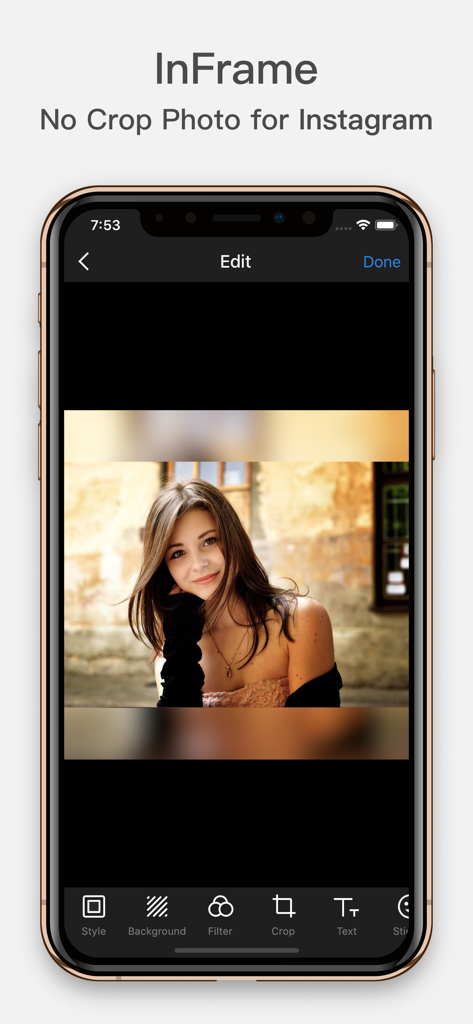
InFrame photo editor interface featuring a no crop portrait with a blurred background effect

InFrame photo editor interface featuring a no crop portrait with a blurred background effect

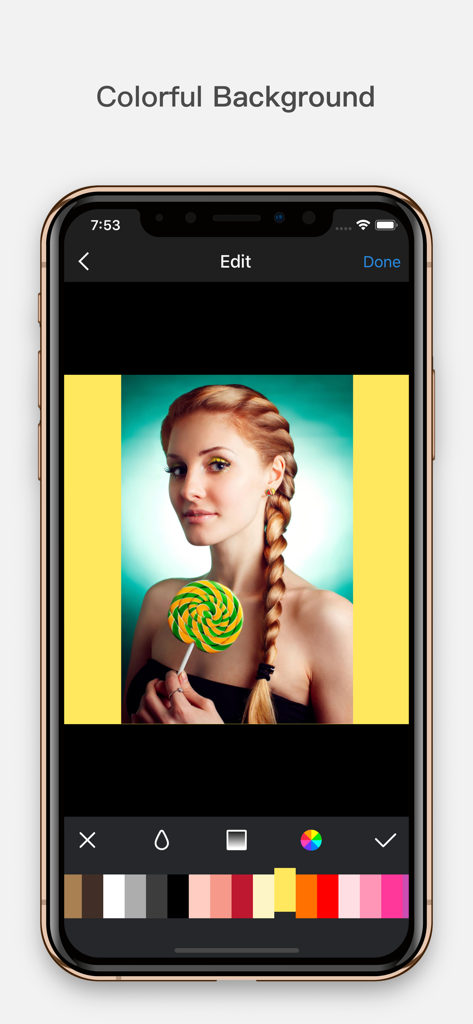
Mobile app interface showing a portrait photo with a bright yellow background being selected from a color palette.

Mobile app interface showing a portrait photo with a bright yellow background being selected from a color palette.

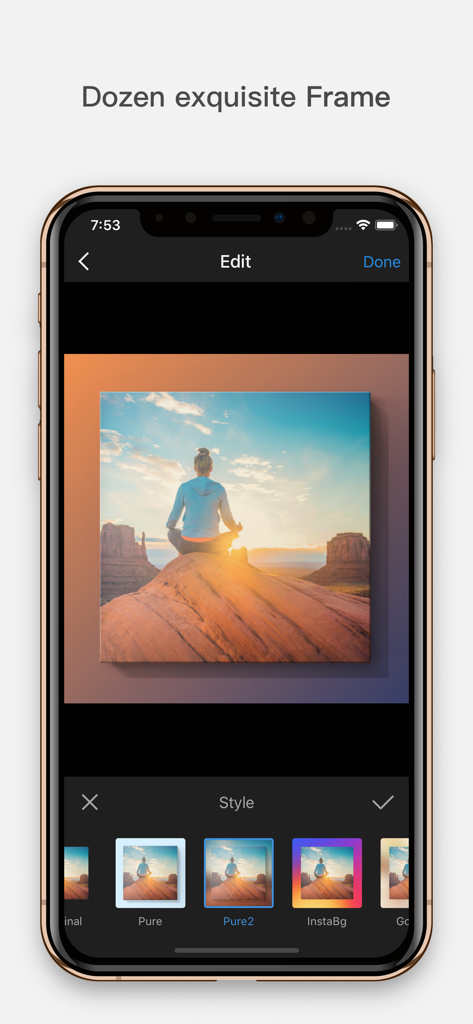
Interface of the InFrame app showing a landscape photo being edited with different exquisite frame styles

Interface of the InFrame app showing a landscape photo being edited with different exquisite frame styles

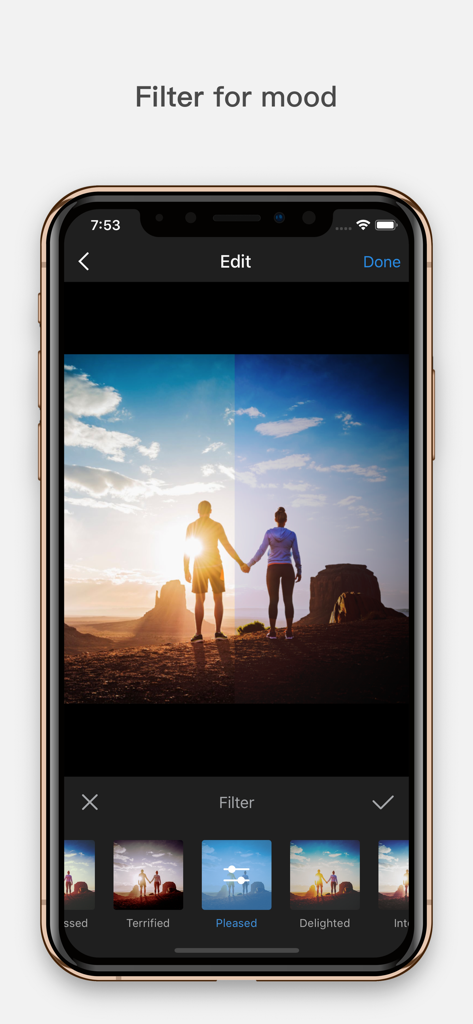
InFrame photo editor screen displaying various mood filters for a sunset landscape photo of a couple

InFrame photo editor screen displaying various mood filters for a sunset landscape photo of a couple

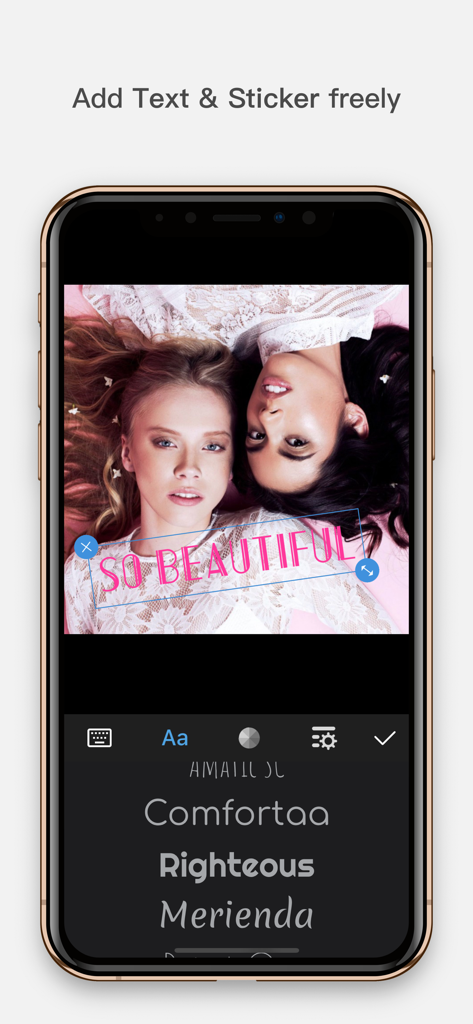
Smartphone screen displaying InFrame photo editor with pink text overlay and font selection menu

Smartphone screen displaying InFrame photo editor with pink text overlay and font selection menu

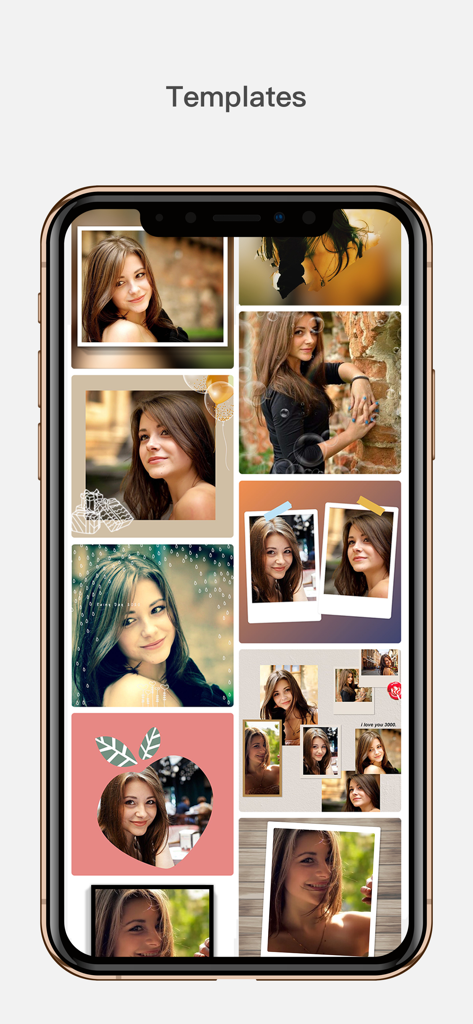
A smartphone display showing a collection of creative photo collage templates and artistic frames in the InFrame app

A smartphone display showing a collection of creative photo collage templates and artistic frames in the InFrame app

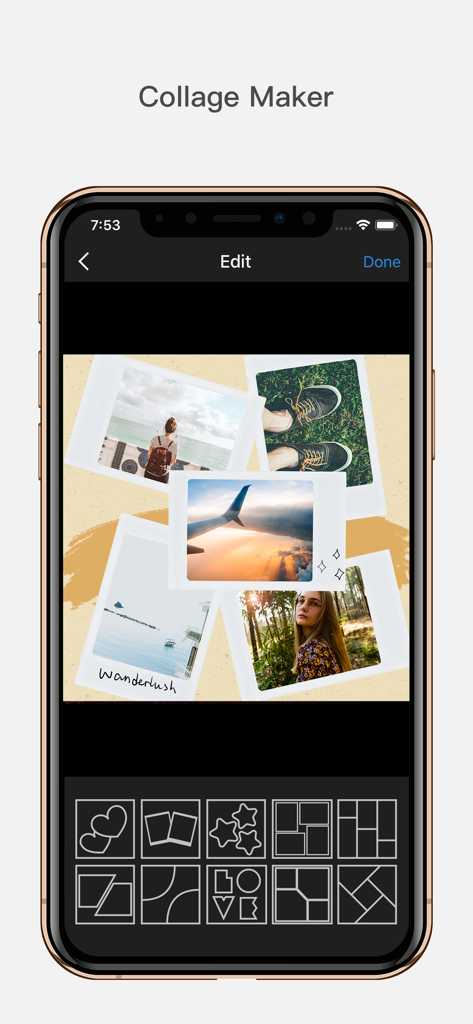
Mobile app interface of InFrame showing a collage maker with polaroid style photos and various grid layout options.

Mobile app interface of InFrame showing a collage maker with polaroid style photos and various grid layout options.

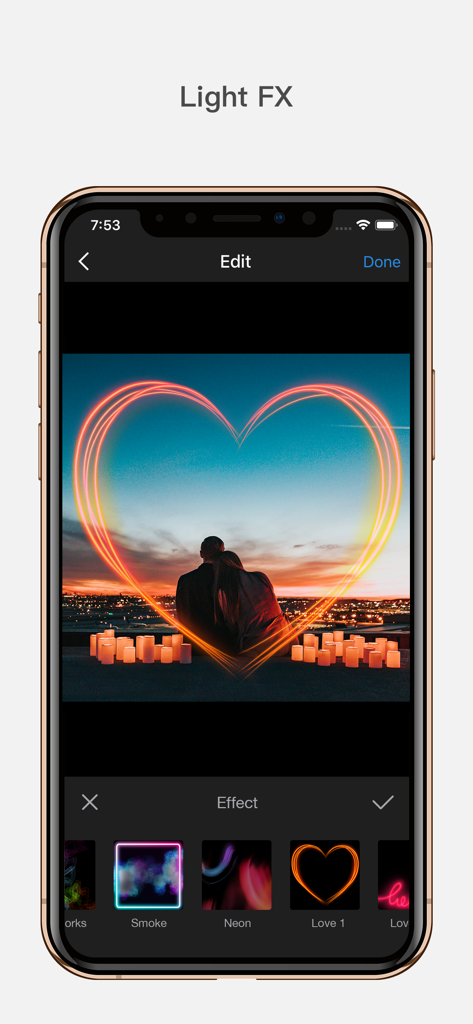
InFrame app interface displaying a neon heart light effect on a romantic sunset photo.

InFrame app interface displaying a neon heart light effect on a romantic sunset photo.

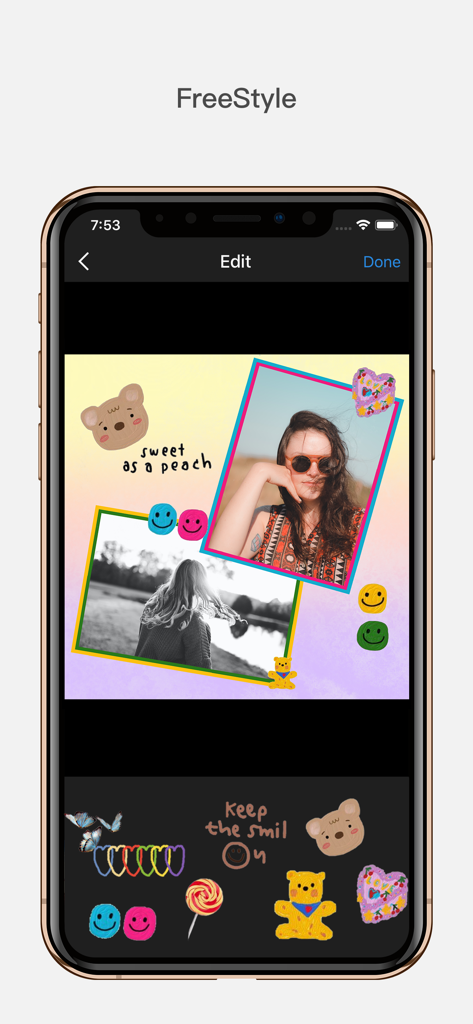
InFrame mobile app interface showing freestyle collage editing with photos stickers and text decorations

InFrame mobile app interface showing freestyle collage editing with photos stickers and text decorations

Level Up Your Aesthetic

The tools that make this app stand out, trusted by 4M+ users.

🖼️

Pro-Level Frames

Give your photos a professional edge with curated frames that make every post look like it belongs in a high-fashion magazine.

Mood-Setting Filters

Express your unique vibe using cinematic color schemes designed to convey emotion and capture your audience's attention.

📐

Seamless Layout Control

Stop fighting the crop. Use blur backgrounds and freestyle positioning to fit any photo perfectly into your Instagram grid.

Loved by users worldwide

Trusted by 4M+ people who love this app.

"

"InFrame is my secret weapon for a curated Instagram grid! The professional frames and blur background feature make my photos look like they were edited by a pro. It is so easy to use and completely leveled up my aesthetic game."

Chloe Martinez
"

"I love how simple it is to create collages and add personal touches. The filters are top-notch for setting the right vibe, and being able to add text directly to my travel shots makes my stories feel so much more personal. Highly recommend!"

Jackson Reed

About the app

Everything you need to know about InFrame - Photo editor collage.

Description

InFrame is an extremely easy-to-use photo editor. Turn your photo to awesome artworks with our redesigned frames. Tons of features to help you level up your Instagram game. Check it out for free! Features: * Frames to High Standard With all kinds of photo frames, InFrame helps you to upgrade the beauty of your photos to as high level as of the ones taken by professionals. Explore more for yourself and create your own interesting post. * Filters to Express Yourself Every color has a story. Tens of filters in InFrame with different color schemes for you to convey your mood to others without a word. * Add Background to Show Your Style Blur Style – highlight your subject with blurred photo as the background; Color Style – modify background color from color picker to match your photo in a more converged way; InFrame – Drive from Instagram icon, purple, red and yellow, make your photo outstanding in numerous posts. * Text to Record the Moment Add text with plentiful fonts and colors to record the story behind the post, what time is it now, who are you with, where are you, how do you feel. Affix your signature to let the world know this unique post is from you! * Handy Layout Move, rotate, scale the photo by touching any part of it, crop the photo with any proportion and position, InFrame offers you a total freestyle operation to achieve our goal of ease-of-use. * Share with Your Friends Share fresh photos to Instagram, WhatsApp, Messenger, Twitter or any SNS if you are eager to make public, and save to camera roll. InFrame Pro Subscription Notice 1. Payment will be charged to iTunes Account at confirmation of purchase 2. Subscription automatically renews unless auto-renew is turned off at least 24-hours before the end of the current period 3. Account will be charged for renewal within 24-hours prior to the end of the current period, and identify the cost of the renewal 4. Subscriptions may be managed by the user and auto-renewal may be turned off by going to the user's Account Settings after purchase Terms of use: https://inframe.app/terms_of_use.html Privacy policy: https://inframe.app/privacy.html

Latest Version

1.8.8

Size

259.6 MB

First Released

Sep 20, 2016

Ready to Level Up Your Grid?

Join over 4 million creators and turn your everyday shots into professional-grade aesthetic masterpieces. Download InFrame for free and start your social media glow-up today.

Download on App Store
FAQ

Frequently Asked Questions

Everything you need to know about InFrame - Photo editor collage

What features does InFrame - Photo editor collage offer?

InFrame offers frames, filters, background customization, text addition, and handy photo editing operations like moving, rotating, scaling, and cropping. It also includes collage and Light FX tools to level up Instagram posts.

Is InFrame - Photo editor collage free to use?

Yes, InFrame is available for free download. The app description states, "Check it out for free!" It also offers an InFrame Pro Subscription for additional features or content, requiring in-app purchases.

How does InFrame help upgrade photos with frames?

InFrame helps upgrade photos with frames by providing various high-standard photo frames. These frames enhance the beauty of photos, achieving a professional look, and users can create unique posts.

Can users express mood with filters in InFrame - Photo editor collage?

Yes, InFrame allows users to express their mood with filters. The app provides numerous filters with distinct color schemes, enabling users to convey feelings and styles without words.

What background customization options are available in InFrame?

InFrame provides Blur Style to highlight subjects, Color Style for modifying background colors, and 'InFrame' style for unique background patterns using Instagram-inspired colors. These options customize the photo's background.

How can I add text to photos using InFrame - Photo editor collage?

Users add text with plentiful fonts and colors to photos within InFrame. This feature helps record the story behind the post, including details like time, companions, location, and emotions, allowing for personalized signatures.

Where can I share photos created with InFrame - Photo editor collage?

InFrame supports sharing photos to Instagram, WhatsApp, Messenger, Twitter, or any other social networking service. Users can also save their edited photos directly to their camera roll.

How do I manage my InFrame Pro subscription?

Users manage their InFrame Pro subscription and auto-renewal through their iTunes Account Settings after purchase. Auto-renewal must be turned off at least 24 hours before the current period ends.

Where can I find the Terms of use and Privacy Policy for InFrame?

The Terms of Use for InFrame are located at 'https://inframe.app/terms_of_use.html'. The Privacy Policy is available at 'https://inframe.app/privacy.html'. Both links are provided directly in the app description.

Does InFrame - Photo editor collage include a collage maker?

Yes, InFrame includes a 'Collage Maker' feature. It allows users to combine multiple photos into various layouts, as demonstrated in the application's interface, providing creative collage options.

What is the 'Light FX' feature in InFrame?

The 'Light FX' feature in InFrame applies various lighting effects, such as 'Smoke', 'Neon', and 'Love' themes, to photos. These effects enhance visual appeal and add artistic elements.

Can I crop photos in InFrame - Photo editor collage?

Yes, InFrame allows users to crop photos freely. The app provides options to crop photos with any desired proportion and position, ensuring ease-of-use and precise control over edits.