iPalettes - Color palettes

iPalettes - Color palettes

Download on App Store
Spark by MWM logo
Logo of iPalettes - Color palettes

iPalettes - Color palettes: Your professional studio for stunning color schemes

Transform real-world inspiration into digital palettes. Capture colors from photos, convert HEX/CMYK codes, and sync your creative workflow across iPhone, iPad, and Apple Watch.

Download on App Store

Publisher

Thi Hoang

Category

Utilities

Downloads

21K+

User Rating

4.4/5

Total Ratings

100

Locales

5

Design with Precision

Discover the interface used by 21K+ users.
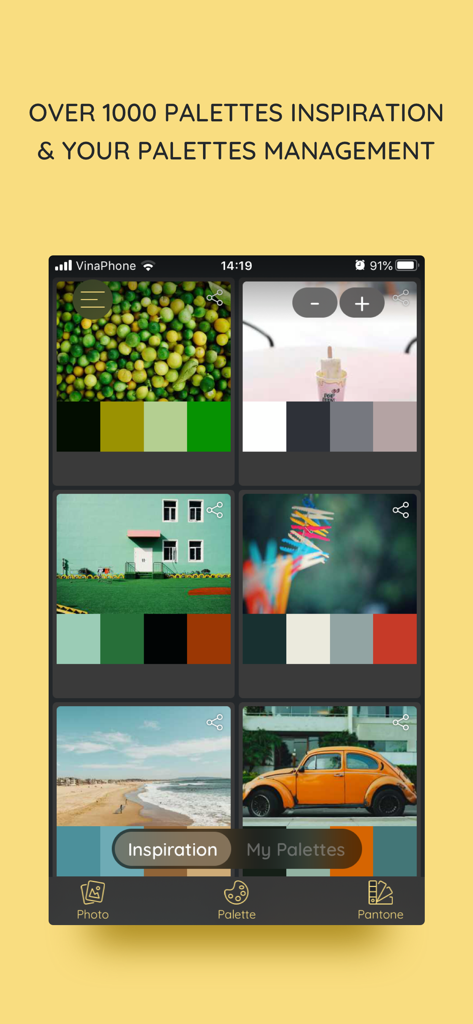
Inspiration tab of iPalettes app showing color schemes extracted from various images.

Inspiration tab of iPalettes app showing color schemes extracted from various images.

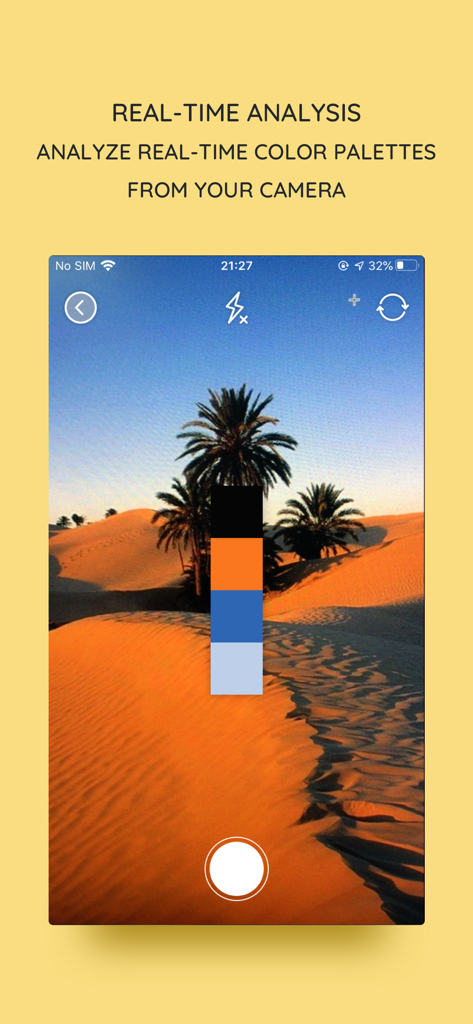
Real-time color palette analysis from camera in the iPalettes app

Real-time color palette analysis from camera in the iPalettes app

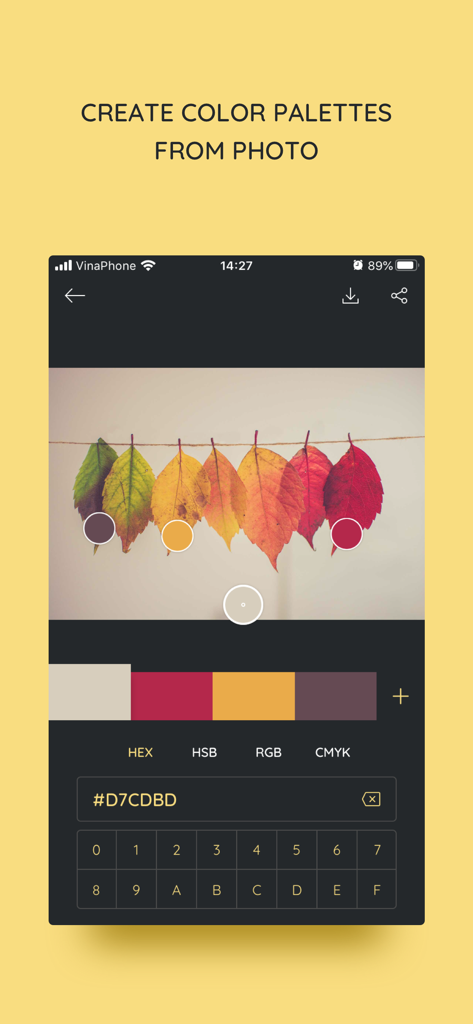
iPalettes app interface showing the creation of a color palette by extracting hex codes from a photo of autumn leaves.

iPalettes app interface showing the creation of a color palette by extracting hex codes from a photo of autumn leaves.

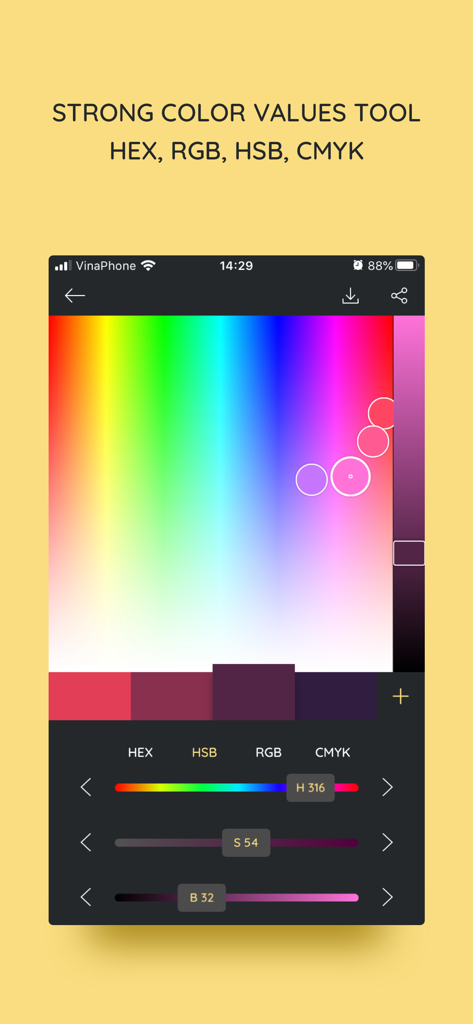
iPalettes mobile app interface featuring a color picker tool with adjustable HSB sliders and hex code values

iPalettes mobile app interface featuring a color picker tool with adjustable HSB sliders and hex code values

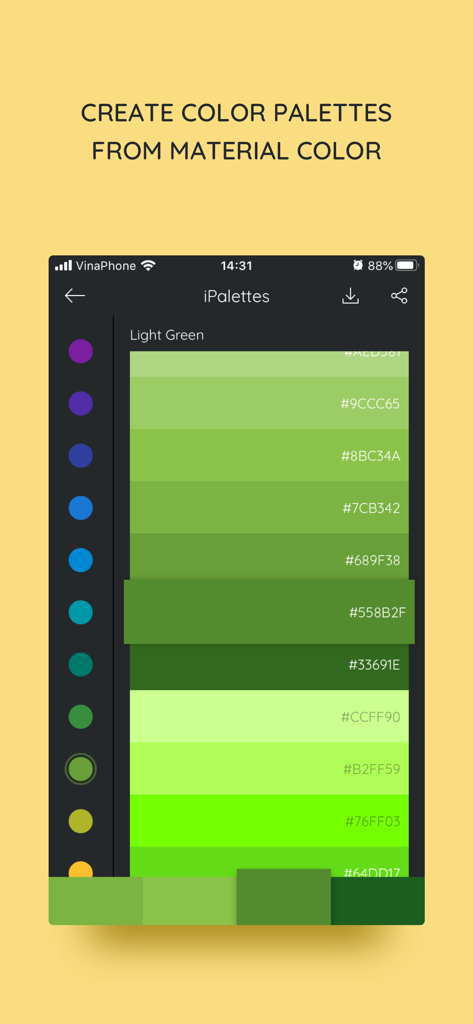
iPalettes app interface displaying a green material color palette with hex codes

iPalettes app interface displaying a green material color palette with hex codes

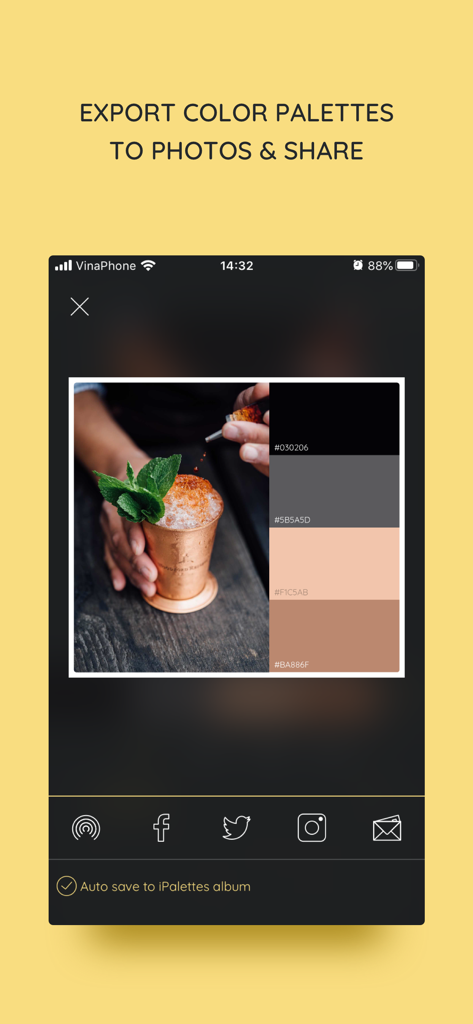
Interface of the iPalettes app showing a color palette generated from a photo and social media sharing options

Interface of the iPalettes app showing a color palette generated from a photo and social media sharing options

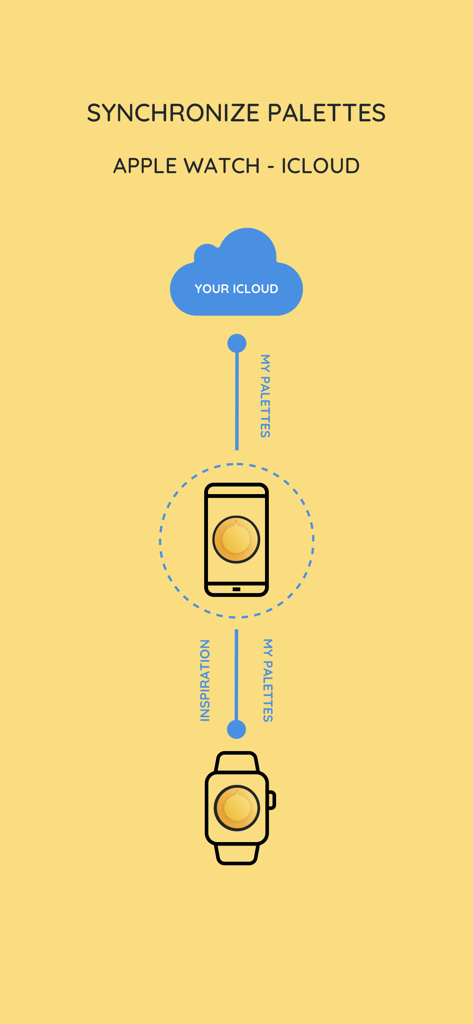
Diagram showing iPalettes synchronization between iCloud iPhone and Apple Watch

Diagram showing iPalettes synchronization between iCloud iPhone and Apple Watch

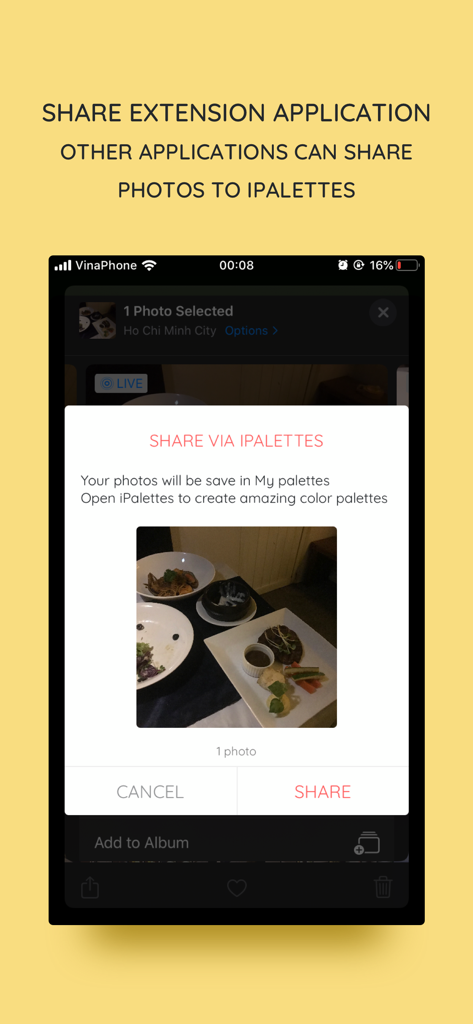
iOS share extension interface for sharing photos to the iPalettes app.

iOS share extension interface for sharing photos to the iPalettes app.

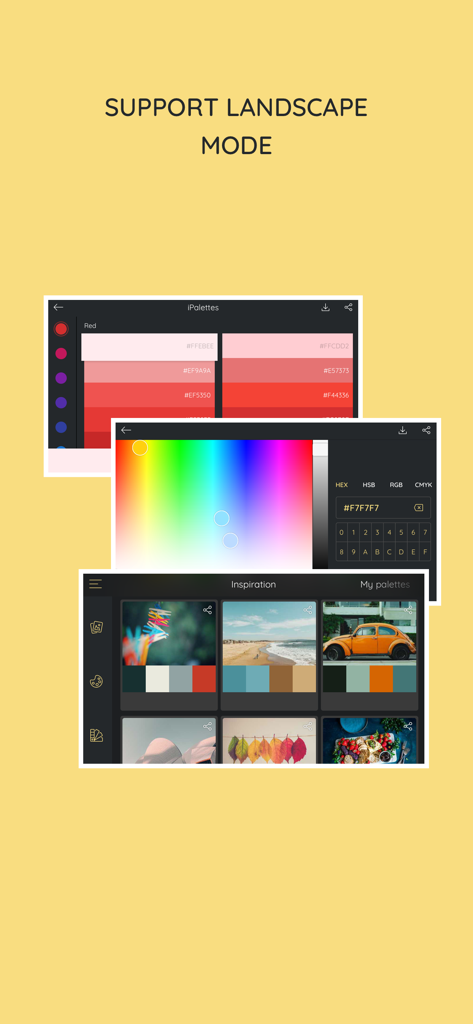
iPalettes app displaying color selection tools and inspiration palettes in landscape mode

iPalettes app displaying color selection tools and inspiration palettes in landscape mode

Master Your Color Palette

The tools that make this app stand out, trusted by 21K+ users.

📸

Turn Photos into Palettes

Capture inspiration the moment it strikes. Automatically extract stunning color schemes from your photos or camera roll using our advanced color analyzer.

💻

Built for Professional Workflows

Maximize productivity with iPad multitasking and drag-and-drop support. Seamlessly move your colors into design apps like Procreate or Canva while syncing via iCloud.

🎨

Technical Precision & Inspiration

Access over 1,000 curated palettes and Pantone libraries. Effortlessly convert between HEX, RGB, HSB, and CMYK for flawless execution across all media.

Loved by users worldwide

Trusted by 21K+ people who love this app.

"

"As a freelance brand designer, iPalettes is a staple in my iPad Pro workflow. The ability to extract professional palettes from photos and drag them directly into Procreate using multitasking has saved me hours of work. It is the most intuitive color utility I have found on the App Store."

Marcus Chen, Senior Graphic Designer
"

"I use this app to plan my entire Instagram aesthetic! I love taking photos of nature and letting the app generate a cohesive color story for my grid. The Apple Watch integration is also super handy for quick HEX code references when I am away from my desk."

Sarah Jenkins, Lifestyle Blogger

About the app

Everything you need to know about iPalettes - Color palettes.

Description

iPalettes - The easiest way to create awesome color palettes! ** Why should you use it? ** - You need a color range but you don't have any idea to make it. - You need a tool to choose color schemes. - You need a color converter between HEX, HSB, RGB, CMYK. So, iPalettes will provide tools and give you ideas to create many beautiful palettes. You can choose from 1000+ color palettes in Inspiration tab. In addition, you can edit and save your palette to review it later. At the end, you can save it to Camera Roll and share it to Facebook, Twitter, Instagram, Email or AirDrop as you want. With iPalettes, there are 3 ways to create a palette: 1. From Photo Library or Camera iPalettes will analyze image colors and create the best palette from it, but you can edit this palette as you like 2. From Color Picker Tool 3. From Pantone Pantone is a color range to create palettes. ** How to use? ** There are 2 main tabs, Inspiration and My Palettes. Inspiration is a list of suggested palettes. My Palettes is a list of palettes that you saved. Tap and hold item in My Palettes if you want to delete it. ** New updates ** 1. Support portrait and landscape orientation for all devices. 2. Feature: Save palette with a name and export with this name. 3. Feature: Share extension app - In this feature, another apps can share images to iPalettes. All shared images will be saved as projects in My palettes tab. - Example: Go to Photos app, choose an image and share it to iPalettes app. After that, go to iPalettes, this image will auto save to My palettes tab. Please enjoy it! 4. Feature: Add more colors in palette. - You can add up to 10 colors in palette on iPhone and 15 colors on iPad. 5. Add option for "Auto save to iPalettes album" in exporting screen. 6. Support multitasking on iPad - With iPadOS, you can use Multitasking to work with two apps at the same time. - User can use another app with iPalettes at the same time. 7. Support drag and drop for iPad (iOS 11,*). - With drag and drop, you copy photos from one app to iPalettes and vice versa. - Drag: In Export screen, after exporting progress is finished, long press on image view and you can move to copy this image to another apps. 8. Hex code screen: support copy and paste color hex value - Please press and hold the hex code, iPalettes will display 2 options for copy or paste hex code. 9. APPLE WATCH VERSION (watchOS 6, *) iPalettes is available on Apple watch with some features: (1) Data of inspiration and my palettes of your iPhone is synced with your watch. Please sure that your apple watch and iPhone are paired. (2) Tools of conversion will help you switch between hex color code and RGB color code. 10. Support languages: Vietnamese, English, French, Chinese, Japanese. 11. Synchronize palettes via iCloud (iOS 10, *) Save your palette data to iCloud automatically. When you create new or update or delete a palette, app will automatically sync all your changes to iCloud. In your other devices which use this iCloud will auto sync. If you see this feature is helpful, please enable it in Settings screen. Default this feature is disable. **************************************************** iPalettes is the best assistant for your work!

Latest Version

1.10.4

Size

32.3 MB

First Released

Jul 3, 2017

Bring Every Inspiration to Life in Full Color

Join over 21,000 designers and digital creators who turn world-class inspiration into professional color schemes. Capture, sync, and export your palettes across your iPhone, iPad, and Watch instantly.

Download on App Store