Just Press Record

Just Press Record

Download on App Store
Spark by MWM logo
Logo of Just Press Record

Just Press Record: The One-Tap Audio Recorder & Transcriber for Your Apple Ecosystem

Instantly capture ideas, meetings, and memories with a single tap or a Siri command. Effortlessly turn speech into searchable text and sync your recordings across iPhone, iPad, Mac, and Apple Watch.

Publisher

Open Planet Software Limited

Category

Utilities

Downloads

664K+

User Rating

4.2/5

Total Ratings

5K+

Locales

13

Capture Every Detail

Discover the interface used by 664K+ users.
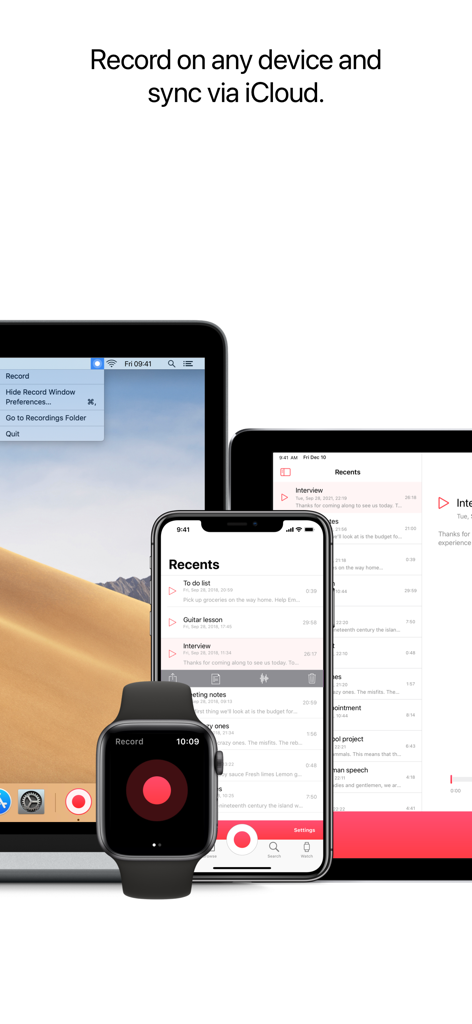
Just Press Record app interface on Apple Watch, iPhone, iPad and Mac showing iCloud syncing functionality.

Just Press Record app interface on Apple Watch, iPhone, iPad and Mac showing iCloud syncing functionality.

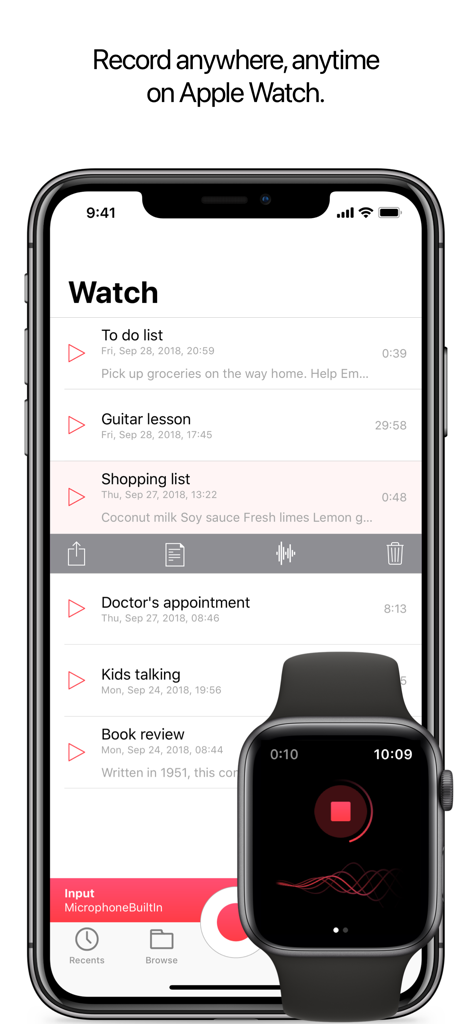
Just Press Record app interface on iPhone displaying a list of recordings synced with an Apple Watch showing an active recording.

Just Press Record app interface on iPhone displaying a list of recordings synced with an Apple Watch showing an active recording.

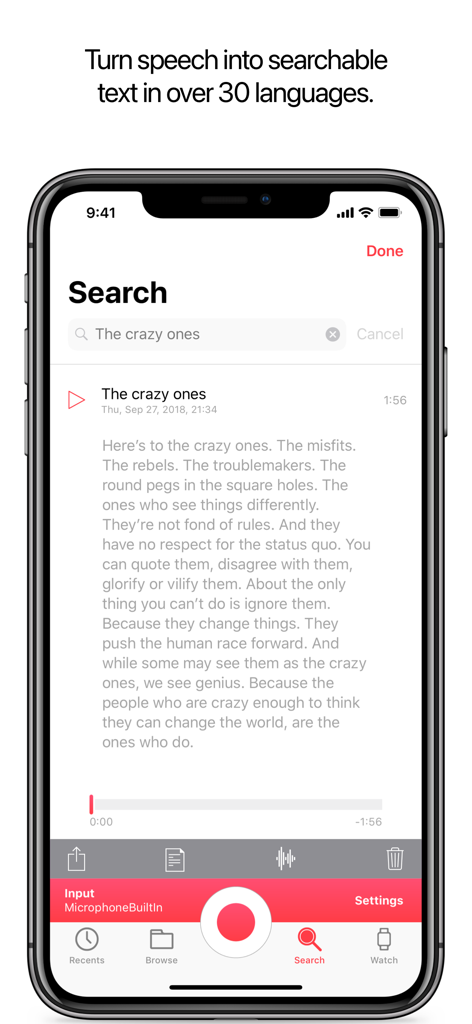
Just Press Record app displaying searchable audio transcription on iPhone.

Just Press Record app displaying searchable audio transcription on iPhone.

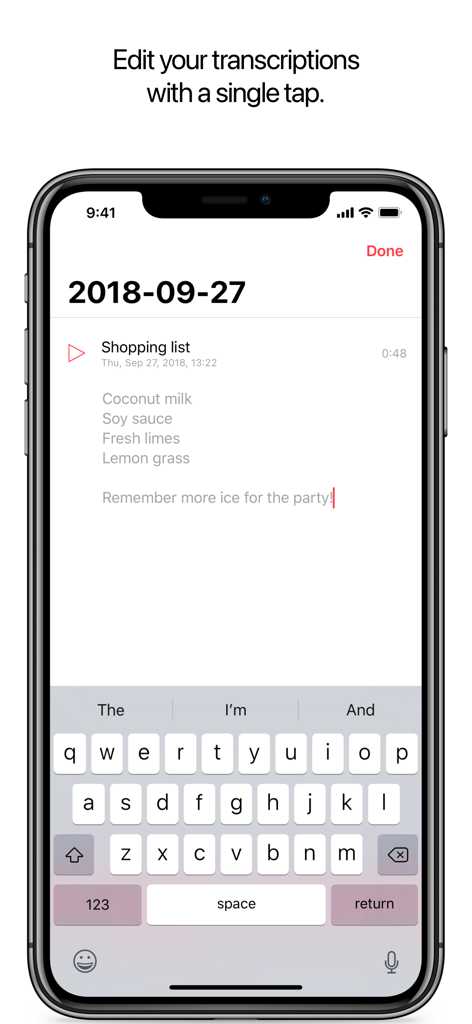
Just Press Record iPhone interface showing a transcribed shopping list being edited with the keyboard

Just Press Record iPhone interface showing a transcribed shopping list being edited with the keyboard

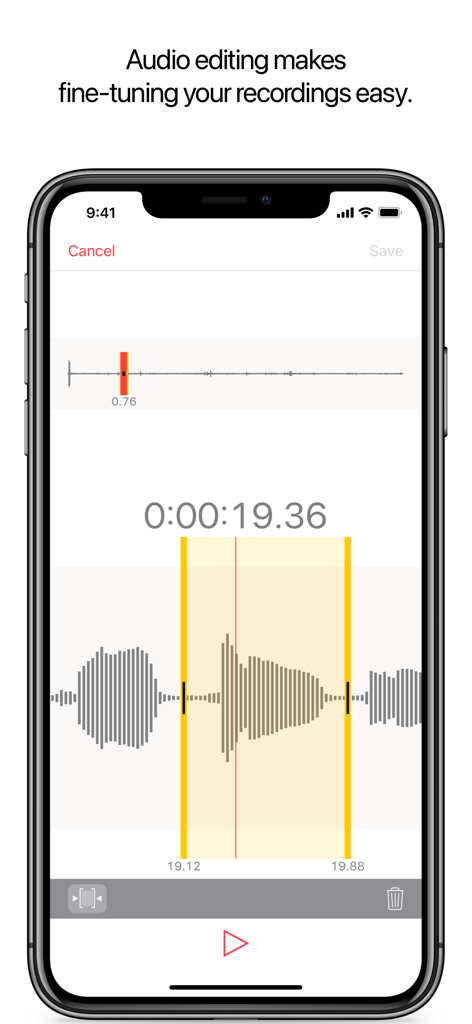
iPhone screen showing the audio editing interface with a waveform view for trimming recordings in the Just Press Record app.

iPhone screen showing the audio editing interface with a waveform view for trimming recordings in the Just Press Record app.

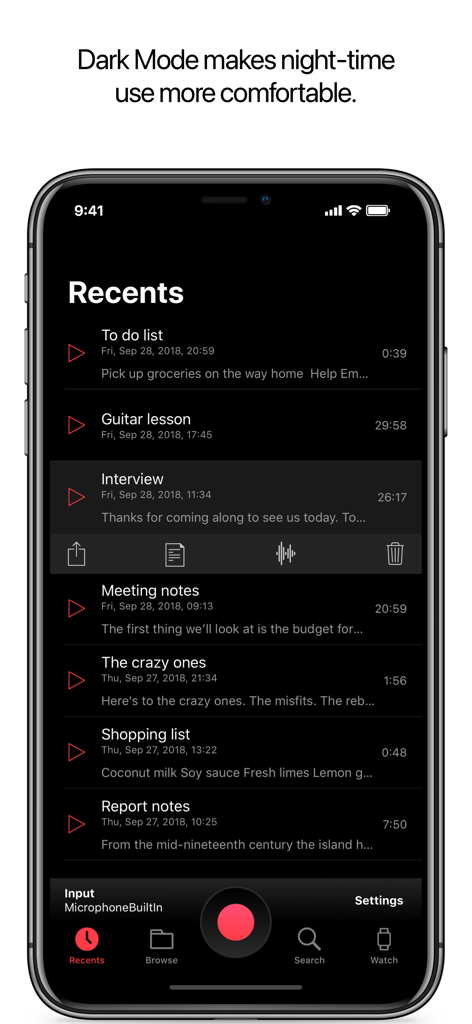
Just Press Record mobile app interface on iPhone featuring dark mode with a list of recent voice recordings.

Just Press Record mobile app interface on iPhone featuring dark mode with a list of recent voice recordings.

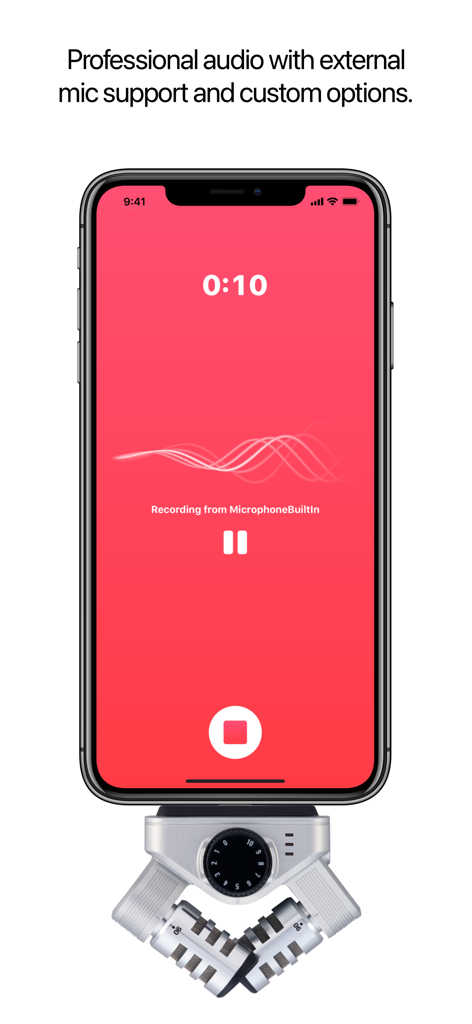
Just Press Record app interface on an iPhone connected to a professional external microphone

Just Press Record app interface on an iPhone connected to a professional external microphone

Capture Everything, Remember Everywhere

The tools that make this app stand out, trusted by 664K+ users.

🎙️

One-Tap Instant Capture

Launch recordings from your Apple Watch complication or via Siri commands. It is the fastest way to capture professional-grade audio hands-free.

📝

Searchable Intelligence

Auto-transcribe recordings in 30+ languages. Search through your history by keywords to turn hours of audio into actionable data instantly.

☁️

Pro-Sync Ecosystem

Store high-quality 96kHz files in iCloud for seamless access on iPhone, iPad, and Mac. Edit waveforms and share your work in seconds.

Loved by users worldwide

Trusted by 664K+ people who love this app.

"

"As a journalist constantly on the move, this app is indispensable. The ability to start a recording from my Apple Watch and have a searchable transcription waiting on my Mac by the time I'm back at my desk has completely transformed my workflow. It's reliable, fast, and the audio quality is professional-grade."

Sarah Jenkins, Investigative Journalist
"

"Just Press Record is the 'second brain' I've been looking for. I use the Action Button on my iPhone to capture spontaneous ideas throughout the day without even looking at my screen. The VoiceOver support is the best I've encountered, making it truly accessible and effortless to stay organized."

Marcus Thorne, Creative Director

About the app

Everything you need to know about Just Press Record.

Description

Just Press Record is the ultimate audio recorder bringing one tap recording, transcription and iCloud syncing to all your devices. You can edit your audio and transcriptions right inside the app and even start a new recording completely hands-free with Siri! Life is full of moments we would rather not forget - like your child’s first words, an important meeting or spontaneous idea. Capture these moments effortlessly on iPhone, iPad, Mac or for ultimate convenience, Apple Watch. RECORD • One tap to start, stop, pause and resume recording. • Start and stop recording from the Lock Screen, Control Centre, the Action Button, Shortcuts, Siri, the Widget, a 3D Touch Quick Action or via the URL scheme. • Unlimited recording time. • Record discretely in the background. • Choose to record from the built-in mic, AirPods or external microphones. • Record independently on Apple Watch and sync later. PLAY • Seek backwards and forwards during playback. • Adjustable playback speed. TRANSCRIBE • Turn speech into searchable text. • Support for over 30 languages, independent of your device's language setting. • Synchronized text highlighting and audio playback. • Format as you record with punctuation commands. EDIT • Audio - visualise your audio in the waveform view and cut out the parts you don’t need. • Text - make corrections and add new text to your transcriptions. SHARE • Share audio and text to other apps. • Share easily to social media as a video clip. • Share to iTunes on Mac or PC via USB cable. • Print a hard copy of your transcripts. • Share audio files from other apps to Just Press Record. ORGANISATION • View recent recordings or browse your library by date and time. • Search by filename or transcription content. • Dedicated tab for quick access to recordings made on Apple Watch. • Rename recordings. • Slide Over and Split View support on iPad. • Add a badge to the app icon showing the number of unplayed recordings. STORAGE • Choose to store recordings in iCloud Drive or locally on-device. • Recordings stored in iCloud Drive automatically sync across all your devices. • Recordings stored locally benefit from Files app integration and automatic iTunes File Sharing. • Transcriptions are stored within the audio file. PRO-AUDIO • Support for stereo recording from the built-in microphone on supported devices. • Support for high quality external microphones connected via the Lightning Port. • Customisable Audio Settings to enhance your recording experience. • File types include WAV, AIF or standard iTunes M4A (ACC). • High quality audio up to 96kHz / 24-bit. ACCESSIBILITY • VoiceOver support throughout the app. • Magic Tap gesture to start / stop a recording. APPLE WATCH Just Press Record includes an Apple Watch app that gives you the freedom to record anywhere, even when your iPhone is not around. • Start recording with a single tap on the Complication. • Record discretely in the background. • Unlimited recording time. • Recordings automatically transfer to iPhone for transcription and iCloud syncing. • Listen to recent recordings through the built-in speaker or AirPods. • Adjust volume with the Digital Crown. • Pause recording with a downward swipe. • Accessibility support with VoiceOver, reduced motion and support for the extra large Complication template. IMPORTANT: • Just Press Record does not record phone calls or audio from other apps. • Transcription requires a good, clean audio signal. Avoid recording in noisy environments and ensure the microphone is positioned close to the source. • URL scheme implemented by Just Press Record can be found on our FAQ page.

Latest Version

50.3

Size

8.1 MB

First Released

Sep 21, 2015

Ready to capture your next big idea?

Join over 664,000 professionals who rely on Just Press Record for effortless, one-tap recording and instant transcription across all their Apple devices.

Download on App Store
FAQ

Frequently Asked Questions

Everything you need to know about Just Press Record

What is Just Press Record and what devices does it support?

Just Press Record is an ultimate audio recorder offering one-tap recording, transcription, and iCloud syncing across all your devices. It supports iPhone, iPad, Mac, and Apple Watch for capturing important moments.

Does Just Press Record transcribe audio and how many languages does it support?

Yes, Just Press Record turns speech into searchable text. It supports over 30 languages for transcription, independent of your device's language setting, and includes synchronized text highlighting with audio playback.

Does Just Press Record sync recordings across multiple Apple devices?

Yes, Just Press Record offers iCloud syncing. Recordings stored in iCloud Drive automatically sync across all your devices, ensuring access from your iPhone, iPad, Mac, or Apple Watch.

Can users record independently on Apple Watch with Just Press Record?

Yes, Just Press Record allows independent recording on Apple Watch, even without your iPhone present. Recordings automatically transfer to your iPhone for transcription and iCloud syncing later.

Does Just Press Record offer audio editing features?

Yes, Just Press Record offers audio editing. Users can visualize their audio in a waveform view and precisely cut out unwanted parts directly within the app to fine-tune recordings.

Can I edit the transcribed text within the Just Press Record app?

Yes, users can edit transcribed text within the Just Press Record app. You can make corrections and add new text directly to your transcriptions, ensuring accuracy and completeness.

Does Just Press Record record phone calls or audio from other applications?

No, Just Press Record does not record phone calls or audio from other applications. This is an explicit limitation mentioned in the app's important notes section.

Does Just Press Record support external microphones and high-quality audio recording?

Yes, Just Press Record supports high-quality external microphones via the Lightning Port and offers customizable audio settings. It records high-quality audio up to 96kHz / 24-bit in WAV, AIF, or M4A formats.

Can users start a recording hands-free with Just Press Record?

Yes, users can start a new recording completely hands-free using Siri. Other convenient options include starting from the Lock Screen, Control Centre, or Shortcuts.