Kate • Keyboard Translator

Kate • Keyboard Translator

Download on App Store
Spark by MWM logo
Logo of Kate • Keyboard Translator
Kate • Keyboard Translator: Translate as you type, in any app

Stop switching apps to communicate. Write in your native language and instantly send high-quality translations in WhatsApp, iMessage, and Mail. Perfect for global professionals and seamless connections.

Download on App Store

Publisher

Denk Alexandru

Category

Utilities

Downloads

3K+

User Rating

4.5/5

Total Ratings

100

Locales

8

Fluent in Every App

Discover the interface used by 3K+ users.
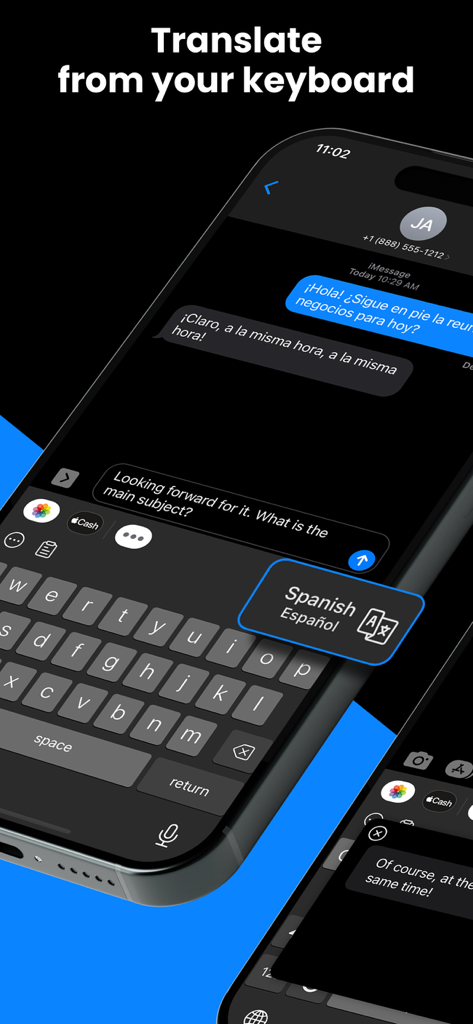
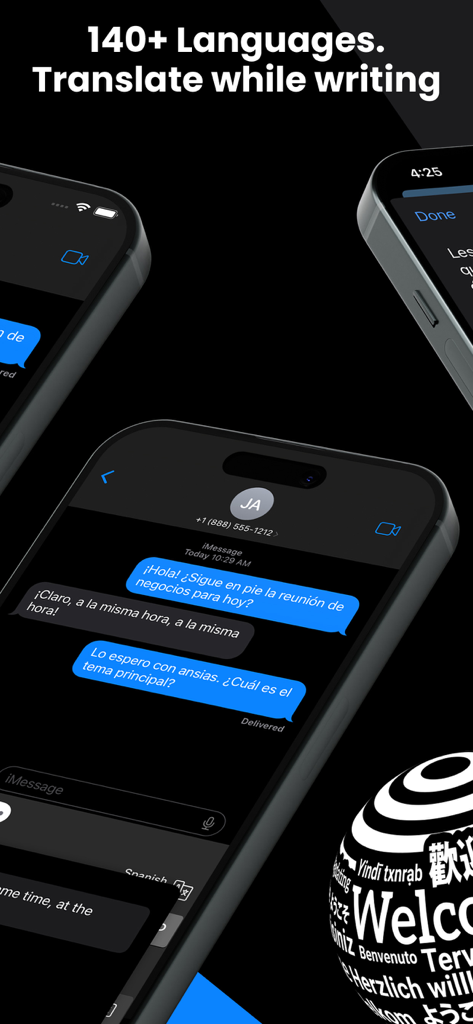
A smartphone showing the Kate Keyboard Translator app translating messages in real-time within iMessage between English and Spanish

A smartphone showing the Kate Keyboard Translator app translating messages in real-time within iMessage between English and Spanish

Kate Keyboard Translator app showing real-time message translation in a chat interface on iPhone

Kate Keyboard Translator app showing real-time message translation in a chat interface on iPhone

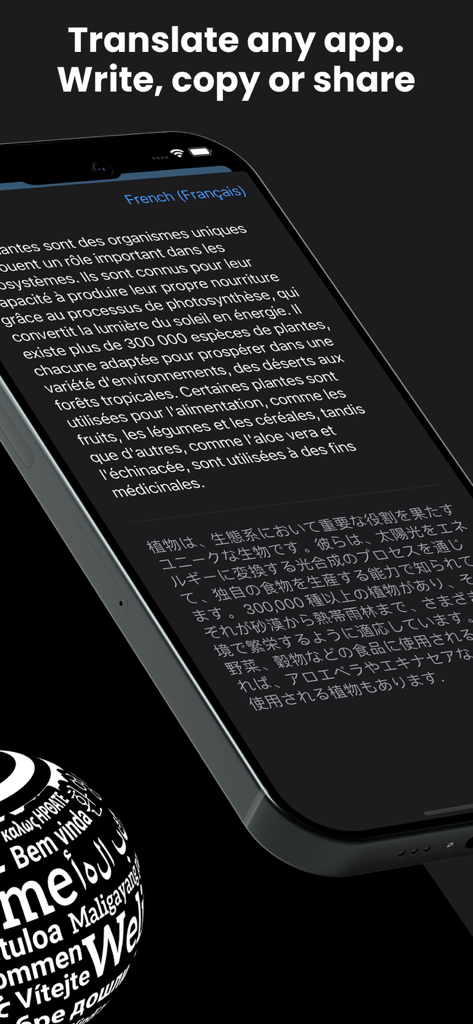
Smartphone screen demonstrating Kate Keyboard Translator app with French to Japanese translation.

Smartphone screen demonstrating Kate Keyboard Translator app with French to Japanese translation.

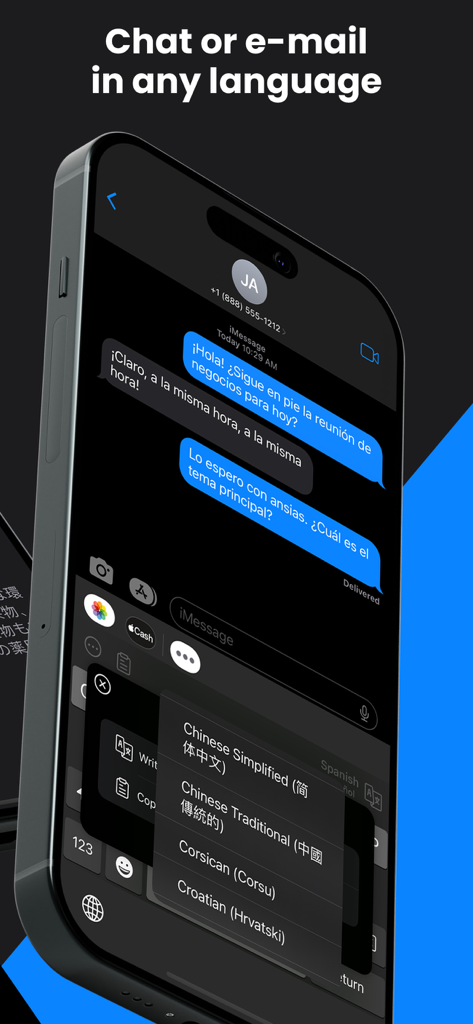
iPhone displaying a Spanish conversation in iMessage using the Kate keyboard translator with language selection active

iPhone displaying a Spanish conversation in iMessage using the Kate keyboard translator with language selection active

Break Language Barriers Without Breaking Your Flow

The tools that make this app stand out, trusted by 3K+ users.

✍️

In-Place Translation

Type in your native language and watch Kate automatically replace your text with high-quality translations as you go.

🌐

Universal Compatibility

Seamlessly integrated to work across Slack, Mail, Instagram, and Telegram—perfect for both professional and personal use.

💬

Instant Chat Reader

Receive a message you don't understand? Simply copy or share it to see the translation appear instantly above your keys.

Loved by users worldwide

Trusted by 3K+ people who love this app.

"

"As a consultant managing clients across Europe and South America, Kate has completely transformed my workflow. I no longer have to waste time switching between my email and a translation app. Being able to type in English and have it instantly replaced with professional-grade Spanish or German directly in the text field is a massive productivity boost."

Sarah J., Marketing Consultant
"

"I use this every day to stay in touch with my family abroad on WhatsApp. The 'copy to translate' feature is brilliant for understanding their messages, and I can reply in their native language without ever leaving the chat. It makes our conversations feel so much more natural and fluid. Truly the best utility app on my iPhone."

Marcus T., Digital Nomad

About the app

Everything you need to know about Kate • Keyboard Translator.

Description

With Kate, you can translate messages or text directly from the keyboard. Write in your native language, and Kate will automatically translate and replace your input. Whether you're using WhatsApp, iMessage, email, social media, or a browser, Kate allows you to instantly translate content within those apps. It can also translate received messages from chats - just copy or share the message, and the translation will appear over the keyboard. FEATURES • Very high-quality translations • Translate everywhere, from any app: WhatsApp, iMessage, Messenger, Telegram, WeChat, Mail, social media apps or browsers • Turn your keyboard into a translator - no need to jump between apps to translate messages or emails, write in your native language • Copy or share text to translate non-editable content • Change languages directly from the keyboard and automatically detect the language • In-place translation, ideal for customer support professionals - perfect for both professional and private communication • A useful accessibility tool, simple and well designed We read your support emails every day, day by day. Write with confidence any question, feedback, or complaint, and you will receive an answer in a very short period of time. 140 SUPPORTED LANGUAGES Afrikaans, Albanian, Amharic, Arabic, Armenian, Azerbaijani, Basque, Belarusian, Bengali, Bosnian, Bulgarian, Catalan, Cebuano, Chinese (Simplified), Chinese (Traditional), Corsican, Croatian, Czech, Danish, Dutch, English, Esperanto, Estonian, Filipino, Finnish, French, Frisian, Galician, Georgian, German, Greek, Gujarati, Haitian Creole, Hausa, Hawaiian, Hebrew, Hindi, Hmong, Hungarian, Icelandic, Igbo, Indonesian, Irish, Italian, Japanese, Javanese, Kannada, Kazakh, Khmer, Korean, Kurdish, Kyrgyz, Lao, Latin, Latvian, Lithuanian, Luxembourgish, Macedonian, Malagasy, Malay, Malayalam, Maltese, Maori, Marathi, Mongolian, Myanmar (Burmese), Nepali, Norwegian, Nyanja (Chichewa), Pashto, Persian, Polish, Portuguese, Punjabi, Romanian, Russian, Samoan, Scots Gaelic, Serbian, Sesotho, Shona, Sindhi, Sinhala (Sinhalese), Slovak, Slovenian, Somali, Spanish, Sundanese, Swahili, Swedish, Tagalog (Filipino), Tajik, Tamil, Telugu, Thai, Turkish, Ukrainian, Urdu, Uzbek, Vietnamese, Welsh, Xhosa, Yiddish, Yoruba, Zulu The free version is limited to 25 translated paragraphs. Upgrade to Pro for unlimited language translations. We offer three auto-renewing subscription options: • Basic, a 3-month subscription • Premium, a 12-month subscription Prices may vary by location. Subscriptions will auto-renew unless canceled. • Payment will be charged to the iTunes Account at confirmation of purchase • Subscription may be managed by the user, and auto-renewal may be turned off by going to the user’s Account Settings after purchase. • No cancellation of the current subscription is allowed during the active subscription period. • Subscription automatically renews unless auto-renewal is turned off at least 24 hours before the end of the current period. • Your account will be charged for renewal for the amount of your current subscription within 24 hours before the end of the current period. All costs for subscriptions are mentioned above. Privacy Policy https://alexdenk.eu/subscriptions-privacy-policy.html Terms of Use https://alexdenk.eu/subscriptions-terms-of-use.html

Latest Version

2.6.9

Size

21.2 MB

First Released

Feb 9, 2023

Speak the World Without Ever Switching Apps

Join thousands of efficiency-driven professionals and global connectors using Kate to translate instantly in any chat, email, or social media platform.

Download on App Store
FAQ

Frequently Asked Questions

Everything you need to know about Kate • Keyboard Translator

What is Kate • Keyboard Translator?

Kate Keyboard Translator is an app that allows users to translate messages and text directly from their keyboard, supporting real-time translation in various applications.

Can Kate • Keyboard Translator be used with other apps like WhatsApp?

Yes, Kate Keyboard Translator integrates with apps such as WhatsApp, iMessage, email, social media, and browsers, allowing instant translation directly within these platforms.

How does Kate Keyboard Translator handle incoming messages?

Kate Keyboard Translator translates received messages by allowing users to copy or share the text. The translation then appears over the keyboard without needing to switch apps.

How many languages does Kate • Keyboard Translator support?

Kate Keyboard Translator supports 140 languages for translation. Users can write in their native language and have it automatically translated to the target language.

Is there a free version of Kate • Keyboard Translator, and what are its limitations?

Yes, Kate Keyboard Translator offers a free version. It limits users to translating 25 paragraphs. Upgrading to the Pro version provides unlimited language translations.

What subscription options are available for Kate • Keyboard Translator Pro?

Kate Keyboard Translator Pro offers two auto-renewing subscription options: Basic, a 3-month subscription, and Premium, a 12-month subscription for unlimited language translations.

Do Kate • Keyboard Translator subscriptions auto-renew?

Yes, Kate Keyboard Translator subscriptions are auto-renewing. Payment is charged to the iTunes Account at purchase confirmation, and auto-renewal occurs unless turned off at least 24 hours before the current period ends.

How can users manage their Kate • Keyboard Translator subscription or turn off auto-renewal?

Users can manage their Kate Keyboard Translator subscription and turn off auto-renewal by accessing their Account Settings after purchase within their iTunes account.

Can users change translation languages within the Kate keyboard?

Yes, users can change translation languages directly from the Kate keyboard. The app also features automatic language detection to enhance the translation process.

Where can users find the Privacy Policy for Kate • Keyboard Translator?

Users can find the Privacy Policy for Kate • Keyboard Translator at the provided URL: https://alexdenk.eu/subscriptions-privacy-policy.html. This document details data handling practices.

Does Kate • Keyboard Translator offer in-place translation?

Yes, Kate Keyboard Translator offers in-place translation. This feature is ideal for seamless professional and private communication, as it translates content directly within the application.

Does Kate • Keyboard Translator provide high-quality translations?

Yes, Kate Keyboard Translator delivers very high-quality translations. This ensures accurate and reliable communication across the 140 supported languages available.