Translator Keyboard - Language

Translator Keyboard - Language

Download on App Store
Spark by MWM logo
Logo of Translator Keyboard - Language
Translator Keyboard - Language: Type and Translate Instantly in Any App

Break language barriers without the copy-paste struggle. Chat, email, and post across 60+ languages directly from your keyboard in real time.

Publisher

AIR APPS SYSTEMS, UNIPESSOAL, LDA

Category

Utilities

Downloads

2M+

User Rating

4.7/5

Total Ratings

29K+

Locales

33

Communication Without Limits

Discover the interface used by 2M+ users.
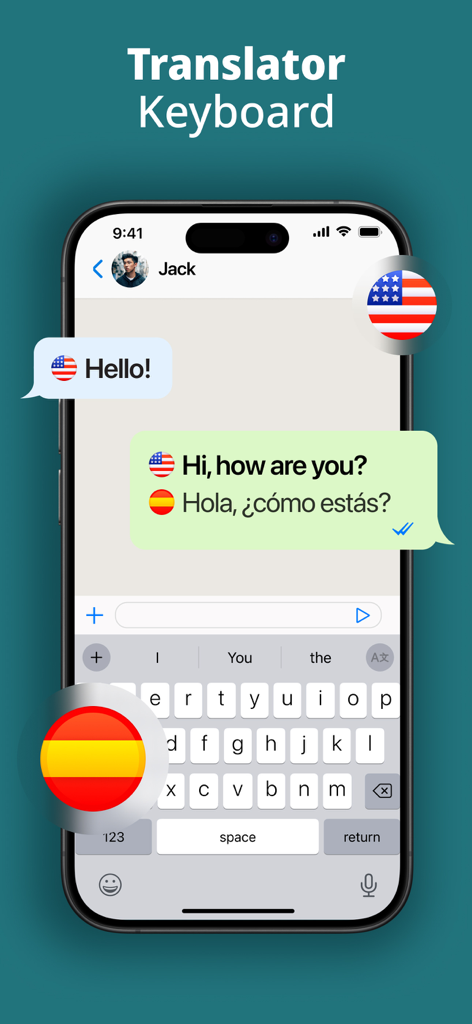
Interface of Translator Keyboard app showing real time translation from English to Spanish in a chat window

Interface of Translator Keyboard app showing real time translation from English to Spanish in a chat window

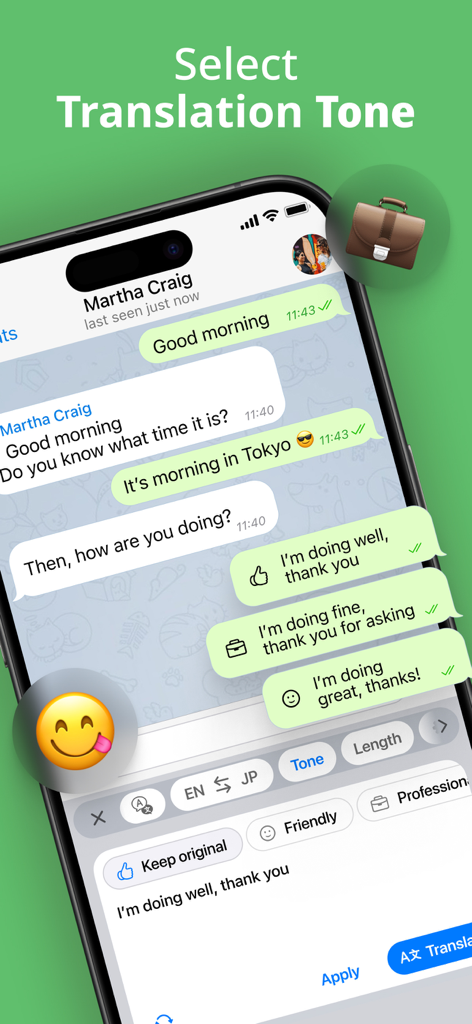
Translator keyboard interface with buttons for friendly and professional translation tones in a messaging app

Translator keyboard interface with buttons for friendly and professional translation tones in a messaging app

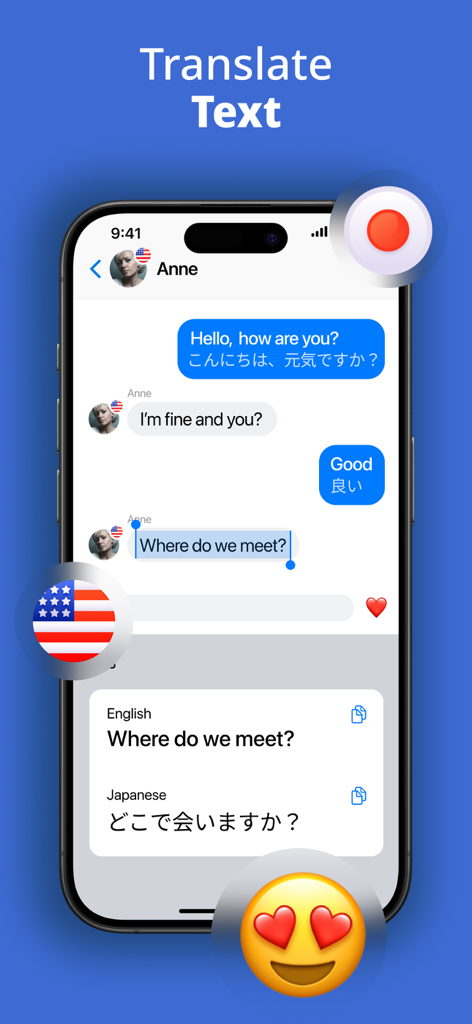
Smartphone screen showing the Translator Keyboard app translating an English chat message into Japanese in real time

Smartphone screen showing the Translator Keyboard app translating an English chat message into Japanese in real time

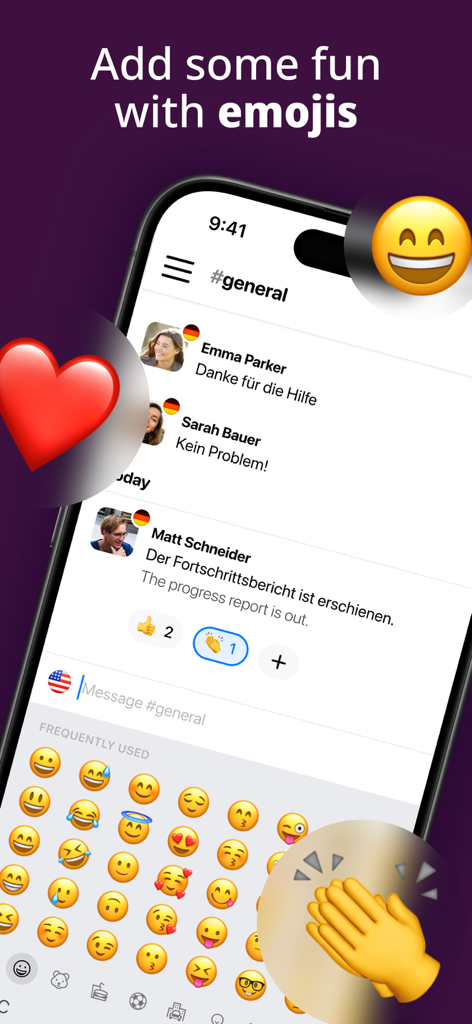
A smartphone screen showing the Translator Keyboard app with an emoji selection menu and real-time chat translation from German to English.

A smartphone screen showing the Translator Keyboard app with an emoji selection menu and real-time chat translation from German to English.

A smartphone showing a text conversation being translated in real time using the Translator Keyboard app

A smartphone showing a text conversation being translated in real time using the Translator Keyboard app

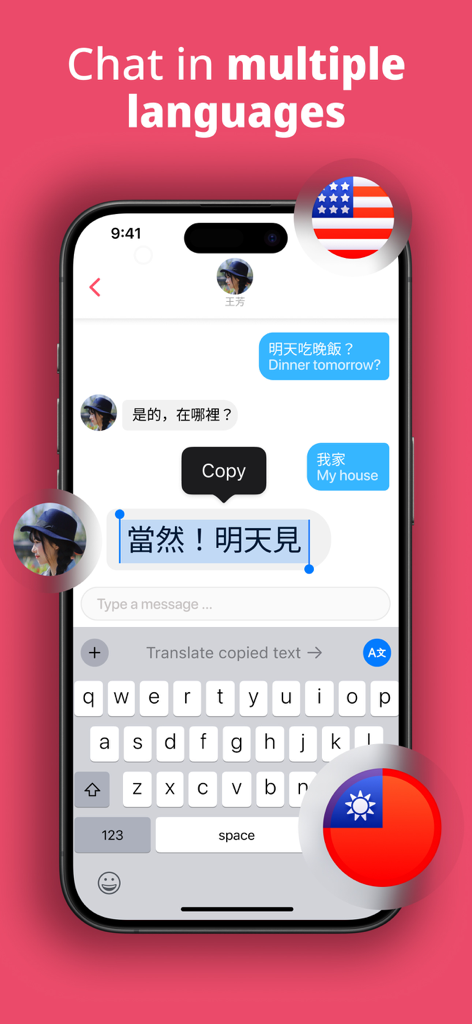
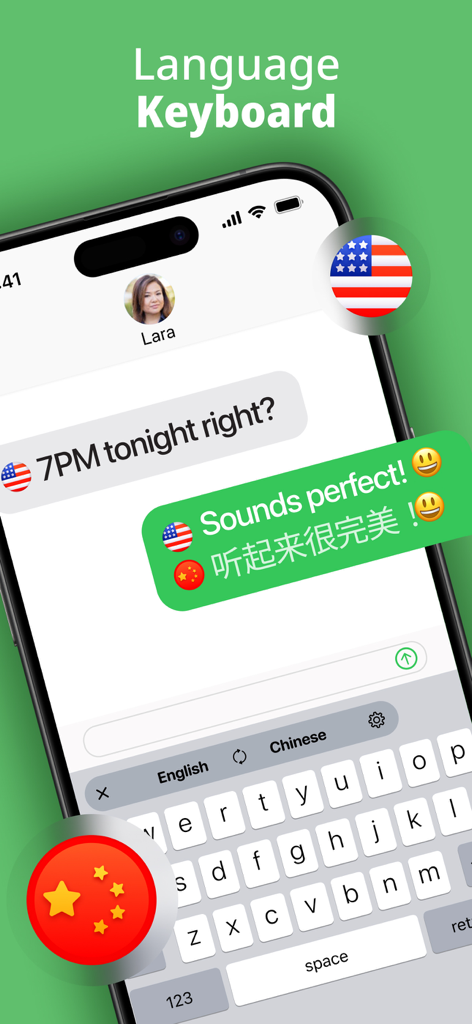
Interface of Translator Keyboard showing instant English to Chinese message translation in a chat

Interface of Translator Keyboard showing instant English to Chinese message translation in a chat

Break Language Barriers Instantly

The tools that make this app stand out, trusted by 2M+ users.

Real-Time Translation

Type in your native language and watch your text transform instantly. No more tedious copy-pasting or switching between apps.

📱

Universal Compatibility

Seamlessly integrated to work inside WhatsApp, Instagram, Slack, and Gmail. Your global communicator is always just a tap away.

🌍

60+ Languages & Emojis

Connect with anyone, anywhere. Switch between dozens of languages instantly and stay expressive with a full built-in emoji suite.

Loved by users worldwide

Trusted by 2M+ people who love this app.

"

"This keyboard is a total game-changer for my business. I handle suppliers in Italy and Japan, and being able to translate my messages right inside Gmail without switching apps saves me so much time. It’s seamless, professional, and the translations are spot on."

Elena Rodriguez
"

"I love traveling and meeting people from all over the world, but the language barrier was always a hurdle. Now, I can chat on WhatsApp or Instagram in real-time. The built-in emojis are a great touch too—it makes every conversation feel personal and fun!"

Mark Thompson

About the app

Everything you need to know about Translator Keyboard - Language.

Description

Type and translate instantly in 60 various languages with one smart and instant translator keyboard. Translator Keyboard is your all-in-one language translator keyboard. Type in your native language and instantly translate messages and texts in real time across more than 60 languages. Whether you’re chatting, emailing, or posting on social media, Translator Keyboard enables seamless multilingual communication directly from your keyboard. ▶ How does Translator Keyboard work? Get instant translations as you type. Write in your native language and see your message instantly translated into your chosen language. Live translation works automatically, with no copy-paste and no app switching. ▶ How to setup Translator Keyboard? With smart language translator integration, you can easily install Translator Keyboard as an additional keyboard and use it directly within any messaging, email, or social app. ▶ How many languages are supported? Over 60 languages are available. Type, translate, and chat in English, Spanish, Japanese, Italian, French, Chinese, Korean, Thai, German, Portuguese, Arabic, Vietnamese, Hebrew, and many more. ▶ How can I switch between languages easily? With one-tap language selection, you can pick quickly from over 60 languages and start your multilingual chats effortlessly. ▶ Want to make your messages more expressive? With the built-in Emoji Keyboard, you can enhance your conversations with a wide range of emojis. Express, react, and personalize every message while using the language translator keyboard. ▶ Where can I use Translator Keyboard? Chat with friends, update your status, or email a client abroad in all your favorite messaging & social apps. Translator Keyboard works seamlessly across apps like WhatsApp, Instagram, Gmail, and more. Your keyboard becomes a smart translator wherever you go. Download Translator Keyboard today and experience the power of language translation at your fingertips! Type, translate, and chat now! Take your experience to the next level with Air Apps One—the ultimate subscription. Subscription to one app unlocks 30+ powerful tools for productivity, learning, fitness, and creativity at no extra cost. Simplify your life with seamless access, exclusive discounts, and effortless integration into your daily routine. Subscribe now for an all-in-one, hassle-free experience! --- Subscription payments are charged to your iTunes account upon purchase and renewal. Free trials auto-renew to paid subscriptions unless canceled at least 24 hours before the current period ends. Cancellation takes effect after the current period, downgrading you to the free service. Unused trial portions are forfeited upon premium subscription purchase. Please note and acknowledge that all subscriptions are processed and managed through your Apple ID, including cancellations, refunds, and changes. For further assistance, please contact Apple's support team. If you are an European Union resident, you can cancel your order within 14 days by following the process in the Apple App Store. Please note and acknowledge: cancellations and refunds are not available if you have downloaded and started using the app. Connect with us through: Web: https://airapps.co Linkedin: https://www.linkedin.com/company/airapps Instagram: https://www.instagram.com/airappsco Privacy Policy: https://airapps.co/privacy Terms Of Use: https://airapps.co/terms Support: Contact us at support@airapps.co

Latest Version

2025.11.3

Size

200.9 MB

First Released

Apr 13, 2020

Break Every Language Barrier, One Tap at a Time

Stop the copy-paste struggle. Join 2 million+ people who chat, email, and post globally with instant real-time translation—right from your keyboard.

Download on App Store
FAQ

Frequently Asked Questions

Everything you need to know about Translator Keyboard - Language

What is Translator Keyboard - Language?

Translator Keyboard is an all-in-one language translator keyboard. It instantly translates messages and texts in real time across more than 60 languages as you type, directly within any app.

How does Translator Keyboard - Language translate text?

Translator Keyboard translates messages instantly as you type. It performs live translation automatically, eliminating the need for copy-paste or switching between applications.

How many languages are supported by Translator Keyboard - Language?

Translator Keyboard - Language supports over 60 different languages. These include English, Spanish, Japanese, Italian, French, Chinese, Korean, Thai, German, Portuguese, Arabic, Vietnamese, and Hebrew.

Can Translator Keyboard - Language be used with popular messaging apps?

Yes, Translator Keyboard - Language functions seamlessly across various messaging and social apps. It integrates directly into platforms like WhatsApp, Instagram, and Gmail.

Does Translator Keyboard - Language offer an emoji keyboard?

Yes, Translator Keyboard - Language includes a built-in Emoji Keyboard. This feature allows users to enhance and personalize their conversations with a wide selection of emojis.

How do I switch translation languages in Translator Keyboard - Language?

Users can switch between languages easily with one-tap language selection. This feature allows for quick selection from over 60 supported languages for effortless multilingual communication.

Does Translator Keyboard - Language allow selection of translation tone?

Yes, Translator Keyboard - Language offers a "Select Translation Tone" feature. This allows users to choose between tones like "Friendly" and "Professional" for their translated messages.

Is Translator Keyboard - Language a free application?

Translator Keyboard - Language operates on a subscription model via "Air Apps One." Free trials are available but auto-renew to paid subscriptions unless canceled at least 24 hours prior.

Can I cancel my Translator Keyboard - Language subscription?

Yes, subscriptions for Translator Keyboard - Language are managed through your Apple ID. You can cancel your subscription at least 24 hours before the current period ends via your iTunes account settings.