Logic Remote

Logic Remote

Download on App Store
Spark by MWM logo
Logo of Logic Remote

Logic Remote: Tactile Control for Logic Pro and GarageBand

Experience the freedom to record, mix, and perform from anywhere in your studio. Turn your iPad or iPhone into a powerful Multi-Touch extension of your Mac.

Download on App Store

Publisher

Apple Inc.

Category

Music

Downloads

2M+

User Rating

4.5/5

Total Ratings

11K+

Locales

31

Your Studio, Handheld

Discover the interface used by 2M+ users.
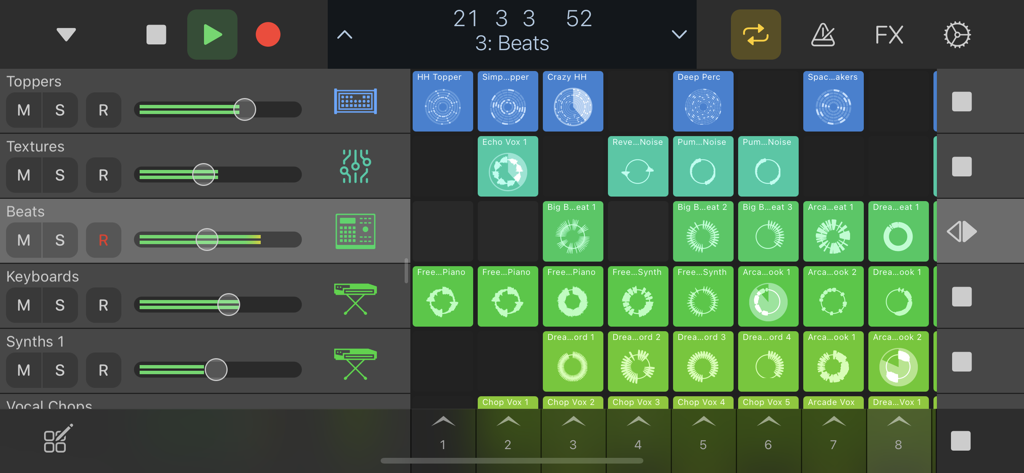
Logic Remote app interface showing Live Loops grid and mixer track controls

Logic Remote app interface showing Live Loops grid and mixer track controls

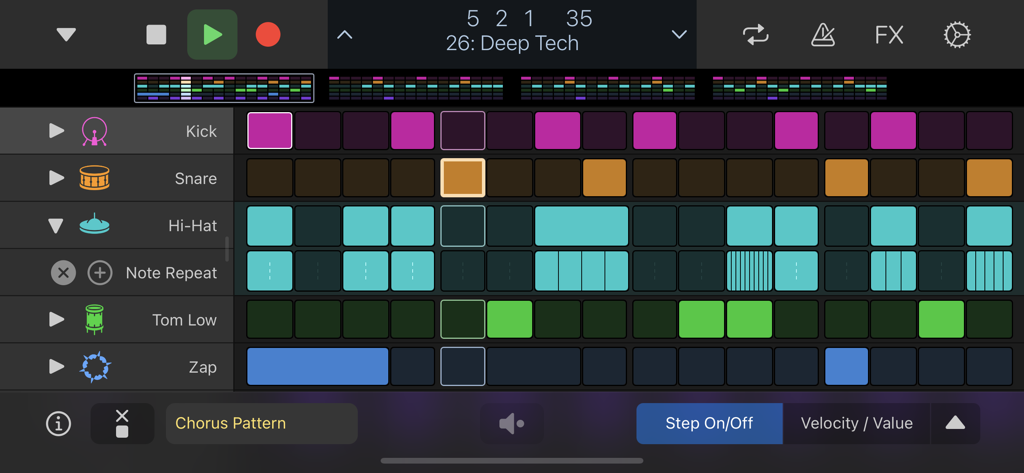
Logic Remote step sequencer interface displaying a drum pattern for deep tech music

Logic Remote step sequencer interface displaying a drum pattern for deep tech music

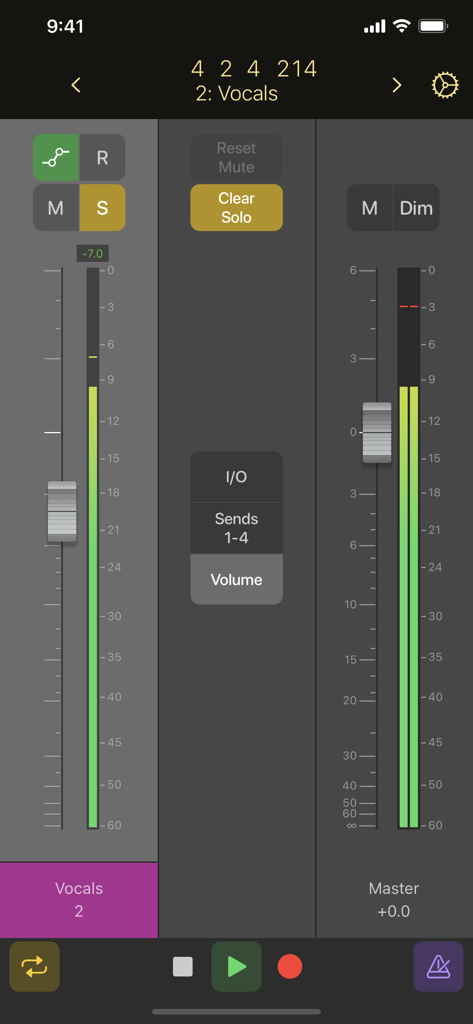
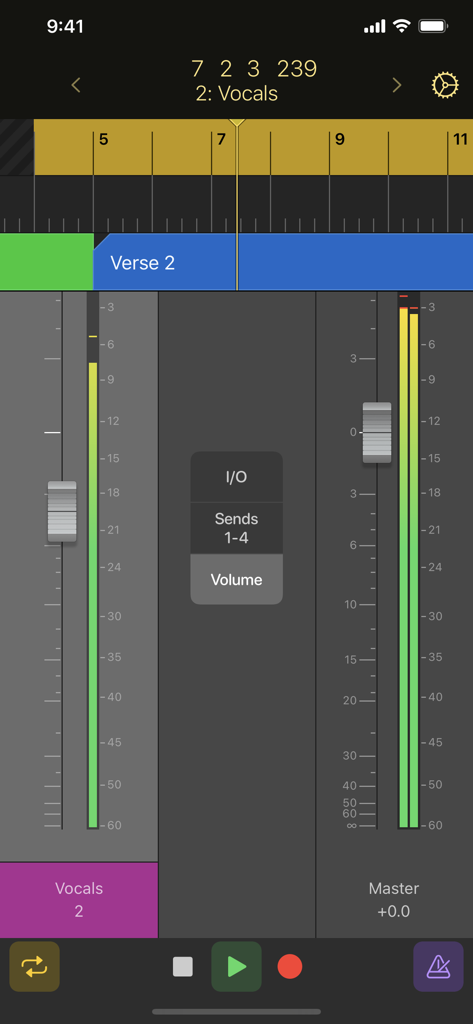
Logic Remote mobile app showing a digital audio mixer with vocal and master channel faders on an iPhone screen

Logic Remote mobile app showing a digital audio mixer with vocal and master channel faders on an iPhone screen

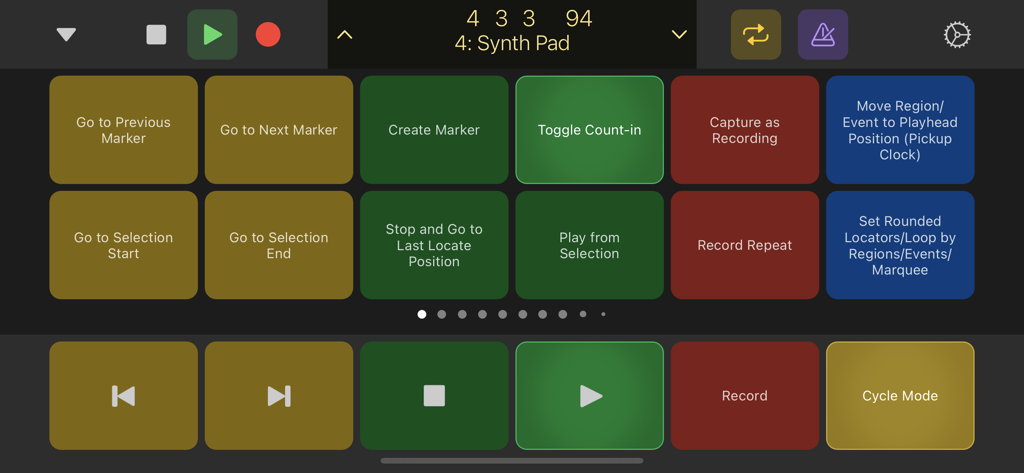
Logic Remote app interface showing transport controls and customizable key command buttons for music production

Logic Remote app interface showing transport controls and customizable key command buttons for music production

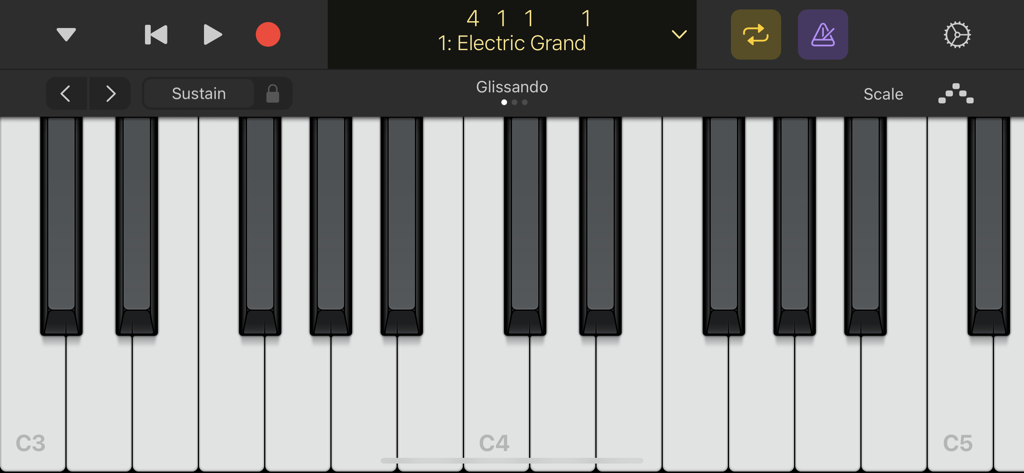
Virtual piano keyboard interface in the Logic Remote app for playing the Electric Grand instrument.

Virtual piano keyboard interface in the Logic Remote app for playing the Electric Grand instrument.

Logic Remote app on iPhone displaying mixer faders for vocals and master tracks with transport controls

Logic Remote app on iPhone displaying mixer faders for vocals and master tracks with transport controls

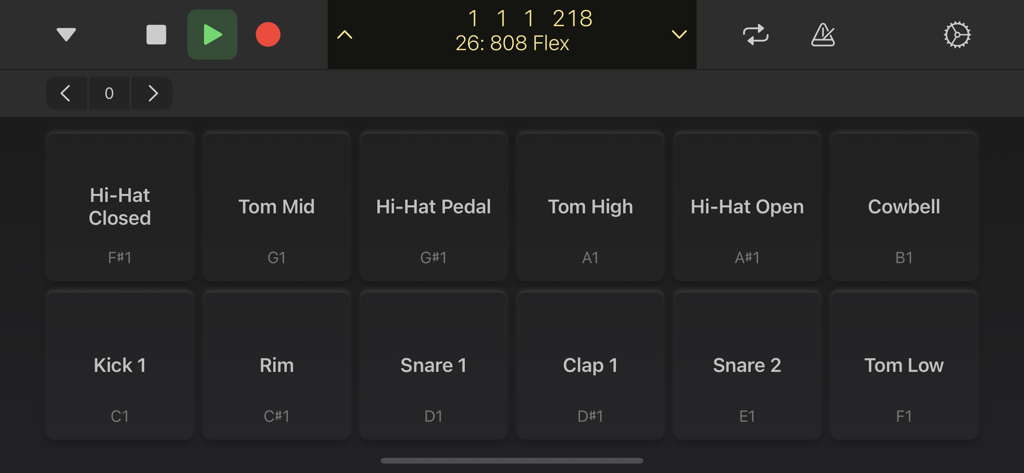
Logic Remote mobile app interface showing digital drum pads for music production

Logic Remote mobile app interface showing digital drum pads for music production

Master Your Studio Without Being Tied to Your Desk

The tools that make this app stand out, trusted by 2M+ users.

🎙️

Seamless Remote Recording

Break free from the 'one-man band' struggle. Start, stop, and record takes from the vocal booth or drum kit without running back to your Mac.

🎚️

Tactile Multi-Touch Mixing

Ditch the mouse and mix with your hands. Use professional faders, pan controls, and Visual EQ to shape your sound with the speed and feel of a physical console.

🎹

Innovative Touch Instruments

Unlock new ways to play. Use Chord Strips to trigger complex harmonies, tap out beats on responsive drum pads, or program sequences with a tap.

Loved by users worldwide

Trusted by 2M+ people who love this app.

"

"Logic Remote has completely transformed my workflow as a solo creator. Being able to hit record and toggle tracks from my drum kit across the room without running back to my Mac is a total lifesaver. The touch instruments and chord strips make the creative process feel so much more organic than clicking with a mouse."

Alex Rivera
"

"As a professional engineer, I need precision and speed. This app provides a tactile, multi-touch mixing experience that rivals expensive hardware consoles. I can ride multiple faders at once and tweak EQs directly from the iPad while sitting in the sweet spot of my studio. It is an indispensable tool for any serious Logic user."

Sarah Jenkins

About the app

Everything you need to know about Logic Remote.

Description

Logic Remote is a companion app for Logic Pro and GarageBand on the Mac. It provides an innovative way to extend the creative power of Logic or GarageBand by using your iPad or iPhone. Designed to take full advantage of Multi-Touch, Logic Remote offers new ways to record, mix, and even perform instruments from anywhere in the room, turning your iPad or iPhone* into a mixer, transport control, and a flexible Touch Instrument. Play Logic Instruments • Play any Logic instrument using a familiar piano keyboard or guitar fretboard • Tap out beats on drum pads or a drum kit • Control Live Loops by triggering cells or switching between scenes • Program beats, bass lines, and melodic parts in Step Sequencer • Perform Remix FX over individual tracks or the entire song • Use the scale mode to limit notes to fit the key of your song • Tap and strum entire chords using Chord Strip view • Make simple or dramatic changes to your sounds with Smart Controls • Add the Arpeggiator plug-in to any instrument Navigate Logic Projects • Operate basic transport controls like start, stop, record, and cycle • Swipe the LCD or bar ruler to navigate to any location • Select and jump to any Logic project marker • Control recordings on your Mac from another room • Browse the Sound Library and remotely change Patches • Enable Smart Help and hover over interface elements on your Mac to display documentation on your iPad • Remotely trigger Logic key commands with customizable buttons Mix Your Logic Sessions • Use Multi-Touch gestures to adjust Mixer volume, pan, solo, and mute controls • Swipe to scroll or jump in banks to navigate through Mixer faders • Use the level meter strip to monitor levels and identify clipping • Enable and change automation modes for each fader • Use Multi-Touch gestures to shape the tone of your tracks with Visual EQ • Plug-in view provides access to Logic or Audio Unit plug-in parameters *Smart Controls, Sound Library navigation, Smart Help, full mixer, and access to plug-in controls are available only on iPad

Latest Version

1.5.6

Size

311.6 MB

First Released

Jul 16, 2013

Step Away from the Desk and Into Your Mix

Experience seamless Multi-Touch control for Logic Pro and GarageBand. Download Logic Remote today and transform your iPad or iPhone into a professional studio console.

Download on App Store
FAQ

Frequently Asked Questions

Everything you need to know about Logic Remote

What is Logic Remote?

Logic Remote is a companion app that extends the creative power of Logic Pro and GarageBand on Mac. It transforms your iPad or iPhone into a mixer, transport control, and a flexible Touch Instrument for music creation.

Can I use Logic Remote with GarageBand?

Yes, Logic Remote is a companion app designed to work with both Logic Pro and GarageBand on the Mac. It allows you to control and interact with GarageBand projects from your iPad or iPhone.

How can I play instruments using Logic Remote?

Logic Remote allows you to play any Logic instrument using a familiar piano keyboard, guitar fretboard, or drum pads. You can also tap out beats on a drum kit, program step sequences, and perform Remix FX.

What mixing controls does Logic Remote provide?

Logic Remote provides Multi-Touch gestures to adjust Mixer volume, pan, solo, and mute controls. It features level meters, automation modes, and Visual EQ to shape track tones.

Can I remotely control Logic Pro transport functions with Logic Remote?

Yes, Logic Remote provides basic transport controls like start, stop, record, and cycle for Logic Pro on your Mac. You can also navigate projects by swiping the LCD or bar ruler and jumping to markers.

Are there features exclusive to iPad in Logic Remote?

Yes, Smart Controls, Sound Library navigation, Smart Help, the full mixer, and access to plug-in controls are exclusively available when using Logic Remote on an iPad. These features are not available on iPhone.

Does Logic Remote support Live Loops control?

Yes, Logic Remote supports controlling Live Loops. Users can trigger individual cells or switch between scenes to manipulate their compositions directly from their iPad or iPhone.

Can I use a Step Sequencer with Logic Remote?

Yes, Logic Remote includes a Step Sequencer feature. It allows you to program beats, bass lines, and melodic parts directly from your device.

Can I use custom key commands with Logic Remote?

Yes, Logic Remote allows you to remotely trigger Logic key commands using customizable buttons. This feature enhances workflow efficiency by personalizing controls.