QLab Remote

QLab Remote

Download on App Store
Spark by MWM logo
Logo of QLab Remote

QLab Remote: Professional Show Control from Anywhere in the House

The official iOS companion for QLab. Tweak audio levels from the front row, adjust video geometry from the stage, and flag cues in real-time without being tethered to the booth.

Download on App Store

Publisher

Figure 53, LLC

Category

Utilities

Downloads

19K+

User Rating

3.9/5

Total Ratings

100

Locales

1

Your Booth, Anywhere

Discover the interface used by 19K+ users.
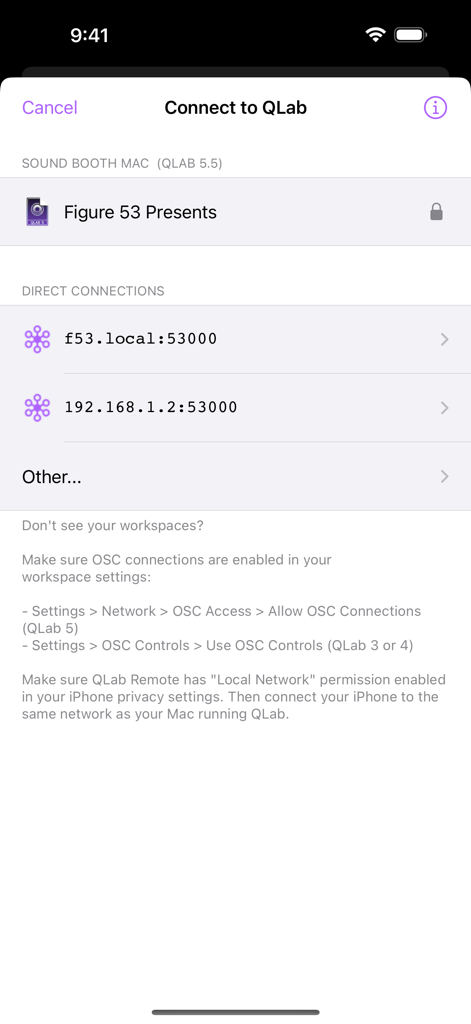
The connection screen of the QLab Remote app showing available workspaces and network address options.

The connection screen of the QLab Remote app showing available workspaces and network address options.

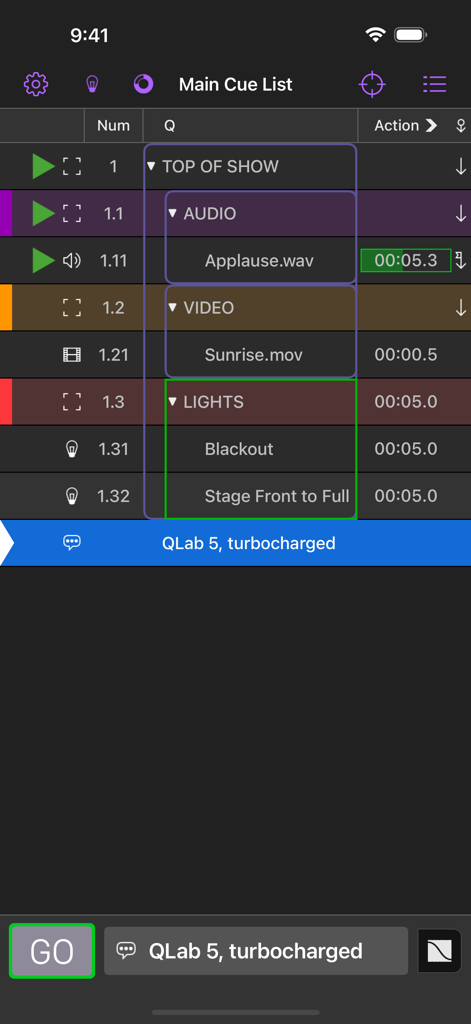
The main cue list interface in the QLab Remote app for iPhone featuring audio video and light cues

The main cue list interface in the QLab Remote app for iPhone featuring audio video and light cues

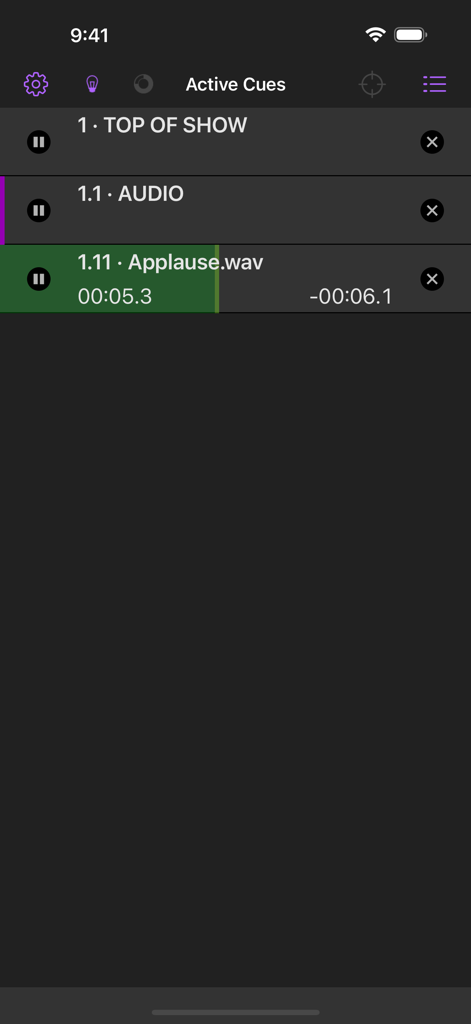
QLab Remote app interface displaying active show control cues and audio playback progress

QLab Remote app interface displaying active show control cues and audio playback progress

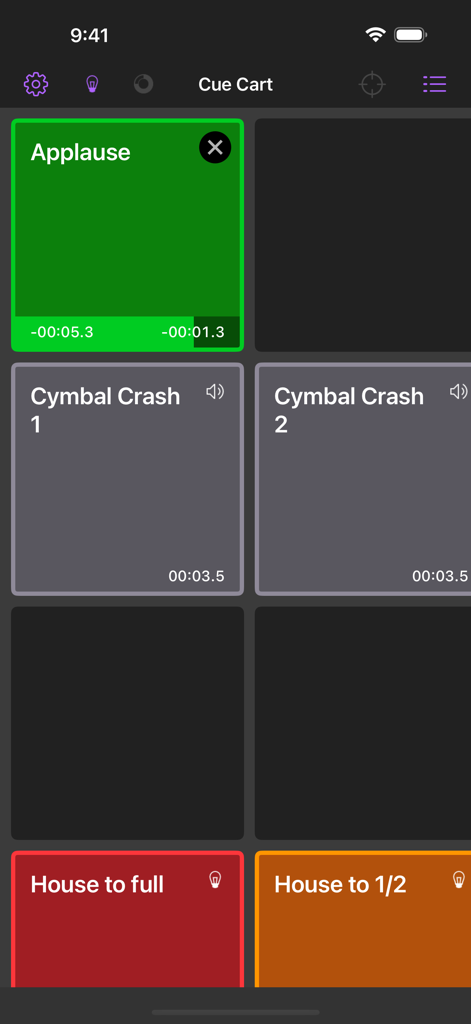
QLab Remote app interface showing a cue cart with buttons for triggering sound effects like applause and lighting cues for house lights.

QLab Remote app interface showing a cue cart with buttons for triggering sound effects like applause and lighting cues for house lights.

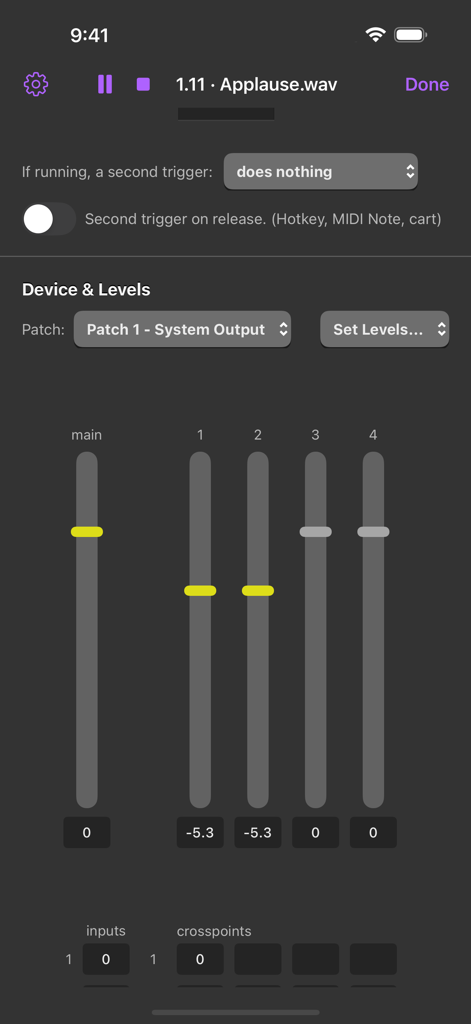
Interface of the QLab Remote app displaying audio mixing sliders and level adjustments for a live show cue

Interface of the QLab Remote app displaying audio mixing sliders and level adjustments for a live show cue

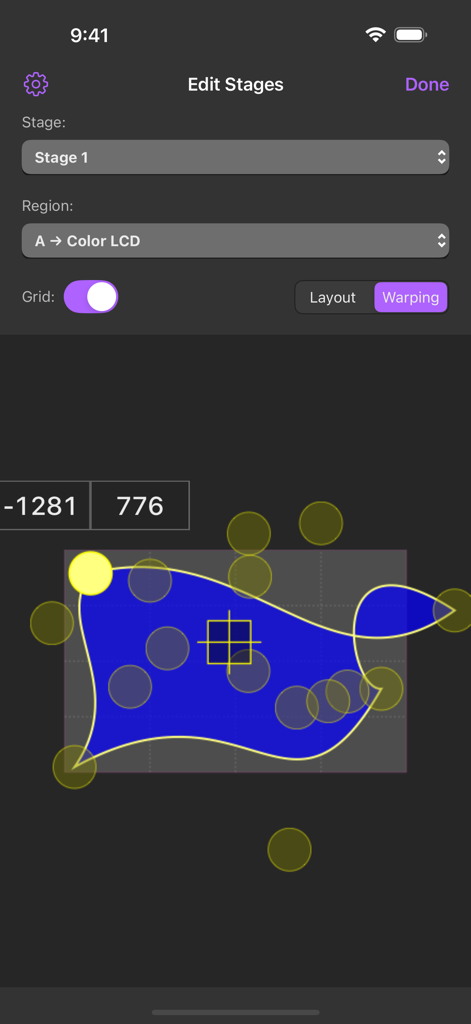
QLab Remote app interface for video warping and stage geometry editing

QLab Remote app interface for video warping and stage geometry editing

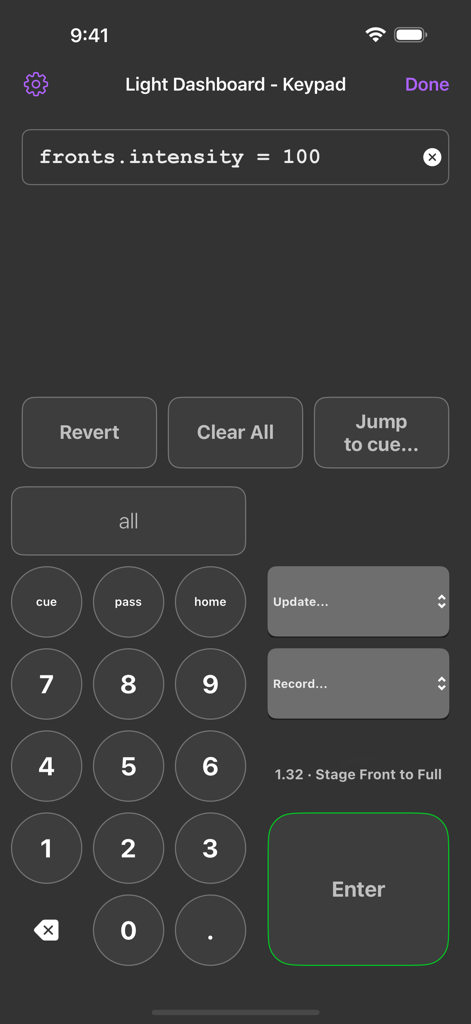
QLab Remote app interface showing the Light Dashboard Keypad for theatre lighting control

QLab Remote app interface showing the Light Dashboard Keypad for theatre lighting control

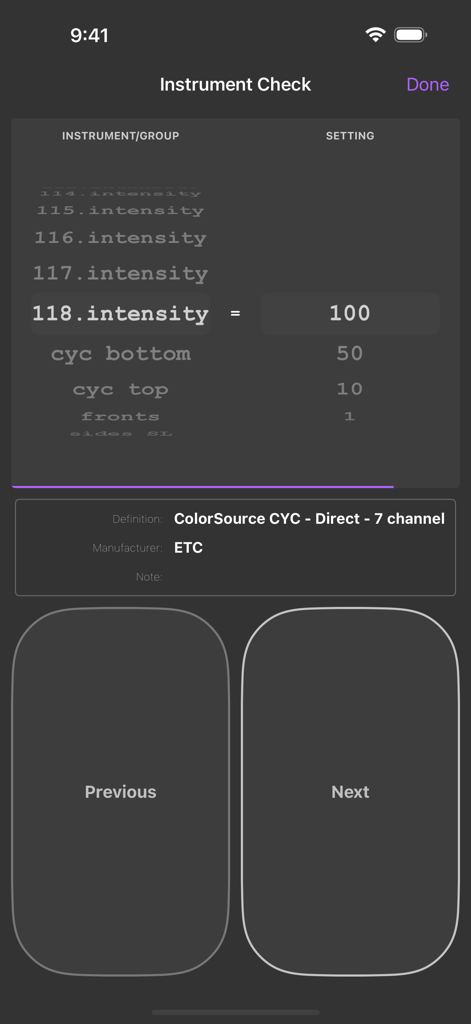
Instrument check screen in QLab Remote showing lighting intensity levels and ETC hardware settings

Instrument check screen in QLab Remote showing lighting intensity levels and ETC hardware settings

Untether Your Creative Workflow

The tools that make this app stand out, trusted by 19K+ users.

🎚️

Precision Design from Anywhere

Get out of the booth and adjust audio levels from the front row or tweak video geometry while standing on stage. Hear and see exactly what the audience does.

🛡️

Real-Time Sync & Safety

Experience instant updates between your Mac and iOS device. Use Read-Only Mode to follow along during live performances without the risk of accidental cue triggers.

🚩

Seamless Tech Rehearsals

Flag cues and edit production notes on the fly during run-throughs. Stay focused on the performance while capturing every necessary adjustment for later.

Loved by users worldwide

Trusted by 19K+ people who love this app.

"

"QLab Remote has completely transformed my tech rehearsals. I no longer have to run back to the booth or shout instructions to an assistant; I can sit in the middle of the house and adjust audio levels and video geometry directly from my iPad while hearing and seeing exactly what the audience does."

Marcus Chen, Freelance Sound Designer
"

"The Read-Only mode is an absolute game-changer for stage management. It allows me to follow the cue list from the wings with total peace of mind, knowing I won't accidentally trigger a cue. Being able to flag notes and edit cue descriptions on the fly has made our production workflow incredibly efficient."

Sarah Jenkins, Production Stage Manager

About the app

Everything you need to know about QLab Remote.

Description

QLab Remote is the official iOS companion app for remote control of QLab, the award-winning live show control software for macOS. QLab Remote requires a connection to QLab 3.0 or later. Some features require a specific minimum version of QLab 4 or 5. See https://qlab.app/docs/v5/networking/qlab-remote/#requirements for details. Get out of the booth and edit your QLab workspace from wherever you are. Flag cues as you sit in tech rehearsal. Adjust audio levels from the front row. Change the geometry of a video cue from the stage. QLab Remote is free to use in "Read-Only Mode", which allows you to view a workspace & follow along worry-free and also includes the unlimited ability to flag cues & edit cue notes. Optional In-App Purchases are available to unlock show control, editing, and light tools features. FEATURES - Automatically finds any QLab workspace on the network. - Updates in QLab are instantly reflected in QLab Remote and vice versa. - Open multiple windows on iPad to view workspaces side-by-side on one screen. - Quickly flag and edit notes for cues. - Easily switch between cue lists. - Watch active cues update in real-time. - Enable "Read-Only Mode" to follow along without worrying you'll accidentally trigger a cue. - Edit basic properties for all cues, such as name, number, notes, color, armed, flagged, etc. - Adjust audio levels and patches for audio, mic, and video cues. - Change display geometry for video, text, and camera cues. - Double-tap a cue to quickly edit it. Please contact support@figure53.com with issues or feedback.

Latest Version

5.5.4

Size

13.4 MB

First Released

May 8, 2013

Take Control of Your Show from Anywhere

Get out of the booth and join the thousands of professionals who trust QLab Remote for precision performance. Download now and start your next tech rehearsal with total freedom.

Download on App Store