Logitech Mevo Multicam

Logitech Mevo Multicam

Download on App Store
Spark by MWM logo
Logo of Logitech Mevo Multicam
Logitech Mevo Multicam: Professional Multi-Camera Production in the Palm of Your Hand

Elevate your live streams with the power of a broadcast studio. Wirelessly sync multiple cameras, add custom graphics, and use AI-powered switching to create stunning 1080p content for YouTube, Twitch, and beyond.

Download on App Store

Publisher

Logitech Inc.

Category

Photo & Video

Downloads

40K+

User Rating

4.7/5

Total Ratings

2K+

Locales

12

The Director's View

Discover the interface used by 40K+ users.
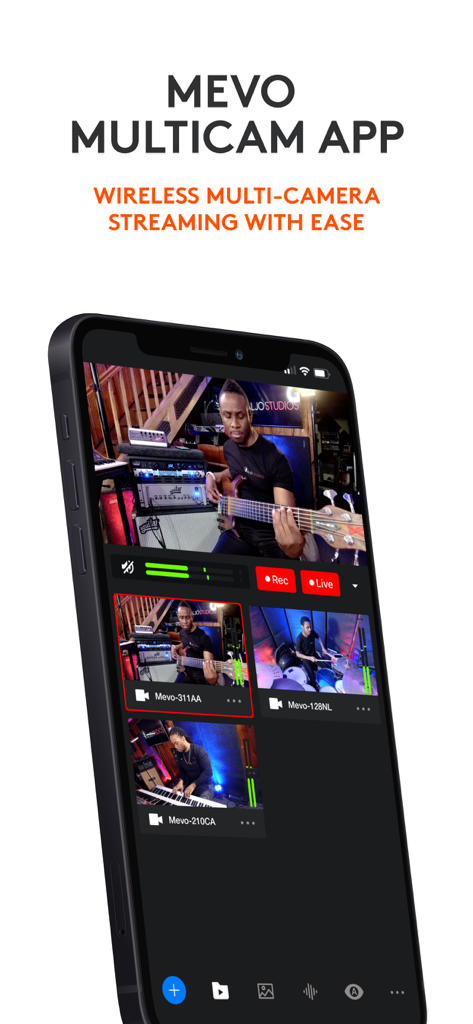
Smartphone displaying the Logitech Mevo Multicam app interface for wireless multi-camera live streaming

Smartphone displaying the Logitech Mevo Multicam app interface for wireless multi-camera live streaming

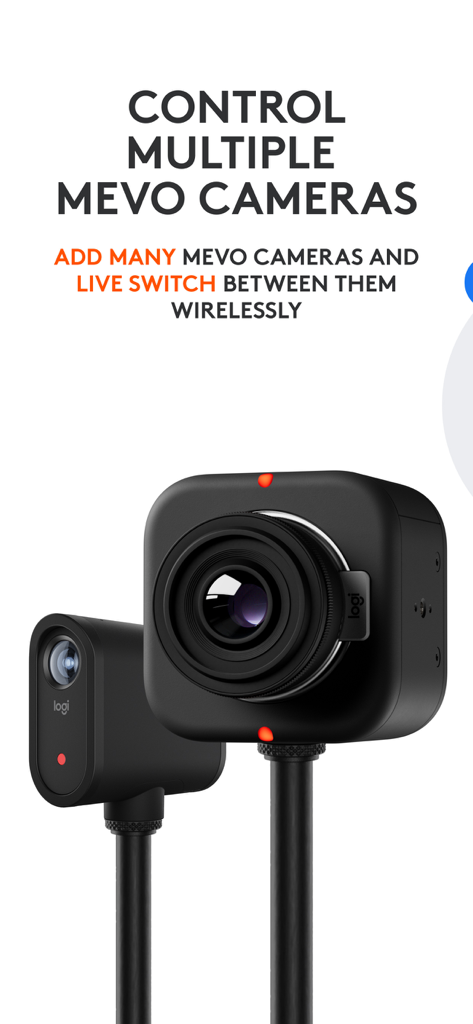
Two Logitech Mevo cameras demonstrating the wireless multicam switching and control feature

Two Logitech Mevo cameras demonstrating the wireless multicam switching and control feature

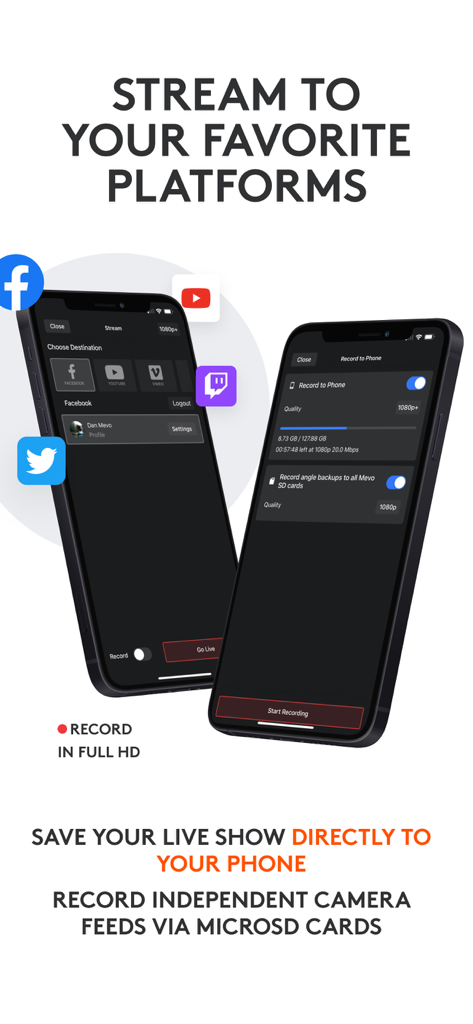
Logitech Mevo Multicam app interface showing live streaming platform options and HD recording settings

Logitech Mevo Multicam app interface showing live streaming platform options and HD recording settings

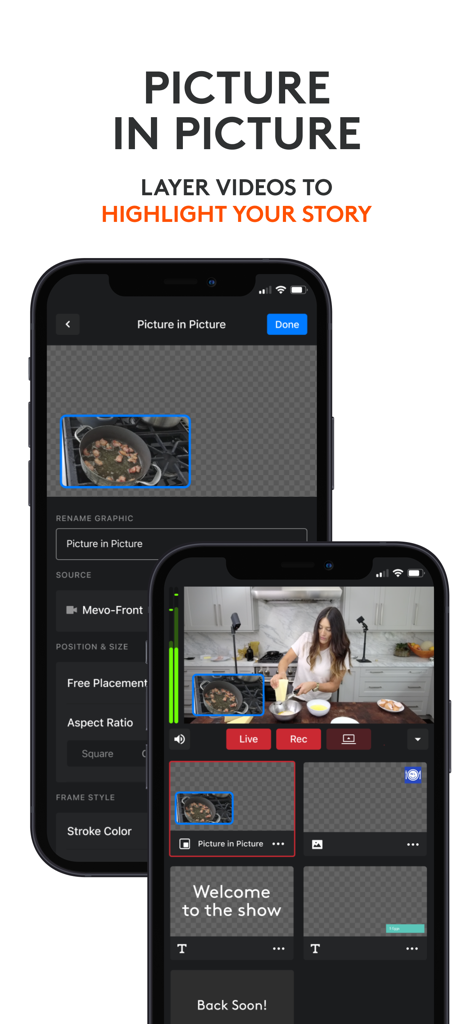
Logitech Mevo Multicam app interface showing the picture in picture video layering feature

Logitech Mevo Multicam app interface showing the picture in picture video layering feature

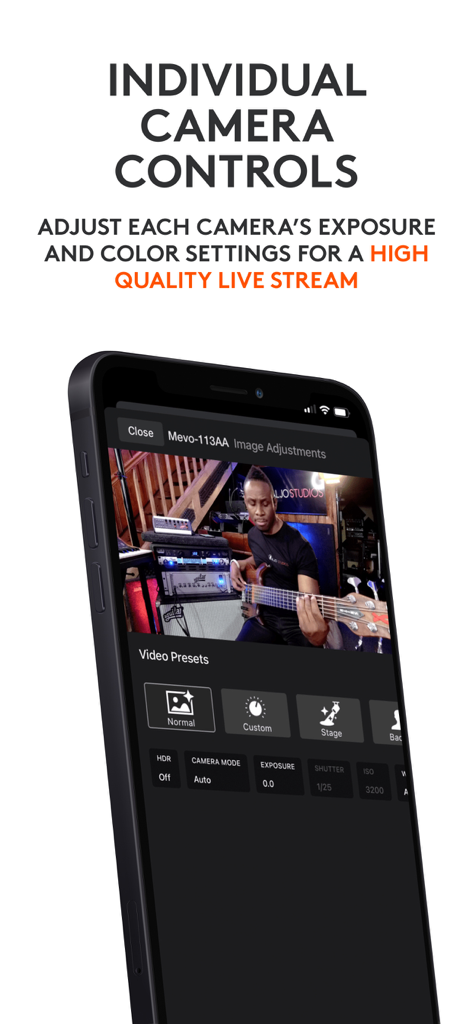
Mobile interface showing individual camera exposure and color settings for high-quality live streaming

Mobile interface showing individual camera exposure and color settings for high-quality live streaming

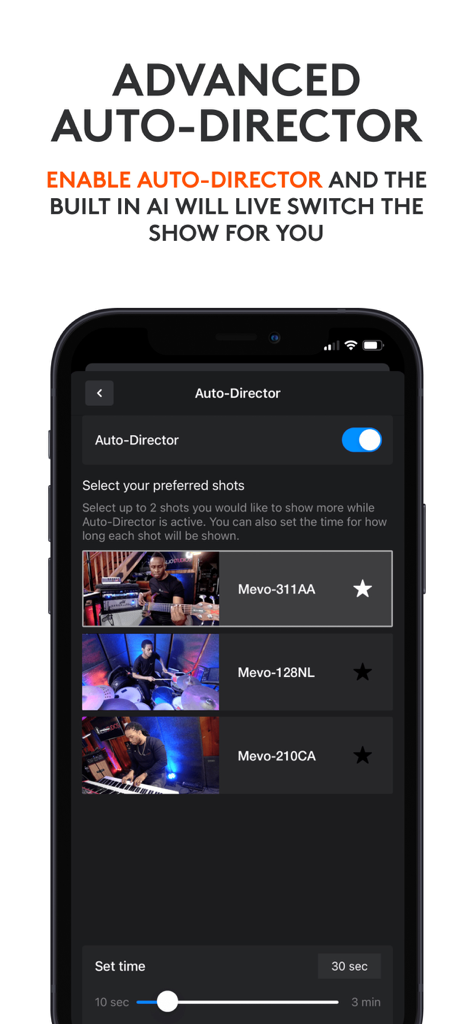
Smartphone screen displaying the Logitech Mevo Multicam Advanced Auto-Director settings with AI camera switching options.

Smartphone screen displaying the Logitech Mevo Multicam Advanced Auto-Director settings with AI camera switching options.

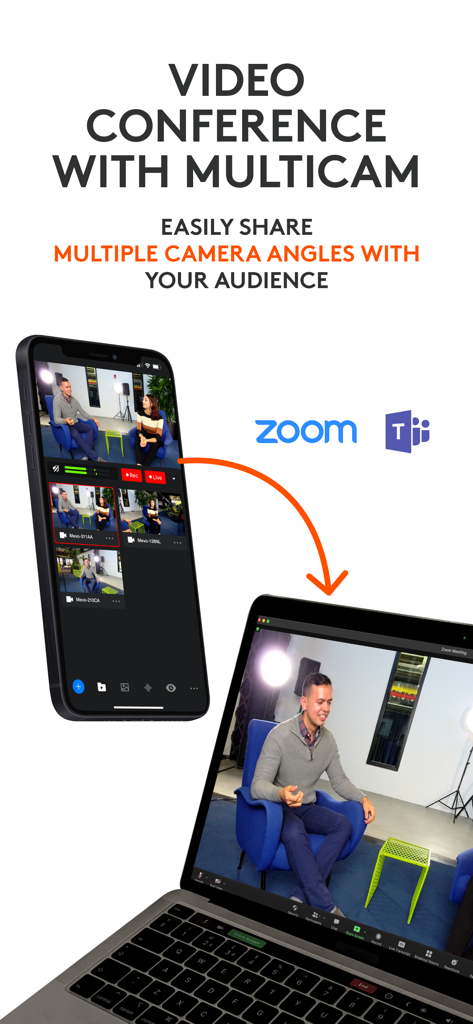
Logitech Mevo Multicam app interface showing multiple camera angles shared to a laptop during a Zoom call

Logitech Mevo Multicam app interface showing multiple camera angles shared to a laptop during a Zoom call

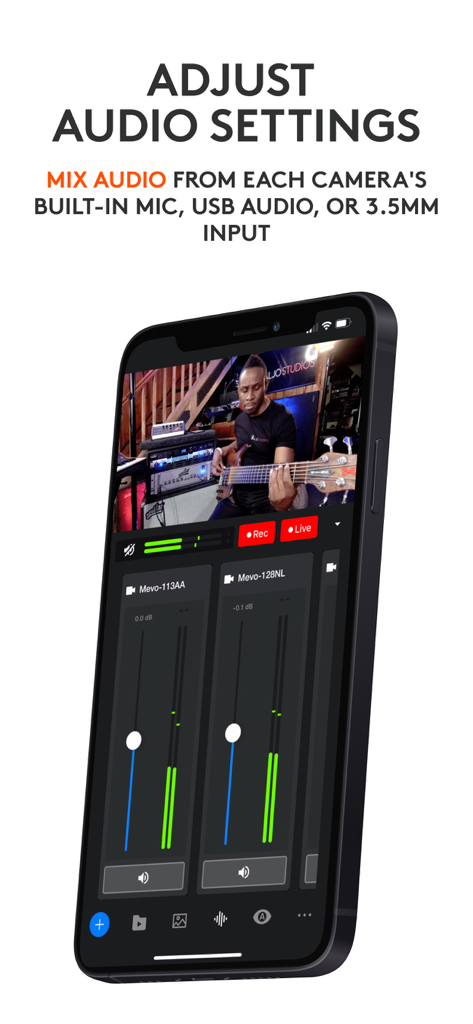
Logitech Mevo Multicam app interface showing audio mixing controls for multiple cameras during a live broadcast.

Logitech Mevo Multicam app interface showing audio mixing controls for multiple cameras during a live broadcast.

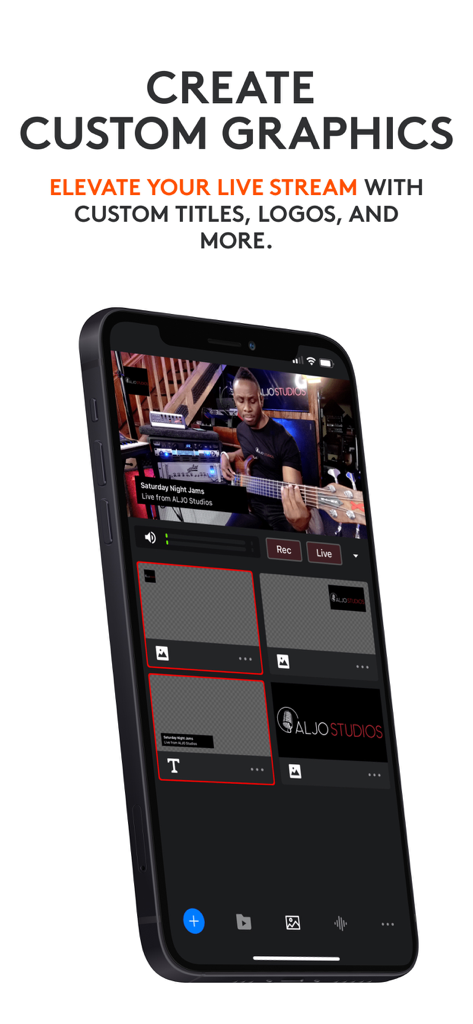
Logitech Mevo Multicam app interface showing custom titles and logos for a live stream.

Logitech Mevo Multicam app interface showing custom titles and logos for a live stream.

Professional Multi-Cam Made Simple

The tools that make this app stand out, trusted by 40K+ users.

📱

Wireless Multi-Angle Control

Switch between multiple Mevo cameras and mobile devices instantly without the clutter of cables or expensive hardware switchers.

🤖

AI-Powered Auto-Director

Stream like a pro solo. Our built-in AI automatically switches camera angles based on the action, serving as your virtual production crew.

📺

Network-Quality Graphics

Elevate your production value with custom lower thirds, corner bugs, and picture-in-picture overlays for that polished, broadcast look.

Loved by users worldwide

Trusted by 40K+ people who love this app.

"

"Mevo Multicam has been a game-changer for our high school basketball streams. Being able to switch between three different angles and add professional scoreboards right from my iPad makes our local games look like an ESPN broadcast. The wireless setup is incredibly reliable, and even our volunteers picked it up in minutes."

Marcus T., Youth Sports Director
"

"I use Mevo Multicam for my live cooking workshops, and it’s honestly like having a full production crew in my pocket. The AI Auto-Director is a lifesaver when I'm busy at the stove—it switches angles perfectly so I don't have to touch a thing. It’s the most professional, cable-free setup I’ve ever used."

Sarah L., Creative Entrepreneur

About the app

Everything you need to know about Logitech Mevo Multicam.

Description

Mevo allows anyone to live stream with ease. With Mevo Multicam, content creators can wirelessly connect multiple sources including Mevo Cameras, Mevo Go*, NDI enabled cameras* and more. Easily switch sources, live stream and record in 1080p HD to multiple platforms like YouTube and Facebook. Switch between Multiple cameras With Mevo Multicam, you can wirelessly control multiple Mevo cameras at the same time and live switch between them. Multicam now supports NDI|HX* enabled devices, Webcam or UVC Inputs* as well as the mobile devices Built-In Cameras*. Instantly Stream to Your Favorite Platforms With a few taps, you can stream instantly to popular streaming platforms like YouTube, Twitch and many more. *Subscribe to Mevo Pro to multistream. Elevate your next Video Conference Easily share multiple camera angles with your audience Record in 1080p HD Record your program output locally to your phone in full HD. Also record each individual camera feed directly to their local microSD card. Add Graphics Add custom graphics including lower thirds, corner bugs, and full screen images and video to elevate your production value. Picture in Picture Add an inset image or video over your main video to highlight parts of your story. Advanced Auto-Director Toggle auto-director and the built in AI will live switch the show for you. Audio Mixer Independently mix each camera's audio for the perfect sound Control Each Cameras Video Settings Adjust each Mevo camera’s exposure and color settings for a high quality live stream. Premium Features Get more Mevo with Mevo Pro subscription. Compatible with *Mevo Go app, Mevo Core, Mevo Start, Mevo Plus and First Generation Mevo Additional Support Visit help.mevo.com Footnotes *Requires Mevo Pro Subscription Terms of Service: https://mevo.com/terms Privacy Policy: https://mevo.com/privacy

Latest Version

3.6.4

Size

298.9 MB

First Released

Mar 23, 2021

Ready to Launch Your Professional Broadcast?

Join 40,000+ creators and turn your mobile device into a powerful multi-camera studio. Download Mevo Multicam and start streaming in 1080p HD today.

Download on App Store