
Magic Packet - Wake On Lan



Seamlessly wake, restart, or shut down your workstations and servers from your iPhone, Apple Watch, or via Siri. The essential tool for remote workers, IT professionals, and home lab enthusiasts.
Publisher
Category
UtilitiesDownloads
116K+User Rating
Total Ratings
1K+Locales
41Discover the interface used by 116K+ users.
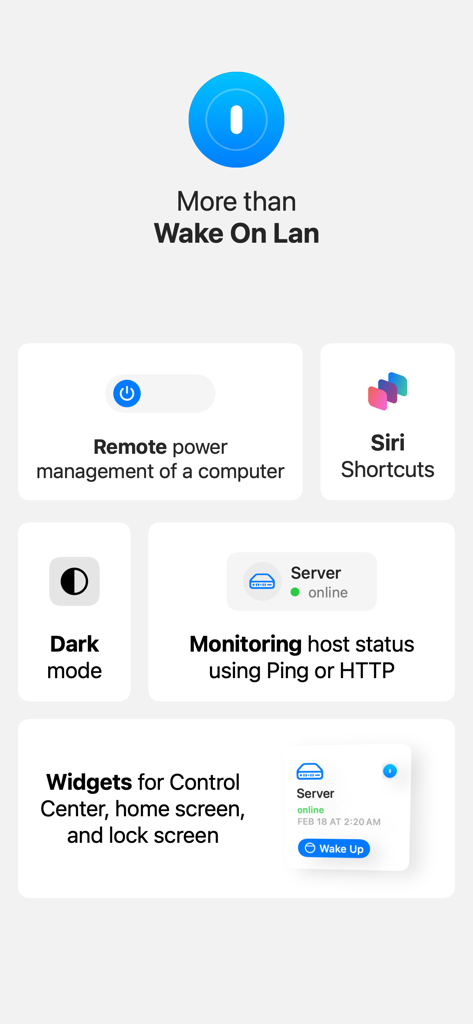
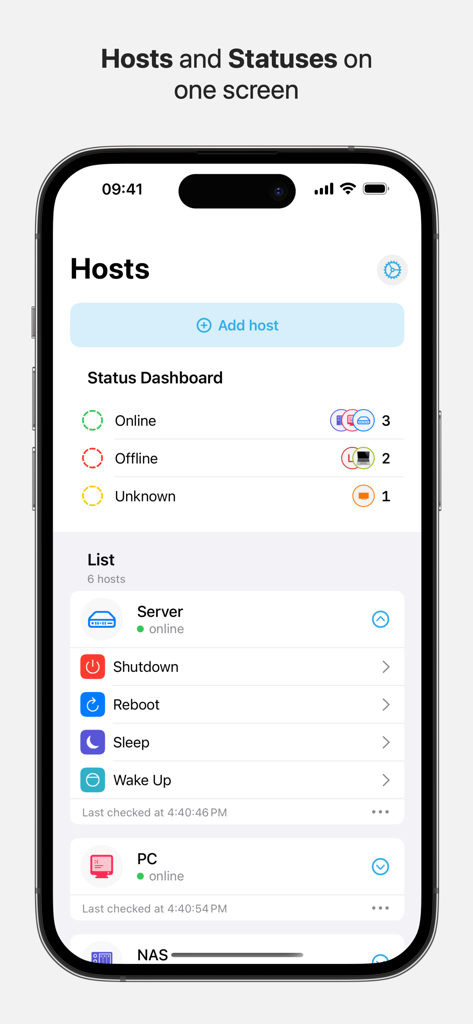
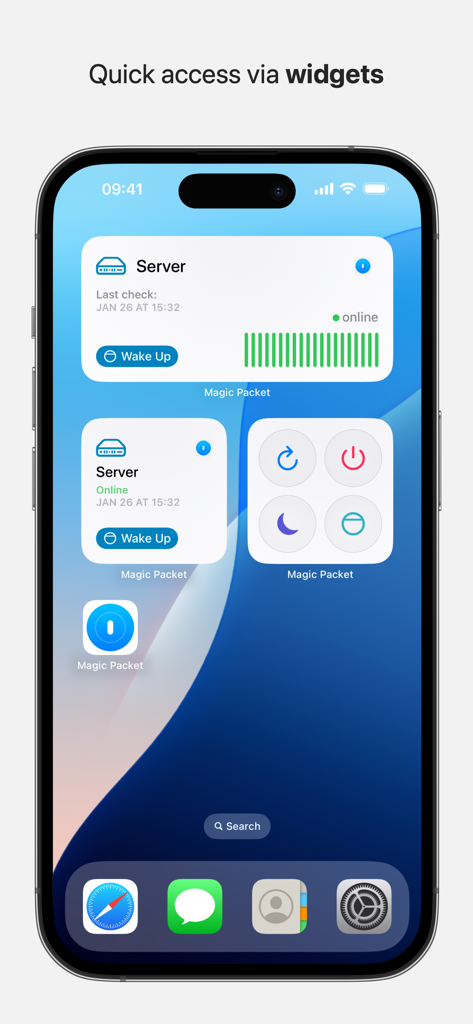
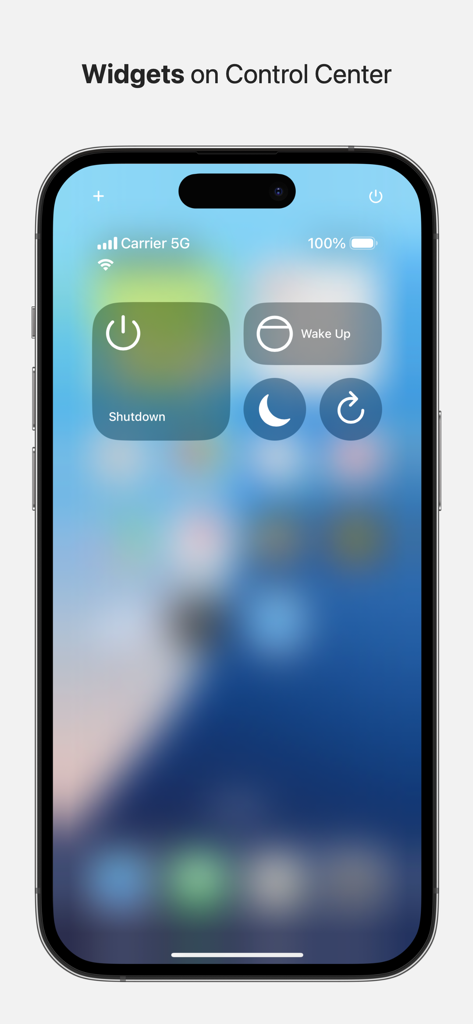
The tools that make this app stand out, trusted by 116K+ users.
Easily boot your home workstation or office server from anywhere in the world to start your remote sessions via RDP or TeamViewer instantly.
Power up your gear with a hands-free voice command or a quick tap on your wrist. Integrated Apple Watch support and interactive widgets for total efficiency.
Instantly verify if your machines are online with built-in Ping and HTTP status checks, ensuring your hardware is ready for your high-performance tasks.
Trusted by 116K+ people who love this app.
"This app is a game-changer for my remote workflow. I can wake up my workstation from my Apple Watch while I am still getting coffee, and by the time I open my laptop at the cafe, I am ready to RDP in. The Siri integration is flawless and saves me so much time."
"Finally, a Wake-on-LAN tool that actually works reliably over the internet. I use it to manage my home lab and NAS. The status ping feature and the ability to organize everything with custom icons make it the most polished networking utility on the App Store."
Everything you need to know about Magic Packet - Wake On Lan.
Description
Latest Version
3.3.2
Size
29.2 MB
First Released
Dec 3, 2019
Join over 116,000 power users. Download Magic Packet now to wake your PC, server, or NAS from your iPhone, Apple Watch, or with a simple Siri command.
Everything you need to know about Magic Packet - Wake On Lan
Magic Packet is a convenient tool that allows users to turn on, turn off, and restart their computers over a local network and the Internet. It supports various power management tasks, including waking up PCs for remote access and managing multiple hosts.
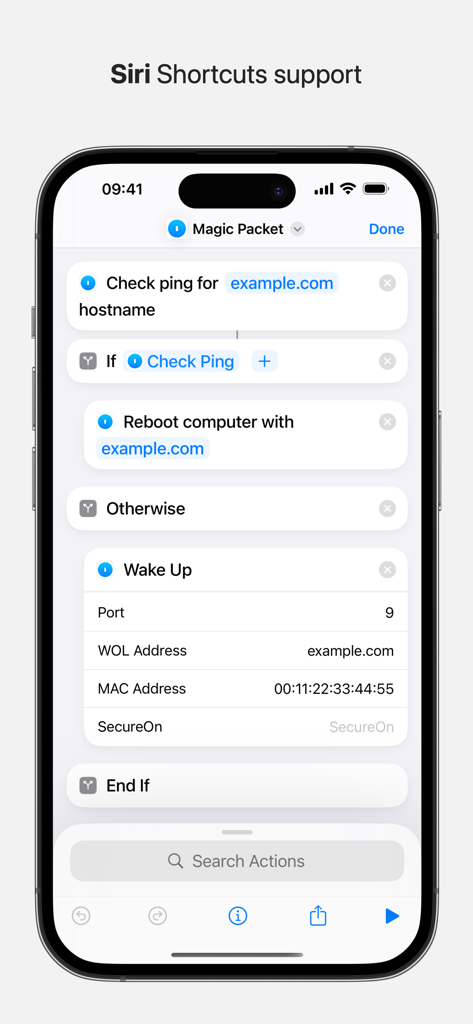
Yes, Magic Packet supports Siri commands and Siri Shortcuts. Users can configure Siri to remotely wake up their computer, check its ping, or reboot it, as shown in the app's interface.
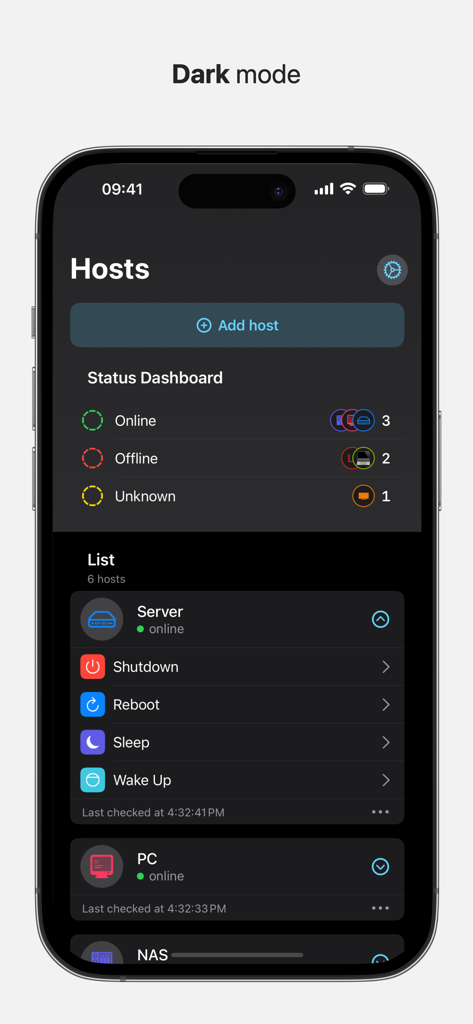
Yes, Magic Packet supports an unlimited number of hosts. The app allows users to add and manage multiple computers, servers, or NAS devices, displaying their statuses on a single screen.
Yes, Magic Packet checks host availability using ping or HTTP. This feature monitors the online/offline status of connected computers, providing real-time updates within the application.
Yes, Magic Packet provides interactive widgets for quick access. These widgets can be placed on the home screen, lock screen, and Control Center, enabling fast power management actions like Wake Up or Shutdown.
Yes, Magic Packet includes support for SecureON. This feature is integrated into the app's functionality, as demonstrated within the Siri Shortcuts setup for Wake Up actions.
Yes, Magic Packet allows users to remotely turn off their computers. The app provides options for shutdown, reboot, and sleep, accessible through the host management screen and widgets.
Yes, Magic Packet offers a dark mode interface. This feature enhances user comfort, especially in low-light environments, and is consistently applied throughout the application.
Top-ranked apps in the same category

Google LLC

Google LLC

China Mobile Online Services Co., Ltd.

Google LLC

Servicos e Informacoes do Brasil

DEEP FLOW SOFTWARE SERVICES - FZCO

Servicos e Informacoes do Brasil

CHINA TELECOM Corporation Ltd.

Microsoft Corporation