Magnetscape

Magnetscape

Download on App Store
Spark by MWM logo
Logo of Magnetscape

Magnetscape: Professional Magnetic Field Visualization and FFT Analysis

Turn your iPhone into a high-precision magnetometer. Monitor RAW sensor data in real-time, perform frequency analysis, and visualize invisible magnetic fields with scientific accuracy.

Download on App Store

Publisher

TOON,LLC

Category

Utilities

Downloads

6K+

User Rating

1.0/5

Total Ratings

0

Locales

1

Visualizing the Unseen

Discover the interface used by 6K+ users.
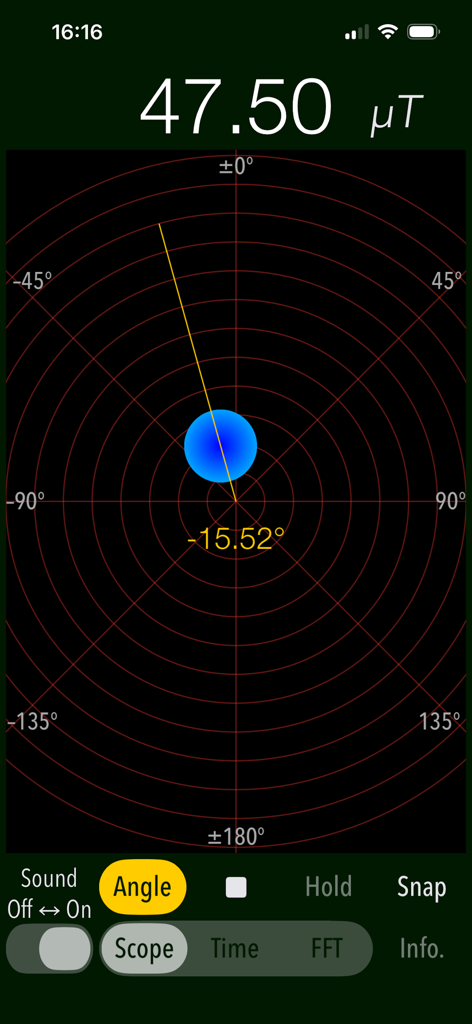
Magnetscape app screenshot showing magnetic field strength and angle in Scope mode

Magnetscape app screenshot showing magnetic field strength and angle in Scope mode

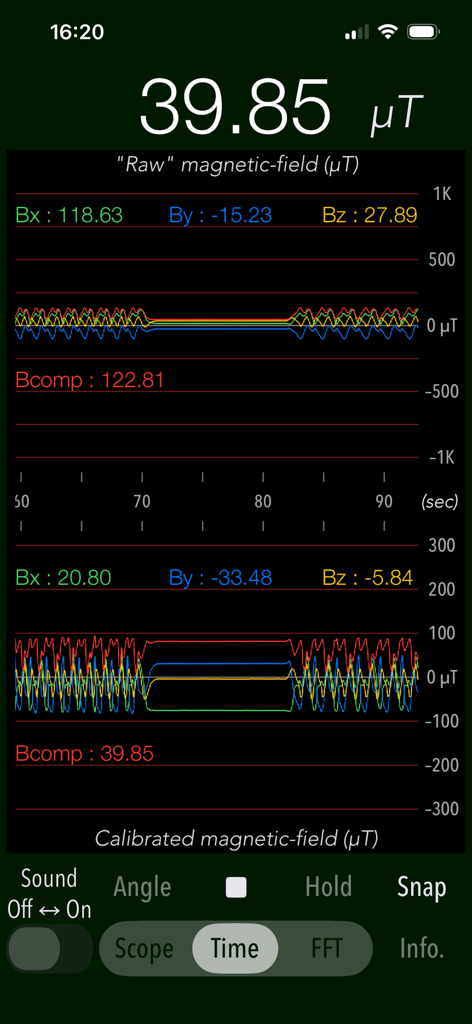
Magnetscape app Time mode showing raw and calibrated magnetic field graphs

Magnetscape app Time mode showing raw and calibrated magnetic field graphs

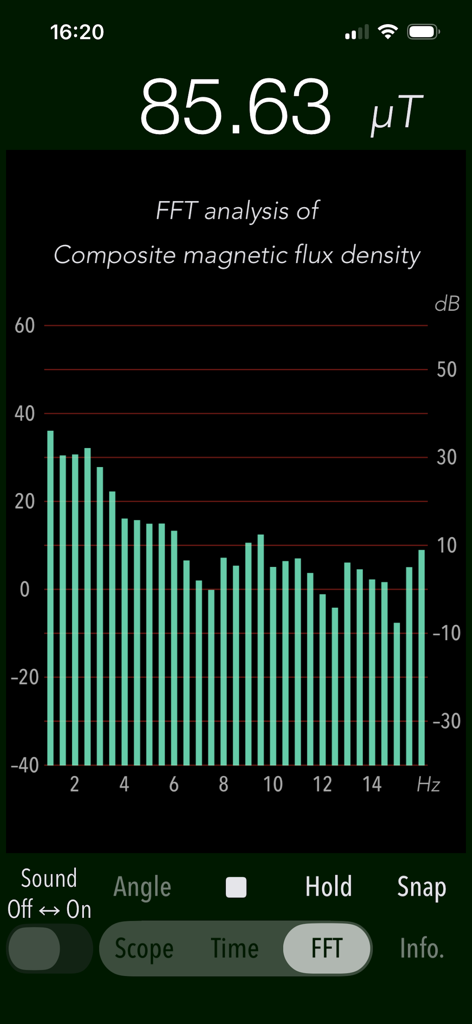
Magnetscape app screen displaying FFT frequency analysis of a magnetic field.

Magnetscape app screen displaying FFT frequency analysis of a magnetic field.

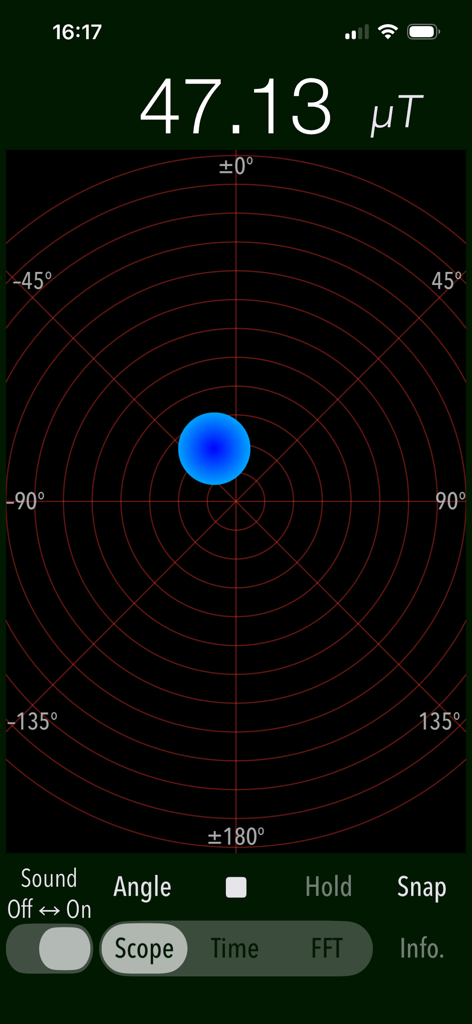
Magnetscape app scope screen displaying a magnetic flux density of 47.13 microtesla on a radar-like grid.

Magnetscape app scope screen displaying a magnetic flux density of 47.13 microtesla on a radar-like grid.

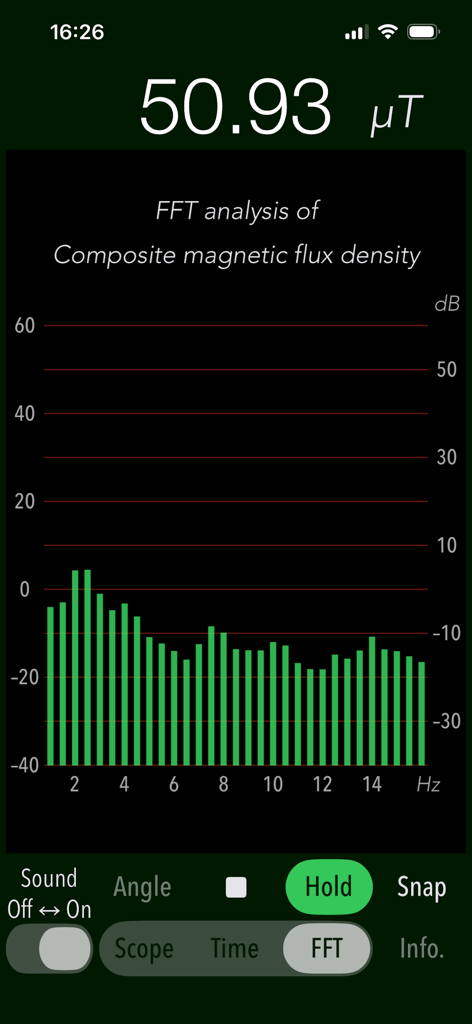
Magnetscape app screen showing FFT analysis of magnetic field frequency data

Magnetscape app screen showing FFT analysis of magnetic field frequency data

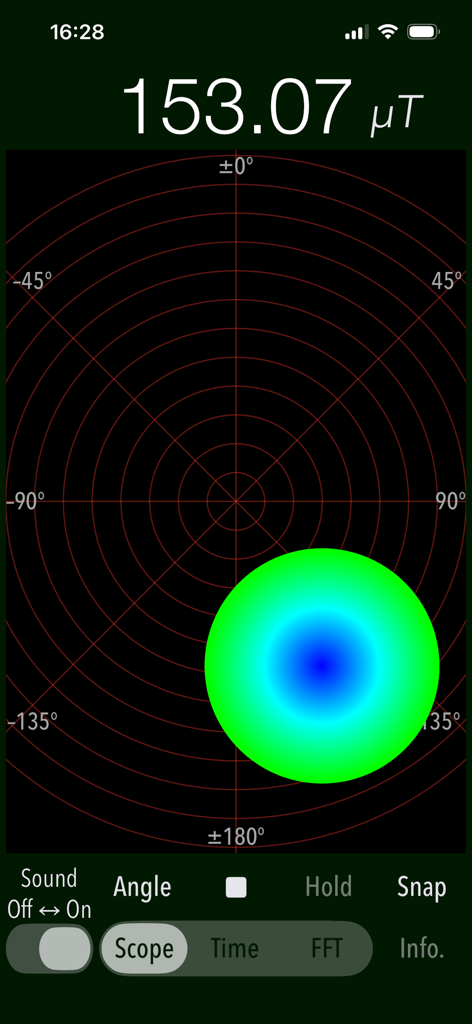
Magnetscape app scope mode displaying a magnetic field measurement of 153.07 microteslas with a graphical circle indicator

Magnetscape app scope mode displaying a magnetic field measurement of 153.07 microteslas with a graphical circle indicator

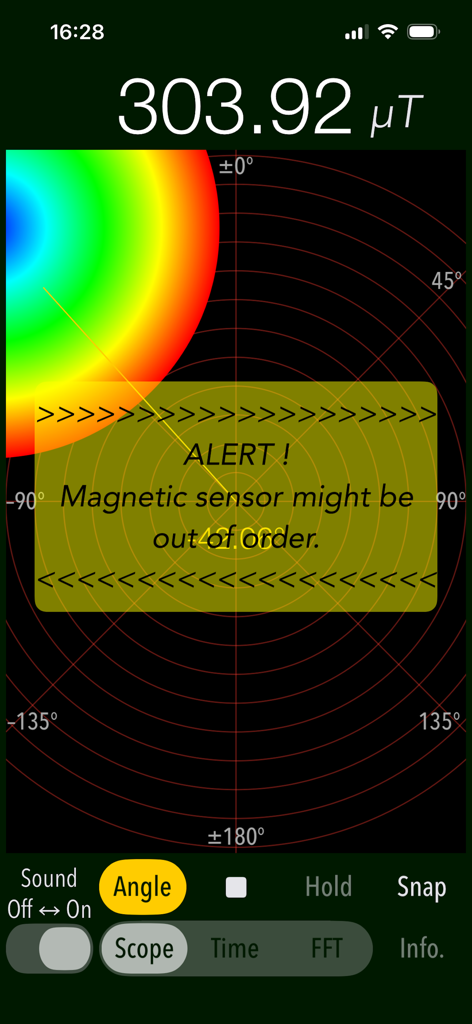
Magnetscape app displaying a magnetic sensor alert and high microtesla reading in Scope mode.

Magnetscape app displaying a magnetic sensor alert and high microtesla reading in Scope mode.

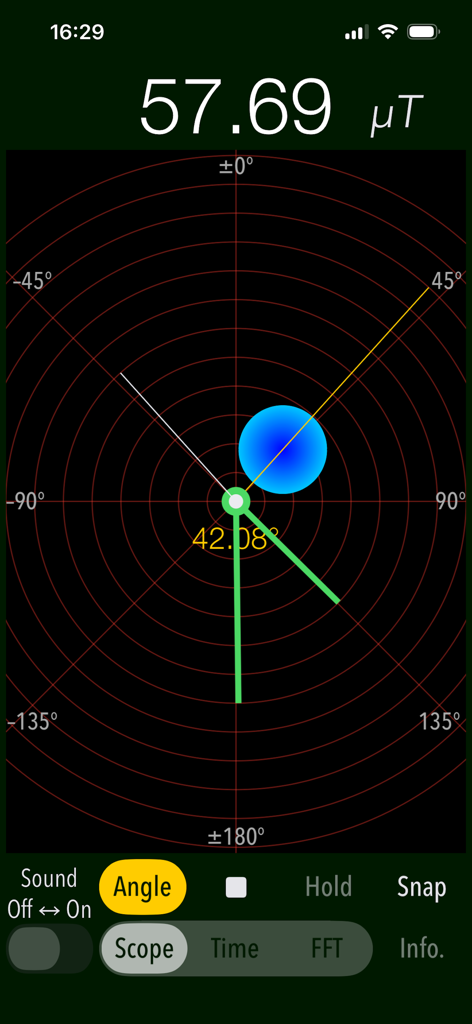
Magnetscape app Scope mode interface showing real-time magnetic field strength and direction

Magnetscape app Scope mode interface showing real-time magnetic field strength and direction

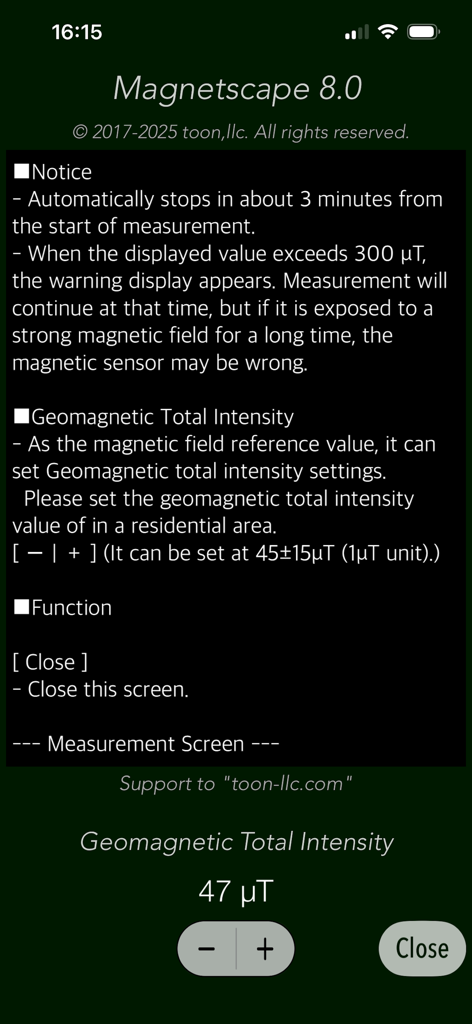
Magnetscape app settings screen displaying geomagnetic intensity calibration and measurement notices

Magnetscape app settings screen displaying geomagnetic intensity calibration and measurement notices

Visualize the Invisible World Around You

The tools that make this app stand out, trusted by 6K+ users.

🎯

Real-Time Magnetic Mapping

Navigate fields instantly with Scope Mode. Visualize the magnitude, direction, and polarity of magnetic sources through an intuitive graphical interface designed for rapid identification.

📊

Professional Frequency Analysis

Go beyond basic detection with FFT analysis. Identify specific electromagnetic interference (EMI) and monitor raw Bx, By, and Bz data streams with 32Hz high-frequency sampling.

🛡️

Precision Detection & Alerts

Locate hidden metal studs, pipes, or anomalies with ease. Set custom alerts for fields exceeding 300 μT and use the peak-hold function to capture maximum field strength during investigations.

Loved by users worldwide

Trusted by 6K+ people who love this app.

"

"Magnetscape is an essential tool for my workbench. Unlike other apps that over-simplify data, the FFT analysis and RAW output allow me to accurately identify electromagnetic interference sources in seconds. It has replaced my dedicated handheld meter for most tasks."

David L., Systems Engineer
"

"I love the visual interface of the Scope mode! It makes understanding magnetic polarity and field strength so simple. Whether I'm checking for hidden metal studs or just curious about the fields around my tech gear, this app provides detailed, real-time insights that are truly impressive."

Elena R., Tech Enthusiast

About the app

Everything you need to know about Magnetscape.

Description

"Magnetscape" is a new real-time measurement app that observes invisible magnetic fields using the iPhone's built-in magnetic sensor. There are various magnetic fields around us. For instance, the magnetic field fluctuates even when large motors, compressors or metal are nearby. The Earth's magnetic field exists even in empty places, and we are constantly affected by it. "Magnetscape" enables real-time monitoring of surrounding magnetic fields and can be utilized for various applications in real life. It can be used for investigating static magnetic fields, searching weak electromagnetic fields within alternating magnetic fields, locating metals and more. This app features three measurement modes for magnetic field observation, allowing you to use it according to your needs. - Scope Displays the magnitude and direction of the magnetic field graphically. The magnetic flux density of the magnetic field is expressed by the size and color of the graphic circle. The position of the graphic circle on the display moves according to the polarity of the magnetic source. The polarity is attracted to the N pole if it is in the same direction as the geomagnetic field. If it is the opposite (S pole), the polarity will be reversed away . If there is no metal or magnetic field nearby, it will be shifted in the direction of the geomagnetism (N pole). - Time Trace the raw data from the magnetic sensor and its corrected data. It is a time displacement graph of each axis value (Bx, By, and Bz) and the composite magnetic flux density (Bcomp) in three-dimensional space. You can scroll up to 180 seconds. - FFT Perform frequency analysis on the changing magnetic field. It displays the result of FFT analysis of the composite magnetic flux density. Horizontal axis: Frequency 1 - 16 Hz (0.5 Hz) Vertical axis: dB (ratio to default standard value 45 μT). Reference value can be set in units of 45 ± 15 μT / 1 μT. Features: - Graphical display of magnetic field observation by magnetic sensor (Scope) - Time displacement graph display of magnetic field observation (Time) - FFT analysis (FFT) - Magnetic field observation  X axis: Intensity (Bx) of the magnetic field of (the right direction toward the screen)  Y axis: Intensity (By) of the magnetic field of (upward toward the screen)  Z axis: Magnetic field strength (Bz) in the of (vertical upward direction of the screen)  Composite magnetic flux density: The magnetic field strength (Bcomp) taking into account all three components of the x-axis, y-axis and z-axis.  Sampling frequency: 32 Hz  Unit of observation value: uT - Measurement time: 3 minutes - Alert function: A warning message will be displayed if the composite magnetic flux density exceeds 300 μT. - Alert sound function. (Sound Off/On) - Peak hold function on FFT mode. - Angle display function in Scope mode (Angle) - Clock display function in Scope mode. Notes: - The display value of this application is the RAW output data from the magnetic sensor itself. It does not perform any processing such as filter processing within the application. - Since the magnetic sensor is a sensitive device, the internal reference value of the magnetic sensor may be disturbed if exposed to extremely strong magnets and magnetic fields for a long time. - If the reference value of the magnetic sensor becomes incorrect, the magnetic sensor will automatically readjust after you stop the application and leave it for a while. If the magnetic sensor remains unstable, please try the electronic compass calibration and reset procedure. Please visit our iOS App Support page for more information on this app.

Latest Version

8.0

Size

0.6 MB

First Released

Apr 19, 2017

Unlock Professional-Grade Magnetic Insights

Join thousands of experts and enthusiasts visualizing the invisible world. Download Magnetscape to access RAW sensor data, real-time FFT analysis, and precision monitoring today.

Download on App Store
FAQ

Frequently Asked Questions

Everything you need to know about Magnetscape

What is Magnetscape?

Magnetscape is an iPhone application for real-time measurement and observation of invisible magnetic fields. It utilizes the device's built-in magnetic sensor to display magnetic field magnitude and direction.

How does the Magnetscape app measure magnetic fields?

The Magnetscape app measures magnetic fields by utilizing the iPhone's built-in magnetic sensor. It provides real-time observation and displays the raw output data directly from the sensor without internal processing.

What are the main measurement modes available in the Magnetscape app?

The Magnetscape app features three main measurement modes: Scope, Time, and FFT. Each mode offers a distinct way to observe and analyze magnetic fields.

What does the Scope mode display in the Magnetscape app?

The Scope mode in Magnetscape graphically displays the magnetic field's magnitude and direction. A graphic circle's size and color represent the magnetic flux density, and its position indicates polarity.

What information does the Time mode provide in the Magnetscape app?

The Time mode in Magnetscape traces raw and corrected data from the magnetic sensor. It presents a time displacement graph for each axis (Bx, By, Bz) and the composite magnetic flux density (Bcomp), scrollable for 180 seconds.

What is the purpose of the FFT mode in the Magnetscape app?

The FFT mode in Magnetscape performs frequency analysis on changing magnetic fields. It displays the results of the Fast Fourier Transform analysis of the composite magnetic flux density.

Does the Magnetscape app provide an alert for strong magnetic fields?

Yes, Magnetscape includes an alert function. A warning message displays if the composite magnetic flux density exceeds 300 μT, and an alert sound can be turned on or off.

What is the unit of observation value in Magnetscape?

The unit of observation value for magnetic fields within the Magnetscape app is microtesla (μT). This unit measures the magnetic flux density.

What is the maximum measurement time for Magnetscape?

The Magnetscape app has a maximum measurement time of 3 minutes. It automatically stops observations after this duration from the start of measurement.

Does the Magnetscape app process the magnetic sensor data?

No, Magnetscape does not perform any processing, such as filter processing, within the application. It exclusively displays the RAW output data directly from the magnetic sensor itself.

Can strong magnetic fields affect the iPhone's sensor when using Magnetscape?

Yes, strong magnetic fields can affect the iPhone's magnetic sensor when using Magnetscape. Prolonged exposure to extremely strong magnets may disturb the sensor's internal reference value.

How can a disturbed magnetic sensor be readjusted after using Magnetscape?

A disturbed magnetic sensor automatically readjusts after stopping the Magnetscape app and leaving it for a while. If instability persists, users can try electronic compass calibration and reset procedures.