MarginNote 4: AI Notes·MindMap

MarginNote 4: AI Notes·MindMap

Download on App Store
Spark by MWM logo
Logo of MarginNote 4: AI Notes·MindMap

MarginNote 4: The AI-Powered Second Brain for Deep Learning and Research

Transform complex PDFs and textbooks into visual mind maps, structured outlines, and smart flashcards. The ultimate all-in-one workspace for students, researchers, and power users to master any subject.

Publisher

Beijing Yunsi Software Technology Co., Ltd

Category

Productivity

Downloads

334K+

User Rating

4.6/5

Total Ratings

17K+

Locales

4

The Workspace of a Mastermind

Discover the interface used by 334K+ users.
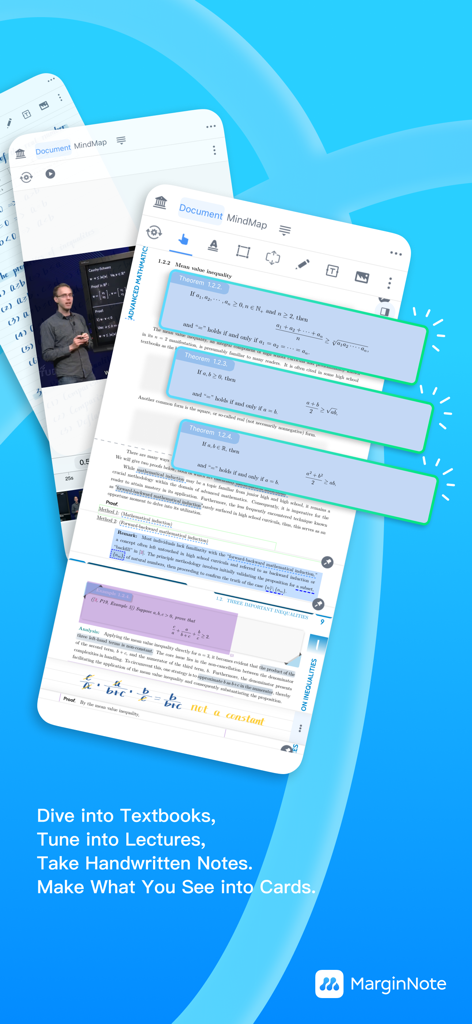
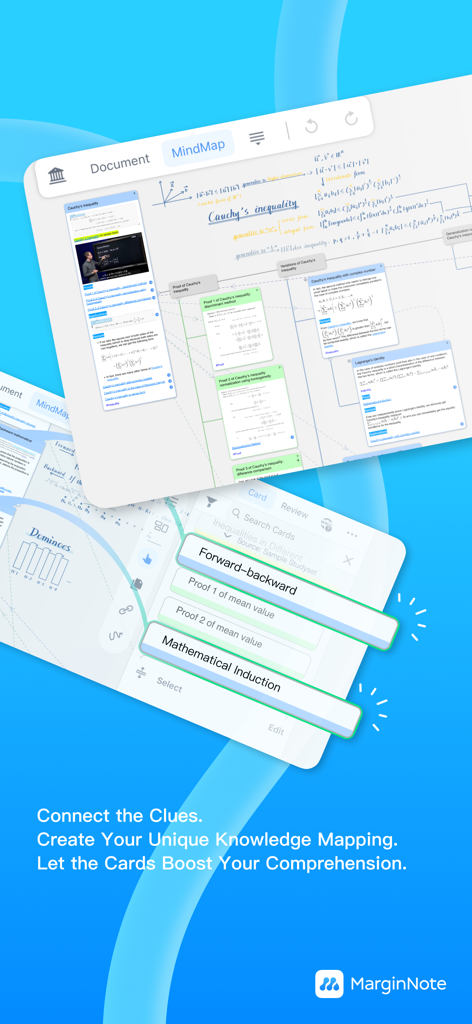
MarginNote 4 app interface showing study cards being created from a math textbook and a video lecture

MarginNote 4 app interface showing study cards being created from a math textbook and a video lecture

MarginNote 4 mind map interface showing connected academic knowledge cards.

MarginNote 4 mind map interface showing connected academic knowledge cards.

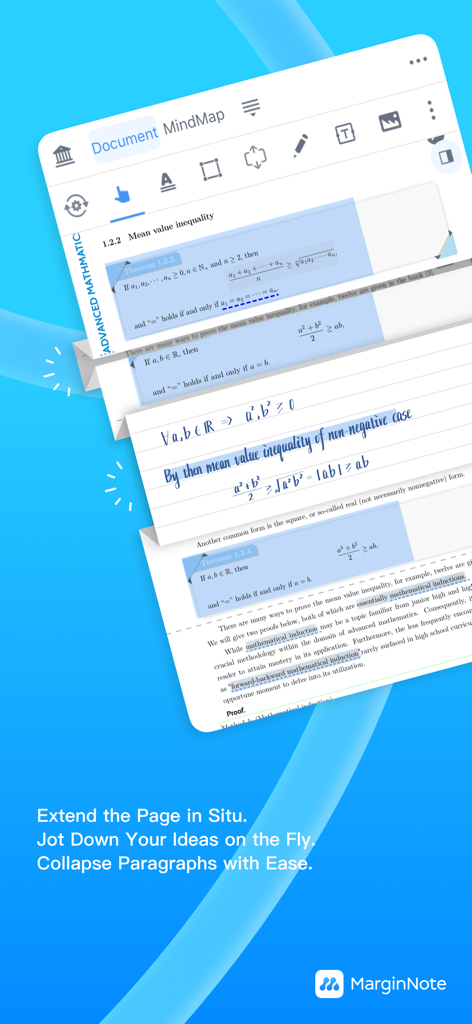
MarginNote 4 app interface showing the Quick Extend Note feature with handwritten annotations in a math document

MarginNote 4 app interface showing the Quick Extend Note feature with handwritten annotations in a math document

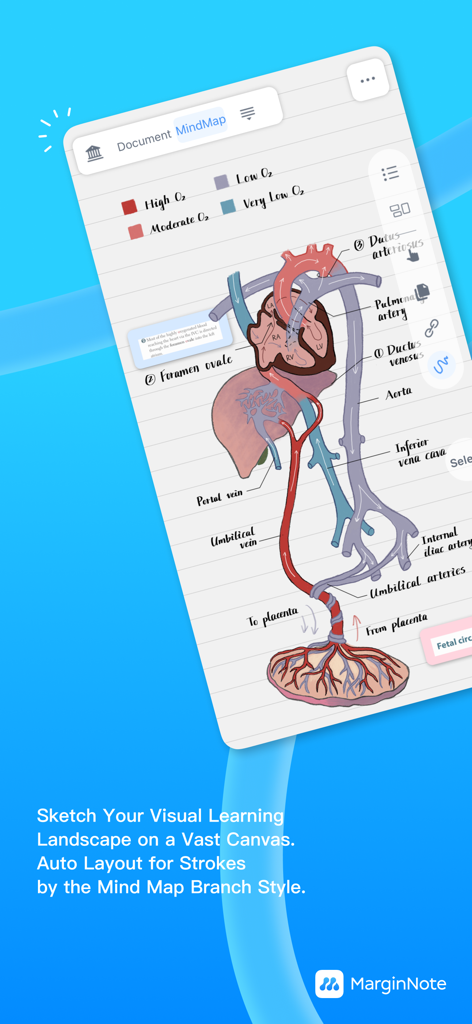
A medical illustration of the circulatory system organized within a visual mind map in the MarginNote 4 app interface

A medical illustration of the circulatory system organized within a visual mind map in the MarginNote 4 app interface

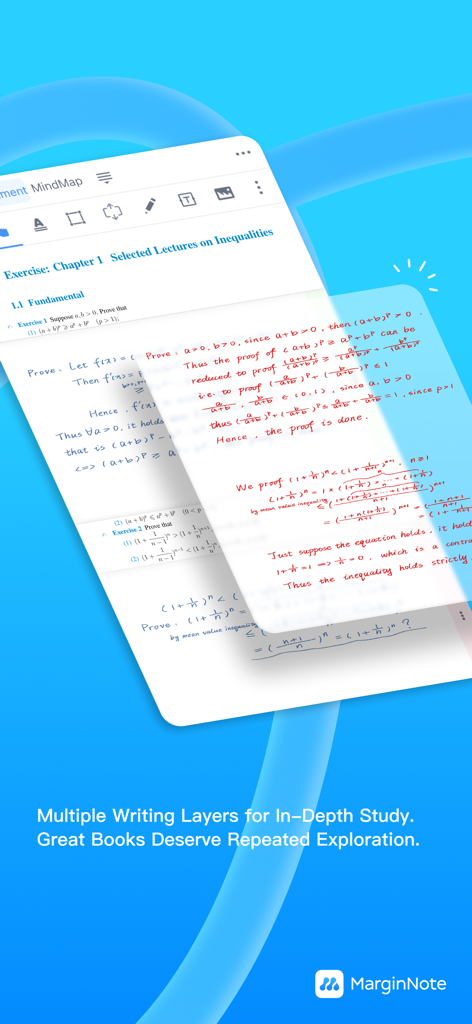
MarginNote 4 handwriting layers for academic study and annotations

MarginNote 4 handwriting layers for academic study and annotations

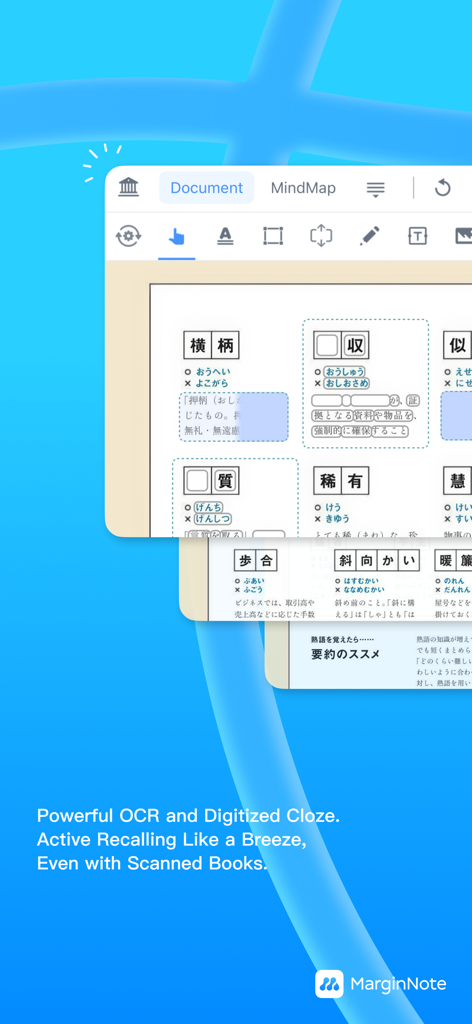
MarginNote 4 interface showing OCR and digitized cloze features for active recall from scanned books.

MarginNote 4 interface showing OCR and digitized cloze features for active recall from scanned books.

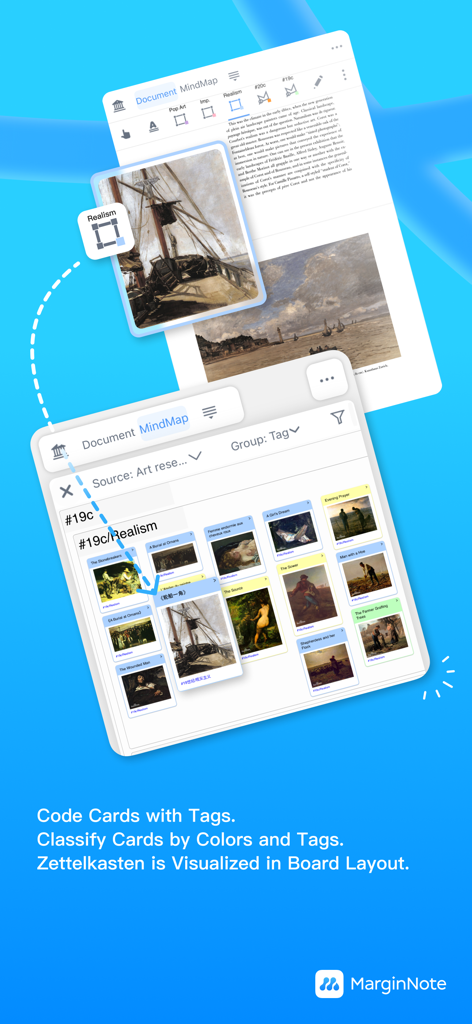
MarginNote 4 interface showing Zettelkasten card board with tags for visual research

MarginNote 4 interface showing Zettelkasten card board with tags for visual research

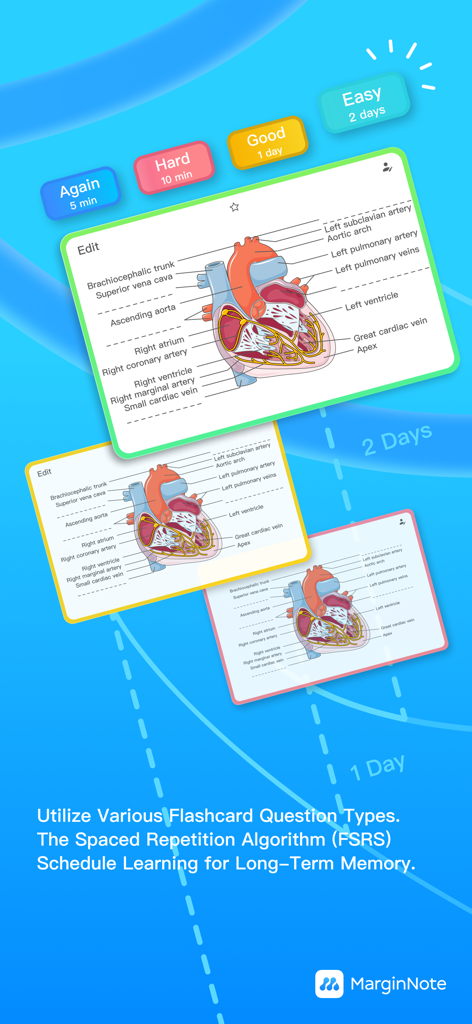
MarginNote 4 flashcards showing a heart anatomy diagram and spaced repetition review buttons.

MarginNote 4 flashcards showing a heart anatomy diagram and spaced repetition review buttons.

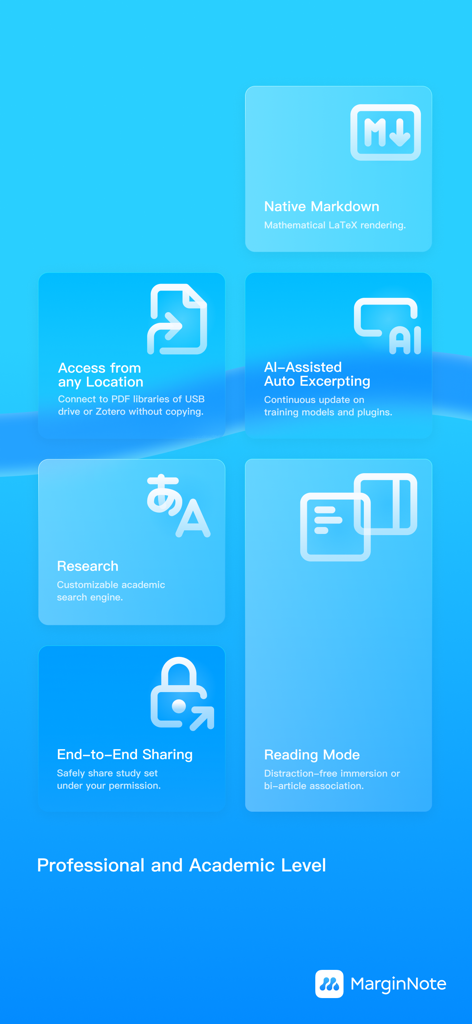
MarginNote 4 professional features including AI-assisted auto excerpting and academic research tools

MarginNote 4 professional features including AI-assisted auto excerpting and academic research tools

The Ultimate Toolkit for High-Stakes Learning

The tools that make this app stand out, trusted by 334K+ users.

🧠

Visual Knowledge Synthesis

Transform fragmented highlights into dynamic mind maps. Visualize complex connections across hundreds of PDFs to build your 'Second Brain' effortlessly.

Smart AI Research Extraction

Accelerate your literature review. Instantly extract formulas, charts, and key insights from academic papers with high-speed OCR and intelligent content detection.

🔄

Integrated Active Recall

Master your material with built-in flashcards. Create study decks directly from your notes and use the FSRS algorithm to optimize your long-term memory.

Loved by users worldwide

Trusted by 334K+ people who love this app.

"

"MarginNote 4 has completely changed how I study for my medical boards. The ability to turn complex textbook diagrams into spaced-repetition flashcards instantly while reading is a total game-changer. The FSRS algorithm ensures I actually remember what I read weeks later. It is the only app that truly bridges the gap between active reading and long-term memory."

Sarah L., 3rd Year Med Student
"

"For my dissertation research, I needed something far more powerful than a standard PDF reader. The mind-mapping tool and Zettelkasten-style card board allowed me to visualize connections between hundreds of papers that I previously missed. Integrating my Zotero library was seamless, making it the ultimate second brain for complex academic synthesis."

Dr. David K., PhD Researcher

About the app

Everything you need to know about MarginNote 4: AI Notes·MindMap.

Description

MarginNote 4 – Note-taking, Mind Map & Flashcards in One Study App MarginNote 4 combines reading, note taking, mind mapping, and spaced-repetition flashcards in a single workspace. Preview, attend class, consolidate, practice, review, and remember with proven study methods. KEY FEATURES CRITICAL THINKING * Quick Extend Note: add extra writing space beside any paragraph for insights or questions * Handwriting Layers: show or hide ink to refresh a book for a new round of study ACTIVE LEARNING * Study Set: keep PDFs, EPUBs, videos, and audio in one project and see how they connect * Book Compile: rearrange pages, merge chapters, or insert explanations from other books * Dual-Article View: compare two related documents side by side * Distraction-Free Mode * Fast OCR engine for clean PDF annotation * External Library Access: open files from Zotero, USB drives, and more without copying * Lightning-fast full-text search across notes and files VISUAL LEARNING * Mind Map: build a tree of ideas; choose from 10 branch styles * Concept Diagram: link cards with lines or gestures on an infinite canvas * Outliner: edit and reorder text nodes in bulk * Card Board: sort cards by color or tag in a Zettelkasten-style wall SMART NOTE TAKING * Custom Toolbar: colors, labels, and cloze highlights turn annotation into knowledge coding * AI Content Detection: one-tap extraction of formulas and charts from academic papers * Auto Mind Map creation from up to 10 card properties KNOWLEDGE BRIDGE * Split-view combos and in-app web search keep context at hand * Keyword links automatically surface related notes * Backlinks record page, map position, and timestamp for every card LONG-TERM MEMORY * In-place Flashcard Editor: create front/back cards the moment you excerpt * FSRS spaced-repetition algorithm schedules perfect review times SHARE & COLLABORATE * iCloud sync on iPhone, iPad, and Mac * URL scheme jumps back to any moment in your study * Multi-window and external-monitor support with drag & drop * Presentation Mode records visible actions for live demos * End-to-end encrypted sharing protects your study sets MEMBERSHIP TIERS Basic – Free Read, highlight, and use Quick Extend Note. Browse shared study sets at no cost. Pro – One-Time Purchase Unlock the full iPad experience with Apple Pencil shortcuts, on-device OCR, AI extraction, and multi-window power. Max – One-Time Purchase or Semester Upgrade Get Pro features on every Apple device, plus advanced academic tools on Mac and future platforms. All plans include a 14-day free trial. Cancel anytime in your iTunes settings. Questions? Email service@marginnote.com Terms of Use: https://dist.marginnote.cn/MarginNote_Terms_and_Conditions.pdf Privacy Policy: https://dist.marginnote.cn/MarginNote_Privacy_Policy.pdf

Latest Version

4.2.3

Size

522.7 MB

First Released

May 12, 2024

Master Your Knowledge. Build Your Second Brain.

Join thousands of researchers and students transforming complex reading into lasting insights. Start your 14-day free trial and experience the ultimate study workspace on iPad, Mac, and iPhone.

Download on App Store
FAQ

Frequently Asked Questions

Everything you need to know about MarginNote 4: AI Notes·MindMap

What is MarginNote 4?

MarginNote 4 is a study application combining reading, note-taking, mind mapping, and spaced-repetition flashcards in a single workspace. It supports a comprehensive study workflow from preview to review.

Does MarginNote 4 offer mind mapping functionality?

Yes, MarginNote 4 features extensive mind mapping capabilities, allowing users to build idea trees, choose from 10 branch styles, and auto-generate mind maps from card properties.

Can I use flashcards for spaced repetition in MarginNote 4?

Yes, MarginNote 4 includes an in-place Flashcard Editor and utilizes the FSRS spaced-repetition algorithm. This schedules optimal review times for long-term memory retention.

What are the membership options for MarginNote 4?

MarginNote 4 offers Basic (free), Pro (one-time purchase for iPad features), and Max (one-time purchase or semester upgrade for all Apple devices with advanced academic tools). All plans include a 14-day free trial.

Does MarginNote 4 support Optical Character Recognition (OCR)?

Yes, MarginNote 4 features a fast OCR engine for clean PDF annotation. The Pro plan includes on-device OCR, and the app supports digitized Cloze for scanned books.

Can MarginNote 4 sync across multiple Apple devices?

Yes, MarginNote 4 supports iCloud sync across iPhone, iPad, and Mac devices. The Max membership tier provides Pro features accessible on every Apple device.

How does MarginNote 4 assist with critical thinking?

MarginNote 4 enhances critical thinking with features like Quick Extend Note, which adds writing space beside paragraphs. It also has Handwriting Layers to refresh books for new study sessions.

Does MarginNote 4 allow combining different study materials?

Yes, MarginNote 4 allows users to combine various study materials using the Study Set feature. This keeps PDFs, EPUBs, videos, and audio together in one project.

Can I annotate PDFs using MarginNote 4?

Yes, users can annotate PDFs in MarginNote 4, even with the free Basic membership, by highlighting and using Quick Extend Note. The app also features a fast OCR engine for clean PDF annotations.

Does MarginNote 4 integrate with external libraries like Zotero?

Yes, MarginNote 4 integrates with other libraries via External Library Access. Users can open files from Zotero, USB drives, and more directly, without copying them.