micro:bit

micro:bit

Download on App StoreDownload on Google Play
Spark by MWM logo
Logo of micro:bit

micro:bit: Bring Your Creative Coding Projects to Life

The ultimate STEM companion for young makers and students. Wirelessly flash your programs via Bluetooth, build with Microsoft MakeCode, and monitor real-time sensor data directly from your iPad or iPhone.

Publisher

Micro:bit Educational Foundation

Category

Education

Downloads

478K+

User Rating

3.4/5

Total Ratings

700

Locales

5

From Blocks to Reality

Discover the interface used by 478K+ users.
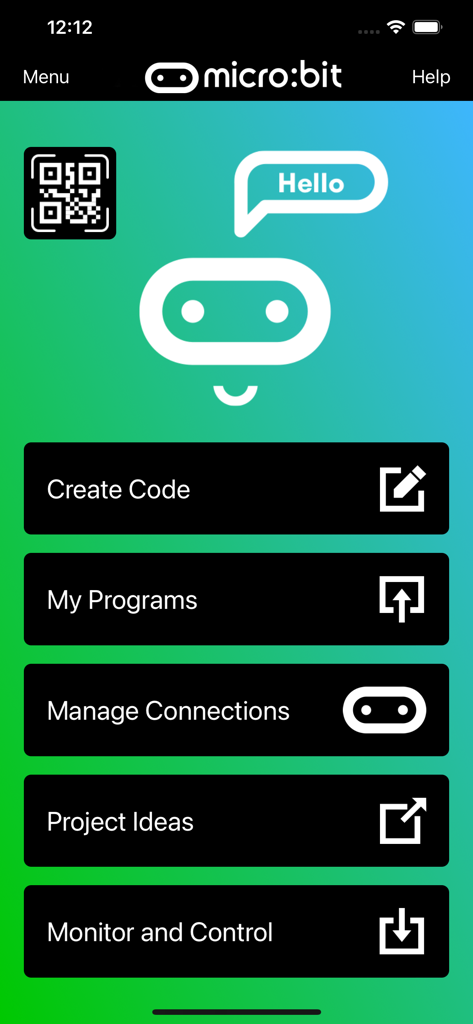
Main menu of the micro-bit mobile app featuring options for Create Code My Programs and Monitor and Control

Main menu of the micro-bit mobile app featuring options for Create Code My Programs and Monitor and Control

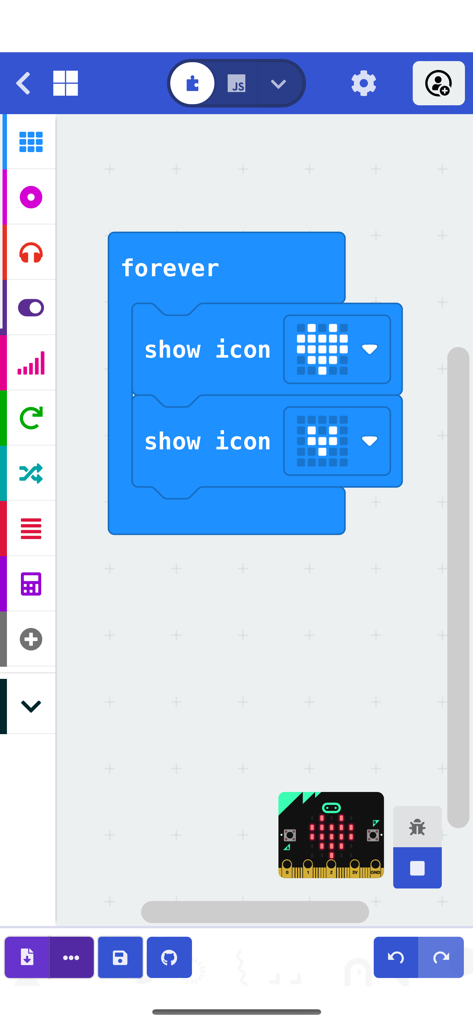
Block-based coding interface in the microbit app showing a heart animation program

Block-based coding interface in the microbit app showing a heart animation program

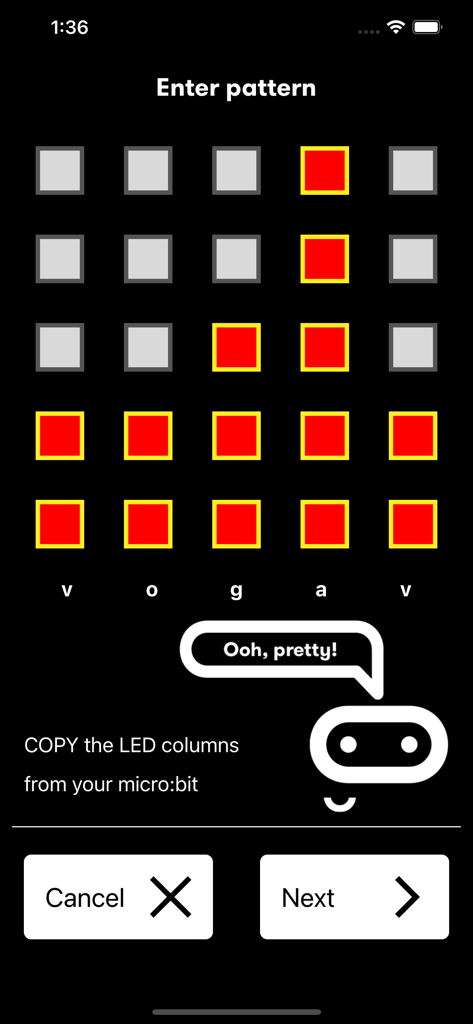
Interface for entering an LED pattern in the microbit app to pair a physical device

Interface for entering an LED pattern in the microbit app to pair a physical device

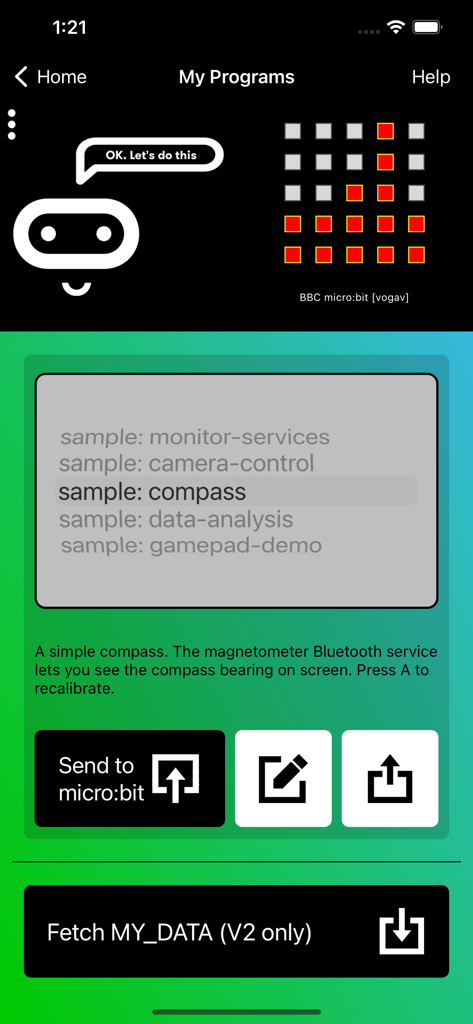
Microbit app My Programs screen displaying a compass coding project

Microbit app My Programs screen displaying a compass coding project

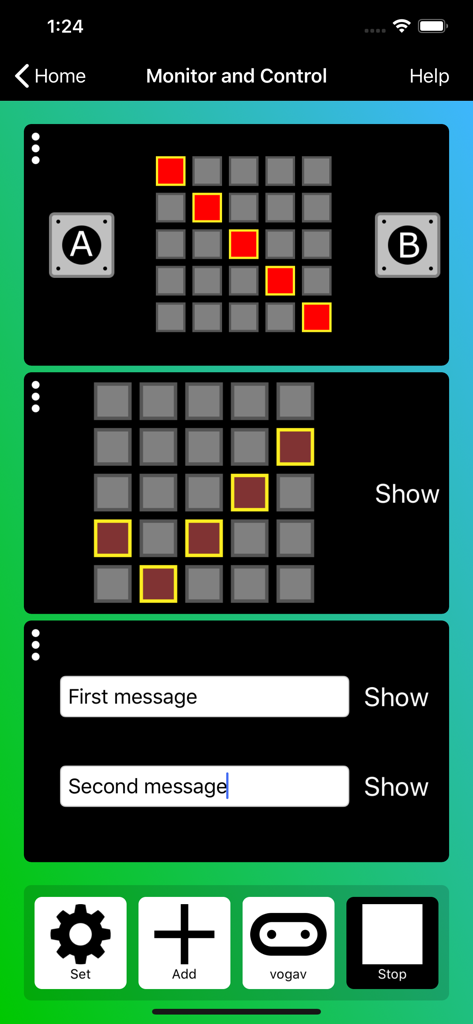
Microbit app monitor and control interface with LED matrix and message controls.

Microbit app monitor and control interface with LED matrix and message controls.

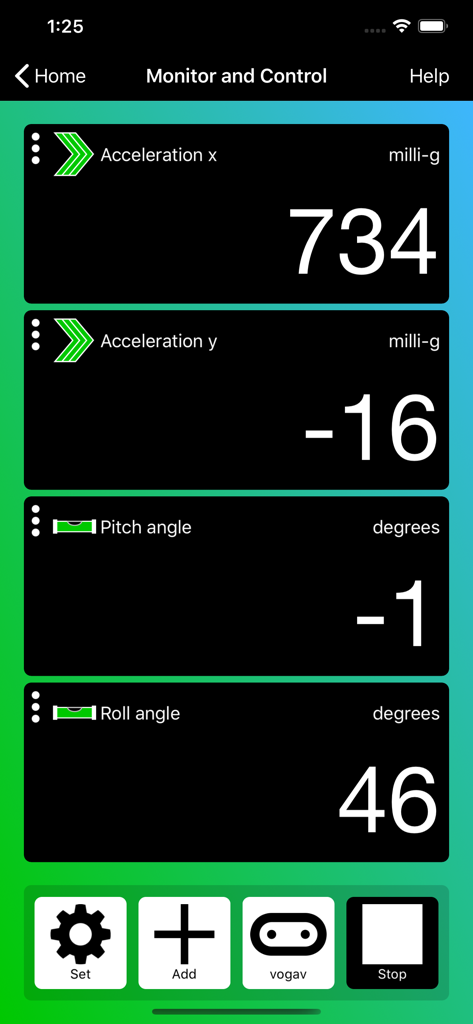
Microbit app monitor and control interface displaying real-time sensor data for acceleration and rotation.

Microbit app monitor and control interface displaying real-time sensor data for acceleration and rotation.

Unleash Your Creativity with Physical Coding

The tools that make this app stand out, trusted by 478K+ users.

Wireless Bluetooth Flashing

Send your code to your micro:bit in seconds without a single cable. Perfect for classroom freedom and on-the-go making.

📊

Live Monitor & Control

Visualize sensor data in real-time and interact with your device's buttons and LEDs directly from your iPhone or iPad.

🧩

Intuitive Block Programming

Master STEM skills with the built-in Microsoft MakeCode editor. Drag and drop blocks to build complex programs in a familiar, Scratch-like interface.

Loved by users worldwide

Trusted by 478K+ people who love this app.

"

"The wireless Bluetooth flashing is a complete game-changer for my classroom! We no longer have to deal with tangled USB cables or port issues on old desktops. My students love using their school iPads to code and see their projects come to life instantly. The real-time sensor monitoring makes explaining data science concepts both interactive and easy to understand."

Sarah J., Middle School STEM Teacher
"

"I love making my own games and gadgets with this app! Being able to write code on my phone and then beam it to my micro:bit while I'm hanging out on the couch is so cool. The gamepad simulator is my favorite feature because it lets me control my DIY robots wirelessly like a pro."

Leo, 12-year-old Maker

About the app

Everything you need to know about micro:bit.

Description

The micro:bit app is the essential companion to the BBC micro:bit, the pocket sized programmable computer. The app allows you to flash any micro:bit hex file to your device, as well as including online access to the Microsoft MakeCode editor for simple block-based programming. When your program is ready, the app beams it to the micro:bit via Bluetooth wirelessly. Easy-to-follow screens lead you through the process of pairing your iPad (or iPhone) to the micro:bit and then transferring your program code. Compared with previous versions, the micro:bit app Version 3.1 contains these additional features: • A simpler pairing and micro:bit discovery flow • The micro:bit V2 can be put into pairing mode by triple-tapping the reset button • Retrieval of the micro:bit data log files from off your micro:bit • Pair with any number of micro:bits • Choose which micro:bit is currently connected • Store HEX files in the app • Choose a HEX file for flashing • Export and delete HEX files • Import stored HEX files directly into JavaScript Blocks editor • Rapid download from JavaScript Blocks editor • Monitor data detected by micro:bit sensors • Use the range of micro:bit Bluetooth services in real time • Display messages on the micro:bit LEDs • Send control commands to the micro:bit buttons and pins • De-bug your program code while it is running in the micro:bit • Use a simulated gamepad to send commands to the micro:bit • View camera images ready for taking photos or video As well as providing more flexible handling of your program scripts and HEX files, a major addition in Version 3 is the Monitor and Control page. This lets you observe real-time data from the micro:bit sensors, send messages directly to the LEDs and control the micro:bit buttons and pins from your iPad or iPhone. Monitor is ideal for exploiting Bluetooth services in real time, and for de-bugging your program code while it is running in the micro:bit. The MakeCode code editor now requires iOS 13 or later.

Latest Version

3.1.1

Size

59.3 MB

First Released

Mar 31, 2016

Ready to Bring Your Code to Life?

Download the micro:bit app on your iPad or iPhone and start creating wireless projects in seconds with Microsoft MakeCode. Join thousands of young makers and turn your ideas into reality today.

Download on App StoreDownload on Google Play