Google Classroom

Google Classroom

Download on App StoreDownload on Google Play
Spark by MWM logo
Logo of Google Classroom

Google Classroom: Empowering learners and instructors to connect anywhere.

The secure, paperless hub to manage assignments, spark discussions, and stay organized—integrated seamlessly with the Google tools you use every day.

Publisher

Google LLC

Category

Education

Downloads

145M+

User Rating

1.6/5

Total Ratings

3M+

Locales

69

Your Digital Campus

Discover the interface used by 145M+ users.
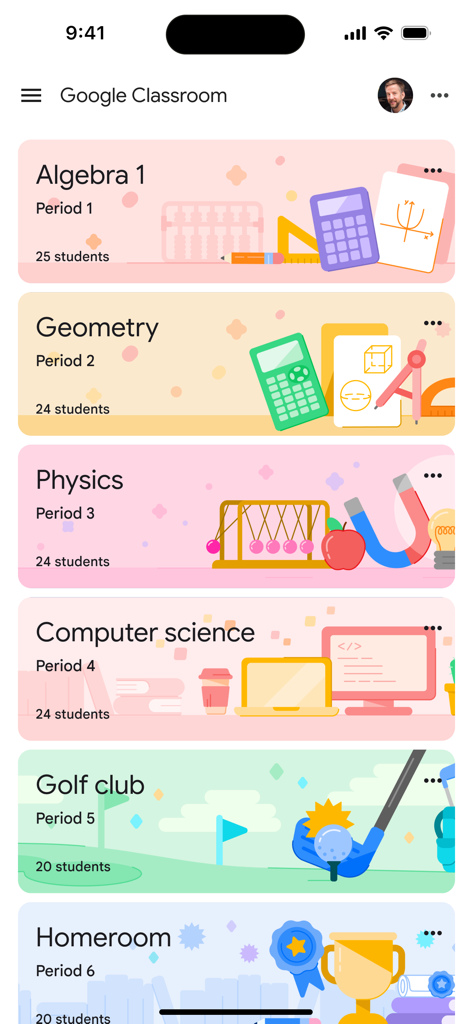
Google Classroom app interface showing a dashboard of various school classes with colorful banners

Google Classroom app interface showing a dashboard of various school classes with colorful banners

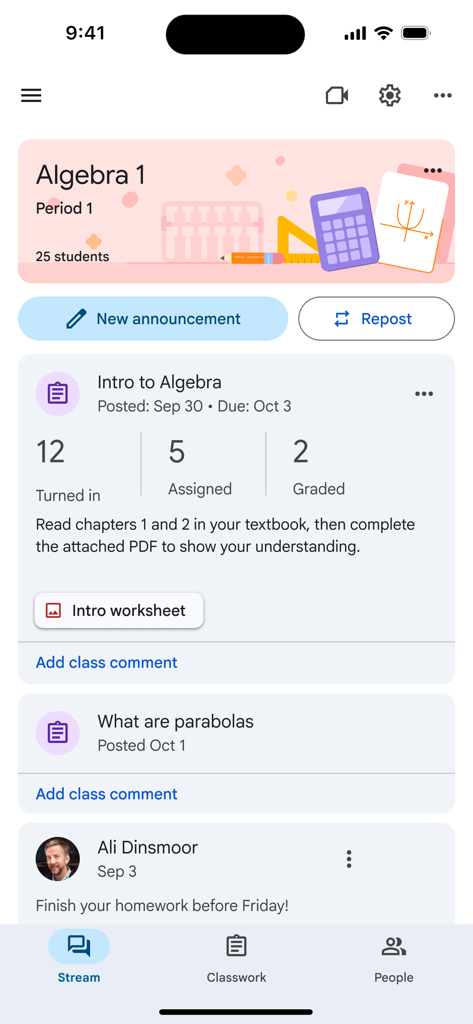
Google Classroom app showing an Algebra class stream with assignments.

Google Classroom app showing an Algebra class stream with assignments.

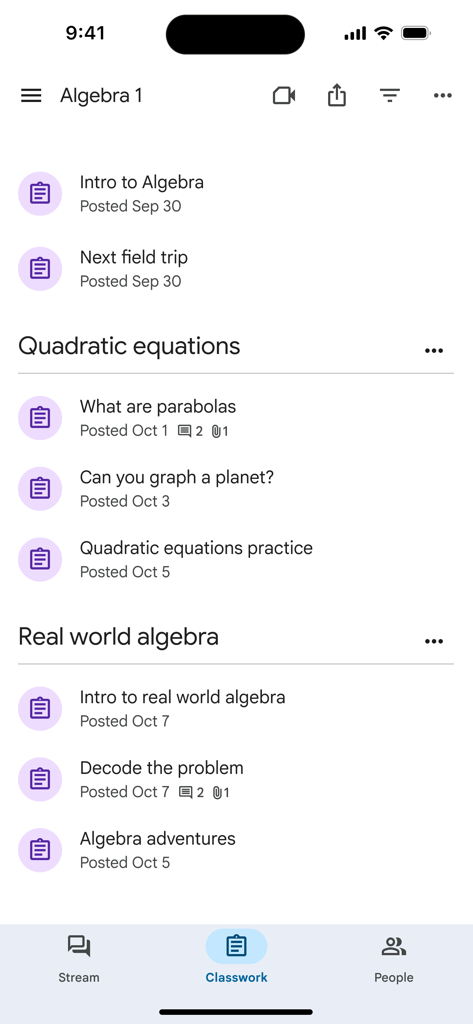
Google Classroom app screen displaying a list of Algebra 1 classwork assignments organized by topic

Google Classroom app screen displaying a list of Algebra 1 classwork assignments organized by topic

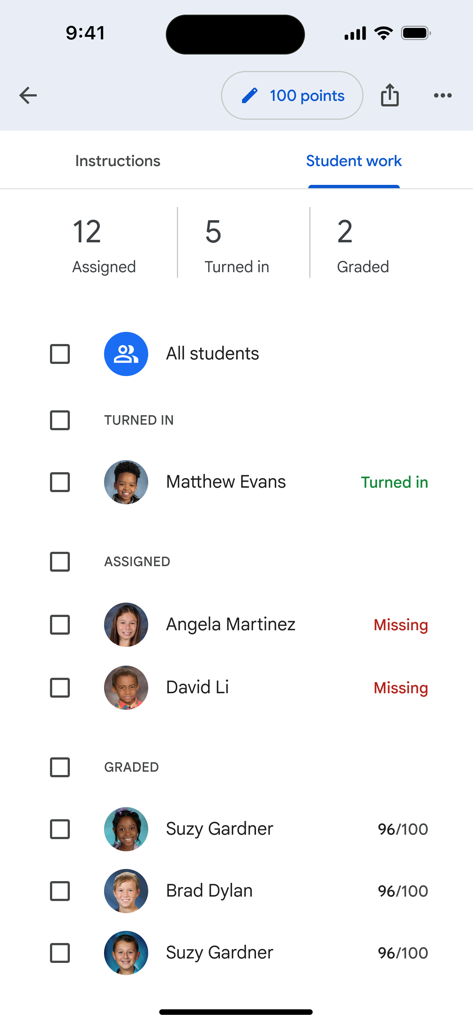
Google Classroom mobile interface showing student assignment status with turned in missing and graded sections

Google Classroom mobile interface showing student assignment status with turned in missing and graded sections

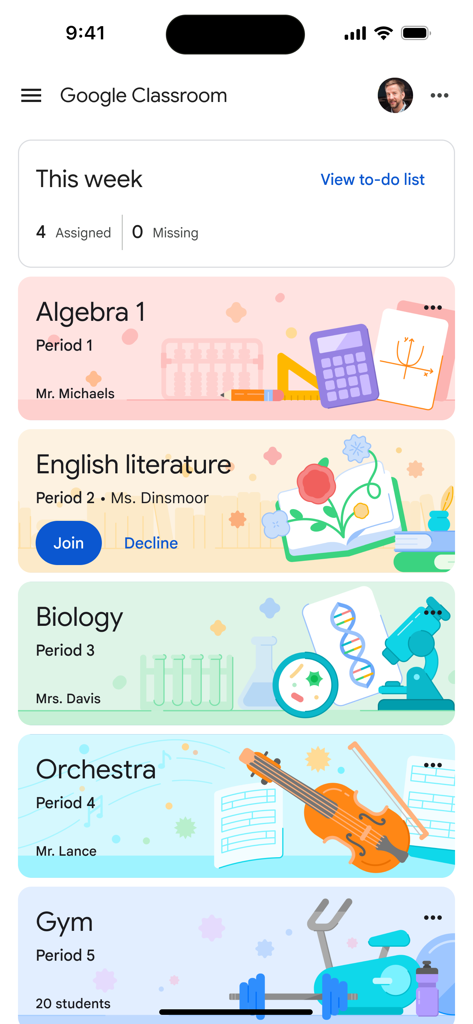
Google Classroom mobile app showing class cards for Algebra English and Biology with a weekly assignments summary

Google Classroom mobile app showing class cards for Algebra English and Biology with a weekly assignments summary

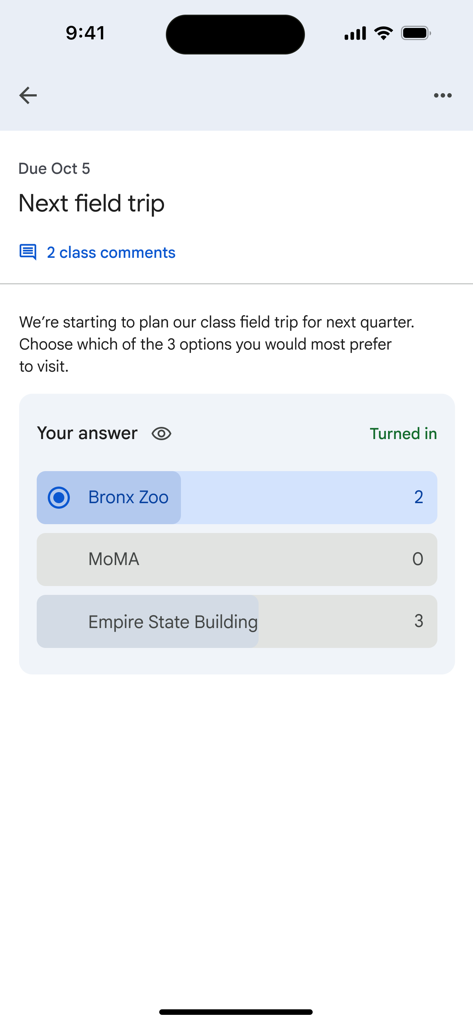
A class poll in the Google Classroom app for choosing a field trip destination.

A class poll in the Google Classroom app for choosing a field trip destination.

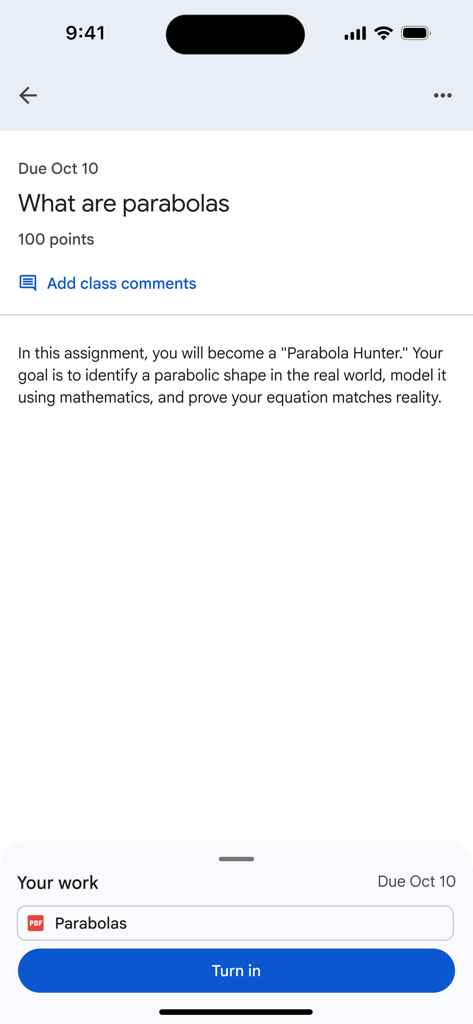
Google Classroom assignment screen showing instructions and a turn in button

Google Classroom assignment screen showing instructions and a turn in button

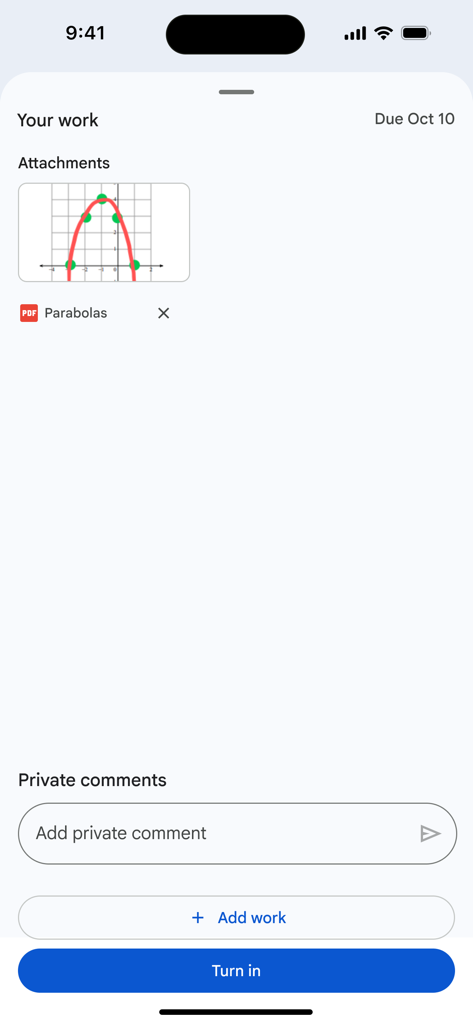
Google Classroom app interface showing a student assignment submission screen with a PDF attachment and a blue turn in button

Google Classroom app interface showing a student assignment submission screen with a PDF attachment and a blue turn in button

Your Classroom, Anywhere You Go

The tools that make this app stand out, trusted by 145M+ users.

📅

Never Miss a Deadline

View all your upcoming assignments and due dates in one clear dashboard, keeping you organized and ahead of schedule.

📸

Submit Work Instantly

Use your camera to scan handwritten worksheets and upload assignments directly from your phone—no printer required.

💬

Real-Time Connection

Stay in the loop with instant announcements, class discussions, and direct feedback from your teachers at school or on the go.

Loved by users worldwide

Trusted by 145M+ people who love this app.

"

"This app is a total lifesaver for my schoolwork. I love being able to snap a photo of my chemistry lab and turn it in right from my iPhone while I'm on the bus. The assignment tracker keeps all my deadlines in one place so I never miss a grade."

Leo T., High School Student
"

"Google Classroom has transformed how I manage my workflow. I can grade assignments and provide real-time feedback from my iPad while I'm away from my desk, which has significantly reduced my paper clutter and improved my communication with students."

Sarah Jenkins, 10th Grade Educator

About the app

Everything you need to know about Google Classroom.

Description

Classroom is a free service for schools, non-profits, and anyone with a personal Google account. Classroom makes it easy for learners and instructors to connect—inside and outside of schools. Classroom saves time and paper, and makes it easy to create classes, distribute assignments, communicate, and stay organized. Classroom is designed to help teachers create, collect, and grade assignments paperlessly, including time-saving features like the ability to automatically make a copy of a Google Document for each student. It also creates Drive folders for each assignment and for each student to help keep everyone organized. Students can keep track of what’s due on the Assignments page and begin working with just a click. Teachers can quickly see who has or hasn't completed the work, and provide direct, real-time feedback and grades right in Classroom. With the mobile app for iOS, students and teachers can view their classes and communicate with their classmates in real time. Students can open their assignments and work on them right from their iPhone or iPad. Teachers can keep track of who has turned in work and grade the assignment - at school or on the go. Students and teachers receive notifications when they have new content in Classroom, so they are always up to date. There are many benefits of using Classroom: Easy to set up Teachers can add students directly or share a code with their class to join. It takes just minutes to set up. Saves time The simple, paperless assignment workflow allows teachers to create, review, and grade assignments quickly, all in one place. Improves organization Students can see all of their assignments on an assignments page, and all class materials (e.g., documents, photos, and videos) are automatically filed into folders in Google Drive. Enhances communication Classroom allows teachers to send announcements and start class discussions instantly. Students can share resources with each other or provide answers to questions on the stream. Secure Like the rest of Google Workspace for Education services, Classroom contains no ads, never uses your content or student data for advertising purposes. Permissions Notice: Camera: Needed to allow the user to take photos or videos and post them to Classroom. Microphone: Needed to enable audio capture for recording videos to be posted to Classroom. Photos: Needed to allow the user to attach photos or videos to Classroom. Photos or videos posted to Classroom will be stored on Google servers in order to show them in Classroom.

Latest Version

3.49.300044640

Size

171.8 MB

First Released

Jan 13, 2015

Simplify Your School Day, Anywhere

Join millions of teachers and students collaborating in a paperless classroom. Get the app to turn in assignments, track deadlines, and stay connected on the go.

Download on App StoreDownload on Google Play
FAQ

Frequently Asked Questions

Everything you need to know about Google Classroom

What is Google Classroom?

Google Classroom is a free service connecting learners and instructors for education. It streamlines class creation, assignment distribution, communication, and organization, saving time and paper for schools, non-profits, and personal Google account users.

Is Google Classroom available at no cost?

Yes, Google Classroom is a free service. It is provided without charge for schools, non-profits, and any user with a personal Google account, making its features accessible to a wide audience.

How does Google Classroom assist teachers with assignment management?

Google Classroom helps teachers create, distribute, and grade assignments paperlessly. It automates tasks like making Google Document copies for each student and organizing materials into Drive folders, streamlining the workflow.

How can students track their assignments in Google Classroom?

Students can track all their assignments through a dedicated Assignments page in Google Classroom. This page shows what's due, allowing students to start working on their tasks with a single click and stay organized.

Does Google Classroom ensure user privacy and security?

Yes, Google Classroom ensures privacy and security. As part of Google Workspace for Education, it contains no advertisements and never uses content or student data for advertising purposes, protecting user information.

What communication features are available in Google Classroom?

Google Classroom enhances communication by enabling teachers to send instant announcements and initiate class discussions. Students can also share resources and provide answers to questions directly on the class stream.

Can I use Google Classroom on my iPhone or iPad?

Yes, Google Classroom has a mobile app for iOS. Students and teachers can view classes, communicate, open assignments, work from their iPhone or iPad, and receive notifications to stay updated.

How do teachers invite students to join a class in Google Classroom?

Teachers can invite students to Google Classroom by adding them directly or by sharing a unique class code. The setup process is designed to be quick, allowing classes to be operational in minutes.

Does Google Classroom automatically organize digital class materials?

Yes, Google Classroom improves organization by automatically filing all digital class materials, including documents, photos, and videos, into structured folders within Google Drive. This ensures everything is neatly categorized.

Can teachers provide real-time feedback and grades within Google Classroom?

Yes, teachers can provide direct, real-time feedback and assign grades directly within Google Classroom. They can also quickly see which students have turned in their work for any given assignment.