Microsoft 365 Admin

Microsoft 365 Admin

Download on App StoreDownload on Google Play
Spark by MWM logo
Logo of Microsoft 365 Admin

Microsoft 365 Admin: Total Control of Your Organization from Anywhere

The essential mobile toolkit for IT professionals to manage users, reset passwords, and monitor service health instantly—no laptop required.

Publisher

Microsoft Corporation

Category

Productivity

Downloads

1M+

User Rating

4.6/5

Total Ratings

9K+

Locales

7

Your Mobile Command Center

Discover the interface used by 1M+ users.
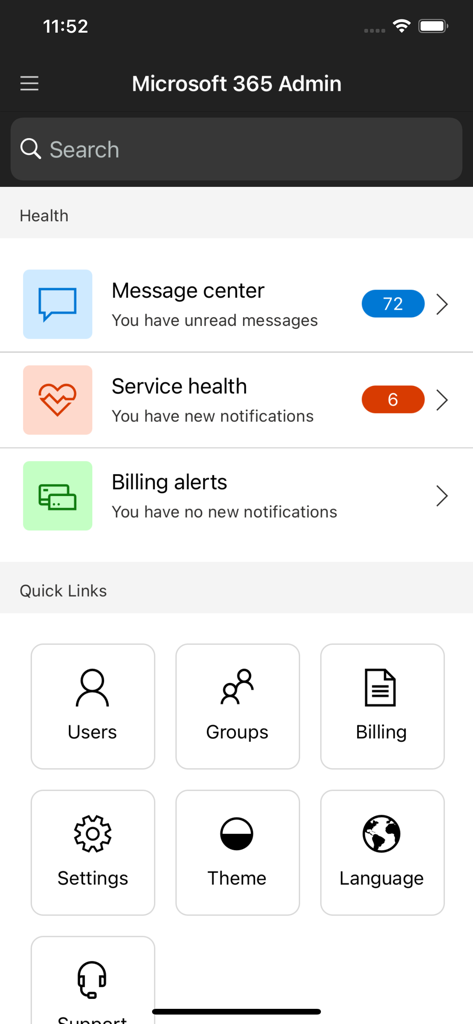
Microsoft 365 Admin home screen showing service health notifications and quick links for user and group management

Microsoft 365 Admin home screen showing service health notifications and quick links for user and group management

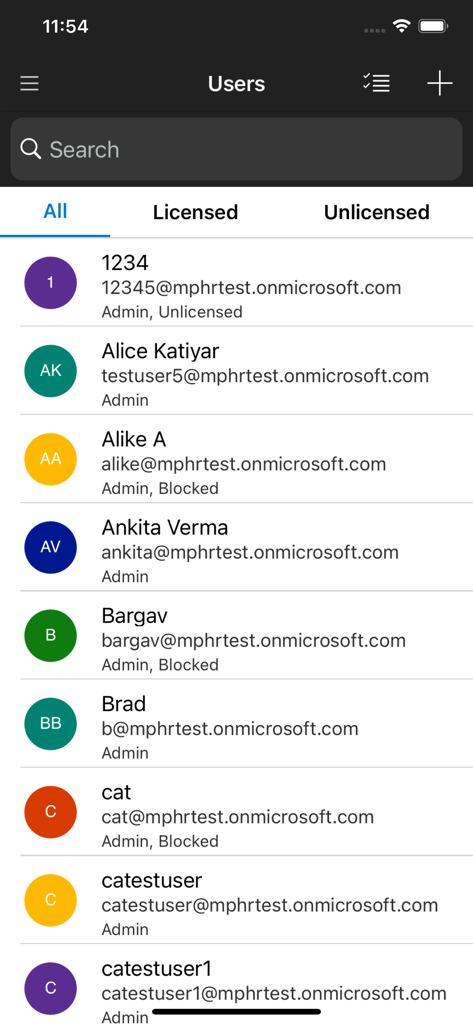
User management screen in the Microsoft 365 Admin app showing a list of organization users with their emails and account status.

User management screen in the Microsoft 365 Admin app showing a list of organization users with their emails and account status.

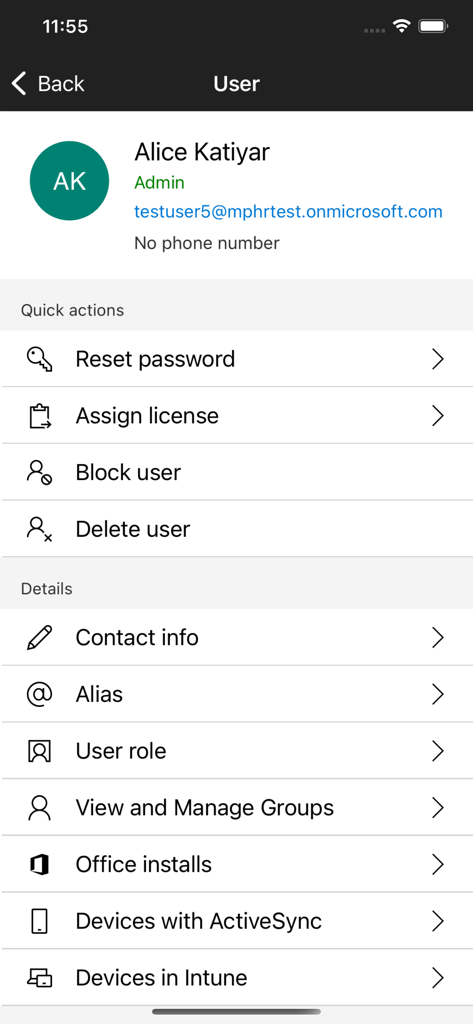
Microsoft 365 Admin app user profile screen with options to reset password and block user

Microsoft 365 Admin app user profile screen with options to reset password and block user

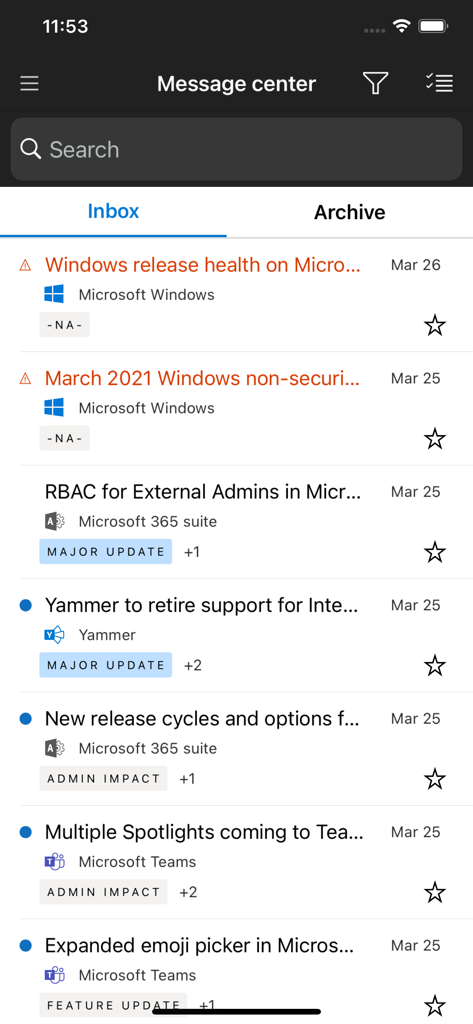
Message Center interface in the Microsoft 365 Admin app displaying a list of service updates and notifications for IT administrators.

Message Center interface in the Microsoft 365 Admin app displaying a list of service updates and notifications for IT administrators.

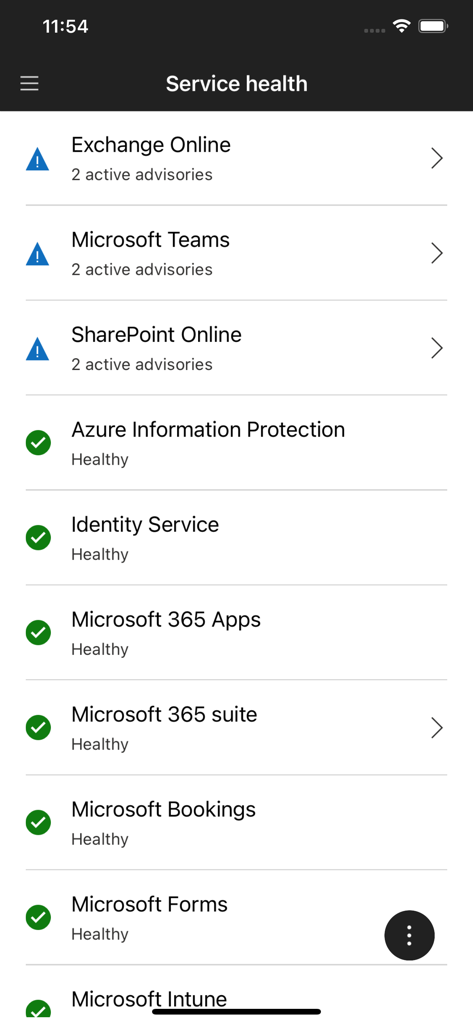
Service health dashboard in the Microsoft 365 Admin app showing status indicators and active advisories for various enterprise services

Service health dashboard in the Microsoft 365 Admin app showing status indicators and active advisories for various enterprise services

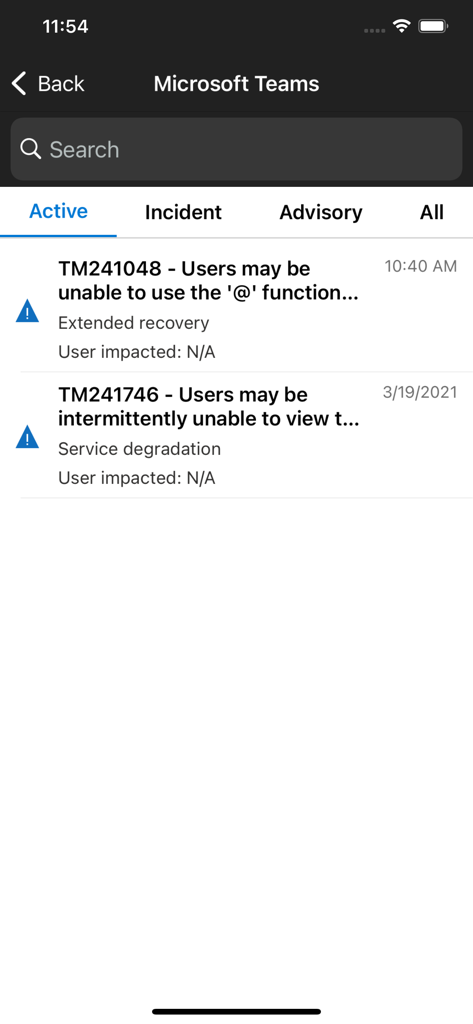
Microsoft 365 Admin app service health screen for Microsoft Teams showing active incidents and advisories

Microsoft 365 Admin app service health screen for Microsoft Teams showing active incidents and advisories

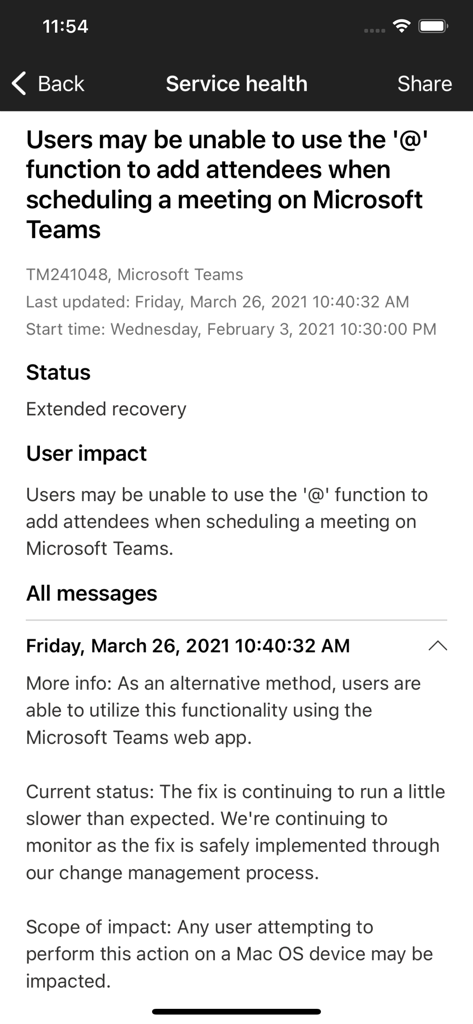
The service health screen in the Microsoft 365 Admin app showing a status report for a Microsoft Teams scheduling issue

The service health screen in the Microsoft 365 Admin app showing a status report for a Microsoft Teams scheduling issue

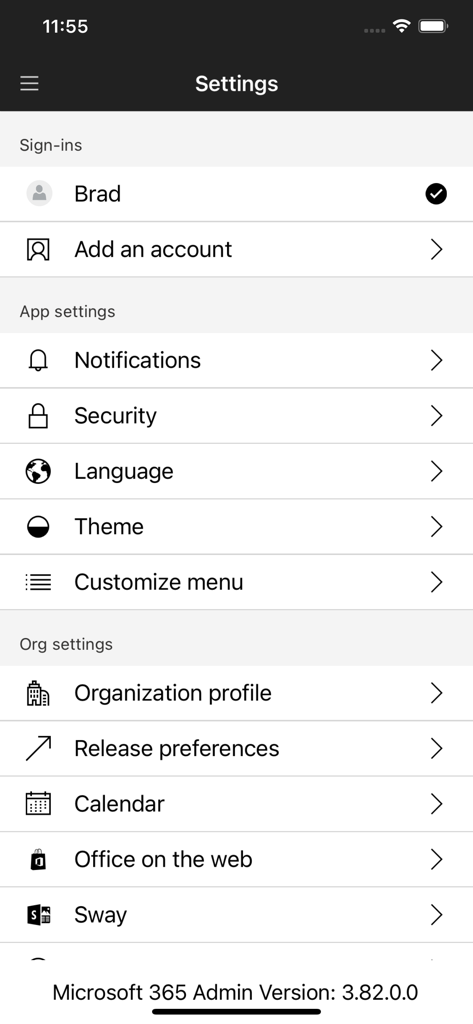
Settings menu of the Microsoft 365 Admin app showing account sign-ins, notification settings, and organization profile options

Settings menu of the Microsoft 365 Admin app showing account sign-ins, notification settings, and organization profile options

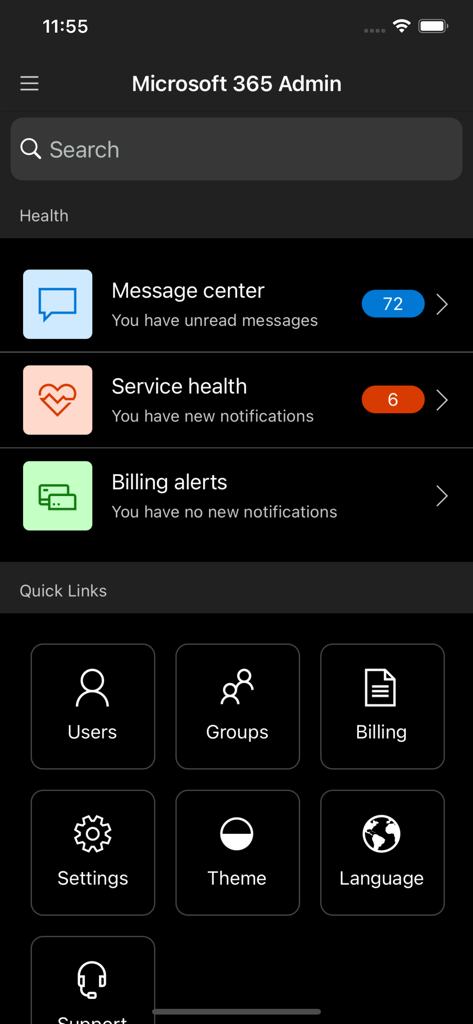
Microsoft 365 Admin mobile app home screen showing service health notifications and navigation tiles for users and billing

Microsoft 365 Admin mobile app home screen showing service health notifications and navigation tiles for users and billing

Command Your Infrastructure from Anywhere

The tools that make this app stand out, trusted by 1M+ users.

🔑

Rapid User & Access Control

Reset passwords, add users, or block access instantly from your mobile device to resolve urgent tickets in seconds without opening a laptop.

Proactive Service Monitoring

Stay ahead of downtime with real-time push notifications for service incidents and health updates, allowing you to react before your users notice.

🏢

Unified Multi-Tenant Management

Switch seamlessly between multiple organizations to manage licenses, view billing invoices, and audit group memberships across your entire portfolio.

Loved by users worldwide

Trusted by 1M+ people who love this app.

"

"As a lead SysAdmin managing multiple tenants, this app is an absolute game-changer. Being able to respond to service health incidents and reset passwords while away from my desk saves me hours of stress every week. The multi-tenant switching is seamless and the dark mode is a great touch."

David L., Senior Systems Engineer
"

"Managing our team's licenses and security used to require a laptop and a VPN. Now, I can onboard new hires and block access for departing staff in seconds from my phone. The push notifications for service outages allow me to be proactive before the tickets even start rolling in."

Sarah M., IT Operations Director

About the app

Everything you need to know about Microsoft 365 Admin.

Description

Manage users, groups, devices, reset passwords & receive critical notifications. The Microsoft 365 Admin App enables you to be productive from anywhere. The app allows you to receive critical notifications, add users, reset passwords, manage devices, create support requests, and more—all while you’re on the go. Who should use this app? People with an admin role to a Microsoft 365 or Office 365 enterprise or business subscription. What can I do with this app? - Add, edit, block, or delete users, reset passwords, assign roles, or manage aliases & devices. - Add groups, edit groups, and add or remove users from groups. - View all available and assigned licenses, assign licenses to users, add or remove licenses, view and download invoices. - Check the status of existing support requests, take actions on them, or create new ones. - Monitor the health of all services and view active incidents in Service Health. - Stay on top of all the upcoming changes and announcements via the Message Center feed. - Get push notifications about important information related to service health, message center, and billing. The app supports dark theme and is available in 39 languages. And if you're someone who is responsible for managing more than one tenant, you can sign-in to multiple tenants and quickly switch between them. We're listening and constantly improving the app based on your feedback. Tell us what you like, what we can do better, and what features you'd like to see in the app. Send your feedback to feedback365@microsoft.com.

Latest Version

5.7.2

Size

211.2 MB

First Released

Dec 12, 2013

Un-tether Your IT Management

Join over 1 million professionals managing users, security, and service health on the go. Download the Microsoft 365 Admin app today.

Download on App StoreDownload on Google Play
FAQ

Frequently Asked Questions

Everything you need to know about Microsoft 365 Admin

Who should use the Microsoft 365 Admin app?

The Microsoft 365 Admin app is for individuals with an admin role to a Microsoft 365 or Office 365 enterprise or business subscription.

What features does the Microsoft 365 Admin app offer for user management?

The Microsoft 365 Admin app provides features to add, edit, block, or delete users, reset passwords, assign roles, and manage user aliases and devices.

How do I check the health of Microsoft 365 services using the Admin app?

The Microsoft 365 Admin app allows monitoring the health of all services and viewing active incidents directly through the Service Health section.

Can I manage billing and licenses within the Microsoft 365 Admin app?

Yes, the Microsoft 365 Admin app enables viewing billing alerts, managing licenses, and accessing invoices directly from the application.

Does the Microsoft 365 Admin app support multiple accounts or tenants?

Yes, the Microsoft 365 Admin app allows users to sign in to multiple tenants and quickly switch between them, supporting administrators managing several organizations.

What types of notifications does the Microsoft 365 Admin app send?

The Microsoft 365 Admin app sends push notifications for critical information related to service health, message center updates, and billing events to keep admins informed.

Can I customize the app's appearance with a dark theme in Microsoft 365 Admin?

Yes, the Microsoft 365 Admin app supports a dark theme, which administrators can enable in the app settings to customize the visual interface.