Moblo - 3D furniture modeling

Moblo - 3D furniture modeling

Download on App StoreDownload on Google Play
Spark by MWM logo
Logo of Moblo - 3D furniture modeling

Moblo - 3D furniture modeling for your next DIY project
The intuitive 3D design tool built for makers and homeowners. Create bespoke furniture, generate parts lists, and use AR to see your creations in your space before you build.

Download on App Store

Publisher

MYTIforge

Category

Graphics & Design

Downloads

662K+

User Rating

4.6/5

Total Ratings

1K+

Locales

1

Visualize Your Vision

Discover the interface used by 662K+ users.
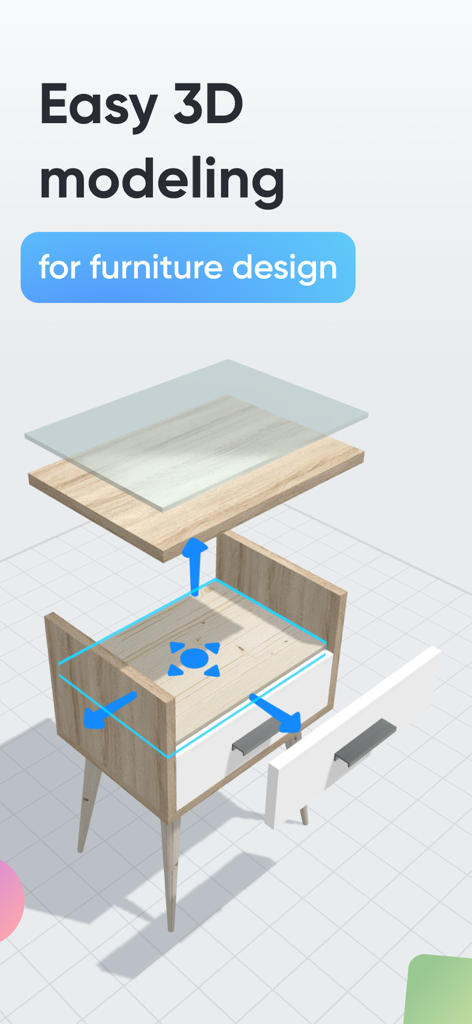
An exploded 3D model view of a wooden nightstand being designed in the Moblo app

An exploded 3D model view of a wooden nightstand being designed in the Moblo app

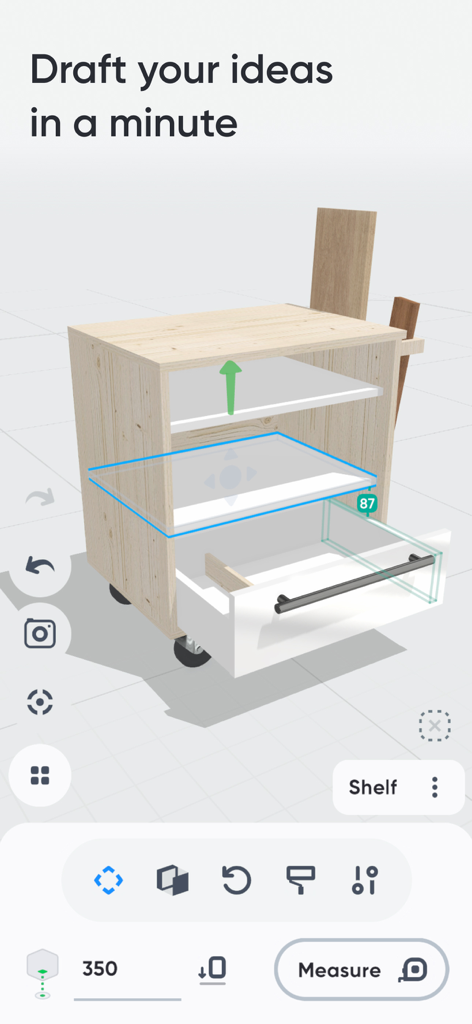
Interface of Moblo app showing a 3D furniture model of a cabinet with drawers being designed

Interface of Moblo app showing a 3D furniture model of a cabinet with drawers being designed

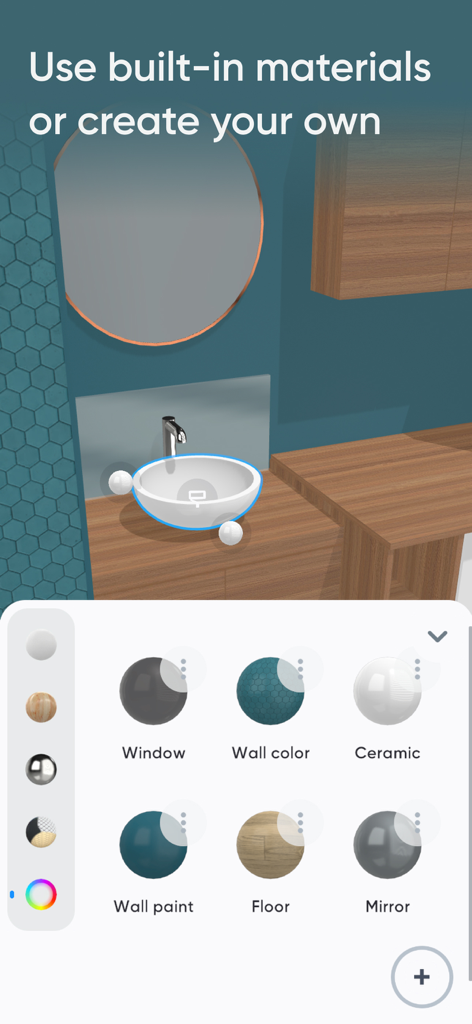
Moblo app interface showing 3D furniture material selection options for home design.

Moblo app interface showing 3D furniture material selection options for home design.

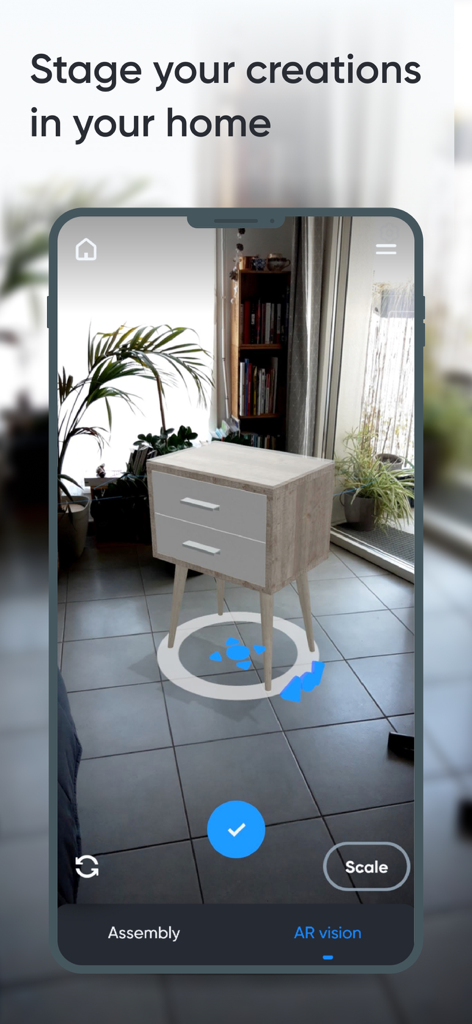
A 3D furniture model staged in a real home environment using augmented reality

A 3D furniture model staged in a real home environment using augmented reality

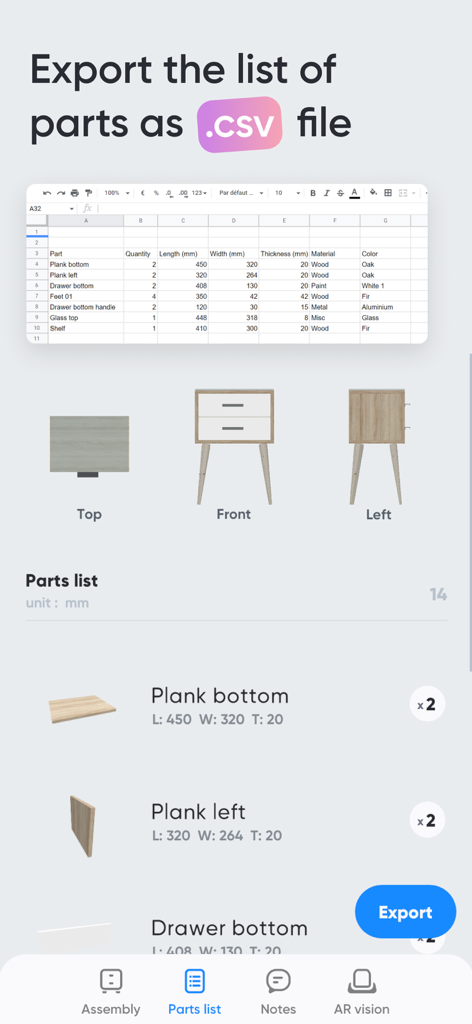
Interface of the Moblo app showing a furniture parts list with dimensions and the option to export as a CSV file

Interface of the Moblo app showing a furniture parts list with dimensions and the option to export as a CSV file

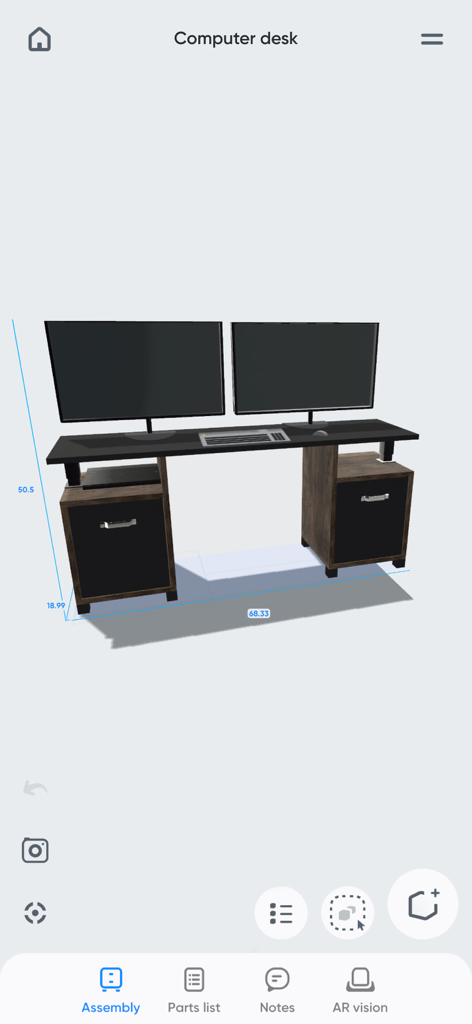
3D model of a custom computer desk with dimensions in the Moblo furniture design app

3D model of a custom computer desk with dimensions in the Moblo furniture design app

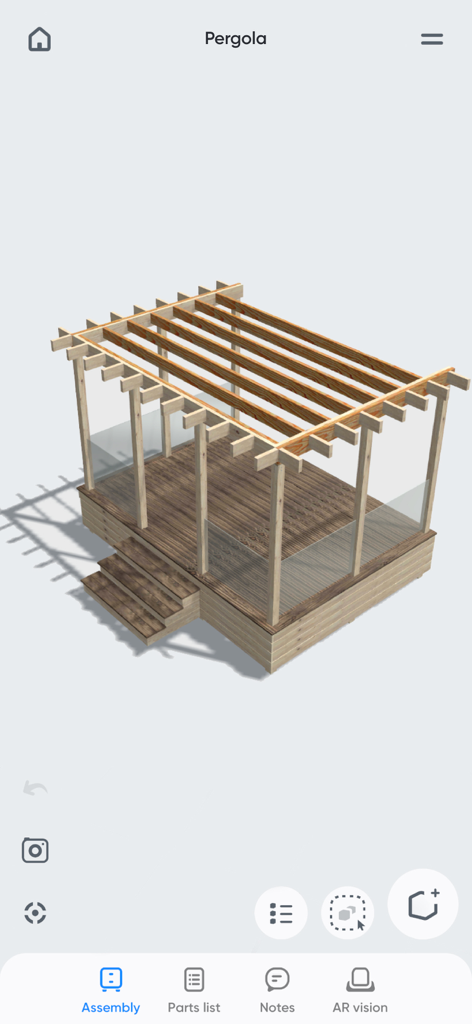
3D wooden pergola design in the Moblo furniture modeling app

3D wooden pergola design in the Moblo furniture modeling app

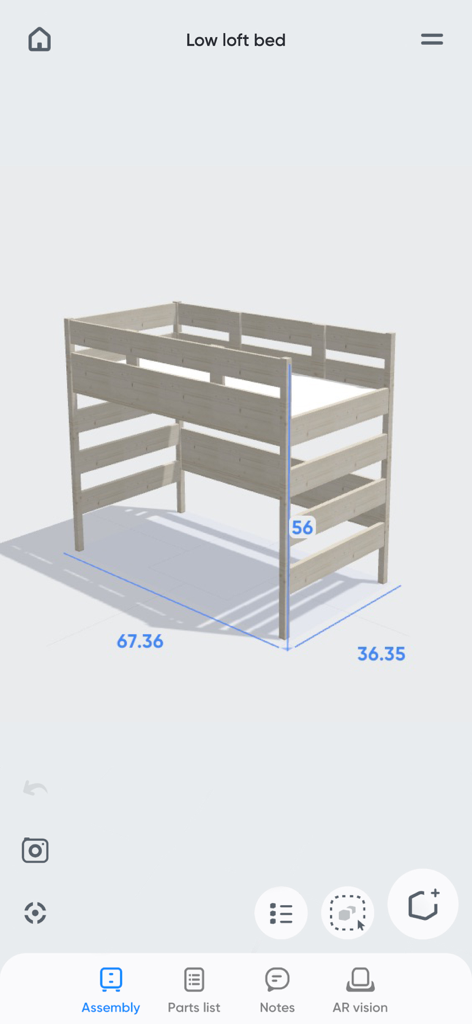
A wooden low loft bed 3D model with dimensions displayed in the Moblo furniture design app.

A wooden low loft bed 3D model with dimensions displayed in the Moblo furniture design app.

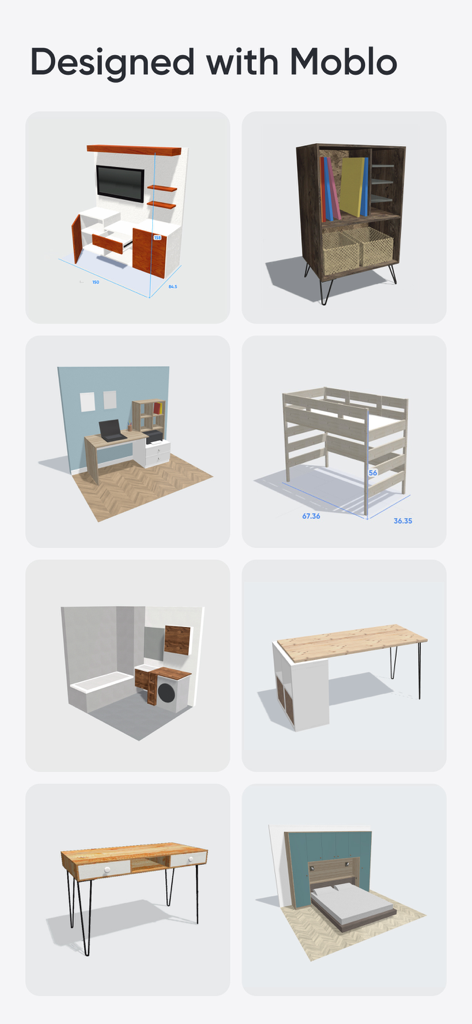
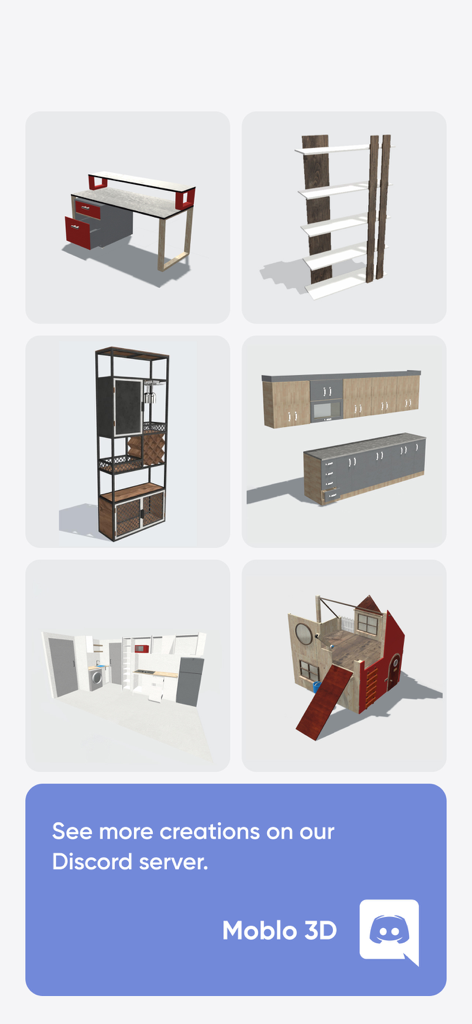
A grid of various 3D furniture models and room layouts created with Moblo

A grid of various 3D furniture models and room layouts created with Moblo

A variety of 3D furniture designs including a desk bookshelf and kitchen layout created with Moblo

A variety of 3D furniture designs including a desk bookshelf and kitchen layout created with Moblo

Design Your Dream Furniture in 3D

The tools that make this app stand out, trusted by 662K+ users.

💡

Intuitive 3D Assembly

Drag, drop, and resize shapes to model desks, shelving, or kitchens without the learning curve of complex professional CAD software.

Real-World AR Visualization

Eliminate buyer's remorse by using Augmented Reality to see exactly how your design fits in your room before you start building.

📐

Precision Parts Lists

Turn your 3D models into actionable data with auto-generated parts lists and CSV exports designed for your next hardware store run.

Loved by users worldwide

Trusted by 662K+ people who love this app.

"

"As a weekend woodworker, I always struggled with complex CAD software. Moblo changed everything. I designed a custom walnut desk on my iPad and used the AR feature to see exactly how it would look in my home office. The parts list export made my trip to the hardware store a breeze. It's the perfect bridge between an idea and a finished project."

Mark S., DIY Enthusiast
"

"I specialize in maximizing small urban spaces, and Moblo is my secret weapon. It’s incredibly intuitive for sketching out bespoke shelving and kitchen layouts right on-site. Being able to show clients a 3D model in their own room using augmented reality helps them visualize the final result instantly. It has completely streamlined my design process."

Elena R., Interior Designer

About the app

Everything you need to know about Moblo - 3D furniture modeling.

Description

Want to create a bespoke piece of furniture or design a space yourself? Moblo is the perfect 3D modeling tool for your future projects. Great for easily designing furniture in 3D, you can also use it to imagine more complex interior designs. Using augmented reality, you can quickly bring your ideas to life and visualize them in your own home. Whether you're a beginner or an experienced 3D modeler, Moblo is the perfect 3D modeling tool for your bespoke furniture projects. With its interface designed for either a touchscreen or a mouse, Moblo is simple and accessible to everyone. Examples of furniture or fittings often designed with Moblo: - Made-to-measure shelving - Bookcase - Dressing room - TV unit - Desk - Children's bed - Kitchen - Bedroom - Wooden furniture - Etc. Visit our website or our Discord server to discover the full range of possibilities offered by Moblo. From DIY enthusiasts to professionals (carpenters, kitchen designers, interior designers, etc.), the community shares a whole host of ideas and creations. www.moblo3d.app Creation steps: 1 - 3D modeling Assemble your future piece of furniture in 3D using an intuitive interface and ready-to-use parts (basic shapes/legs/handles). 2 - Customize colors and materials Choose which materials to apply to your 3D furniture from our library (paint, wood, metal, glass). Or create your own material using a simple editor. 3 - Augmented reality Using your phone's camera, visualize your 3D creation in your own home and adjust it according to your space. This means you can see what your design looks like in a real-life context before you start production. 4 - 3D export Export your project as a 3D mesh file (.stl or .obj) for use with other tools such as Sketchup or Blender (raw mesh, without colors or textures). Main features: - 3D assembly (movement/deformation/rotation). - Duplicate/hide/lock one or more parts. - Materials library (paint, wood, metal, glass, etc.). - Custom materials editor (color, texture, shininess, reflection, opacity). - Augmented reality visualization. - Parts list. - Notes related to parts. - Photo capture. Premium features: - Possibility of working on several projects in parallel. - Unlimited number of parts per project. - Access to all part shapes. - Access to all materials in the library. - Save a selection as a new project. - Import a project into an existing project. - Export to .stl or .obj 3D mesh files (raw mesh without colors or textures). - Export the parts list in .csv format (compatible with Microsoft Excel or Google Sheets). - Share creations with other Moblo apps. For further information, please visit our resources page on the moblo3d.app website.

Latest Version

25.12.1

Size

258.5 MB

First Released

Feb 17, 2021

Bring Your Next Build to Life

Join over 600,000 makers and DIY enthusiasts designing custom furniture with ease. Download Moblo and visualize your next project in AR today.

Download on App StoreDownload on Google Play
FAQ

Frequently Asked Questions

Everything you need to know about Moblo - 3D furniture modeling

What is Moblo - 3D furniture modeling used for?

Moblo is a 3D modeling tool designed for creating bespoke furniture and imagining interior designs. It features augmented reality for visualizing creations in your own home.

Does Moblo offer augmented reality features?

Yes, Moblo supports augmented reality visualization. You can use your phone's camera to preview your 3D furniture designs in your actual home environment.

Can I export 3D designs from Moblo?

Yes, Moblo allows exporting 3D projects. You can export designs as .stl or .obj mesh files for use with other 3D tools like Sketchup or Blender.

What types of materials can I use and customize in Moblo?

Moblo offers a materials library including paint, wood, metal, and glass. You can also create custom materials using a simple editor to adjust color, texture, and other properties.

Is Moblo - 3D furniture modeling easy for beginners to use?

Yes, Moblo is suitable for beginners. Its intuitive interface is designed for both touchscreen and mouse use, making 3D modeling accessible to everyone.

Can Moblo export a list of parts from a project?

Yes, Moblo offers a premium feature that allows exporting the parts list of a project in .csv format. This file is compatible with programs like Excel or Google Sheets.

What premium features does Moblo - 3D furniture modeling offer?

Moblo's premium features include working on multiple projects, unlimited parts, access to all part shapes and materials, saving selections, importing projects, and exporting 3D models and parts lists.

Is Moblo suitable for professionals in design and carpentry?

Yes, Moblo is used by professionals such as carpenters, kitchen designers, and interior designers. The community shares ideas and creations, demonstrating its professional utility.

How does Moblo assist in visualizing furniture before production?

Moblo helps visualize furniture by allowing users to place 3D creations into their own home using augmented reality. This provides a real-life context before any physical production begins.

Does Moblo allow users to create custom materials for their designs?

Yes, Moblo allows users to create their own custom materials. It includes a dedicated editor for adjusting color, texture, shininess, reflection, and opacity.