Mp3 Cutter - M4a, Music Cutter

Mp3 Cutter - M4a, Music Cutter

Download on App Store
Spark by MWM logo
Logo of Mp3 Cutter - M4a, Music Cutter

Mp3 Cutter - M4a, Music Cutter: Your Sound, Your Way

Stop paying for ringtones and settle for more than defaults. Trim any song, recording, or audio file into custom tones for your calls, alarms, and notifications in seconds.

Publisher

TOWER OF HANOI SOFTWARE COMPANY LIMITED

Category

Music

Downloads

5M+

User Rating

4.6/5

Total Ratings

26K+

Locales

33

Precision at Your Fingertips

Discover the interface used by 5M+ users.
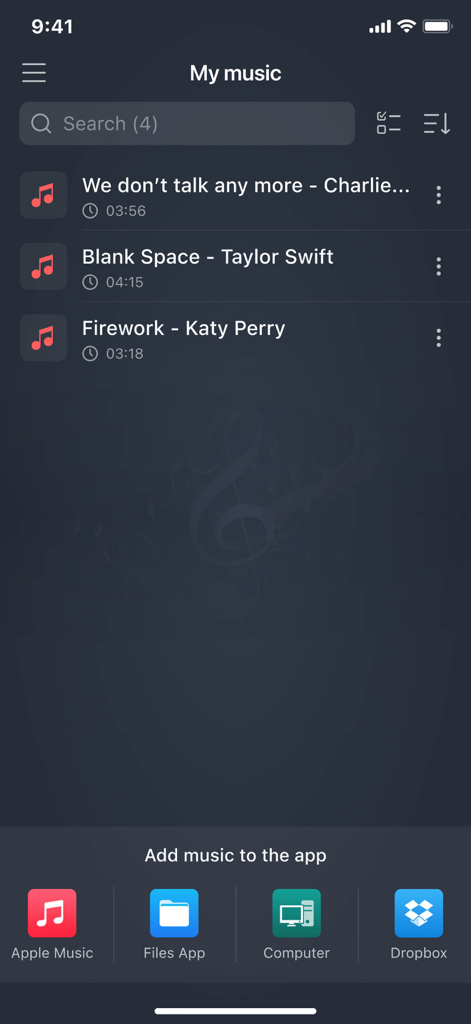
Mp3 Cutter app My Music screen showing a list of songs and options to import audio from Apple Music Files App Computer and Dropbox

Mp3 Cutter app My Music screen showing a list of songs and options to import audio from Apple Music Files App Computer and Dropbox

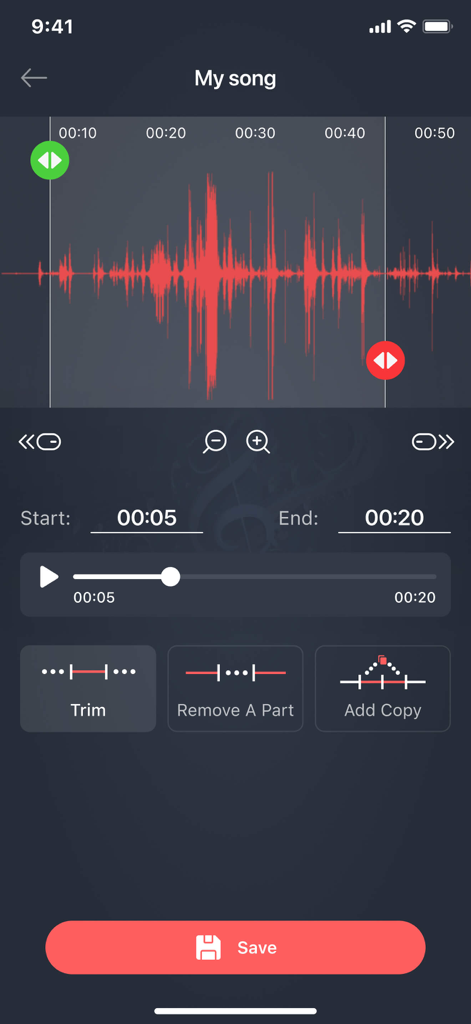
Mobile app interface showing a music waveform with options to trim or remove parts of an audio file

Mobile app interface showing a music waveform with options to trim or remove parts of an audio file

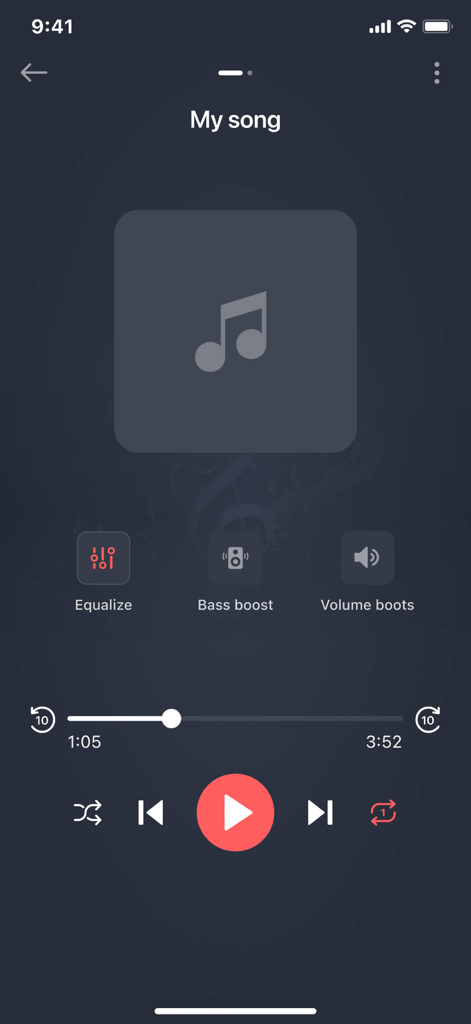
Interface of the Mp3 Cutter app showing music playback controls with options for equalizer bass boost and volume enhancement.

Interface of the Mp3 Cutter app showing music playback controls with options for equalizer bass boost and volume enhancement.

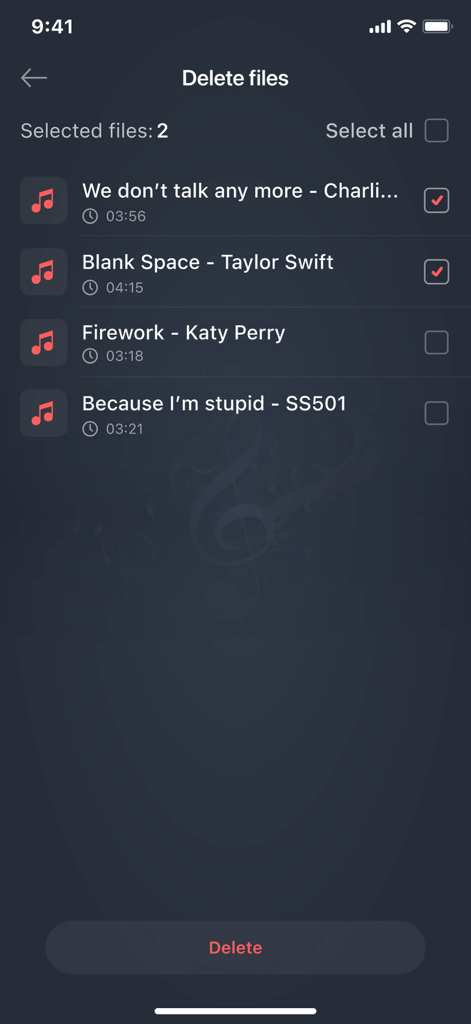
Interface of the Mp3 Cutter app showing a list of audio files with checkboxes to select and delete music

Interface of the Mp3 Cutter app showing a list of audio files with checkboxes to select and delete music

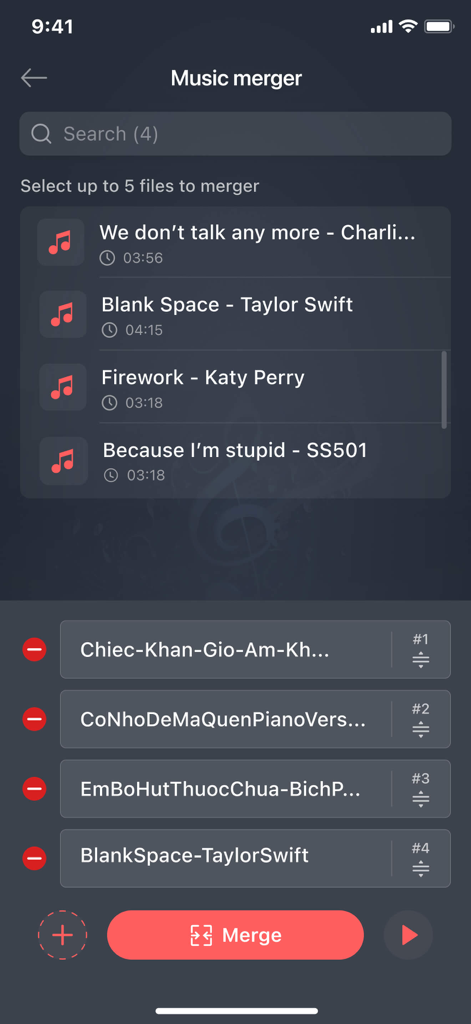
Music merger screen of the Mp3 Cutter app showing a list of selected audio files to combine

Music merger screen of the Mp3 Cutter app showing a list of selected audio files to combine

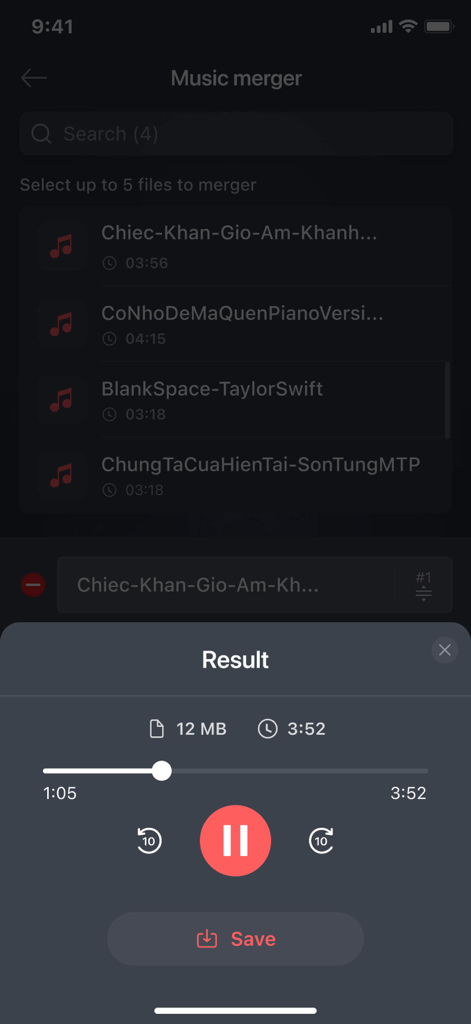
Music merger result screen with audio playback controls and save button

Music merger result screen with audio playback controls and save button

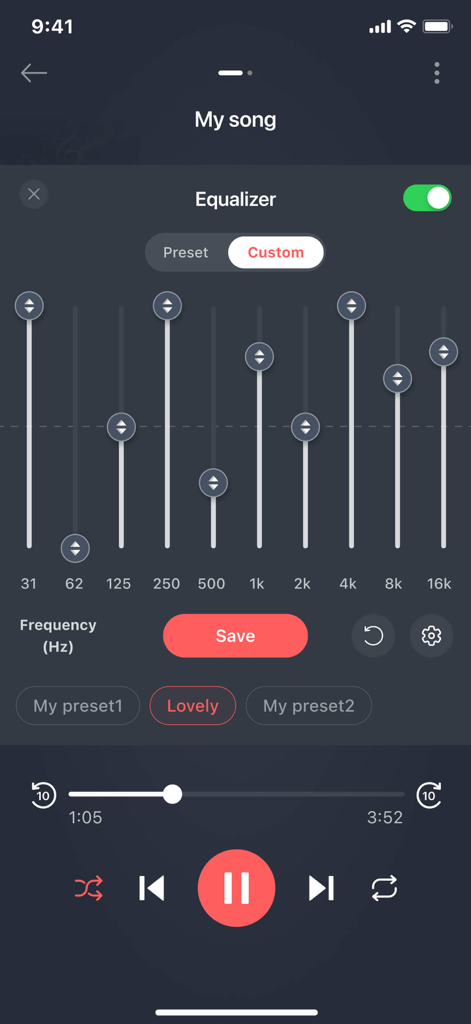
Custom frequency equalizer settings in the Mp3 Cutter app

Custom frequency equalizer settings in the Mp3 Cutter app

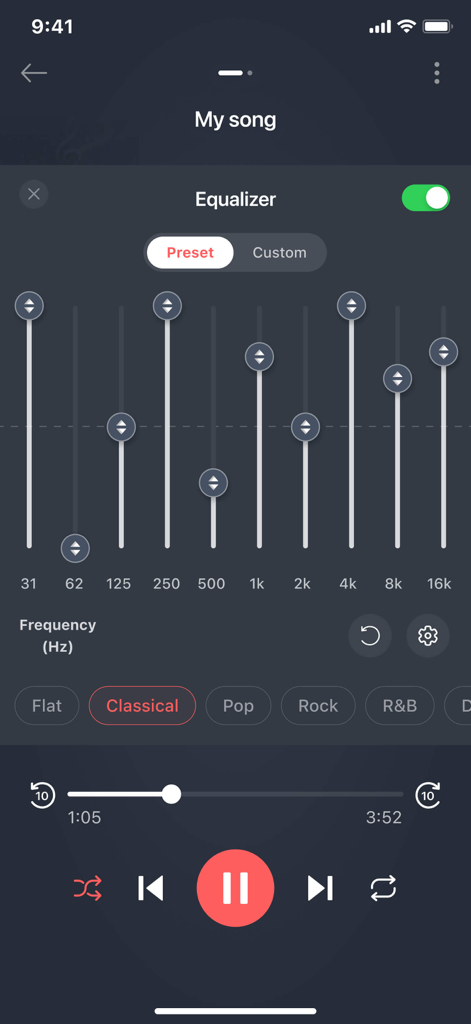
Equalizer interface in the Mp3 Cutter app with frequency sliders and music presets

Equalizer interface in the Mp3 Cutter app with frequency sliders and music presets

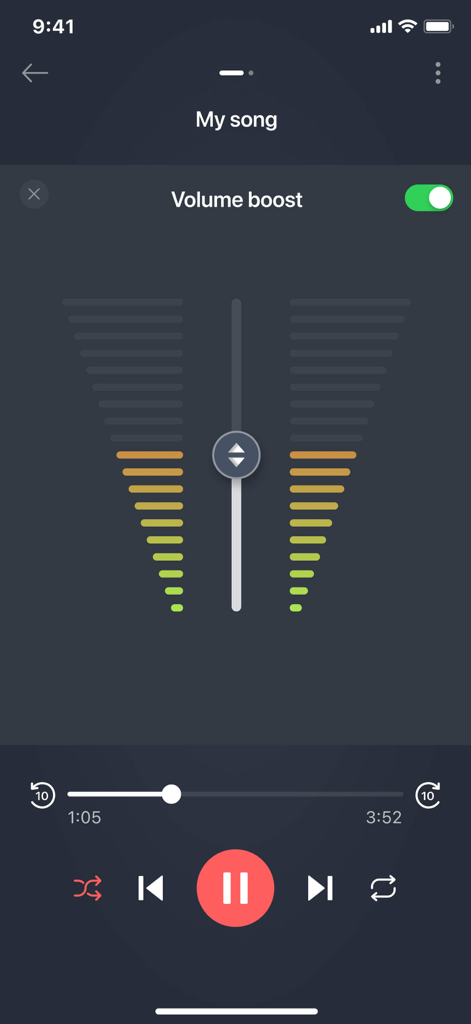
Volume boost interface with audio level indicators and playback controls in the Mp3 Cutter app

Volume boost interface with audio level indicators and playback controls in the Mp3 Cutter app

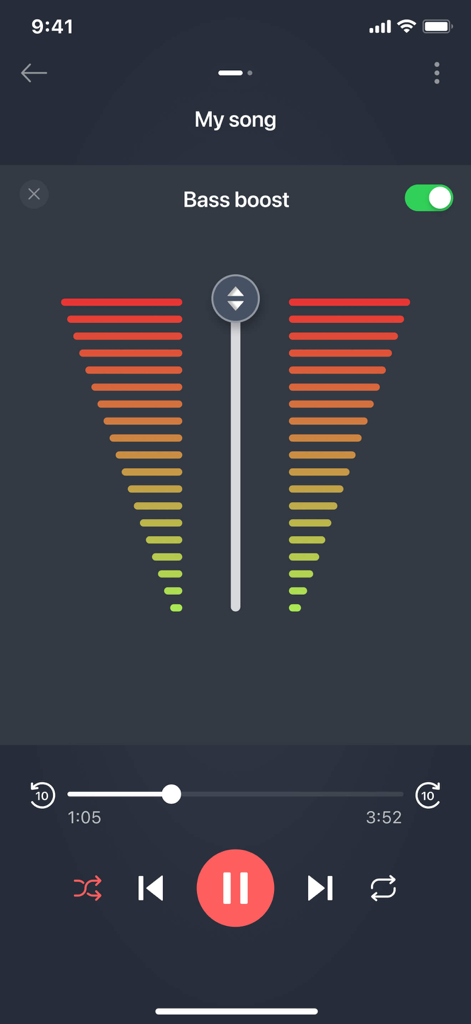
Music player interface of Mp3 Cutter app featuring a bass boost toggle and audio equalizer.

Music player interface of Mp3 Cutter app featuring a bass boost toggle and audio equalizer.

Craft Your Perfect Sound

The tools that make this app stand out, trusted by 5M+ users.

✂️

Precise Waveform Editing

Select the exact hook or drop from any MP3, M4A, or WAV file with pixel-perfect accuracy to create the ultimate custom ringtone.

🔔

Unique Contact ID

Stop looking at your screen to see who is calling. Assign custom-made snippets to specific contacts and identify callers instantly.

🎙️

Live Audio Capture

Record voice memos or live sound and instantly transform them into one-of-a-kind notification alerts that no one else has.

Loved by users worldwide

Trusted by 5M+ people who love this app.

"

"I was so tired of the standard iPhone ringtones. This app is a game-changer! I can finally use my own music library to create custom tones for all my contacts. It is intuitive, fast, and completely replaces the need to buy tones from the store."

Marcus Thompson
"

"The precision of the editing tool is what impressed me most. I recorded a custom voice memo and trimmed it down to the perfect notification sound in seconds. If you want to personalize your device without any hassle, this is the app to get."

Elena Rodriguez

About the app

Everything you need to know about Mp3 Cutter - M4a, Music Cutter.

Description

Cut mp3, m4a, ringtone application help you cut a favorite part of a audio song, a music file. You can use the cut result as ringtone, alarm, notification tone or a music song. You can manage cut results easily and you can share them with your friends. This app is a best choice to make your own ringtones (support mp3, aiff, wav, m4a formats). User can record a live audio then use this app as editor to edit and trim the best parts. editor supports mp3, aiff, wav, m4a and most other music formats. Music editor, alarm tone maker, ringtone cutter or notification tone creator are other names of this application. With mp3 cutter and ringtone maker you can: + Select music (mp3, aiff, wav, m4a) from your mobile then choose part to be chopped from the music song + Or record a live audio then choose part to be chopped from your audio Then you can save as ringtone, alarm, notification or a new song to listen. You also can share it. Detail features: - Find all music, audio files stored in your phone memory and sd cards. - Edit music, audio with two options: trim (remove left part and right part) or remove middle part. Select parts by setting start & end for the audio clip or using an optional touch interface. - Record live audio, music for editing. - Save as ringtone, alarm, notification or a new song to listen. - Option to delete (with confirmation alert) the created Tone. - Set the new clip as default ringtone or assign to contacts, using this editor. - Manage contact ringtone Please download audio cutter, mp3 cutter to make the best ringtone from favorite songs. If you have question about audio cutter and ringtone maker please send feedback to us.

Latest Version

1.12

Size

86.6 MB

First Released

Apr 10, 2019

Ready to Make Your Phone Sound Like You?

Join over 5 million users who have ditched the stock sounds. Create custom ringtones, alarms, and alerts from your favorite tracks in seconds.

Download on App Store
FAQ

Frequently Asked Questions

Everything you need to know about Mp3 Cutter - M4a, Music Cutter

What is Mp3 Cutter - M4a, Music Cutter?

Mp3 Cutter - M4a, Music Cutter is an application for cutting favorite parts of audio songs and music files. It enables users to create ringtones, alarms, notification tones, or new music from edited audio.

What audio formats does Mp3 Cutter - M4a, Music Cutter support?

Mp3 Cutter - M4a, Music Cutter supports MP3, AIFF, WAV, and M4A formats for ringtone creation and editing. The editor is compatible with these and most other music formats.

Can I record live audio with the Mp3 Cutter - M4a, Music Cutter app?

Yes, the Mp3 Cutter - M4a, Music Cutter app allows recording live audio. Users can then edit and trim these recordings to extract desired segments, ideal for custom tones.

How do I create a custom ringtone using Mp3 Cutter - M4a, Music Cutter?

To create a custom ringtone, select a music file or record live audio within Mp3 Cutter. Then, choose the desired segment and save it as a ringtone, alarm, notification, or new song.

Does Mp3 Cutter - M4a, Music Cutter allow trimming and removing parts of audio?

Yes, Mp3 Cutter - M4a, Music Cutter allows precise audio editing. Options include trimming (removing left/right parts) or removing the middle segment. Users define start and end points.

Can I manage and delete tones created with Mp3 Cutter - M4a, Music Cutter?

Yes, Mp3 Cutter - M4a, Music Cutter provides tools to manage created tones. Users can easily delete any tone, and the app prompts with a confirmation alert before deletion.

Can I merge multiple music files with the Mp3 Cutter - M4a, Music Cutter app?

Yes, Mp3 Cutter - M4a, Music Cutter includes a music merger feature. Users can select and combine up to five separate audio files into a single merged track within the app.

Does Mp3 Cutter - M4a, Music Cutter offer audio equalization?

Yes, Mp3 Cutter - M4a, Music Cutter features an audio equalizer. Users can adjust frequency bands manually or apply predefined presets like Flat, Classical, Pop, Rock, and R&B for sound customization.

Can I boost the bass or volume in audio using Mp3 Cutter - M4a, Music Cutter?

Yes, Mp3 Cutter - M4a, Music Cutter offers both bass boost and volume boost functionalities. These audio enhancement options are available directly within the app's player interface.

Where can I find the privacy policy for Mp3 Cutter - M4a, Music Cutter?

The Privacy Policy for Mp3 Cutter - M4a, Music Cutter is located at https://sites.google.com/view/musiccutter-audioeditor/home. The EULA is linked at https://www.apple.com/legal/internet-services/itunes/dev/stdeula.