Mugen Clock

Mugen Clock

Download on App Store
Spark by MWM logo
Logo of Mugen Clock

Mugen Clock: The Bold, Aesthetic, and Large-Display Timepiece for Every Space

Transform your iPhone or iPad into a stunning, glanceable clock. With massive numbers and infinite customization, see the time clearly from across the room while matching your unique style.

Download on App Store

Publisher

Koichiro Kamada

Category

Utilities

Downloads

1M+

User Rating

4.6/5

Total Ratings

37K+

Locales

2

Time, Tailored to You

Discover the interface used by 1M+ users.
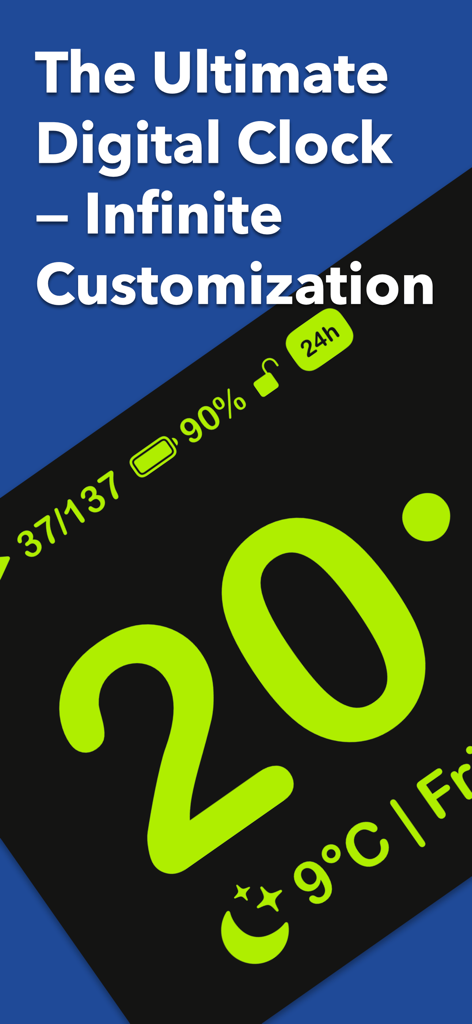
Mugen Clock app interface featuring large neon green numbers with battery and weather details

Mugen Clock app interface featuring large neon green numbers with battery and weather details

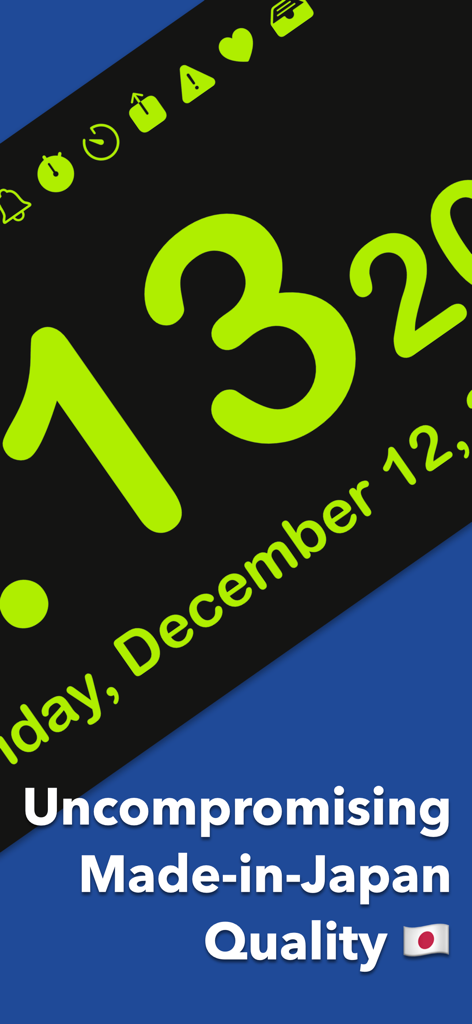
Mugen Clock app screenshot showing large lime-green numbers on a black background with text highlighting made-in-Japan quality

Mugen Clock app screenshot showing large lime-green numbers on a black background with text highlighting made-in-Japan quality

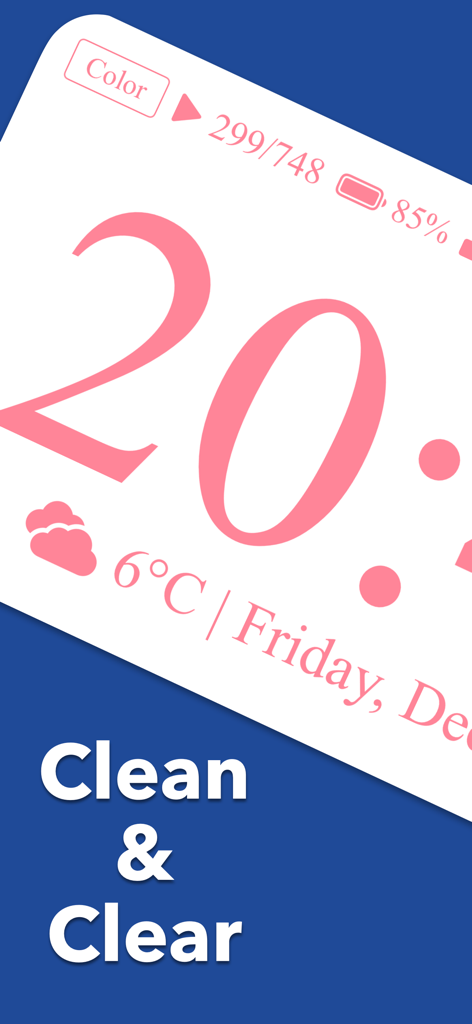
Mugen Clock app interface showing a large pink digital clock with weather and battery status

Mugen Clock app interface showing a large pink digital clock with weather and battery status

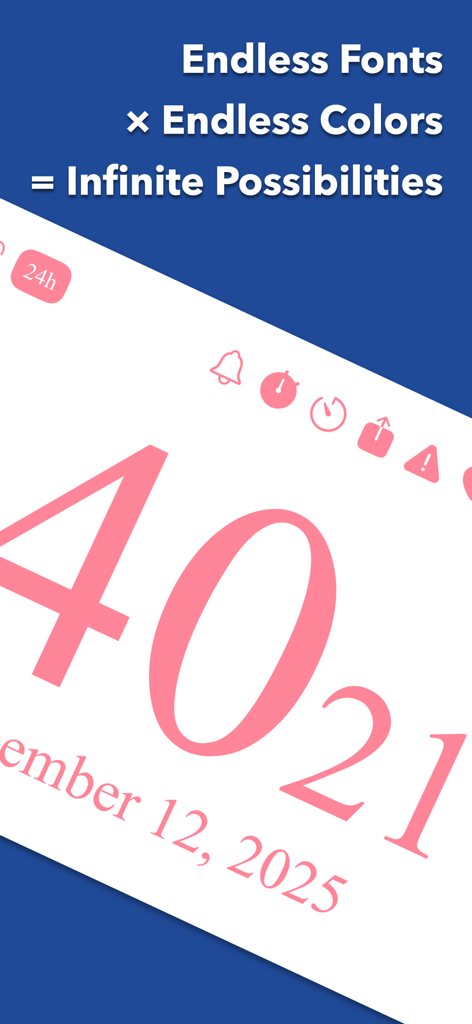
Mugen Clock app interface showcasing customizable fonts and colors with large pink digital numbers

Mugen Clock app interface showcasing customizable fonts and colors with large pink digital numbers

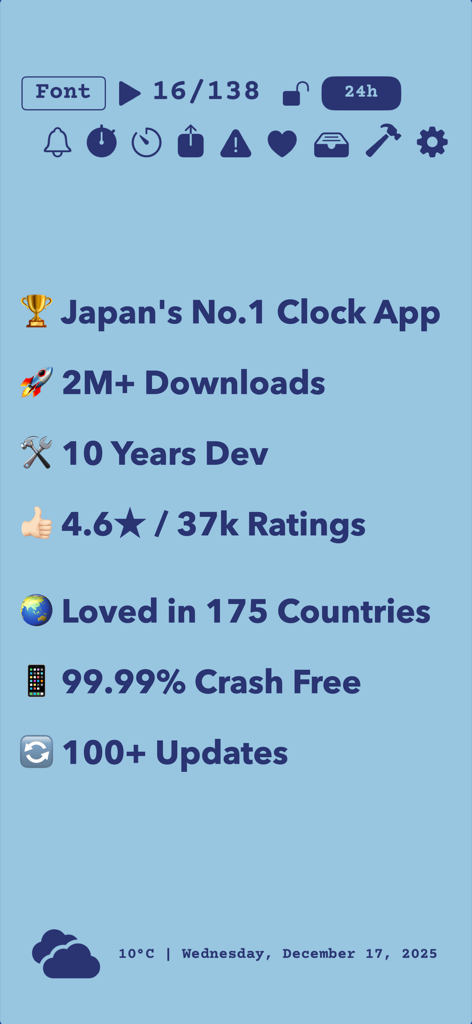
Overview of Mugen Clock achievements including 2 million downloads and 4.6 star rating.

Overview of Mugen Clock achievements including 2 million downloads and 4.6 star rating.

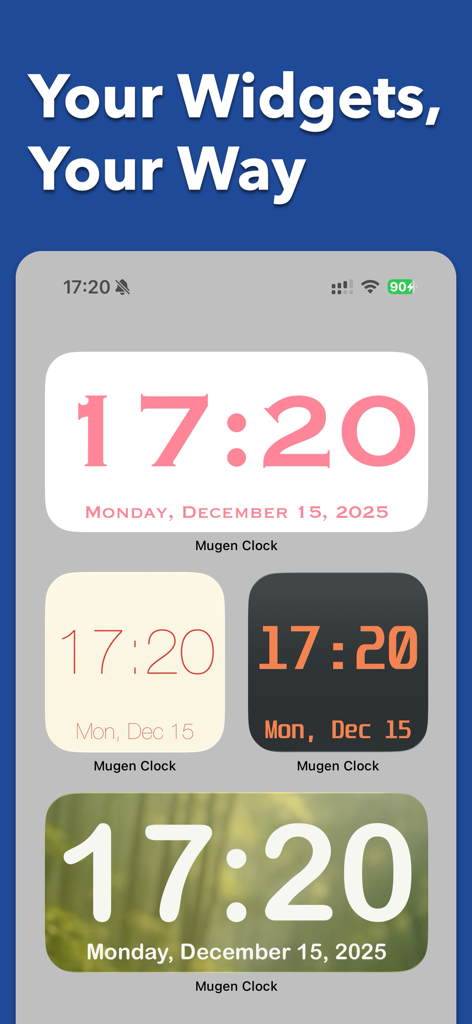
Four different Mugen Clock widget styles on an iPhone home screen showing various colors fonts and backgrounds

Four different Mugen Clock widget styles on an iPhone home screen showing various colors fonts and backgrounds

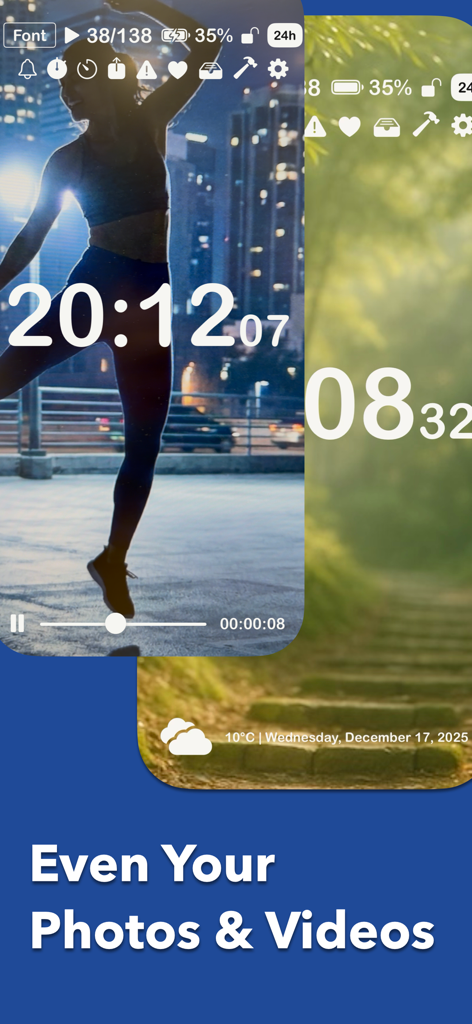
Digital clock display using personal photos and videos as custom background themes

Digital clock display using personal photos and videos as custom background themes

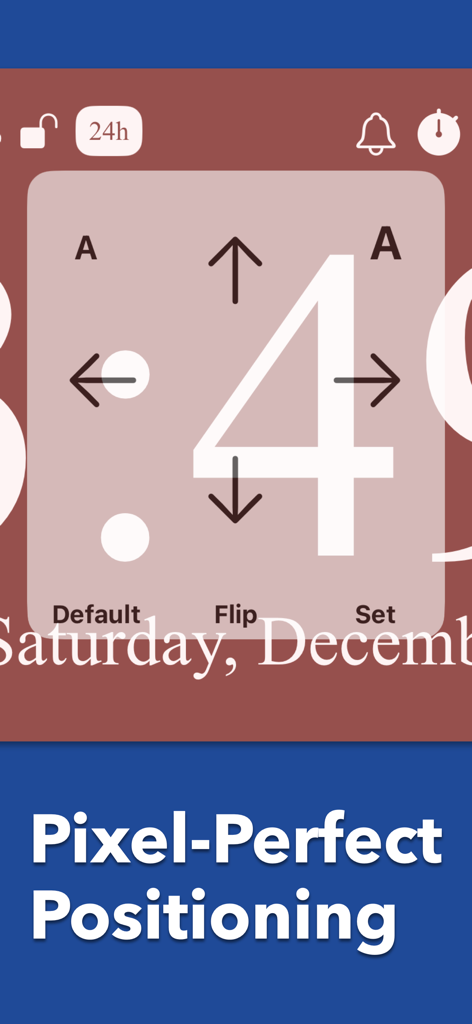
Interface of the Mugen Clock app showing a large number 4 with directional arrows for pixel-perfect positioning adjustments.

Interface of the Mugen Clock app showing a large number 4 with directional arrows for pixel-perfect positioning adjustments.

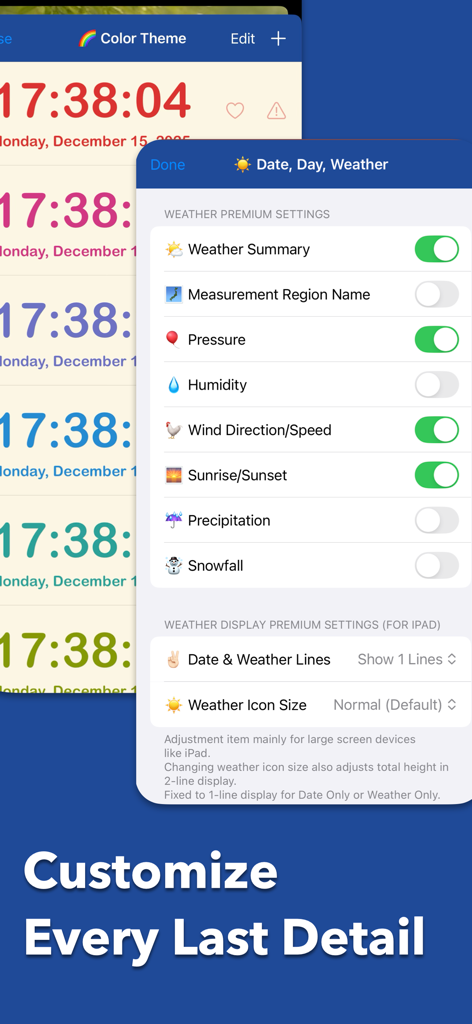
Mugen Clock app interface showing premium weather customization settings and colorful clock themes

Mugen Clock app interface showing premium weather customization settings and colorful clock themes

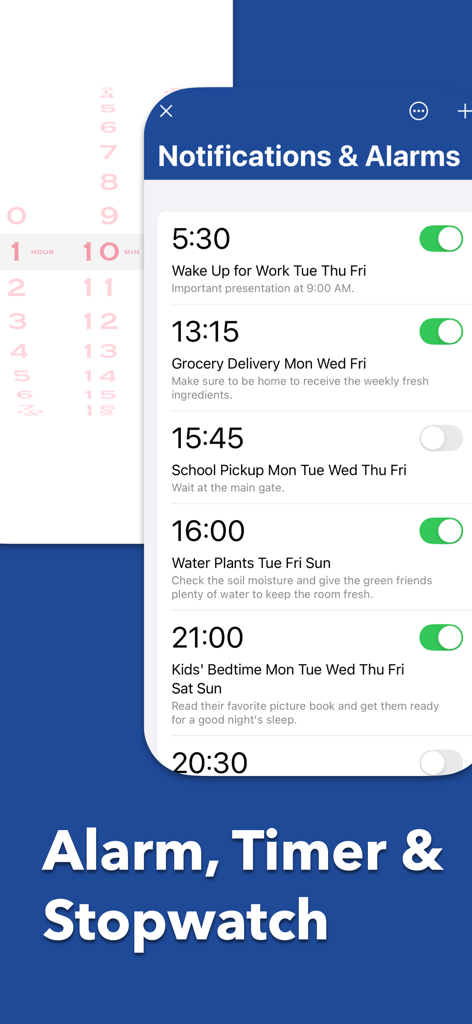
Mugen Clock app interface showing scheduled alarms and notification settings.

Mugen Clock app interface showing scheduled alarms and notification settings.

Design Your Perfect Time

The tools that make this app stand out, trusted by 1M+ users.

👁️

Crystal Clear Visibility

Massive, bold characters fill the entire screen, allowing you to check the time instantly from across any room—perfect for busy kitchens or focus sessions.

Aesthetic Desk Customization

Elevate your workspace with handpicked themes, live camera backgrounds, or personal photos to create a clock that perfectly matches your style.

All-In-One Productivity Hub

Go beyond time with integrated timers, stopwatches, and live weather updates that transform your idle iPad or iPhone into a professional-grade tool.

Loved by users worldwide

Trusted by 1M+ people who love this app.

"

"This app completely transformed my desk setup! I love being able to customize the fonts and colors to match my aesthetic. The Live Camera effect is stunning and makes my iPad look like a piece of high-end decor while I study."

Sarah Jenkins
"

"Finally a clock I can actually read from across the room. I use it every day in my home office to stay on track without getting distracted by my phone. The built-in timer is super intuitive and perfect for my deep-work sessions."

David Miller

About the app

Everything you need to know about Mugen Clock.

Description

Looking for a clock that's actually easy to read? That's exactly why I built Infinite Clock. Big, bold numbers that fill your entire screen. Beautiful colors that catch your eye. A clock so clear you can read it from across the room—while cooking, studying, or just glancing over from your couch. But it's not just about visibility. It's about making it yours. I've spent over 10 years refining this app. It became the No.1 clock app in Japan with over 2 million downloads. Now I'm excited to share it with the world—and I hope it becomes your favorite clock, too. 【 Why Infinite Clock? 】 ● See the time from anywhere. Time is displayed using the entire screen with massive, bold characters. No squinting, no leaning in. Just a quick glance from across the room, and you know exactly what time it is. Perfect for your desk, kitchen, bedroom, or workout space. ● Make it truly yours. This isn't just a clock—it's your clock. - Colors & Fonts: Choose from carefully handpicked themes, or create your own custom color combinations. - Layout Control: Show or hide the date, day of the week, seconds, battery level, and even weather/temperature. Display only what matters to you. - Orientation: Works beautifully in both landscape and portrait modes. ● Backgrounds that bring it to life. Make the clock feel like a natural part of your space. - Photo Library: Set your favorite family photos, travel memories, or pet pictures as the background. - Live Camera Effect: Overlay the time on the real world with stylish filters—a unique way to blend the clock into your room. - Video Backgrounds: Add gentle motion to your display. (Premium feature) ● More than a pretty face. Infinite Clock comes with essential tools built right in. - Timer & Stopwatch: Simple, intuitive, and reliable. Perfect for workouts, study sessions, cooking, or anything that needs tracking. - Saved Presets: Created the perfect look? Save it. Switch between your "Focus Mode" clock and "Relax Mode" clock with a single tap. 【 A Note from the Developer 】 I created Infinite Clock with one simple belief: the easiest-to-read clock is the most beautiful clock. Over the years, I've added feature after feature—not to make it complicated, but to make it adaptable. Whether you need a sharp, high-contrast display for work, a calming photo background for your bedside, or a reliable timer in the kitchen, Infinite Clock is ready. The combinations are truly infinite. And that's the point. I built this to be the definitive clock app—the one that stays by your side for years. It has the reliability of a utility tool, but the warmth of something personal. I hope Infinite Clock finds a place on your desk today.

Latest Version

5.60.2

Size

145.6 MB

First Released

Dec 14, 2015

Redefine Your Space and Your Time

Join over 2 million users and transform your device into the world's most readable, customizable clock today.

Download on App Store
FAQ

Frequently Asked Questions

Everything you need to know about Mugen Clock

What is the main feature of the Mugen Clock app?

The Mugen Clock app is designed for readability, displaying time with big, bold numbers that fill the entire screen. This allows users to easily see the time from anywhere in a room.

How can I personalize my clock display with Mugen Clock?

Mugen Clock offers extensive personalization. You can customize colors, select fonts, choose from handpicked themes, and even create unique color combinations.

Can Mugen Clock show specific information like date or weather?

Yes, Mugen Clock allows full layout control. You can choose to display or hide various elements such as the date, day of the week, seconds, battery level, and current weather or temperature.

What background customization options does Mugen Clock provide?

Mugen Clock allows users to set backgrounds from their photo library, utilize a live camera effect, or use dynamic video backgrounds for a gentle motion display (premium feature).

Does the Mugen Clock app include a timer and stopwatch?

Yes, Mugen Clock integrates essential tools including a simple, intuitive, and reliable timer and stopwatch. These features are built-in for various tracking needs.

Can I save different clock designs in Mugen Clock?

Yes, Mugen Clock supports saved presets. You can save your customized clock designs and easily switch between different configurations with a single tap, like "Focus Mode" and "Relax Mode".

What is the development history and reputation of Mugen Clock?

Mugen Clock is a "Made-in-Japan" app with over 10 years of development. It achieved No.1 clock app status in Japan, has over 2 million downloads, and a 4.6-star rating from 37k users.

Does Mugen Clock support home screen widgets?

Yes, Mugen Clock supports customizable home screen widgets. Users can select and arrange various clock styles to display directly on their device's home screen.

Is the video background feature free in Mugen Clock?

No, the video background feature in Mugen Clock is a premium feature. It allows users to add gentle motion to their display.

What types of alarms can I set in Mugen Clock?

Mugen Clock allows users to set various alarms with custom descriptions. Examples shown include alarms for waking up, grocery delivery, school pickup, watering plants, and kids' bedtime.