MyWalmart

MyWalmart

Download on App Store
Spark by MWM logo
Logo of MyWalmart

MyWalmart: Empowering Your Career and Daily Work-Life Balance

Join the team or manage your journey as an associate. Take control of your schedule, connect with your team via walkie-talkie, and get instant answers with Ask Sam—all in one place.

Publisher

Walmart

Category

Business

Downloads

5M+

User Rating

4.8/5

Total Ratings

535K+

Locales

1

Your Workday at a Glance

Discover the interface used by 5M+ users.
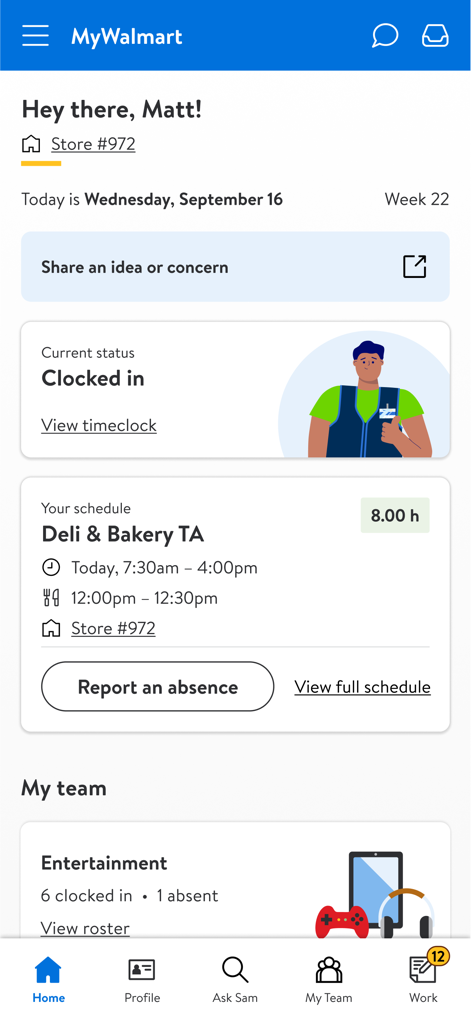
Home screen of the MyWalmart app for an employee showing their current status as clocked in and their work schedule.

Home screen of the MyWalmart app for an employee showing their current status as clocked in and their work schedule.

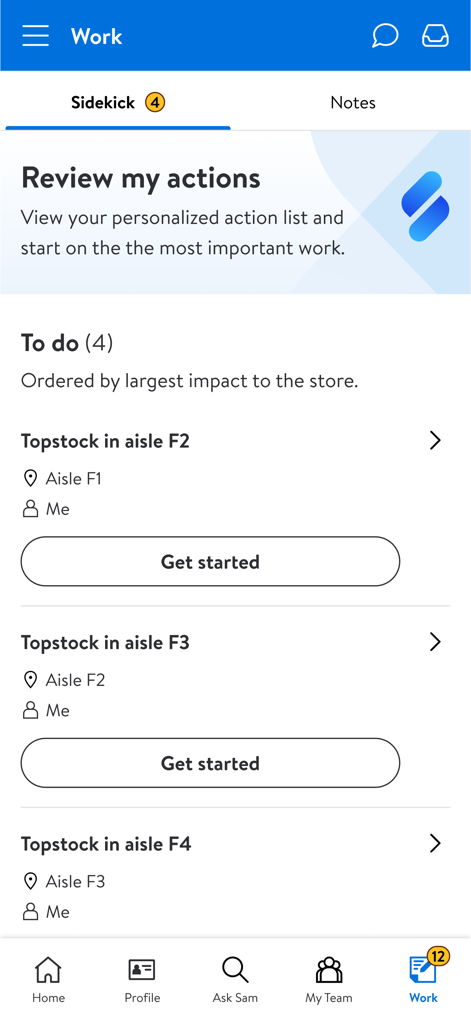
The Work screen of the MyWalmart app displaying a personalized action list and task assignments for retail associates

The Work screen of the MyWalmart app displaying a personalized action list and task assignments for retail associates

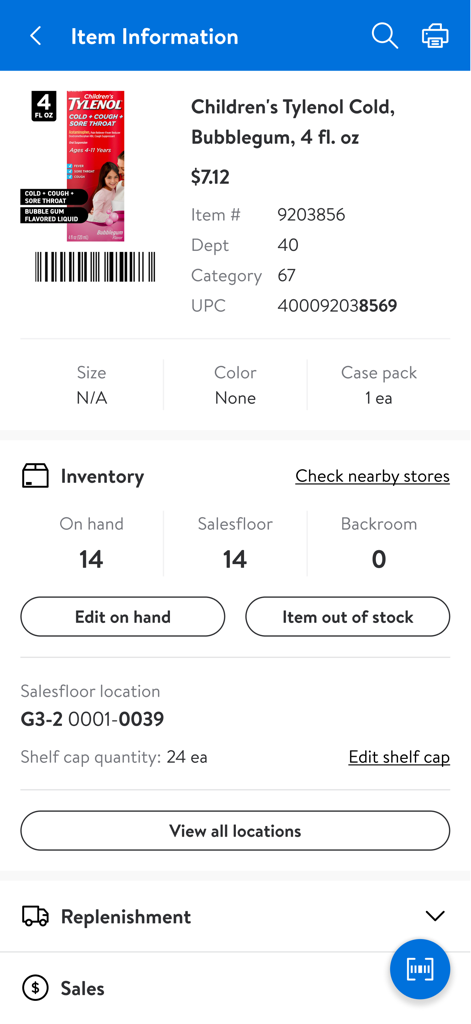
MyWalmart app interface showing stock levels and salesfloor location for a specific product

MyWalmart app interface showing stock levels and salesfloor location for a specific product

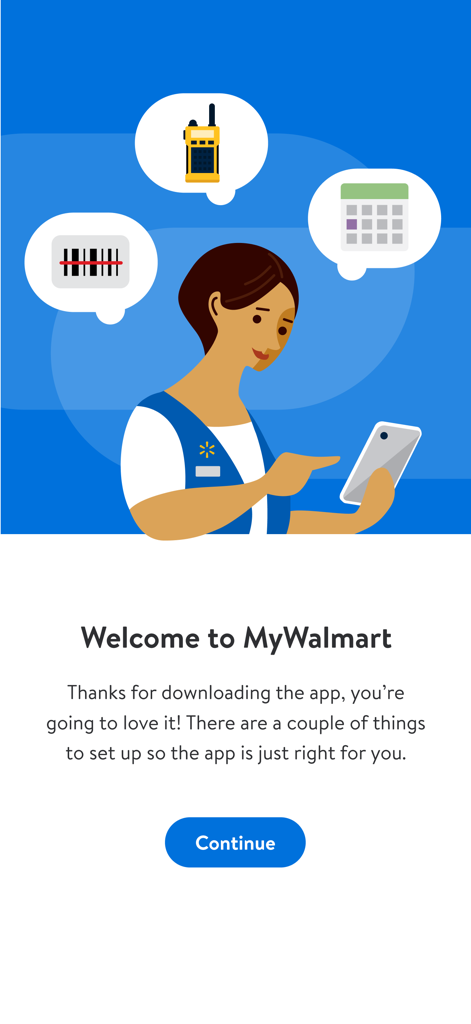
MyWalmart app welcome screen featuring an illustration of a Walmart associate and icons for scheduling, communication, and scanning.

MyWalmart app welcome screen featuring an illustration of a Walmart associate and icons for scheduling, communication, and scanning.

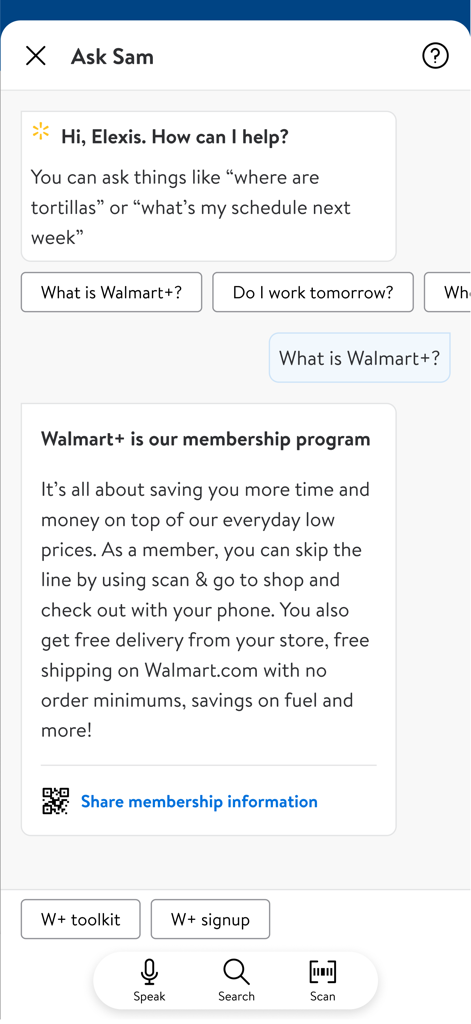
Interface of the Ask Sam AI voice assistant in the MyWalmart app explaining membership benefits to an associate.

Interface of the Ask Sam AI voice assistant in the MyWalmart app explaining membership benefits to an associate.

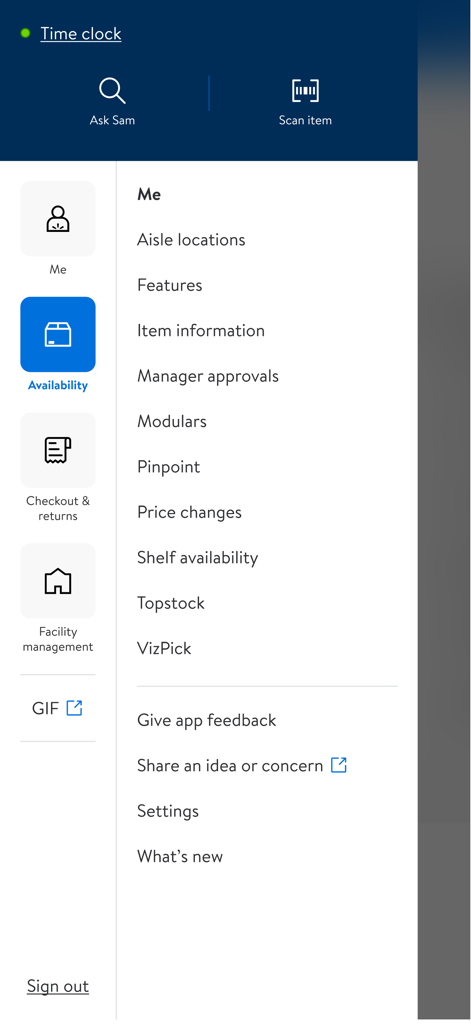
A menu interface from the MyWalmart app displaying features for associates like item information, price changes, and shelf availability.

A menu interface from the MyWalmart app displaying features for associates like item information, price changes, and shelf availability.

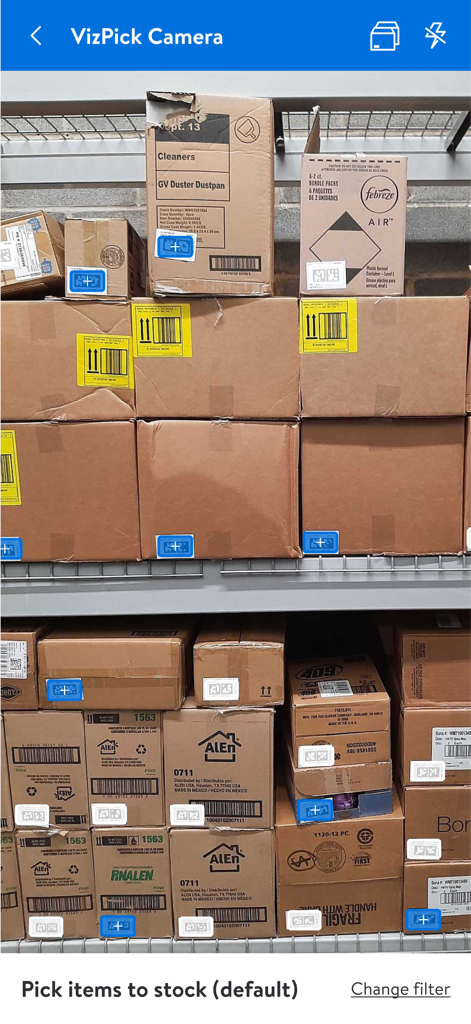
VizPick Camera screen in the MyWalmart app showing warehouse shelves with digital markers for stocking items

VizPick Camera screen in the MyWalmart app showing warehouse shelves with digital markers for stocking items

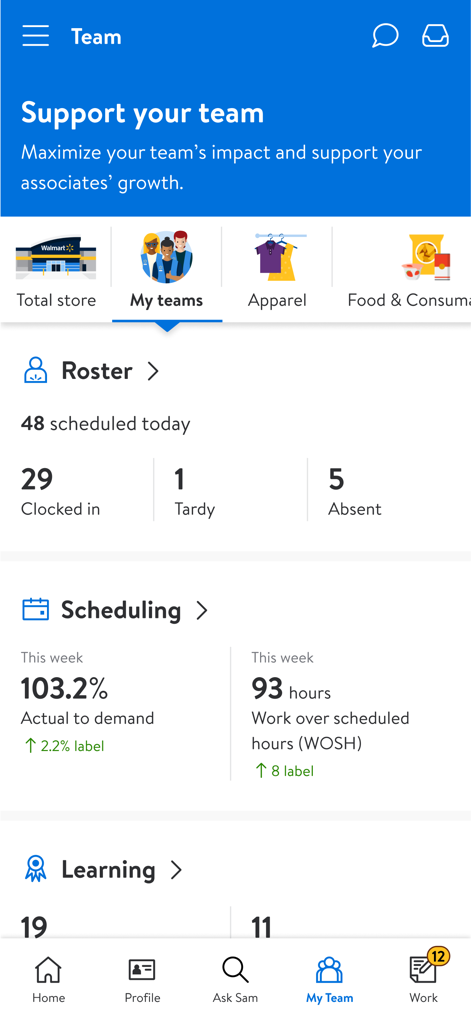
MyWalmart app dashboard displaying team roster and scheduling metrics for associates

MyWalmart app dashboard displaying team roster and scheduling metrics for associates

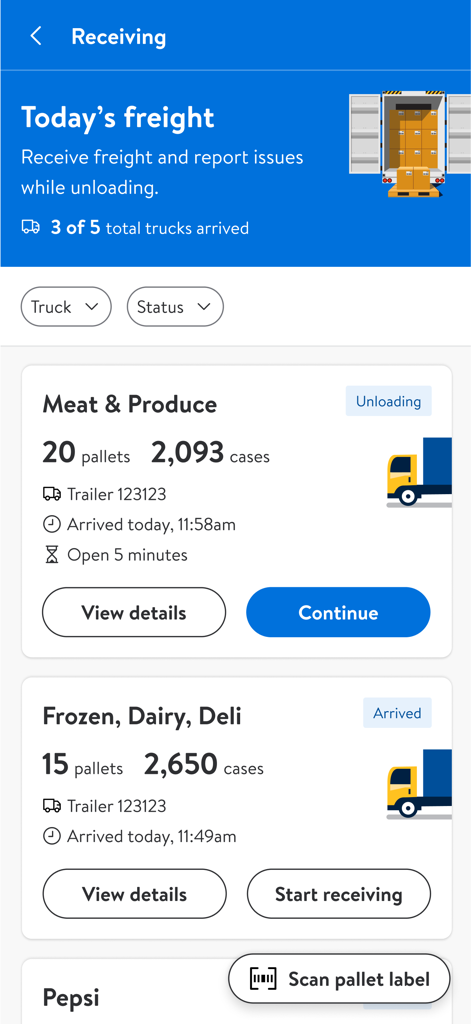
The MyWalmart app receiving screen displaying incoming freight, trailer numbers, and unloading status for meat and produce.

The MyWalmart app receiving screen displaying incoming freight, trailer numbers, and unloading status for meat and produce.

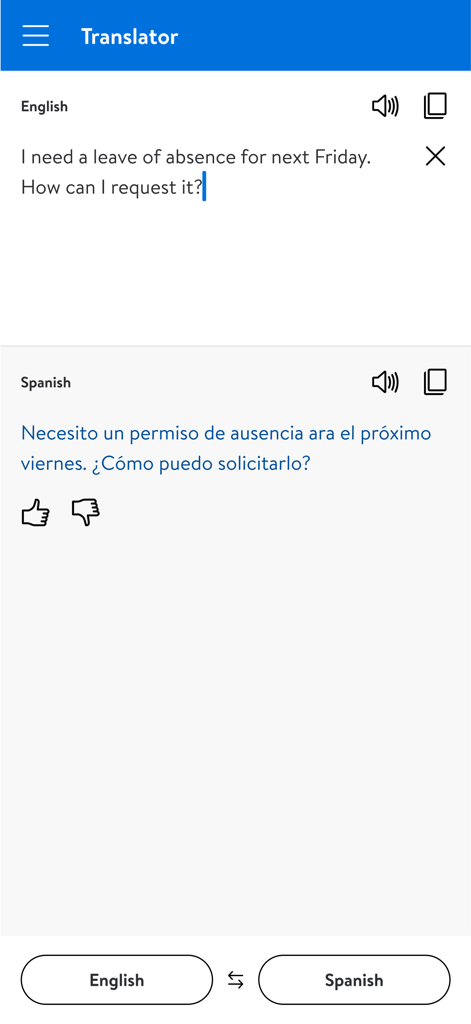
MyWalmart app translator screen showing English to Spanish translation of a leave of absence request.

MyWalmart app translator screen showing English to Spanish translation of a leave of absence request.

Your Workday, Simplified

The tools that make this app stand out, trusted by 5M+ users.

📅

Total Schedule Control

View your shifts, request time off, and swap or pick up extra hours directly from your phone to better balance your life.

🎙️

Meet Ask Sam

Use your personal voice assistant to get instant answers on product locations and metrics so you can help customers with confidence.

💬

Instant Team Connectivity

Stay in sync with your coworkers using the built-in walkie-talkie and real-time roster to collaborate seamlessly across the store.

Loved by users worldwide

Trusted by 5M+ people who love this app.

"

"Managing my work-life balance is so much easier now. I can swap shifts or request time off in seconds without chasing down a manager. Plus, Ask Sam makes finding product info on the floor incredibly fast!"

Marcus R., Sales Associate
"

"The application process through the app was so simple and transparent. Now that I am hired, I use the walkie-talkie feature daily to stay in sync with my team. It has made my transition into the role completely seamless."

Sarah L., Department Manager

About the app

Everything you need to know about MyWalmart.

Description

Introducing MyWalmart, the one app designed for and developed from the feedback of Walmart associates, as well as a venue for customers to learn about and apply for a career with Walmart. With the MyWalmart app, you can easily learn about Walmart's history, cultural values, the benefits we offer, and apply for a career with Walmart. Walmart associates must be enrolled in 2 step verification to access the internal features which include: Schedule: View your schedule, manage all time-off requests, and even swap or pick up unfilled shifts Ask Sam: Your search/voice assistant to help you answer questions related to products, metrics, and more. The more questions you ask the smarter it gets My Team: A roster view of who is working with an in-app walkie-talkie feature to stay connected to other associates and your team Inbox: Notifications and Actions for scheduling, time-off & more * Some features unavailable in certain locations

Latest Version

1.35.5

Size

333.0 MB

First Released

Nov 14, 2019

Ready to Master Your Workday and Grow Your Career?

Join over 5 million associates and job seekers. Download MyWalmart today to manage your shifts, connect with your team, and unlock your potential.

Download on App Store
FAQ

Frequently Asked Questions

Everything you need to know about MyWalmart

What is the MyWalmart app used for?

The MyWalmart app serves Walmart associates by providing tools for schedule management, communication, and task coordination. It also allows customers to learn about Walmart careers and apply.

How do Walmart associates access internal features in the MyWalmart app?

Walmart associates must enroll in 2-step verification to access internal features like schedule viewing, time-off requests, Ask Sam, My Team, and Inbox within the MyWalmart app.

Can I manage my work schedule using the MyWalmart app?

Yes, the MyWalmart app allows associates to view their schedule, manage time-off requests, and swap or pick up unfilled shifts directly within the application.

What is Ask Sam in the MyWalmart app?

Ask Sam is a search and voice assistant within the MyWalmart app. It helps associates answer questions related to products, metrics, and other work-related inquiries. Its intelligence grows with more questions.

Does the MyWalmart app include a team communication feature?

Yes, the MyWalmart app features "My Team," which provides a roster view of who is working and an in-app walkie-talkie feature to stay connected with other associates and your team.

Can I apply for a job at Walmart through the MyWalmart app?

Yes, the MyWalmart app provides a venue for customers to learn about Walmart's history, values, benefits, and apply for a career with the company.

How does MyWalmart app help with inventory management?

The MyWalmart app helps with inventory management by allowing associates to view item information, check current inventory levels, edit on-hand quantities, and manage salesfloor locations. Features like VizPick are also available.

Does the MyWalmart app provide a translator tool?

Yes, the MyWalmart app includes a Translator feature that allows users to translate text, as demonstrated by an English to Spanish translation of a leave of absence request.

Can associates check their clock-in status on the MyWalmart app?

Yes, associates can view their current status, such as "Clocked in," and access their timeclock details directly from the home screen of the MyWalmart app.

What kind of tasks can I review in the "Work" section of the MyWalmart app?

The "Work" section in the MyWalmart app allows associates to review personalized action lists and "To do" tasks. Examples include topstock assignments in specific aisles.

Are all MyWalmart app features available everywhere?

No, the app description states that some features of the MyWalmart app may be unavailable in certain locations.