네이버 블로그 - Naver Blog

네이버 블로그 - Naver Blog

Download on App StoreDownload on Google Play
Spark by MWM logo
Logo of 네이버 블로그 - Naver Blog

네이버 블로그 - Naver Blog: Your Life, Your Stories, Your Community

The ultimate space for the Korean community in the USA. Document your American journey through detailed journals and trending 'Clips' while staying connected with neighbors everywhere.

Publisher

NAVER Corp.

Category

Social Networking

Downloads

4M+

User Rating

2.3/5

Total Ratings

18K+

Locales

1

A Glimpse of Your Story

Discover the interface used by 4M+ users.

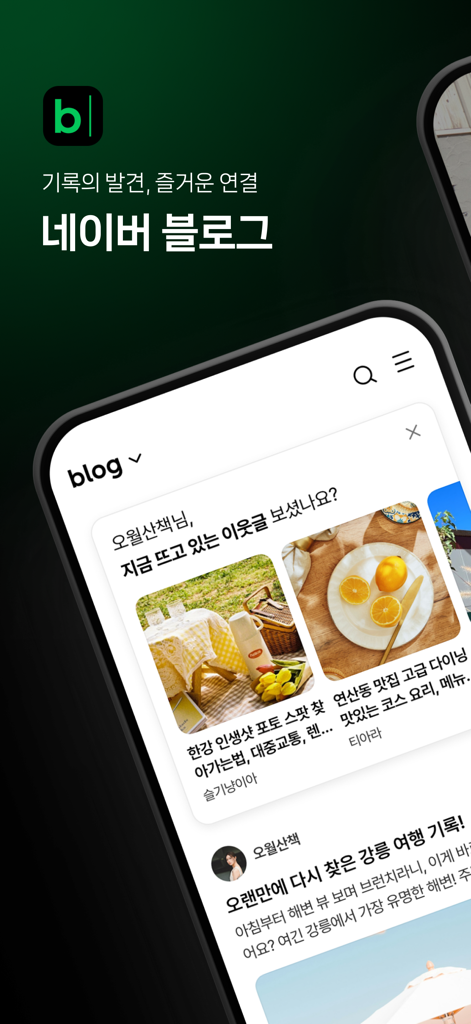
Naver Blog mobile app interface displaying lifestyle content and Korean text

Naver Blog mobile app interface displaying lifestyle content and Korean text

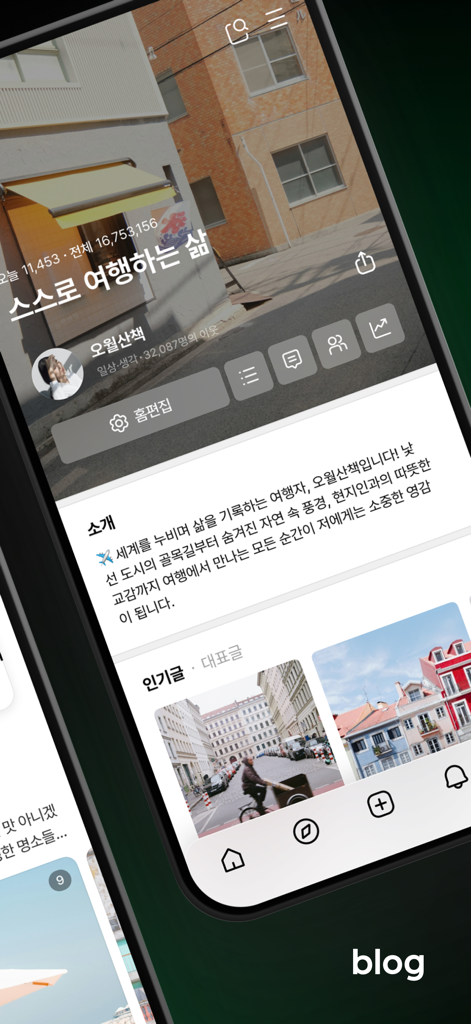
Mobile interface of a Naver Blog profile page displaying travel content and user information in Korean.

Mobile interface of a Naver Blog profile page displaying travel content and user information in Korean.

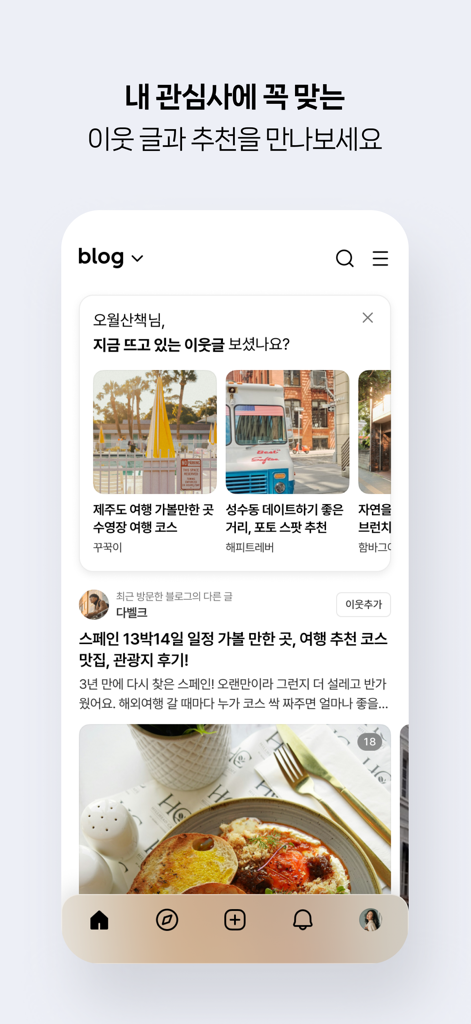
Naver Blog mobile app interface displaying personalized content recommendations and neighbor updates.

Naver Blog mobile app interface displaying personalized content recommendations and neighbor updates.

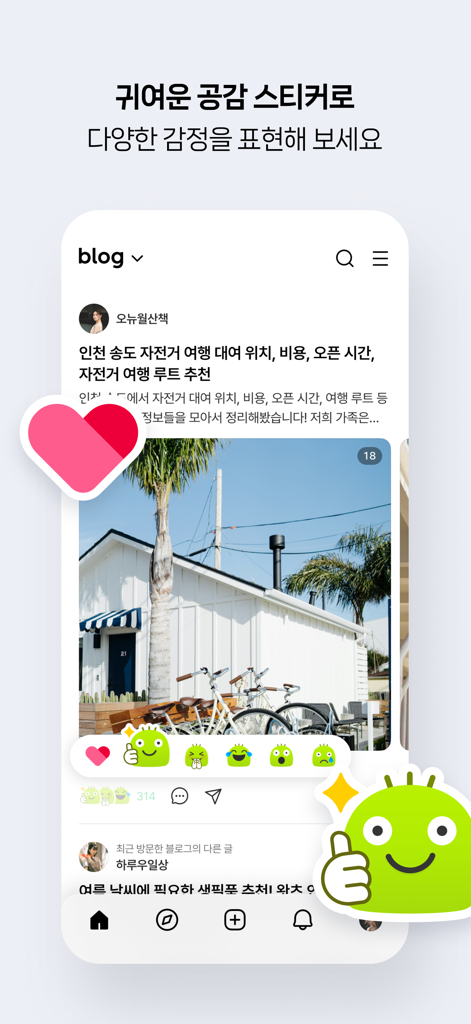
Naver Blog app interface showing cute character stickers to react to a lifestyle blog post with photos

Naver Blog app interface showing cute character stickers to react to a lifestyle blog post with photos

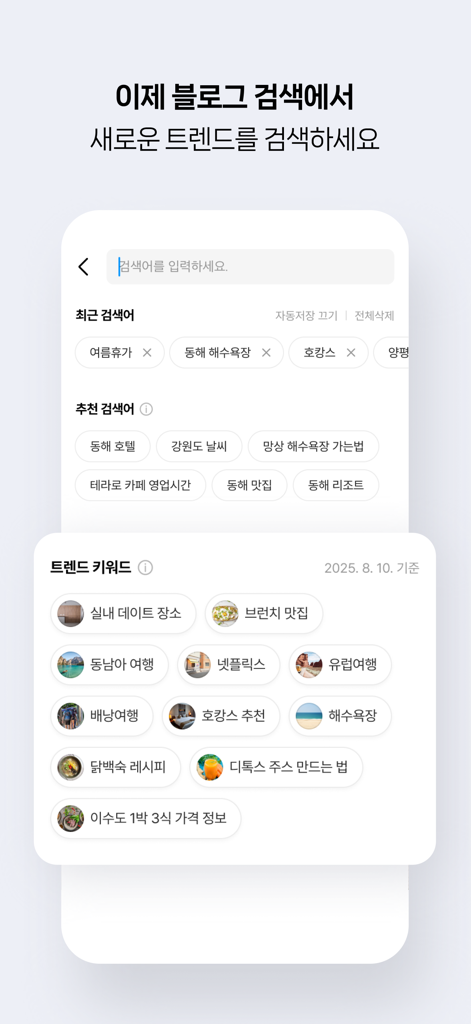
Naver Blog app search interface displaying trending keywords and recommendations in Korean

Naver Blog app search interface displaying trending keywords and recommendations in Korean

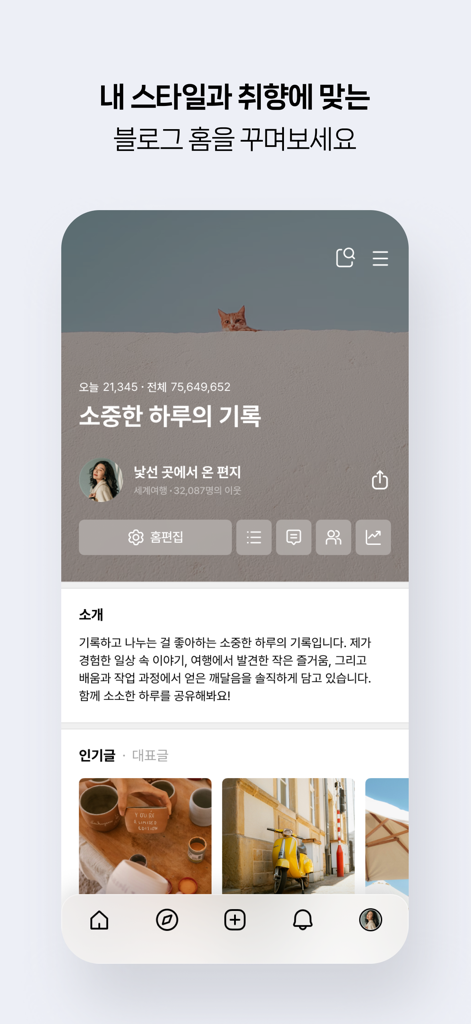
Naver Blog app home screen showing a personalized user profile with Korean text and lifestyle images

Naver Blog app home screen showing a personalized user profile with Korean text and lifestyle images

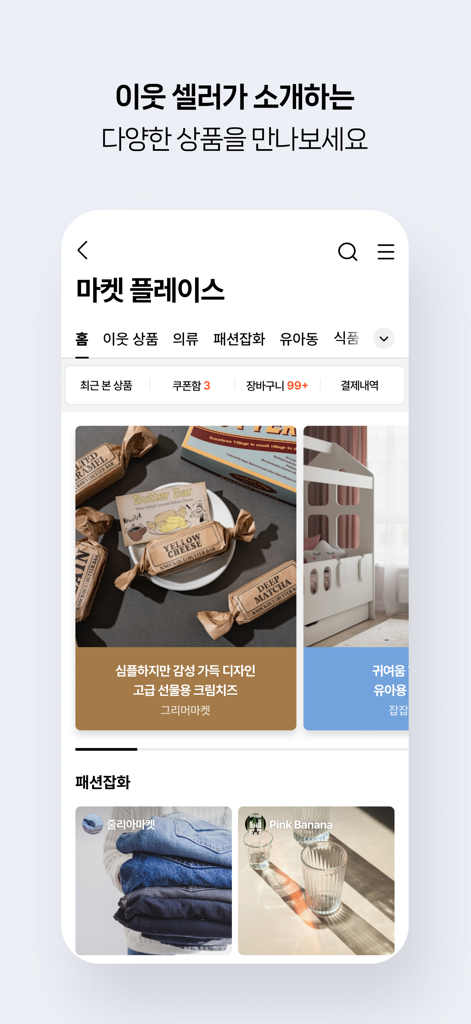
Marketplace section of Naver Blog app displaying items from community sellers

Marketplace section of Naver Blog app displaying items from community sellers

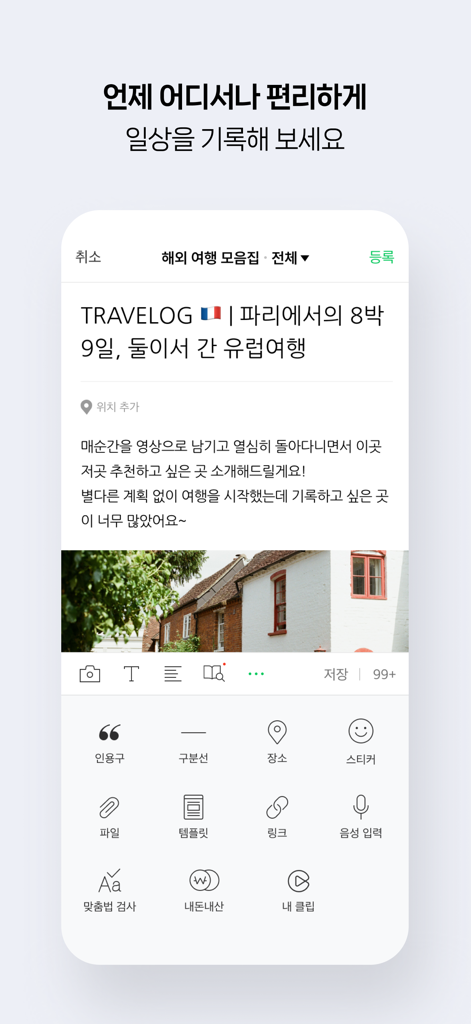
Interface of the Naver Blog app showing the creation of a travel blog post with text and images.

Interface of the Naver Blog app showing the creation of a travel blog post with text and images.

Your Korean Digital Home in the USA

The tools that make this app stand out, trusted by 4M+ users.

✍️

Document Every Journey

Create rich, long-form posts with photos, videos, and maps. Perfect for archiving your life in America and saving drafts even when you are offline.

🤝

Connect with Your Neighbors

Find a trusted community of Koreans nearby. Share real reviews, exchange local advice, and stay updated with real-time push notifications from your favorite blogs.

🎬

Share Life in Short-Form

Bring your stories to life with 'Clips'. Quickly create and share trendy short-form videos of your favorite US hotspots and daily highlights.

Loved by users worldwide

Trusted by 4M+ people who love this app.

"

"Sharing my life in NYC with my family back in Seoul has never been easier. I love the 'Clip' feature for quick updates, but the ability to write long, detailed posts with photos and maps is what really sets Naver Blog apart for me!"

Ji-won Lee
"

"As a frequent traveler across the States, the offline saving feature is a game-changer. I can draft my reviews and daily journals anywhere and publish them once I am back online. It is the perfect digital diary for my American journey."

Kevin Han

Review Analysis

Insights from user reviews.

Sentiment Score

15%
Negative

Summary

Recent updates to the app have been met with overwhelmingly negative feedback, primarily due to the introduction of unwanted recommended content and non-follower posts into users' main feeds, which many feel erodes the traditional "personal space" identity of a blog. Users frequently report significant app stability issues, including crashes, lost drafts, and problems with image uploads and font settings. While one user found the updated design to be cleaner, many express dissatisfaction with new UI elements like the logo and the positioning of action buttons. Key feature requests include the addition of a dark mode, an undo button for writing, and the ability to filter feeds to show only content from followed users.

Common Themes

Unwanted Recommended Content(19)
App Stability & Bugs(13)
Loss of Blog Identity(8)
User Interface Changes(7)
Missing Features(5)
Draft & Post Management(5)
Clean & Simple Design(1)

About the app

Everything you need to know about 네이버 블로그 - Naver Blog.

Description

iPhone과 iPod touch에서 만나는 네이버 블로그! 네이버 블로그 모바일 애플리케이션으로 언제 어디서나 포스트를 쓰고, 이웃의 소식을 확인할 수 있습니다. 블로그 홈의 추천글로 관심 있는 블로그를 새로 만나고, 이웃을 맺을 수도 있습니다. 네이버 블로그 모바일 애플리케이션에서는 아래의 기능을 제공합니다. 1) 내 블로그 소식을 확인하고, 덧글, 안부글, 서로이웃맺기 소식을 푸시알림으로 받을 수 있습니다. 2) 사진, 동영상, 지도를 첨부하여 포스트를 올릴 수 있습니다. 오프라인 상태에서도 임시 저장이 가능합니다. 3) 이웃 블로그 바로가기, 이웃새글 읽기, 안부게시판 기능 등으로 블로그 이웃과 소통할 수 있습니다. 4) 마음에 맞는 새로운 블로그를 발견하면 이웃으로 추가할 수 있으며, 다른 사람의 이웃 신청도 수락할 수 있습니다. 5) 개별 블로그에서 원하는 포스트를 검색할 수 있습니다. 6) 블로그의 새로운 숏폼 동영상 '클립'을 만들 수 있습니다. 항상 네이버 서비스를 이용해 주시는 여러분께 감사 드리며, 더 좋은 서비스로 찾아 뵙도록 꾸준히 노력하겠습니다. 앱 사용 중에 궁금하신 점 또는 문제가 발생한 경우, 블로그 고객센터 (http://naver.me/5l0zAD2L) 로 접속하여 궁금하신 점을 해결해 보세요. 개발자 연락처 : 1588-3820 naver_market@naver.com 경기도 성남시 분당구 정자동 178-1 그린팩토리 16층 Stay connected anywhere, anytime with Naver Blog.   With the official Naver Blog app for iPhone and iPod touch, you can check out real-time status of your blog and the latest updates from your neighbors. Also, you can easily publish posts with photos or location information. Naver Blog is just the right way to share your stories with the world!   Highlighted Features:   1. Check out real-time status updates of your blog and any updated post from your neighbors 2. View enlarged photos on posts. 3. Enjoy lively communication with your neighbors. You can directly access your neighbors, read their latest updates, and leave short messages on the board. 4. Upload posts with photos or maps. You can save them even when you are offline! 5. Add a new blogger as your neighbor and accept anybody who wants to become one of your neighbors. 6. Create new short-form video "Clip" for your blog.   Thank you for using Naver apps. We will continue to improve our products and to provide up-to-date services. In case a problem or an error occurs while using the app, please feel free to leave your inquiry on NAVER Customer Center (WEB: m.help.naver.com/mail.nhn, MAIL: navercc@naver.com) Please note that an accurate assessment and answer to your problem may not be possible if you do not provide us with a direct inquiry to the above Customer Center. Please understand that leaving us a feedback comment on the review board, while greatly appreciated, does not suffice as a direct inquiry.

Latest Version

6.42.1

Size

240.9 MB

First Released

Oct 15, 2009

Your Digital Home in the USA

Join the community of Korean voices across America. Start documenting your journey, sharing local insights, and connecting with neighbors today.

Download on App StoreDownload on Google Play
FAQ

Frequently Asked Questions

Everything you need to know about 네이버 블로그 - Naver Blog
What is the Naver Blog app?

The Naver Blog app for iPhone and iPod touch allows users to publish posts, check blog status, view neighbor updates, and interact with other bloggers. It supports sharing stories with photos, videos, and location information.

Can I create and save posts offline with the Naver Blog app?

Yes, the Naver Blog app allows users to upload posts with photos or maps and save them even when offline. This ensures content creation is possible without an immediate internet connection.

How can I interact with other users on the Naver Blog app?

Users can interact by checking neighbor updates, reading their latest posts, leaving short messages on their boards, and adding new bloggers as neighbors. The app also supports accepting neighbor requests.

Does the Naver Blog app provide push notifications for blog activities?

Yes, the Naver Blog app provides push notifications for various activities. These include updates on comments, greetings from others, and mutual neighbor requests, keeping users informed in real-time.

Can I create short-form videos with the Naver Blog app?

Yes, the Naver Blog app includes a feature to create new short-form video content called "Clip" for a blog. This allows users to share dynamic visual stories.

How can I search for content within the Naver Blog app?

The Naver Blog app allows users to search for specific posts within individual blogs. It also features a general search interface to discover new trends and content from other bloggers.

Where can I find customer support for the Naver Blog app?

Users can access the Naver Customer Center for inquiries or problems. The official support website is m.help.naver.com/mail.nhn, or they can email navercc@naver.com for direct assistance.