Nintendo Switch Parental Cont…

Nintendo Switch Parental Cont…

Download on App StoreDownload on Google Play
Spark by MWM logo
Logo of Nintendo Switch Parental Cont…

Nintendo Switch Parental Controls™: Peace of Mind for Healthy Gaming Habits

Take the stress out of screen time by setting daily limits, managing GameChat safety, and monitoring your child's activity directly from your phone.

Download on App Store

Publisher

Nintendo Co., Ltd.

Category

Lifestyle

Downloads

13M+

User Rating

4.6/5

Total Ratings

632K+

Locales

12

Peace of Mind at a Glance

Discover the interface used by 13M+ users.

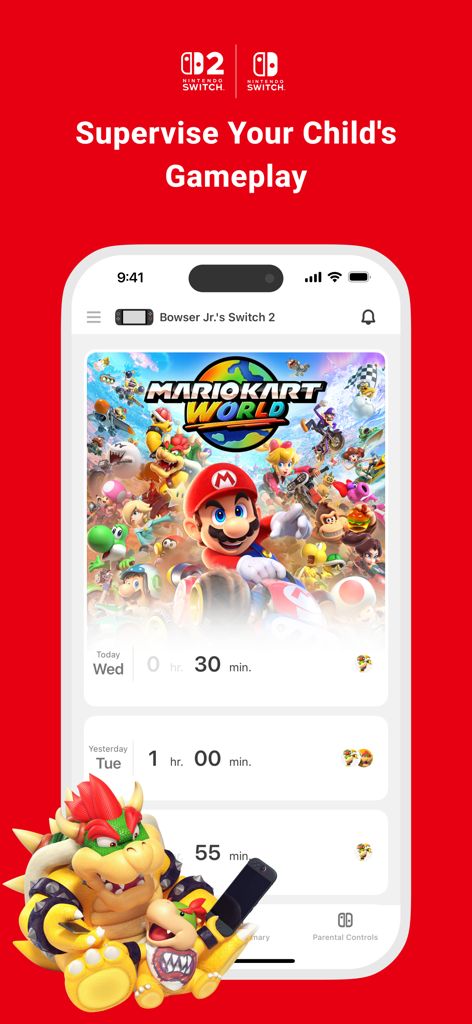
Smartphone screen showing daily game play time tracking for Mario Kart World on the Nintendo Switch Parental Controls app

Smartphone screen showing daily game play time tracking for Mario Kart World on the Nintendo Switch Parental Controls app

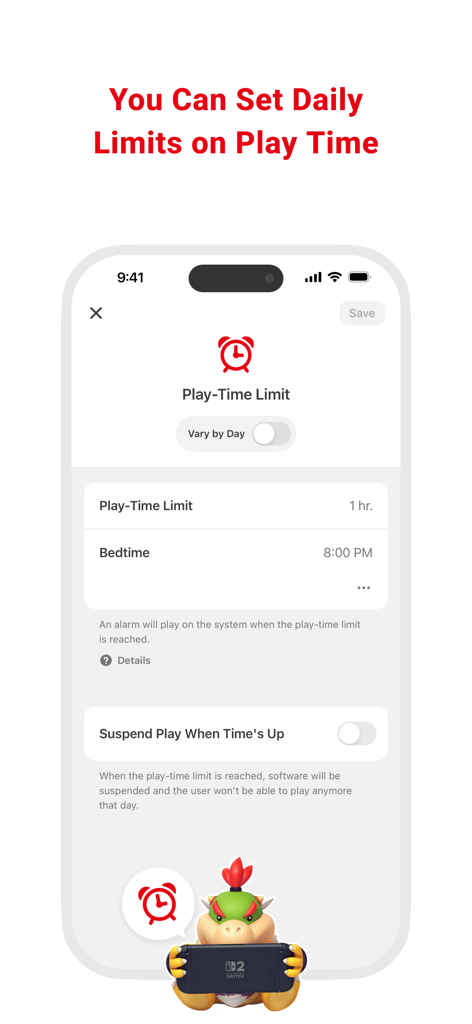
Nintendo Switch Parental Controls screen for setting daily play time and bedtime limits

Nintendo Switch Parental Controls screen for setting daily play time and bedtime limits

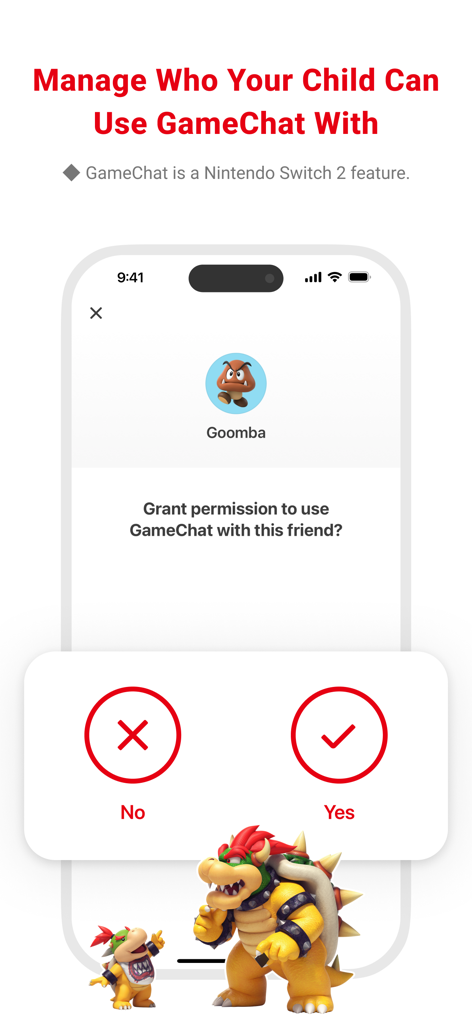
Interface for managing GameChat friend permissions in the Nintendo Switch Parental Controls app

Interface for managing GameChat friend permissions in the Nintendo Switch Parental Controls app

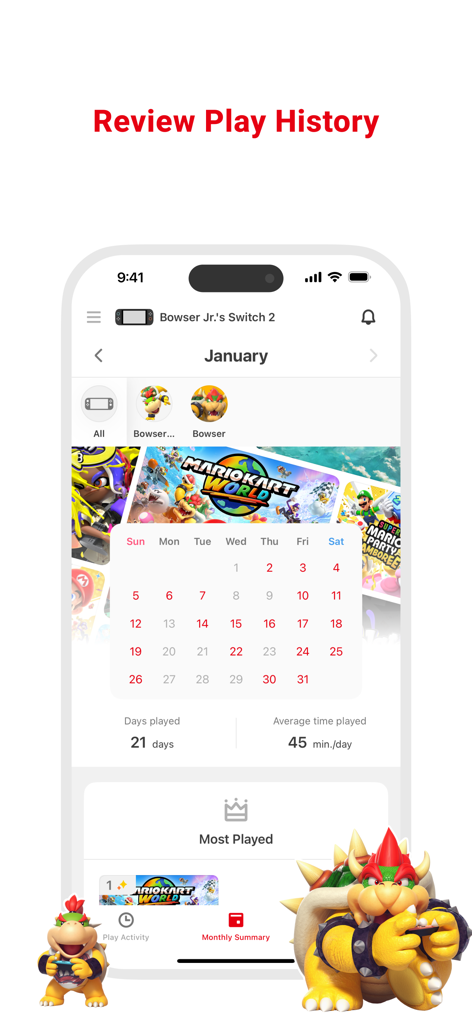
Monthly play history and usage summary on the Nintendo Switch Parental Controls app.

Monthly play history and usage summary on the Nintendo Switch Parental Controls app.

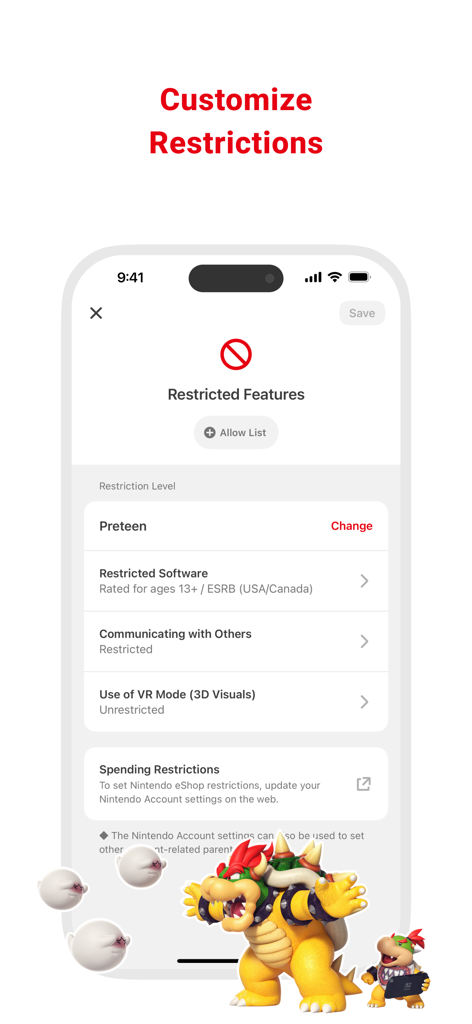
Customize restrictions screen in the Nintendo Switch Parental Controls app showing age-based software and communication settings

Customize restrictions screen in the Nintendo Switch Parental Controls app showing age-based software and communication settings

Smart Gaming for Modern Families

The tools that make this app stand out, trusted by 13M+ users.

⏱️

Automated Screen Limits

Set daily timers that automatically pause the game when time is up, eliminating daily friction and the 'just five more minutes' argument.

📈

Detailed Play Insights

Receive instant visibility into which games your child is playing and for how long with comprehensive daily and monthly activity reports.

🔒

Safe Social Controls

Manage GameChat permissions and approve friends for video chat to ensure your child only interacts with people you trust.

Loved by users worldwide

Trusted by 13M+ people who love this app.

"

"Finally, an app that ends the 'five more minutes' battle! Being able to set daily limits and have the console automatically suspend play at bedtime has brought so much peace to our evenings. I love getting the monthly summaries to see which games my kids are currently obsessed with."

Sarah Jenkins
"

"The GameChat management is a game-changer for my peace of mind. I can control exactly who my kids are video chatting with on their Switch 2 and set age restrictions in seconds. It is the most intuitive parental control tool I have ever used."

Michael Torres

About the app

Everything you need to know about Nintendo Switch Parental Cont….

Description

Nintendo Switch Parental Controls™ is a free app that allows you to easily monitor your child's use of the Nintendo Switch 2 or Nintendo Switch system. ◆ A Nintendo Switch 2 or Nintendo Switch system is required to use this app. ■ Set a daily play-time limit You can set a timer for how long your child can play for each day. You can select different settings for each day of the week, and even set it so that the game is suspended on the system as soon as the play-time limit is reached. ■ Manage your child's GameChat settings If you allow your child to use GameChat, you can manage which friends they're approved to chat with and decide when they can use video chat. ◆ The GameChat feature can only be used on Nintendo Switch 2 systems. ■ View your child's play activity You can easily check which games your child plays and for how long. You'll also get a monthly overview of their gameplay activity. ■ Set restrictions based on your child's age You can set up age-based restrictions on the games your child can play and the features they can use. Attention: ● To use the Nintendo Switch Parental Controls app, a parent or guardian (aged 18 or above) will need to have a Nintendo Account. ● Purchasing restrictions, including restrictions on purchasing products and services in Nintendo eShop, can be set up in the Nintendo Account settings. ● To make use of all of the features and settings available in the Nintendo Switch Parental Controls app, all linked Nintendo Switch 2 and Nintendo Switch systems need to be using the latest system version. ● For details about the GameChat feature, please visit support.nintendo.com.

Latest Version

2.3.0

Size

79.2 MB

First Released

Mar 2, 2017

Take the Stress Out of Screen Time

Join millions of parents using the official Nintendo Switch Parental Controls app to set healthy limits, manage video chat safety, and enjoy total peace of mind today.

Download on App StoreDownload on Google Play
FAQ

Frequently Asked Questions

Everything you need to know about Nintendo Switch Parental Cont…
What is the Nintendo Switch Parental Controls app?

The Nintendo Switch Parental Controls app allows parents to monitor and manage their child's use of Nintendo Switch and Nintendo Switch 2 systems. It offers play-time limits and activity tracking.

How can I set a daily play-time limit using Nintendo Switch Parental Controls?

Yes, the Nintendo Switch Parental Controls app allows you to set a daily play-time limit for your child. You can customize limits for each day and suspend gameplay when the time limit is reached.

Can the Nintendo Switch Parental Controls app manage GameChat settings?

Yes, the Nintendo Switch Parental Controls app manages GameChat settings. Parents approve which friends their child can chat with and control video chat usage. This feature requires a Nintendo Switch 2 system.

Does the Nintendo Switch Parental Controls app show my child's play activity?

Yes, the Nintendo Switch Parental Controls app shows your child's play activity. You can view which games they play, how long they play, and receive a monthly overview of gameplay activity.

Can I restrict games by age using the Nintendo Switch Parental Controls app?

Yes, the Nintendo Switch Parental Controls app enables age-based restrictions on games and features. Parents can customize these restrictions based on their child's age.

What are the requirements to use the Nintendo Switch Parental Controls app?

To use the Nintendo Switch Parental Controls app, you need a Nintendo Switch 2 or Nintendo Switch system and a Nintendo Account for the parent or guardian (aged 18 or above).

Can I set purchasing restrictions using the Nintendo Switch Parental Controls app?

No, purchasing restrictions for Nintendo eShop are not set within the Nintendo Switch Parental Controls app. These restrictions are configured in the Nintendo Account settings online.

Is the Nintendo Switch Parental Controls app free to use?

Yes, the Nintendo Switch Parental Controls app is a free application. It helps parents monitor and manage their child's Nintendo Switch or Nintendo Switch 2 system usage.